Source code management (SCM) is not a new concept. It has been in existence since around 1980, when Revision Control System (RCS), one of the first major SCMs, was released.
But that doesn’t mean SCM today is the same as it was decades ago. Modern SCM tools do much more than their predecessors. They handle not just application code, but all the configuration scripts and templates used to build and support the infrastructure that applications rely on.
Here is an explanation of what a modern SCM can do for you, and why it’s important from a business perspective to have a modern SCM.
What Do SCM Tools Do?
SCM tools, also known as version control systems (VCSs), at their most basic level, provide a history of all changes to one or more files and directories within a repository. These tools are most effective on text-based files such as source code and configuration files, as they can show line-by-line differences. While some tools can do specific binary file types (such as Microsoft Word documents), typically, binary files are stored intact, and each change results in a whole new copy being saved.
An example of what metadata is tracked in the history (CLI-based example):
| $ p4 changes
Change 2 on 2019/04/19 by dev@desktop ‘deletion of library.dll’
Change 1 on 2019/04/18 by dev@jenkins ‘Initial commit’
… |
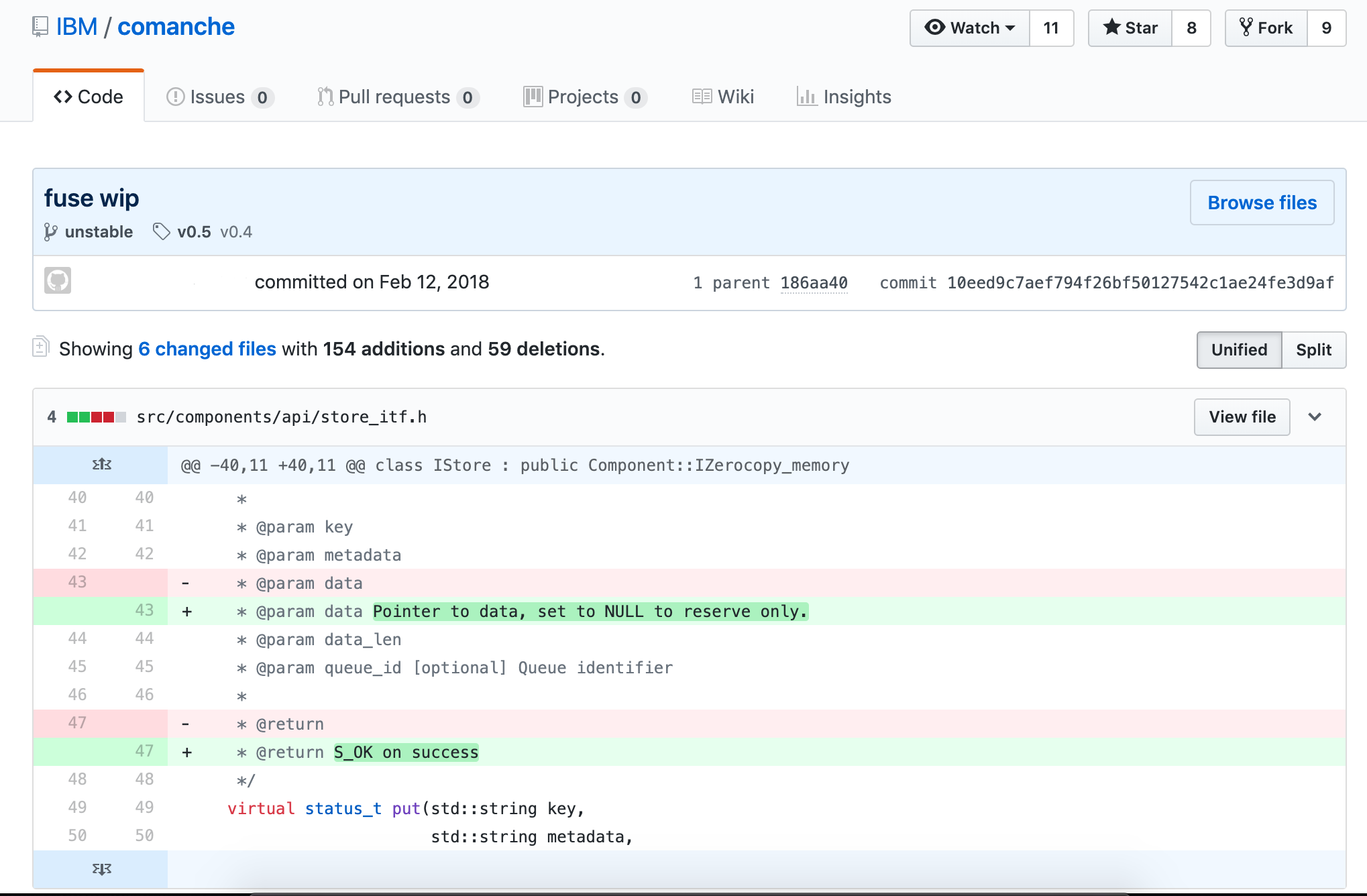
You can display what has actually changed in each file (GUI-based example):
Distributed vs. Centralized SCM
There are actually three models of SCM tools: local-only, centralized and distributed.
There is currently no modern SCM tool that runs local-only. Modern SCMs have evolved beyond a local-only architecture.
Centralized SCM tools work by having every change committed directly back to the source server that is the authority for whatever is being worked on. There is code hosted on the local workstation, but any and all changes are tracked on the server. This model was dominant in the late 1980s and is still extremely popular in many large enterprises. The benefit of having everything centralized is all changes are tracked, and it is easy to stay in sync with the authoritative repository that leads to very few conflicting merges. The downside is a constant connection to the network is required to get any work done.
Distributed SCM tools came out of obscurity in the early 2000s with their biggest proponent: Linux kernel development. Linux kernel development had evolved into a globally dispersed team, and not all members had the bandwidth or always-on connectivity needed to continue to use their centralized SCM toolset. The biggest benefit of the distributed model is each workstation has a complete copy of the entire repository and can locally branch, tag, revert and commit changes. At certain points (often daily, sometimes weekly), each developer syncs their local repository with the remote repository (which can loosely be called the authoritative version). The biggest downside is a much higher likelihood of conflicting changes being applied to files in the repository if there isn’t a lot more coordination around the process. It isn’t enforced with locks like it is in a centralized model.
Why Use SCM Tools?
Reproducibility and traceability. Period. It really is that simple.
With SCM tools embedded in your development and support lifecycles, you can produce the code used for any version at any time, which will let you reproduce the binaries that were running in production. In addition, you can trace back to who actually changed the line of code that either fixed the defect or broke the world.
Let’s go through a few scenarios where this can make all the difference.
1. Fixing an ABEND from a Job that Only Runs Quarterly
It’s 3 a.m., and you receive a phone call from operators saying your job has ABENDed, and their normal remediation steps didn’t fix it.
Without SCM in place, you can only work with the code you have. You are in the middle of refactoring it, so it is in no shape to go anywhere near production–leading to meetings full of apologies and late nights spent working.
With SCM, you check the tags in the repository and pull the latest production build, fix it, test it, push it to production and have the job back up and running before others make it into the office. Then, you can create a new tag, and there is a record of what was done.
2. Discovery in a Lawsuit for an Event that’s Six Years Old
This is pretty straightforward. We live in a world where companies love to sue each other, and your legal team will appreciate your ability to reproduce things as they were so you can prove what does or doesn’t work as expected, or does or doesn’t include whatever patented code the other side claims. No one likes to lose a default judgement.
3. Client Finds a Bug in the Older Release They Still Run
This applies to managed offerings or when the client installs the software on their own; there is always that one client who for some reason can’t upgrade.
In this case, inside your SCM tool, as a best practice you would create a branch every time you do a release of your product. On that release branch, you can easily make code changes and rebuild and distribute the new, updated binaries of a version that was originally released two presidents ago, without having any impact on other customers or your own production deployments.
Timeline of Popular SCM Tools
There are dozens of version control tools and discussing the evolution of each one would fall far beyond the scope of this publication. However, there are a few key SCM tools that have led the way in establishing standards and norms for the industry. Their history is outlined here.
1. Unix
Concurrent Version System (CVS) was the first widely used SCM tool in the Unix ecosystem. It was a pioneer in the centralized approach when it was released in 1990. CVS is heavily based on RCS (to the point that most RCS repositories were seamlessly converted).
Microsoft had a tool called Visual Source Safe (VSS) that it supported and distributed from the mid-1990s through the early 2000s. VSS was good for the typical mid-sized source code repository. Microsoft did not use VSS internally, as their internal needs were too complicated and their code repositories were too large for the tool.
2. Cross-Platform SCMs: Perforce, ClearCase and SVN
Perforce was the dominant source management tool used within Microsoft for decades. Perforce supported the level of complexity Microsoft and other large enterprises had around tagging and branching. It was also cross-platform like other popular tools such as PVCS, which helped it support development across all facets of a large enterprise’s infrastructure, from mainframes to Unix to Linux to Windows.
Rational ClearCase (later bought by IBM) was heavily used by larger enterprises across all platforms, especially when mission-critical systems that leveraged big iron hardware and service-oriented architecture were involved. While ClearCase was a centralized system, it had several features that were unique and valuable to distributed teams, including dynamic views, which could be remotely mounted, and true code-level integration with Rational ClearQuest to track exactly what was changed in each defect and request. These concepts were revolutionary, but required large and reliable network interconnections, which is why distributed systems have become more commonplace today.
While enterprises were adopting PVCS, Perforce or ClearCase, many open source, web-scale and smaller organizations were adopting Subversion (SVN), released in 2000. It built on CVS’s success and specifically addressed a couple of major annoyances with CVS’s architecture, which included repository-wide versions (which allowed a more consistent approach to versioning applications), as well as atomic commits (meaning the entire change is applied at once—if any of it fails, then the entire change is rolled back).
Rational Team Concert, which emerged in 2008, represented another important point in the evolution of SCMs. It was cloud compatible and offered features (such as build management) that extended beyond just version control.
The Git Revolution
The world of SCM changed significantly with the introduction of Git, which was released in 2005.
Initially developed by the Linux kernel development team, Git built on the lessons learned from a previous product the team used, called BitKeeper. Git is a truly distributed SCM tool and is now the dominant SCM tool for all new development. Git is multi-platform and has the largest mindshare across organizations of all sizes.
Git has a much larger ecosystem around it than previous SCM tools enjoyed, and multiple vendors offer solutions that are built on it. Git is the default tool for most modern continuous integration tools, such as Jenkins.
Using Modern SCMs with z/OS
On the mainframe, SCMs developed in parallel to other platforms, but remained entirely separate in their implementation. Products such as Endevor, ChangeMan and ISPW were born as Library Managers, but were later used for version control. Still, the core technology that powers them is over 20 years old. They have remained substantially unchanged throughout their lives.
Recently, however, with the rise in popularity of of hybrid applications and the adoption of lean/agile development processes, the legacy SCMs have come under increasing pressure to modernize. The vendors who produce these products have belatedly tried to bolt on modern capabilities; and where this has been proven impossible or impractical, they have elected to integrate with Git. However, since Git is now fully supported on the z/OS platform, organizations requiring the capabilities of a modern SCM are able to use Git without the hindrance or cost of a legacy SCM.
You might think developers who work on legacy platforms such as mainframes, have to abandon their entire environments in favor of modern ones in order to take advantage of modern SCMs. Fortunately, that is not the case. Tools such as Dependency Based Build (DBB) bridge the divide between mainframe apps and modern SCMs. DBB lets mainframe developers use Git to manage source code for z/OS COBOL applications. It also supports Groovy for managing builds.
Git, and the build tools that integrate with it, have become the go-to SCM solution for virtually all developers today, on most platforms. With the rapid uptake of Git already on Z, and tools like DBB available, it is clear Git is also going to become the dominant SCM for the z/OS development.
As teams modernize their practices to handle the explosion in the sheer number of applications being built and the infrastructure automation scripts that support them, moving to an agile development methodology or trying to take advantage of DevOps practices such as continuous integration (CI) is impossible without a modern SCM tool to push all the changes through.
Modern SCM tools are the foundational building block every technology team needs to successfully support all aspects of an application’s lifecycle.
— Vince Power


