Tag: user experience

  • How to Automate Testing for Optimal Customer Experience

    How to Automate Testing for Optimal Customer Experience

    During a sudden surge in online traffic like the one many companies have seen over the past few months, automated testing can help organizations optimize the customer experience

    Imagine you manage an e-commerce office supply company and are dealing with a sudden surge in traffic—with more people working from home, demand for your products has grown significantly. But when a customer attempts to complete a purchase, they encounter a debilitating error such as a broken button or a page that won’t load. Now imagine this happening to hundreds of customers simultaneously, during the most critical time of day for purchases on your site. Imagine the revenue lost, the customers never to return, the complaints on social media—it’s a situation everyone wants to avoid.

    But this is a situation many will have to handle at some point. Web pages are large, complex beasts made up of different images, fonts, style sheets, local JavaScript code, asynchronous requests to the backend and more. It’s easy to forget how many scripts hold a website together. And any small change can have a butterfly effect on the overall page performance.

    What does the user actually see and experience on the website? And what happens if changes are made in the backend? Does the “Buy” button suddenly disappear? Is everything still working as it should? To understand how an application behaves with users, companies need to understand those users’ experiences when they interact with the application over a browser. All too often this means manually checking the availability and functionality of individual online applications, and then hoping that users do not stumble upon additional problems that may have fallen through the cracks.

    Accounting for and identifying these potential problems and regressions is not only an uncomfortable process, but also a lengthy one. Especially in times of increasing traffic and new digital business, as we’ve experienced in these times of WFH and e-commerce, the continuous review of all digital experiences is essential. A customer’s first impression is crucial, and even a long-term customer may go elsewhere if a page doesn’t load or if a button doesn’t work. Options abound on the internet—you can’t risk someone giving up on your business and trying a competitor’s.

    Why Automating Browser Tests Is Important

    In browser-based applications and websites, browser tests can monitor the user experience and ensure that user actions, such as registering for a new account or adding items to a shopping cart, work smoothly—even after changes in the backend.

    Popular browser test solutions have long since reduced the manual effort required to confirm that new features didn’t break already existing functions, but the implementation and maintenance of these tests is very time-consuming. In addition to learning a new test framework for these solutions, teams need to set up a test infrastructure and update faulty tests with every change to the user interface, costing valuable time that could be used for new product development.

    The latest generation of fully automated browser tests, on the other hand, allows everyone on the team to record and automate rich browser-based test scenarios in minutes—without any code. The “Tester” opens the corresponding website or application via the test tool and starts the recording. As she interacts with the website or application, the solution automatically records all actions as a series of steps, which can then be edited or changed when reviewing the recording. Assertions can also be added, such as whether a user sees a welcome message when they log in.

    If a test is recorded, it is possible to define how often and on which devices it is to be carried out and from which places around the globe the tests are to be played to mimic users’ behavior. The recordings can be played over a variety of websites, including internal, non-publicly accessible applications or pre-production and CI environments. For each test run performed, the end-to-end duration of the test and a visualization of the duration of each step are provided. A screenshot is automatically created for each step and each query so testers can follow exactly what the user sees in each respective step. All the frontend errors and resources happening along the test are also collected for a simplified troubleshooting of failing test runs.

    Because websites are constantly modified by developers, once a test is created, machine learning algorithms detect changes to the application and automatically update the tests accordingly. If a browser test fails due to frontend or backend problems, an automated tool provides the context for quick troubleshooting. In addition to screenshots, frontend errors and frontend resources, the behavior of the backend services and infrastructure for this specific step is also provided.

    Using Time More Effectively

    Automated browser tests have traditionally been notoriously fragile, often breaking with minor changes to the user interface. To eliminate false positives, today’s ML-supported browser tests mimic human decision-making processes and adapt intelligently to changes in the application.

    For example, if a button is moved in a web application or the identifier of an element changes, the browser test derives from this how the existing test should be carried out in the updated user interface. If all steps and assertions in the test are successfully completed, the saved identification mechanism and test definition will be updated to reflect the changes on the page.

    If you’re always in a reactive mode, putting out fires that could have been avoided, the impact to revenue and customer satisfaction is only one half of the story. The revenue not generated, and customers not acquired, from improvements and new features, is the real problem for a business’ long-term health. Ultimately, browser tests give teams more freedom to focus on developing new features rather than manually reviewing functionality or redefining test frameworks over and over again. And in a distributed, work-from-home, always-online world, new product development is what wins the day.

  • Embedded Analytics Essentials: A Checklist for Success

    Embedded Analytics Essentials: A Checklist for Success

    Integrating the analytics capabilities into your application can be easier than you think

    Today, the ability to create and explore dashboards and reports, embedded directly into the apps your customers use every day, is no longer a luxury but a necessity to keep your product competitive and deliver value to users.

    Embedded analytics brings many benefits for different groups. For end users, it’s a valuable tool to explore their data and discover new insights. For analysts, it’s an integral capability for advanced performance analysis. For product managers, it’s the best way to enrich and cultivate a data-driven experience for your customers with the latest analytical capabilities, built-in.

    Moving away from decisions based on instinct toward decisions based on analytics and metrics delivered by centralized systems is one of the most impactful changes you can drive today. But for product managers in the business of delivering software or utilizing an application to drive customer interaction, the choices available for embedding analytics is a looming challenge.

    This article covers the key challenges, scenarios and checklist considerations product managers need to tick off before implementing any type of embedded analytics solution.

    Embedded Analytics: A Business Case for Buy vs. Build

    Typically, the decision around embedded analytics boils down to build or buy.

    Even with a need for fast technical integration and time-to-market pressures, many product teams first lean toward getting in-house developers to build embedded analytics into their app.

    It’s an understandable first thought, given many have a specific vision for their app that a third-party might not ‘get’ immediately. But opting to build-in analytics more often than not leads to long-term challenges that aren’t always initially obvious.

    The fact is creating an analytics platform from scratch is a complex task that takes years of work to create and refine. Aside from the advanced data expertise and technical integration required, having your developers focus on embedding analytics means they now have to:

    • Face a very high investment cost to recruit the necessary skills for implementation.
    • Provide all support, maintenance and upgrades for your homegrown BI functionality.
    • Replicate the look and feel of your core application to ensure UX consistency.
    • Match the analytical features of specialist BI solutions—a near impossible task.

    With the time and skills needed to build your own analytics into your app from the ground up, you could face higher costs, increased risk and delayed time-to-market for your product—not to mention less time innovating and improving the core product experience for your users.

    Your users ultimately expect to have data accessible to them for their day-to-day work. When they use your product, they will demand a certain level of reporting and analysis comparable to the BI tools they may already use in their own businesses at the moment—and yes, it will go beyond just having basic dashboards. If you don’t have confident answers for the most common questions required before building an embedded solution in-house—do you have the expertise, the manpower, time and knowledge—it’s not advised to pursue the build path.

    So, what about buying an embedded analytics solution for your application?

    What to Look for in an Embedded Analytics BI Solution

    Buying an established embedded analytics solution often does away with many of the problems of building it.

    You can shift away from home-grown reporting to a proven platform that can seamlessly integrate custom analytics into your app, amplify the reach of your product by engaging new and existing users with the latest analytical features, and even automate data discovery and analysis so you gain competitive advantage—though the last capability depends on the particular vendor.

    However, buying comes with its own very important considerations that your product team and business as a whole need to evaluate and answer before making a decision. Below, we list the most important things to look for in both the embedded solution and the partner behind it.

    Does it include everything I need to meet end-to-end operational reporting needs?

    Your users will have a range of functional needs from the embedded analytics solution you buy, so the first thing you must answer is whether it can cater to their day-to-day work and provide access to advanced analytics. For instance, your customers want to know what to do next: Some might only need tabular reports (traditional), while others will demand richly visualized and interactive dashboards that drive action (modern). Eventually, some may look to use automation and AI in their analysis (augmented). The best options are those vendors that let you embed it all—dashboards, authoring, charts, collaboration, data preparation and modelling, admin and security. How each element is embedded (iFrames, JavaScript libraries with REST API calls) and where embedded code can run (cloud, desktop, mobile, web) is just as important to factor in, too. It’s not just about having dashboards in your app, but ensuring you have future-proof capability that continuously scales with your users as their data needs grow.

    Can the solution be embedded seamlessly?

    It’s not just all about having the best and latest features. A cohesive, seamless user experience between the analytics portion of your product and the core software itself is a big part of delivering an exceptional product, so when choosing to embed analytics, ensure the solution allows your team to have exceptional control to make it look like a part of your app rather than like one different app hosting another. Many modern embedded solutions allow you to white-label; this is recommended to allow for consistent design across your platform, as you will eliminate your users’ potential concerns around security, performance or support with using another product.

    Can it help me ensure faster time to market?

    A common problem with creating an embedded analytics solution in-house is the investment in time and money it takes to get your product to market with the new capabilities. It’s also difficult to ensure the integration process can be done as quickly and efficiently as desired. The embedded tool you buy should accelerate that process and significantly reduce the development cycle, so your team is able to begin using your new analytics within days instead of weeks and your devs stay focused on improving your product’s core value instead of configuring reports.

    Next Steps

    Selecting an embedded analytics product can be a difficult task, but so long as you keep your product and analytics objectives aligned and follow best practices checklists, integrating the latest analysis capabilities into your application is not as far-off a future as you may think.

  • Preparing for Digital Life After COVID-19 

    Preparing for Digital Life After COVID-19 

    The shift to a digitally dependent remote workforce across numerous industries was instantaneous for organizations after the COVID-19 pandemic spread, and after months of adapting, this way of life has become “a new normal.” IT professionals are facing unprecedented pressure to meet the increased demands they are experiencing now and preparing for the changes that will continue after the pandemic, such as enabling remote employees and driving the business. This presents an immense opportunity for these professionals to make a change.

    In recent months, limits to digital transformation and what organizations are capable of have been tested and surpassed. IT professionals have searched for tools, visibility and insights to help them manage the new challenges so the technology being used by organizations continues to perform well. This means expectations moving forward have been set even higher for the level of performance these professionals provide. If limits can be exceeded and issues solved as they arise, what does this mean post-COVID-19?

    Agents of Transformation

    We call the professionals who are navigating these digital changes and inspiring innovation Agents of Transformation. As the leaders of the IT industry, these technologists are identifying what tools are needed not only for their efforts, but also for the organizations they support to provide a tighter interlock between IT and business leaders. Our recent special COVID-19 research report showed how the pandemic has changed the industry long-term.

    According to the report, 79% of the 1,000 IT professionals we surveyed believe the pandemic will separate the strong from the weak in tech teams worldwide. Even if organizations find themselves surviving the digital transformation changes they’re making during the pandemic, it is crucial they also plan for the future so they do not fall behind with any additional new curveballs. As documented in the chart below, the key areas these Agents of Transformation think will change in business practices are risk and disaster planning, the continued use of remote working tools and flexible resourcing.

    Planning for Changes in Business Practices

    COVID-19 brought a lot of unexpected challenges that forced organization leaders to adapt. It is crucial organizations determine what their plans are moving forward and how they will be implemented. Once organizations know what their ideal digital journey looks like, they can begin to fill in the missing pieces such as how it could be impacted by outside forces like COVID-19 and how they can navigate these changes. Digital transformation will continue to play a key role in a post-COVID world with potential challenges including:

    •       Delivering positive experiences at an increased capacity.
    •       Lack of visibility into the performance of technologies.
    •       Managing mean time to repair (MTTR).

    Continued Use of Remote Working Tools and Technologies

    Even as health risks decrease and more employees are allowed to return to work, survey respondents expect tools and technologies for remote working are here to stay. To be successful moving forward in a world now dependent on digital transformation, organizations should figure out what their digital needs are, whether to efficiently manage increased traffic on their applications or support space for storing the influx of data. It is also important that an organization’s plans for a digital journey focus on things such as collaboration, clear goals and objectives and autonomy.

    Keeping the above in mind, one way to prepare for shifting digital goals is by embracing risk and experimentation. Applying scalable cloud instances alongside microservices allows IT teams to quickly test agile new features with a small group of users, then scale out as needed. The future is uncertain, but with digital transformation continuing to grow, organizations should use this time to push new features for their applications that can address current and potential future bottlenecks. For example, if an organization noticed COVID-19 led to larger issues in their applications, they could use this time to research and try new tools that can address the smaller challenges, allowing for more time to focus on tackling the prominent challenges.

    Jump-starting Your Digital Today

    Organizations can jumpstart their digital transformation by adopting tools such as cloud monitoring, microservices and application performance management (APM). By identifying and preventing issues before the end user experience is diminished, organizations can reduce customer support issues and ensure continued brand loyalty.

    Tools such as APM can accurately monitor and manage application technology stacks, from the user experience to network performance. These tools can help address surges in demand or shifts in resource allocations, especially as user behaviors change throughout the pandemic. While IT professionals often struggle to manage and scale services, it is possible to do this without sacrificing the user experience.

    Cloud monitoring can help organizations prepare for traffic surges during and after the pandemic, through scalable cloud instances that offer additional capacity for IT resources. Many on-premises resources that are bound to offices or other physical locations are currently underutilized due to remote work. As a result, 74% of technologists surveyed said that digital transformation projects which would normally take more than a year to be approved are now moving forward within a matter of weeks. To keep up with this growing adoption, cloud monitoring provides IT professionals with real-time visibility and insights. Implementing microservices can also support organizations to develop, test and deploy new features at an extraordinary rate, resulting in improvements in security, speed and productivity.

    Now that these changes are more familiar to end users, expectations will remain high moving forward. The organizations that successfully tackle challenges during the pandemic will be far more resilient. Internal processes have been a longtime barrier for companies to transform. Our current situation has broken down some old barriers and allowed for rapid changes in styles of work, which is likely to continue in some fashion post-pandemic. Businesses will see the value and become less risk-averse, empowering their IT teams to push the envelope for their ongoing transformations.

    Whether it is through utilizing tools such as APM, cloud monitoring and microservices, disaster planning or managing the complexity of cloud and on-premises assets, technologists have never had a bigger opportunity to lead their businesses through change or bring closer alignment of IT to the business.

  • Catchpoint Acquires Webpagetest.org Service

    Catchpoint Acquires Webpagetest.org Service

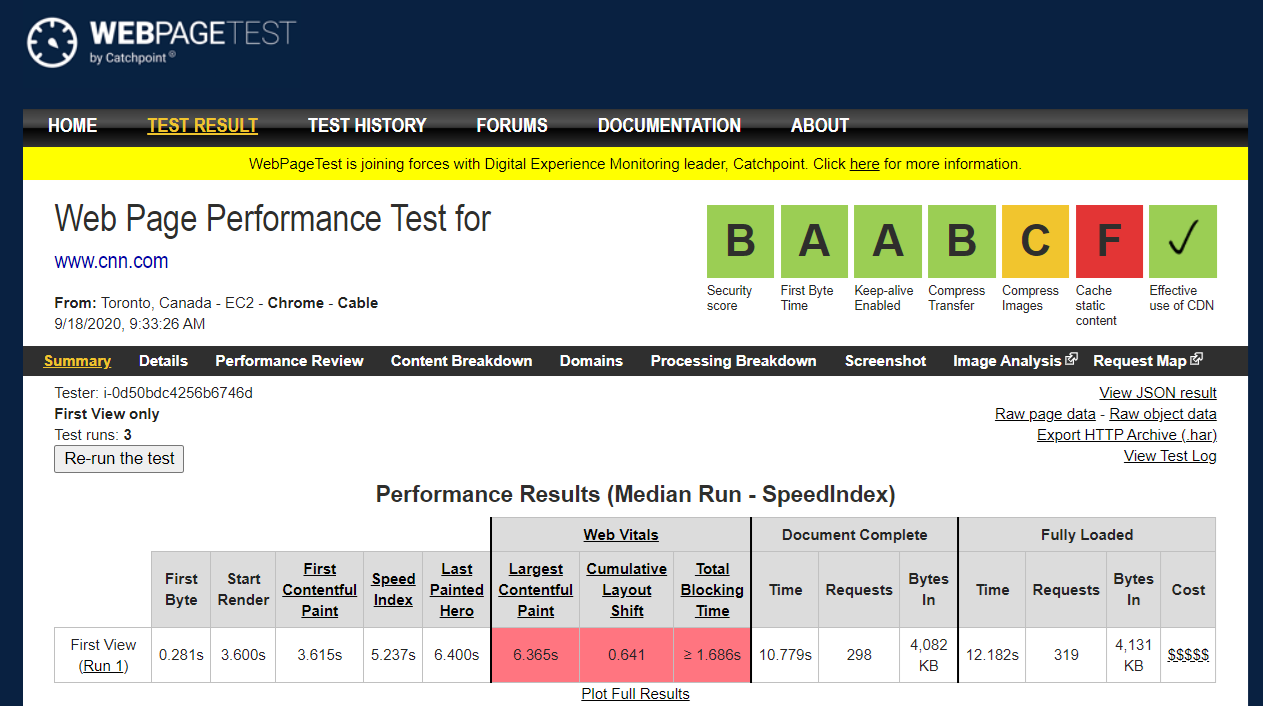
    Catchpoint this week announced it has acquired Webpagetest.org as part of an effort to expand use of the open source web performance testing service.

    Led by Patrick Meenan, the Webpagetest service is already relied on by more than 1 million users per month to instantly run tests of websites and applications from various locations, which are surfaced via a detailed audit that can be shared with developers.

    Meenan has been personally supporting Webpagetest as a side project while working for a series of IT organizations and vendors starting with America Online (AOL). Now, with Catchpoint’s acquisition of Webpagetest.org, he will have a staff of contributors as a full-time employee.

    Catchpoint CEO Mehdi Daoudi said the company will also incorporate Webpagetest into the tools it provides for monitoring digital experiences. The most appealing aspect of the Webpagetest service is that, rather than focusing on individual backend platforms, it tracks the actual performance that users experience across multiple types of browsers.

    Daoudi said that as organizations accelerate the rate at which they are building and deploying digital business applications in the wake of the COVID-19 pandemic, there’s now more focus on web application performance than ever. The experience any user has when accessing these applications now impacts everything from their willingness to complete a transaction to their perception of the corporate brand, he noted.

    In fact, a recent survey of 200 CIOs and 200 work-from-home managers conducted in July by ReRez Research on behalf of Catchpoint finds application performance is at the top of the list of concerns (66%), followed by network reliability, work-from-home technologies and security, at 63% each. Application performance is at the top of that list because both online revenue and employee productivity are now increasingly directly impacted by the overall application experience, said Daoudi.

    There’s never been a shortage of tools for testing application performance. The issue is how those tools are often employed, he noted. Too many IT organizations are monitoring individual application components rather than the actual user experience.

    Organizations that focus on end user experience in the age of digital business will, in time, separate themselves from rivals that merely make applications available online. A zealous appreciation for application performance needs to be ingrained in the culture of the organization for it to ultimately succeed, Daoudi said, noting that every employee, not just the DevOps teams, needs to be aware of the impact application performance has on the business.

    That challenge is as IT environments become more complex and distributed, ensuring application performance becomes more challenging than ever. Cloud-native applications based on microservices may be easier to deploy and manage, but the dependencies between all those microservices can conspire in ways that degrade application performance over time. Determining the root cause of intermittent application performance issues can take weeks. The maddening thing is, many of the fixes required to address that issue once it’s discovered can be deployed in minutes.

    Performance tools that surface those issues sooner than later are invaluable in a digital age, where time now quite literally is money.

  • How to Minimize Latency and Its Impact on UX

    How to Minimize Latency and Its Impact on UX

    Latency can have an enormous impact on user experience. Here’s what you need to know to mitigate latency before it impacts your customer experience

    Businesses have been digitizing for decades, but recent events have accelerated the process beyond all expectations. Customers are now using more digital services than ever, and their switching costs are often extremely low. That puts enormous pressure on businesses to deliver not just online services but also consistently high performance. Businesses that once measured performance in seconds now measure it down to the millisecond and even the microsecond. For that reason, they’re eager to minimize latency and its impact on their bottom line.

    Latency can be defined as the delay before a transfer of data begins following an instruction for its transfer. However we define it, its effects are clear: A study by Amazon found that 100 milliseconds (ms) of latency cost 1% in sales. A similar study by Google found that a half-second (500 ms) lag in returning search results reduced traffic by 20%. A study by Loadstorm shows that latency can have similar effects on any business’s conversion rates. Long latencies lead to abandonment of shopping carts and frustrated users leaving your site to find the same information, product or service elsewhere.

    The moral: As businesses try to convert users and move them through their pipeline, latency can be the greatest enemy. But how do you measure it, and what can you do about it?

    Measuring Latency

    Given the impact of latency on the user experience, it’s surprising how many businesses don’t give it enough attention—or even measure it properly. A common mistake is to focus on average performance, which is ultimately a theoretical measurement that might not reflect actual end user experience.

    A better, more meaningful, way to measure real-world latency is with percentiles.

    Latency is typically calculated in the 50th, 90th, 95th, and 99th percentiles, commonly referred to as p50, p90, p95, and p99. Imagine 10 latency measurements: 1, 2, 5, 5, 18, 25, 33, 36, 122, and 1000 milliseconds (ms). A p50 measurement represents the median performance of the system. In this case, the p50 measurement is 18 ms, meaning 50% of users experienced that latency or less. The p90 measurement is 122, meaning that 9 of the 10 latencies measured less than 122.

    Each measurement within a given percentile reflects a real latency that actually impacted the experience of at least one, but likely many more end users.

    By contrast, the mean of our 10 measurements comes to roughly 125 ms, not even close to the midpoint in the observed data–in fact, slightly above the 90th percentile.

    It is vital to keep in mind the outliers, what are called “long-tail latencies.” Under real-world conditions, p99 (and higher) latencies are often the ones you need to worry about most.

    Gil Tene, the CTO of Azul Systems, addresses this problem in his presentation, “How NOT to Measure Latency.” He notes that p99 latencies can easily impact a far larger than expected proportion of users. If a typical user session involves five page-loads, averaging 40 resources per page, about 18% of users will experience at least one response longer than even the p99.9. He also points out that the average response percentile is experienced by more than 95% of users will be the p99.97 latency.

    As Google engineer Luiz André Barroso put it:

    “When a request is implemented by work done in parallel, as is common with today’s service-oriented systems, the overall response time is dominated by the long tail distribution of the parallel operations. Every response must have a consistent and low latency or the overall operation response time will be tragically slow.”

    In other words, the slowest operation in a set of parallel operations usually defines the user experience. It doesn’t matter that 99% of the operations finish quickly if the other 1% holds everything up. This explains why it’s not enough to keep p95 latencies blazing fast. You have to keep long-tail latencies (p99 and up) consistently low as well.

    Causes of Long-tail Latency

    To fix the problem of long-tail latency, we need to understand why it occurs. Long-tail latency has many causes, but, significantly, it is not usually caused by application-specific problems or normal network lag. Instead, long-tail latency has systemic causes, usually related to problems in the underlying infrastructure. These can include pauses due to Java Virtual Machine (JVM) “garbage collection,” context switches, database repair, cache flushes and so on. This makes long-tail latency very tricky to diagnose and fix, as it’s often a “whack-a-mole” exercise.

    Disk I/O and Network Bottlenecks

    The main causes of long-tail latency are network and system bottlenecks. IT commonly invests heavily in the best components available: great solid-state drives (SSDs, and associated NVMes), CPUs and memory. But it often shoots itself in the foot by configuring a “narrow” network that bottlenecks all that highly performant hardware.

    SSD settings are also commonly misconfigured. Cloud SSDs have two associated throttles: burst and sustained. Background operations such as streaming and compaction can chew up the sustained throughput, which may be 1/10 of burst. While the backend process hogs I/O, there is no capacity left for frontend, user-induced operations. While some transactions will be able to use the burst capacity,  the steady-state frontend traffic will start backlogging and eventually time out.

    Speed Mismatch

    Database performance is strongly influenced by the combined speed of CPU and memory on the one hand and disk speed on the other. CPU tends to be faster, while disk tends to be slower. SSDs are catching up with CPUs, but the rule still generally holds.

    Speed mismatch is a more common problem with write workloads bounded by disk speed. This can happen either because the disk is slow or because the payloads are large. Large payloads shift the bottleneck to the disk. When the time comes to write to disk, any relative disk slowness will cause queries to back up in the buffer. This will result in outlier p99 latencies.

    Exceeding Your Latency Budget

    Every system is designed with a “latency” budget, which is the ratio of latency to throughput. p95 and p99 latency are a function of the throughput a given system is designed to support. You can think of this ratio in terms of highway traffic and throughput as the number of lanes on the highway. More lanes mean that the highway can support more vehicles, and hence more trips. That’s throughput. Latency is defined by the speed limit. Having many lanes combined with a slow top-speed reduces the overall number of trips. The ratio between the two defines the latency budget.

    Ideally, if you just add more throughput you should be able to reduce latencies, right? Well, not necessarily. Just like traffic on freeways can expand to fill an extra lane, still leaving you stuck in a traffic jam, you can easily overwhelm systems that weren’t designed well to begin with, even if you try to add more throughput. In fact, trying to add more throughput can degrade all of your latencies. In the routing world, that sort of poor architectural consideration is called bufferbloat.

    If a system is trying to add too much throughput while other bottlenecks still exist in a system, then you only end up with longer latencies, even to the point of transactions timing out. That can exacerbate a bad situation since all failed transactions will attempt one or more retries.

    Systems that handle big data have several considerations. These include the most obvious hardware-oriented factors; storage (the reason why NVMe SSDs are widely prevalent these days, for example), CPU cores, memory (RAM) and network interfaces.

    Modern servers running on Intel Xeon Scalable Processor Platinum chips are common across AWS, Azure and Google Cloud. Server needs are based upon how much throughput each of these multicore chips can support.

    Additional considerations get into how your database system was designed to handle data distribution and replication for high availability, peer-to-peer versus leader/follower designs, how it minimizes hops and redirects between servers, effective use of caching, how it efficiently it utilizes all the hardware available to it and so on.

    These are all components that define a system’s latency budget. It’s important to understand and stay within those limitations. When they are exceeded, outlier latencies are virtually assured to occur.

    Latency and the Database

    So far we’ve treated long-tail latency as a systemwide phenomenon. Now let’s consider the role of the database. Most HTTP and API requests result in at least one, if not more, database calls, often a mix of reads and writes. Hence, the database plays a central role in the end user experience of latency.

    NoSQL databases were invented specifically to address the need for low-latency, globally distributed data stores. The basic premise of the NoSQL database is the ability to “scale out” on cheap, commodity hardware. When more capacity is needed, administrators simply add servers to database clusters. This simplicity, however, has morphed into a vulnerability. Clusters often grow out of control, resulting in a phenomenon called “node sprawl.” The architecture of the first-gen NoSQL databases actively encourages larger clusters of less powerful machines. From the perspective of latency, this architecture virtually ensures inconsistent p99 performance due to more internode traffic, context switches, disk failures and network hiccups, all of which create latency outliers.

    One database that is particularly susceptible to this problem is Apache Cassandra. First, Cassandra is implemented in Java, making it vulnerable to pauses caused by garbage collection (GC). Some monitoring teams even have a dedicated metric devoted to GC stall percentage. Compaction and repair operations, which become more onerous in larger clusters, add to the outliers that plague Cassandra deployments.

    Second, Cassandra has limited ability to utilize modern hardware for compaction and streaming. Since Cassandra is an “append-only’ system, keeping data coherent for reads requires a compaction process. Servers with a large number of cores are readily available on public clouds, IaaS and for on-prem deployment. However, Cassandra can’t scale compaction linearly with the increased number of available cores, so it cannot effectively utilize those larger servers. This limitation results in higher read latency due to the need to deploy many more smaller servers in the clusters.

    Since Cassandra exposes settings for storage media, JVM heap cache and concurrency on read and writes, the burden is placed on administrators to properly configure the system for specific workloads. When workloads are unpredictable and spiky, administrators must constantly tune the Cassandra cluster to optimize read and write latencies.

    Many IT organizations turn to external caches as an aid to insulate end users from the poor long-tail performance of their databases. Caches are often used to enhance read performance but write latencies derive little or no benefit. Transactional systems, which depend on real-time performance, cannot drop mutations, so caches offer no help. Transactional systems depend on low long-tail latency for writes as well as reads. If spikes are too frequent, the client experience deteriorates, becoming very sluggish.

    Still, front-end cache for reads is often a necessary evil, to the point where it is treated as obligatory. However, maintaining coherence between cache and persistent storage is a well-documented hassle that can easily bog down operations and negatively impact customers. The best approach is to identify a system that intrinsically combines cache and persistent storage in a way that optimizes performance and data integrity.

    Winning the Battle for Consistently Low Long-Tail Latency

    With these issues in mind, there are a number of guidelines your organization can follow to minimize long-tail latency.

    • Design a system that ensures the lowest p99 latency based on your organization’s current and future throughput targets.
    • Don’t ignore performance outliers. Embrace them and use them to optimize system performance.
    • Reduce the number of components in your architecture, from redundant cache systems to bloated hardware infrastructure. Shrink database clusters by scaling vertically on more powerful hardware.
    • Adopt database infrastructure that scales linearly with your resources: CPU, memory, storage, network and number of nodes in the cluster.
    • When using database-as-a-service (DBaaS) offerings, look out for “scaling bloopers”—points at which you can’t scale linearly and have to increase spending beyond the marginal benefit you get from the system.
    • Make sure your DBaaS vendor can offer multi-region deployments, so you can utilize the offering near your application, eliminating long-haul data traffic. While this will not reduce latency within a database, it will reduce end-to-end database latency between the database and the client application.

    Latency often gets short-shrift in IT calculations because it’s so poorly understood and so badly measured. But you can’t ignore it. It does its damage whether it’s recognized or not (and the less you recognize it, the worse damage it does). Luckily, as we’ve seen, there are good ways to measure latency and squash it down to size. With the right metrics and an informed strategy, businesses can turn what used to be a fearsome adversary into a customer-experience advantage.


  • Eggplant Injects AI Into Application Testing

    Eggplant Injects AI Into Application Testing

    Eggplant has infused its automated testing platform with deep learning algorithms that automatically identify and classify user interface (UI) elements such as buttons and text fields across any platform and then generate all the automation assets needed to instantly run a test.

    In addition, Eggplant has made it easier to visualize the overlap between common application failure patterns that can be used to automatically optimize testing.

    Finally, Eggplant has also revamped its own user interface to make it easier to deploy its platform across multiple test machines.

    Company CTO Gareth Smith said in the months and years ahead it’s apparent AI will be playing a much larger role in application testing. There are simply too many platforms on which application code is now being deployed for testing teams to keep pace manually.

    Each platform requires tweaks to the user interface to optimize the customer experience. At a time when many organizations are accelerating digital business transformation initiatives, the user application experience has never been more critical, he noted.

    Eggplant’s Digital Automation Intelligence (DAI) platform is designed to automate the entire testing lifecycle process as part of a larger best DevOps practice. The rate at which application tests can be built and run can be a bottleneck as applications are being built. The DAI platform looks to first automate the creation of UI tests and then launch them against application code to eliminate as much testing friction as possible, said Smith.

    IT teams also can track user behavior to create journeys based on user interactions with applications and store tests created using modeling tools provides by Eggplant in its cloud service. That approach not only accelerates the application development process, but it also serves to reduce the total cost of application development, which is critical at a time when IT budgets are squeezed because of the economic downturn brought on by the COVID-19 pandemic.

    As part of that effort, Eggplant provides DevOps teams with access to an application programming interface (API) through which they can self-service their own tests. That may not eliminate the need for a separate testing function within the application development process, but Smith noted it does make it easier for developers to discover potential issues on their own versus having to wait on application testers to discover them.

    Regardless of who conducts the testing, the rise of DevOps means there’s more application code to be tested than ever. As such, testing backlogs within many IT organizations are growing. The challenge is finding a way to conduct application testing that doesn’t result in application deadlines being missed. After all, when deadlines are missed, typically the first thing that gets scaled back is testing. Many DevOps teams convince themselves that any issues that come up can be addressed in the next update.

    Of course, once end users reject an application because issues were never discovered during testing, it’s not uncommon for an application to be rolled back. Rather than having to choose between those two evils, it might be better for all concerned to rely more on automation and AI to accelerate the testing process as much as possible.

  • Build Better CX Across the Entire User Journey with AIOps

    Build Better CX Across the Entire User Journey with AIOps

    Ready or not, digital experiences are now the gateway to customers and the standard-bearer of a company’s brand. Yet, as apps become more distributed, more intelligent and more real-time, they continue to run on infrastructure that resides within on-prem data centers as well as multiple public clouds. This complexity is underscored by gaps across IT teams, leaving businesses, developers and operations teams working in silos without a single source of truth, exposing risks that can inflict not only severe damage to an application’s performance and reliability, but also eventually exposing the entire business. 

    For IT teams, understanding their applications is key. Not only are they the backbone of any organization, but they also hold invaluable data on customers and their decision-making habits. Having complete visibility is critical in today’s multi-cloud and hybrid cloud world.

    When IT teams are able to work quickly and intelligently, they consistently deliver a strong customer experience–avoiding the risk of creating opportunities for customer disengagement and abandonment. Recent research shows that nearly 84% of respondents said they have experienced problems with digital services. As a result, 40% reported switching suppliers due to a poor digital experience and 63% have actively tried to discourage others from using a service or brand if they have a bad digital experience.

    What’s the way forward and how can these existing silos be eradicated? 

    How to Build Better CX

    IT teams are faced with a conundrum–they’ve been asked to manage app complexity while simultaneously navigating operational silos that make collaboration, data exchange and problem resolution incredibly challenging. The way forward lies in a collaborative approach across traditionally siloed teams that leverages artificial intelligence (AI) and machine learning to uncover hidden bottlenecks and resolve issues before they can impact the end-user.

    Transformational CIOs need their teams–across app and infrastructure owners–to speak a common language rooted in what’s important to the application performance, user experience and the business impact. They need infrastructure decisions in service of the application, which will ultimately drive business performance. They also need application teams to be able to go deeper and quickly identify underlying infrastructure that may be contributing to poor application performance. 

    In order for true collaboration to take place, the first step is to increase visibility across the IT organization by providing a common view of correlated data across domains that provides contextualized insights to better collaborate and create a superior digital experience.  

    For application teams, this means gaining insight into the users’ most transited application journeys, helping to clearly identify application bottlenecks and abandonment and to triage efficiently. For the infrastructure teams, improved visibility means having insight into infrastructure constraints impacting app performance so that teams can correlate the user experience to any underlying infrastructure in real-time. Through this increased visibility and context, application and infrastructure teams can clearly identify respective action items and move swiftly to resolve the right issues, at exactly the right time.

    This notion of fill stack visibility and correlated insights that drive action is a mindset commonly referred to as AIOps.

    Enter AIOps

    While it may be true that the emergence of today’s modern application and infrastructure environments has provided the speed and flexibility professionals demand, the numerous services have unleashed a deluge of data on the enterprise IT environment. Automating tasks has helped teams to free up some bandwidth for operations and planning, yet automation alone is no match for today’s increasingly complex environments. What’s needed is a strategy focused on reducing the burden of mounting IT operations responsibilities, and surfacing the insights that matter most so that businesses can take the right action.

    So, what are forward-thinking IT professionals doing to stay ahead of the curve? 

    Many are applying an AIOps approach to the challenge of environment complexities. AIOps leverages advances in machine learning and AI to proactively resolve problems that arise in the application and infrastructure environment. This is so powerful because using AI to identify potential challenges doesn’t just help IT professionals get ahead of problems, it helps companies avoid revenue-impacting outages that jeopardize the customer experience, the business and the brand. What’s more, an AIOps strategy can provide:

    • Intelligent alerting that can be trusted to indicate an emerging issue. By ingesting data, AIOps platforms and technology can play a pivotal role in not just automating existing IT tasks, but identifying and managing new ones based on potential problems detected.
    • Automated root cause analysis and business impact assessment. With the help of AIOps technology, this can be achieved, providing increased agility in the face of potential service disruptions or threats, and without additional drain on resources.
    • Automated remediation for common issues. With an AIOps platform, it’s easy to not only automate remediation for known issues, but unknown issues, too. That’s because it can ingest data and also provide more intelligent insights as a result of it.

    The path forward is clear. Digital businesses are not only the future but they are today’s norm. Any IT leader looking to succeed needs to rethink their overall approach and embrace a future that includes complete visibility of their technology and application stack, and also a strategic approach that keeps their teams operating one step ahead of the curve.

    — Whitney Satin

  • Dynatrace Extends APM Reach Into Business Analytics

    Dynatrace Extends APM Reach Into Business Analytics

    A growing number of providers of tools widely employed by DevOps teams that are extending their reach into business analytics has been joined by Dynatrace. The provider of a namesake application performance management (APM) platform unveiled a set of business analytics applications aimed at application owners who need to understand how changes to the  application experience their organization is providing ultimately impacts the business.

    Ajay Gandhi, vice president of product marketing for Dynatrace, said Digital Business Analytics applications from Dynatrace extends the single-agent architecture Dynatrace created for its Software Intelligence Platform to make it easy to employ an APM service delivered via the cloud into the realm of business analytics.

    The difference between the applications being made available by Dynatrace and traditional business intelligence (BI) applications is the agent software Dynatrace developed enables application owners to track all events in real-time, said Gandhi.

    As organizations launch digital transformation initiatives, Gandhi said many discover they lack visibility into the actual end user experience. The suite of Digital Business Analytics applications provides access to a set of applications that enables application owners to track transactions as well as metrics such as conversions and revenue performance by product, customer segment and geography.

    Gandhi noted organizations don’t necessarily need to have embraced best DevOps practices to derive value from the company’s analytics applications. However, those that have embraced DevOps are likely to appreciate the value of these applications because they view themselves as a software company that happens to build a specific product or digital service.

    It’s not clear to what degree application owners may be willing to give up relying on spreadsheets and legacy BI applications they have relied on for decades to manage the business. However, a case can be made for aligning the business to IT more closely by tracking the events in real-time as they occur across application environments and the IT infrastructure on which they depend. In fact, the one thing that has always differentiated Dynatrace is its ability to leverage an artificial intelligence (AI) engine, dubbed Davis, to surface events and deliver actionable intelligence by identifying the root cause of an issue, said Gandhi.

    Other DevOps vendors that are venturing into the realm of business analytics include CloudBees and GitLab. As these vendors increasingly realize that business processes now frequently revolve around DevOps processes, they all see an opportunity to extend their franchises by providing analytics applications that are aimed well beyond their existing base of IT users. Less clear right now is which set of tools within a DevOps toolchain will serve as the primary source of data for those analytics applications. However, Gandhi did note that unlike continuous integration/continuous deployment (CI/CD) platforms, APM services can provide real-time visibility into the actual digital experiences that change as various events impact production applications.

    Regardless of the ultimate source of data, however, the one thing that is certain is the level of insight business users can have into application development and deployment processes trends is, for better or worse, about to increase substantially.

    — Mike Vizard

  • Catchpoint Expands Network Monitoring Service Reach

    Catchpoint Expands Network Monitoring Service Reach

    Catchpoint has expanded the number of locations worldwide from which it is gathering telemetry data for its networking monitoring service to more than 825 sites.

    Drit Suljoti, chief product officer for Catchpoint, said as applications continue to become more distributed, the worlds of DevOps and network operations (NetOps) converge. DevOps teams need more visibility into how network latency issues anywhere in the world are impacting the digital experiences of their end users, said Suljoti.

    The Catchpoint monitoring service now extends to 200 cities worldwide, including 140 nodes in mainland China. In addition to monitoring critical backbone locations, Catchpoint has placed nodes in 133 public cloud locations and is now offering a free and seamless migration for companies looking to adopt a next-generation digital experience management (DEM) platform in place of Gomez and Keynote services from Dynatrace that recently were retired, said Suljoti.

    In much the same way DevOps teams rely on a variety of tools to monitor applications, they also need access to a service that continuously monitors the networks on which those applications depend, Suljoti said. That requirement has become more critical as the number of latency-sensitive applications such as those based on microservices increases, noted Suljoti. As organizations depend on those applications to drive a variety of digital business processes, visibility into how the network is impacting the application experience of end users can easily degrade, he added.

    Most organizations already have tools to monitor network performance within their own data center. However, creating the monitoring framework required to identify network performance issues across a global wide area network (WAN) would be cost-prohibitive for most organizations. When it comes to deploying applications that span multiple WANs, most DevOps teams are essentially blind.

    It’s still not clear within many organizations who is responsible for monitoring WAN services. Historically, NetOps teams have held this responsibility. However, Suljoti said that as DevOps processes continue to expand and mature, there is a more collaborative approach emerging that incorporates network monitoring tools within testing frameworks that organizations create within the context of a continuous integration/continuous deployment (CI/CD) process.

    In the meantime, pressure on existing WAN networks will only increase. In the absence of 5G services, the number of applications competing for access to bandwidth increases. Many organizations have no idea whether network service providers are really meeting the commitments they agreed to as part of the service level agreement (SLA) provided. As more application performance issues get traced back to the underlying network, frustration with the quality of network services is only going to mount. Before they can call network service providers to account, DevOps teams will need access to analytics that clearly show service level commitments are not being met.

    Of course, that may only elicit an apology from the network service provider. At the very least, however, DevOps teams will be able to make a much more informed decision concerning how they want to route application traffic going forward.

    — Mike Vizard

  • Integrating the Impactful Immersive Experience Team

    Integrating the Impactful Immersive Experience Team

    Immersive: providing, involving or characterized by deep absorption or immersion in something (such as an activity or a real or artificial environment) — Merriam Webster Dictionary

    We immerse a teabag into hot water to brew tea, but when we speak of the “immersive experience” we’re not planning to boil anyone. We may, however, make them feel as if they’d been boiled, or frozen, or hurtling through space, enjoying the beach or any of many other experiences. What we are really talking about are digital-based immersive experiences.

    The First Immersive Experience

    From July 1930 when Orson Welles first asked, “Who knows what evil lurks in the hearts of men? The Shadow knows …” or January 1933 when actor Brace Beemer first intoned, “Return with us now to those thrilling days of yesteryear, when from out of the past come the thundering hoofbeats of the great horse Silver! The Lone Ranger rides again!” radio was the first analog immersive experience.

    It was immersive because the audience employed their imaginations to add imagery to the spoken word and the sound effects. While listeners knew these were fictional tales about fictional characters, they became immersed in the stories because they exhibited what poet and aesthetic philosopher Samuel Taylor Coleridge first described in 1817 as “the willing suspension of disbelief.”

    Coleridge posited that if a writer could infuse a “human interest and a semblance of truth” into a fantastic tale, the reader would suspend judgment concerning the implausibility of the narrative.

    Television and movies leveraged that same willingness to achieve even more immersive experiences.

    While these are all examples of entertaining immersive experiences, it wasn’t long before these turned up in practical applications. As an example, astronauts learning to rocket to the heavens first experienced those travels in a flight simulator that combined film imagery and audio to create the impression that the user was actually in the rocket.

    Digital Immersive Experiences

    The actual word “immersive” wasn’t used much until the mid- to late-1980s, a time when Atari, Nintendo, Sega, Apple, IBM and others were busily introducing new personal computers and game consoles.

    Computer-based gaming was perhaps the precursor, or even the first example, of digital immersive experiences. Players often entered a catharsis in which they perceived themselves to be existing in a fantasy world. The image quality created by the software continued to become more and more lifelike and real to enhance that perception of participation.

    Now retailers are beginning to leverage immersive experience technology to help customers shop by showing them what garments might look like—on themselves. Varying colors and accessories instantly by clicking at a kiosk or computer screen.

    Many training courses and support activities are leveraging immersive technologies to augment the student or practitioner experience. A technician in the field can don a headset and see the support expert’s hands showing them exactly what to do and where. NASA has astronauts walking around on a virtual Mars. Students sitting at home feel like they’re in a classroom with the instructor and other students. Peloton customers mount their home spin-cycle in their family room and participate in a class now occurring in a New York studio.

    Many producers of software describe the importance of the user experience to the success of their products. Citrix, for example, designed its entire product suite around the idea that the mobile user experience should closely approximate the on-premises user experience, even though available bandwidth differed widely between the two. Today’s virtual desktop experience, which manifests in many ways, follows that design ethic. It’s worth noting that Citrix continues, to this day, to find ways to improve video and audio transmissions between the data center and the user in a constant effort to enhance the user experience.

    Extending the DevOps Model

    Beyond the “continuous improvement” goals of the DevOps model of computer and software management is the idea that the developers who write the code and the operators who make sure it runs well on the network infrastructure must work in concert to rapidly identify, quantify and resolve all issues.

    Immersive experiences take this concept further, extending the integrated team to include not only the coders and operators, but also the artists and writers who create the written, audio and visual content and the subject matter experts who assure the veracity and integrity.

    Like game developers, this extended team must work together in concert to assure that the content is appropriate, the code is efficient and the delivery is continuous, flawless and totally secure. Even the slightest latency may damage the user’s willingness to believe.

    Channel Choosing

    This team must also determine best practices for developing and delivering experiences through appropriate, effective and impactful channels. In the 1930s, the only vehicle was radio. In the 1940s, image was added to sound with the introduction of television. Opportunities exploded starting in 1969, with the introduction of what would become the global internet.

    Today we can categorize virtual reality, augmented reality, mixed reality and more into immersive experience options. It’s one thing to have a 360-degree camera; it’s another to put it into the hands of a talented 360-degree photographer or videographer. Developers are starting to design impactfully for Oculus Rift, Microsoft HoloLens and other immersive devices.

    Even the tools people use for everyday communications are becoming more immersive. Where once you could text someone, but then had to change to other software and hardware to call them, today’s unified communication solutions create a far more immersive environment. Now you can start by texting to each other, then switch to voice and/or video with a click, share applications and edit content together with a click and even add other users by click.

    How to Increase Immersion

    It stands to reason that the more human senses you stimulate, the more immersive the experience becomes. Adding image to sound as we moved from radio to television certainly resulted in greater audience immersion. Theaters are experimenting with combining 3-D projection with seats that move and shake in accordance with the on-screen action. Only the olfactory sense has not been treated yet, but how long can it be before the introduction of “smell-o-vision”?

    Effective creation of immersive experiences requires software developers, network designers and implementers, writers, photographers, graphic layout experts, subject matter experts, social engineers and behaviorists to work together effectively. The combined creativity in a team like that will, itself, be thoroughly immersive.

    — Brad Mallard