Tag: software engineering

  • Yes, Software Development is an Assembly Line, but not Like That

    Yes, Software Development is an Assembly Line, but not Like That

    I grew up in a manufacturing town. Nearly everyone worked for (or previously worked for) the local textile factory. My father was no exception. He had a few jobs but eventually landed a management job at the factory and started working closely with the engineers and other plant operators. At the time, I was in high school and about to start my education in software development. At the time, I felt–maybe hoped–that my world and the world my father was steeped in were vastly different. I was working on cutting-edge technology in the software space while he was helping design and run decades-old manufacturing facilities. It took years to learn that wasn’t the case.

    Agile Software Development

    I was lucky to be able to learn about software engineering while also hearing my father learn about lean manufacturing at the same time. In the beginning, I failed to see the connection between them, but as I learned and read more about this relatively new “agile” thing, I started to see the big picture. It should come as no surprise to folks that agile software development grew out of manufacturing systems developed for exactly the same reasons–to build things more efficiently.

    That same desire to deliver value faster at a lower cost drives much of the innovation and growth in every business, including software companies. It’s not surprising that key leaders in the industry found those impressive innovations in industrial engineering and began adapting them to software. We know that waterfall and agile were adopted from industrial engineering, and the next big software development innovation will likely be as well.

    Improve Business Efficiency

    We can see many of the agile processes directly map back to either lean philosophy or even older industrial processes. Just-in-time manufacturing, or the idea that you keep an extremely limited number of raw or intermediate materials, is a philosophy that focuses on narrowing your manufacturing process to the essentials. Most agile practitioners argue similarly that your stories and shipped features should be as small as possible to deliver only the value required by the user. Both systems aim to improve business efficiency and agility by reducing potential waste (material breakage, for one, and over-engineering for the other).

    All of these parallels make perfect sense to me. However, there was one component that never really clicked. A ticket and a widget are incredibly different things. Let’s explore this difference in two ways.

    Traditional manufactured goods are usually tangible things. Tangible things often provide value for a fixed amount of time to a single user. For example, a delicious baked snack I pick up on a road trip provides maybe 30 seconds of value when I get back in the car; however, that car may provide 30 years’ worth of value to multiple users. Features in a software platform similarly provide value to users that vary in scale and duration. Here’s where we find an interesting divergence. A good provides a set amount of value and is often produced in bulk; a feature in a SaaS platform is often produced once and can provide an unbounded amount of value.

    Compare and Contrast

    Another way to see the contrast between the types of products is to look at the differences between engineers in each discipline. In a traditional manufacturing environment, the engineers are not the people actually operating the machines to produce the widgets. The engineers design the manufacturing lines and the products that will be produced on them. In software engineering, the engineers are the ones producing the features. Curious.

    However, if we look closely at the two roles, we see that they are actually producing similar things. Manufacturing engineers produce assembly lines and manufacturing processes that can produce those units of value. Software engineers are largely the same, also producing systems and processes that deliver units of value. The manufactured widget of software is actually the discrete user interactions with those features and pieces of software, not the features themselves. The assembly line in software engineering isn’t, as many think, the engineers producing features. Rather, it’s software producing value-creating experiences for users.

    While this is interesting, how does it help us? I’ll propose two key ways.

    Manufacturing processes are extremely adaptable to managing the technology and platform. Systems like Total Quality Management, which are focused on driving a cultural mindset of continuous improvement and an entire company focused on providing very low defect rates, easily translate to customer satisfaction in software organizations. Just to pick on TQM a bit, if we were to adapt it to software, we would focus on the number of times users are impacted by a defect more than the number of open bugs. Instead of tracking the number of defects and searching for more, we would be tracking the number of users who either failed to receive the promised value from the product or had severely diminished value. That would drive investment not only at the engineering level but would create buy-in from the whole company. Everyone in the company is interested in a conversation about how many users aren’t able to gain value from a feature, but many fewer are interested in how we go from 20 open bugs to 10 open bugs.

    Secondly, this mindset shift can help bridge the expectation gap between engineering and the business. I’ve been a part of many conversations where engineering has discovered a potentially serious flaw, and the whole team is in agreement that this is potentially one of the most serious bugs we’ve found in a while. However, when they bring this issue to the business side, that passion gets quickly overruled if engineering can’t show that that bug is “impacting customers.” Those debates often fall into conversations of projected odds better left to the sportsbook room in Las Vegas. While there are obvious exceptions for security exploits, compliance issues, and other business risk-driven defects, the business is justified in not investing in fixing a defect that users aren’t impacted by.

    Reporting Performance Issues

    Conversely, this line of thinking can help engineering convince the business that something is a critical problem and needs to be addressed. While previously, I would have reported performance issues in terms of p99 times or average load times, that doesn’t describe performance in terms of our unit of value. If our unit of value is a customer using our app or a feature, then each negative interaction is a broken widget. As an example, I’ve since taken to reporting performance issues in terms of the number of sessions with a frustratingly long load time and the number of clients and users that are experiencing those.

    Manufacturing is perhaps the most varied industry in existence, adapting itself to produce nearly everything from food to raw materials to consumer electronics to clothing. That long history, many contributions from a massive number of brilliant engineers, and significant innovation have led to dozens of amazing systems for delivering value. While I proposed two examples of how we should give these processes a second look as engineering and business leaders, it’s worth dusting off some manufacturing engineering books and giving them a read yourself. You may find the key to outpacing your competitors was drawn up by an industrialist decades ago.

    My first college internship was at one of the factories my father worked at in the engineering department. I was able to see firsthand how deeply some of today’s engineers think about these types of production processes. They really know how to ship stuff, and software engineers may have a lot to gain by learning from them.

    Now, go build great things!

  • How Open Source Can Enhance Developer Experience

    How Open Source Can Enhance Developer Experience

    Developer experience (DX) is becoming more and more of a competitive advantage among developer-facing tools and platforms. A great developer experience that’s easy to follow and implement can truly help a software tool stand out from the crowd.

    Simultaneously, open source software is all the rage. In fact, a recent StackOverflow survey found open source software (OSS) to be, by far, the most revered and proven technology trend.

    With that in mind, what are the synergies between developer experience and open source? And how can building in an open source format aid the developer experience for your public-facing toolsets and internal development platforms?

    I recently met with Adam Frank, SVP of product and marketing at Armory, to explore the state of developer experience and open source adoption. According to Frank, open source can bring numerous DX benefits. Below, we’ll explore these areas and consider why organizations might benefit from adopting more open source within their developer-facing initiatives.

    The State of Developer Experience and Open Source

    So, what is the state of developer experience, and why is it important now? Well, DX is continually leveraged to help improve agility and competitiveness in the market. In addition to granting differentiation, DX also enables more flexibility, helping users switch from one tool to another if necessary.

    “Developer experience is at the forefront right now because technology and change are moving faster than ever before,” said Frank. “Companies need to focus on DX as a competitive advantage to survive and thrive.” At the same time, open source can help organizations move quickly and iterate more efficiently.

    Yet, historically, open source has not been associated with fantastic DX. Most of us have at least one horror story of an open source project simply going belly-up without warning. It’s common for an OSS tool to lack comprehensive documentationor suffer from a lack of funding for ongoing maintenance, zero customer support and deprecated modules. Some tools that developers directly download and contribute to may not possess a quality DX emphasis, says Frank.

    However, the status quo for OSS has undoubtedly evolved over the years, he adds. Nowadays, there are more established groups, like Linux Foundation’s Cloud Native Computing Foundation (CNCF), with specific Technical Oversight Committees (TOCs) to oversee individual projects. The maturity of OSS ownership now ensures core projects stay relevant and receive continual support—not to mention ongoing developer experience enhancements.

    On the other side, OSS is often absorbed by a platform team to enable their internal developers to move faster or ship more code, says Frank. From this perspective, open source communities give platform engineering the opportunity to contribute back to the project, helping them solve deeper-level problems that are more specific to their environments.

    How Open Source Can Enhance Developer Experience

    Not all IT leaders are sold on the idea of building in a transparent, open source model. Yet, this enhanced transparency can bring dividends in the long run, especially where developer experience is considered. Frank shared some of the benefits of adopting open source.

    Receiving Feedback From The Community

    “As a product manager, you want as much feedback from your users as you can gather,” said Frank. Receiving user feedback is a great way to fix DX issues, and OSS gives you that on a larger scale. By adopting open source, you benefit from collecting insights from your customer base and the developer community at large. This can translate into a broader range of use cases, which can significantly improve projects and overall experience.

    Increasing Ecosystem Transparency

    Building in a more transparent and open fashion so that everyone has the ability to submit pull requests can also help you work together with potential partners. This makes it easier to develop third-party integrations that ensure the broader ecosystem can work together. By decreasing the barrier to entry through OSS, you provide others with the ability to solve more problems around developer experience.

    Streamlining the Developer Toolchain

    “Developers want to innovate; they want to solve problems,” said Frank. Open source can also help expose inefficiencies in the developer toolchain and, notably, many open source CI/CD tools are often leveraged to automate deployment and increase efficiency. The end result is that developers can focus on innovating their own competitive advantage. “Making the deployment aspect of the developer lifecycle really seamless can significantly improve their experience,” he said. Therefore, any tools or extensions around CI/CD are an excellent area to consider open-sourcing.

    Increasing Flexibility

    Another benefit of the open source model is that you have far more flexibility than off-the-shelf proprietary software. As a customer, you don’t have to wait to submit enhancement requests. With OSS, you can fork a project or quickly collaborate with the maintainers. This equates to making fixes far quicker and providing the ability to customize developer experiences to the tasks at hand.

    Best Practices to Ensure Open Source Improves DX

    Open source provides many key benefits that can enhance software development and delivery. But, this should be taken with a grain of salt, as best practices still must be followed to ensure open source enhances, not hinders, developer experience.

    For example, Frank mentions that simplicity should be a guiding light. “Have simplicity for the user experience design in the forefront of everything you’re building and thinking about,” said Frank. Adopting simplicity should help ensure developer-facing materials are structured well and documented in an easy-to-comprehend manner.

    On that note, open source projects will require standards around areas like good documentation and well-written APIs that abide by contracts, said Frank. Anything less will hinder developers and confuse them with disparate data formats. On that note, he has witnessed OpenTelemetry emerge as a common way to unify data that systems produce with standard formatting, which increases the observability of these environments.

    Lastly, it’s critical to hire talent with experience in open source. Bringing in folks that have knowledge of how OSS communities operate will make onboarding easier and encourage safer open source security practices as well.

    What the Future of DX and OSS Holds

    Open source appears to aid developer experience in many ways, from driving more innovation, opening software up to feedback and developing a closer-nit developer community. But what does the future of developer experience and open source look like?

    According to Frank, we will likely see increased data standardization that makes it easy to work with various projects and data formats. OpenTelemetry, for example, makes aggregating logging easier. We’ve also seen standardization around OpenAPI Specification for describing web APIs. Another example is FinOps Foundation’s FOCUS specification to unify cost analysis.

    Open source tends to leverage open source. And as the industry continues to coalesce around open standards, we’ll likely see more robust, compatible layers of abstraction emerge throughout the market, Frank predicts.

  • Harness Acquires Propelo to Surface Software Engineering Bottlenecks

    Harness Acquires Propelo to Surface Software Engineering Bottlenecks

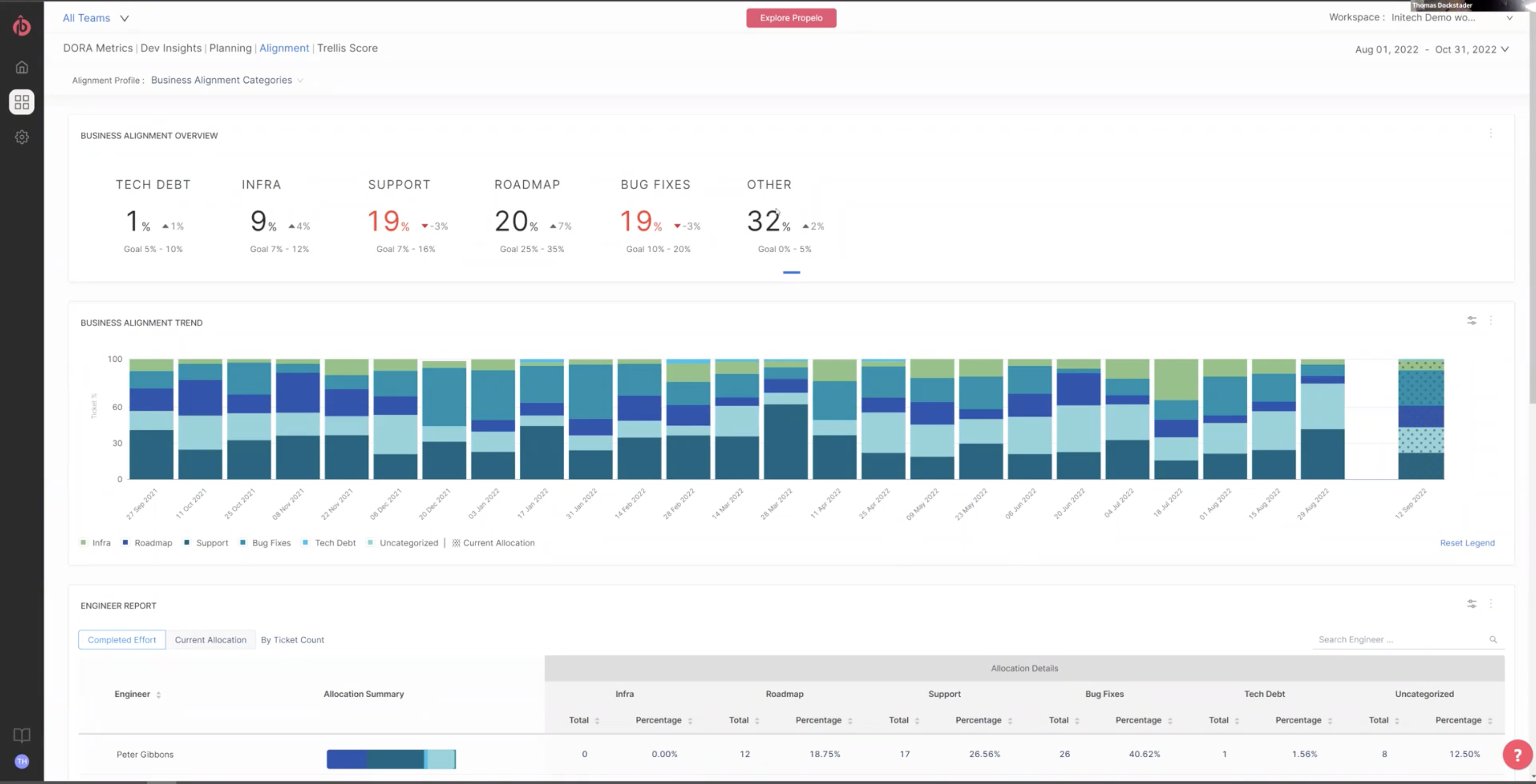
    Harness this week announced it has acquired Propelo, a provider of an analytics tool that identifies bottlenecks in software engineering processes. Terms of the acquisition were not disclosed.

    The Propelo offering will be made available as a module, dubbed Harness Software Engineering Insights, that organizations can choose within the company’s overall continuous integration/continuous delivery (CI/CD) platform.

    Scott Sanchez, chief marketing officer for Harness, said Propelo is unique in that all the integration required to collect data from a wide range of DevOps platforms is already baked into the tool. As a result, DevOps teams can instantly collect telemetry data from not just the Harness platform but also CI/CD platforms such as Jenkins, GitLab and Azure. In addition, there are integrations with more than 40 third-party tools, such as the Jira project management software from Atlassian.

    Those integrations enable the Harness Software Engineering Insights module to surface insights aligned with the DevOps Readiness Assessment (DORA) metrics from Google and the satisfaction, performance, activity, communication and efficiency (SPACE) frameworks.

    In an uncertain global economy, there is more focus than ever on increasing the productivity of DevOps teams, noted Sanchez. More organizations are going to be reluctant to hire as many full-time employees as they once did, so more attention is being paid to getting the most out of existing investments, he added.

    That focus on productivity will naturally lead to a re-examination of workflows to identify bottlenecks in DevOps workflows that, if eliminated, would help increase the pace at which software is being developed, said Sanchez. In some instances, the software development life cycle (SDLC) processes companies are using are as much as 20 years old, he noted.

    The acquisition of Propelo is the latest addition to a portfolio of DevOps tools designed to be deployed alongside existing platforms, noted Sanchez. Organizations that have been using platforms such as Jenkins are not going to rip and replace overnight, he added. The Harness portfolio is designed to be deployed alongside existing platforms to enable organizations to modernize their DevOps workflows in a much less disruptive way than rival DevOps platforms, said Sanchez.

    Harness initially developed a CD platform before acquiring Drone to add a complementary CI capability. It then acquired ChaosNative to add a chaos engineering tool, based on the LitmusChaos open source tool, that is now being advanced under the auspices of the Cloud Native Computing Foundation (CNCF).

    It’s not clear how quickly organizations will modernize legacy DevOps platforms. Still, in many cases, workflows and pipelines that were designed for a different era of application development are not able to support the pace at which modern cloud-native applications are being developed. It will, of course, be up to each DevOps team to determine whether adding additional DevOps tools and platforms makes economic sense; application developers tend to naturally gravitate toward organizations that reduce as much development friction as possible.

    In an era where organizations are counting on developers to drive digital transformation initiatives, the underlying DevOps tools and platforms employed to build applications can easily make the difference between success and failure.

  • Best of 2022: The Great DevOps Burnout

    Best of 2022: The Great DevOps Burnout

    As we close out 2022, we at devopsy.kinsta.cloud wanted to highlight the most popular articles of the year. Following is the latest in our series of the Best of 2022.

    DevOps needs a mindset shift to save the overworked engineering collective. There’s a considerable discussion right now about the Great Resignation. But if you work in software engineering, you’re probably even more familiar with the Great Burnout.

    Everything in the software development realm has sped up over the last few years. Engineers perform at a rapid-fire pace, with perfect accuracy, all day, every day. The demand for new, updated or better apps never slows down. But your DevOps team can only perform so fast.

    DevOps is Overworked and Burned Out. No, Really.

    A full 83% of software developers feel burnout from their work, while 81% reported an increase in burnout due to the pandemic. The most significant factors contributing to those feelings of burnout include high workload, inefficient processes and poorly-defined project goals and targets.

    Overworking, overloading and burning out developers is a recipe for disaster; that’s resulted in job hopping and low productivity. Organizations need to shift their mindset about how we develop apps and nurture developers to make the future of software development sustainable.

    The Burden of Uneven Engineering Demands on Your Bottom Line

    Software delivery is only as sustainable as the level of workforce happiness. Today, the supply and demand for engineers is entirely lopsided and the chasm between the two continues to widen.

    The highest number of SaaS companies worldwide exist in the United States. The vast majority (73%) of all U.S. businesses are planning to switch to SaaS in the near future; the demand to hire great engineers and find balance will continue to escalate for years.

    Additionally, software developer employment is projected to grow 21% by 2028, faster than the average 5% projected growth rate for all occupations.

    For engineers, this growth is excellent news. But for leadership, the uneven demand for engineers means it’s more important than ever to consider the pain points of your DevOps team and offer solutions to common issues, like overwork.

    Infrastructure Needs to Change to Dampen DevOps Burnout

    Throwing more money and more people at an already overworked engineering culture will not make the SDLC more sustainable nor help you hit business objectives.

    If we take a page out of the “five whys” and dive into the root cause of universal DevOps burnout, there is a common thread in all software engineering approaches. DevOps, Agile, Six Sigma, Lean, Scrum, you name it–these are tried-and-true methodologies that fail if only the symptoms of our infrastructure issues are addressed. We need to reconsider our current tooling choices if we are to appropriately leverage these frameworks for sustainable development.

    Organizations can deflect further engineering burnout and rebound by focusing on saving developers time and reducing toil: The labor engineers devote to repetitive, dull or manual tasks.

    It’s necessary to advance infrastructure with automation and embrace next-gen tools that focus on developer experience to halt further DevOps burnout.

    Let’s Try Something Different: Automate the API

    There needs to be a mindset shift to save DevOps from demise. You can do this by taking a bottom-up approach and introducing more intelligent automation into your software development infrastructure.

    Automation saves developers from mundane or low-value tasks and instead focuses their time and talents on planning, creating and delivering high-quality apps. By improving the quality of DevOps functions, engineers feel more valued and have more pride in their role in the company.

    Automating tasks doesn’t just help the current DevOps team. Embracing automation frees up your existing workforce, requiring lower hiring demand while retaining confidence that their DevOps team is operating at peak efficiency. This approach tackles the root of the problem—too much work, not enough developers—and allows organizations to retain developers long-term by making their work lives more, well, livable!

    Let technology do the mundane, so developers can apply their specialized expertise where it matters. Hire less but do more. Automate workflows so that developers can do their real work: Write code. Sidestep the employment demand issue and protect developers.

    Of course, this approach doesn’t come without drawbacks. Even a near-perfect product can introduce failures if it requires too much customization by highly specialized developers. Then, costs begin to skyrocket because of the manual labor required for API development for customization and database management.

    When done effectively, continuous development is a shining example of improving the infrastructure of DevOps and impacting burnout with automation. Continuous integration and continuous deployment (CI/CD) allow for faster feedback from your customer base, letting you turn around adjustments of features, add or remove things that actually fit and solve problems for your customers faster.

    3 Next-Gen Development Tools to Save Your Team From Continued Toil

    Tackle developer overload by incorporating the next-gen development tools designed to improve the developer experience. Make the workday more manageable, not more complex, with three emerging categories of development tools to fix DevOps burnout.

    1. Automated Code Suggestions
    Context-aware code completion tools suggest code to developers during the coding process. Automated code suggestions save developers precious time (and labor) thanks to fewer keystrokes and are designed to increase the speed of the entire coding process.
    2. Instant API
    With only a few lines of code, instant API connects your data to your app, helping to turn every developer into a backend dev. Whether you need to power a web app or a mobile app, hosting your API and databases in the cloud on one platform allows teams to configure, test and manage APIs without the all-too-familiar manual burden on developers.
    3. Neural Networks
    A branch of machine learning, artificial neural networks are computational models that extract meaning from complex or messy data to detect trends and patterns. Neural networks, while not perfect, can suggest improvements to coders as they write.

    We are doing our engineering workforce a grave disservice by ignoring the Great Burnout and not addressing the shift needed to course-correct DevOps from the ground up. Without the necessary infrastructure automation advancements and adoption of developer-focused tools, teams will continue to battle against velocity demands and churn. It’s time to embrace a new mindset and usher in a new era of DevOps productivity and developer satisfaction.

  • The Advent of Intelligent Software Engineering 

    The Advent of Intelligent Software Engineering 

    Today, to maintain competitiveness, every company needs to behave like a software company and deliver new solutions with high velocity, quality and reliability. New features need to be introduced at a rapid pace, but with high-quality expectations. At the same time, deployment releases and operations are getting complex, debugging and traceability in production are increasingly difficult, security is more prominent, uptime and reliability needs have scaled up dramatically … the list goes on.

    In short, traditional software engineering is changing radically.  Some trends causing this disruption include:

    • Cloud is eating software. And that has not only changed the infrastructure where software is hosted but also how applications are architected, developed, packaged and deployed. Cloud is driving the adoption of cloud-native technologies; serverless components and containerization have changed how we build applications. The hard line between development and infrastructure team is getting fuzzy. 
    • Cybersecurity is now a boardroom concern. Rising cyberattacks and malware threats have left everyone vulnerable. Traditionally, software was released every few months, leaving enough time for security testing by specialists. Today, with the advent of very rapid release cycles, security checks need to start early in the development process.
    • AI/ML is the new electricity but is causing shocks. AI/ML-powered use cases are finding their way across platforms, and across industries. Traditional software engineers are not familiar with AI/ML and ML developers are not familiar with engineering disciplines and best practices, leaving a big divide in engineering maturity.
    • When one company raises the bar, others are expected to follow. Consumer expectations are constantly changing. They expect the same experience that they get from Amazon, Uber and Google from every application. It is expected that you provide a seamless, frictionless experience that your platform is available anytime, on any device and that it is fast and secure. 
    • APIs are fueling innovation: Innovation at speed and scale is not easy, but APIs can enable exactly that by tapping into the collective power of the crowd. Today, any developer can use platform-provided APIs to build a new, innovative solution. An API-first mindset is emerging, and the app store model (e.g., Apple App Store, Salesforce AppExchange, AWS Marketplace) has changed how we think of innovation and creating new platform extensions. 
    • Low-code/no-code platforms are quickly evolving, making it easy to develop small, situational applications without writing any code. Citizen developers are emerging. 
    • Modern architecture paradigms drive new ways of working. Modern platform architecture has evolved significantly in recent years from monolithic applications to SOA to microservices- and API-based distributed platforms. Event-driven architectures have gained prominence. Streaming architecture has become increasingly popular to support massive scalability. This has a significant impact on how engineering teams are organized and how they build, test, deploy and manage new platforms. 
    • Legacy platforms are slowing down growth. Legacy applications built 20+ years ago needs to be modernized for today’s context. Modernization is a massive exercise depending on the age, technology and the size of the application. But modernization is easier said than done. The legacy and the new worlds need to coexist for a while and need a bridge strategy from both a technology and cultural perspective.

    To meet these changing demands, engineering needs to become a lot more intelligent.  

    The Advent of Intelligent Engineering

    We can bring intelligence to engineering by using more data to manage projects, leverage AI/ML analytics to bring improve engineering productivity and predictability, leverage more automation and apply the right process to the right problem. 

    Data-driven Decision-Making in Engineering 

    Engineering teams use numerous tools in the development environment for code repository, bug tracking, code scanning, build, test, deploy, etc. Popular tools include Azure DevOps, GitHub, Atlassian and Jenkins, among others. These tools generate lot of granular data. All these data silos can be aggregated and used to track interesting metrics around:

    • Developer productivity: How much time is spent on writing how much code versus other activity; story points delivered versus committed
    • Software quality: Number of bugs generated; rate at which bugs are being fixed; number of bugs that slip into production 

    Additionally, on top of this data, one can build an intelligence layer using machine learning to draw hidden insights, highlight co-relations and conduct better root cause analysis. These insights can bring greater predictability to engineering outcomes. For example, whether or not developers can meet a release schedule, the level of quality, etc.

    Data provides evidence of how your teams are performing. It helps in removing potential roadblocks and enables better communication with all stakeholders. It can be used to better manage project performance and be leveraged for objective decision-making. Despite the availability of this data, engineering leaders are still operating in the dark. Decisions are made based on intuition and gut feel rather than on hard data. It’s time to become more intelligent by using data in project performance tracking and decision-making. 

    Elevate Productivity and Predictability of Engineering Services With AI

    AI/ML is disrupting every industry and is now finding its way into software engineering. AI/ML-enabled developer tools are emerging that can be leveraged across the software engineering life cycle. These tools can not only save time for repetitive activities but also improve software quality in large and complex tasks. 

    AI/ML-enabled tools can enhance a developer’s daily life from coding to testing. Today, AI-powered tools can scan and analyze code to provide intelligent code completion suggestions, flag any deviation from coding best practices (naming convention compliance, variable misuse, etc.), perform peer review, convert code from one language to another, find security vulnerabilities, etc. Dynamic application security testing (DAST) solutions use AI to discover potential attack vectors in milliseconds which would otherwise take a few days. AI/ML can help auto-generate HTML code from hand-drawn UI sketches. AI/ML also can help developers automatically generate unit tests from existing code and provide suggestions about improving tests.  

    In fact, testing is the biggest category that can benefit from AI/ML-based intelligence, specifically in large complex applications. QA teams who rely on manual testing are not able to keep pace with the rate at which code changes and releases are done today. AI/ML-enabled tools can help testing teams in a number of specific ways. 

    • Change impact analysis: AI/ML can help with coverage analysis and identify which tests need to run based on what has changed in the application.
    • Test creation: AI/ML can help test teams create test cases from plain English descriptions and can also learn how to improve tests over time; AI/M also can automatically heal broken tests. AI-powered tools can automatically convert manual UI tests to API tests.
    • Visual testing: AI-powered image comparison technology can enable visual testing to analyze the UI screen differences detected across tests. 
    • Test analysis: AI can analyze test cases and defect metrics to increase test coverage while reducing the number of tests.

    It’s time to become more intelligent by using AI-powered tools to augment engineering teams, improve their productivity and bring predictability. 

    Intelligent Automation: Beyond Development Processes

    Today, there are a lot of automation options in the software development life cycle. DevOps enables automation of build, test and deployment of new versions of your software. You can also automate other activities such as test automation, code scanning, performance test, etc. DevSecOps enables automation of security processes (e.g., code scanning for vulnerabilities) into the engineering life cycle. AI/ML-powered tools can further drive automation improvements (e.g., improve flow in your CI/CD pipelines.) Overall, automation enables higher team productivity and results in the rapid or on-demand release cycles required for business agility.  

    Automation is not just limited to development activities, it also applies to other parts of the engineering life cycle, for example:

    • Infrastructure-as-code (IaC) tools can automatically provision and configure cloud infrastructure environments (storage, network, etc.).
    • Monitoring tools can automate monitoring for availability, production load metrics and security problems and generate alerts. 
    • Log management: The number of logs generated in today’s ecosystem is vast and it is impractical to collect them manually. Log management tools can automatically aggregate and analyze information from logs.

    Leveraging automation aggressively and using it throughout the engineering life cycle can make software engineering much more intelligent. You should be automating repetitive tasks and low-value processes and use the saved time for higher-value activities.

    Making Agile Smarter

    There are several popular software engineering methodologies available such as Agile, Scaled Agile, the Spotify model and more. Regardless of the methodology or process you use, intelligent application of the right methods and tools to the right problems can make them more effective, efficient and intelligent. For example, traditional Agile processes were originally designed in the manufacturing space and were then adapted to develop mature software. But in today’s fast-changing market, development teams need to rapidly and continuously try new ideas either to demonstrate new business features or for technical validation of emerging technology. This is true not only in the early stages of new product development but also on existing platforms where you need to keep pace with changing market dynamics. Be ready to experiment.

    We need to get smarter about selecting the right process and tailoring it to your needs rather than let the process dictate your outcome.

    If Software is Eating the World, Complexity is Eating Software

    While product engineering has been around for a long time, modern software engineering is a lot more complex than just writing code and following Agile processes. Intelligent engineering practices can get solutions to market faster with better quality and reliability and gain more time for innovation to keep up with today’s speed of business.

  • Threat Modeling as a DevSecOps Practice

    Threat Modeling as a DevSecOps Practice

    Software engineers are always under pressure to build more software, faster.  At the same time, there is increasing regulatory and market pressure for secure software that meets users’ and regulators’ requirements for data privacy.  This dynamic often puts software engineers at odds with application security or product security teams.

    In fact, 81% of developer teams at large enterprises have launched applications that feature insecure code, according to one researcher, with half doing this on a regular basis. The firm argued that developers and security architects need a better relationship, and I couldn’t agree more.

    These technical teams are working towards the same goal, so it’s in everyone’s interests—particularly senior leadership—to create a more cohesive working environment by breaking down barriers between teams. If the security of a system is designed and enforced by an external security team—disconnected from the rest of the engineering team—then this only reinforces security as a separate silo. But companies can ease tensions by embedding the responsibility for security in the engineering teams themselves: This is the thinking behind DevSecOps. Thinking about security starts when engineers think about solving the problem: At design time.

    While the shift left movement was born two decades ago with the goal of ensuring product testing happened early in the development stage, I believe we need to start left to make real change. In adopting this culture, security and privacy will be less of a bolt-on afterthought and a built-in fixture within the development process, ensuring that engineers and security teams alike are aligned and have visibility of each other’s objectives. 

    By reimagining the build, test, fix, build, test, fix cycle through building an architecturally secure design in real-time, technical teams can detect software vulnerabilities sooner rather than later, which means more efficient product deployment. This is where the process of threat modeling as a business tool can be of great benefit.

    Historically, threat modeling was a static, slow and manual process conducted on whiteboards, as part of a workshop led by a third-party security expert who lacked institutional knowledge of the inner workings of the company. However, this has evolved dramatically into an easily implemented, automated security practice that can be baked into the development and security cycle from the outset, empowering organizations to start left.

    Through automated threat modeling, the security workload burden is relieved for both security architects and engineers. Companies are, in turn, better positioned to keep pace with the cadence of ongoing software rollouts, as an automated platform suggests security improvements as an application evolves. The launch phase bottleneck that’s typically created during the testing stage is therefore removed, as security requirements are identified prior to development—which means that risk is managed before a line of code is even written. Based on this, it should quickly become apparent what a time- and cost-saving exercise threat modeling is.

    No developer or security specialist wants a flawed product to hit the market, so it makes good business sense to adopt a new approach that will lead to better outcomes. Enterprises that introduce threat modeling as part of their development and cybersecurity processes will be on course to embed a true DevSecOps system within the company, transforming the relationship between these two departments.

    In my experience, culture and growth are the key factors for enterprises that decide to adjust their cybersecurity diet to include automated threat modeling. Convincing the app dev teams to invest time into the process is, by far, the most significant cultural hurdle to overcome, because they need to witness the benefits—and up until this point they’re disconnected from the AppSec process.

    Once equipped with the tools and knowledge, delivering secure design will be second nature to developers and a new collaborative culture will be created. In essence, the more teams are given oversight of and accountability for software design flaws, the easier it is to recognize how vital these preliminary checks are.

    Likewise, there comes a stage of business growth when the ‘security first’ and ‘start left’ mindsets are essential to keep enterprise project management on track—and this ties into the culture. As the rate of scale within a company begins to increase and the pace of software deployment must quicken in line with customer demand and market competitiveness, discovering flaws at the end of the design process just isn’t an option. 

    With developers and security teams responsible for vast amounts of code, product resilience on delivery is crucial and ensuring a robust DevSecOps culture is the route to success.

  • How Visibility Helps Devs Focus on Innovation

    How Visibility Helps Devs Focus on Innovation

    As software engineering leaders adjust to a future defined by remote and hybrid work models, they are shifting priorities in the organization of work to compensate for the lack of in-person collaboration. According to a recent study conducted by Jellyfish, the top priority for engineering leaders is ensuring that each member of their team is focused on the highest-priority work for as much time as possible. To achieve this goal, these leaders are using real-time visibility and data-driven decision-making to guide more effective management.

    Earlier this year, Jellyfish analyzed the work of more than 23,000 engineers and surveyed hundreds of leaders to better understand the current state of engineering management. The research revealed that engineering leaders are shifting resources away from reactive work—such as responding to customer-reported bugs—to the type of work that directly impacts top-line revenue. Additionally, engineering teams are emphasizing growth and innovation, developing the type of infrastructure that will enable their teams and their software to scale long-term.

    Prioritizing Visibility

    To shift from reactive to proactive work, engineering leaders must first have visibility into what their teams are doing. How can you allocate your time and resources more effectively if you don’t know how they’re being allocated today? Before work can be prioritized effectively, leaders must understand how much bandwidth their teams have to take on new projects. Additionally, they need data-backed insights in order to align the priorities of the engineering team with those of the company at large.

    Visibility is also key to avoiding work that wasn’t part of the plan. According to the study, teams spent 22% of their time on unplanned work in 2021, a 15% increase year-over-year. This trend indicates that engineering leaders may not realize when certain types of work are taking attention away from mission-critical initiatives. When asked to name their biggest challenge heading into 2022, 45% of leaders (by far the largest group) selected “making sure everyone is focused on the highest priority work.”

    To gain visibility into their operations, some engineering teams are doubling down on data aggregation and analysis. According to the report, while all organizations tend to devote similar amounts of time to “keeping the lights on” and customer support activities, those that invest in a more robust data organization are able to spend 29% more time on innovation and 48% less time on unplanned work.

    Building Through Data and Metrics

    The report also found that engineering leaders who’ve embraced data-driven decision-making are seeing more productive, healthy and focused teams. These organizations tend to release code more quickly and foster higher collaboration than their peers. Conversely, organizations that don’t prioritize data-driven decision-making are more likely to experience burnout, decreased productivity and less focus on innovative work.


    Here again, the difference between embracing data and ignoring data comes down to technology. Aggregating data and metrics manually can be tedious and challenging. However, emerging tools are able to automatically collect, measure and analyze data to offer insights on what teams are prioritizing. As a result, leaders can more easily align engineering work with business priorities, ensure more predictable development cycles, increase financial responsibility and continuously improve operations.

    For every engineering leader, nailing this approach to data will be essential for maintaining efficiency as teams expand. More than 79% of engineering leaders expect to grow the size of their teams in 2022, and respondents named employee onboarding ramp time, virtual onboarding and hiring among the most significant challenges they face.

    Despite the numerous challenges engineering teams have endured in the past two years, the industry has adapted and become more collaborative as remote and hybrid work models multiply. For leaders who seek to increase data-driven decision-making, new tools and approaches will result in more intentional engineering work and improved visibility and operations.

  • Majority of Software Engineers Want Remote Work Options

    Majority of Software Engineers Want Remote Work Options

    The pandemic brought unprecedented change to the digital ecosystem, impacting users, companies and software engineers alike. COVID-19 accelerated ongoing digital transformation and forced many organizations to innovate rapidly. Newfound reliance on digital experiences increased demand for software programmers, exacerbating demand in a market already short on talent. In this era, work-from-home (WFH) became commonplace and most engineers moved toward full-time remote work positions.

    Having had a taste of freedom from corporate settings, most developers now want remote work options in a post-pandemic future. A significant amount also desires to work 100% remotely. As a result, many companies have instituted permanent work-from-home policies. Yet, they are still grappling with the repercussions of a fully remote workforce. For example, there are differences of opinion about whether to adopt location-based salary adjustments and whether or not those remote workers should be granted unique employee benefits.

    The 2021 State of Remote Engineering Report, conducted by Terminal, surveyed 1,100 software engineers in North America and explores how the pandemic has affected the remote developer workforce; showcasing both the positive and negative effects of remote work on engineers. Interestingly, the report exposes international talent’s declining interest in physically moving to the U.S. as domestic conditions worsen and remote work becomes more globally accessible. Below, we’ll explore the key takeaways from the study to posit how this new normal is influencing the productivity, morale and recruitment of software engineers in North America.

    The New Normal: Remote Work

    The new normal has dramatically shifted the status quo. Impressively, findings show that 86% of engineers are currently working 100% remotely. This is in stark contrast to the pre-pandemic numbers, which showed 19% working remotely 100% of the time. Many of these employees prefer to keep these new working arrangements and standards in place going forward. The study found that 80% of engineers surveyed want options for working from both home and the office, and one out of three want to work remotely 100% of the time.

    There are many reasons why engineers prefer the flexibility of remote work to the traditional workplace. For one, there is no need to commute, thus saving time and energy. Engineers also cite an improved work-life balance and appreciate the increased autonomy. It also appears that many organizations handled the shift to remote work effectively—74% of engineers say their companies adapted well to remote work. Due to these positive results, 76% of engineers would be happy working fully remote 60% of the time or more.

    Remote work not only benefits software engineers but could also bring productivity enhancements to help achieve business goals. Without workplace distractions, 70% of engineers surveyed reported they are more productive when working from home. Yet, this new normal isn’t without its drawbacks. As the traditional corporate firewall diminishes, CISOs struggle with a dilemma: striking an ideal balance between granting new IT freedom and locking down systems and restricting access to adopt a zero-trust mindset.

    Issues With the Pandemic and Remote Work

    Of course, there are some other drawbacks associated with full-time remote work. A lack of day-to-day interaction with coworkers is a challenge cited by 58% of participants in this study. For 39% of engineers, it’s harder to collaborate or feel part of a team in this new dynamic. Burnout or lack of motivation and home-based distractions can also be barriers for remote-working engineers. The loneliness of at-home work can take its toll; 38% say their mental health has gotten worse amid the pandemic.

    Companies also face challenges recruiting within this new paradigm. The talent shortage remains a big issue for many companies trying to rapidly deliver new software; 64% of engineers say there is a software engineer shortage and 65% say this gap holds back technical development. Though there is a clear skills gap, most companies are not offering adequate benefits coverage to entice full-time workers. Of these benefits, 23% of engineers would like a home office stipend for utilities, internet and other expenses; 22% also want more flexible work hours and 11% desire new technology and productivity tools. And 26% of engineers also ranked support for mental health as one of their top three sought-after benefits.

    The report also addresses some inefficiencies associated with hiring engineers for remote positions. For 59% of engineers surveyed, recruitment involves far too many interviews. Many of us working in IT can likely attest to being approached by LinkedIn scouts with irrelevant offers. As such, 40% of engineers say they are often interviewed by people who don’t understand the technology. Other recruitment issues include generic interviews and long delays, both of which could frustrate candidates. It appears companies must fix their hiring practices or risk losing potential talent.

    The Era of Employee Choice

    If anything, the State of Remote Engineering report drives home the imperative to consider full-time remote work as a viable option for prospective hirees. To fill engineering labor shortages, some U.S.-based companies have historically flown in international talent. Yet, the desire to move to work in the U.S. is declining. In fact, 39% of engineers have no interest in moving to the U.S. for a job. Engineers cite crazy politics (56%), gun violence and safety concerns (55%), racism (47%) and mishandling of the coronavirus (51%) as reasons not to move to the U.S. The idea that employees must remain in physical proximity with a company’s headquarters is changing; thus, companies will have to go where the existing talent already lives.

    In addition, today, engineers have more bargaining rights than they did in the past. “The era of employee choice is here,” said Clay Kellogg, CEO, Terminal. If we’re in a seller’s market, engineers are the ones to profit. Increased bargaining rights could mean remote engineers may demand equal pay, no matter their location. The study found that, on the whole, engineers are not in favor of location-based salaries; 49% say they would only accept a location-based salary if their cost of living dropped by 20%.

    In addition to offering competitive wages, teams are finding creative ways to maintain culture and avoid burnout. For example, 55% of engineers think virtual get-togethers like happy hours and social activities help stave off burnout. With all these findings in mind, companies should consider instituting a work-from-anywhere policy wherever possible and provide additional benefits and support for remote workers to attract more engineering talent.

    The State of Remote Engineering surveyed over one thousand software engineers across the U.S., Canada and Latin America. For more granular details, consider viewing the full report here.

  • Engineering Applications for DevOps (Part 4)

    Engineering Applications for DevOps (Part 4)

    This blog series explains how to engineer applications for DevOps.

    Topics covered in this blog series:
    • Factors to decide whether an application is a good candidate for DevOps.
    • Practices to engineer designs for DevOps.
    • DevOps applied to enterprise apps and software services.
    • DevOps applied to COTS systems.
    • DevOps applied to manufactured (embedded) systems software.
    • Five levels of application maturity.

    This blog covers DevOps applied to commercial off-the-shelf (COTS) systems. You can read part one here, part two here and part three here.

    DevOps Applied to COTS Systems

    I often hear that DevOps does not apply to systems that use commercial off-the-shelf (COTS) software. The idea that DevOps cannot be used with COTS systems is, frankly, a cop-out. Just because someone else designed and developed an application’s source code is not a sufficient reason to avoid engineering a DevOps solution.

    Consider the value stream chain of activities from the source vendor through integration and deployment in your environment. There are limitations and constraints to the level of automation allowed, the return on investment in automation and influence over the development life cycle that DevOps practices can introduce when dealing with COTS applications.

    COTS applications will typically have predefined and supported interfaces for managing configuration or accessing data. These endpoints may not be accessible or compatible with your existing toolchain or automated change management practices.

    Types of COTS Applications

    COTS applications typically come in one of three flavors; namely, closed, open and platform, and each should be evaluated differently.

    Closed COTS applications allow little to no customization to their functionality and/or interfaces. They typically have predefined management consoles and a published list of commands or APIs that will allow external applications to interact with the COTS applications. A good example of a closed COTS application is Microsoft Exchange.

    Key considerations for DevOps with closed COTS applications are as follows:

    • Can configurations be scripted and integrated with existing automation and orchestration toolchains?
    • Can configuration scripts be managed and maintained in external version control systems?
    • How are updates, patches and service packs applied and managed? Can these practices be automated?
    • What developer tools (APIs, software development kits [SDKs], etc.) are available to extend and/or interact with the application and/or data?
    • Are these tools compatible with existing tools and expertise in the enterprise?
    • Can these developer tools be integrated within the existing toolchain?
    • How frequently are changes made to the base product?

    If these applications can be managed by external systems and code developed to automate deployment and configuration and/or integration can be managed through a version-controlled pipeline, closed COTS applications make good candidates for DevOps and continuous delivery (CD). By applying CD principles, COTS binaries are versioned and stored in an artifact repository; installation and configuration scripts are managed through version control and IaaS workflows and applications and integration endpoints are auto-tested through deployment pipelines.

    This is only made possible when consumers of the COTS application collaborate with operators of the COTS platform to ensure that the solution is aligned with enterprise goals, objectives and standards related to portfolio management.

    Open COTS applications allow significant modifications to functionality, data and/or interfaces. These platforms typically have rich SDKs, APIs and embedded developer utilities that enable users and developers to modify all layers of the applications; namely presentation, business logic and data. Open COTS applications typically have a large, complex footprint consisting of core services, data and/or GUI customizations, embedded applications, etc. Classic examples of open COTS solutions include ERP/ CRM platforms (like SAP or Oracle) or portal platforms (like SharePoint, ServiceNow or WebSphere).

    Key questions to ask when considering whether DevOps can be applied to an open COTS application:
    • How are customizations (created through internal design editors, logic builders or data schema extensions) version controlled? Are these configurations stored in a database or code?
    • How are customizations created through internal tools and packaged, installed and configured in higher-level environments like staging or production?
    • What does the development life cycle for customization created with internal tools look like? What quality gates are required? How about architectural standards?
    • How are custom, embedded applications/applets packaged, installed and configured?
    • Can these custom applications/applets be run and tested separately from the underlying COTS application?
    • What does the development life cycle for customizations created with external tools look like? What quality gates are required? How about architectural standards?
    • Does the COTS application provide testing frameworks, mocks and/or stubs for testing external dependencies?
    • What automated test suites are supported by the platform (unit, functional, regression, capacity tests, etc.)?
    • What is the upgrade path for customizations (historically)? As you can imagine, open COTS applications add layers of complexity.

    When considering DevOps and CD with open COTS solutions, it is recommended that you build multiple pipelines to support each layer of the application in the dev or continuous integration (CI) stage of the value stream. Subsequent stages, like staging and production, will use a converged pipeline built from known good artifacts of the dev and CI stages.

    Before implementing a solution, it is important to study the development life cycle and practices of the target COTS application before building your toolchain. Understanding how the end-state platform is created and how change is introduced will strongly influence your toolchain and pipeline design.

    Platform COTS Applications provide a set of services and tools, as well as proprietary runtimes, that enable users to build and run custom applications on the platform. These are the most difficult type of applications to integrate into existing DevOps practices and CD toolchains because common practices like version control, testing and build are done through the platform rather than using external tools.

    Platform COTS are packaged applications that enable customers to build applications on top of the base platform. As a blend of closed and open systems, all the previous considerations are valid. In most cases, the base platform acts as a closed system, whereas the custom-developed applications on top act like open systems.

    For this type of application, it is critical to understand what hooks and services are available to support DevOps practices and CD. Many of these platforms are not going to fit within your existing toolchain and may not be able to employ the workflows, dashboards and reporting you have grown accustomed to from your current toolchain.

    What This Means

    This blog one of a series that explains how to engineer applications to be most suitable for DevOps. This blog series explains how to engineer applications for DevOps including:

    • Factors used to decide whether an application is a good candidate for DevOps.
    • Practices to engineer designs for DevOps.
    • DevOps applied to enterprise apps and software services.
    • DevOps applied to COTS systems.
    • DevOps applied to manufactured (embedded) systems software.
    • Five levels of application maturity.

    This blog covered DevOps applied to COTS systems. You can read part one here, part two here and part three here.

    For more information regarding how to engineer applications for DevOps refer to my book Engineering DevOps.

  • How to Build a People-First Engineering Team

    How to Build a People-First Engineering Team

    When we think about successful technology teams, there is a tendency to primarily focus on the technology being created rather than the people who are creating it. While both approaches can lead to successful products, a technology-first approach is often the default when software engineers become managers without necessarily having the right tools to manage effectively. Becoming an engineering manager requires an entirely new skill set that involves different communication styles, time management, organization, tools and software, scoping work, learning how to effectively delegate and identifying the right people to complete the team.

    As a CTO, and having gone through this transition, I have noticed that the more a manager is able to be in sync with the people on their team, the less burnout they experience, the higher the employee retention rates and the better work their employees will do.

    While most people won’t be entirely people- or technology-focused, here is a quick overview of the differences:

    • A team-oriented manager knows the personal and professional struggles their people are experiencing, and there’s a sense that the team they run is all working together on a mission toward the same goal. When you talk to this type of manager, they will naturally gravitate towards giving status updates on the wellbeing of individuals.
    • Managers who tend to see the team through a more technical lens will instead identify parts of the project or technological or strategic roadblocks that are impacting the team.

    The same issues will be dealt with very differently by these different types of managers. It can be beneficial to record yourself when you are talking about your team to identify where your focus is, and evaluate if that feels right for you.

    Building Effective 1:1 Communication with Team Members

    An individual contributor is normally accustomed to arriving at weekly 1:1s and working with their manager to solve any problems they may have. When they become a manager, it becomes their role to coach team members to solve their own problems, in addition to building trust. This role change takes preparation, and, if you are unsure how to do it well, you may find it helpful to draft out an agenda that you can follow if needed. You can also gain knowledge about this process by talking to more experienced managers.

    What do you talk about in your 1:1 meetings? Even if you are more a technology-oriented person, 1:1 meetings with your team should be less about the status of projects and more about how the person you are speaking to is doing and how you, as a manager, can help. Having started as a software engineer myself, and now as a CTO, I have found the below questions to be helpful as I navigate how best to help my team thrive in their roles.

    1. “How are you doing?” If you are speaking with a team manager, another great question is, “How is your team doing?” You want to genuinely understand the status of the individual outside of the technical aspects of the job.
    2. “Do you have any feedback for me?”
      I always ask for feedback. For a while, they may not have any; but I often find they start with a small one like “Better options for snacks.” This is an excellent opportunity to build trust by improving the work experience. The next time, they will probably share more until you receive really important feedback, while also improving the relationship. The important thing to remember, here, is to respond to the feedback.
    3. “On a scale of zero to 10, how much fun are you having at work?”
      I really want people to have fun at work. You can ask them to give you a number between zero and ten. When they respond with a number, say, six, a great follow-up question can be to ask what is needed to change the situation so that number becomes a seven. How can you help get them there? I have heard a wide spectrum of answers to this question, ranging from easy to complex; from things like permission to be unresponsive for an hour a day to the desire to learn the skills needed to do a different type of job.
    4. “Where do you see yourself in the next two years and 10 years?”
      Helping your team define both long and short term goals is a really important part of being a manager. Specifically for engineers, it is a great idea to think about if you want to continue moving up in an engineering role, or if making the switch to a managerial role is a better fit.
    5. “How can I help you get to the next level in your career?”
      It is common to get sidetracked when balancing your day-to-day work with your personal life. You can also use 1:1 meetings to help your team members identify what they can do to hit their short- and long-term goals, and how to maintain a better work-life balance.

    Supporting Colleagues

    This last year has been tough for most people, to varying degrees, which has solidified the idea that we need to be there for team members during difficult times; this goes beyond the pandemic. That can mean sending their favorite meal via delivery, sending a care package or simply making it very clear that when someone on your team needs to step out or take time off, that is fine – no questions asked. To be able to be offline and not need to do a long handoff is so important when you are going through a hard time.

    During this move to remote work, as in many leadership teams, my company has gone against the cultural norm of keeping life and work separate. We have acknowledged that it is too difficult to do that right now, and very publicly recognized that everyone is going through something. It has felt like mental bandwidth is filled up with things going on outside of work, so as team members, it is good to make sure work doesn’t add to that pressure.

    In a way, this pandemic period has broken down barriers between work and “life” that has made it almost obligatory to focus on people first. From my perspective, this has been a breakthrough in how we can do business moving forward. By thinking about each individual on your team, everyone can be uplifted and heard, which can be the impetus to more innovation. If you are operating at your max with no slack in your system and little support from managers and teammates, you lose creativity. As innovative teams, this experience has been a reminder to build people-first principles into our cultures to promote a healthy work-life balance that lends itself to innovative solutions and better results.