Tag: SIEM

  • Datadog Adds Raft of Additional AI Agents and Tools to Portfolio

    Datadog Adds Raft of Additional AI Agents and Tools to Portfolio

    Datadog at its DASH 2025 conference today previewed a raft of artificial intelligence (AI) agents that automate tasks ranging from assessing infrastructure alerts that normally require the expertise of a site reliability engineer (SRE), to fixing code and triaging cybersecurity issues using the company’s security information event management (SIEM) platform.

    In addition, Datadog is also adding Proactive App Recommendations that analyze telemetry data to suggest the next best action and APM Investigator to identify and trouble shoot bottlenecks impacting application performance.

    At the same time, Datadog is adding data observability tools, along with extensions to its service for monitoring large language models (LLMs), to add support for AI agents and previews of tools to test and validate the impact of prompt changes, model swaps or application changes on the performance of LLM applications. The company has also added an AI Agents Console to make it simpler to discover and invoke its AI agents. Datadog LLM Observability, now generally available, monitors the integrity of AI models and performs toxicity checks that look for harmful behavior across prompts and responses, while Datadog Workload Protection monitors interactions between LLMs and their host platforms. A Datadog Cloud Security and Sensitive Data Scanner (SDS) also enables organizations to meet compliance requirements.

    Datadog is also making generally available Datadog Code Security, a service that leverages AI to detect, prioritize and remediate vulnerabilities in their custom code and open-source libraries based on runtime threat activity and business impact. It has also extended the capabilities of its log management suite to run in an on-premises IT environment—meeting data sovereignty requirements in regulated industries—and to help reduce costs with a lower-cost archive tier of storage.

    Finally, Datadog has added a managed internal developer portal (IDP) that is integrated with the company’s core application performance monitoring platform. It provides a live system of record for telemetry data to surface what software is running, who is responsible for it, and how it is performing. There are also templates powered by Datadog’s App Builder and Workflow Automation to automate tasks such as creating the scaffolding for a new service along with engineering reports and scorecards to track compliance, reliability, security, observability, cost and other metrics.

    In general, Datadog is making use of a range of proprietary and open source LLMs, including one optimized for time-series data that it has developed. Over time, Datadog plans to mix and match LLMs to address specific use cases as additional AI advances are made.

    Michael Whetten, vice president of product for Datadog, said, for example, the latest Bits AI SRE, Bits AI Dev Agent and Bits AI Security Analyst agents not only extend the range of tasks being automated, but also enables them to query data, analyze anomalies or scale infrastructure using shared memory in a way makes it possible for AI agents to reuse functions. Datadog has also developed a Model Context Protocol (MCP) server to make it simpler for AI agents to consume its data and interoperate with each other. The overall goal is to not, for example, replace SREs, but rather augment their expertise in a way that makes it easier to manage complex IT environments, he added.

    It’s still early days so far as adoption of AI technologies across DevOps workflows is concerned, but a recent Futurum Research survey finds 41% of respondents expect generative AI tools and platforms will be used to generate, review and test code. In fact, arguably the challenge now is not so much deciding whether to use AI as much as it is determining where AI will have the biggest impact on improving both software quality and the speed at which applications are deployed.

  • Identify Needs First

    Identify Needs First

    In several projects of late, I have noted a trend in otherwise rockstar IT departments: They identify an area that they wish to implement or approve and then set out to address it. So, “We need a new CI tool,” spawns a project to choose and implement a new CI tool, for example.

    But there are so many details that these projects are missing from the start that should have been put right into the charter/project kickoff documents.

    Let’s start with, “What CI tools do we currently have in place?” This is the 2020s. How is it possible we are still starting these projects as if there was no solution in the virtual building already doing the job? We need to start from, “Here are the tools that can do this job that are currently running in our environment.” Only then should we move on to, “Here are other options to consider.” But I will humbly suggest that if there is a single tool that can solve your issues, it should be used–and if, of all of the tools running in the organization, none of them can solve all of your issues, then a new product should be chosen that can.

    The same is true for things like alerting. When I am analyzing a given vendor’s solutions, I ask about how many places they can raise issues–it is important that a vendor asking you to purchase their product can report and alert to whereever the organization needs it to. So that could mean Jira or ServiceNow, Slack or email, centralized logging—all of the above and sometimes more (SIEM for security events, for example) need to be supported. But when a given organization is implementing? Choose a reporting method.

    The most common is, “We do Slack, but we also do email. And, of course, we coordinate though issue management like Jira …” Stop. Seriously. This is not about, “Oh, they made it easy, so we just implemented every option.” This is about, “We need to keep track of conversations and resolutions.” If two people are discussing an issue over Slack while a separate team is discussing over email, you’re failing to communicate. Even if there is linkage to ServiceNow or Jira and that is where conversations should happen, we all know that final resolution—but not troubleshooting steps—is what ends up there. So offer one robust and widely available alerting mechanism and let people run with it.

    That type of redundancy is all over IT. Organizations that would not implement per-team email solutions (not servers, solutions) will happily allow for per-team DevOps toolchains. Why? What, exactly, is different? The purpose of a mail server is to deliver mail. Choosing which mail vendor/service to run with is based upon how a given product does so and what additional services come with it. How is that different than, “The purpose of the DevOps toolchain is to deliver applications, and selection is based upon what vendor/product best serves the way our organization does so?” There isn’t a difference; we imagine one. We latch on to one feature that we must have to keep our current favorite, and the compromise is that the next team over can keep their tools, too, because they must have some other feature.

    Evaluate what the organization as a whole needs, identify tricky bits like must-have features and determine if that really is a requirement. If it is, ask why it isn’t a requirement for every project not using that tool.

    And keep moving those apps along! You are building and deploying more apps more securely than ever before. Continue to sanitize the build and delivery process, and continue to crank out apps that make the business hum. But don’t make it part of your job to support fifteen tools that all do the same job. Streamline and improve. And keep rocking it.

  • Will Splunk be Gobbled up by Cisco?

    Will Splunk be Gobbled up by Cisco?

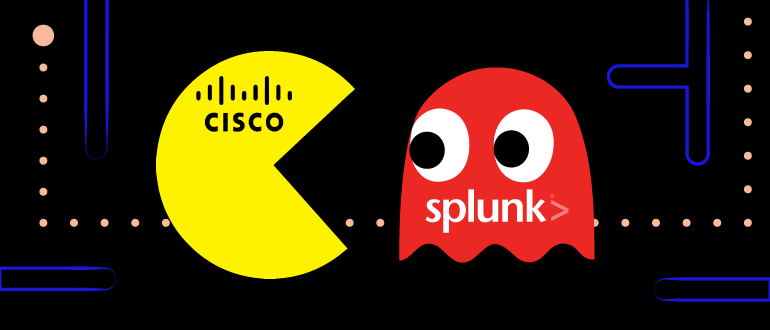
    Word on the street is that Cisco and Splunk are in discussions about a possible acquisition. Splunk, the technology monitoring, search and analytics company could be acquired by Cisco—originally a networking company but now a complex hardware and software conglomerate.

    Splunk has generated quite a reputation as a ‘dealer’ over the years. The company, much like a drug dealer, gets you hooked and then, when you can’t live without what they’re selling, makes you pay. The difference is that what they’re selling is insight and visibility into your own data.

    For many years, Splunk’s pricing model was simple—customers paid for the amount of data that was ingested. Splunk didn’t invent this type of pay-for-what-you-use-and-consume model. For mainframe workloads, IBM has long charged clients based on millions of instructions per second, or MIPS. Likewise, the entire cloud computing business model is based on a pay-for-what-you-use model. If, for example, you leave an AWS experimental instance running over the weekend or while you’re a vacation, you’re going to pay for it (many of us have learned that the hard way).

    So why am I picking on Splunk for being a dealer? The whole value proposition of Splunk is that the more data it ingests, the more useful the software platform can be. Splunk can help operations and security teams connect disparate data points to uncover potential emerging problems or greatly reduce the time it takes to resolve an incident. However, to unlock the power, you need to push more and more (and more and more) data into Splunk.

    But here is where Splunk gets down and dirty: Like any dealer, Splunk will give teams free trials and the ability to ingest data from new areas of your business for free. Once a team starts to see the value and is hooked on the software, the Splunk sales team is right there to take your money.

    Splunk now offers other pricing models, but the stigma sticks.

    Splunk Customers are the Company’s Best Salespeople

    Splunk has done an excellent job at creating evangelists out of their existing client base. I’ve attended a lot of vendor conferences, and my experience is that Splunk’s customers are some of the most enthusiastic I’ve ever encountered. What does user enthusiasm tell me about a vendor’s product? It is either that the product is making that employee a superstar within their company or making that employee highly desirable across the broader technology market.

    At Splunk events when I have candid conversations with customers, the adoption pattern follows a fairly standardized script. The IT operations team adopted Splunk. IT operations had a ton of success and shared that with the rest of IT. Security saw ops’ success and wanted to try Splunk out for themselves. In many cases, the cybersecurity use case within the company became the bigger Splunk deployment once the platform’s capabilities were understood.

    So Why Would Splunk Sell?

    Customers like Splunk and they’re obviously seeing value. So, why would a company like that ever sell? Well, first of all, the SIEM 2.0 market vanished; security log data analysis is table stakes. What do I mean by that?

    So Long, SIEM

    The idea of security information and event management (SIEM) hasn’t gone anywhere, but now security vendors need to do more than just SIEM.

    It wasn’t long ago that those of use following the security industry tracked RSA Netwitness, Logrhythm, IBM Qradar, HPE ArcSight, RSA Archer, Carbon Black and other SIEM vendors. The reality is that all of these companies have gone through massive transformations. Those of you reading this article might be surprised by the companies that now own many of these SIEM vendors!

    Splunk is no longer unique in its approach to applying machine learning and artificial intelligence to security log data.

    AIOps—The Company Lost its Focus

    Splunk cut its teeth with operations teams. The company helped ops teams quickly find the root cause of disruptions and spot problems before the pain was felt by customers. However, operations isn’t sexy. Rather than doubling and tripling down on operations, the company expanded to security. It made sense; security organizations deal with huge amounts of complex data.

    However, as DevOps rose to prominence, Splunk has been widely left out of the conversation. DevOps teams need software tools that can normalize data across job function-specific software platforms. This would have been a perfect opportunity for Splunk—however, new competition stepped in to fill this gap.

    The World Evolved—Businesses Need Observability

    SIEM 2.0 was hot—“was” being the operative word. Today, DevOps and DevSecOps teams are looking for observability offerings. Observability tools provide teams with the ability to understand and see what is going on within systems and software from a variety of perspectives. Observability platforms can view system and cloud health and resiliency, but can also give operations teams container-level data.

    Enter the Observability Vendors

    By no means is this a comprehensive list, but my colleagues at Techstrong Research and I have come up with a list of observability vendors you should be paying attention to. Some of these vendors are pure-play observability companies while others, like Splunk, have a variety of offerings.

    •   Splunk
    •   Sumo Logic
    •   Logz.io
    •   StackState
    •   Lightstep (acquired by ServiceNow)
    •   Dynatrace
    •   App Dynamics
    •   VMware – Tanzu
    •   AWS CloudWatch
    •   Azure 
    •   Honeycomb.io
    •   Grafana Labs

    Acquisitions

    •   IBM acquired Instana for observability and Turbonomics for AIOps
    •   Cisco acquired Epsagon
    •   Cisco acquired AppDynamic for $3.7B for application performance management/monitoring
    •   VMware acquired Mesh7
    •   GitLab acquired observability distribution Opstrace 
    •   NewRelic acquired CodeStream
    •   Splunk acquired SignalFX, FlowMill and Omnition
    •   ServiceNow acquired Lightstep

    Within the observability space, there is also a tremendous amount of open source. Many vendors are coalescing around the OpenTelemetry project, for instance, that focuses on collecting data. This type of open source use makes sense—vendors should focus on areas of differentiation and customer value rather than just data collection.

    Open Source related projects

    • Prometheus
    • OpenTracing and OpenCensus from Google (folded into OpenTelemetry)
    • Zipkin (Twitter) one of the first open source tracing projects

    Why Would Cisco Want Splunk?

    Splunk’s stock has been in decline since its CEO left in Q4 of 2021. Like other technology companies, inflation and a general technology sell-off is further impacting its stock price. In addition, the company is transitioning clients to cloud-based offerings, which is often a painful process for public companies (many companies have gone private to eschew Wall Street’s prying eyes).

    Cisco has, historically, occupied the network layer. Splunk understands network data and can offer many benefits to Cisco clients.

     Splunk is an enterprise software vendor that can scale in a non-linear way if Cisco can add stability to Splunk’s leadership and vision.

    Now, will the deal for Splunk get done at $20 billion? No. But a possible acquisition is very possible, especially given the fact that Splunk’s runway is short and getting shorter.

  • DevSecOps Implementation: SIEM

    DevSecOps Implementation: SIEM

    The world is filled with events. Our inbox floods with events that marketers really want us to pay attention to, while news feeds flood us with events they’re trying to raise above the background noise, but then, the dog barking interrupts our consumption of that information. Our family is, meanwhile, texting us about events on the family level that may be related to events on the national or world stage … meanwhile, social media is full of garbage information about events that may or may not be real, and that you may or may not care about.

    We ignore the vast majority of these inputs and move along with our day. The inputs that require our attention usually, but not always, get it. Sometimes, we fail horribly at filtering, judging importance, or both, and it has life-impacting ramifications.

    This is not too far from the state of security event management when security information and event management (SIEM) was born. Disparate feeds were coming in from all over; analysts – be they dedicated security folks or systems administrators wearing an extra hat – had to guess which of dozens, hundreds or even thousands of events were a real threat to the environment.

    The first step to gaining control of that environment was standardization and aggregation. Get the events into one place, with similar information available for similar events. That was where SIEM came from.

    Since then, the number of events coming in has continued to rise. Companies that were seeing hundreds of events a day are now seeing hundreds an hour, and SIEM vendors had to keep up. The complexity of attacks, and the ability to detect them, has gone up, and SIEM vendors have had to keep up. Tools available for feeding the SIEM and for acting on the aggregated data have evolved … and SIEM vendors had to keep up.

    At this point in time, SIEM is best characterized as a data aggregation platform with limited intelligence that aids in filtering of irrelevant events. It’s akin to turning off social media and telling those close to you to call if needed; it filters out the worst noise and elevates the most important messages.

    Other tools can analyze their own data and make their own deductions, but SIEM is where you bundle all security-related events in one place, so it is the logical place to filter the noise and raise awareness. But it requires a high-volume, adaptable datastore. Vendors have reached that plateau.

    Once volume issues were mastered, SIEM vendors turned to helping filter the insane volume of security event noise. Yes, it is a security event if Bob logged in on a new workstation, but it probably isn’t a noteworthy security event. Unless Bob’s new workstation is in a country where the company doesn’t do business, or Bob is still logged in on his own workstation, blissfully unaware of the other login.

    So, rudimentary filters were applied to the event data in the SIEM. This got rid of a huge amount of noise. Next came filtering events that, logically, looked like notable security events, but just weren’t. Something was scanning ports on the firewall. An internal firewall. Sounds bad, unless the security tools’ logs showed that an authorized user kicked off the scan. Then, it’s a simple matter of asking the user in question, “Are you scanning X?” and moving along. It’d be better for the system to lower the importance of the event based on the fact that it is an authorized user doing the scanning, with corporate-approved tools. Then, an analyst may not need to get involved at all (my security friends are cringing because, literally, they trust no one, and would point out that authorized users can misuse tools, too – so I’ll note that here).

    But the event volume kept going up, and the analysts were even more swamped. Between adding new reporting apps (HIPS alone can add thousands of reporting points to a SIEM), and increases in events on existing monitored points, it was ugly.

    Enter AI. This is when machine learning (ML) started becoming the norm in SIEM. Now, we want the system to avoid using hard-and-fast rules that must be maintained, but to use knowledge it gains by watching the flow of data and an analyst’s resolution to selectively raise/lower the priority of events. Now, the events that actually bubble up to analysts are ones that the ML engine sees as fishy, and the number is greatly reduced. False positives still occur, but not nearly at the volume they did before, as the system learns how to detect them.

    But wait! There’s more!

    All that data in one place with ML engines crawling over it was just too much temptation for data scientists and deeply knowledgeable security personnel. So, the ability to plot a course through seemingly unconnected security events and determine that this or that was actually evidence of intruder or attacker activity spread across the system came next. This is where we are now – the ability to connect the dots on events that analysts (or the system) might have filtered out to find patterns that indicate intrusions.

    But it comes with a price. It’s not cheap to set up, it’s not easy to train, and maintenance of a system that takes inputs from everywhere and tries to correlate the resulting dataset is … work. We’re not talking a little bit of data here, and, like the environment it comes from, we’re not talking a little bit of complexity. Do you need it? I would say yes. Even if you only use SIEM as a big data store, it will help you perform post mortems when (not if) you have a breach. It is worth the effort, unless you are tiny or have no Internet presence to speak of.

    Keep rocking it! SEIM is another tool to consider as you move to DevSecOps dominance, but again, just a tool that requires you to keep the org safe.

  • How Centralized Log Management Can Save Your Company

    How Centralized Log Management Can Save Your Company

    Through centralized log management, organizations can consolidate all log data into one central, data highway and directs logs wherever they need to go

    The digital transformation wasn’t gradual. It came crashing into industries worldwide in response to safety restrictions around the pandemic.

    Nearly a third of Americans are working remotely in light of the pandemic—drastically increasing the external users—with no signs that employees will be returning to the office full-time post-COVID-19. A recent PwC survey found that 83% of employees want to work remotely at least once a week and that 55% of employers anticipate their employees will do so even after the pandemic.

    Companies have implemented new and creative solutions to deal with the spike in remote access: VPNs and SSL connections through web applications, to name a few. However, many of these solutions were only a bandage that won’t suffice for long term remote access.

    There is one thing amid all these changes that can become an increasingly large problem if left unaddressed: logs. Logs are collections of data that continue to be collected whether users are in the office or in their living room. Without centralized log management, this data can put organizations at a critical security risk. As the digital transformation takes industries by storm, it’s important for organizations to remember the importance of managing logs.

    Today’s Log Landscape

    When a company’s remote workforce jumps from 50 to 5,000 in a matter of weeks, things change. Compared to in the office, logs at these companies have jumped by 10,000%. Remote work generates logs on security access points, remote access, server logs, terminal services and application logging—all of which are fed into an organization’s security information and event management solution (SIEM).

    This jump is creating and revealing more blind spots to companies, which proves how difficult it is for administrators to increase the rates for their security monitoring tools to reach that level without drastically upping their company’s budget for its SIEM. Even Microsoft and network providers are running into issues with so many changes happening at the same time. Additionally, companies have to worry about privacy laws, making sure all personal data is encrypted and secured.

    Centralized Log Management

    Organizations should implement centralized log management (CLM) to consolidate all log data into one central, data highway that collects all logs and directs them wherever they need to go. CLM solutions reduce SIEM costs once SIEMs are no longer effective log management tools.

    Dropping all logs into a SIEM spikes costs, so oftentimes only a portion is collected, which creates fragmented or incomplete pictures and impacts security monitoring and incident response. CLMs lift the burden of having to hire staff, provide training and support for SIEMs. CLMs also reduce the costs organizations would incur with their SIEM providers, as well as the risk of endangering the SIEM infrastructure by storing unmanaged logs.

    Fragmented data collection can become a unified data collection with a data highway. Organizations can now filter unruly data and deliver only what you need. This helps overcome the age-old strategy of letting separate teams have their own sources of data, which could instead be directed to the appropriate team via your data highway. The data highway lets you collect once and use it many times, where it’s needed.

    Parsing: Cleaning up the Data

    Once logged, data needs to be parsed. To prime your data to be parsed for specific items, unnecessary and unwanted information must be filtered out. This diminishes the storage space logs take up and increases the usability of the data.

    One example of superfluous information is the timed mark that many applications add into the log of their system to show they are online. Unless a security auditor will need to see this, there is no reason why an organization should be paying to store it in their SIEM. Administrators are even able to filter out all extraneous text and add parsing for specific events. This quickly and easily reduces costs that are likely spiraling out of control during this time.

    Parsing, filtering, masking and other transformation techniques in your data highway allow security teams to overcome privacy issues and filter out personal information that shouldn’t be distributed. Resolving this problem could become crucial as more and more personal data is being collected than ever before, and as privacy laws are becoming stricter.

    The Data Highway

    Build your dream team to utilize your new data highway to its greatest potential. Not everyone reviewing logs will be SIEM experts or as skilled as a Linux or UNIX administrator (or even one at all). Build your team to be able to easily operate your new data highway, because you don’t want it to be gathering dust on the shelf.

    With your new data highway, you’ll be able to optimize your SIEM, increase your likelihood of meeting compliance requirements and be able to log from more places with easy searchability. With that encrypted data store, your compliance officer may even be able to sleep at night. Beyond the SIEM, you’ll be able to send your data anywhere: Kafka, MongoDB, any database, big data systems and more.  Don’t just optimize your SIEM; build your data highway and collect those logs once, distribute them where they need to go and cut costs with centralized log management.

    So, in this crush of new technologies spiraling into the new digital transformation age, don’t forget the importance of managing your logs. IT and security admins shouldn’t be in the position of going to company management to inform them of uncontrolled SIEM costs. They can be managed and reduced without losing their effectiveness by simply feeding to the SIEM only the data that needs to be there.

  • Meeting the Need for Speed in Cyber Threat Response

    Meeting the Need for Speed in Cyber Threat Response

    In the very early days of the internet, hackers most likely were “lone wolves.” They might be an unhappy customer, a disgruntled employee or a tech-savvy youth who just wanted to see if he could breach a target’s defenses.

    Occasionally, hackers might aspire to more devious crimes including identity theft, blackmail, theft of trade secrets, exposure of personal information or monetary theft. These types of hackers were annoying, unnerving and potentially dangerous, but they seldom caused widespread damages or serious financial losses. Today, however, cybersecurity professionals face an entirely new group of hackers and an escalating number of attacks—and security strategies and tools have not been able to keep pace.

    The Modern Hackers

    The greatest source of risk comes from well-financed, sophisticated hackers who often are connected to a government that sanctions and supports their activities. These groups constantly refine their already impressive skills and they are patient as well as persistent. They know how to circumvent defenses that rely on signatures or pattern matching, and they are adept at launching attacks that may take months to achieve fruition.

    For example, sophisticated hackers may launch an upstream attack aimed at companies that make the products that others use for security, including SSL certificates and other digital credentials. These credentials are then used to steal money, intellectual data or other information from the group’s real targets. Hackers can also attack in stages, such as first going after information that will give them access to an organization’s network, allowing them to conduct whatever mayhem they want on their own schedule. They may install an encrypted “zero day” attack, for instance, or simply wait until a desirable piece of intellectual property is completed.

    Why Speedy Responses Are Essential

    The longer that a breach goes undetected, the more damage the incident will cause. It is a bit like having an undetected roof leak; the longer the leak allows water to penetrate beneath the roof, the more damage the water will do to the structure.

    Unfortunately, most organizations are not doing a very good job of detecting breaches quickly. In 2014, the Verizon Data Breach Investigations Report revealed that 43 percent of all web application attacks were not discovered for months, and 85 percent of the point-of-sale intrusions went undetected for weeks. Other breaches have gone without detection for years, such as the Excellus breach that lasted 18 months and the allegedly state-sponsored “Project Sauron” attack that was in operation for almost five years.

    When attackers have months or years to access a victim’s network, they have ample opportunity and time to inflict a substantial amount of damage. They can even expand their attack to infiltrate the networks of the original target’s customers or vendors. Interestingly, a study conducted by the Ponemon Institute found that approximately 33 percent of all attacks were not detected for two years — and two-thirds of the attacks were discovered by a third party rather than the compromised organization.

    However, a report issued in June 2016 by the Business Continuity Institute indicates that many organizations are making progress when it comes to responding to cyberattacks. BCI surveyed 369 organizations in 61 countries. Approximately 66 percent reported that they had suffered at least one attack during the previous 12 months, and 15 percent reported that they had suffered 10 or more attacks. Roughly 31 percent claimed that they responded to attacks within an hour, but 19 percent said that they took at least four hours to respond. Approximately 24 percent were hit by a denial-of-service attack, while 45 percent suffered a malware attack; both forms of attack rendered the organization’s network inoperable or contaminated.

    Responding Quickly to Attacks

    Although most cybersecurity professionals know that response time is critical, not all of them understand the best ways to ensure that the speed is there when needed.

    • A speedy response starts with an effective incident response plan. The plan should be based on a thorough assessment of threats, risks and potential failure modes, and it should be updated frequently and available to all parties.
    • “Practice makes perfect.” Response teams should have ample opportunities to practice their tasks through frequent “dry runs.” Instead of wasting time trying to determine what they should do when an attack does happen, they can react reflexively.
    • Automation can greatly reduce the amount of time required to respond to an incident. For example, without automation, if a breach occurs, staff members might have to manually check 5,000 or more endpoints. However, an automation platform can collect, analyze and report on the activity in much less time.
    • Increase visibility across the different domains and systems. A recent survey of IT remediation teams conducted by the SANS Institute revealed that almost half felt that the lack of visibility was their main impediment to an effective, speedy response. Using a security information and event management (SIEM) solution for log aggregation and correlation can increase visibility across organization.

    When the health of your organization is at risk, taking even an hour to respond to an incident can be far too long. Taking a day, a week or a month to detect and respond to a threat can do irreparable damage. With steps in place, organizations can meet their need for speed in addressing cyber threats quickly, to best protect their networks.

    About the Author / Rishi Bhargava

    Rishi Bhargava is co-founder and VP of Marketing for Demisto, a cyber security startup with the mission to make security operations “faster, leaner and smarter.” Prior to founding Demisto, he was vice president and general manager of the Software Defined Datacenter Group at Intel Security, and before Intel, he was vice president of product management for Datacenter and Server security products at McAfee, now part of Intel Security. He has more than a dozen patents in the area of computer security. He holds a BS in Computer Science from Indian Institute of Technology, New Delhi, and a Masters in Computer Science from University of Southern California, Los Angeles.
