Whenever I want to be amazed, all I need to do is reflect on the fact that the continuing development of the Linux operating system is done essentially by a community of volunteers. That’s right! One of the most popular and important operating systems is updated and maintained through donated labor. Any programmer anywhere in the world can make a contribution to improve the Linux kernel.
That such a herculean undertaking is done though volunteer labor is mind-boggling. What’s more amazing is that the software created has an extraordinarily high level of quality. Let’s face it, working on the Linux kernel is not something a kid in high school with a year’s worth of experience programming in C can do. But, any kid in high school can make a contribution to the Linux code base, provided the code passes muster. That it happens is almost magical, in a way. But it does, every day.
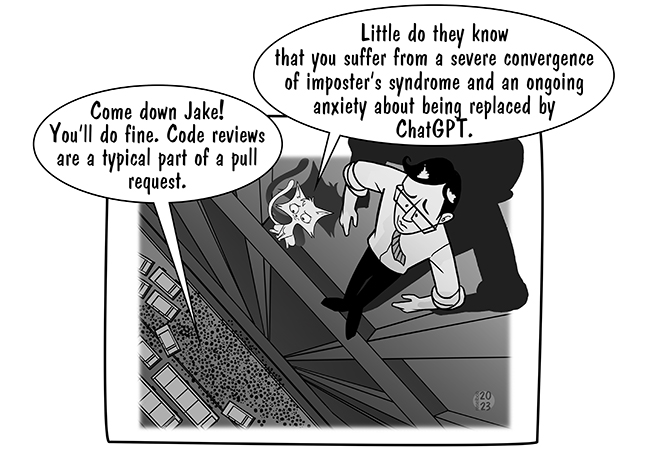
What enables such freedom? To my thinking, it’s the concept of the the pull request.
The Powerful Elegance of the Pull Request
 The pull request is a simple yet important part of the open source development process. A developer creates a feature branch off the Master branch of the Linux repository, then adds to or modifies the code in that feature branch. Of course, the developer writes tests that verify the new code works. Once the code is complete, the developer sends a pull request to the project, which is typically hosted on GitHub or another popular Git repository platform. The project maintainers, a group of people who have expert knowledge of the code base, review the pull request using tools that are baked into the Git repository platform. Each maintainer inspects the code and, if the code passes inspection, the reviewer votes to approve. If the code has shortcomings, the reviewer makes suggestions for improvement directly in the code using the Pull Request Commenting features, which are available in practically all the Git Repository Platforms including GitHub, GitLab and Bitbucket.
It’s a simple yet powerful process and one that has changed the way enterprise-worthy software gets created. Any developer can implement an idea any way they want, as long as the implementation is compatible with the code base. It’s up to the developer to figure out how to do what they desire; nobody is dictating anything. The process is straightforward: Figure out how to make your contribution to the code. Make a feature branch. Do your work. Do a pull request. If your contribution is useful and the coded well, you’re in. If not, we’ll try to help you make it better.
Bringing Git to Mainframe Development Using DBB
The pull request is a compelling approach to making software—so much so that IBM has made it a central part of software development on the mainframe. And, its product, Dependency Based Build (DBB), streamlines the mainframe pull request process by reducing the work reviewers need to do in the code review process. [su_pullquote align=”right”]A Dependency Based Build trial is available in the IBM Z Trial Program at zero cost, and with no installation required. The trial environment includes hands-on tutorials.[/su_pullquote]
Git version control is supported by practically all the modern IDEs. For example, developers can configure Visual Studio Code, JetBrains products and Eclipse to work with remote Git repositories automatically. Once integrated, Git operates behind the scenes, allowing developers to work under version control without having to issue Git commands directly. IBM’s mainframe integrated development environment, IDz EE, provides Git integration as well. This is a big deal, as Git is now part of the mainframe ecosystem. The developer accustomed to using Git version control when working on a standalone x86 Java app now can move over to developing for a mainframe without having to learn a new source control management (SCM) system. But what’s even more impressive that Git is used as the SCM for more traditional mainframe artifacts; for example, COBOL source code.
Also, Git integration goes beyond developers working on source code; Git is used throughout the mainframe build process—which, by the way, can be controlled by Jenkins. And, Git is a foundational technology used by IBM DBB, a dependency control agent that works with Git to make sure that all files—source and dependencies—in the mainframe build process are current. Again, this is a big deal: Having all the moving parts in the mainframe deployment process, from programming to build to release, use Git as the common code repository allows z/OS mainframe components to be part of a platform-agnostic deployment process. Use of DBB overcomes a significant hurdle between the mainframe and distributed world.
So, what does this have to do with the power of pull requests?
Adding Pull Requests and Code Review to the Mainframe Experience
The pull request review process is more than just “looking at code.” When you have a project that might have millions of lines of code, such as the Linux kernel, no developer is going to pore over each line of code. They’ll read the documentation, run the unit tests, look at the lines of code that have been added or removed and search for blatant problems and inefficiencies. Now, on a PC, compiling something such as the Linux kernel is straightforward—all the code is in the single repository. On mainframes, however, it’s a bit different: The code is more widely dispersed and dependency management can get tricky. DBB takes care of tracking dependency changes in various Git repositories, so when it comes time to do the pull request, the reviewer doesn’t have to waste time resolving dependency issues to get mainframe code to compile. DBB will take care of that. With regard to the pull request, reviewers can do what they are supposed to do: make sure the code works and the quality is such that it can all be merged back into a master branch.
This might not seem like much, but anybody who has stayed up until 3 a.m. trying to resolve dependency issues understands the importance of having code that builds all the time, any time. This is the power that DBB brings to the table.
The Freedom to Program
Programming is a special vocation. It requires an unusual combination of art, science, creativity and engineering discipline. Also, it’s not a vocation that lends itself to well to prescription. Each programming project is special, requiring new ideas. And new ideas come about when developers are free to use their imagination to think differently. The pull request is one of the best ways to ensure developers have the freedom to program in way that produces useful, high-quality code. DBB extends the freedom to program to the mainframe community.
History has shown that when a developer is given the freedom to code and a community in which to code, the result is great software. Just ask Linus Torvalds.
— Bob Reselman