Tag: orchestration

  • From Automation to Orchestration: The Key to Digital Success

    From Automation to Orchestration: The Key to Digital Success

    Digital transformation continues to be a key focus for many organizations, and this usually means the automation of processes and data.

    At its core, automation is meant to simplify and streamline business operations. However, if not implemented correctly, it can introduce complexity, risk and fragmentation. The proliferation of automation tools, combined with the rapid growth of interconnected systems has created a tangled web of interdependencies that are becoming increasingly difficult to manage.

    In fact, recent research has shown organizations now manage an average of 50 endpoints to execute tasks that are part of a process in their business (this is a 19% increase over the past five years). Without a fundamental shift in approach, organizations risk becoming overwhelmed by digital chaos – what’s more, 82% fear they could find themselves dealing with ‘Automation Armageddon’ if processes are left unchecked.

    Bringing Order to Automation Complexity

    As automation becomes more ingrained, organizations are facing new operational risks that threaten efficiency, compliance, and agility. One of the biggest challenges is the sheer volume of interconnected systems and workflows that businesses now rely on. When it comes to process complexity, more than three quarters of organizations say that a lack of control has resulted in increased risk that core business processes are not working anymore.

    At the same time, rising regulatory demands are making compliance more difficult. A lack of control has also increased business risk relating to compliance and many organizations lack the visibility to ensure compliance across all automated processes.

    As automation scales, it becomes harder to gain insights into what’s working, what’s redundant, and where bottlenecks exist. This lack of visibility makes it difficult for leaders to drive continuous improvement and ensure automation is delivering real value.

    AI: The Operationalizing and Scaling Challenge

    Despite AI being at a relatively early stage in terms of widespread adoption, AI is already revolutionizing industries, enhancing decision-making, improving customer experiences, and driving efficiencies across business processes. Many organizations are eager to expand their AI capabilities, integrating machine learning models, predictive analytics, and AI agents to uncover new opportunities.

    A significant challenge facing organizations is being able to operationalize and scale AI; 85% of organizations report such challenges, highlighting the difficulty of moving from isolated AI implementations to fully embedded AI-driven end-to-end processes. This fragmented approach makes it difficult for businesses to realize AI’s full value, as disconnected AI initiatives fail to work cohesively within larger business processes.

    Another hurdle is governance and compliance. As AI becomes more embedded in decision-making, organizations need clear oversight into how models are trained, deployed, and maintained. Transparency is crucial, particularly in regulated industries where AI-driven decisions must be explainable and auditable.

    To overcome these challenges, organizations must implement “guardrails” that combine deterministic workflows with the non-deterministic nature of AI capabilities. By clearly defining operational parameters, businesses can ensure AI operates autonomously while adhering to organizational policies and regulatory standards. This approach allows businesses to leverage AI’s adaptability and predictive power within structured, reliable processes without sacrificing compliance or control.

    How AI Can Be Integrated

    AI systems need to be seamlessly integrated into existing business processes to ensure they deliver real value. Without orchestration, AI often functions in isolation, requiring manual effort to synchronize with other process endpoints. This disconnect leads to inefficiencies and makes it impossible to “control” AI sufficiently. 

    Embedding AI within a structured orchestration framework provides clear governance and simplifies management – effectively balancing predictable, deterministic workflows with the adaptive, non-deterministic capabilities of AI, which are increasingly executed by one or more AI agents. Structured orchestration defines clear interactions between human and AI-driven tasks and delivers real-time visibility into operations. This reduces complexity, eliminates silos, and unlocks AI’s full potential as a strategic asset. 

    Process orchestration also enables organizations to build processes quicker with the help of AI, as modern orchestration tools can help teams in the process modelling phase. Furthermore, process orchestration allows organizations to gain insights into end-to-end processes in real-time and detect bottlenecks or other problems within an automated process. AI can then help to find solutions to solve the process issues,  enabling businesses to optimize operations, improve decision-making, and scale AI usage effectively. 

    To fully leverage AI, organizations must move beyond ad hoc implementations and toward a strategic, orchestrated approach. This way, they can maximize efficiency, maintain compliance, and ensure that AI contributes meaningfully to broader digital transformation efforts.

    Why Orchestration Helps Ensure AI and Automation Initiatives Play the Right Tune

    To regain control, organizations must embrace end-to-end process orchestration as a core part of their business and IT strategy. Process orchestration and automation allows organizations to tame complexity, operationalize AI, and accelerate transformation. Organizations can design, manage, and improve the processes that underpin their business, no matter what the processes entail or where they run. Additionally, it serves as a critical link between IT and business teams, aligning automation initiatives with real operational needs and long-term business goals.

    Automation Is Inevitable, But Chaos Isn’t

    Automation without orchestration leads to fragility, not resilience. Those organizations that prioritize process orchestration will be those who turn automation and AI into a competitive advantage and avoid the looming threat of digital chaos or ‘Automation Armageddon’.

  • Governance, Quality Critical in the New Digital Norm

    Governance, Quality Critical in the New Digital Norm

    The shift to digital is certainly not new. But the speed of digital adoption has been accelerated as organizations react to the COVID-19 pandemic and implement remote working and contactless or self-service channels for customers. What’s more, the evidence shows that trend is here to stay.

    Analyst Gartner’s CIO Agenda 2021 report shows that 76% of CIOs reported increased demand for new digital products and services as a result of the pandemic. But far from being a temporary spike, 83% of CIOs said they expect that to increase further in 2021. There was also a 65% increase in the use of self-service by customers during the crisis, and 79% of CIOs expect that figure to grow next year, too.

    These trends all put increasing pressure on DevOps teams to drive continuous improvement and development of products. Some 83% of developers say they are releasing code faster and more often than ever before, according to the “2019 State of DevOps Report.”

    But with the pressure to develop faster, there is a battle to find the right balance between speed and quality. Move the needle too far toward either end of that spectrum and the results can be equally disastrous for the business.

    In Digital, Quality Matters

    Rushing releases and updates out too quickly can lead to poor quality or defective code. If this impacts the user experience, it can have a significant impact on adoption and ratings. A report on commercial and retail app testing by Testlio, for example, shows that 50% of users won’t download an application with a three-star rating from an app store. And that rises to 85% for an application with just a two-star rating.

    In the second annual OverOps DevOps survey, over half of respondents said they encounter critical or customer-impacting issues in production at least one or more times a week. And more than 40% of critical production issues are first reported by end users or customers rather than by internal monitoring and alerting tools.

    But 45% of developers in the same study said they are under pressure to move fast, which doesn’t give them enough time to ensure the quality of the code they are producing.

    Manual Bottlenecks

    While DevOps has tools to develop, test, ship and containerize software, there is often a lack of governance and orchestration. This makes it difficult to get that balance between speed and quality.

    The major challenge for DevOps is the time-consuming and manual nature of testing and QA, which causes new releases and updates to be either delayed or of poor quality. The testing life cycle remains highly manual and updates must be tested across all devices, platforms and networks.

    More than half (55%) of respondents to Kobiton’s “State of Test Automation” survey for 2020-2021 said automating testing would improve software quality. Yet just over three-quarters (76%) said they still conduct most of their testing manually.

    And it is this lack of automation and orchestration that is really holding back DevOps efforts in many organizations today. In a survey by research analyst Forrester, “Face the Workflow Automation Gap Head On,” two-thirds (67%) of IT leaders said the lack of application workflow orchestration leads to services not being completed in time and 55% admit that it takes valuable time away from strategic initiatives.

    Managing the DevOps Workflow

    The key to ensuring better governance and quality in DevOps and overcoming the manual effort and time pressure is to integrate automated workflow orchestration into the software development lifecycle process.

    This orchestration enables DevOps teams to test early and often, and ensure new releases and updates are ready to go to a live production environment.

    For example, modern workload automation tools allow IT ops teams to easily standardize processes in development, test and deployment with the help of built-in wizards and templates. And rollback capabilities and automated process documentation take much of the pain out of managing DevOps processes. Workload automation also provides greater coordination with highly configurable automation that only runs processes when a certain set of conditions is met.

    Ultimately, this helps DevOps teams automate and streamline the QA and testing processes so changes are carried over into the production environment without developers having to manually transfer new code from the testing environment.

    And that means DevOps teams can automatically enforce governance and standards and maintain that essential balance between speed and quality in today’s digital norm.

  • Cloud Orchestration Language Roundup: A Comparison

    Cloud Orchestration Language Roundup: A Comparison

    What cloud providers do you work with? Google Cloud Platform (GCP)? Amazon AWS? Microsoft Azure? Which services? Are you using a managed Kubernetes such as GKE, AKS, Openshift or EKS? How do you manage your cloud resources? How do you manage the release cycle of the infrastructure and applications that you deploy?

    If the above questions are the basic introduction to describe your work, then you are probably also familiar with the console, API or both of a major cloud provider. You probably know how to use a configuration management tool such as Ansible or Chef, Terraform or CloudFormation, or some other similar tool. Additionally, you are familiar with the languages of one of these tools. You probably have opinions on those languages, which inform your attraction to the tools you choose.

    Kubernetes and Ansible use YAML. CloudFormation and Azure ARM can be JSON or YAML. Chef and Terraform have their own languages. (To be precise, Terraform can also be expressed in JSON.)

    cloudify orchestration language comparison
    A comparison of cloud orchestration languages

    Whenever you start learning a new tool, it is helpful to already know the tool’s language. The strength of using a standard language is that new users will feel more at home learning to use a language if they already understand the basics of its syntax. In the same way that many English speakers will relate to cognates in French, German or Latin than in Greek or Sanskrit without using transliteration, developers that know YAML will find it easier to learn Ansible than a tool that relies on XML. However, just because you know the language doesn’t mean you know the DSL. A DSL might use a language in a novel or even strange way that contradicts what you believe is proper.

    A number of variables may come into play when a user develops an opinion of a tool. The most important is, “How simple is it for me to create something that does what I want and minimizes frustration later on?” The next often are, “Which I venture is dependent on the first, are apparent scientific and analytical reflections? Does it lend itself to convoluted data structures? Do efforts to remain readable flounder because of inefficient use of space or punctuation?”

    Some projects, such as HashiCorp’s (Terraform), abandon a standard language to avoid such issues and instead create their own languages. The main drawback here is that it is more difficult to integrate the tool with existing projects and software libraries (although, providing for input and output in standard languages such as JSON can alleviate such problems).

    Cloudify has a DSL, which is based on YAML. Cloudify uses YAML, because it is easier to read than JSON, but powerful enough to define new types when necessary.

    Whether using a general language such as YAML or a proprietary one, certain designations are necessary: the type of resource, the name of the resource and often even whether the line refers to a resource, a parameter or a dependency.

    To illustrate the differences between the languages, and associated products that have been mentioned, let’s take a look at a few examples. Let’s use a relatively simple example, an AWS VPC, named “myVPC.” This is a simple resource to define in any language because it has relatively few parameters and no dependencies aside from an AWS account.

    Terraform:


      resource “aws_vpc” “myVPC” {

        cidr_block       = “10.0.0.0/16”

        instance_tenancy = “dedicated”

        tags = {

          foo = “bar”

        }

      }


    Terraform, or HCL, is notable for two reasons. First, the HCL “block” syntax recalls method definition syntax in a number of familiar programming languages. This is a nod to how Terraform, among all of these tools, relates to packaging infrastructure definition as code. Second, Terraform is the most concise. It only takes seven lines.

    Also, Terraform syntax infers significance from string position through the use of identifiers, such as “resource,” “aws_vpc” and “main.” HCL knows that block type comes first, followed by type and then name. For readability, this may be an ideal and certainly elegant method for defining components. Inside of the block definition is the API payload accepted by AWS EC2 Service for the creation of a VPC.

    One drawback of HCL is the punctuation requirements. Braces are required to enclose blocks as well as dictionaries. Arrays require square brackets.

    Let’s compare HCL/Terraform to CloudFormation:


      myVPC:

        Type: AWS::EC2::VPC

        Properties:

          CidrBlock: 10.0.0.0/16

          InstanceTenancy: dedicated

          Tags:

           – Key: foo

             Value: bar


    CloudFormation utilitizes YAML as well as JSON. These are data serialization languages. So, we are looking at our resource definition, less as code and more as information. This results in greater verbosity and decreased readability. Less concise, CloudFormation is eight lines.

    Whereas HCL uses “blocks” for resources. CloudFormation templates just call them “resources.” Instead of positional arguments, we have keys and values. “Type” defines the type. Properties introduce the resource API payload accepted by AWS EC2 service. However, YAML reduces the need for punctuation. Dictionaries are introduced by indentation and lists with hyphens. This can result in improved readability, and if someone really likes to use braces and brackets, no one is forcing them not to. However, it increases the number of lines and characters needed, because even abstract sections of the DSL require keys for introduction. This is because YAML accepts JSON.

    Ansible also has a module for creating a VPC in AWS.


      – name: create VPC.

        ec2_vpc_net:

          name: myVPC

          cidr_block: 10.10.0.0/16

          region: us-east-1

          tags:

            foo: bar

          tenancy: dedicated


    Ansible also uses YAML; however, there is no separation between API payload and other parameters. For example, authentication parameters are on the same level as payload parameters. Ansible uses modules for infrastructure management the way it uses modules for managing applications, which, while novel, is implemented in a clunky and relatively useless way. For example, you need a playbook for creation and a playbook for deletion.

    Cloudify:


      myVPC:

        type: cloudify.nodes.aws.ec2.Vpc

        properties:

          resource_config:

            CidrBlock: 10.10.0.0/16

            InstanceTenancy: dedicated

            Tags:

              – Key: foo

              – Value: bar


    Cloudify also uses YAML. It also works with key-value pairs. Cloudify is even more verbose than CloudFormation.

    A node template can be a resource or a group of resources. In Cloudify, there are three types of properties. The resource_config, which contains the API Payload; the client_config, which contains the API Authentication; and orchestration properties,which are additional properties that enable you to describe how Cloudify will interact with the resource. For example, all resources have the use_external_resource, which means that Cloudify can use resources that Cloudify did not create.

    Whereas Terraform/HCL uses “resource blocks” and CloudFormation uses “resources,” Cloudify uses “node templates.” Node templates can be a VPC or other cloud resource, or even a CloudFormation Template or a Terraform template.

    Azure also sports an orchestrator, Azure ARM, and has its own DSL to describe Azure resources. This is how a virtual network is defined in Azure ARM:


      type: Microsoft.Network/virtualNetworks

      apiVersion: ‘2019-11-01’

      name: myVPC

      location: “[parameters(‘location’)]”

      properties:

        addressSpace:

          addressPrefixes:

          – 10.0.0.0/24

        subnets:

        – name: “[parameters(‘subnet_name’)]”

          properties:

            addressPrefix: 10.0.0.0/24


    One notable difference in Azure ARM is that the resource entry in the YAML does not have a key name with the definition being the value of the name key; instead, the entire dictionary is a list item. This is perhaps more concise, but it may forfeit a modest amount of readability. Also, Azure is similar to Cloudify in that the resource definition “properties” is not on the same level as other more general details, such as “apiVersion” or “location.”

    The syntax for accessing a parameter is also a tad obtuse. Accessing a key in a dictionary via square brackets and parentheses is probably one of the most unreadable methods in the DSLs we are looking at.

    Like Cloud Formation, ARM can be written in JSON or YAML.

    Terraform can define the same Azure resource using fewer lines.


      resource “myVPC” “example” {

        name                = “virtualNetwork1”

        location            = azurerm_resource_group.example.location

        resource_group_name = azurerm_resource_group.example.name

        address_space       = [“10.0.0.0/16”]

        subnet {

          name           = “subnet1”

          address_prefix = “10.0.1.0/24”

        }

      }


    Cloudify will define the same resource in 14 lines. However, this could be shortened using default values.


      network:

        type: cloudify.azure.nodes.network.VirtualNetwork

        properties:

          resource_group_name: { get_input: resource_group_name }

          name: { get_input: network_name }

          location: { get_input: location }

          resource_config:

            addressSpace:

              addressPrefixes:

                – 10.10.0.0/16

            subnets:

              – name: subnet1

                address_prefix: 10.0.1.0/24


    Azure and Amazon expose ARM and CloudFormation as API objects respectively. This enables orchestrators to manage those resource stacks as single resources.

    You can define an ARM deployment in Terraform like this:


      resource “azurerm_template_deployment” “deployment” {

        name                = “myArmDeployment”

        resource_group_name = azurerm_resource_group.example.name

        template_body = file(“${path.module}/environment.json”)

      }


    The type requires deployment name, resource group name and template body. The latter can be supplied inline or using Terraform’s file function.

    Ansible can also define ARM templates:


      – name: Create Azure Deploy

        azure_rm_deployment:

          resource_group: myResourceGroup

          name: myDeployment

          template_link: ‘https://…/azuredeploy.json’

          parameters_link: ‘https://…/azuredeploy.parameters.json’


    Cloudify can also orchestrate ARM deployments. Here is a simple infrastructure stack in ARM using Cloudify:


      deployment:

        type: cloudify.azure.Deployment

        properties:

          location: { get_input: location }

          name: { get_input: resource_group_name }

          template_file: ‘resources/arm/environment.json’


    Cloudify can also accept a file or inline JSON (or YAML).

    Having defined the source code for our infrastructure components, we can now connect other resources and processes to this infrastructure dependency. We can use the Terraform template to a CICD workflow or a networking application.

    Using the same approach, Cloudify can also call Terraform stacks:


      infrastructure:

        type: cloudify.nodes.terraform.Module

        properties:

          resource_config:

            source: resources/terraform/template.zip

            variables:

              access_key: { get_secret: aws_access_key_id }

              secret_key: { get_secret: aws_secret_access_key }

              aws_region: { get_input: aws_region_name }

              aws_zone: { get_input: aws_zone_name }

              admin_user: { get_input: agent_user }

              admin_key_public: { get_input: public_key }


    Cloudify also utilizes other Cloudify deployment stacks as service components:


      infrastructure:

        type: cloudify.nodes.Component

        properties:

          resource_config:

            blueprint:

              id: my_deployment

              blueprint_archive: { get_input: infra_archive }

              main_file_name: infra.yaml

            deployment:

              id: my_deployment


    To summarize, there are many DSLs for orchestrating cloud resources. Each has its own focus: Terraform on simplicity and repeatability, CloudFormation on Amazon, ARM on Azure, Ansible on setting up applications and Cloudify on enabling users to automate any task, including automating Cloudify. We call this “orchestrating the orchestrator.”

  • Puppet Brings Orchestration to IT Automation

    Puppet Brings Orchestration to IT Automation

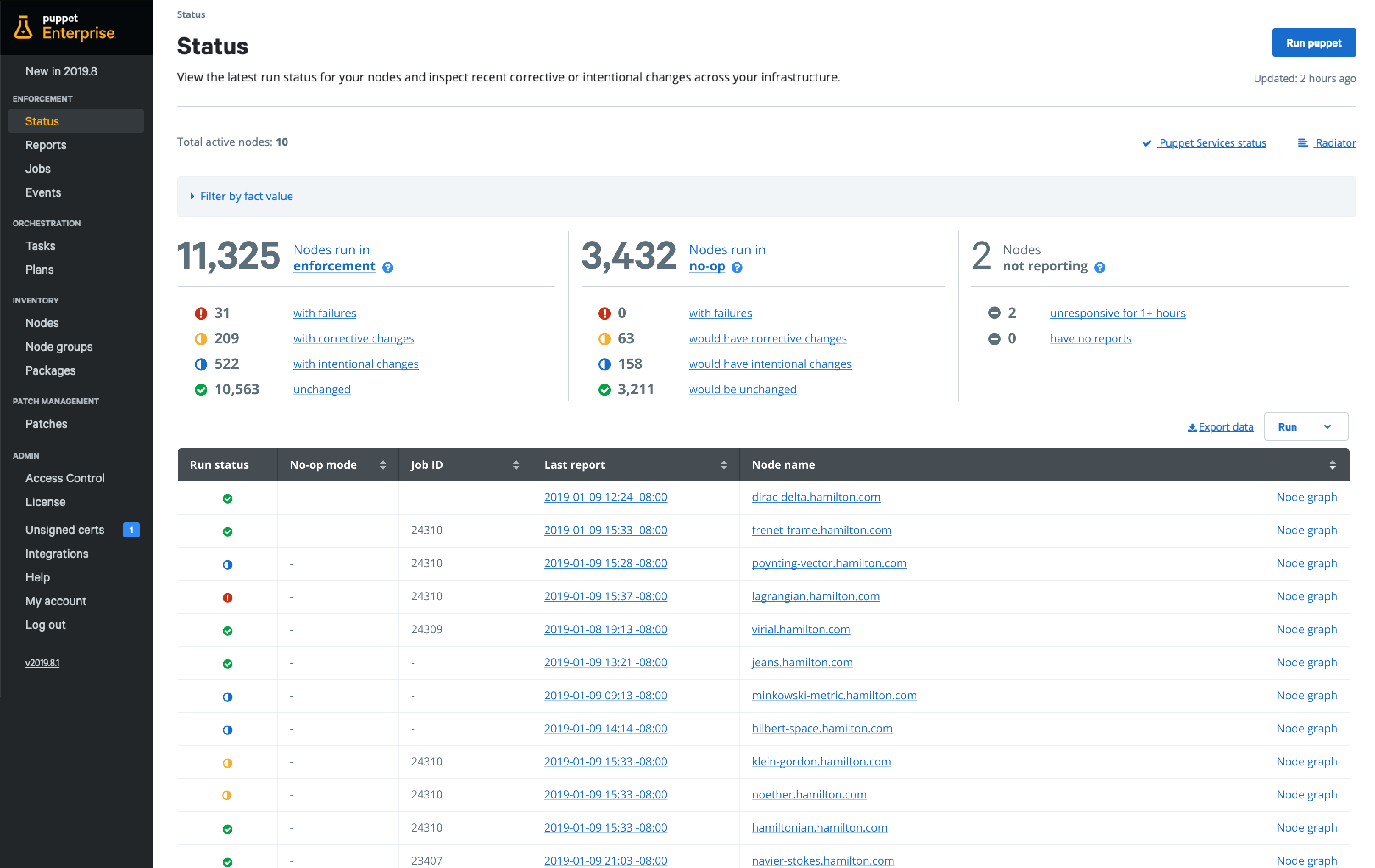
    Puppet today unveiled its summer release of Puppet Enterprise that promises to make it easier for DevOps teams to construct automated workflows within a Puppet console.

    DevOps teams can now mix and match thousands of declarative state-based modules available on Puppet Forge repository to compose and orchestrate workflows.

    At the same time, Puppet has added out-of-the-box guided patch management workflows that replace standalone patch management tools with orchestrated workflows. That capability is based on a Relay tool that Puppet launched earlier this year.

    Finally, Puppet is now also including an upgrade pre-check module that assesses and identifies potential risks along with surfacing what changes should be made before running an upgrade.

    Puppet CTO Deepak Giridharagopal said in the wake of the economic downturn brought on by the COVID-19 pandemic, more IT teams will need to rely heavily on automation. Most IT teams either will remain the same size or be downsized. The IT environment, however, will continue to grow more complex. The only way to enable IT teams to do more with less is to automate more rote tasks, he said.

    Automation is not likely to replace the need for IT administrators, added Giridharagopal. Rather, investments in automation will augment those teams in a way that enables IT teams to scale.

    In fact, Giridharagopal said, resistance to IT automation is declining as IT teams continue to appreciate the scope of the challenge they now face as IT environments not only continue to expand but also become more heterogeneous. Most business leaders now expect smaller IT teams to be able to automate a wide range of tasks as part of their overall strategy, he noted.

    Longer-term, Giridharagopal said IT organizations will also discover that many rote tasks will be performed more consistently once automated. Patches, for example, are not always applied as quickly or as often as they should be simply because there isn’t enough time for the IT team to manually install them.

    The latest update to Puppet Enterprise comes on the heels of a $40 million investment made in Puppet led by BlackRock, a private equity firm. As more IT teams recognize the need to automate tasks, competition to automate those tasks has intensified among providers of frameworks.

    It’s not clear how deeply and how many IT tasks can be automated. The more standardized an IT environment is, the easier it becomes to automate. Additionally, the amount of time an IT organization devotes to writing scripts to automate tasks should be reduced sharply. Instead, IT teams will increasingly employ a mix of modules that already exist to address a broad range of use cases. The challenge going forward isn’t so much finding the right IT automation tool, but rather constructing an IT environment that lends itself to being automated.

  • The Definition of Faster in the Age of App Capital

    The Definition of Faster in the Age of App Capital

    Businesses want speed. One of the impacts of digital transformation—and the associated pressure to succeed in an app economy—is the desire to move at speed. Nearly half (48%) of organizations are driven by digital transformation to deploy faster according to our State of Application Services 2019.

    But it’s not all about deployment. It’s also about development and responsiveness to threats and changes in demand.

    Organizations want to develop and deliver apps faster. They want to adapt to unpredictable changes in business conditions faster. They want to respond to attacks faster.

    So, how are they going to get it?

    Faster Development

    Deploying more frequently implies you’re first developing faster. That often means adoption of speed-oriented Agile methodologies. GitLab’s 2019 Global Developer Report: DevSecOps found that the majority (54%) are choosing Scrum, while 37% go for Kanban.

    Componentization

    Methodologies aren’t enough if application architectures aren’t well-suited to development styles. Smaller, focused teams sprinting toward frequent releases isn’t really a good fit for developing new features or fixes for traditional and monolithic applications. Componentization through the adoption of microservices and more distributed forms of architecture fit more naturally with modern architectural and operational principles. It’s no surprise that, on average, more than 80% of a modern application is made up of third-party components, heavily weighted toward open source.

    APIs

    Adoption of APIs, as well, is no surprise amongst those seeking faster development through componentized application architectures. APIs decouple implementation from interface and allow teams to make modifications to processing without impacting the use of APIs from other components or applications. This is a common pattern, with an impressive 64% of organizations creating APIs today for use in either internal or external use cases. Nearly 50% of those organizations rely on APIs to get ideas to market faster according to Jitterbit’s State of API Integration 2018.

    Automation (CI/CD)

    The build pipeline, too, has to keep up if frequently deployment goals are to be met. That means CI/CD tools that seamlessly move code from commit to test to release. The most popular CI and build tools in GitLab’s survey were, unsurprisingly, GitLab (61%) followed by Jenkins (36%) and Travis CI (12%). Notably, our own research finds Jenkins in use by 16% for network automation as well—a promising result if organizations are seeking to extend DevOps beyond delivery into deployment.

    Faster Deployment

    Developing faster doesn’t get ideas to market faster. That requires deployment. While born-in-the-cloud technology companies have mastered the delivery-deployment divide with ease, many established enterprises find this transition challenging. Existing organization structures as well as the continued need to support traditional and monolithic applications introduces conflicts that can be challenging to integrate with modern operational demands. But there is no doubt that organizations must overcome these challenges for those applications requiring faster and more frequent deployments.

    Continuous Deployment

    Don’t be fooled; established organizations are embracing automation and applying it to the deployment pipeline. The issue is often that traditional IT structures introduce inconsistent automation and self-service efforts. We see this play out in our own research, where strongly siloed team structures continue to impact automation efforts across IT.

    Team structures matter and organizations whose compass is pointed at automated pipelines will need to address the cultural aspects of continuous deployment if they want to consistently deploy faster.

    Public Cloud

    Traditionally, the inability to achieve continuous deployment has pushed developers and app owners to turn to the public cloud, because it eliminates the obstacles in the slower, enterprise deployment path. The disparity in opinion on frequency of deployments is, in part, a contributor to the issue. Our 2018 NetOps/DevOps survey found that while 55% of DevOps and 52% of cloud architects felt their organization did not deploy frequently enough, only 30% of NetOps and the same percentage of operations agreed. 

    But it’s not the only driver. Digital transformation is certainly a factor; 33% of respondents in our State of Application Services indicated they are intentionally moving to deliver apps from the public cloud as a result of embracing digital transformation initiatives. The ability to easily integrate application services and subsequently automate operation is a huge boon to organizations seeking a faster route to frequent deployment.

    Containers

    In the cloud—but also on-premises—continuous deployment often requires the ability to adopt per-app pipelines and application services that support the model. Increasingly, organizations are turning to containers because of their ability to support rapid updates and operate seamlessly in highly volatile environments. We see containers in demand not only to support modern application architectures such as cloud native—the top container use-case at 33% of respondents to Diamanti’s 2019 Container Adoption Benchmark—but also for infrastructure. The demand for on-premises application services in containers has consistently grown year over year in our own research, rising from just 4% in 2017 to 15% in 2019.

    Faster Responses

    Not everything is about delivery and deployment. Organizations also need speed when it comes to security and operations. In today’s world, where more than half of all app interactions are conducted by bots, it’s important for organizations to respond quickly with a reject message to avoid falling prey to exploits or infection. 

    Real-Time Threat Analytics

    One of the ways organizations are seeking to speed up their ability to respond to attacks is through the adoption of real-time threat analytics. With security continuing to be a top priority and consistent challenge, it was no surprise to see this category ascend into the top five strategy trends and technology in 2019 with 41% of respondents tagging it.

    The availability of intelligent security application services will accelerate as machine learning and automation continue to apply their considerable capabilities to the problem of identifying troublesome traffic faster.

    Orchestration Included

    Machine learning isn’t the only way in which infrastructure and application services are getting smarter. As the need for faster responses to capacity and processing grow along with users, infrastructure and application services are evolving to include orchestration as a core capability rather than an add-on. Application service platforms with integrated orchestration layers will mean services that scale along with demand—on-demand. While such capabilities exist today—indeed, they are part and parcel of cloud and containers—the capabilities to automatically scale up and down based on application and user defined requirements is not native to most systems today. But they will be.

    Faster Identification of Bad Actors

    Finally, organizations need to combat bots for both business and security purposes. Whether organizations need to stop scraping—a real threat to business—or prevent bots from probing for vulnerabilities, identifying bad bot actors faster is critical today. Checking a box (I’m not a robot) isn’t enough today as bots are growing more intelligent and are able to foil such primitive techniques.

    Organizations are turning to Bot Defense services capable of applying more modern, successful techniques to quickly identify and block bad actor bots. We’ve seen the use of bot defense services grow quarter over quarter in response to this need, and expect this trend to continue.

    Faster Development, Faster Deployment, Faster Responses

    When it comes to business’ need for speed today, we wind up looking at processes. Development processes are automated to gain speed with CI/CD. Deployment processes are automated to gain speed with continuous deployment and cloud. Scaling and security processes are being automated by systems and the introduction of orchestration as native to application service platforms.

    Faster, it turns out, relies on an organization’s ability to automate processes across development, deployment and security. 

    — Lori MacVittie

  • Kubernetes Adoption: Are You Ready?

    Kubernetes Adoption: Are You Ready?

    Enterprises are rapidly embracing a cloud-first strategy and microservices play a pivotal role in this journey. But enterprises are achieving various levels of success, measured by many factors includingmaturity of DevOps in the enterprise, ability to identify the right candidates for microservices, selecting the appropriate container management platform, adequate tooling and, finally, cultural shift in design thinking.

    As there is plenty of material around microservices adoption and strategy, this article focuses on the container management ecosystem, which plays a critical role in the success of microservices adoption. Today, Kubernetes has become the de facto platform for container orchestration. Most public cloud providers offer Kubernetes as a service in some form to abstract the complexities of managing Kubernetes as a platform.

    Currently, we see three broad patterns of how enterprises are adopting Kubernetes within their organizations.

    Pattern 1: Kubernetes as a Managed Service

    While Kubernetes makes container management somewhat simple, it is still a complex beast to understand and manage as a platform. Enterprises that have already embarked on a cloud strategy find it easy to test the unchartered waters of Kubernetes by leveraging Kubernetes-as-a-service provided by their cloud providers. It enables them to understand the impact of Kubernetes on their respective application architecture strategy and identify the gaps in their systems (such as the maturity of DevOps management, security management and release management) as well as their monitoring capabilities.

    Pattern 2: Kubernetes as a Turnkey Solution

    Certain enterprises driven by industry regulations and are technology-focused (with considerable experience in other container technology solutions), have shown interest in setting up Kubernetes as part of a private cloud or on–premises with a view to avoid vendor lock-in and limited control associated with managed Kubernetes. There are many such turnkey solutions out there to choose from.

    Pattern 3: Self-hosted Kubernetes Platform

    This category is small compared to the other two categories. However, there are a few enterprises that fully embrace the open source software development model and contribute to Kubernetes community. There are tools and frameworks that can enable the enterprises to setup and manage Kubernetes on their own.

    There are advantages and constraints in adopting any of the above approaches. The decision regarding which strategy to choose depends on the maturity of the enterprise and their business strategy.

    Challenges in Adoption

    Some of the key challenges to be considered, irrespective of the adoption pattern selected, include:

    1. Namespace management: Namespaces play a key role in managing the isolation across application domains and environments, providing controlled management of resources and user management. Bounded contexts can be linked with namespace definitions and standards. It is important to define proper naming guidelines to drive namespace management across clusters.
    2. Resource management: It is necessary to define resource utilization (resource quota) guidelines to ensure the containerized applications co-exist without being eliminated due to resource violations at runtime.
    3. Policy management: It is critical to define appropriate policies including cluster access controls, service access controls, resource utilization controls and secret access controls.
    4. Audit and compliance: It is important to audit the platform for patch levels, secret stores, compliance against the security vulnerabilities, encryption of secret stores, storage volumes, cluster policies, role binding policies and user management controls.
    5. Chaos testing your platform: It is necessary to subject the platform to chaos testing to ensure the robustness of the cluster. It also helps to test the stability of the containerized applications and the impact of crashing these containers. It will also provide vital information about how the platform behaves during high loads or when resources are unavailable for the platform.
    6. Managing the deployment manifests: Kubernetes follows declaration-based management, which means that every object or resource instruction is described through declarative manifests. This leads to versioning complexities, prone to human errors and data corruptions. It is necessary to leverage tools or create custom utilities to manage these manifests.
    7. Observability of the platform: While Kubernetes provides various mechanisms to monitor its own internal components, it does not recommend a standard monitoring approach. It is necessary to introduce well-defined health management standards while designing the microservices. Include appropriate probes for liveness and readiness probes in every containerized application deployed on Kubernetes cluster. Integrate the probe-generated metrics and platform-generated metrics with an external monitoring platform to have comprehensive observability of the cluster.
    8. Continuous deployment of services: It is not recommended to use kubectl-based deployments in a large-scale production setup. Instead, use some of the established open source frameworks specifically built for Kubernetes (such as Helm or JenkinsX) to manage seamless deployments.
    9. Archiving and backup: Kubernetes uses etcd as its internal metadata management store to manage the objects across clusters. It is necessary to define a backup strategy for etcd and any other dependent persistent stores used within the Kubernetes clusters.
    10. Container security management: Kubernetes deploys the applications by downloading the respective images from a pre-defined image repository. It is the responsibility of the repository ecosystem to ensure the image provenance of the images being deployed. Continuous security must be included as part of DevOps pipeline to ensure containers are well-managed.
    11. Service mesh support: Service mesh plays a critical role in streamlining the service to service communication. It abstracts the service level access controls and security management between services through externalized policies. It also provides routing and load balancing features. It is necessary to choose an appropriate service mesh that is compatible with the Kubernetes cluster as well as the underlying infrastructure.

    Conclusion

    Kubernetes makes the container operational aspects simpler, but it requires a methodical approach and best practices to ensure smooth maintainability, as well as seamless developer interaction. For any enterprise which are in a transition journey toward adopting Kubernetes, it is imperative to have a strategy for Kubernetes adoption to ensure success.

    — Sreekanth Nyamars

  • Scripts in the Development Pipeline: Best Practices for Avoiding the ‘Scriptocalypse’

    Scripts in the Development Pipeline: Best Practices for Avoiding the ‘Scriptocalypse’

    The use of scripts as a key tool in the average developer’s bag of tricks has altered the development pipeline in significant ways. It has even led some organizations to outsource their entire team to manage the glut of scripts that have been developed over the course of time.

    To help companies move beyond the “scriptocalypse,” we recently participated in a webinar with our friends at Tricentis. Sunil Mavadia, global head of customer journey at Electric Cloud, and Thomas Stocker, director of product management at Tricentis, walked through best practices to follow to avoid the scriptocalypse. Here are some takeaways from their discussion.

    Improve Process Robustness and Scalability

    Of course, everyone wants to improve their process robustness and scalability, but how? One of the most effective ways of doing this is to employ a tool that helps orchestrate your releases and provides reusable objects. This reduces risk because you no longer have to write scripts for every single application, which creates a cascading effect—not only do you write fewer scripts, but also you don’t have to maintain these scripts across the board. As a result, you are assuming much less risk across many levels of your technology and pipeline. Additionally, system-level visibility across all of your processes will increase—which has many benefits for your entire development life cycle.

    Don’t Just Automate, Orchestrate

    Many developers make the mistake of thinking that because they have scripts, they’re automated. But to be truly automated, every action needs to be automated and driven by your pipeline. Your approvals, your handoffs … everything. Oftentimes throughout the release process, team members find themselves having to stop in the middle of their tasks to ask for approval. This only creates a process that interrupts the entire pipeline. But what if you could automate all of that?

    A great quote from the “2018 Accelerate State of DevOps Report” that speaks to this says, “High performers automate significantly more of their configuration management, testing, deployments and change processes than other teams.” If you look at it purely from a team perspective, the high performers are those that have fully automated all their processes. While this can certainly sound like a daunting task, it’s best to look at it with an agile mindset—this is an iterative process. You have to start somewhere, while keeping the goal of 100 percent automation in view.

    Not only should you be automating, you also should orchestrate your pipeline. This is critical. By automating and creating reusable objects, you can get to the point of using your pipeline as a service. Imagine reusing this particular pipeline for every application within your process, so you could have hundreds, even thousands, all using this pipeline and all these objects underneath that are all reusable objects. It’s a pretty picture, isn’t it?

    Create a Value Stream Map

    When you create a value stream map for a pipeline, you want to be very inclusive about who you invite in the room to create the value stream. Include representatives from release management, development, deployment engineers, team leads, executives and infrastructure engineers. Basically, anyone who has “skin in the game” for your release should be present.

    Once you feel you have a solid representation of who is impacted by your releases, sit down and draw out the entire process. This includes figuring out what each script does. While that may be a big task depending on how your pipeline is currently structured, there’s actually a lot of opportunity there. For example, you might find there is one application for which you use one script to do that deployment. Typically, that script is duplicated for another application and so on. Imagine doing that 100 times. You’ll have 100 scripts or variations of that one script for your 100 applications. That’s an obvious and beneficial place to deploy a bit of automation.

    This is also a great time to understand what tools you are using for each step. When you’re jumping from toolset to toolset, it can be difficult to get a holistic view of how this is impacting your overall performance without a complete picture of the value stream. When you have that picture, you can start to ask yourself questions such as, “What are all these tools that we interact with that we can integrate into the pipeline? How are we handling approvals?” By including detailed sequencing timelines and identifying bottlenecks, you can realize some impactful efficiencies.

    Finally, creating a value stream map gives you an opportunity to organize your scripts. Laying out the entire value stream can give you a picture of the variety and quantity of scripts you’re running—whether they are CI scripts, deployment scripts or test automation scripts—and bucket them in a logical way.

    Identify Redundancy Dependencies and Bottlenecks

    Of course, identifying (and hopefully rectifying) dependencies and bottlenecks is a good best practice for any aspect of your development pipeline. But it becomes even more important in the context of using scripts. If you have one application dependent on another application, it’s almost impossible to script. For example, imagine you’re trying to do some testing with two dependent apps. If you don’t have the right versions across both, you can’t test one because the other one is not up to speed or it hasn’t been updated in an environment. Something even as simple as that can be really disruptive and make scripting very difficult. By understanding where your dependencies and redundancies exist, you can take the first step toward solving the issues they present.

    Scripts are one of the most effective ways of streamlining your pipeline, but they need to be used in a way that will allow your organization’s applications to be scalable and sustainable. By following some of the best practices outlined above, your organization can use scripts like pros—and avoid the dreaded “scriptocalypse.”

    For more insights watch the full webinar here.

    — Anders Wallgren