Tag: on-premises infrastructure

  • Tech Workers Struggle With Hybrid IT Complexity

    Tech Workers Struggle With Hybrid IT Complexity

    Confidence levels among IT workers have plummeted as tech teams’ jobs have become more complex. The reasons behind IT worker angst are unprecedented, signaling a shift paralleling other post-pandemic industries. Running applications across cloud and on-premises infrastructure, hybrid office environments with distributed workforces and the accelerated adoption of new and automated technologies have all contributed to increased IT complexity.

    In our recently-released SolarWinds IT Trends Report 2022—Getting IT Right: Managing Hybrid IT Complexity, we examined the current state of IT along with areas of opportunity for technology professionals who must manage this increased complexity as hybrid IT accelerates. “The continued shift to hybrid IT drives increased levels of IT management complexity, but tech pros feel a lack of confidence in how to best manage it,” according to the report.

    Manage Hybrid IT Complexity

    Solutions are necessary, as the research shows only 8% of tech pros surveyed for the IT trends report feel “extremely confident” in their ability to manage increasingly complex networks. More than half of the tech pros interviewed said their organization manages hybrid IT complexity by training staff and adopting IT monitoring/management tools. However, budgeting, time constraints and hybrid work environments exacerbate this challenge. These responses point to a need for intervention and assessment, as IT professionals’ work is more business-critical now than ever. Strong IT infrastructure is necessary for fundamental processes across all industries and business environments.

    Half Lack Visibility

    According to a report by market intelligence firm IDC, as more mission-critical workloads move to connected cloud architectures spanning public, private, hybrid and multi-cloud environments, enterprises recognize the need to invest in the tools which will help them ensure consistent policies and performance, despite budget and observability implementation issues. The SolarWinds IT Trends report revealed nearly half of respondents lack visibility into the majority of their organization’s apps and infrastructure.

    Indeed, visibility is increasingly becoming the clear answer for tech pros charged with managing greater levels of complexity in these diverse and distributed environments. To develop their teams and business for long-term success, organizations must set aside time and resources to upskill and train tech pros to help them properly implement observability strategies and manage hybrid IT realities more effectively.

    Effectiveness Lost Off-Site

    But some aspects of the remote revolution, including training IT workers for increasingly complex network management, brainstorming sessions, providing sensitive feedback and onboarding new employees, lose their effectiveness when done off-site. For those who’ve made the switch to teleworking, most have found more work-life balance but less connection with co-workers or consistent support from leadership, according to a Pew Research Center study.

    Software company Culdesac announced it’s moving workers online and closing its San Francisco offices. Over 14,000 Google workers worldwide moved to a new office or went fully remote during the pandemic. Other companies, like Microsoft, have said employees who want to work more than 50% of the time remotely must have their schedules approved by their managers.

    Things are quickly shifting as we enter the era of post-pandemic IT infrastructure existence.

    Standards for Automated Network Management

    Solutions are growing in availability. The Internet Engineering Task Force (IETF), an international community of network designers, operators, vendors and researchers, is working on standards for automated network management, which aim to improve and make the management of networks more efficient as they continue to increase in size and complexity.

    While organizations also lack insight into their network’s impact on ROI due to increased hybrid IT complexity, looking forward, they must re-examine their investments from the past few years. Part of this requires companies to have visibility into their IT environments to understand what’s working and not working.

    Economic Growth for Those Willing to Adapt

    Technological change could bring about economic growth and opportunity, but only for those willing to adapt. IT infrastructure is so much deeper than most businesses understand, and as the existing data confirms (and most experts in the field agree), investing in IT infrastructure is necessary. A business’ network—and its speed and security—can be the difference between satisfied or frustrated employees and customers.

    As hybrid IT acceleration has increased network complexity and lowered tech pros’ network management confidence, these post-pandemic problems are a chance for organizations to evolve. “The healthy thing to do is to look ahead, accept the reality, and start getting ready for the transition,” said Chirag Shah, an associate professor at the University of Washington Information School. “So instead of feeling the anxiety and being defensive, think of this as an opportunity for advancement.”

  • Gitpod Open Sources Automated Local Development Environment

    Gitpod Open Sources Automated Local Development Environment

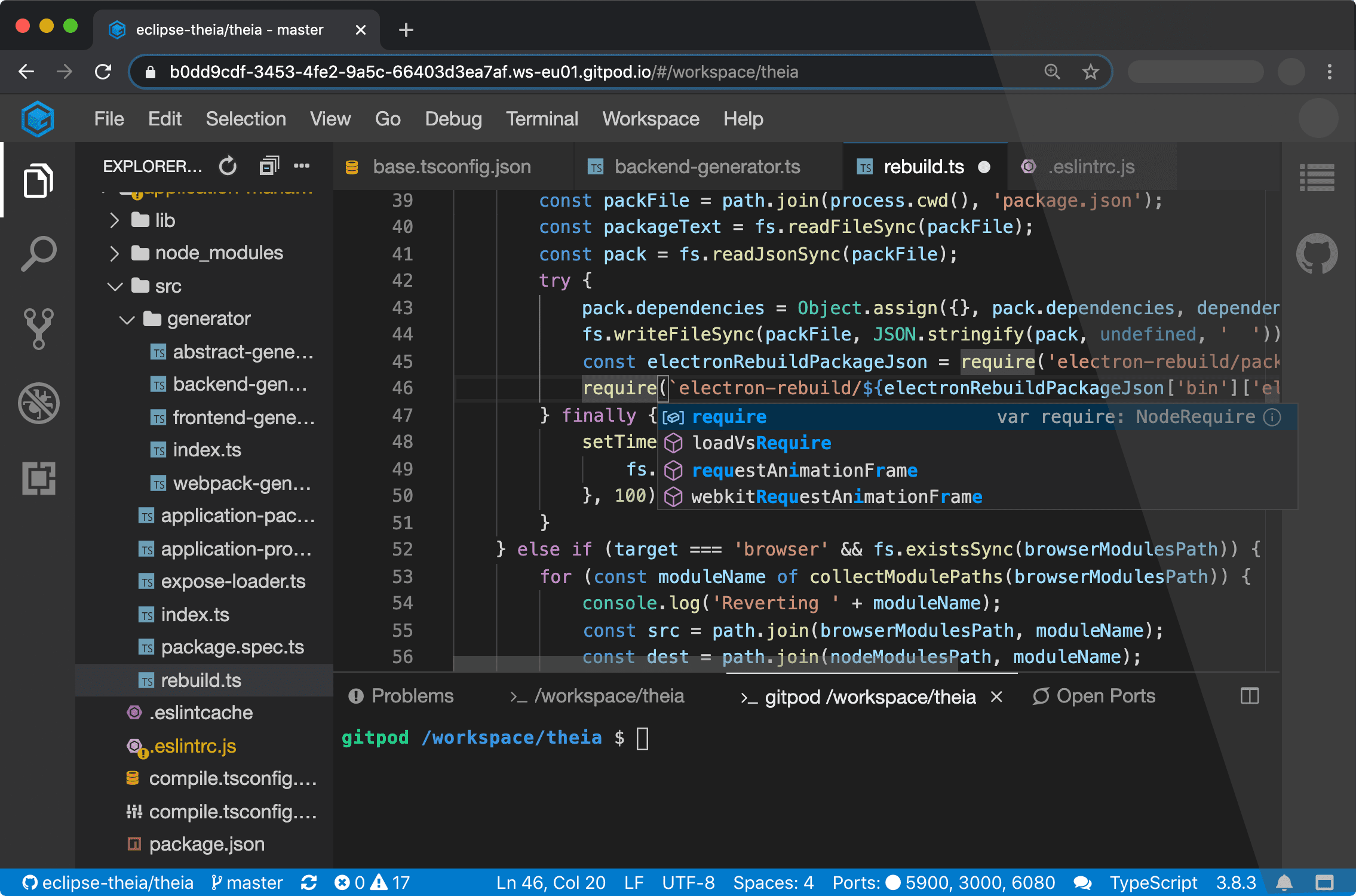
    Gitpod announced today it is making available an instance of its Gitpod integrated development environment (IDE) available under an open source license.

    Company CEO Sven Efftinge said DevOps teams will now have the option of deploying Gitpod themselves as an alternative to the existing cloud service provided by the company.

    Designed to be used in conjunction with repositories such as GitLab, GitHub Enterprise and Bitbucket, Gitpod automates the building of development environments on-premises, Efftinge said. It continuously monitors updates to any Git repository.

    Gitpod will then configure the right tools for a specific git branch, automatically compile machine-executable code and download all the dependencies required to allow developers to build code on-premises. Rather than having to manually configure a desktop environment, developers can start coding in seconds, Efftinge said.

    Gitpod borrows concepts from continuous integration platforms and applies them to development environments, he said, noting developers today typically spend multiple hours per week setting up and maintaining local developer environments.

    By automating that process, he said, the local development environment can also better align with production environments. One of the reasons why code doesn’t work in a production environment when it is first deployed is because the local development environment has been manually configured in a way that doesn’t accurately reflect the production environment, Efftinge noted.

    That issue becomes even more problematic when developers are working on multiple projects involving, for example, separate microservices that are all going to run in different production environments, he added.

    Gitpod also prevents drift by making sure all versions of a local desktop environment among developer teams remain consistent. Collaboration also becomes easier when the members of the teams have standardized on the same instance of a local desktop environment.

    Efftinge said there are already hundreds of thousands of developers using the Gitpod cloud service. The open source edition provides an option that will enable DevOps teams to self-host their own instance, he noted.

    Gitpod, formerly TypeFox, collaborated with Google, Ericsson, Arm and Red Hat to develop the open source Eclipse Theia project, which provides a foundation for building IDEs in the cloud using TypeScript, CSS and HTML. Theia, now being advanced under the auspices of the Eclipse Foundation, consists of a front-end running in a browser or in the local desktop application and a back-end running on any host. Both the front-end and back-end communicate through JSON RPC over WebSockets. Gitpod leveraged that project to build its own cloud-based IDE.

    In the wake of the COVID-19 pandemic, there’s naturally a lot more focus on automation and developer productivity. Most developers will be working from home for the foreseeable future to help combat the spread of the virus. Of course, most developers have been writing code outside the office for years. The challenge now is enabling teams of developers to develop applications as efficiently as possible regardless of where they are located. Eliminating inefficient manual tasks such as maintaining local development environments could be a significant step in that direction.

    It’s not clear yet whether DevOps teams are more or less productive since the onslaught of the COVID-19 pandemic. However, it is apparent the need for a consistent experience among teams of highly distributed developers is acute.

  • Commvault Deepens Ties With NetApp to Automate Data Protection

    Commvault Deepens Ties With NetApp to Automate Data Protection

    Commvault has extended its alliance with NetApp to make it possible to recover files nearly instantaneously from an all-flash memory array.

    Ranga Rajagopalan, vice president of product management for Commvault, said NetApp Scale-out Data Protection (SDP) from Commvault builds on its backup and recovery software to make it possible to use to NetApp hyperconverged infrastructure in combination with all-flash arrays running StorageGRID object storage software to now recover data stored on-premises or in the cloud.

    The on-premises capability is critical because it eliminates potential downtime in the event of a ransomware attack, Rajagopalan said, noting data can be recovered from an all-flash array residing on-premises using a scale-out architecture in a matter of seconds.

    At the same time, IT organizations can take advantage of an object storage system from NetApp that is compatible with the S3 application programming interface (API) to store data in the cloud, he added.

    Most IT organizations are by now aware the only way to combat ransomware is to be able to access a pristine copy of their data. The challenge they face, however, is finding a way to make that data accessible as fast as possible. It not only takes a significant amount of time to extract data from a cloud service, but it is also expensive. By keeping an organization’s most recent data available in an all-flash array locally, the time to restore data is sharply reduced, said Rajagopalan.

    Of course, organizations have been keeping copies of data on magnetic storage systems for years. However, as the cost of all-flash arrays continues to decline it’s now more affordable for organizations to consider employing much faster all-flash arrays to back up and recover their most mission-critical data, he added.

    Commvault also makes available application programming interfaces (APIs) through which the whole data protection process can be automated, he said.

    In the wake of the COVID-19 pandemic, there are two issues that many organizations are now struggling to manage. The first is the need to automate more processes at a time when many organizations will have smaller IT staffs. The number of IT personnel that can be dedicated to manually managing data protection tasks will be fewer during the economic downturn.

    At the same time, however, the number of ransomware attacks being launched continues to increase. All it takes is one mistake for an organization to find all its data encrypted. As a result, the relationship between data management and cybersecurity has become much tighter as organizations strive to ensure they always have a pristine copy of their data available.

    In the months ahead there is no doubt there will be a lot more focus on the total cost of IT operations. The challenge is, finding a way to reduce those costs must be balanced against the existing commitment to service level agreements (SLAs). The only way to meet those often-conflicting goals is to rely more on IT automation frameworks to make data always available, in a way that requires much less human intervention.

  • Making Your Cloud Work For You

    Making Your Cloud Work For You

    Does your cloud work for you, or do you work for your cloud? Given the enormous dependency and costs associated with cloud computing, that is a question more and more DevOps teams are asking these days. After more than a decade of pressure from higher-ups to move workloads to the public cloud, DevOps teams are now facing the reality that there is such a thing as too much cloud.

    Don’t take that the wrong way. I’m not here to tell you the cloud is inherently bad or we should return to the days when all our critical workloads ran on bare-metal servers housed in a closet in the back of the office. Public cloud services offer a number of critical benefits and DevOps teams should take advantage of them.

    However, to use the cloud responsibly, it’s crucial to control for two risks. The first is cloud computing costs, which easily can get out of hand if not managed properly. The second is a rigid dependency on public cloud services that undercuts agility and makes it more difficult to deploy applications at scale—which is exactly the opposite of what the cloud is supposed to do.

    In this article, we’ll take a look at what causes each of these risks and how DevOps teams can respond to ensure their cloud strategy actually delivers value.

    Risk 1: Cloud Computing Cost

    You’ve probably heard a lot of talk about how the cloud saves money. If you use the cloud effectively, that is true. However, because of the complexity of cloud computing cost structures and the difficulty of comparing cloud computing costs to on-premises costs, it’s easy to end up with a cloud hangover after paying a much higher cloud computing bill than you bargained for.

    There are several distinct challenges at play in predicting and understanding the true costs of your cloud. Let’s take a look at each one.

    Never-Ending Cloud Computing Costs

    When you move workloads to the cloud, your costs vary month by month and are spread out over time. At first, moving to the cloud feels like a great money-saver because it frees you from having to make large, upfront purchases of on-premises hardware. However, just as leasing a car ultimately costs more in the long run for most people than owning, paying monthly for cloud services hosted on someone else’s infrastructure adds up. If you ignore this fact, you can end up failing to appreciate the true cost of your cloud computing bill over the long term.

    Unpredictable Cloud Costs

    Another fundamental challenge of cloud computing cost compared to on-premises is that, in the cloud, costs structures are opaque and unpredictable. Public cloud vendors change the prices of services without notice. The same service might cost more in one cloud region than another, while some services have multiple fees attached. For example, if you store data in the public cloud, you pay not just a per-gigabyte cost to store it but also fees whenever you move the data. This adds up to tremendous difficulty in predicting your true cloud computing bill.

    On-premises costs are not entirely straightforward to predict either, of course. There are some fluctuating expenses, such as the cost of electricity. However, the lion’s share of on-premises computing costs is the hardware itself, which is a very simple and tangible expense. It’s also a one-time expenditure that you can amortize over the life of your servers. Once you have purchased a server, you don’t have to worry that its effective cost will change month to month, as you would with a virtual server in the public cloud.

    Overlooked Workloads

    In the cloud, it’s trivially easy to spin up a new workload. It’s also easy to leave a workload running after you no longer need it—and public cloud vendors don’t go out of their way to notify you when you have resources that are activated but sitting idle. You can’t blame them; that would be like a restaurant telling you you’re ordering too much food or a builder telling you your house is bigger than you need.

    If you don’t carefully manage your cloud workloads, they add up to extraneous and unnecessary costs.

    To be sure, you can have unnecessary workloads running in an on-premises environment, too. But the difference is there is no substantial cost increase on-premises that accompanies each extraneous workload. You’ve already paid for the servers and you don’t get a bill for every service you have running on your own infrastructure.

    Risk 2: Lack of Cloud Agility

    Beyond unnecessary costs or inefficient cost structures, relying too heavily on the public cloud also undercuts the agility of DevOps teams.

    When you run a service or workload in the public cloud, moving it to different infrastructure can be challenging. Not only is it usually difficult to migrate from one cloud to another, but also doing so entails adapting to a new cost structure and possibly paying more for the same set of services.

    There is an irony here: Conventional wisdom suggests that one of the main reasons to migrate to the cloud is that the cloud is inherently more scalable and agile than on-premises infrastructure. That may be true in some cases, but when you factor in the cost and the difficulty of migration from one cloud to another, the cloud quickly starts to look less agile and scalable.

    On-premises infrastructure doesn’t always scale painlessly either, of course. I don’t dispute that. But the cloud doesn’t always live up to the hype when it comes to scalability and agility. On-premises and cloud-based infrastructures both have limitations in this regard.

    Cutting the Cord: Making the Cloud Work For You

    Now that we’ve identified the inherent (and underappreciated) cost and agility challenges of cloud computing, let’s consider solutions.

    Optimize Cloud Computing Costs

    Cost optimization is something you should always do on any infrastructure, and the cloud is no exception.

    There are many guides out there on cloud cost optimization. Some vendors also offer tools designed to monitor your cloud workloads and identify underused resources or help you right-size cloud service instances. These are all good ways to help reduce your cloud-computing bill.

    Be Cloud-Agnostic

    Another useful strategy is to architect your cloud workloads in a way that makes them as cloud-agnostic as possible. Instead of deeply integrating with a particular cloud vendor’s services, rely on third-party tooling whenever you can.

    For example, if you run containerized apps in the cloud, run your containers in standard virtual server instances and use a third-party registry instead of using the container registry and managed container service of one cloud vendor. This will require a bit more work on your end, but it will give you the freedom to move your workload to another cloud easily. It also enables cost-efficient scalability, because you are not beholden to the cost structures tied to the vendor’s managed container service. Rather, you are using only virtual server instances (and perhaps some storage to go along with them), which have much more flexible pricing on public clouds.

    Don’t Be Afraid of On-Prem

    My final recommendation, and my most important one, is to embrace on-premises infrastructure.

    Again, I say this not because I want to move backwards and return to a world where everything runs on-premises. I’m not anti-cloud.

    However, from a cost and agility perspective, the public cloud is not the best fit for every type of workload. Workloads that have very convoluted cost structures in the public cloud—or that would be difficult to run in a public cloud without sacrificing a great deal of mobility and scalability—are often a better fit for on-premises environments.

    You may be thinking that embracing on-premises means sacrificing all of the advantages of the cloud or having to forgo cloud-native workloads. Fortunately, that’s not the case. There are software vendors that offer the services of a public cloud, but on your own enterprise infrastructure using the public cloud APIs.

    Thus, you can obtain the cost and agility benefits of on-premises infrastructure (not to mention the security advantages) while still running cloud-native applications. In fact, you don’t even need to overhaul your CI/CD pipeline; you can simply deliver your cloud-native apps onto on-premises infrastructure that runs services designed to be compatible with those of the public cloud, even though they are hosted on your own servers.

    Conclusion

    Don’t move workloads to the cloud just because it seems like the thing to do or because someone told you it’s necessarily better. Some workloads work better in the cloud while others are best hosted on-premises. An all-in cloud strategy is not typically the most cost-efficient or agile architecture you can adopt.

    — Ariel Maislos

  • HPE Extends Hybrid Cloud Computing Strategy

    HPE Extends Hybrid Cloud Computing Strategy

    Hewlett-Packard Enterprise (HPE) today advanced its hybrid cloud computing strategy by announcing at its HPE Discover 2019 conference an alliance with Google to embrace Kubernetes in hybrid cloud computing environments and then extending the reach of its software-defined infrastructure for building private clouds to legacy ProLiant servers.

    Lauren Whitehouse, director of marketing for the software-defined and cloud group at HPE, said the HPE Composable Cloud now extends beyond new ProLiant servers to include everything from legacy hardware to cloud computing platforms running virtual machines or as bare metal servers optimized for Kubernetes.

    To achieve that latter goal, HPE will make it possible to deploy Google Anthos, a previously announced framework for delivering cloud-native computing services across public clouds and on-premises IT environments, on HPE-managed platforms.

    HPE is giving customers the option of deploying configuring local servers with virtual machines with either a VMware vSAN storage software or the HPE SimpliVity hyperconverged infrastructure platform. Additionally, customers can choose to deploy Kubernetes on those platforms or run Kubernetes on a bare-metal server. On top of those stacks, HPE also embeds the HPE OneView IT infrastructure management and HPE Composable Fabric networking solution to create what the company calls a composable rack environment.

    Finally, HPE announced it will extend the reach of the HPE InfoSight artificial intelligence engine, which it gained for storage environments when it acquired Nimble Storage, to the rest of its data center portfolio.

    Whitehouse said that, by extending the reach of its composable computing strategy to include legacy servers, HPE seeks to make it easier to modernize on-premises IT environments within the context of a larger hybrid cloud computing strategy.

    One of the primary reasons so many workloads are being deployed in the cloud is because of the inherent flexibility of the IT environment. HPE is investing in higher levels of infrastructure abstractions to enable an equivalent amount of agility to be injected into on-premises IT environments. Those efforts will then make it easier for organizations to extend best DevOps practices across a hybrid cloud computing environment, said Whitehouse. The company is now removing the objection by organizations to have to implement a forklift upgrade across their entire on-premises IT environment to achieve that goal, she added.

    It’s not immediately clear who will manage what in this brave new world of hybrid cloud computing. Application developers have been exercising a lot more influence over platforms, while advances in automation appear to be heralding a consolidation of management functions within the local data center. As site reliability engineers, or so-called “super administrators” capable of managing compute, storage and networking infrastructure continue to emerge, the silos around job functions in the enterprise were built are breaking down. In fact, the more organizations embrace DevOps best practices, the faster consolidation of job functions is occurring.

    In the meantime, whoever provides the infrastructure that remains in an on-premises IT environment had better be able to enable local IT teams to be just as flexible as any cloud service provider an application developer is likely to encounter.

    — Mike Vizard

  • AWS Finally Embraces On-Premises IT

    AWS Finally Embraces On-Premises IT

    Amazon Web Services (AWS) announced this week it will make available instances of its IT infrastructure available in on-premises IT environments, which it will then manage on behalf of customers. The announcement was made at its AWS re:Invent 2018 conference.

    AWS CEO Andy Jassy said AWS Outposts platforms, scheduled to be available in 2019, will come in two flavors: one will run the same stack of software AWS uses to manage its public cloud, while the other will be based on the software stack VMware currently makes available on the AWS cloud.

    VMware announced it will make available a managed service of its own for AWS Outposts based on its entire platform stack, in addition to making its management and networking software in the form of VMware Cloud Foundation available on instance of AWS EC2. That move represents a significant expansion of the VMware approach to hybrid cloud computing because AWS EC2 is based on the open source Kernel-based virtual machine (KVM) rather than the VMware hypervisor.

    Regardless of path chosen, each Outposts platform will function as an extension of the Amazon Virtual Private Cloud (VPC) service, with connectivity being provided via the closest AWS Region located to that on-premises platform. Both Amazon VPC and AWS Outposts will be tied into the AWS Control Tower service to create a common management plane.

    After years of making the case for moving all workloads into the public cloud, Jassy admitted this week that there are instances when performance and compliance concerns will result in some workloads never moving to the public cloud. In response to demand from customers who want to be able to deploy and manage the same infrastructure on-premises as they have in the cloud, Jassy said AWS is now committing to making racks of systems available via an AWS managed service.

    The challenge DevOps teams will now face is determining the degree to which they will want to integrate their DevOps processes with managed services provided by AWS, VMware or any number of third-party service providers. In some cases, DevOps teams may simply decide that additional layer of management adds to much complexity. In other cases, the decision might lean more toward allocating more resources to application development, as IT operations spanning hybrid clouds become more of an automated service provided by an external vendor.

    Heading into 2019, it appears the specious debate over public clouds versus on-premises IT environments is coming to an end. Not only will there be workloads running in both environments for the foreseeable future, but a recent study conducted by International Data Corp. (IDC) notes that 80 percent of IT organizations surveyed have repatriated workloads back into on-premises IT environments from public clouds. To make matters even more complex, a whole new generation of so-called cloud-native applications based on microservices enabled by containers running on Kubernetes clusters is adding even more complexity to IT environments.

    The goal, of course, is to make modern businesses more agile. The irony is that achieving that goal appears to requires paradoxically making IT environments more complex than ever.

    — Mike Vizard