Tag: networking

  • Is NoOps the Future of Cloud Networking?

    Is NoOps the Future of Cloud Networking?

    As enterprises move more of their applications, data and operations to the cloud, competitive success becomes increasingly about speed. If the answer to a request to spin up and connect a new virtual cloud or deploy a new application across your hybrid cloud is “no,” or, “It will take us three months,” that’s a problem.

    Organizations operating in the cloud need to deploy in days, hours or even minutes, not months. They first sought greater infrastructure efficiencies and speed through ITOps, then DevOps, then DevSecOps and, most recently, CloudOps. Each of these nuances is a slightly better version of the old model, but all still revolve around humans. And the hard truth is that speed and humans don’t always mix.

    The painful implications of the impedance mismatch between humans and automation comes into sharp focus, but with a slight twist, when it comes to cloud networking. Now that networking infrastructure, meaning the actual routing of data, is moving out of the data center and into the cloud, it’s time to consider what a NoOps approach to cloud networking might look like.

    Bringing Networking Into the Cloud Era

    Way back in 2011, Forrester Vice President and Principal Analyst Mike Gualtieri famously wrote a blog post titled, “I Don’t Want DevOps. I Want NoOps.” In it, he said: “NoOps means that application developers will never have to speak with an operations professional again.” In this sense, NoOps is another term for automation.

    In the world of public cloud technology, the tension Gualtieri was pointing to—i.e., between dev and ops—lived almost exclusively in the realms of compute and storage. It didn’t apply to networking in the cloud, because networking is different. It’s more heterogeneous and distributed than compute or storage. It’s all about moving data, which has gravity and heft. Especially with big data, moving the data securely is an increasingly strategic priority for enterprises.

    Until recently, networking technologies used in public cloud environments have been either very limited-feature tools offered by the cloud provider, or virtualized versions of on-premises data center-era technologies. These virtualized technologies, such as vRouters, are complex (often by design) and difficult to master. They have kept CloudOps and DevOps teams dependent upon highly trained and certified networking experts to make and maintain cloud connections.

    This traditional networking paradigm slows things down and kills innovation. But it also puts developers and cloud operations people on the same side of the “I want NoOps” equation. That’s because unlike with cloud computing or cloud storage functions—where developers must wait for ITOps and DevOps teams to establish the computing or storage infrastructure their applications require—cloud networking has shifted the “operations” function to the hands of traditional IT networking experts.

    What NoOps Looks Like in Cloud Networking

    Recent technology advancements in cloud networking point the way toward a NoOps approach to cloud networking, meaning the automation of processes that now depend on direct control by human networking experts.

    One advancement is that the as-a-service revolution is finally reaching cloud networking infrastructure. What began with virtualized networking hardware has more recently progressed to software-defined (SD) cloud routing, enabling distributed, heterogeneous networking infrastructure to traverse public cloud, on-premises, hybrid cloud and multicloud environments.

    SD cloud routing centralizes and automates networking functions that previously required hands-on, time-consuming attention by highly certified human experts. As a result, SD cloud routing shifts networking infrastructure control directly to CloudOps and DevOps engineers, who are no longer dependent on networking professionals to establish or maintain their cloud networking infrastructure.

    Software-defined cloud routing alters the fundamental dynamics of cloud operations. It makes routing in the cloud point-and-click simple for CloudOps and DevOps experts.

    In a real sense, SD cloud routing achieves a NoOps approach to cloud networking—not by eliminating DevOps functions and roles, but by automating cloud networking and making it accessible to those who need to establish and maintain cloud connections. SD cloud routing empowers DevOps and CloudOps professionals to manage the networking connections required to move applications and data within, between, and to and from public cloud environments.

    — Steve Mullaney

  • OpsRamp Extends AIOps Visibility

    OpsRamp Extends AIOps Visibility

    OpsRamp has advanced its case for AIOps via a Fall update to its software-as-a-service (SaaS) applications that adds a Topology Explorer alongside an enhanced set of Service Maps.

    In addition, OpsRamp added a cloud database monitoring capabilities for relational databases deployed on public clouds including Amazon Web Services (AWS), Microsoft Azure and Google Cloud Platform (GCP).

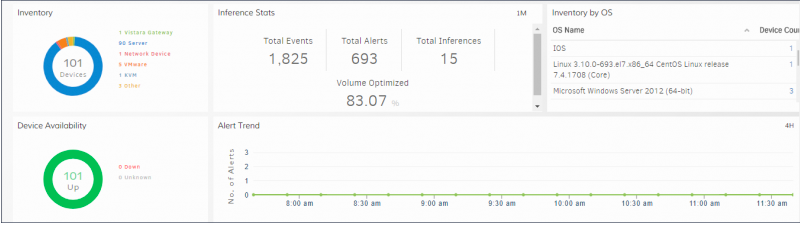
    Mahesh Ramachandran, vice president of product management for OpsRamp, said the Topology Explorer makes it possible to automate network and application discovery to accelerate impact analysis and troubleshooting. An existing Service Map capability, meanwhile, has been enhanced to allow DevOps teams to invoke visualizations within an alert to better prioritize responses.

    OpsRamp has also added a pause capability for alerts, intended to be used during maintenance windows to prevent alert floods. Alert filters now include text-based search that, when combined with the AI Inference Engine, helps resolve issues faster. DevOps teams also can create policies to notify them of alert state changes.

    Finally, OpsRamp has added reporting tools that enable DevOps teams to determine not just the amount of resources being consumed on a public cloud, but also which public cloud or on-premises environment is generating the most trouble for the IT organization.

    In general, Ramachandran said most organizations have very little way in the way of tools that enable them to realistically compare how one platform performs over another when running specific classes of workloads. By leveraging the machine learning algorithms that OpsRamp includes in its SaaS applications, enough data becomes available to provide DevOps teams with actionable insights, he said.

    AI tools typically require access to massive amounts of data. By making available IT operations tools available as a cloud service, OpsRamp is trying to make it practical for DevOps teams to employ AI on both tactical and strategic levels without requiring an IT team to acquire special data science skills, Ramachandran said, adding such an approach also provides the added benefit of making it possible to holistically manage IT silos across multiple classes of infrastructure and applications.

    IT organizations are still in the early stages of coming to terms with AIOps and its potential impact on DevOps processes. Many of the manual processes that tend to inhibit widespread adoption of DevOps are clearly going to be automated. In fact, many of those tasks will be accomplished using voice commands that bots will be able to understand. In other cases, the bots will inform DevOps teams when an issue needs to be addressed long before they would otherwise be aware of it. Less clear is how job roles within DevOps teams will evolve as it becomes easier to manage applications and infrastructure comprehensively.

    Of course, the rate that transition will occur will vary widely by organization. But rather than debating the right approach to automation, it’s becoming increasingly apparent that many of those decisions will be made by machines. The unspoken assumption being made is that humans responsible for managing IT will be comfortable that the right decisions are being made on their behalf.

    — Mike Vizard

  • SDN/NFV DevOps: Release Automation for Network Operators

    SDN/NFV DevOps: Release Automation for Network Operators

     A powerful force is waiting to be unleashed. Software defined networking (SDN) and network functions virtualization (NFV) are already acknowledged as exciting possibilities in the world of telecom and media. Leading providers, such as Verizon Enterprise Solutions and My Republic, along with original equipment manufacturers including Cisco Systems and Ericsson, have unveiled their SDN-based services.

    In the near future, all physical devices in the network will undoubtedly be replaced by SDN/NFV. Analysts predicted millions of additional devices on network because of the internet of things (IoT) and smart home intelligent devices, which necessitates the need to automate release and deployment on the networking layer to deploy components and upgrade patches to both the southbound network components and northbound applications. So far, release and deployment is successful on the application layer, but network administrators will be challenged in the near future to manage the surge in demand without a seamless automation solution to manage new devices on the network.

    In this article, we’ll take a look at various real-life scenarios to build a business case to solve bigger problems in networking—including reducing overall provisioning time, mean time to recover from failure, round-trip time for a packet to enable a usable application or time to free up/repurpose a network resource—that apply to all edge technologies. The solution lies in leveraging DevOps container-based solutions and scaled agile and SDN/NFV controller engine module customizations, and a non-prescriptive approach to products or solutions.

    These technologies are the new beasts in the market, but how can SDN go beyond merely saving money for telecom and media companies? How can it provide an enhanced, immersive digital experience, reduce customer churn rate and create new revenue streams? That is where DevOps steps in.

    The DevOps Approach to SDN

    With mobile, cloud, and IoT creating futuristic applications, consumers require strong underlying network speed and reliability.

    The DevOps solution to SDN/NFV is an ideal means for network operators to transition seamlessly from physical networks to futuristic SDN/NFV networks, to provide uninterrupted digital experiences for users, and to achieve high customer retention. DevOps enables a close collaboration between developer and network operators to eliminate many of the pains of introducing new software and services to market. Similar to the system development life cycle, the automated release and deployment process of DevOps enables frequent and incremental updates of network components in near-real time.

    The symbiotic relationship between SDN/NFV and DevOps is a dream. The software-defined and virtualized network elements remove the hassles of configuring and upgrading the physical networks’ devices. DevOps adds to this agility and programmability to streamline and shorten the implementation cycles, paving the way for automated service delivery. In turn, SDN and NFV create an elastic network environment, managed from a central location, to program and rapidly deploy new functionality on the network.

    Service providers can drastically reduce the time it takes to create and provision those network services, gaining a significant time-to-market advantage that helps them acquire new customers and retain existing ones. In the process, they can achieve higher revenues and cost savings, too.

    Creating New Dimensions in the Customer Experience

    Tech support has moved from phone to video, but before long, a centralized monitoring system will be able to auto detect and self-heal all issues related to virtual assets on the network. This will provide a more continuous experience for customers. For example, in case of any unexpected service interruption, TV channel providers’ AI-enabled systems will be able to record live programs and play back those interrupted periods to their viewers.

    Deploying a vendor-agnostic reliable SDN is a wait-and-watch situation for TV channel operators and telcos. Replacing their physical devices (including the conventional routers and switches) with software-enabled virtual devices will bring down printed circuit board (PCB) replacement costs and other associated maintenance fees. As reliable network bandwidth becomes all the more critical to improving channels’ television rating points (TRP), telecom carriers and TV channel operators are converging.

    Digital operators looking beyond TV and telcos anticipate millions of smart home appliances (such as security systems, microwaves, refrigerators and temperature control devices) controlled through the network by users from any remote location. Network administrators want to apply patches and upgrades to any SDN/NFV device, and to proactively fix any network-related issues without bothering their customers. Consumers may be controlling those home appliances from connected cars using mobile devices, so they may not be available physically to read glowing and blinking lights or to reset undecipherable, hard-to-access conventional modems and routers. Network providers are expected to manage millions of devices and provide uninterrupted service, so this paradigm shift, aided by technology transformation, has become imperative not only to reduce the call volumes of help desks but also to retain customers and acquire new ones. 

    Future-proofing for Technology Shifts    

    It is important to realize that telco carriers and TV channel operators are no longer merely confined to the communication and entertainment industry. With their scope vastly expanding into managing and controlling millions of household devices on their networks, it is imperative to future-proof technology with automated release-and-deployment processes over the network to support those devices.

    Some of the latest DevOps zero-touch release automation (RA) solutions can reduce the overall service provisioning time from months to a few hours. The scope is not just limited to configuring the southbound virtual software devices but may also be required to configure and manage northbound SDN/NFV applications to fulfill the ever-growing market. Having a graphical user interface (GUI)-based orchestration dashboard for network management can enable existing admins to continue without needing to acquire additional, niche skill sets to manage the new, massive networks.

    While release automation has been successful on the application layer, it has yet to prove itself on the networking layer. For SDN/NFV, release automation is just an engine that can be fitted into any controller to do virtual local area network provisioning, virtual management of firewalls and network functionalities management. Since there will be a shift from physical devices, there will be a desperate need to automate release and deployment of software versions on such networks.

    Adopting a DevOps strategy into SDN deployment requires a cultural shift from the traditional “big-lab,” acceptance-testing mindset to the “here-and-now” daily incremental changes in a live network. It calls for engineers to collaborate in managing the critical network-applications relationships. Consulting skillsets might be needed to assess the extent of customization required for legacy systems and to understand which technology solutions can deploy SDN, NFV and DevOps.

    It is clear that this industry will undergo a paradigm shift, and this technology is just crossing the chasm. Early adopters can give themselves an edge by leveraging compelling value propositions.

    — Ramesh Ganapathy

  • 3 Best Practices for Better Incident Response

    3 Best Practices for Better Incident Response

    It only takes a headline-grabbing mass internet outage or two to drive home the financial and brand incentives of keeping an application up at all times. That’s why in today’s DevOps organizations, incident response is a common topic of conversation.

    There’s a lot of talk within the DevOps community about organizational processes and designs for effective incident response such as the Incident Command model, as discussed by our friends from Fastly in this talk. We also frequently discuss technologies and tools for incident response, spanning monitoring, alerting, logging, mitigation and many other focus areas. At NS1, we make use of the Incident Command model and have invested in the usual array of technologies for incident response, along with developing many of our own.

    Even after investing significant time considering how to respond to an incident and the budget they allocate for related technologies, it’s still possible for organizations to fail to respond effectively when a real incident arises. As a provider of mission-critical DNS and traffic management services for many of the largest internet properties, we know there’s little room for failure. We’ve learned that augmenting our processes and technologies with three simple practices makes a huge difference in real-world incident response situations.

    The Value of a Good Checklist

    A good checklist is a favorite tool of mine when it comes to effective incident response. A checklist is a simple, concise, easy-to-understand tool to help an operator recall key steps to take in a particular situation. In an intense incident response scenario, it can be easy for an operator to skip or forget steps in their response. Rather than being overly prescriptive, a checklist’s job is meant to help an experienced professional who is familiar with the systems they’re operating make the best use of their knowledge in a high-pressure situation.

    A checklist that I have really come to appreciate doesn’t have anything to do with DevOps or networked systems operations. It is the Cessna 172S Emergency Procedure for engine failure during flight:

    In his book, “The Checklist Manifesto,” Atul Gawande discusses this checklist in depth. This example demonstrates some of the key principles behind a good checklist: it’s simple and short, not overly specific or prescriptive; it’s limited to only the most important actions the operator needs to recall during an incident mitigation; and, because of its simplicity and clarity, it helps the operator calmly execute those key actions.

    This Cessna checklist offers another great lesson for operators of today’s IT infrastructure. As Gawande writes, “Because pilots sometimes become so desperate trying to restart their engine, so crushed by the cognitive overload of thinking through what could have gone wrong, they forget this most basic task: FLY THE AIRPLANE.” In IT operations, it’s no different—we can sometimes become so distracted by root cause analysis and the desire to know why an incident has occurred that we forget to focus on mitigation first—analysis can come later, once the incident is resolved.

    Running Drills

    It’s possible to have well-vetted checklists, great tools and technologies and the best organizational models, but they all can be forgotten in an instant of panic if people aren’t used to using them. So, how do we get great at using them all in real-world situations? Through practice.

    Any incident response strategy needs to incorporate fire drills because they ensure we regularly exercise our processes, tools and checklists in simulated scenarios that approximate real-world incident response situations. There are a number of ways to create fire drills with respect to networked systems. One tool we often discuss in the technical operations community is one built by Netflix called Chaos Monkey, a software embodiment of what has become an emerging discipline: chaos engineering. It’s a methodology for improving the resilience of a distributed system by creating failure situations—for example, by randomly “breaking” virtual servers in a distributed application to force failure handling systems to engage. This is a kind of “automated” fire drill that drives resilient architecture.

    A “war game” that simulates DDoS attack situations is another drill we have benefited from. We build tools similar to those used by sophisticated attackers and regularly exercise our DDoS mitigation response by literally attacking production systems. In this type of fire drill, we split our team into attackers and defenders (similar to the red/blue team approaches used by information security organizations for penetration testing). We’ve learned that running good DDoS war games requires us to attack real systems with real attack techniques, which helps us understand the dynamics of our distributed systems and builds muscle memory in our team around key steps needed to respond to real-world incidents. We’ve also found that fire drills such as these are great tools for team-building; they’re almost like running football or soccer scrimmages at the end of a long practice session, helping everyone on the team understand how they can best contribute and what “position” they should play in a real-world event.

    Analyzing After the Fact

    Postmortem or retroactive analysis is a final practice for driving effective incident response.  After any incident, real or simulated, a thorough review of the incident and the response is critical. Asking and carefully answering some simple questions about the response to the incident is the key: What happened and why? What worked well in our response? How could we have responded more effectively?

    The reason to do this type of analysis is to apply learnings from the incident and create a feedback loop, so that in the future, your team’s response to incidents in general—and certainly to similar incidents—is more effective. Obviously, it’s critical to fix any issues that surface during an incident response in your systems, incident response processes and mitigation tools. You should also review relevant checklists after an incident: what was missed, or what was confusing? And finally, feed the outputs of real or simulated incidents into your fire drills so you can practice similar scenarios in the future.

    Be Prepared

    Like death and taxes, incidents are going to occur. Companies that deliver content or applications in networked systems need to be prepared for them. Best practices such as creating a simple checklist and conducting drills helps a team’s incident responses improve over time, helping to reduce stress during an actual incident and increasing the likelihood of a swift resolution.

    About the Author / Kris Beevers

    Kris Beevers is founder and CEO of NS1. He is a recognized authority on DNS and global application delivery, and often speaks and writes about building and deploying high performance, at scale, globally distributed internet infrastructure. He holds a PhD in Computer Science from RPI. Prior to founding and leading NS1, he built CDN, cloud, bare metal and other infrastructure products at Voxel, which was acquired by Internap in 2011.

  • Finishing the Pipeline: Monitoring, Tools, Automation and …

    Finishing the Pipeline: Monitoring, Tools, Automation and …

    It is true that DevOps has grown to be the beast in the room. I’ll co-opt the “cloudwashing” term to call it “DevOps-washing” because it seems every tool you’ve ever used to develop and deploy applications now has a DevOps angle to it. For example, the Jenkins update center is kind of overwhelming. While I can’t be certain, there’s a chance that our new coffee maker has a plugin for Jenkins.

    But it’s also true that DevOps really is coming of age. The success of Jenkins is largely based on CI/CD, and the tools built both up and downstream from it are folding in more and more of the DevOps process, making life easier—if not exactly easy—for IT.

    Even with platforms, the choices are growing and the automation is, too. Whether one of the major cloud vendors, where deployment can be fully automated or hyperconverged infrastructure and where deployment can be fully automated, we’re moving toward a future of not caring about physical infrastructure but rather, “Can I get a connection to it?” Of course, it’s not that simple, but running Docker or Kubernetes on hyperconverged infrastructure means we have on-demand deployment, and the cloud does much the same.

    Tooling for monitoring is also getting better, whether you are monitoring user experience or a particular API’s CPU usage. For the most part, we are not yet to the point where automation can deal with the majority of alerts from monitoring, but that boundary is being pushed daily. We certainly can tool our systems—both the infrastructure and the app sides—to offer us more data about application health than we’ve been able to get in the past. From physical hardware all the way up through containers we have a wealth of options for monitoring, and application monitoring is getting even more attention than infrastructure monitoring.

    Heading Down the Trail: Monitoring and More

    Which leaves one wondering where this is bound. Let’s assume that the areas that are a bit behind—like over-arching network configuration from ARA tools—catch up. They will, and that’s pretty obvious, so I’m trying to remove the short-term roadblocks to talk about what we might be planning for and facing moving forward.

    If we can assume a place to deploy that has reasonably unlimited capacity—such as the cloud, where cost is the limit, or hyper-converged, where capacity is a limit but expandable in chunks—and we can assume that ARA is running the Dev/Test side, then pairing it to a preferred server configuration (be that VM or container, depending on app, group, company, etc), and pushing out the deploy, then we’re left with the monitoring piece, and automating the responses to monitoring issues. That is growing, too.

    Right now, the standard in the DevOps world for a server that is malfunctioning in some way is to kill it and start a new instance. This often masks real-world problems, and if it appears to “fix” the problem, reduces the priority of resolving what went wrong. This is, in a nutshell, the real error for Cloudbleed. They were seeing servers spew errors, when one appeared to core, they simply started another. It allowed a simple programming error to persist over months and become a security issue.

    So the next great leap will be to find a quick way for monitoring to determine exactly where problems are occurring, and force a developer to fix it. There are tools that can auto-generate bug reports, but they’re rudimentary at this point in time, and we need them to be more advanced. There will also always be the trade-off of how much in resources you use for monitoring when the point of the app has nothing to do with monitoring. And like so many things, the hidden cost of keeping that monitoring up to date will be a technical debt—one of many that the DevOps community seems slow to acknowledge.

    There Always Seems to be More

    On the “time we waste” side, the fight over internal/external needs to end. The fact is that internal cloud isn’t going anywhere anytime soon, and if you’re running in containers, you don’t have to care. My company is currently looking at a tool that can run hundreds of containers in a very (physically) small space. We can deploy to the cloud or deploy there, as long as we have container templates. It doesn’t matter what the business need forces us to use; containers really will run pretty much everywhere. It does no one any good, harping about internal/external. A deployed app is a deployed app.

    Now, talking about the differences in networking between internal/cloud, external/cloud, and container manager (regardless of where it sits): That is a discussion worth having.

    — Don Macvittie

  • DevSecOps and DevNetOps: New Heroes in the DevOps Saga

    DevSecOps and DevNetOps: New Heroes in the DevOps Saga

    The evolution of DevOps is by no means done, but it’s safe to say that there is enough agreement and acceptance to declare it a hero. DevOps has helped glorify IT to the point where it’s no longer preventing business, nor a provider nor a partner of the business.

    Often IT is the business, or its vanguard for competitive disruption and differentiation.

    Splintering the success of this portmanteau hero, we now hear more and more of two trusty sidekicks: DevSecOps and DevNetOps. Lesser known in their adolescence, these tots are still frequently misunderstood, are still forming their identities, and still need a lot of development if they’re to enter the IT hall of fame like their forerunner.

    Just as the terms look, DevSecOps and DevNetOps are often assumed to be about wrapping DevOps principles around security and networking: operators hope to assuage technical debt and drudgery by automating in proficiency and resiliency. For networking, I’ve covered how there is a lot more to that than coding, but to be sure, these sidekicks certainly espouse operators learning how to do develop while DevOps was equally, if not more, about developers learning to operate.

    The Shift Left: SecDevOps and NetDevOps

    As if it wasn’t hard enough to tell what DevSecOps and DevNetOps want to be when they grow up, we’ve gone and given them alter egos: SecDevOps (aka “rugged” DevOps) and NetDevOps. Think about them exactly as the words look—it’s about the shift to the left. Left of what?

    Traditional DevOps practices focus on business-specific applications development. The development timeline is known as a concept to cash, and with all the superpowers of DevOps we try to reduce our enemy—the lead time and repeatable processes between code and cash.

    Security and building infrastructure, like networks, were considered supporting tasks, not revenue-generating nor competitive advantages. Thus, security and networking were far to the right on the timeline with concerns that deal with operational scale, performance and protection.

    Today’s shift left propels security and infrastructure considerations earlier down the timeline, into coding, architecture and pre-production systems. It’s a palpable penny-drop amid daily news of security breaches and infrastructure outages causing technology-defined establishments to bleed money and brand equity.

    Fill the bucket with cash, but don’t forget to forestall the leaks!

    DevOps and Infrastructure: Challenge and Opportunity

    Automation sparks have flown over the proverbial wall into the camp of I&O pros. Operators trading physical for virtual, macro for micro, converged for composed, and configuration for code is proof that the fire has caught security and networking. Controlling the burn now, is key, so that healthier skills and structures arise in place of the I&O dogma and duff. Fortunately, this is precisely the destiny for our newfound heroes, DevSecOps and DevNetOps.

    However, doing DevSecOps and DevNetOps, embracing security and networks as code, we mustn’t be so credulous as to forget the formidable DevOps practices and patterns that need transforming along the ultimate automation journey. Testability, immutability, upgradability, traceability, auditability, reliability and other you-name-it-abilities are not straightforward to achieve.

    Discounting “aaS” technology consumed as a service, a fundamental challenge to innovating SecOps and NetOps, compared to application ops, is that applications are crafted and built; security and networking solutions are mostly still bought and assembled.

    Security and network infrastructure as code is something that needs to be co-created with the vendors. Other than in the cloud, it will take a while before security and networking systems are driven API-first, and redesigned to offer simulation, finer disaggregation into microservices, and orchestration with scale and resilience.

    While this will land first in software-defined infrastructure, there is still a way to go to manage most software-defined security and networking systems with continuous practices of artifact integration, testing and deployment. Hardware and embedded software will be even more challenging.

    Finding Strength in Challenge

    So on one hand, DevOps is evolving with security and networking shifting left. On the other hand, traditional security and networking ops are transforming with DevOps principles.

    Is the ultimate innovation to squeeze out those traditional operations altogether? Does NetDevOps + DevNetOps = DevOps?

    There is a parallel train of thought and debate, with success on both sides. Purist teams cut out operations with the “you build it, you run it” attitude. Other companies such as Google have dedicated operations specialist teams of SREs. While the SRE reporting structure is isolated, SRE jobs are very integrated with that of development teams. It’s easy to imagine the purist approach, subsuming security and networking into DevOps practices, but only if we assume the presence of cloud infrastructure and services as a platform. Even then, there is still substantiation for the SRE.

    Layers below, however, somebody still needs to build the foundations of the cloud IaaS and data center hardware. As they say, “Even serverless computing is not actually serverless.”

    Underpinning the clouds are data centers. And then there’s transport, IoT, mobile or other secure networks to and between clouds. In these areas, it’s obvious there is a niche for our two trusty sidekicks, DevSecOps and DevNetOps, to shake up ops culture and principles. These two heroes can rescue software-defined and physical infrastructure from the clutches of so many anti-pattern evils, like maintenance windows and change controls (ahem, it’s called a “commit”).

    We may not require rapid experimentation in our infrastructure, but we would warmly welcome automated deployments and updates, failure and attack testing drills, and intent-driven continuous response. They will boost resiliency and optimization for the business and peace of mind for the builders.

    Teams operating security, networks and especially clouds, need to honor and elevate DevSecOps and DevNetOps, so that on the journey now afoot, our teams and our new heroes may realize their potential.

    About the Author / James Kelly

    James Kelly is a lead expert architect on cloud and software-defined networking at Juniper Networks. He also serves as a private yoga instructor, and previously, he founded a capital management firm in Ottawa, Canada. Connect with him on LinkedIn and Twitter.

  • Fast Pass: Your Ultimate Guide to the Best of Jenkins World

    Fast Pass: Your Ultimate Guide to the Best of Jenkins World

    At the end of the month, Jenkins users and DevOps professionals from around the world will head to San Francisco for the annual Jenkins World conference, taking place Aug. 28-31. The conference lasts four days, but time flies when you’re attending trainings, keynotes, sessions and networking events. To make sure you get the best of everything at Jenkins World, we’ve put together a guide that will ensure you have the most productive and enjoyable experience.

    NOTE: devopsy.kinsta.cloud readers can get 20 percent off registration with the code JWDEVOPSCUST.

    Take the Time to Develop Your Skills

    The first two days of the conference will be full of workshops and training sessions. Regardless of skill level, there are trainings for everyone. Those just getting familiar with Jenkins can attend an “Introduction to Jenkins” training for free and learn how to easily create pipelines while putting in place best practices for continuous integration (CI) and continuous delivery (CD).

    Those a bit farther along their Jenkins journey can attend workshops such as “The Final Mile: Jenkins Pipeline and Patterns for Operations,” where attendees will review patterns of common problems and solutions specific to operations teams in a CD environment , as well as how to create Jenkins pipelines that address the needs of operations.

    Don’t Miss These Essential Sessions

    All attendees should make sure they make it to each of the keynotes, of course! Keynote speakers include Sacha Labourey, CEO of CloudBees; Kohsuke Kawaguchi, founder of the Jenkins project; and Jez Humble, CTO at DevOps Research and Assessment LLC.

    In addition to top-notch keynote speakers, there are a number of DevOps professionals you’ll want to hear from while at the show. Try to attend at least one of these sessions:

    Keep an Eye Out For …

    Make sure you listen in to find out who the winners are of the first annual Jenkins World Awards Program. There are two awards tracks: Jenkins Community Awards and CloudBees Innovation Awards. Each track has several categories including Jenkins Contributor Award, DevOps Automation Excellence Award and more. Winners will be announced Thursday, Aug. 31, at the show.

    You’ll also want to stop by the sponsor expo hall to check out dozens of great vendors. As with any good conference, there will be plenty of swag passed out. Exhibitors will include GitHub, BlazeMeter, Docker, JFrog, Fugue, Sonatype and others. Don’t miss out on taking a photo with the famous Jenkins butler at the CloudBees booth!

    Can’t Forget to Network

    With so many great sessions to attend, don’t forget to make time for networking events. It would be a waste to not take advantage of dedicated networking time to speak with experts and peers who have likely dealt with some of the challenges your organization may be facing. There will be several networking opportunities, including a reception Aug. 30 sponsored by CA BlazeMeter. Or if you’re looking for ways to stay active, attend a scheduled walk or yoga class.

    If you can check off all of the above activities, you’re bound to leave Jenkins World a better professional! Make a checklist at the start of the conference to ensure you hit all the events and sessions you’re most excited for.

    If you haven’t registered yet, there’s still time! Use the promotional code JWDEVOPSCUST for 20 percent off.

    About the Author / André Pino

    André brings more than 20 years of experience in high technology marketing and communications to his role as vice president of marketing at CloudBees. He has experience in several enterprise software markets including application development tools, middleware, manufacturing and supply chain, enterprise search and software quality and testing tools. André has particular expertise in working with the executive teams of enterprise software companies to create unique competitive positioning, build pipeline and establish sustainable market leadership. Prior to joining CloudBees, he served as principal analyst serving technology marketers at Forrester Research. He has also held a number of senior management positions in marketing and communications with companies such as Segue Software, Hewlett-Packard, Unisys Corp. and Bluestone Software. André holds a BS from Eastern University.


  • NetOps: Thorn in the Side of Continuous Deployment?

    NetOps: Thorn in the Side of Continuous Deployment?

    Over the last few years, we have definitely gotten continuous integration and continuous deployment (CI/CD) down. We now can maintain a relatively constant flow of deployable code sitting and waiting for the actual deployment step to take them to production.

    Moving to production has been the point at which caution is introduced into the system, though, and that’s certainly not always a bad thing. Deployment to production seems to be following the motto our parents taught us: “Just because you can, doesn’t mean you should.” In many environments, multiple deployments a day would be a ridiculous goal; in some, even multiple deployments a month are unreasonable.

    Let’s face it, in an enterprise that had 18-month waterfalls for even mid-level projects, the ability to deploy at any time (and, thus, near-continuous test) is an improvement of nearly unimaginable proportions. And deploying three times in a day makes little sense if you need user input to adjust the project.

    Other Reasons Exist

    But there are other reasons that continuous deployment is not as pervasive as the other portions of a continuous pipeline. We’ve talked a bit about security, but let’s cover another bit today: the network.

    There are several reasons why networking slows deployment efforts, and all of them are real reasons that an organization that  aims to increase deployments over time should consider.

    First, the network is the corporate lifeblood. Operations is naturally very careful about changing settings and loads rapidly, which can result in problems for the corporate network. This concern is lighter for products deployed to the cloud, because things such as virtual private clouds (VPCs) can isolate the impact network changes have on the overall production architecture. But there are still security concerns around making rapid, automated changes to the network environment, even in the cloud. The network (and the apps it exposes) is the point of entry for a large number of security compromises, and we’ve seen some whoppers in the cloud of late.

    Second, and only barely behind standard ops network concerns is integration of networking into standard CI/CD tools. It’s coming, but we’re not there yet. On the Ops side, things have moved along better: Puppet, for example, can plug commands in to networking devices from stalwarts including Cisco Systems and F5 Networks. But the support is still somewhat limited, partially by the level of APIs the vendors offer, partially by the maturity of those APIs and partially by the implementation on the DevOps tool side.

    And That’s a Good Thing

    Even if automation came along full-bore, it is likely that networking concerns would still slow the CD pipeline, as admins want to make certain changes are not going to leave them spending the night trying to put things right.

    And I think that’s a good check on DevOps. I love DevOps and the increased delivery timelines it enables. In the end, the entire business becomes more agile because IT is able to deliver at a faster rate. But sometimes it—the pace at which things go out—feels reckless. In certain areas—security and networking primarily, but also load distribution on servers—there should be sanity-checking before rolling out. Anything that can impact the entire application, or even the entire infrastructure, is worthy of a last double-check.

    I know I’m not in the majority on this one. DevOps fever can have people saying nothing should slow the pipeline, but I know from experience. Long weekends fixing what could have been caught on the way to production have taught me to be cautious. Save rush deployments for a time when there’s a reason to rush. Sometimes it’s necessary to get it out the door today, but talking about slower deployment in a continuous environment as if it’s a fault ignores the strengths it offers as the last stop to public-land.

    Do What’s Best for Your Org

    Networking vendors will continue to improve the programmability of their devices, and what software-defined networking (SDN) has grown/is growing into will offer a different place to flip the levers for continuous deployment. So if you need to deploy many times a day, and make changes to networking, focus on security and let networking support grow on its own. If you don’t need multiple deployments per day, then relax and don’t get all pressured about how long deployment might take. You’re faster than you were, and if you need more speed, take advantage of the growing support of automation tools.

    — Don Macvittie

  • Cisco Looks to Bridge Gap Between Networking and DevOps

    Cisco Looks to Bridge Gap Between Networking and DevOps

    Networking in the enterprise has always stood apart. It might take two minutes or less to spin up a virtual machine, but it can take two weeks to set up the network connections. To help bridge some of the gaps between networking and the rest of the DevOps team, Cisco Systems this week unveiled a series of intelligent switches that promise to do just that.

    Via a Cisco intent-driven networking initiative, it soon will be possible to describe a business outcome that will be automatically enabled at the networking level, says Kiran Ghodgaonkar, senior marketing manager for Cisco. To achieve that goal, Cisco is moving to unify networking on an end-to-end basis, which Ghodgaonkar says primarily will require building a common controller that can be implemented at both the edge of the network and in the data center.

    The first concrete step in achieving that goal is a set of Catalyst 9000 switches running an IOS XE operating system, which Cisco has imbued with machine learning algorithms. Over time, those algorithms will be deployed across both legacy networking infrastructures when appropriate, as well as any new networking and security equipment Cisco brings to market in the future. Once in place, IOS XE will make it easier to implement policies in software that spans everything from prioritizing traffic to implementing security polices.

    This latest Cisco initiative follows the rollout a Tetration analytics platform based on an instance of Apache Spark and Cisco’s acquisition of AppDynamics, provider of an application performance management service delivered via the cloud. Ghodgaonkar says Cisco is aiming to combine analytics and machine learning algorithms to simplify network management in a way that furthers DevOps integration. Right now, however, the biggest impedance to achieving that goal, says Ghodgaonkar, is the fact that 80 percent to 90 percent of networking tasks still require manual intervention. Because of that issue alone, many organizations have experienced limited success in terms of integrating server, storage and networking management, despite the rise of software-defined networking (SDN) in the data center. In fact, to get past that issue, many organizations make investments in pre-integrated systems such as the Cisco Unified Computing System (UCS) platform. But the number of organizations willing to make that kind in forklift investment in IT infrastructure is not all that high when compared to the size of the overall IT market.

    The biggest DevOps issue IT organizations now face, says Ghodgaonkar, is that as various elements of the IT organization invest in automation, silos of automation are created. Cisco says it has developed open application programming interfaces (API) will provide interoperability between its technologies and the rest of the IT environment to help break down those silos.

    It’s still a little unclear these days just how much networking and IT operations can get automated. The good news is that, given the state of network management inside most organizations, things can only improve. The real issue (as any existing DevOps team already knows) may not be so much the technology as it is the culture differences spanning the compute, storage and networking teams.

    — Mike Vizard

  • What Every Front-End Developer Needs to Know

    What Every Front-End Developer Needs to Know

    One of the hardest things about being a front-end developer is the fact that everybody has very different expectations of what it means to be one. This, along with a technology stack that changes at the speed of light, makes interviewing for a front-end position tricky.

    To help you out, and to give you an idea of our views on the role, we have prepared some points on what we consider to be essential knowledge for a front-end developer.

    Be Able to Solve Problems

    This sounds quite abstract, so let’s talk about what it means. Unlike many other developer positions, a front-end developer wields the power of multiple languages and technologies. Being able to look at a task, split it up into necessary steps and choose the right technologies for the job is an essential skill—some things need just a line of CSS, but implementing them in JavaScript would require a 100K library or vice versa.

    Sometimes you won’t know the perfect tool for the situation at hand, and this is also fine. However, you are still expected to provide a solution. This solution may not be the nicest in terms of code quality or speed, but it needs to work—at least for the cases presented at hand.

    JavaScript

    React and Angular, along with other front-end frameworks, are quite impressive pieces of engineering and it is important to know them well if they are the primary frameworks you are using for the job. That said, knowledge of JavaScript, its core libraries and browser APIs will support you no matter which framework you use. Additionally, JavaScript is a general-purpose programming language, so doing some simple array or tree processing shouldn’t cause you any problems and shouldn’t immediately trigger the reflex to include that nifty 100k library that you would barely use.

    One more thing to pay attention to is the asynchronous but single-threaded nature of JavaScript. You should be comfortable with scheduling pieces of work into the future in various ways and know how to execute some code after those asynchronous calls.

    CSS

    In the world of component-based frameworks and living style guides, you can get away with minimal CSS knowledge most of the time. Yet, when something goes wrong with your layout, or when you need to implement something unique, you need to know how browser layouts work. In short, we want you to understand CSS, but not necessarily keep all the flexbox properties or browser-specific hacks in your head—although it is certainly a plus if you do.

    Know Thy Standards and Keep Up To Date

    Nothing gives you as much appreciation of the complexities involved in making the front end work as reading the standards does: HTML, CSS and ECMA. It’s easy to get overwhelmed with more than 2,000 pages of quite dense and very specific reading, so start small. Websites such as SmashingMagazine, PonyFoo, HTML5Rocks and others will keep you up to date on the latest developments and might trigger an urge to understand things deeper.

    Network

    Every awesome front-end application needs to get to the user’s browser somehow. It’s also likely that you will have to make some asynchronous fetch requests to back-end services. All of this makes use of network, which means you should be aware of what is involved in making an HTTP request, at least on the level of Wikipedia with a sprinkle of cache-related topics, as well as what request latency is composed of.

    While it is not a requirement for a front-end developer, knowing the connection on a TCP level is a nice thing to have, as is awareness of HTTP/2. Knowledge of REST services, at least from a consumer perspective, is certainly helpful as well.

    Debugging

    This goes back to the initial section on problem-solving, but also touches on every other front-end topic. Browsers are extremely complicated pieces of software with years of legacy, but still evolving at great speed, and this software is our domain as front-end developers. So whenever something goes wrong there, it’s our job to figure out why.

    Sometimes it means looking for JavaScript errors, other times you may need to profile your code to check for slow code paths, and occasionally you may need to use CURL to fire off some requests from your terminal.

    Security

    Web, being an open platform, is constantly under the threat of various attacks, targeting both users and companies. Every piece of code and every call the browser makes is a potential source of security vulnerabilities—initial load of the page, AJAX request, external scripts or iframe, and even a simple DOM manipulation can be vulnerable to XSS, CSRF and various other vectors of attacks. Being aware and vigilant is an essential requirement for the safety of the data of your customers and your company.

    Testing

    QA, as a department or a position, hasn’t existed at Zalando since we brought in Radical Agility in 2015. We believe that it’s each developer’s responsibility to ensure the quality of their produced code, and front end has some very specific strategies for testing and asserting non-functional properties of the code.

    We believe that unit testing is a must for any project, and we highly encourage TDD, especially for a dynamic language such as JavaScript. Generally, you also would want to supplement this with some end-to-end or functional tests to make sure users can do what we expect they should be able to do.

    Tooling/Automation

    All of the topics discussed here also require very specialized tooling. You definitely should be comfortable with the concept of resource bundling and the tools available for this purpose. As mentioned above, testing by hand is not our thing, so a setup with automated tests is a must for every project.

    Ideally, tooling and automation should be complemented by continuous integration/continuous delivery to make sure no code slips past without running those tests. Depending on the project, you also might want to use a transpiler such as PostCSS or Babel to help you write more modern code.

    Conclusion

    What we’ve collected above is obviously an enormous amount of knowledge and will rarely exist in a single mind; however, the strongest candidates have at least a general understanding and a keen insight with a select few to stand out as a front-end developer.

    About the Author / Dmitriy Kubyshkin

    dmitriykDmitriy Kubyshkin is a front-end architect at Zalando SE, helping delivery teams with the migration of their front-end features from a legacy monolith to their new microservices architecture. Connect with him on LinkedIn / Twitter.