Tag: mobile

  • Bitrise Tightens Mobile DevOps Integration With AWS Cloud Services

    Bitrise Tightens Mobile DevOps Integration With AWS Cloud Services

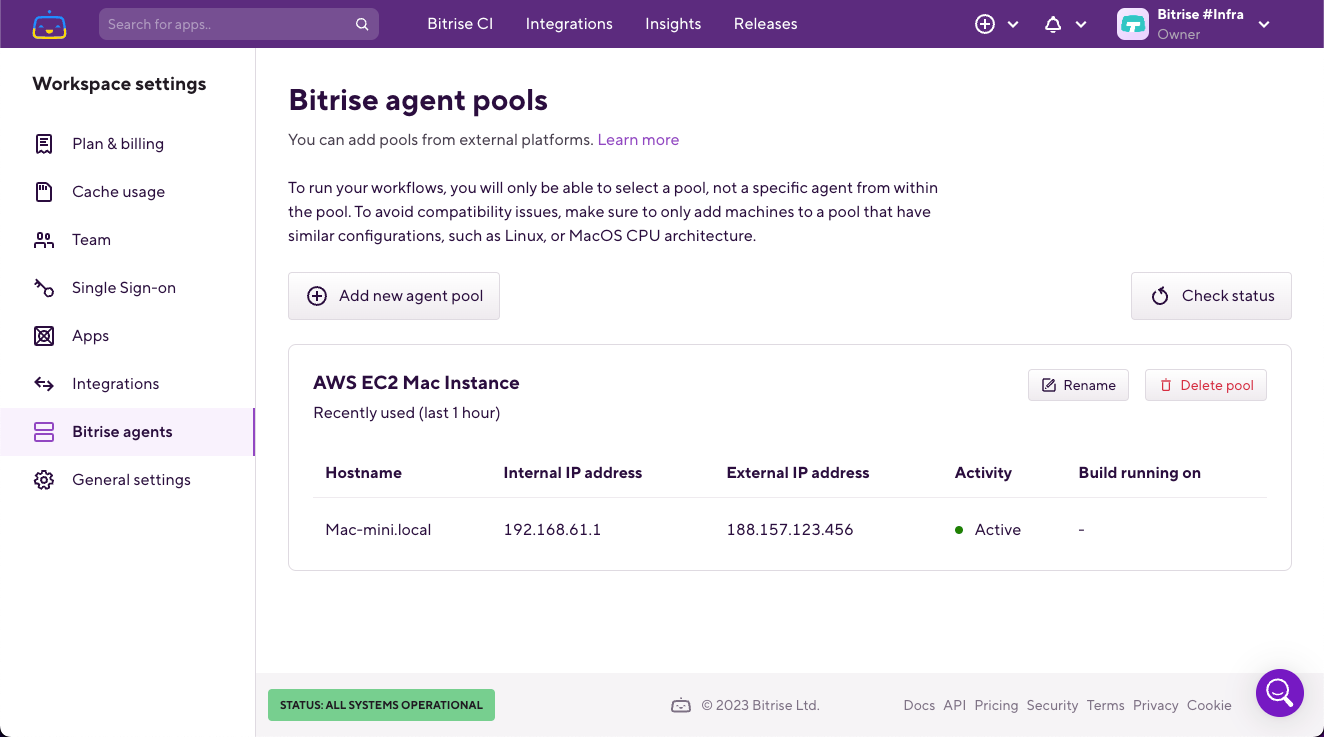
    Bitrise this week will tighten integration with its DevOps platform for building and deploying mobile applications and the application development services provided by Amazon Web Services (AWS) cloud.

    Announced at the AWS re:Invent 2023 conference, the goal is to provide easier access to automated building, testing and release management capabilities provided by AWS as part of an effort to increase overall efficiency.

    Bitrise CEO Barnabas Birmacher said those capabilities will streamline workflows for a Bitrise Mobile DevOps platform that has been specifically designed for building and deploying mobile applications that typically need to be updated frequently.

    Based on a continuous integration/continuous delivery (CI/CD) platform developed by Bitrise that can be deployed in an AWS cloud computing environment, the integrations will make it simpler to build and run mobile applications at scale, noted Birmacher.

    The goal is to reduce the total cost of building mobile applications while at the same time improving developer productivity for mobile applications that have to be thoroughly tested before being made accessible via an application store, he added.
    It’s not clear how many organizations will prefer to have a dedicated CI/CD platform for building and deploying mobile applications versus using the same CI/CD platform they might already be relying on to build and deploy other applications. Bitrise claims to have more than 6,000 customers, including Reddit, WISE, Equinox and Philips Hue.

    As the percentage of mobile applications that make up an organization’s portfolio continues to increase, the pace at which those applications need to be updated lends itself better to a CI/CD platform optimized for those types of applications, said Birmacher.
    In fact, a recent survey conducted by Bitrise found 62% of respondents have been adversely impacted by manual processes that slowed the rate at which mobile applications were deployed and updated. The survey also found (44%) of respondents reported their release approval process is mostly or entirely manual, with only 9% having fully automated application releases.

    The survey also found that nearly two-thirds of organizations (66%) have deployed applications that can’t be opened in two seconds or less, which is widely considered the accepted level of performance required for mobile applications. In addition, three-quarters of organizations (75%) required more than two days to address bug fixes.

    Many mobile apps have become increasingly mission-critical thanks to digital business transformation initiatives. Consequently, the amount of focus on them within most organizations is high; any issues that arise are likely to be noticed at the highest echelons of an organization. That level of attention can easily put pressure on DevOps teams, mainly because the general expectation among end users is that mobile applications will be regularly updated with new functionality. However, if release processes are largely manual, regularly improving the user experience can become problematic.

    Each IT organization will need to decide for itself how best to go about building and deploying mobile applications, but the one thing that is certain is adjustments to DevOps workflows will need to be made as a lot more of these applications are continuously built, deployed and updated.

  • 5 Unique Challenges of Mobile App Testing

    5 Unique Challenges of Mobile App Testing

    At first glance, testing a mobile app may not seem to be very different from testing a conventional desktop app. Mobile and desktop apps are often written in the same languages and hosted on the same servers. They must also meet the same basic user expectations in areas like loading speed and accessibility.

    But when you dive into the details, you realize that mobile apps are fundamentally different beasts from desktop apps–and that, by extension, mobile testing requires a unique approach. You can’t simply take a software testing strategy that works for desktop apps and graft it onto your mobile apps.

    This article breaks down five of the main reasons why mobile testing necessitates a different strategy from desktop application testing and which unique needs QA engineers should consider when testing apps.

    1. Mobile Configuration Variability

    Perhaps the biggest difference between mobile and desktop testing is that with mobile apps, engineers have a much wider set of possible configurations to contend with.

    In the desktop world, there are just two main operating systems – Windows and macOS – and a relatively small number of OS versions for each family. And although there are many types of PCs and laptops, they all conform to the same basic hardware standards.

    In contrast, there are over 24,000 distinct types of Android mobile devices out there – to say nothing of iOS devices, which add to the diversity of hardware. There is also a wider selection of mobile operating systems and versions.

    What this means for QA teams is that there are many more variables to test for with mobile devices. It also means testing must be more efficient so that engineers can test for as many potential configurations as possible without delaying software release cycles.

    2. Lack of Mobile Testing Standards

    With a traditional, web-based desktop app, there is a consistent set of standards that the app is supposed to comply with when rendering content – specifically, the standards set by the W3C, a consortium that advocates for a standards-based, interoperable World Wide Web.

    In the mobile realm, however, there is nothing equivalent to the W3C standards. Apps can render content in widely varying ways, many of which are device-specific.

    Here again, this increases the need for specific testing teams to account for more variations and edge cases. With desktop apps, ensuring that the app complies with the W3C standards is often sufficient, but mobile testing is not so simple.

    3. Unique Mobile Accessibility Requirements

    Accessibility testing, which ensures that accessibility features like the ability to increase text size function properly, is important for delivering a great experience to all users, whether they access apps using desktops or mobile devices.

    But with mobile devices, accessibility testing is harder, because there is more room for error when implementing accessibility features. For instance, the smaller screen sizes of devices – and the greater variation in average screen size – could mean that an increase in text size will cause the app to render some text off the screen. Or, a “nighttime mode” feature on a screen could result in lower-than-expected contrast between text and backgrounds, causing accessibility challenges for some users.

    A mobile testing strategy needs to be able to accommodate risks like these, which aren’t as pronounced for desktop apps.

    4. Mobile Environment Differences

    By definition, mobile devices may be used in a wide range of physical settings. Depending on the location from which a user accesses a mobile app, application performance could be impacted by a variety of environmental factors that don’t typically apply for desktop apps.

    For instance, limited network connectivity might undercut application performance when users who travel too far from cell towers. Or, energy-saving features on mobile devices that are running on low battery could decrease the speed at which apps render content.

    Once again, these factors create additional risks that QA teams need to address when planning testing routines.

    5. Higher Stakes for Mobile Testing

    It’s a best practice to strive to deliver the best possible experience to all users, whether they are on desktop or not. But the reality is that poor user experience in mobile apps tends to have a more negative impact on a company’s brand.

    The reason why is that it’s easy for users to highlight poor app performance by giving apps low ratings or leaving negative comments in marketplaces. They can’t do these things for most desktop apps, because, unlike mobile apps, most desktop apps are not downloaded through centralized marketplaces with user-rating features.

    This difference doesn’t make mobile testing more technically challenging, and to be clear, I’m not saying you can skimp on desktop testing because users will abandon your desktop apps if they don’t work as they should, but it does increase the stakes of perfecting a testing strategy. Businesses simply have more to lose, reputationally speaking, from delivering buggy apps than they do from low-quality desktop apps.

    Conclusion: The Need for Purpose-Built Testing Solutions

    All of the above is why we need more testing strategies and solutions that are designed specifically for mobile.

    Historically, QA teams have frequently tried to extend desktop testing strategies to address mobile as they’ve added apps to their catalogs, but that approach simply doesn’t work. Mobile apps and devices are too different in fundamental respects to be shoehorned into a desktop-centric testing routine. The sooner QA engineers realize this, the sooner they’ll optimize their user experiences.

  • Four Secure Coding Best Practices for Mobile Apps

    Four Secure Coding Best Practices for Mobile Apps

    Mobile apps have become the primary point of innovation for many companies, and skilled mobile developers are in high demand. The business asks developers to innovate fast using the latest smartphone features and capabilities to drive high download rates, wow their users, capture customers and grow their business. Dev teams facing constant pressure to move faster may push security to the back burner, focusing on required features and delivery dates the business demands. However, many dev teams have figured out how to innovate faster with security built in by ensuring that devs understand key security requirements and coding best practices. Working with hundreds of development teams on securing thousands of mobile apps, we found four common areas of security failure that can be addressed easily.

    Use SSL via HTTPS

    Mobile app devs may instinctually use Hypertext Transfer Protocol (HTTP) for network communications. However, HTTP puts private user information out in the open for threat actors to intercept. Developers can fix this common mistake by using HTTPS instead, which encrypts data sent to and from servers via industry-standard SSL. Android developers can use the available NetworkSecurityConfig file to set up a predetermined configuration for all network connections made within the app or manually incorporate HTTPS. iOS developers can use App Transport Security (ATS) as the default feature that enforces secure communications in iOS apps and prevents any insecure connections between the mobile app and the server from being completed.

    Validate the Contents of the Certificate

    Certificates add an additional layer of security to HTTPS connections by enforcing additional validations when performing a connection. Certificates include the certificate authority (CA) that signed it and the list of hostnames known or accepted by the application. Apps that validate these components when performing connections with the server significantly reduce the risk of a man-in-the-middle (MITM) attack that can steal credentials and sensitive data.

    To verify a certificate has been issued by a valid CA, Android developers can reference the preconfigured list of CAs included on devices running the mobile operating system. Android developers can implement native classes such as HostnameVerifier to achieve proper hostname verification within their app.

    iOS developers can leverage ATS that provides built-in validation, or use methods in the NSURLSession class to manually code these instead.

    Avoid Hardcoding Resources of a Mobile App

    Attackers often use hardcoded info within the source code of a mobile app to take advantage of users. For instance, attackers can use credentials stored within app files to gain access to a user account. Attackers can also find hardcoded API keys or URLs to gather private data or take over an app entirely. Mobile app developers can prevent these areas from being compromised by not hardcoding keys, passwords and URLs into the source code. Encrypting transport and decrypting data on the backend also adds an extra layer of security.

    Use the Latest Cryptography to Protect Mobile Users

    Outdated cryptography algorithms like SHA-2, RC4 and DES allow attackers to easily break a seemingly secure mobile app. Using older algorithms may also make a mobile app non-compliant with industry regulations leaving an organization at risk of fines or legal jeopardy. Devs can avoid this problem for Android and iOS mobile apps by using the latest cryptography algorithms available, selecting those that are suitable for a specific app scenario. When signing your binary before publishing it to the store, use keys with a length of at least 2048 bits (preferably 4096 bits), and on Android use SecureRandom or SecRandomCopyBytes on iOS when generating random values for cryptographic implementations. Android devs can leverage the Keystore class and iOS devs can leverage Keychain services to store highly sensitive data. Devs should avoid insecure modes of operation, improperly generated cryptographic keys and initialization vectors (IVs) to guarantee that the information that is encrypted cannot be decrypted by a malicious actor.

    Today’s mobile app users need confidence that mobile apps are built with security in mind. While building innovative mobile apps, developers have a responsibility to learn a practical set of secure coding best practices to protect their users (and their businesses).

  • Transform Mobile DevOps into Mobile DevSecOps

    Transform Mobile DevOps into Mobile DevSecOps

    Mobile developers are mostly focused on adding new features and functionality to their apps. Security features—such as RASP protection, obfuscation, encryption, jailbreak/root prevention and MiTM prevention—are usually addressed at the end of the development cycle if they are addressed at all. Unfortunately, most apps ship with significant vulnerabilities. One internal app test showed that most apps can be cracked within 15 minutes, and a recent academic study found that 67% of the malicious app installs came from the Google Play Store.

    An Appdome global survey of more than 10,000 smartphone consumers released in August 2021 showed that this approach—features over security—is an enormous mistake. Nearly two-thirds (63%) of consumers say they value security as much or more than features when it comes to mobile apps. Nearly three-fourths (73%) said that they would stop using a mobile app if it left them unprotected against attacks.

    The survey revealed a big shift in consumer sentiment. For the first time in recent history, consumers are on the security team’s side! They expect strong protection from threats and fraud. But meeting these expectations is extremely challenging for development teams, because DevOps and security are so often at odds. 

    Here’s why: Nearly all the work done in DevOps is automated, from GitHub to Jenkins to Fastlane, while almost all security work is manual. Sure, security software development kit (SDK) vendors position themselves as an alternative, but buyer beware. Implementing a security SDK is never just a couple of lines of code. It’s still a brittle, manual process that does not offer a guaranteed outcome.

    Mobile app security solutions available today don’t fit into the automated delivery model that is DevOps. The only way to automate security and make it fit within the DevOps workflow is to stop trying to squeeze it in at the end of the Dev cycle. As a result, security does not have a seat at the mobile app development table today. And as long as security is manual and cannot be seamlessly plugged into the existing DevOps workflows, it will remain an afterthought, at best.

    The Encryption Example: Why Security is so Hard

    As an illustration, let’s take a look at incorporating mobile encryption, an absolute necessity to protect data against harvesting, theft, interception, deception and trickery. For every type of data inside the app, developers must choose the right combination for each component of the encryption model, including encryption algorithm/protocols, cipher suites, key strength, key derivation technique, key protection and safeguarding. It has to match both the security and performance requirements for a highly variable set of data format characteristics. Even small errors or mismatches could slow app performance or render the app unusable. On the other hand, the app may perform well, but the encryption may be too weak to provide sufficient protection. 

    It’s complex, time-consuming work that developers don’t want to have to do twice. That’s why they tend to wait until after the app is built to add encryption. Unfortunately, this means all the network information is stored in the app unencrypted, and if a bad actor gets their hands on a UAT version of the app, the “keys to the kingdom” are in the clear, ripe for the picking.

    The demands on DevOps to get new releases out of the door quickly are high. Security is often seen as a negative force that holds back innovation and delays release, especially when it’s left until the very end of the software development life cycle (SDLC). The term DevSecOps is used to describe a security-focused, continuous delivery SDLC. But that should involve much more than penetration testing. Identifying issues isn’t enough. Security needs to be built into the development cycle without slowing down release times or creating uncontrollable costs.  

    The only way to incorporate security into DevOps and to achieve DevSecOps is to imbue security with as much automation as development currently enjoys. By using an automated, no-code platform that builds security directly into the app, security can become a natural part of the DevSecOps workflow. Plus, security can be consistently applied with documentation that demonstrates protection. It’s the only way to enable developers to get their secured mobile apps into the hands of their end-users at a rapid pace, align all stakeholders to a common shared set of objectives and outcomes and eliminate the sources of friction commonly found between DevOps and security teams. 

  • Every Millisecond Counts When Code-Testing Mobile Apps

    Every Millisecond Counts When Code-Testing Mobile Apps

    Whether a company is creating mobile applications for e-commerce, customer service or internally to boost employee productivity, the rapid development and effective deployment of mobile apps has become a business imperative.

    The global mobile application market was estimated at $106 billion in 2018 and is expected to hit $407 billion by 2026; an annual growth rate of 18.4%, according to Valuates Reports. Growth is being driven primarily by e-commerce, gaming and IoT, according to the report. “The advantage of having a mobile application, even for a small business, is that it improves brand recognition and offers a whole new level of e-commerce user experience, helps create customer loyalty, gathers feedback and helps [the business] stand out from the crowd,” the report says.

    Mobile App Developers Face UI Pressure

    Unfortunately, mobile application users are a tough crowd with zero tolerance for bugs or user interface (UI) issues. In fact, one-fourth of end users abandon mobile apps after their initial experience, according to the report. In this highly competitive environment, the ability to effectively test mobile apps prior to launch is critical, but many organizations face challenges when it comes to creating a suitable test environment.

    “Test environments and test data are the most cited challenges for core enterprise applications, as well as more fluid applications developed in short cycles, often deployed on smartphones, tablets or a web browser,” according to a recent Capgemini World Quality Report.

    The percentage of organizations struggling to keep pace with mobile app testing requirements is increasing, according to the report. Respondents cited a slew of issues, including not having the right processes, methods or tools to test mobile applications; not having in-house mobile testing experts; not having an in-house testing environment and/or not having enough physical devices on which to test.

    These challenges are pushing many organizations to cloud-based application testing platforms, which offer a way for developers to avoid common testing bottlenecks that slow mobile app deployment. The COVID-19 pandemic created another driver for adoption of cloud-based testing platforms, since mobile application testers lacked access to physical testing spaces where they could access and share an inventory of mobile devices.

    Accelerating Demand for Mobile Apps

    The shift to agile software development and continuous deployment methodologies is another factor ratcheting up pressure on developers to create new apps in weeks, or even days, without sacrificing quality.

    Unlike traditional apps, mobile applications need to be tested on dozens, sometimes hundreds of devices to ensure they run anywhere. The proliferation and ubiquity of mobile devices means developers need to test on more than 350 devices just to cover 90% of the mobile device market. In a present-day enterprise BYOD scenario, for example, each employee might use three to five different devices – a number that’s only expected to increase as wearables and IoT gain mainstream adoption. Development teams must prove the app is hardware agnostic and functions as expected; otherwise, imagine the fallout if the company launched a BYOD app that didn’t run properly on the CEO’s smartphone, for instance.

    This is where the value of cloud-based application testing platforms becomes clear. Cloud-based app testing platforms enable developers to manually test applications on an unlimited number of mobile devices, and to perform crucial measurements and tests of functionality like screen rendering. Mobile applications must seamlessly render in the tester’s browser without lag or latency to avoid poor user experience.

    Beyond that, there are time considerations to think about. A large enterprise organization could have hundreds of testers working around the clock to validate an application, and a slowdown of even a few milliseconds per screen rendering could cost  thousands of dollars a day in lost productivity. That’s why every millisecond matters.

    Selecting a Mobile App Testing Vendor

    Selecting a vendor that can deliver a cloud-based testing platform without lag or delay is critical, but there are other factors to consider, as well.

    Some solutions use emulators or simulators to test application performance, but nothing can replace the real thing. Look for a vendor with the ability to perform tests on real, physical devices. Since most organizations operate in a hybrid world, look for a vendor that gives customers the flexibility to combine both cloud-based and on-premises testing.

    Automation is also a major factor to consider in vendor selection. According to one survey of more than 350 mobile developers and software testers, 55% said automation would improve software quality, but the majority of respondents, 76%, are automating fewer than half of all software tests.

    Look for a vendor with the capability to take an initial manual test and automatically create scripts for all of the devices under test, without requiring developers to write new code. Test automation scripts can be created and executed exponentially faster than manual efforts, which enables businesses to get to market faster with better quality mobile apps.

  • The Challenges of Digital Experience Monitoring

    The Challenges of Digital Experience Monitoring

    One of the great ironies of DevOps is that the better you are, the less likely it becomes that anyone will ever see your best work. If the code is supremely elegant, the app runs flawlessly, the servers do not lag and users and managers rarely say anything because that is exactly the experience they expect.

    People become aware of you only when something goes wrong—and at that point, they are rarely full of compliments. The experience means everything to them.

    Digital experience is the foundation of how online companies compete in the contemporary global market. That is why digital experience monitoring (DEM) has been recognized by Gartner as the most significant foundational process within application performance monitoring (APM). DEM is designed to improve not only your app but the entire experience that the user has in interacting with your brand online.

    If you’re unfamiliar with the DEM category, check out my primer here.

    DEM is the technological response to one of the oldest problems in business: not being able to be everywhere at once. On the digital side, the challenges of delivering the best possible performance across the widest scope fall into three spheres:

    • The problem of divergent user tech
    • The problem of network propagation
    • The problem of splintered responsibilities

    Let’s take a closer look at how DEM engages with each problem on its own turf.

    Divergent User Tech

    The mobile OS wars have settled on two champions for the time being: iOS and Android. As of February, those two account for 99.6 percent of mobile sales. Of course, from a DevOps perspective, nothing is that easy.

    Within iOS, around 79 percent of devices are on iOS 10, and another 16 percent are on iOS 9. The other 5 percent are scattered across various earlier versions. On the Android side, version 6 Marshmallow has the largest share at 31.3 percent of the market, and there are a plethora of other versions out there. Then you have to worry about the mind-boggling variety of hardware.

    For every combination of device and OS running your app, there are also users going to your mobile website on a handful of browsers. The numbers for February 2017 show 55.2 percent of the market is on Chrome, and 29.84 percent are looking at you through Safari. That leaves 14.96 percent of the market to be divided up among the default Android browser, Opera Mini, IE (at 1.02 percent, as hard as that is to believe) and many other contenders. It is significant to note here that the market leader did not even exist five years ago, so any apps you build now must be designed to work on browsers that haven’t been invented yet.

    The second subset of problems within the user tech consideration is geographic variation. How your app runs on 4G LTE in the city will be very different from 3G in rural areas. While Atlanta was judged to be the fastest city in the nation with downloads averaging 16.9 Mbps, users in the capital of Washington, D.C., can only work at 9.2 Mbps.

    The final subset covers issues related to the connection medium: Wi-Fi, cellular data, NFC, Bluetooth, ZigBee, WiMAX, HSPA, EV-DO, etc. It should be clear that there may be wide variations in digital experience based on the connectivity medium of various features within your app.

    Network Propagation

    It is not always the user’s fault. Old-school IT support tends to start with that assumption, but there are times when the problem originates within your own network or results from network latency generated by external errors.

    Everything that is happening on your servers, from DDoS attacks to viral videos to presentations in the conference room, could impact the performance of your app. As microservices becomes the dominant design model, it has become more common to see distributed applications get hung up in communications across the network. How will you track down which team is at fault or even assign fault when communications between microservices break down? The bigger question is, how will you correlate what happened on the front end with what happened on the back end?

    Splintered Responsibilities

    The second set of problems implies the third, which has to do with establishing a more unified view of your digital experience beyond just the IT world or whichever departments are involved. If your app involves contractors or third parties, the bigger view is larger than your company itself.

    It takes a paradigm shift to see your app as a unified tool. You have to assign a central command that takes a unified approach to keeping internal and external teams in agreement. This is the level where a team will determine the proper processes to launch at a moment’s notice and mitigate the damage from issues in real time.

    A central command outpost running DEM is needed to ensure a swift diagnosis of the performance anomalies. Then the DevOps team can resolve the issues and deploy fixes with minimal disruption to whatever the end user wants to do. Ideally, you want to do it with zero downtime or at least an SLA of nine 9’s (0.0864 milliseconds of downtime per day).

    About the Author / Kevin Goldberg

    Kevin Goldberg works in marketing at SolarWinds working on the Monitoring Cloud team. Prior to SolarWinds, he worked at AppDynamics and WalkMe. Follow his ramblings on Twitter at @Kevin_Goldberg.


  • WaveMaker Jump-Starts Delivery of “No Coding” Apps for Mobility

    Pro and Non-Pro Developers Alike Can Combine Visual, No-Coding RAD (Rapid Application Development) with Enhanced WaveMaker Professional Services to Bring Mobile Apps to Life in a Matter of Days

    MOUNTAIN VIEW, Calif., June 1, 2016 – WaveMaker, Inc., a leading enterprise Rapid Application Development Platform software company, today announced the most comprehensive professional services available for rapid mobile-app development.  With the new services, professional and non-professional developers alike can speed the deployment of new apps, allowing their companies to enhance their competitive position, accelerate revenue capture, and relieve their overburdened IT departments.

    WaveMaker addresses the mounting challenge of enterprises to reduce the complexity of application development – and, in particular, applications that must be developed for a variety of platforms or OS’s in parallel.  As an example, WaveMaker professional services address the increasing demand for mobile access to apps, and on platforms including Android, iOS, and Windows.  Modernizing the front-ends of existing apps to add mobile capabilities using web technologies is more efficient and cost-effective than building native apps for each mobile platform.

    Three components are especially critical to improving app delivery times in today’s market:

    • Enterprises are demanding a best-practices approach to Agile development, to reduce development times and to ensure reusability of core app components
    • Developers expect to use micro-services architecture in app development, using individual pretested micro-services to simplify app design, testing, and go-live
    • Developers are demanding new tools to enable quicker service integrations by automating creation of APIs (Application Programming Interfaces)

    The new services are designed to help enterprises propel development projects ahead, leveraging the inherent advantages of rapid app development.  At the core of RAD is rapid prototyping, which allows developers to create “real looking” apps in a matter of days, and without slowing the full development lifecycle. In traditional services delivery, prototyping is intrusive and diverts development efforts from actual software development. With RAD, prototypes reveal the core functionality of an app rapidly, without necessitating a long approval and budgeting process.

    WaveMaker’s new and expanded professional services offer complete, turn-key application development services.   Services include:

    • Development Services offer design, development and hosting of custom applications for enterprise customers.
    • Jumpstart Services are short-term consulting projects to jumpstart application development with help of WaveMaker experts at any stage of the delivery lifecycle.
    • Training Services offer flexible options to get customers up to speed on WaveMaker RAD.

    “Mobile devices across a range of platforms are invading the enterprise at an unprecedented rate,” said Vijay Pullur, CEO of WaveMaker.  “And the apps that will drive productivity of users on those devices are overwhelmingly revenue-producing apps, such as those required in eCommerce.  This has created a challenge in the enterprise to define, develop, and deploy new apps at light speed.  For many enterprises, the only viable option has been to outsource development, and at considerable cost and the loss of direct control over quality.  WaveMaker’s no-coding RAD platform, together with comprehensive professional services, empowers internal developers to take control of their own destiny.”

    For more information on RAD application development or professional services from WaveMaker, visit http://www.wavemaker.com/get-started

    About WaveMaker

    WaveMaker’s software platform revolutionizes how enterprises build, deliver and manage modern custom applications, improving business agility and fostering innovation. WaveMaker leverages the latest trends and technologies in Rapid App Development (RAD) such as multi-device auto-responsive interfaces and componentized app assembly, Docker for app-optimized container deployment on private infrastructures, and APIs and Microservices Architecture (MSA) for scalable integration. WaveMaker, Inc., a Pramati Technologies company, is headquartered in Mountain View, CA with offices in Hyderabad, India. For more information, visit www.wavemaker.com, or like us on Facebook, follow us on Twitter, or connect with us on LinkedIn.

  • Enterprise Cassandra Deployments

    Enterprise Cassandra Deployments

    Successful Cassandra deployment in the cloud takes a certain amount of skill and knowledge. In this blog I will share best practices for a successful Cassandra deployment in the cloud such as Amazon Web Services (AWS) and Google Cloud Platform (GCP). I will also discuss how you can protect and recover the data in your Cassandra cluster when deployed in the public cloud.

    Cassandra Deployments in the Public Cloud

    There are two main ways to have successful enterprise Cassandra deployments in AWS:

    • Use a ‘managed’ Cassandra deployment. This is a reasonable approach; the only downside is the inability to customize data placement beyond what is typically provided by the vendor.
    • Manage the cluster yourself, if you want to have full control over your Cassandra deployment and customize it to scale and perform according your business needs.

    Please refer documentation from Datastax or Apache Cassandra for detailed best practices for Cassandra deployments. The following best practices are reiterated here to simplify deployment of a scalable Cassandra cluster in AWS.

    Storage

    Both AWS and GCP offer two types of local storage options for their compute instances. For AWS, the options are Elastic Block Storage (EBS) and Ephemeral Storage. In GCP, the options are Persistent Disks and Local SSD. Both options have their own trade-offs. Pick the one that best suits your deployment.

    Persistent Storage

    EBS volumes have performance characteristics similar to network storage such as a NAS or SAN. Because storage from EBS volumes is multitenant in nature, it is not suitable for distributed, log structured databases such as Cassandra. If you want to ensure reliable performance through EBS volumes, use “EBS optimized instances” with “provisioned IOPS.” Since the IO traffic to EBS volumes goes over the instance network, EBS optimized will provide reliable performance, but does not guarantee any increased performance. To get the most performance out of EBS volumes, use instances with multiple disks and separate the volumes used for “Data” and “Commitlog.”

    If you have to use EBS Volumes, go with “EBS Optimized Instances,” with “Provisioned IOPS” and split data and Commit Log on different volumes.

    Ephemeral Storage

    Ephemeral storage is a great option to use for downstream Cassandra environments such as test/dev and staging. Since ephemeral volumes are typically SSDs, there is no need to separate the data and commitlog into separate drives. To optimize performance, choose EC2 instances with multiple ephemeral storage drives and stripe them together into one logical volume. Send data and commitlog to the logical volume. Remember that when you stop the EC2 instance, the data in Ephemeral storage will be deleted.

    Stripe all Ephemeral drives into a single volume to get maximum performance.

    Data Distribution

    Cassandra uses Snitch to determine the topology of the cluster. The Snitch is also used to determine the data center and rack for each node in the cluster. Replication strategy is used to determine the placement of data across the different nodes in the cluster.

    AWS

    1. EC2Snitch works well for single region deployments.
    1. Ec2MultiRegionSnitch works well for cluster distributed across multiple AWS regions. Please note, Multi-DC, Active-Active configuration makes your cluster resilient to region failures and for multi-dc cluster, use “local quorum” to improve performance.

    Google Cloud Platform (GCP)

    1. Use GoogleCloudSnitch for Cassandra deployments in GCP.
    1. GoogleCloudSnitch treats regions as Cassandra data centers and availability zones as racks.

    Other Features

    Both AWS and GCP offer a series of operational capabilities that seem to make it easier to maintain high uptime on Apache Cassandra cluster. These capabilities have to be chosen carefully depending your deployment needs.

    1. Load Balancing: Network-level load balancing service is offered by both AWS (Elastic Load Balancer) and GCP. It is not recommended to put a load balancer in front of Cassandra. It is better to use a client connector that can handle this, consider open source utilities such Presto and Astyanax
    1. Autoscaling: Both AWS and GCP offer Autoscaling facility for compute instances. However, although this functionality looks very enticing, putting all C* nodes in an autoscaling group will not produce the desired result. Instead, create a separate autoscaling group of ‘1 node’ for every node in your cluster. This will ensure that anytime a node goes down, it is automatically brought back up. This will ensure the cluster data placement is not disturbed when nodes go down and nodes coming up do not cause excessive data movement.

    Scalable Backups and Reliable Point-in-Time Recovery

    Backing up your data is a must-have for enterprise organizations. The impact of data loss is so high that no enterprise wants to risk relying alone on replication. Protecting data in a public cloud environment may seem daunting, but there are several options available that can make this easier compared to an on-premise deployment. A simple option may look like one of the native snapshots:

    Storage Snapshots

    I have seen few customers use snapshots of EBS volumes as a way to protect the data in their cluster against logical and/or operational errors. This solution will work but with some severe limitations. On top of the overhead of maintaining the scripts to take snapshots, there is a large overhead in storage costs. Taking a snapshot of volumes does not allow for incremental backups of your data. This causes an exponential bloat in the amount of data stored in snapshots, leading to high cost of the backup solution.

    Amazon S3 or Google Cloud Storage

    Using an S3 bucket as the secondary storage enables enterprises to use low-cost, highthroughput storage, while reducing overall operating costs for storing backup data. Here are a few recommendations when using S3:

    1. S3 Region: Amazon S3 buckets are region-specific. A bucket created in one region will provide better performance characteristics to other infrastructure in the same region. Subsequently, it is important to ensure the S3 bucket used as the secondary storage is in the same region as the production database being protected and the Datos IO cluster.
    1. Storage Class and Lifecycle Policy: Amazon S3 allows users to create lifecycle policies on buckets. These policies dictate the performance and response time characteristics of objects in the bucket. STANDARD_1A is more suitable for longer lived and less frequently access data, and is not suitable as secondary storage. Additionally, do not turn on any lifecycle policies on the buckets used for the secondary storage. All buckets should be in the standard storage class.

    Conclusion

    As enterprises leverage the agility provided by public cloud environments, it’s important to understand the various facets of Cassandra deployments to ensure the efficient use of your money and time.

  • VictorOps Unveils Significant Mobile Application Enhancements to Cut Response Times and Reduce Burnout for On-Call Professionals

    Users can prepare, react to, and recover quicker from incidents using iOS and Android devices

    BOULDER, Colo. – March 30, 2016 – VictorOps, the real-time, agile incident management company for DevOps teams, today announced significant updates to the VictorOps mobile application. Since 2012, VictorOps’ immersive mobile applications alerts on-call teams to incidents and allows users to solve them quickly and seamlessly. VictorOps native, fully-functional mobile applications allow teams to remediate problems regardless of time of day or physical location. This increased mobility means that on-call teams are no longer tied to their desks, which keeps employee burnout to a minimum.

    Features of the upgraded version of VictorOps’ mobile application include:

    • Bi-directional chat integrations with Slack or HipChat which allows users to see system information and chat remediation data all in one application eliminating the need to toggle between applications
    • New in-app organization by team allowing users to quickly search through large organizations to coordinate with specific users to assist in incident remediation
    • New ‘quick filters’ that allow application users to differentiate between people currently online or using the application and those who are simply on-call
    • Ability to view alert annotations such as graphs or runbooks, to help the on-call professional determine the severity of the alarm
    • Highly customizable timeline that allows DevOps engineers to have full visibility into all of their systems or quickly zero in on recent conversations or alarms that pertain to them
    • Ability to launch a conference bridge within the mobile application and invite as many team members as are needed
    • Improved personal summary view that allows users to see when they are next on-call, any missed messages and other items that are pertinent to them

    “Each day thousands of our customers pull their mobile devices out of their pockets in order to respond and solve problems in real-time,” said Joni Klippert, Vice President, Product, VictorOps. “This latest version release will give hours of time back to on-call teams by providing everything they need to investigate, triage and communicate with other team members right from their mobile devices.”

    The latest version of the VictorOps mobile application for enterprises and SMBs is now available for download on the iTunes App Store or Google Play. For more information about the mobile application, click here.

    About VictorOps

    VictorOps is the real-time, agile incident management platform focusing on incident lifecycle management and collaboration for IT and DevOps teams. The solution combines the power of people and data to solve IT problems in real-time. The VictorOps platform seamlessly orchestrates team situational awareness, incident creation, escalation, notification, and remediation with team members regardless of physical location or time of day. Privately held, VictorOps is backed by Costanoa Venture Capital and Foundry Group. For more information, visit www.victorops.com and follow the company on Twitter @VictorOps.