Tag: mobile testing

  • Investing in a Mobile Device Testing Lab

    Investing in a Mobile Device Testing Lab

    It will likely come as no surprise that app downloads are on the rise, with no signs of slowing down. Today’s consumers use apps for everything from ordering food, to shopping for clothes, to managing money and more.

    In fact, according to a recent report by App Annie, consumers downloaded a total of 194 billion apps in 2018, up from 178 billion apps in 2017. 

    Yet, the same report shows that app retention rates after 90 days are low–ranging from 32% to a meager 4%.

    Reasons for app deletion vary, but far too many apps, in a burgeoning sea of apps, are either hastily and incompletely tested or aren’t even tested at all. This can lead to poor consumer experience, deleted apps and even negative feelings about a brand itself.

    Therefore, it’s critical for mobile app developers and practitioners to button up their testing practices before release. Otherwise, you run the risk that all the work you put into your app will only lead to the dreaded and overcrowded app graveyard.

    Overcoming Today’s App Testing Limitations

    The primary challenge prohibiting companies from properly testing their apps is access to real-time devices in the same instantaneous, maintainable and scalable infrastructure. The expectations around continuous testing in desktop, web and packaged applications is difficult to achieve in mobile testing without a device cloud, which delivers seamless access to real devices in an on-demand infrastructure and brings order to the chaos of managing multiple mobile devices in a test lab.

    A cloud-based mobile testing lab provides a comprehensive solution that solves issues around mobile app testing, including too many device types and operating systems to test, as well as a lack of people and time to test. It offers real-time, continuous access to real devices for all mobile testing needs, resulting in higher quality apps and increased customer satisfaction and retention.   

    An added bonus is a cloud-based mobile testing lab frees app testers from initiating and monitoring automated tests. Basically, testers can automate their automation. This, in turn, allows them to perform other significant tasks that can increase user acceptance, engagement and experience.

    Failure Looms with Little or No Testing

    That being said, some organizations, in a rush to go to market, release an app with little to no mobile testing at all. They believe testing is too difficult, too time-intensive or too costly to be worth their while. Some think minimal web testing will keep them out of trouble when it comes to mobile. And although we all like to think that we write bug-free code, unfortunately this isn’t always the case.

    Furthermore, there are those who will test their app and then release it before fixing all the bugs, thinking they can test and improve along the way. However, that way of thinking can be detrimental to a company and its brand. Localytics found technical failure as simple as an image not loading can lead to a 29% loss of customers.

    Mobile App Testing Helps Ensure a Thumbs Up 

    The average U.S. adult, according to an eMarketer study, spends 3.75 hours on mobile devices each day, with nearly three of those hours using apps. Further, Statista estimates app downloads to grow to 258.2 billion in 2022. Clearly, the app market is thriving, but so is the competition. You’ll have a better chance of standing out in the crowd if your app works–flawlessly.

    A mobile device testing lab could be one of the key solutions that will help separate the proverbial app wheat from the chaff. By testing apps in real time, you understand which types of devices are most affected should a crash occur. Analytics show what app features are used most, allowing you to prioritize what should be fixed first during the testing process. 

    The future of apps is in mobile, which is why mobile testing will continue converging with legacy applications such as web and desktop. Forward-looking companies need an approach that allows top-of-line technologies to work together as if provided by a single solution provider.

    A mobile device testing lab helps you break through the barriers of app development. In doing so, your app has a better chance of doing what you say it will do–without crashes–hopefully earning your app a coveted spot on users’ home screens instead of the trash.

    — Dan McFall

  • How to Conquer Test Automation for Your Mobile Testing

    How to Conquer Test Automation for Your Mobile Testing

    Developing your mobile app is just the initial step toward preparing it for market. It first needs to work flawlessly over thousands of different devices, each running over different mobile operating systems with their own version, and inside any of hundreds of unique local networks. On top of that, every feature has to be tested for fast performance.

    That’s a lot of work!

    On top of that, today’s DevOps standard demands that you get it all done in a matter of weeks, instead of months. Eventually, it will be days instead of weeks.

    DevOps1

    This demands test automation. Manual testing beyond going over new code for the next version of your app no longer is acceptable. Mobile applications are ultra-competitive; If an app doesn’t rise to a certain rank within days, it is considered a failure. Mobile test automation underwrites the rapid release cycle necessary to sustain the latest and greatest features on your mobile offering to the public.

    Four Hurdles to Achieve Mobile Test Automation

     Find the Right Test Automation Tool

    The capacity to automate test scripts scratches the surface, but the right mobile testing tool should have more. To support a greater DevOps strategy, it should be able to connect to the cloud and integrate seamlessly to continuous integration servers such as Jenkins to automate as much of the DevOps process as possible.

    In addition, it must run on both native and object web properties, making identification of the components of the app as precise as possible. It should be able to perform more than just functional testing—an automation tool must also allow for good performance testing with network virtualization and load testing options.

    Integration into Existing Testing Environments

    What happens when your test script is perfect but the tool doesn’t accept the language the script was written in? To solve this challenge, you need a tool that can handle all the big testing environments: Selenium, QTP, Microsoft Visual Studio, IBM RFT, Smartbear Testcomplete, Java, Pearl, Python and Ruby. You should be able to write a test script in one of these languages and be able to convert it to any of the others instantly.

    devops2

    Parallel Execution and Adaptability to New Technologies

    The advantage of automated mobile testing is that the scripts run while you are fast asleep, doubling your testing productivity. If you can run the same test on more than one device at the same time, you are increasing the productivity of your mobile testing exponentially. The right test automation solution allows for parallel execution, either by running multiple tests on devices connected to your local computer, or really scaling up by running a single script over tens or even hundreds of devices connected through the cloud. This can be accomplished by setting up a dedicated mobile device lab.

    With the matrix of devices, operating systems, versions and local networks expanding rapidly, parallel execution is a must to enable you to increase your test coverage as fast as the test coverage itself is multiplying.

    The biggest reason for the increase in test coverage is the myriad new mobile devices with new technologies coming to market. The best test automation tools are those that anticipate and are ready to test over new platforms the moment they are made available to the public, and even while still in beta.

    Support and Learning: As Painless as Possible

    Even with the best of everything, you still need to learn the testing tool. You also need to be able to react quickly to every technical issue in your mobile testing. The right mobile testing provider gives you a practical training program, even a certification process, and provides you with 24/7 support. You are investing huge amounts of money to reduce your release time by days, even hours per cycle.  To lose this advantage because of a third party’s inability to reply to your needs in a timely manner is ludicrous. The right mobile testing providers know what’s at stake for you and prioritize their response times accordingly.

    The return on investment in the right test automation strategy is priceless. But to realize it, you have to make sure the biggest hurdles are cleared.

  • SimplyHealth Uses DevOps to Manage Mobile Testing

    SimplyHealth Uses DevOps to Manage Mobile Testing

    SimplyHealth, a private company health insurance plan provider in the United Kingdom, saw its mobile web traffic trending upward with no end in sight. “While this was good news, there was concern whether the customer experience and the company’s ability to provide continuous application delivery on mobile devices might erode as a result,” said Chris Dale, information technology test and release manager at SimplyHealth,

    A good half-dozen challenges in mobile testing and development stood at the crossroads between mobile customer demand and SimplyHealth’s mobile development speed and ability to respond to needs for improvement.

    With some help from Mobile Labs, a provider of internal cloud mobile device testing for software, SimplyHealth allayed its fears of customer dissatisfaction.

    Mobile Web Test, Dev Challenges

    Dale noted SimplyHealth’s challenges to mobile web test and development were many. Among them:

    • Testing came late in development, causing the testing team to find issues at later in the development process and leading to costly rework for developers.
    • The vast array of mobile handsets that needed to be tested against, which affected productivity and increased expenses because of the time spent searching for, ordering and waiting for devices to be shipped to SimplyHealth for testing.
    • The development team’s use of mobile device simulators for testing mobile software on different device platforms—a process that did not represent accurately the behavior of actual devices.
    • The differing behaviors of Apple and Android devices in some functional areas, which made it impossible to do cross-platform testing with a single script.
    • Testing eventually  became a bottleneck, jeopardizing SimplyHealth’s award-winning customer service levels for its mobile customers.
    • The digital marketing team had difficulties in verifying customer experience on mobile devices.

    An all-encompassing solution for the SimplyHealth mobile web testing team would enable early testing and cross compatibility with the needs of all affected departments, including marketing.

    Dale said the tool would have to meet 34 requirements, including:

    • Allow for the highest levels of security and compliance with the Data Protection Act (similar to HIPAA regulations in the United States)
    • Provide the ability to use the existing automation framework and toolset and hook into SimplyHealth’s continuous integration solution for automatic test execution
    • Offer a way to swap devices in and out quickly and easily
    • Provide easy accessibility from any location
    • Have a simple user interface
    • Maintain high levels of performance
    • Offer scalability for future growth
    • Come with backing by dependable, knowledgeable support and a solid development road map

    The Solution

    After looking at four possible testing solutions based on products listed in Gartner’s Magic Quadrant, SimplyHealth decided on Mobile Labs deviceConnect to manage mobile devices for testing software. This on-premises cloud solution provides the accessibility and flexibility of the cloud and the security of on-premises technology, protected by the security measures available to the enterprise for its other assets, such as firewalls.

    The physical installation largely amounts to a mobile cart and rack for plugging in many different mobile devices for testing. “DeviceConnect enabled SimplyHealth to have a product-agnostic virtual lab so we could all easily test software on the devices using our own in-house testing scripts,” Dale said.

    Mobile Labs was willing to configure and demonstrate a proof of concept mobile device web application test setup using deviceConnect to show the SimplyHealth team how it worked to manage apps and devices for testing. “After we thoroughly evaluated this configuration, we concluded that Mobile Labs deviceConnect was the best choice,” Dale said.

    Implementation

    Mobile Labs implemented the entire solution for SimplyHealth, from setup to installation to ensuring it integrated well with SimplyHealth’s existing Hewlett Packard Enterprise testing tools, Dale noted. “We were immediately writing automation scripts to use with it. We had it working in production the next day.”

    All affected teams and departments have fully adopted and use the Mobile Labs tool, including testing, development, branding, user experience and support teams, he said.

  • How Mobile Testing Converts to Greater Earnings

    How Mobile Testing Converts to Greater Earnings

    From a business’ sales strategy to the type of coffee it decides to stock in the company lounge, every decision boils down to this: How will it impact this year’s earnings? That’s what makes testing critical for any business with a mobile app: Having a poor-performing app is just like throwing money away.

    There are three primary ways mobile testing translates into more cash for the company: corporate image, performance and speed to market. Read on for the details.

    Testing and Corporate Image

    Treat your mobile application like the face of your brand.

    The majority of time people spend on anything digital is over a mobile application. Users spend more time on their smartphones than they do on their desktop and even television. From a business perspective that means any customer, both real and potential, will experience your brand over a mobile app more than on your TV commercials, physical billboards and even website.

    They will see you over their phone more than in your store.

    devops1

    Mobile testing makes sure that the lights are on in your business, and that the air conditioner is working. We take for granted that when we enter a place of business everything is working properly. If something is off, we immediately recognize it. The same holds for a mobile application. If a function is not working right or is performing slowly, it will impact the user’s decision whether or not to become a customer.

    If it is working perfectly, the larger audience that mobility commands will generate a larger customer interest in your brand.

    Testing and Application Performance

    The faster the app, the happier the customers.

    The instinct for testing applications is to make sure the code itself is working. This is the basis of functional testing. In the age of desktop apps that work directly over the computer’s operating system, or even web apps that work over a local connection, the speed at which your application moved was usually assured.

    Mobility has changed the rules. A mobile app working on a portable device can operate over any of the 400 mobile networks worldwide. It can have to brave poor network conditions, being confined to an elevator, or even riding through a tunnel. All of these different environments affect the speed at which your functions execute, which is no longer static.

    devops2

    If a function moves to slowly, the app will be considered broken. In fact, 90 percent of the mobile applications on a phone right now won’t be there in a year’s time. This is the need for performance, namely network virtualization testing: It makes sure your application provides potential customers with a smooth experience.

    A smooth experience is the best way to guarantee return business, and retaining a customer is 5 times more cost-effective than acquiring a new one.

    Testing and Speed to Market

    Time is more important than money—with the right tools.

    There are 20,000 mobile devices out there, running on four different type of mobile operating systems, all with their own set of versions both new and old. Every day there are devices and operating systems enhancing their capabilities with expanded capacity and new features. This demands that your mobile application adapt by including new features and capacities that capitalize on what the platforms are now offering.

    The key to DevOps is to develop, test, and release the most cutting-edge version of your mobile application as quickly as possible without sacrificing quality in speed or execution.

    devops3

    Even if it is for only a short time, offering features your competitors are not ready to release is like having monopoly on a part of your market: You stand alone. Those customers looking for the best app will have only you to go to.

    Mobile testing is the most arduous step in the DevOps process. A quality test automation tool that includes both performance and functional testing, connecting to a mobile lab enabled by a mobile cloud-testing tool, will accelerate your mobile testing while shortening the release time for your latest app incarnation.

    Conclusion

    In the age of mobile, everything that impacts your mobile application impacts your bottom line. Mobile testing reduces expenses, retains customers and enables your development team to design and release an application that can add solid growth to your company’s coffers.

  • Mobile Testing’s Role in Staying Alive

    Mobile Testing’s Role in Staying Alive

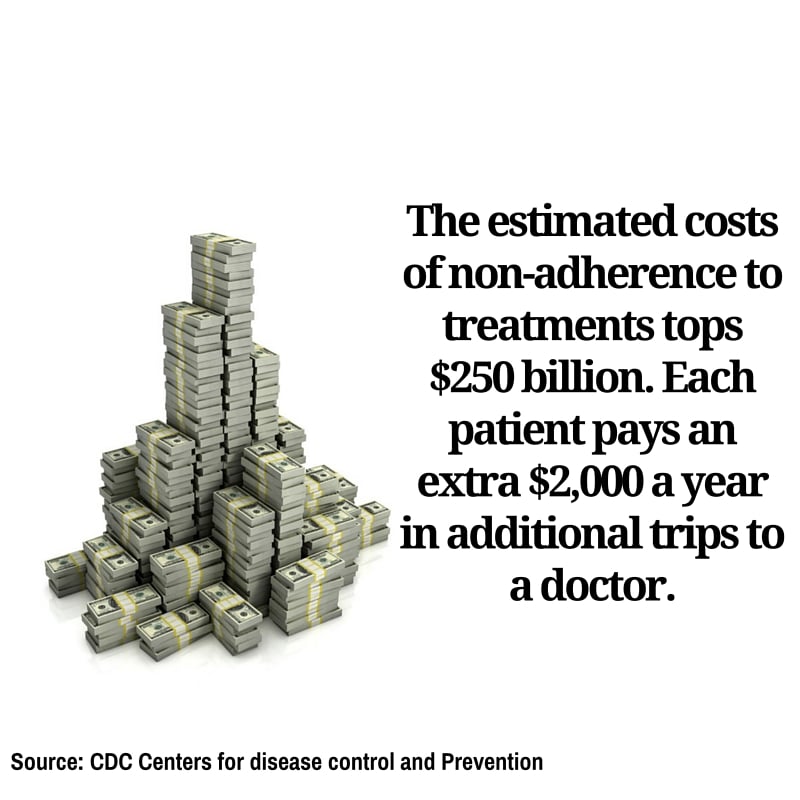
    Have you ever forgotten to take your pills? You’re not the only one. According to the Centers for Disease Control and Prevention, half of the people prescribed medication eventually stop following their doctors orders.

    It’s a dangerous game of Russian roulette. Most of us simply forget. For the elderly, who take more medications with different sets of instructions, it becomes easy to get confused. In cases where their cognitive abilities are diminished due to illness, they can forget on a regular basis. The consequences can be critical.

    adherence3

    Almost half of all failed treatments for any illness were a result of failing to adhere to the treatment prescribed. It is estimated that 125,000 Americans die each year simply because they did not take their recommended dose on time.

    Mobile technology is changing that.

    The newest “thing” to be connected to the web are pillboxes. Smart pillboxes can track if you take your pills, when you took them and the pills you need to take, and even alert you when the box is empty and it’s time to refill your prescription.

    If you fail to take your meds, the box itself will send an alert to a caregiver, physician or family member who can call you. For anyone prone to forgetting, this is a life-saver.

    adherence2

    The advantages of such a technology are clear. So are the risks. Handing over a life sustaining chore to computers demands that we guaranteeing the technology is working perfectly, all of the time. If the mobile apps fail on us, the consequences are devastating.

    Enter mobile testing.

    “Mobile application testing makes sure that every function of a mobile app is working all the time, and in any location. It underwrites all the benefits of mobility,” says Tal Barmeir, CEO of Experitest.

    Making Mobile Testing Work

    A successful mobile application testing strategy can double the chances your treatment will work. To accomplish this, the following areas must be covered:

    Functional Testing: From setting the times, to alerting the user, to notifying the doctor or caretaker if a dosage wasn’t taken, every operation of the application must be working correctly. Not only must it work, it has to work on every different type of mobile operating system, over each type of device and in all versions of both.

    adherence4

    Automated testing: As the technology advances, new features will be made available quite often. For every new feature added to the mobile application, the entire app must be retested to make sure nothing has been affected—even areas of the app never touched by the upgrade. That takes time. The only way to perform this amount of mobile testing in a reasonable amount of time is automating the process.

    Network Virtualization: A doctor can be vacationing on another continent when he or she is alerted a patient has forgotten to take his or her meds. Or, family members can live on the other side of a country and using mobile service from another carrier. Whatever the situation, it is vital that a mobile application will work as effectively in one local network as it will in any of the world’s other 400 to ensure that messages are communicated in a timely manner.

    Mobile technology is poised to extend the life expectancy of everybody using top-of-the-line smart tools communicating with mobile health apps. We will all enjoy healthier and longer lives while paying less in the process. The role of mobile testing makes sure this is a safe progression by giving your apps a clean bill of health.

  • Remote Deposit Capture: Mobile Testing for Your Convenience

    Remote Deposit Capture: Mobile Testing for Your Convenience

    “How much of human life is lost in waiting!” penned Ralph Waldo Emerson.

    Any chore that can be digitized is surely welcome. How about cashing a check?

    Cashing a check takes time. You have to go to the bank, wait on line for the next available teller or ATM. If you go to an ATM at night, you have to worry about who is lurking in the shadows outside.

    Is this really necessary?

    More than 7,000 banks have resolved the issue, saving us all time and hassle. You can now take a check, put it on a table, click a picture with your smartphone, and it will appear in your account as a deposit.

    Using remote deposit capture, mobile applications now save you a trip to the bank. But accomplishing this feat was no easy task.

    Mobile Testing for Mobile Banking is Serious Business

    We are dealing with your hard-earned money. All it takes is one small error, and someone has to spend three hours arguing with a bank manager why their savings is a third of what it was last week.

    Then they go on social media to tell their friends how Bank A took all their money. Then the clients of Bank A decide they would be better off moving their money to Bank B. For the banking industry, mobile testing can mean the difference between offering customers a quality-of-life upgrade and losing business.

    For both the customers and the financial institutions the mobile testing process has to be perfect. To do that, we must hurdle three significant challenges:

    Challenge #1: Achieve mobile test automation

    The test coverage for a bank is a lot larger than for most applications. It can’t be achieved without an automated process coming from a cloud-based mobile lab consisting of hundreds of devices with their own versions, and mobile operating systems running tests all at the same time.

    The challenge is that testing for an item external to the device—the check itself—eliminates the chance for automation. How do we install a robot to place a check on a table, pull out a mobile device from where it sits in the lab, and place it just the right distance from the check before taking a picture?

    The solution was to create a repository of more than 100 of the most commonly used checks. Each check has its own size, color and format. A tester selects a particular check from the repository, and uploads the image file of the check to a phone’s camera app, “fooling” it into thinking it is looking right at the check. Using the zoom function on the phone, the tester has the option to simulate the distance of the check from the phone, determining how far the phone can be from the check to record accurate data.

    Challenge #2: Perform mobile testing on different devices and versions to make sure each picture is of sufficient quality to read the data correctly.

    Some phone cameras work better than others. Some versions of smartphones work better than others. It is essential that the mobile testing tool the banks use is able to work on all operating systems, devices and versions; otherwise, the banks would have to buy multiple testing tools and hire additional staff to operate each tool. And anything that increases complexity also increases the possibility for error.

    Challenge #3: Verify that the data being read is what appears on the check.

    Once the picture is taken, the mobile app retrieves the following information: the date, who is writing the check, who the check is being written out to, the check number, the bank and bank account of the payer and, most importantly, the amount. There is no room for error. The best way to test is to take hundreds of checks, all with their information stored in a database, and through numerous combinations of smartphones, versions and mobile operating systems take pictures of the checks, recording what it determines to be the information each picture contains.

    The phone’s recorded data would be checked with the database of the “real answers.” The mobile testing process continues until the apps are perfect in every detail from every execution.

    Once these challenges were met, the arduous chore of depositing a check became a convenience that you can take to the bank–or not.