Tag: IT operations

  • Broadcom Extends AIOps Platform Reach

    Broadcom Extends AIOps Platform Reach

    Broadcom today extended the reach of its artificial intelligence for IT operations (AIOps) platform to provide full-stack observability via integrations with 15 third-party data sources including Dynatrace, Datadog, AppDynamics, PagerDuty, Splunk, ServiceNow, SolarWinds and Microsoft Systems Center Operations Manager.

    In addition, Version 2.0 of AIOps from Broadcom now captures data at the chip level to enable IT teams to triage network congestion and packet loss in real-time.

    The latest release also adds visualizations and dashboards for different IT personas along with a recommendation engine that enables IT teams to automate tasks once the root cause of an issue is surfaced by the platform.

    Sreenivasan Rajagopal, director of products and strategy for Broadcom Enterprise Software, said the new approach allows IT teams to decide what level of automation to apply based on the complexity of the problem and potential risk to the business.

    Collectively, these capabilities are intended to make it easier to align people and processes with business outcomes by creating a continuous feedback loop, he said, noting it takes about 90 days for the machine learning algorithm embedded within AIOps from Broadcom to start delivering on that promise.

    Other capabilities included as part of the latest release are additional machine learning topology and correlation capabilities, causal graphs and intelligent situational analysis for automatic root cause analysis, noise mitigation, alarm clustering and anomaly detection. Broadcom has also added a library of machine learning algorithms, natural language processing and an ontological graphical topology to enable situational correlation.

    Finally, Broadcom has added capacity analytics tools that can be applied to specific groups of services that IT teams are collectively managing and maintaining.

    Rajagopal said it’s now only a matter of time before AI is applied more broadly to enable IT teams to become more agile. AIOps won’t replace IT staff as much as it will simply augment the capabilities of the IT staff, he noted.

    AIOps also will prove vital as older members of the IT team retire, Rajagopal added. Newer members of the IT staff will be able to become productive much faster if they can rely on insights and recommendations surfaced by an AIOps platform.

    It’s not clear to what degree AIOps platforms will exist as a separate entity apart from traditional IT services management (ITSM) platforms that are also being infused with machine learning platforms. Broadcom is making a case for a distinct new IT operations platform that relies on data to align people, processes and platforms. The single biggest obstacle in terms of achieving IT agility is not the tools as much as it is people in different roles who can’t empathize with one another because there is no common source of data that every stakeholder can access, said Rajagopal.

    Regardless of the AIOps path chosen, it’s clear that many of the existing tools IT teams rely on to manage IT environments are slowly becoming obsolete. In fact, there may come a time soon when IT teams won’t even consider an IT management platform that doesn’t have some level of AI capability.

  • Building Your Own AIOps Platform Is a Bad Idea

    Building Your Own AIOps Platform Is a Bad Idea

    It takes considerable expertise to not only build, integrate and maintain an AIOps platform

    In the wake of the economic downturn brought on by the COVID-19 pandemic, investments in digital business transformation have accelerated. The applications that drive those processes are not only highly distributed, but they also operate at a level of scale that no IT team can manage using legacy approaches to managing IT. It can take weeks to discover the root cause of any issue.

    Enter AIOps. Machine learning algorithms make it possible to reduce the time it takes to resolve any issue and enable IT teams to continuously optimize IT environments at any scale. Many aspects of AIOps, however, are still largely unexplored. Rather than opting for proven platforms, some IT teams are building custom solutions in-house.

    I have experienced firsthand several large enterprises that have embarked on this risky journey, including one Fortune 500 company that asked a partner to help develop a solution and ultimately deployed a commercial product. Enterprise IT teams go down this road to solve a specific tactical problem, such as alert noise reduction. In many cases, all the time and effort put into a do-it-yourself (DIY) project simply winds up being wasted.

    Why DIY Platforms Usually Fail

    Given the prevalence of open source AI tools and frameworks such as TensorFlow, Theano or the Microsoft Cognitive Toolkit (CNTK), it can be tempting to build your own custom AIOps platform. It takes considerable expertise, however, to not only build an AIOps platform but also integrate it into an enterprise and maintain it.

    Here are the leading reasons why in-house developed AI projects are risky:

    • You’ll need a properly constructed data lake: AIOps platforms require access to data residing in multiple technology silos in real-time. IT teams that build their own AIOps platforms need to make sure they are gathering all the right log data, metrics and traces alongside data collected from IT service and incident management platforms. These comprehensive data sets are needed to train whatever machine learning framework is in place, which is often selected at random. Invariably, that means building or buying a costly big data platform to create a data lake to store all that data. A poorly constructed AIOps platform will be worse than the proverbial disease it’s meant to cure because the insights don’t accurately reflect what’s actually occurring in the IT environment. Do you have the funds for this and experienced data science experts onboard to get this right?
    • Designing AI-enhanced workflows is unlike other workflows: Getting the data is just the beginning. Determining how the system behaves and affects existing workflows is the next step. IT teams must decide to what degree they merely want the AIOps platform to passively surface recommendations based on what’s observed versus automatically resolving issues based on defined parameters.
    • Deployment is complex: After developing a few AIOps algorithms to produce meaningful results, the next step is to determine how to deploy it in a resilient and performant architecture. What other systems does it need to integrate with and how will results be monitored and viewed?
    • Monitoring user impact is critical: How will end users interact with the algorithm and what is the ideal UI/UX and workflow? How will feedback be provided by end users for improvement and adoption success?
    • AIOps support and maintenance is not a project, but a team. Ultimately, an internal IT team would need to build the equivalent of a product which needs ongoing maintenance and support. The total cost of the custom platform starts to rise as the bulk of the IT team could wind up spending most of their time managing the AIOps platform instead of making continual improvements. Even if the IT team has the expertise required to build an AIOps platform, there’s no guarantee those individuals will always be available to maintain and update it. Very few IT professionals spend their entire career at one organization.
    • Keeping pace with marketplace innovation: Finally, AIOps as a field is still relatively nascent and the startup community has hundreds of millions of dollars in VC backing to support R&D. Advances are being made at a rate most internal IT teams can’t keep up with, let alone evaluate and vet on their own.

    How to Safely Encourage AIOps Exploration

    There’s no substitute for knowing where an organization needs to go and how to get there. A commercial AIOps platform incorporates all the best practices that have been defined by legions of IT experts, along with these benefits:

    • Faster time to value: You can embark on the AIOps journey much sooner. A commercial AIOps platform will begin surfacing insights in a matter of weeks. It will take an internal IT team months to build an equivalent platform with no guarantee of success. Time is better spent on user adoption and adding and refining use cases for business benefit.
    • Seasoned experts: A commercial platform provides immediate access to not only a proven framework but also, AIOps experts who can troubleshoot and optimize issues quickly. There’s almost no AIOps challenge they haven’t seen before.

    How to Measure ROI From AIOps

    Savvy organizations that invest in AIOps are primarily betting on a better way to manage IT that will enable them to accomplish more as a business. The real value proposition of any AIOps platform is that it enables an existing IT team to do more not by just eliminating rote tasks but also making it possible to deploy more applications reliably without adding IT staff. It’s worth remembering that the cost of labor continues to be the single biggest IT expense.

    The return on investment from an AIOps platform can be easily calculated by measuring:

    • The number of incidents resolved in a given period of time.
    • The size of the IT operations/incident management staff before and after an AIOps platform is deployed.

    Arguably, however, those savings pale in comparison to the opportunity costs of using advanced technologies which can increase operational intelligence and deliver new business value in the form of excellent user experiences and high-performing digital services. IT organizations that don’t embrace AIOps will be unable to compete with faster, more nimble rivals that have modernized their IT processes. The easier, more affordable and least risky way to go about this is by deploying a solution already proven and in market.

  • OpsRamp Makes AIOps Platform Simpler to Configure

    OpsRamp Makes AIOps Platform Simpler to Configure

    OpsRamp today took the wraps off an update to its namesake artificial intelligence platform for IT operations (AIOps) that makes it easier for IT organizations to declaratively configure the software-as-a-service (SaaS) platform.

    Ciaran Byrne, vice president of product management for OpsRamp, said the goal is to enable IT teams to embrace AIOps without having to hire a small army of consultants.

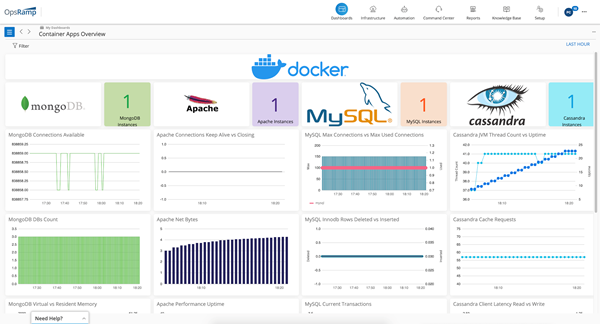
    The OpsRamp Fall 2020 Release adds a revamped user interface that provides access to a set of wizards that discover the assets that make up a specific IT environment and subsequently automate the configuration process.

    OpsRamp has also added curated dashboards that enable IT teams to launch queries using the Prometheus Query Language (PromQL), developed for the open source monitoring tool being advanced under the auspices of the Cloud Native Computing Foundation (CNCF).

    The latest edition of the AIOps platform also adds monitoring capabilities for containerized workloads and Kubernetes clusters. In addition, IT teams can monitor other cloud services including AWS ECS, Azure Functions, Azure Hyperscale (PostgreSQL) and Azure SQL Managed Instance.

    OpsRamp has also added IT process automation capabilities that can be triggered by alerts, updates to resources or on a recurring schedule. An OpsQ bot now also recommends automation workflows. Alternatively, IT teams can require manager approval before a process is launched.

    In general, Byrne said the goal is to improve the mean time to value for an AIOps platform managed by a team of data scientists who have extensive experience applying machine learning algorithms to IT processes.

    Efforts to automate IT have increased sharply now that most IT staff are working from home to help combat the COVID-19 pandemic. However, few organizations are able to set up and configure an AIOps platform in an on-premises IT environment on their own, especially now that outside consultants are no longer being invited to spend weeks working on projects, Byrne said, noting a SaaS-based approach makes it possible for IT organizations to take advantage of an AIOps platform while continuing to work from home.

    In general, the downturn in the economy has increased interest in AIOps because IT staff ranks are either remaining the same or shrinking even as IT environments continue to become more complex. Longer-term, Byrne said it’s not clear that hiring Level 1 and 2 IT administrators will be sustainable as AIOps platforms continue to automate processes.

    DevOps teams, of course, are especially keen to automate as many IT processes as possible, which is why there is a high correlation between organizations that have embraced DevOps and early adopters of AIOps.

    It may still be a while before AIOps is widely employed, but it’s now only a matter of time before machine learning algorithms are pervasive across IT. The challenge now is figuring out where the handoff between man and machine for managing IT ultimately will lie.

  • Going Through a Cloud Migration? AIOps Can Help

    Going Through a Cloud Migration? AIOps Can Help

    AIOps can help ease many of the challenges associated with cloud migration

    As businesses seek to compete in the digital economy and better engage with customers through new digital experiences, they have become increasingly reliant on cloud as a critical component of their digital transformation strategies. This has never been more true than during the COVID-19 pandemic, when businesses across all industries are aiming to provide the best digital experiences possible in our new, heavily remote world.

    Gartner validates this reliance on cloud in a recently published report, which states that although IT spending is set to decline in 2020 due to the impact of COVID-19, the pandemic’s increase in remote work has set public cloud services to grow 19% this year.

    There’s no doubt that cloud migration can be challenging, but properly preparing and utilizing tools such as AIOps can help initiate this process and can provide ongoing visibility.

    The Ingredient for a Successful Cloud Migration

    AIOps helps identify and resolve issues before they disrupt the end user during a cloud migration, arming technologists with insights and providing visibility within multi-cloud and containerized environments as companies manage their complex platforms.

    A surge of data can be managed in the cloud but can be difficult to manage without having visibility across the platform. AIOps offers an overview and provides updates and optimization suggestions, which helps businesses be competitive and have control.

    The AIOps and Cloud Migration Process

    AIOps exists to help with big IT challenges and there is a suggested path businesses can use pre-, during and post-migration.

    Pre-Migration

    Before the migration begins, you should measure the existing performance of your applications as a baseline. You can then define performance goals and find bottlenecks you should avoid during your cloud migration. You must evaluate the potential impact of your cloud migration on your IT environment, which AIOps can help with. With robust visibility, you can see results on applications that power your business.

    During Migration

    Once you have migrated your workloads to the cloud, you can utilize machine learning and AI to check which resources might be underused. AIOps on the cloud will provide insight on overused resources, so you can identify instances that are best for your company’s needs.

    Post-Migration

    Being able to monitor your services on the cloud and end user performance gives full visibility into what you are getting from your cloud provider. Needs can change over time, so a cloud migration strategy that incorporates AIOps can identify what can be altered. This functionality helps make it clear which applications could benefit from being moved.

    The reliance on cloud support is only increasing, so the sooner you incorporate AIOps into your IT environment, the faster you can have confidence your services will deliver improved performance for the end user. Why not get the most out of your investment in the cloud by using AIOps to support your business for the long term?

    AppDynamics is sponsoring KubeCon + CloudNativeCon 2020 North America, taking place Nov. 17-20. To learn more about how AppDynamics is supporting businesses in their cloud migration journeys, register for our webinar during the show here.

  • ServiceNow Partners With IBM on AIOps

    ServiceNow Partners With IBM on AIOps

    ServiceNow and IBM this week announced that the Watson artificial intelligence for IT operations (AIOps) platform from IBM will be integrated with the IT service management (ITSM) platform from ServiceNow.

    Pablo Stern, senior vice president for IT workflow products for ServiceNow, said once that capability becomes available later this year on the Now platform, IT teams will become on average 20% more productive. This is good timing, as most teams currently are struggling to adapt to the increased demand for IT support from employees working from home and in the office in the wake of COVID-19 pandemic.

    Mike Gilfix, vice president of cloud and integration and chief product officer for Cloud Paks at IBM, said IT teams will also be able to proactively identify anomalies in IT environments 60% faster.

    IT teams interact with IBM Watson AIOps via a chatbox interface such as Slack. The platform will surface recommendations based on ServiceNow data and enable IT teams to query IBM Watson AIOps to provide a faster mean time to resolution for IT incidents, said Gilfix. That capability is provided via a configuration management database from ServiceNow that tracks the operational state of all business services in real-time.

    IBM Watson AIOps, which can be deployed in the cloud or on-premises, also can surface additional context the next time similar issues arise, in addition to being able to record actions and insights for auditing purposes. IT teams can also feed data from other systems into IBM Watson AIOps to automate a wider range of processes.

    AIOps platforms won’t be replacing IT professionals anytime soon. However, IT teams that are not able to access AIOps platforms will find themselves working harder than their peers. As IT environments become more complex, the number of potential issues that can adversely impact end user experience are moving beyond the capabilities of an IT team’s ability to track manually.

    AIOps platforms, meanwhile, continue to advance in sophistication. Given the structured nature of IT environments, IBM Watson AIOps is now able to have a significant impact on productivity with 24 hours of being deployed, Gilfix said. As part of this launch, IBM is expanding its global ServiceNow services offering to include additional capabilities that provide advisory, implementation and managed services on the Now Platform. IBM also has formed an AIOps Elite Team that will help prepare organizations to transition to AIOps free of charge.

    IT may take a while still for IT teams to adjust culturally to AI, but there are many rote tasks that many IT professionals would like to see eliminated. Over time those tasks conspire to increase the level of drudgery IT professionals experience as they perform the same repetitive tasks. In theory, at least, AI should reduce overall IT staff fatigue in a way that could reduce turnover while at the same time freeing up resources to tackle more complex IT challenges.

    It may take some time for IT teams to trust the recommendations surfaced by an AIOps platform, but the more those platforms learn about the IT environment, the more accurate those suggestions become.

  • Has the Time Come for IT Predictive Analytics?

    Has the Time Come for IT Predictive Analytics?

    Predictive analytics technologies have become critical to compete in manufacturing (predicting machine failure), banking (predicting fraud), e-commerce (predicting buying behavior) as well as to address horizontal use cases such as cybersecurity breach prevention and sales forecasting. Using data to predict and prevent IT outages and issues is also a growing best practice—especially as advances in monitoring software have made it easier to deliver analytics in a timely manner.

    The process of rapidly collecting IT systems data, including by integrating data from various monitoring tools in use, has become rudimentary. The magic is in the algorithms, which can deliver actionable intelligence. IT predictive analytics, once known as IT operations analytics (ITOA), is still nascent in many organizations, but it’s far more streamlined than it used to be when one needed to export data sets to specialized analytics tools such as Tableau or Microsoft PowerBI. Data analysts and then data scientists were necessary to interact with these advanced tools and deliver valuable predictions—a process that could take weeks.

    Today, IT professionals can use modern IT operations monitoring and management systems for collecting and integrating the data, normalizing it and then analyzing it in real-time. That’s making predictive analytics in IT far more user-friendly, affordable and useful for all organizations, not just the largest companies with the biggest budgets.

    Advances in predictive analytics technology, aided by machine learning and AI, are creating more proactive workflows for IT operations teams. For instance:

    • Storage usage. It is not a happy moment when IT finds out that the expensive storage array is down. It’s not enough to know after the fact that storage volumes were steadily climbing out of the normal pattern. By knowing ahead of time that a trend is heading out of the acceptable range, IT can research the cause and fix it before any damage is done. With cloud storage, risks include slow connectivity if network bandwidth is insufficient or security breaches if the cloud provider’s security mechanisms are not sufficient for your use case. Predictive analytics can alert on these possibilities in time to take corrective action.
    • Cloud-to-cloud performance comparison. An important aspect of predictive analytics is the ability to make correlations and show relationships between multiple data points. IT leaders are interested in learning about an application’s performance across the entire IT environment, which may include comparing historical performance across multiple clouds to predict weaknesses in one service over the other and mitigate them proactively. This use of predictive analysis could also be valuable in helping companies choose one cloud provider over another for particular applications and workloads.
    • Container optimization. Making correlations is especially valuable when it comes to managing performance in a microservices environment. Collecting metrics for a containerized application isn’t useful by looking at each container per se, but it is useful when looking across the container environment to see if there are common metrics dangerously trending the wrong way across many or all containers.

     A Few Tenets for Predictive Analytics in IT Operations

    Regardless of the tools that you choose to create a predictive analytics practice in your organization, there are several things you must get right first. Here are six recommendations to consider:

    1. Centralize the data into one or two systems at the most. This allows for data cleansing, normalization and a single (ideally) system of record for all other users and integrations.
    2. Invest in first-class data visualization. As business units now interact with IT management systems to see departmental usage and troubleshoot minor issues, tools should be user-friendly for people who are not data analysts. Dashboards and charts can tell the story simply and explain the correlations and conclusions which the software delivers.
    3. Make it actionable. There is no use in creating predictive data if it’s not automatically sent to the right individuals and/or shared with other systems to execute actions when needed. Think about it the Amazon way: We all know that people aren’t sitting behind monitors sending millions of individualized recommendations to customers every day. Your IT operations portfolio should behave the same way: automated, intelligent, helpful and always adapting to new information.
    4. Correlate data at the speed of IT change. Before there was such a thing as virtualization and cloud infrastructure, there weren’t many devices to monitor and things didn’t change much day-to-day. You could actually “set and forget” data center infrastructure components for weeks. Now, of course, changes are happening behind the scenes every minute without our knowledge. Yet your monitoring and change management tools need to know about it. By using standard deviation for change detection monitoring—four-hour increments are typical—you can ensure that your team always has an updated understanding of infrastructure status as well as the relationships between the various systems and components.
    5. Avoid the black box. Enrich your data lake continuously with event data and allow users to see the IT operations platform working in real-time. With machine learning and artificial intelligence, there’s always a measure of doubt and a margin of error. This uncertainty can be counteracted by sending more diverse data sets so that the user can make her own conclusions. As well, when the machine makes an error in judgment, train it to avoid making the same mistake again.
    6. Update internal IT skills. You’ve heard it before. In the age of big data, IT organizations need data science expertise and skills. It’s important to acquire or develop these skills so that your team can combine machine intelligence with human insight and make better decisions. That is where AI-driven analytics holds the most promise.

    We are just getting started on this new age of predictive analytics in IT operations. Before long, organizations will move from predicting downtime and serious application issues to driving infrastructure optimization and cost savings. IT leaders will be able to answer with confidence, how much cloud infrastructure needs to be provisioned or de-provisioned over time. They will understand with better clarity common application scaling patterns, as well as overall capacity management needs. As predictive analytics takes hold, IT leaders will need to determine how to reorganize employees who previously spent hours scanning data on screens into more strategic roles.

  • BizOps Coalition Publishes Manifesto

    BizOps Coalition Publishes Manifesto

    The BizOps Coalition, which advocates for fundamental change in the way IT teams and business users collaborate during software development, today published a BizOps Manifesto framework that identifies 12 principles that focus organizations on business outcomes versus merely attaining and maintaining service levels.

    The goal is to close the historic divide between IT and the rest of the business by encouraging IT teams to work more closely with business leaders, who need to make informed technology investment decisions based on real-time data analytics to drive business growth, improve customer experience and increase profitability.

    BizOps Manifesto authors include Dr. Mik Kersten, founder & CEO of Tasktop; Serge Lucio, vice president and general manager of the Enterprise Software Division of Broadcom; Patrick Tickle, chief product officer of Planview; Sally Elatta, CEO of AgilityHealth; Evan Leybourn, CEO of Business Agility Institute; Tom Davenport, distinguished author and professor; Dave West, CEO of Scrum.org; and Kevin Surace, chairman/CTO of Appvance.ai.

    Lucio said even after a decade of advancements in best DevOps practices, far too many IT teams behave as though they have no vested interest in the outcome of an IT project. In fact, there’s far too much focus on requirements at the beginning of a project because too many IT teams believe that as long as an application is available, their task is complete, he noted.

    The BizOps Manifesto encourages IT organizations to assume requirements can and should change frequently as business conditions evolve. IT teams that focus too much on requirements upfront are essentially applying a waterfall mentality to software development no matter how agile their software development processes are, Lucio said.

    In general, he noted, there’s a lot more focus these days on software development. The biggest immediate hurdle is the terminology being employed to address this issue. The IT vendor community is employing catchphrases such as “value stream management” and “software delivery management” to describe essentially the same issue, he said.

    More organizations than ever are finally coming to terms with these issues as they seek to accelerate the rate at which applications can be deployed in the wake of the economic downturn brought on by the COVID-19 pandemic, Lucio said, noting the BizOps Manifesto is intended to facilitate those conversations.

    It’s not clear to what degree a manifesto can change mindsets within IT teams. Too many IT professionals view themselves as being part of the IT industry rather than the industry its employer is in. As a result, there’s often not a deep appreciation for the unique business challenges an organization faces within the IT department. Arguably, that divide is not as wide as it was at the start of the last decade; nevertheless, the issue persists. A manifesto is as good a place as any to start a conversation that in many organizations is long overdue.

  • How to Consolidate Your IT Operations Management Tools

    How to Consolidate Your IT Operations Management Tools

    If your organization has more than 20 tools for IT operations management and DevOps, you’re not alone. According to one source, nearly 40% of IT teams are using more than 10 monitoring tools. There comes a time when you simply must clean house. This can be a painful chore, akin to cleaning out the garage or basement after a few years of neglect. It requires deep analysis, an in-depth understanding of business requirements and political finesse.

    Operations Management Tools: Cleaning House

    Avoiding this exercise can be fraught with danger. Your organization is likely wasting money and time maintaining and integrating legacy and/or disconnected tools that aren’t worth the effort. As well, operations management tools overload contributes needlessly to data noise rather than focusing on the data sets that are most critical to maintaining healthy service levels for the business. In this article, I’ll discuss the major battles and offer some ideas to simplify and accelerate a tools rationalization and consolidation exercise.

    Battle 1: Politics

    I’ve worked in enterprise architecture and IT operations for more than 15 years, as an internal team member and directly with clients. I can say with confidence that in most cases, 75% of the tools deployed in an IT organization have redundant capabilities or are considered to be nearing the end-of-life road map by the vendor. I understand the reluctance that team members have in letting go of tools they are comfortable using, as well as the time and effort it takes to learn completely new technology and the feeling of a loss of control when the business owner of a tool changes hands. Yet, a regular tools assessment and consolidation exercise is best for the organization over time.

    Typically, the unstated issue of teams not wanting to change tools relates to control. The teams that have the most data or the most important data tend to get more budget. It can be tough to relay the message that simplifying the tools ecosystem and centralizing access to larger data sets for everyone in the know can bring long-lasting benefits to both the organization and to individual careers.

    This is why it’s imperative for the senior IT or engineering leader to lead the charge in operations management by communicating the goal of the tools consolidation initiative and benefits to individuals, teams and the business at large. Here are a few of those benefits:

    • Eliminate unnecessary tools to reduce maintenance spend/time and complexity.
    • Develop a framework for evaluating future tool acquisitions.
    • Bring more control and visibility into bugs, issues and infrastructure/code status with the right set of tools.

    Battle 2: Inventory

    Maybe you already have your tools categorized and qualified in an asset management system such as a CMDB—but maybe you don’t or the information is outdated and incomplete. Doing an inventory is not just about categorizing tools by functionality and teams but also providing even more detail that can help make a data-driven assessment. With better data, IT organizations will be able to rationalize tools without heavy politics. Here’s what to include:

    • Primary and secondary functionality.
    • Product road map.
    • EOL dates.
    • Core user groups.
    • Relationship to business service/applications.
    • Customer support contracts.
    • Required skills/internal staff for support and maintenance.
    • Existing issues.
    • Vendor relationship.
    • TCO/ROI metrics.

    In enterprise architecture circles we call this application portfolio management/rationalization and it can be quite a task if you’ve never embarked on it before. It’s fine to start the process using Excel but whatever tool you use, be sure to share the inventory document with all of your stakeholders for enrichment and feedback. Arriving at the TCO or ROI analysis may not be easy for legacy applications, but do your best to collect as much data as possible for your calculations; information around previous support and maintenance contracts, hours to support issues, patch and maintain; and the hardware and software costs required to support will help provide an understanding of the TCO.

    From there, determining the “R” in your ROI will be based upon many factors, both tangible and intangible. For example: Does the tool save significant manual time to do the same process and eliminate toil? Does the tool increase accuracy, thereby minimizing rework? Does the tool improve the work-life balance or morale of employees?

    Battle 3: Review Board

    A technical or architectural review board helps evaluate and approve requests for new tools and technologies. Typically, these boards have cross-functional employees from operations, application development, application management, EA and even security. The job of the board is to understand the business requirement for the request and mitigating factors such as cost, time to implement and security considerations. The board also ensures that a similar tool already in place in the organization couldn’t satisfy the request. While boards with the right individuals can defuse politics and ensure a balanced approach to evaluation, boards can also encourage politics if special favors are granted. Senior IT leaders should discourage that behavior (obviously).

    Battle 4: Shadow IT

    It is true that employees can easily find workarounds these days to processes that you put in place, no matter how objective and sensible they are. Technical folks love to experiment with new tools, and it’s difficult to break the habit. One idea is to apply control by prohibiting the use of personal credit cards to make purchases and requiring review board assessments and security reviews prior to acquisition. Employees who choose to violate those requirements will face certain consequences. You may also want to reward those who follow the rules with bonuses or other perks.

    Battle 5: Predicting the Future

    At the rate of change and unpredictability in business today, it can be difficult to plan too far ahead. But some part of planning is necessary because business and overall IT requirements drive the tools strategy. Understanding the 12-month technology road map is reasonable, but if you can extend your vision further to 24 months or longer, it can provide important decision-making factors. For instance, if your organization is planning to embark on a cloud migration effort in the future but need to upgrade a legacy system now, delaying the expense of a pricey upgrade and expediting the cloud migration initiative would be an easy way to reduce IT risk and deliver more sustainable capabilities for the future.

    Modernizing Operations Management Tools

    In summary, everything revolves around the data. If you leverage concepts of enterprise architecture and application portfolio management, you’ll quickly be on your way to helping your organization make better IT decisions. Through EA and APM disciplines, you’ll learn how to establish governance processes to reduce IT risks and vulnerabilities, cut operational spend through rationalization and make the IT organization more agile for future go-to-market strategies by reducing support and maintenance complexity.

  • VMware Looks to Meld IT and Security Operations

    VMware Looks to Meld IT and Security Operations

    VMware has acquired SaltStack as part of an effort to unify IT and security operations management. The announcement was made during the online VMworld 2020 conference this week.

    SaltStack has developed an open source IT automation platform to automate IT operations. In recent months it has been extended to also address security and compliance management.

    At the same time, VMware released a bevy of updates to its security portfolio, including VMware Carbon Black Cloud Workload. That offering combines vulnerability reporting with workload hardening software for both legacy platform and microservices-based applications deployed on Kubernetes clusters. It also includes elements of AppDefense, which VMware developed to harden workloads running on VMware vSphere platforms.

    VMware also announced VMware NSX Advanced Threat Prevention, which combines NSX Distributed IDS/IPS with malware detection software and network traffic analysis (NTA) technologies acquired from Lastline Inc.

    Finally, VMware announced it has committed to reselling a secure web gateway from Menlo Security as part of the VMware SD-WAN portfolio and formed an alliance with Zscaler to manage security as a service.

    SaltStack provides VMware with an IT automation framework that can be applied across multiple clouds running virtual machines and containers. The current vRealize IT automation framework is optimized for instances of VMware vSphere.

    Tom Corn, senior vice president for the Security Business Unit for VMware, said VMware’s entire approach to security is predicated on making it easier for IT operations teams rather than cybersecurity professionals to implement security controls. There are simply not enough cybersecurity professionals available to implement cybersecurity controls when DevOps teams are rolling out and updating application workloads multiple times a week, he said.

    Cybersecurity teams will continue to define what controls will need to be put in place, but it will be left to the IT operations teams to implement those controls in much the same way responsibility for application security is now also being shifted left as part of best DevSecOps practices.

    Corn said it’s clear IT security is a team sport that requires greater collaboration among IT operations teams, developers and cybersecurity professionals. VMware has been investing in security technologies with an eye toward making it easier for IT operations teams to automate security operations in much the same way any other IT task is being automated, he noted.

    That convergence isn’t going to occur overnight. There are many challenges including culture. Many cybersecurity professionals view IT operations and developers as being equally responsible for many of the root causes of a cybersecurity breach. It may be a while before cybersecurity teams have enough confidence in the ability of IT administrators and developers to proactively address cybersecurity issues before and after applications are deployed in production environments.

    Of course, there’s no alternative. The days of waiting two months or more for a security review as part of a waterfall development process are over. Security, like it or not, needs to become as agile as the rest of IT.

  • xMatters Streamlines Incident Management

    xMatters Streamlines Incident Management

    xMatters today announced it has expanded the capabilities of its incident management platform to better address the requirements of more complex IT environments.

    New capabilities include an Incident Console to better visualize and triage incidents, automate responses, improve collaboration and access to richer analytics to optimize response times. Incident metrics are now also automatically collected from integrated systems and surfaced along with the notification to improve resolution times.

    IT teams can also use a Flow Designer tool to automatically keep related systems current with one another, including issue tracking systems, service desks and status pages.

    xMatters CEO Troy McAlpin said the updates are part of an effort to unify IT incident management at a time when the adoption of new applications and systems to enable organizations to have employees working from home has increased.

    A survey of 300 IT leaders and business professionals published today by xMatters revealed nearly three-quarters of respondents (72.3%) now spend at least half of their time resolving incidents, with more than a quarter (27.3%) of those respondents saying they their team spends at least 80% of that time resolving incidents. A total of 43% of respondents said their organization still relies on less sophisticated processes to manage IT incidents, such as alerts, email, paging, conference bridges and physical outreach.

    IT incidents are also starting to have a bigger impact on the business, noted McAlpin. The survey finds 20% of companies with 1,001-5,000 employees are budgeting more than $10 million on digital transformation initiatives. Each IT incident involving those applications now typically involves not just employees but also end customers, he noted.

    As IT becomes more complex, he said, the need to modernize IT environments has become crucial. One of the many reasons IT organizations find it difficult to automate IT management is there are still many unique platforms running isolated applications. IT teams would be well-advised to ask themselves if these unique instances of a platform are truly warranted. If not, that application workload should be retired or shifted to a platform that is more easily automated.

    Longer-term, McAlpin said artificial intelligence (AI) will increasingly be employed across IT operations, otherwise known as AIOps. Those advances won’t replace the need for humans to manage IT, but it will allow IT teams to better automate responses to routine incidents that today require too much time.

    Even as IT becomes more complex, the simple truth is most organizations are not looking to expand the overall size of the IT department. In fact, in the wake of the economic downturn brought on by the COVID-19 pandemic, there are many organizations that need to reduce the size of their IT organizations. Regardless of motivation, there are a host of mind-numbing tasks that IT teams are asked to perform every day that, in keeping with best DevOps practices, should be ruthlessly automated.