Loft Labs has made available an open source software project that enables DevOps teams to programmatically create developer environments using a tool that runs entirely on a local client.
Lukas Gentele, Loft Labs’ CEO, said DevPod provides an alternative to cloud-based approaches such as Codespaces from GitHub that lock organizations into a specific platform for building applications.
Instead, DevPod can automatically spin up developer environments as code on any public cloud or on-premises IT environment that can run a devcontainer.json file, he added.
In addition, DevPod will also automatically put developer environments to sleep when not being used to reduce costs, noted Gentele. Other capabilities include support for prebuilds, Git and Docker credential synchronization.
DevPod was created by Loft Labs to streamline the development of a virtualization platform for Kubernetes clusters. The company is now making DevPod available as open source software that any DevOps team can use to manage developer environments as code more easily than complex server-side alternatives, said Gentele.
It also makes it easier for developers to switch between cloud-hosted and local environments as needed seamlessly, he noted. That’s critical because it enables organizations to reduce dependencies on cloud computing environments for writing code by allowing developers to use their local machine whenever they prefer, noted Gentele.
Despite the ubiquitous availability of cloud services, most developers continue to prefer to write code on a local machine. The challenge is that replicating a developer environment elsewhere to foster collaboration has been problematic. DevPod provides a means for developers to collaborate with each other and with software engineers without giving up the inherent flexibility a local development platform provides.
At a time when organizations are more dependent on software than ever, there is much more focus on developer productivity. DevOps teams have historically tended to focus on DevOps Research and Assessment (DORA) metrics that focus more on deployment frequency and mean-time-to-recovery than they do on developer productivity.
Of course, measuring developer productivity is an inexact science. An organization might once have tracked lines of code written to gauge productivity, but that is not especially good metric. In more recent times, metrics have been developed that, among other things, keep track of how much time developers spend actually coding versus maintaining their software development environment.
The issue that most IT leaders will immediately encounter is that every minute developers spend on these tasks, however, is one less minute they spend writing the business logic that drives an application.
Obviously, there’s no way developers are going to write business logic daily for eight hours straight; there are maintenance windows. However, application development is as much art as it is science. No one knows for sure when inspiration might strike, but if developers are busy maintaining code created to provision infrastructure, it’s less likely they’ll have a flash of brilliant insight that allows them to make an application better. The easier it is to spin up a development environment, the more likely it becomes that inspiration will one day turn into code that runs in an actual production environment.
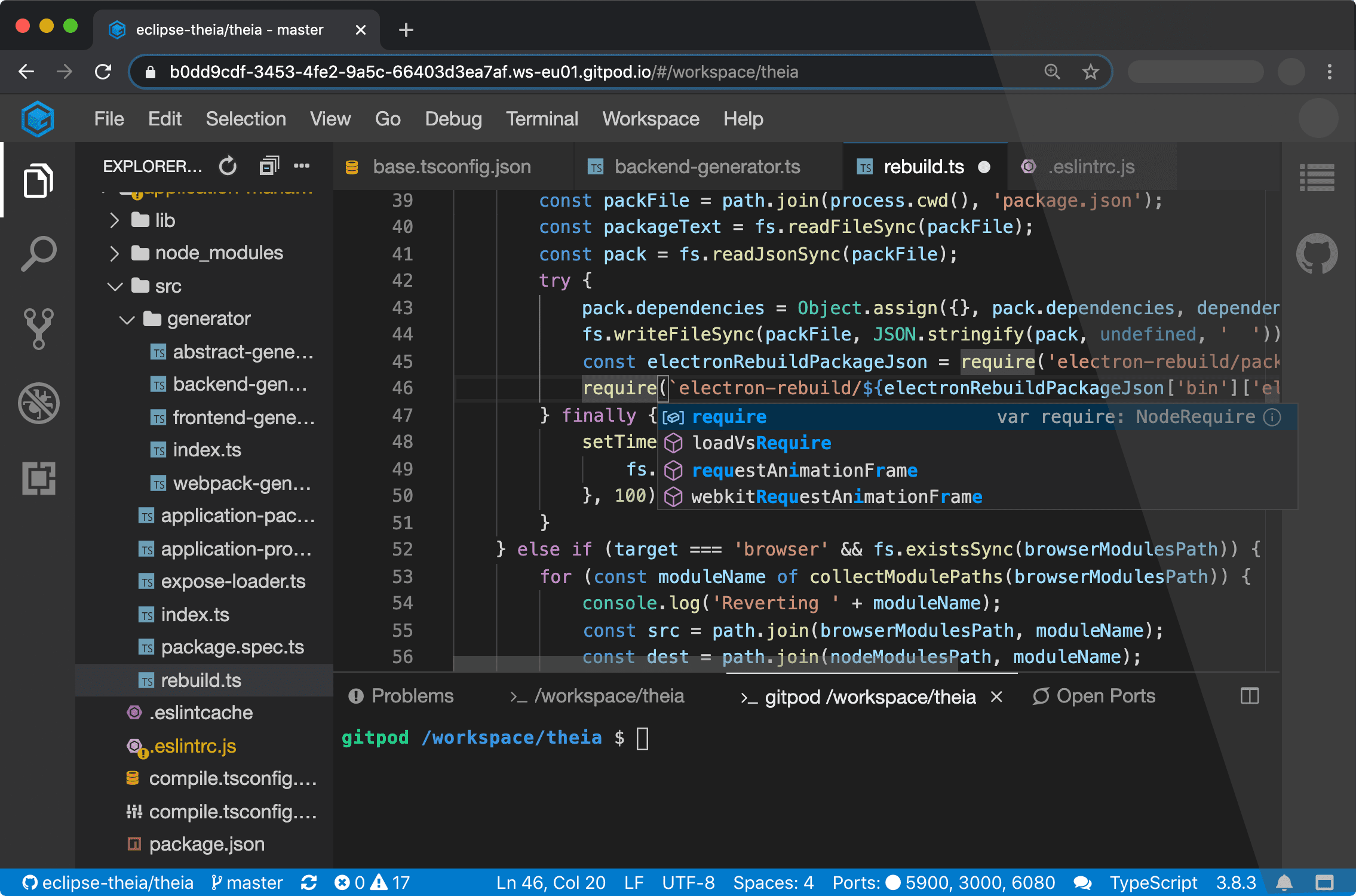
Company CEO Sven Efftinge said DevOps teams will now have the option of deploying Gitpod themselves as an alternative to the existing cloud service provided by the company.
Designed to be used in conjunction with repositories such as GitLab, GitHub Enterprise and Bitbucket, Gitpod automates the building of development environments on-premises, Efftinge said. It continuously monitors updates to any Git repository.
Gitpod will then configure the right tools for a specific git branch, automatically compile machine-executable code and download all the dependencies required to allow developers to build code on-premises. Rather than having to manually configure a desktop environment, developers can start coding in seconds, Efftinge said.
Gitpod borrows concepts from continuous integration platforms and applies them to development environments, he said, noting developers today typically spend multiple hours per week setting up and maintaining local developer environments.
By automating that process, he said, the local development environment can also better align with production environments. One of the reasons why code doesn’t work in a production environment when it is first deployed is because the local development environment has been manually configured in a way that doesn’t accurately reflect the production environment, Efftinge noted.
That issue becomes even more problematic when developers are working on multiple projects involving, for example, separate microservices that are all going to run in different production environments, he added.
Gitpod also prevents drift by making sure all versions of a local desktop environment among developer teams remain consistent. Collaboration also becomes easier when the members of the teams have standardized on the same instance of a local desktop environment.
Efftinge said there are already hundreds of thousands of developers using the Gitpod cloud service. The open source edition provides an option that will enable DevOps teams to self-host their own instance, he noted.
Gitpod, formerly TypeFox, collaborated with Google, Ericsson, Arm and Red Hat to develop the open source Eclipse Theia project, which provides a foundation for building IDEs in the cloud using TypeScript, CSS and HTML. Theia, now being advanced under the auspices of the Eclipse Foundation, consists of a front-end running in a browser or in the local desktop application and a back-end running on any host. Both the front-end and back-end communicate through JSON RPC over WebSockets. Gitpod leveraged that project to build its own cloud-based IDE.
In the wake of the COVID-19 pandemic, there’s naturally a lot more focus on automation and developer productivity. Most developers will be working from home for the foreseeable future to help combat the spread of the virus. Of course, most developers have been writing code outside the office for years. The challenge now is enabling teams of developers to develop applications as efficiently as possible regardless of where they are located. Eliminating inefficient manual tasks such as maintaining local development environments could be a significant step in that direction.
It’s not clear yet whether DevOps teams are more or less productive since the onslaught of the COVID-19 pandemic. However, it is apparent the need for a consistent experience among teams of highly distributed developers is acute.
The integrated development environment (IDE) is an indispensable tool for software developers. Before it came along, coding was a laborious, detail ladened undertaking. We’ve become accustomed to the syntax checking and code completion features than even the most basic IDEs provide. These days we tend to forget how hard it was programming with nothing but a rudimentary text editor. Something as simple as finding a missing comma or a misplaced curly bracket that was causing a compilation error could take hours, maybe days should the codebase be big enough. When it came to tracing your way through a seemingly endless chain of functions and classes in order to find the culprit of a runtime error, well…fuggedaboutit! Without the modern IDE, we’d be sunk.
Well, that was then and this is now. A few years back, a new technology emerged on the technical landscape that’s boosting the power of the IDE, and subsequently the scope of work a developer does and the decisions he or she makes by an order of magnitude. This new technology is Language Server Protocol (LSP).
LSP Takes the IDE to a Whole New Level
LSP is aspecification developed by Microsoft that standardizes the way certain typical features are implemented within a programming IDE. LSP attempts to consolidate the implementation of IDE commonplace features such as code completion, hover-over tips, jump-to-definition, find-references and syntax checking into a standard format that can be applied to any IDE in an agnostic manner.
LSP is a technology designed to address the following problem. Imagine that a tools vendor has an idea for implementing a new plugin that will automatically do code completion for programs written in the COBOL programming language. Such a feature might be useful to any number of COBOL programmers. However, not every COBOL programmer is programming using the same tool. Some might be using an IDE such asIBM Developer for z/OS. Another might be using a text editor such asSublime Text,Atom or even something more basic such asvim. In earlier times, in order to get the feature to market the vendor needed to implement different versions of the plugin in a way that was special to the given development environment. There’d be a team working on a Sublime Text version of the plugin, another team working on the vim plugin so forth and so on. Not only did the tool developer need to accommodate different operating systems, but each team might come up with its own, particular way to implement the feature. As team members left the company and new members arrived to replace them, those new developers needed to learn each particular way the feature was realized. As you can see, not only did the variety breed complexity, but things got very expensive very quickly.
LSP does away with the need for such specialized tools development. LSP provides a standard protocol that can be implemented in any tool. The protocol defines a set of standard methods, objects and communication methods that provide a common set of services in any IDE.
Thus, the only work that needs to be done to get the previously described COBOL code complete feature to market is to express it in a way that is compatible with the LSP. The actual work of realizing the feature then involves writing a client that supports the standard. It’s a “one ring to rule them all” process so to speak.
The LSP specification was originally published by Microsoft specific. But the standard has been embraced as anindustry-wide. There are implementations inJava,C++,C#,Python,Scala,Swift andPHP, to name a few. Also, there is an implementation of LSP forCOBOL under z/OS, which brings us to IBM Z Open Editor.
Bringing the Use of LSP to the Mainframe
IBM Z Open Editor is a free Visual Studio Code extension that provides a state of the art programming experience forCOBOL andPL/1 developers. Also, IBM Z Open Editor integrates with Eclipse Che andEclipse Theia. Integration with Eclipse Che and Theia is particularly interesting because it enables browser-based editing. It’s a powerful tool, even more so given that historically COBOL and PL/1 programmers have lived in the backwaters of modern IDE development. IBM Z Open Editor makes IDE-based software development a general programming experience. Developers can use the same tool to program COBOL as they do in Java or even HTML for that matter.
LSP Enabled Features in IBM Z Open Editor
The following is a list of tool features available to mainframe programmers using Visual Studio Code with IBM Z Open Editor enabled:
Code completion.
Hover over instructions and snippets.
Jump to definitions.
Workspace symbols.
Find references.
Diagnostics and syntax error detection.
Outline view.
Previewing of included copybooks on hover.
Navigate to copybooks.
Code template snippets.
Refactoring such as “rename symbol.”
Variable completion.
Using a single IDE to program in a variety of languages is a trend that’s been evolving for a while. However, adding LSP into the mix allows any IDE to present a consistent set of design time features. For example, one IDE is now able to do code-completion, hover-over reporting and variable tracing regardless of the programming language in play.
For example, Figure 1 below shows the COBOL code completion feature of IBM Z Open Editor plugin for Visual Studio Code. IBM Z Open Editor uses LSP to facilitate code completion.
Figure 1: IBM Z Open Editor uses the Language Server Protocol to facilitate context-sensitive code completion.
Figure 2 shows the search and sort features of IBM Z Open Editor, which again implemented according to the LSP.
Figure 2: Using LSP to implement IBM Z Open Editor’s sortable and searchable outline view for navigation.
Finally, Figure 3 shows how the IBM Z Open Editor takes advantage of the extensibility capabilities of LSP to implement a feature that resolves and loads copybooks for preview. Acopybook is code that can be copied from a master source and inserted into several different programs or into a variety of places in a single program. A copybook is used to define the physical layout of program data, variables for example, as well as instances of procedural code.
Figure 3: IBM Z Open Editor extends LSP to review and load a copybook within Visual Studio Code.
Clearly, LSP brings a lot of power to the mainframe programming experience. Now tools developers can create a unified programming experience using a common methodology. But where things really get interesting is when LSP is used to report data that goes beyond standard programming and code management activities, to a place where the real-time behavior of those using deployed code is being reported. In other words, LSP makes it possible not only to get information about code that is local to the developer’s desktop but also about the code as it is being used at runtime out on the internet.
Beyond the Mainframe: The Long Term Significance of LSP
LSP is extensible by design. As you read above, IBM Z Open Editor extends LSP to allow programmers to preview and load copybooks. This is done by extending the protocol.
The typical IDE to server interaction under LSP is that the LSP client reports to the LSP server when a code document has been opened, changed, saved and closed. Then, once the LSP server is aware that a code document is in play, the server can inspect the document and report back events that are relevant to the programming language (Figure 4).
Figure 4: LSP uses a predefined set of commands and request/response objects to support programming IDE is a language and operating system agnostic manner.
For example, the LSP server can inspect the document to make sure the code is syntactically correct. If an error is encountered the server reports back the starting and ending location of the error, along with a message. In the case of the copybook review feature, the client reports back the location of the cursor in the code window and the server determines an opportunity for a copybook review and informs the client accordingly.
While the copybook preview feature is powerful, it’s confined in scope to the immediate document. This is good. But, imagine what it would be like if the server had knowledge of all instances of the code deployed and running on computers connected to the internet?
Suppose for example, that your code was powering an API running on the internet and you had the ability to learn about the number of calls to a particular function backing the API or better yet, imagine that you had the ability to learn about function calls that encountered particular problems, such as a pattern of mistyped parameters or high latency calls. Then imagine if that global runtime behavior was reported right in the IDE? Such information would change the very nature of how a programmer approaches his or her work. More importantly, it would change the way an enterprise manages programmers.
What if a programmer could decide what to work on based on global runtime behavior reported into the IDE via an LSP extension? For example, going back to the imagined pattern of mistyped parameters, let’s say that when a developer hovers over the related function in IDE a warning icon appeared informing the developer of 1000 instances of mistyped called were made at the global level. The developer decides that such an error rate is unacceptable. Then, he/she examines the developer documentation and discovers that the parameter type definitions for the function are poorly described and that the document needs to be corrected. The developer then makes updating that developer documentation a critical path, part of the day’s work that needs to be delivered immediately.
Given the power that LSP brings to the programming experience, such a scenario is entirely possible. In fact, there are companies out there such asApollo Graph Manager that presently allow developers and third parties to register their production APIs in order to collect the sort of global information described above and have it reported in an IDE via LSP. As those of us who have been in the software business for a while have come to learn, once a feature such as global reporting catches on, it’s only a matter of time until it becomes an industry-wide practice. It’s only a matter of time before globally collected runtime metrics delivered to a programmers LSP become commonplace.
Again, the ramifications are significant. Once a programmer has the ability to make fundamental decisions about feature development and deployment schedules, what then becomes the role of the project manager and the product manager?
To take the issue one step further, how much power should a programmer be given? And in terms of general business practices, how much should the programmer know about a company’s products? These questions might seem fantastic, but keep in mind at one time companies guarded their source code as a trade secret. Today, more code than not is shared between companies as part of the open-source movement. As a result, the way code is made and a developers work has changed. The same possibility exists due to the growing trend to extend the capabilities of the LSP. The ramifications of LSP go well beyond simply reporting syntax errors and doing code completion. LSP will change the way the entire industry works, from mainframe programming to developers working in the cloud or on commodity hardware.
Putting it All Together
Given current trends, there’s little doubt that LSP will make even the most rudimentary code editor a powerhouse tool for software development. Standardizing IDE features into a common format allows new features for any development tool to be implemented faster and at a reduced cost. In no time at all we might even figure out a way to use LSP to make is so large bodies of code can be written automatically with just a few guiding keystrokes from the developer’s keyboard no matter the programming language. It’s a real possibility.
Not only will LSP making coding easier and faster, but it’s also going to change the role of the software developer. Once all the code running on the internet becomes LSP aware and accessible, developers will get runtime information about how their code is performing at runtime on a global level. The trend is already in play. As history has shown, the further down a technology goes into a given population, the more powerful that population becomes and the greater the ramifications when the power is exerted. There’s a very real possibility the information that LSP enabled IDEs provides will make the day-to-day programmer more prominent in the product decision-making processes that are presently the responsibilities of program and project managers. Once that shift takes place we’re likely to see another industry-wide transformation take place in the way software is made and delivered. History has shown that such transformations have long term benefit, but in the short term are disruptive and disturbing. We’ll do well to be prepared.
The demands of modern business mean companies today want choice when it comes to the technology they deploy. Gone are the days when they rigidly used a single environment–instead they want to be able to use the best of technology from vendors and be sure it will work across environments seamlessly.
Whether it’s on-premises or the cloud, Linux or Windows, SQL Server or Oracle databases or even at the development tool level, they want their people to be able to use the Integrated Development Environment (IDE) they’re most at home with, yet still be able to share third party tools and resources. This requirement for greater choice is being driven by three key factors.
The Growth of DevOps
Firstly, the spread of DevOps is leading to greater collaboration between departments within an organization, as is the rise of the cloud.
In the past, for example, database administrators (DBAs) and application developers worked in their own silos, with their own technology, without needing to interact. DevOps has radically changed this, bringing them together in teams where workflows merge and complement each other. They need to follow the same processes, such as continuous integration and continuous development, but have very different technology backgrounds and skillsets. DBAs may know Microsoft SQL Server Management Studio in-depth, while developers are used to creating code in IDEs such as Visual Studio. SQL Server experts may also choose to work in Windows, Linux or a combination of both environments.
Forcing everyone to use a single environment will clearly be counter-productive and lead to a drop in efficiency. At the same time, however, letting them use different approaches can harm the very teamwork that DevOps relies upon. Instead, vendors need to allow their software to be used and managed through multiple approaches, ensuring that companies get the best out of their people and investments.
Technology Everywhere
Marc Andreessen coined the famous phrase “software is eating the world“ back in 2011. Since then every business has seen technology spread throughout its organization, with digital transformation initiatives increasing the software development required for all departments and functions. At the same time, data has become central to better business operations, enabling brands to better understand their customers, provide an improved experience and deliver more tailored products and services.
This has resulted in the rise of full-stack developers who are now responsible for both application and database development. Redgate’s 2019 State of Database DevOps Report revealed that 77% of developers now switch between coding in application languages, such as JavaScript in one moment to writing T-SQL for the database the next.
A problem arises if different IDEs are required which inevitably leads to an increase in the need for training alongside a decrease in efficiency and performance.
Growing Cost Constraints
In today’s competitive marketplace, every business investment is subject to a high degree of scrutiny to check that it’s delivering a demonstrable ROI. While budgets in the past might have allowed organizations to use different tools or systems in each department, there is a growing need to avoid duplication and the costs that it brings. Open source and free tools are also being widely deployed in even the largest organizations. This drive for greater efficiency obviously needs to be balanced against the skills and experience of in-house teams, who want to be able to use tools they favor and are accustomed to.
Conclusion
All of these three factors are driving a new approach from software vendors. Whereas in the past they might have focused on integrating their tool with a single IDE, they now need to offer choice. This allows a common development approach to be adopted while still enabling collaboration across the business, particularly when it comes to DevOps. It preserves investment in the skills and tools that different groups know best, increasing efficiency, yet also eases the introduction of initiatives like full-stack development.
Driven primarily by DevOps we’re moving into a more heterogeneous world, and vendors need to ensure that they are supporting companies so they can work in the ways they want, with the tools they want, if they want to remain relevant and successful.
Many argue that application security should be the responsibility of a security team. However, while security professionals can contribute, developers are usually the only ones with the technical ability to fix software security vulnerabilities. The same goes for software compliance. When it comes down to it, only developers are equipped to build applications in compliance with specific software standards.
Considering the tight deadlines for development teams, giving them additional duties can present challenges. To help developers deliver secure applications without slowing them down, many teams have adopted DevSecOps—which encourages integrating automated security testing into the DevOps workflows for every release.
DevSecOps helps teams deliver more secure software faster, but what about more compliant software? Many teams trying to achieve software compliance encounter similar challenges as those trying to achieve software security. Luckily for them, they can use similar strategies.
What Does DevSecOps Do?
The fast, iterative software release cycles supported by DevOps workflows present hurdles for software security.
In traditional approaches to securing software, testing occurs toward the end of the software development life cycle (SDLC), after an application’s construction. As a result, most (if not all) of the application is tested at once, and a long, daunting list of security issues is sent back to developers.
However, many teams find this methodology incompatible with DevOps. Development teams don’t have the time—not to mention the budget—to stop whatever they’re doing to sort through a massive spreadsheet of issues.
To solve this problem, organizations can implement DevSecOps by integrating security testing into the shorter, higher-frequency feedback loops of fast DevOps release cycles. Rather than running one big test after developers finish building an application, DevSecOps calls for automated security testing performed early and often. By helping developers check in more secure code, DevSecOps helps reduce the volume of issues QA must identify and send back to them.
If development teams can integrate security testing into DevOps workflows, why not compliance testing?
How to Apply DevSecOps Practices to Software Compliance
While testing for security usually requires a different analysis than testing for compliance, development teams practicing DevSecOps can use a similar approach to compliance testing.
Like traditional application security testing, compliance testing typically happens in the QA environment. A very rough application development and testing workflow looks something like this:
Developers write the code for an application.
QA tests the code while developers move on to another project.
QA sends a list of compliance violations back to developers, requiring them to pause their current work to fix those problems.
There is nothing technically wrong with this compliance testing strategy. However, this approach is frustrating for developers and costly if the list of issues is especially long. To resolve more compliance issues before an application is complete, teams can implement practices inspired by DevSecOps to help developers commit compliant code earlier in the SDLC.
One of these strategies is to integrate automated compliance testing into DevOps release cycles. By testing the application in increments rather than all at once, teams can reduce the number of compliance violations per testing cycle. While it obviously requires higher-frequency testing throughout the SDLC, this approach has proven to be faster than waiting to find issues in QA.
Another approach is to create a sandbox environment in the integrated development environment (IDE) where developers can run tests themselves. Testing their own code as they write it equips developers to check in cleaner, more compliant code, so compliance violations are less likely to show up in QA—or worse, production. This approach has the added benefit of familiarizing developers with code that leads to compliance violations.
These strategies for identifying and resolving compliance violations are not meant to replace QA testing. However, by integrating compliance testing into multiple stages in the SDLC, teams will see fewer issues in feedback loops between QA and development—which better supports DevOps workflows.
What Does This Look Like in the Real World?
As with security testing, integrating compliance testing into DevOps release cycles requires new technologies and workflows, each with a different learning curve.
Regarding technology, static analysis is growing as a popular option to help development teams build compliant applications. Coverage varies between static analysis tools, but in general, the technology can find issues in code quality standards, such as MISRA and CERT C/C++, as well as security standards, such as OWASP Top 10 and PCI DSS.
The static analysis tool or any other technology that teams choose to address, software compliance plays an important role in the workflows they adopt. As discussed earlier, those hoping to keep issues out of QA will want to find solutions that can:
Integrate into the quick feedback loops between testing and development.
Scan code in the IDE as developers write it.
Creating a more continuous cadence of feedback between testing and development could represent a significant shift in a developer’s day-to-day.
While “DevCompOps” doesn’t quite have the same ring, development teams in regulated industries will find cost-cutting benefits by integrating compliance testing into DevOps release cycles.
TypeFox has launched a GitPod.io service that melds the integrated development environment (IDE) based in the cloud from TypeFox with the open source GitHub repository.
Sven Efftinge, co-founder of TypeFox, said this level of integration will make it easier for developers to navigate multiple projects from which they pull code from GitHub into an Eclipse-based IDE.
In addition, when developers open a Gitpod.io workspace, they will find that any build involving an update to an artifact housed in GitHub will have been automatically completed, said Efftinge. That will reduce substantially the amount of time developers spend waiting for build to finish, he noted.
TypeFox collaborated with Google, Ericsson, Arm and Red Hat to develop the open source Eclipse Theia project, which provides a foundation for building IDEs in the cloud using TypeScript, CSS and HTML for a desktop-like user experience. At the highest level, Theia consists of a front end running in a browser or in the local desktop application and a back end running on any host or locally within the desktop application. Both the front end and back end communicate through JSON RPC over WebSockets. TypeFox then leveraged that project to build its own cloud-based IDE.
Gitpod.io further advances the collaboration capabilities that are inherent of cloud-based IDE by adding the ability to capture and share snapshots of the development environment.
Efftinge said following initial support for GitLab, the next effort will be focused on integrating Gitpod.io with the GitLab repository, which is used widely in traditional enterprise IT organizations.
Regardless of the repository employed, more attention needs to be paid to reducing the daily friction developers encounter when developing applications. While best DevOps practices go a long way to accelerating application development and deployment, there a lot of wasted steps during the development process that, if eliminated, would increase developer productivity substantially. Of course, the more productive developers become, the more applications there are moving through the continuous integration/continuous development (CI/CD) pipeline.
It’s still a bit unclear to what degree application development will move to the cloud. It’s certainly easier to streamline development process in the cloud. But many developers remain attached to individual workstations because they may not always be in a location that has reliable access to the internet. However, as application development—especially in the age of microservices—becomes more of a team sport, it’s clear that more application development is being pushed into the cloud. Pushing application development into the cloud also provides the benefit of reducing the number of high-end PCs and workstations an organization may need to acquire for its developers.
Whatever the path chosen, it’s clear repositories such as GitHub and GitLab are now at the center of application development. Very few developers these days are writing raw code. Most of them are combining artifacts stored in repository to build their applications. The challenge organizations now face is bringing some consistency to what otherwise could easily become a chaotic process.