Tag: identity and access management

  • AWS Identity and Access Management (IAM) Roles and How to use Them

    AWS Identity and Access Management (IAM) Roles and How to use Them

    Amazon Web Services relies on the AWS IAM service to govern who is authenticated and authorized to use AWS resources. It plays a hugely significant role in AWS security–and so do its various identities. Let’s look in more detail at IAM roles and how they work.

    What is the Purpose of IAM?

    When you create an AWS account, it has a single sign-on (SSO) identity called the AWS account root user, which has complete access to AWS services and resources. To avoid potentially disastrous issues arising from this kind of unfettered access, IAM allows shared access to the AWS account via identities.

    Based on the security-first model, AWS restricts all actions for all identities by default–apart from the root user. This restriction enables us to manage granular access for identities following the principle of least privilege, so permissions are granted only as required to execute daily tasks.

    What are IAM Roles?

    AWS users, federated identities and AWS roles are the three major categories of AWS Identities. IAM roles are conceptually similar to AWS users, but whereas a user is uniquely associated with a principal(users/apps/etc.), a role can be assumed by anyone who needs it.

    Rather than passwords or access keys, temporary security credentials are provided to whoever assumes the role. This eliminates the overhead of managing users and their long-lived credentials.

    Any of the following entities can assume a role to use its permissions:
    ● AWS user from the same account
    ● AWS user from a different account
    ● AWS service
    ● Federated identity

    Structure of an IAM Role

    The two essential aspects of an IAM role are the trust policy (who can assume the IAM role) and the permission policy (what the role permits the user to do).

    Trust policies use specified conditions to define and control which principals can assume the role. They prevent the misuse of IAM roles by unauthorized or unintended entities.

    Permission policies define what the principals assuming the role are allowed to do.

    Types of IAM Roles

    AWS IAM roles fall into one of the following major categories based on their trust policies:
    ● Service role
    ● Service-linked role
    ● Web Identity role
    ● SAML 2.0 federation role
    ● Custom IAM role

    Service Roles
    AWS services are the trusted entity type for these roles, which are created to allow AWS services to perform actions on the user’s behalf. They do this by inheriting the permissions assigned to the service role.

    You might wonder why AWS services need permission to access each other. It’s because, by default, even AWS services have no access to the resources in the AWS account. However, service roles allow AWS services to access resources based on their requirements.

    Most AWS services rely on service roles for optimal functioning. For example, they allow Cloudformation to create and delete resources on the user’s behalf based on a YAML or JSON file. The Amazon EC2 IAM role is a special type of service role. EC2 relies on an instance profile as a container for an IAM role, which is then assumed by the applications running within the EC2 instance to perform actions the role allows.

    Service-Linked Roles
    A service-linked role is a unique kind of IAM role linked to an AWS service. It simplifies the process of setting up a service by automatically adding all the required permissions for a service to perform actions on the user’s behalf. It is predefined by the service. Most service-linked roles do not permit changes to trust or permission policies.

    Web Identity Roles
    A user assumes a web identity role when they log in to AWS using an identity provider (IdP) such as Amazon and Facebook. Users do not have an identity within AWS itself; in exchange for an authentication token, they get temporary security credentials in AWS that map to an IAM role that is authorized to use the resources in the AWS account.

    SAML 2.0 Federation Roles
    These roles are assumed by users who are included in an external user directory, typically within organizations. This enables federated single sign-on (SSO), so that organizations can give users access to the AWS console and CLI without having to create a separate IAM user for each person. An organization that manages its employees in Microsoft Azure Active Directory could connect to AWS directly and give its users access to the AWS console and CLI based on the permissions provided to the SAML 2.0 federation role.

    Custom IAM role
    Custom IAM roles do not fit any of the other categories and support scenarios other than the ones listed above.

    What is the Time Limit for Assuming a Role?

    An entity can assume a role for as long as the IAM role’s session duration property dictates. For example, if the session duration for a role is set at 12 hours, the temporary credentials will expire 12 hours after they are issued.

    If you assume the role using the assume-role* command, you can specify a value for the session duration using the duration-seconds flag, ranging from 15 minutes to the maximum session duration permitted for the role. The default duration is one hour, but it can be extended to up to 12 hours. The session duration can be adjusted by editing the role.

    What About Role Chaining?

    One role can assume another role in a process known as role chaining. Role chaining cannot extend beyond an hour on the user session; it doesn’t follow the role’s maximum session duration field.

    And Cross-Account Access?

    IAM roles are often leveraged to enable cross-account access – the process of leveraging a principal in one account for access to resources in a different account. Organizations often maintain multiple AWS accounts to segregate environments such as development, staging, test, UAT, and production, and they grant identities from one account permission to access resources in another.

    This could be to process data in the production account and then anonymize and copy it to the UAT account, so that the frequency and attributes of data are the same. This keeps the UAT environment as close to the production environment as possible.

    How do IAM Roles Differ From Resource-Based Policies?

    Both identity-based policies and resource-based policies are permission policies, but identity-based policies are attached to identities such as users, roles, or groups, and resource-based policies are attached to resources such as S3, Amazon SQS queues, or VPC endpoints.

    Identity-based policies specify the actions the identity can take and on which resources, whereas resource-based policies determine who is allowed to access the resource to which they are linked and specify the actions they can perform. Resource-based policies must be inline and not managed. This list provides details of which resources support resource-based policies.

    Where both identity and resource-based policies are present, AWS evaluates them together. An action is permitted if it is allowed in either or both policies. If either policy contains an explicit DENY, it overrides the ALLOW.

    You can provide cross-account access using just the resources policy rather than using a role as a proxy. This is achieved by attaching a resource-based policy on the resource you want to share. This resource policy comprises all the principals allowed to access this resource, in contrast with an identity-based policy, which specifies the resources a principal has access to.

    Using a resource-based policy for cross-account access rather than roles has advantages.

    When a user assumes a role, they cede the permissions they have in the trusted account so that they can secure permissions in the trusting account (account with shared resources). With a resource-based policy, the user keeps their permissions in the trusted account, and they also secure access to the shared resources in the trusting account. The principal can access both accounts.

    AWS IAM Roles Anywhere

    AWS IAM Roles Anywhere is a kind of service role that permits on-prem machines or workloads external to AWS (such as servers, containers, and applications) to access resources on AWS by acquiring temporary security credentials. This completely eliminates the headache of managing long-term credentials.

    Workloads are required to have X.509 certificates issued by a certificate authority, which must be registered with IAM Roles Anywhere as a trust anchor. Though a relatively recent use case, it marks a move toward minimizing the usage of long-term credentials.

    Benefits of Using IAM Roles

    ● No management of long-term security credentials
    ● Support for Single Sign-on (SSO) using SAML 2.0
    ● Support for web identity federation, allowing users to log in via popular external identity providers (IdPs), such as Amazon, Facebook, and Google
    ● Enhanced security posture because you don’t have to rotate and replace short-term credentials (An expiry is already associated with them).
    ● Support for use cases such as cross-account access, Identity federation, AWS IAM Roles Anywhere

    Key Takeaways

    IAM roles are key pillars supporting, not just the IAM service, but the entire authentication and authorization flow. Their value extends beyond applications such as cross-account access, AWS IAM Roles Anywhere, and identity federation, being important for enhancing any organization’s security posture substantially. When used to their full potential, they can be extremely useful in IAM.

  • Why You Should Consolidate Your IAM

    Why You Should Consolidate Your IAM

    It’s not often you can get a win that makes your IT processes easier while simultaneously improving your cybersecurity. In fact, oftentimes making improvements in one area (for example, improving IT processes) comes at the cost of the other (cybersecurity). But there’s one area, in particular, where these improvements aren’t mutually exclusive: Identity and access management (IAM). In fact, consolidating the identity and access management technology used in your organization is one of the few ways to simplify and secure against threats at the same time. Let’s see why this is the case by focusing on each of those items individually and then look at the big picture.

    Let’s start with security. Properly managing identity and access is naturally a critical component of a good cybersecurity stance. If you aren’t properly managing access or don’t know who is leveraging your access tools, the rest of your cybersecurity stack won’t be of much help in keeping you out of the headlines. While that’s pretty obvious, the piece that’s easy to overlook is the consolidation of those tools. As organizations grow, they often find that rather than scaling solutions with teams, they pick up additional solutions for new teams, new locations, new vendors and so on. Suddenly, the original corporate VPN is now three, there are five different vendor access methods (all tied to different authentication methods or shared accounts), some users are in Active Directory, some only in GSuite and there are too many local accounts on applications to count. At the end of the day, each path to an application should be tied to a proper access tool with authentication and a known individual identity, but that becomes difficult or impossible to verify. At that point, it takes just a few questions to realize the security risks of disparate access solutions:

    • When something goes wrong, how do you verify who may have had access to that system? How many access solutions could have gotten a user there?
    • When John leaves the organization, how certain are you that all of his access will be revoked?
    • How do you know that all of these solutions are up-to-date with the required patches to remain secure?
    • Is there a comprehensive list of access methods the organization uses, or are you going to find some long-forgotten VPN in the future?

    So, the security implications quickly become obvious. Consolidating on a minimum number of required solutions means you can address those security gaps with simplification. It’s not often that you get the chance to do that in a world where security usually means adding another tool to the stack. The result of consolidating means your users, whether non-technical end users or IT admins, all see improved workflows. Fewer credentials for end users to manage and less chance they’ll need different access tools depending on the system they need to reach. From the IT side, it means your staff can quickly provision or deprovision access. It also means that when something does go wrong, a clear picture of all access to an affected system can be drawn up in minutes, rather than hours or days. When consolidating identity and access management tools, the following should be clear goals:

    • User authentication should enforce multifactor authentication (MFA)
    • Authentication should also include employment verification when third parties are involved
    • Access management should embrace a least-privilege access model, narrowing access to specific applications and even timeframes where applicable
    • An access solution should take into account the various needs of all user profiles at the protocol level. Some users may need a few web services, while others might need the right protocols to manage servers or custom applications
    • IT admins should be able to quickly identify all the access a user has and all the users with access to a given endpoint
    • History and audit is a given

    Keeping these items in mind when consolidating technologies should not only make it easy to find which tools are right for your organization, but which tools are in place today that should be the first to go. 

    In the end, all organizations have to face identity and access management challenges. Sometimes that’s a problem that can be tackled with a centralized solution from day one, but oftentimes it becomes a mess of tangled wires. Whether you’re starting from square one and building your technology set or you’re pulling those wires apart, the end goal of consolidated solutions is the best way to present a simple solution that makes your users happy while maintaining the security that your organization will depend on for years to come.

  • Infrastructure Access Management a Growing DevOps Priority

    Infrastructure Access Management a Growing DevOps Priority

    Organizations plan to address access management over the next 12 months, as the need to secure and streamline infrastructure-wide access controls serves as a prerequisite to other initiatives, like zero-trust.

    This was one of the key findings of a survey of 600 DevOps professionals conducted by Pollfish and sponsored by strongDM. The report also found that legacy access processes created severe team inefficiencies.

    These inefficiencies require intensive time and resources to fix and block agile development practices: Nearly nine in 10 organizations surveyed said they required two or more employees to review and approve access requests and that those could take days or weeks to fulfill.

    The survey also indicated that organizations continue to use access management practices that are not secure and that make it difficult to track and audit users and permissions of critical business systems.

    Tim Prendergast, CEO of strongDM, said as more jobs become technical, there’s a bigger need to deliver access to more people–and that can have a severe impact on a company’s ability to remain secure. He explained that when 65% of organizations are reporting their teams used shared logins—and over 40% used shared SSH keys—there’s virtually no way for you to know who is in your infrastructure or the havoc they may be wreaking.

    “This makes it difficult to pinpoint any leakage or loss because you have 20 copies of your house key floating around,” he said. “It’s an example of the trade-off most organizations make when it comes to speed and ease of access versus ensuring that access is secure.”

    Survey respondents said their biggest challenges were the time required to request and grant access (52%) and the task of assigning, rotating and tracking credentials (51%).

    Hurry Up and Wait

    “Using current approaches to access means you’re hiring these high-paid, technical resources and telling them to hurry up and wait,” Prendergast said.

    Nearly half (47%) of respondents said they struggled with onboarding employees and contractors and Prendergast pointed out that one in four organizations said simply getting approval for access required a process that involved four people.

    “Think about that—in 25% of organizations, you have technical resources basically twiddling their thumbs while they wait to get access to this database or to that Kubernetes cluster,” he said. “Now multiply that by however many databases, servers, employees and third-party vendors that you have. And that’s not even counting when new technologies like Kubernetes are added to your infrastructure. Eventually, even just the frustration of your team as they wait for access becomes a liability.”

    2022: A Year of Convergence

    Prendergast predicted 2022 will see DevOps and security converge beyond what we’ve already seen with DevSecOps, where it has been heavily focused on shifting left and bringing security into the development cycle earlier.

    “This convergence will be marked by new workflows, technologies and solutions that not just improve security, but that also improve the development cycle,” he said. “One great example is optimizing infrastructure access—when done right, you can improve your security posture with zero-trust methodologies while also making it easier for DevOps teams to access systems quickly and easily.”

    He added that two of the biggest workforce dynamics facing zero-trust are remote work and the Great Resignation.

    “You used to have this environment where you’d have to be physically present or on the VPN to have access—remote work broke that,” he explained. “And now you also have this large number of employees leaving their jobs. Do you know what systems they had access to? How do you know if all of that access has been turned off? What happens if they were using shared credentials?”

    Prendergast said that’s why addressing access is critical to meeting this challenge and getting to modern security—if you don’t know who has access to what or what they can do in each system, you can never get to zero-trust.

    “Organizations need to find a way to understand the relationship between each technologist and each technology and then be able to track and audit those relationships,” he said. “Until you do that, you’ll have a really hard time getting to zero-trust. These are the table stakes for modern security.”

  • Best of 2021 – How to Revoke JSON Web Tokens (JWTs)

    Best of 2021 – How to Revoke JSON Web Tokens (JWTs)

    As we close out 2021, we at devopsy.kinsta.cloud wanted to highlight the most popular articles of the year. Following is the seventeenth in our series of the Best of 2021.

    One of the most common questions about JSON Web Tokens (JWTs): Once they’re issued, how can they be revoked?

    What Are JWTs?

    JSON Web Tokens are portable, industry-standard identity tokens. They are issued after a login request by a central identity server and used to identify and credential a user and grant access to resources. They can be presented by clients such as browsers and external programs. Applications and APIs can examine them to ensure the caller is properly authenticated and authorized.

    The Challenges Involved

    One of the most common questions is how to revoke them. The problem is that once they are issued, no further communication is needed with the identity server. That’s one major benefit of JWTs decentralization.

    Let’s say you use RSA public/private key signing for secure data transmission. After the IdP signs a JWT using the private key, any service that has the public key can verify the integrity of the token.

    Let’s use the Todo-Backend API as an example. The architecture might look something like this:

    Todo API

    Now, Todo-Backend can use JWT and the public key to verify the user’s ID and other attributes, and then use that ID to perform operations on that user’s data. Once the JWT has been issued, Todo-Backend doesn’t communicate with the identity provider at all. As a result, if an administrator has locked or deleted that user’s account in the identity provider, Todo-Backend won’t know about it.

    Managing Revocations Using a Distributed Event System

    The most common way to revoke access to resources protected by a JWT involves setting its duration to a short period of time and revoking the refresh token so that the user can’t generate a new token. This does not revoke the JWT per se; it does solve the root issue, which is to limit access.

    In other words, you can set the JWT’s expiration duration to a short period (e.g., anywhere from a few seconds to, say, ten minutes) and set the refresh token’s expiration duration to a longer period (e.g., a two-week or two-month window).

    During the normal flow, the Todo API would accept the JWT until it expires, at which time access would be denied. At that time the client could present the refresh token to the identity provider, which would send a new JWT to the client. That new JWT would be valid for another ten minutes.

    An administrator can, at the identity provider, revoke the refresh token at any time. Any subsequent request for a new JWT by a client holding that refresh token would fail and access to the Todo API would be lost.

    However, while ten minutes isn’t long, this timeframe still comes with risks.

    One strategic way to handle this challenge is to set up a distributed event system that notifies services when refresh tokens have been revoked. Upon receiving this event broadcast, backends/services would update a local cache that lists users with revoked refresh tokens. After a JWT is verified, this cache would then be checked to determine whether or not access should be revoked.

    This distributed event method truly revokes the JWT, rather than simply waiting for it to expire, as mentioned above.

    An Example of Revoking JWTs

    Here’s a sample solution that provides support for events and webhooks that can be used to implement this revocation strategy. In this example, when a user logs out or has their refresh token otherwise revoked, a jwt.refresh-token.revoke event is emitted. This includes the user ID and the application for which the revocation occurred. It also includes the JWT lifespan for this application (in the below case, 600 seconds). Any JWT for this user that was issued before 600 seconds from the point in time when this event was received is thus revoked.

    For example:

    • User logs in, and JWT ‘abc’ is issued at 1:11pm. JWT is good until 1:21
    • User logs out at 1:15. Entry is added stating that any JWT for this application and user expiring before 1:25 is revoked.
    • Application tries to use JWT ‘abc’ at 1:16. Todo-Backend does not deliver data because this JWT is on the denylist.
    • User logs in, and a new JWT ‘def’ is issued at 1:18. JWT is good until 1:28.
    • Application tries to use JWT ‘def’ at 1:19. Todo-Backend delivers data because this JWT is good until 1:28 and is therefore not on the denylist.

    JWT Revoke

    What you need to do is write a simple webhook that will receive this event and inform JWTManager that the refresh token for applicationId for this user has been revoked.

    JWT webhook

    JWTManager maintains a list of user IDs whose JWTs are revoked. You could also use JWT IDs (the `jti` claim), which, in some cases, might be simpler. JWTManager also launches a thread to clean up the cache to remove expired users and avoid running out of memory.

    Is valid

    For each API call, in addition to all the other checks that should be performed against a JWT (verifying the signature, expiration, issuer and so on), the backend needs to check validity with JWTManager.

    configure webhook

    As a final step, configure the webhook:

    JWT webhook

    The Revocation Process, Simplified

    Using the process described above, you can revoke a user’s refresh token and broadcast the event using a webhook. The webhook receivers then update JWTManager, which will render JWTs for that user unusable.

    The good news is that you can use a webhook and event system to build this feature into your application quickly. You can also write JWTManager implementations into Java, Node and other client libraries for future use. Other languages, such as Ruby, have denylist implementations already written.

    Ultimately, all that’s required are the use of refresh tokens, an API that enables revocation of refresh tokens and a system for distributing the revocation event. This solution should work well with most systems, even large systems with numerous backends.

  • Could Full-Stack Observability Help Lessen IT’s Burden?

    Could Full-Stack Observability Help Lessen IT’s Burden?

    The year 2020 was a landmark year for many reasons, other than the obvious. The IT world saw the first time that cloud service revenues dwarfed spending on data centers. Across the board, budgets have been increasing around cloud adoption. And in this ‘new normal,’ digital experiences are slated to remain just as crucial of a touchpoint as ever. In fact, new findings show that for 85% of users, digital applications are absolutely essential to their daily lives.

    Rising digital demands mean reliance on the cloud is here to stay. But if organizations don’t right-size their cloud workloads, expenses could get out of control. Plus, maintaining world-class user experiences requires a keen insight into the overall performance of apps, systems and solutions. If teams aren’t continually monitoring application performance and business KPIs, the bottom line could suffer.

    I recently met with Joe Byrne, AppDynamics Regional CTO, to discover what full-stack observability (FSO) means for today’s cloud-heavy applications. According to Byrne, DevOps and SRE teams should be maintaining a holistic view of the entire pulse of the application—including non-functional metrics (NFM) alongside traditional security and functional monitoring. Doing so could reduce time spent on root cause analysis and help ensure code is continually meeting business objectives.

    What is Full-Stack Observability (FSO)?

    In the classic definition, observability focuses on measuring the internal status of a system based on external outputs. Application performance monitoring (APM) typically tracks telemetry around logs, metrics and dependencies. IBM, for example, calls the observability trend “a natural evolution of APM data collection methods.”

    Full-stack observability (FSO), said Byrne, takes this one step further to track business-related key performance indicators (KPIs) alongside additional, more traditional software metrics. “FSO helps understand that software is performing optimally and that it is meeting business objectives,” said Byrne. In this way, FSO takes a holistic view to determine not only if an application is functionally sound but if it’s meeting its end goals.

    FSO would consider critical performance actions, such as user experience telemetry. For example, Byrne explains, an e-commerce website could find value in tracking performance levels such as login time, check out time and payment initiation. Tracking such metrics is necessary to pinpoint roadblocks and create actionable steps to remediate holes in the user journey, said Byrne. Increased visibility here could also help engineers quickly respond to issues to better optimize the user experience. In addition, aggregating information at a higher level—to view total products sold per day or total revenue per day, for instance—could inform overall progress.

    How FSO Could Reduce IT Stress

    “We’ve reached a point where people have moved away from brick and mortar and are going online,” said Byrne. These online spaces are more omnipresent — and valuable — than ever. The AppDynamics 2021 App Attention Index found that the average digital consumer uses 42 applications daily. Furthermore, 85% of people now say digital services are a critical part of how they get by in life.

    Mounting digital reliance has resulted in rising digital complexity. Therefore, said Byrne, companies have been moving to the cloud for the ease of scalability, elasticity and the capability of cloud functions. Cloud-native abilities like serverless, Kubernetes, identity and access management (IAM) and other add-on services are helpful perks to avoid reinventing the wheel.

    But of course, lifting and shifting all your current architecture to the cloud is costly; plus, it won’t necessarily eliminate application bugs. The user journey is increasingly vast, and broken touchpoints along the way could hinder performance. This is complicated by increasing third-party dependencies. Yet, more often than not, it is the application’s custom code that is having the issue, explained Byrne.

    Perhaps the most significant benefit of full-stack observability is a reduction of remediation time. “If you don’t have perspective, it can take a long time to run down an issue,” said Byrne. “The cost of finding a root cause can be so expensive.” Having a quick window into network, application and infrastructure hiccups is necessary to quickly address issues and save potentially lost revenue.

    Shifting Performance Monitoring Left

    An Amazon study found that every 100ms of latency costs companies a 1% loss in sales. Knowing the reality of high user expectations, software companies must be especially proactive in how they scale to meet the needs of consumers. As 72% of users believe application problems are the brand’s responsibility, the onus is on companies to avoid negative brand reputation.

    To spot performance hangups early on, Byrne encourages a shift-left attitude toward observability around business outcomes. To date, the shift-left mantra has focused more on code validation and security—necessary elements to rapidly deploy software updates. Now, adding performance testing could be the next iteration to further correlate each software push with end business outcomes.

    “You want to see and validate as much as possible before production,” said Byrne. “Performance testing is a key piece in the overall success of an application.”

    This could involve testing the load time for a specific endpoint—if a key action doesn’t meet a certain threshold, then it would not be promoted. Incorporating performance monitoring within a CI/CD process is a burgeoning practice also referred to as BizDevSecOps.

    There’s No Going Back

    The new normal is upon us, and it’s hard to imagine going back to any semblance of a world where there’s a decreased reliance on technology. From airline bookings to banking and grocery orders—software applications are now intrinsic to nearly every facet of modern life. To compete in such an economy, finely-tuned modular customer experiences that continually optimize business outcomes will truly set companies apart from the rest.

    In short, to maintain high software standards, it’s essential to break down operational silos and work together as a team—the DevOps creed. End-to-end ecosystem visibility could help enable that, ensuring, in Byrne’s words, that “applications perform in a way that meets the needs of the business.”

  • Okta Adds Free Developer Edition to AppSec Service

    Okta Adds Free Developer Edition to AppSec Service

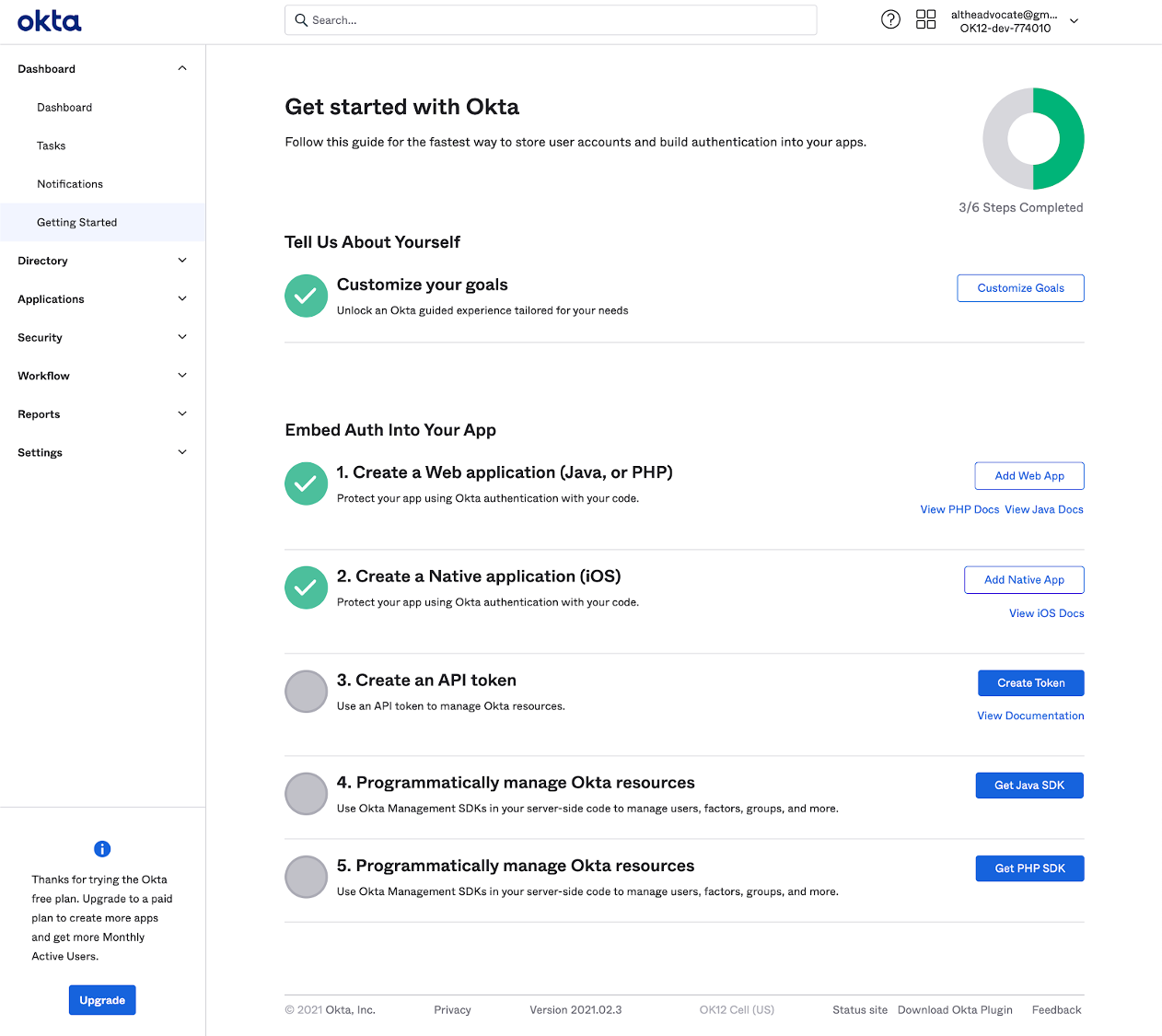
    Okta this week lowered the barrier to adoption of DevSecOps best practices by making available an Okta Starter Developer Edition to enable developers to embed Okta authentication, authorization and user management capabilities into applications at no cost for up to 15,000 monthly active users.

    Randall Degges, head of developer advocacy for Okta, said interest in identity management among developers is rising as a method for implementing zero-trust initiatives that better secure application environments. Rather than having to embed and maintain authentication and authorization themselves Okta is making a case for developers to invoke an application programming interface (API) to access a service that provides those capabilities on demand, noted Degges.

    The Okta Starter Developer Edition, announced at an online Oktane21 event, reduces the friction developers encounter as they look to embed identity management capabilities, such as multifactor authentication, into their applications, Degges said. Developers can, for example, access enhanced documentation and sample applications as well as new integrations with Kong, Heroku and Terraform platforms and tools, alongside integrations with multiple continuous integration and continuous delivery (CI/CD) platforms.

    In general, Degges said, the shifting of responsibility left toward developers is happening at a much faster rate because the level of appreciation for security among developers is now a lot higher. Identity management capabilities are simply another API that developers can now invoke as part of a DevOps workflow, noted Degges.

    The Okta Starter Developer Edition comes on the heels of the announcement of the acquisition of Auth0, a provider of authentication and authorization services that can be easily embedded within an application. That $6.5 billion deal, however, is not expected to close until summer.

    In the meantime, Okta is moving forward with the Okta Starter Developer Edition that could eventually create a large pool of applications that will one day consume Okta services for a fee as they scale. The more applications an organization deploys, the more likely it becomes that they will have more than 15,000 active users per month.

    In the meantime, the level of experimentation involving digital business transformation initiatives is likely to increase. Developers will be able to demonstrate to their often skeptical cybersecurity counterparts that their concerns have been addressed before an application is deployed in a production environment.

    It’s not clear what impact access to initially free identity management services might have on the adoption of DevSecOps best practices. In many cases, developers will take advantage of a service like Okta simply to address a requirement. Their appreciation for how that service fits within the context of a larger DevSecOps workflow might not be all that high.

    Nevertheless, the state of application security should improve in the months and years ahead. In fact, some developers may opt to update existing applications that, at present, do not meet zero-trust requirements to take advantage of identity management services that can be invoked via an API. Alternatively, the may also decide to replace authentication capabilities that are challenging for them to maintain and update with an API that calls a service. Regardless of the path forward, the historic divide between developers and cybersecurity teams appears to be finally narrowing.

  • The Best IAM Practices for DevOps

    The Best IAM Practices for DevOps

    Through identity and access management (IAM), it is possible to assign policies that determine whether a user and the role can access particular services or not. An IAM system is also supposed to maintain the principle of least privilege (POLP), which grants the roles and users the permission to access certain resources. As a business focuses on ensuring the IAM is secure, some of the issues that come about include experimenting using new forms of technology, building fast and reducing friction across teams.

    As the scope and number of IAM objects grow, it may be hard to answer questions such as:

    • Are there inline policies?
    • Which policies are assigned to groups?
    • Can another person assume the role of other principles or users?

    As a developer, there are different approaches you can use to ensure the IAM configuration is auditable, tidy and right-sized. Automation plays a key role in this case.

    Below are the best IAM practices for DevOps:

    Use Strong Passwords

    The majority of the users will opt for an easy password. In such an instance, a hacker can easily gain access with minimal effort. Users should create passwords that are highly secure by adhering to the following measures:

    • The password should have 14 characters or more.
    • Include one uppercase alphabet, one special character and non-alphabet characters.
    • Avoid reusing the same password.
    • Don’t use dictionary words.
    • Utilize password-generation tolls.

    Use Third-party Tools to Enhance Security

    For better results, it is advisable to look beyond the service. For example, tools are available that can automate the creation of the IAM policies, making it possible to save a considerable amount of administration time. However, such tools help to eliminate risks while accelerating different management tasks. The administrators should monitor them since they lack flexibility. Update such tools regularly to ensure they are always useful.

    IAM Permissions Review Using Access Levels

    The IAM policies should be reviewed and monitored to ensure efficient security. Such policies grant access to permissions needed to execute certain actions as per particular requirements. Policy summary can help to review policies that issue details regarding access level for specific services. The access levels include read, list, permission management, tagging and write.

    Use Multifactor Authentication

    IAM users should have access to multifactor authentication, which ensures response generation on the user’s device, part of the authentication process. To sign in, the user requires the response generated on the device and the right credentials. If the password is compromised, the account’s resources will be secure because of multifactor authentication.

    The response can be developed in the following manner:

    • A code is generated using U2F keys after tapping on the device.
    • For hardware devices, the response code is generated on the device. You’ll key in the code during the sign-in process.

    Get Rid of Unnecessary Credentials

    A good security practice should audit the user credentials regularly and get rid of the users who are not active. Credential reports help keep track of the access keys and the password’s life cycle. The report includes the date of creation, user details and when a password was last used or changed. If you’re using a password-rotation policy, you’ll receive a reminder that you should change your password. The auditor can download the credential report and perform additional tasks as per the requirements.

    Rotate Credentials Regularly

    Change access keys and passwords regularly for all IAM users and place a password policy in place. Also, IAM users should be enlightened about how frequently they should change the passwords.

    Never Share Your Account Credentials

    Avoid sharing your credentials. If anyone needs to access certain resources, you can create IAM users for them. In such an instance, you can assign permissions to different users.

    Monitor User Activities

    Organizations should monitor the activities of all the users to get a better view of cloud activities. By doing so, it will be possible to find any threats. A cloud access security broker (CASB) can provide cross-cloud visibility meant to monitor user activity and offer threat protection.

    Create a Strategic Plan for IAM

    After compiling identities and mapping the access points, you should decide the permissions to keep and change. Every organization should determine its priorities and liaise with the stakeholders while formulating a strategic plan regarding IAM. Put in place a common decision-making framework.

    Most firms usually start with privileged accounts. Since such accounts belong to the administrators, they are considered high-value targets for hackers.

    An account that has unnecessary access privileges is termed as a security liability. The risks are high if such an account can gain access to sensitive pieces of information. It is always good to determine who has access to the database or different applications.

    Come up with an Agile System

    Companies are dynamic since they do merge and acquire other firms. Departments are also reorganized in some instances, and people are also assigned new roles. The issue arises when you fail to notify the IT department.

    The change is constant; however, security lags since the access updates are limited to a specific time frame. Hackers can take advantage of such loopholes, making companies suffer from a massive data breach, which costs the firm a significant amount of money.

    Consider Unstructured Data

    Although managing access to applications such as emails is important, it is good to consider the information these applications contain. Ensure you assess the information beforehand to determine who can access it. Failure for an organization to keep track of unstructured data makes it hard to decide whether it’s being stored or transmitted securely.

    Some of these apps require social security and credit card numbers. Sending such information through an unencrypted email poses a data breach at some point. It’s, therefore, advisable to keep track of unstructured data.

    Conclusion: IAM Best Practices

    IAM comprises different pieces of the cloud security issue. By adhering to each of the practices above, it is possible to ensure tight security in the DevOps toolchain.

  • Multi-Cloud Adoption: Time to Rethink Your Identity and Access Management

    Multi-Cloud Adoption: Time to Rethink Your Identity and Access Management

    This may well be the decade that the data center’s reign falls, and multi-clouds prevail. A multi-cloud strategy, which incorporates cloud services from multiple vendors, promises plenty of benefits, including improved resilience and flexibility that makes it easier for enterprises to meet various application and data needs. But, there will also be operational challenges. Expect security, specifically identity and access management (IAM), to be one of them. 

    Gartner states that “by 2025, 80% of enterprises will have shut down their traditional data center, versus 10% today.” Except for a few mission-critical processes that will remain on-premises because they require intense oversight and control, much of an enterprise’s workloads and data will be spread across a multi-cloud environment, with users accessing applications from a range of devices from multiple locations–making it more difficult to secure, control, track and manage access to applications and services. Without a comprehensive IAM plan, an organization could be more vulnerable to attacks and data breaches.

    Instituting the right IAM strategy now, in concert with an evolving multi-cloud architecture, will help protect threats and ensure that the right users have access to the right information when they need it. To get started, we recommend following these key recommendations. 

    Get Your ID Store in Order

    IAM solutions are designed to make sure only people appropriately identified and cleared can access an enterprise’s systems and services. In today’s increasingly complex IT environment, an IAM solution must include an ID store that supports both on-premise systems and cloud services. Unfortunately, too many companies still rely on Microsoft Active Directory as the single source of truth for the IT services they provide. This needs to change.

    As companies begin to adopt multi-cloud architectures, they’ll soon discover that Active Directories are not flexible enough to support IAM, nor can they keep up with the growing number of potential threats. Integrating an identity software product that can manage users’ digital identities, credentials and groupings with Active Directory may work as temporary solution, but as user passwords and access rights are dispersed across on-premise and cloud-based systems, things can get complicated quickly, taxing even the well-resourced IT team.

    If you haven’t already done so, it may be time to extend Active Directory (AD) to Azure Active Directory (Azure AD), Microsoft’s multi-tenant cloud-based directory and identity management service that enables Single Sign-On (SSO) access to on-premise and cloud applications, putting users through an authentication process to prove they are who they say they are. It uses multi-factor authentication, a two-step identity verification system that requires two or more of the following methods: something you know (password), something you have (trusted device) or something you are (biometric screening).

    Embrace Zero Trust

    The premise of zero trust has been around for several years. According to CSO, the first model was defined by John Kindervag (then principal analyst at Forrester Research Inc.) in 2010. The idea is that when it comes to securing enterprise systems and data, no user–internal or external–can be trusted. Security threats are much more sophisticated today and are impacting organizations at greater rates than ever before.

    Malware such as phishing, email phishing and drive-by downloads–which can occur when visiting a website, viewing an e-mail message or by clicking on a deceptive pop-up window–put an organization’s identity and authentication at increased risk. Once an attacker gets a working identity and authentication method, he or she can do almost anything, including system damage, data leaks and destruction, and more. A zero trust network that rethinks approaches to resource access is quickly becoming a necessity.

    Part of the move to zero trust should include a decision to move away from passwords, which are still widely used. Passwords are typically too weak or often re-used, making them vulnerable and difficult to manage. As such, they don’t deliver robust enough security for sensitive systems and confidential information. A passwordless approach eliminates this problem by removing the need for users to remember passwords and for organizations to store them. There are several ways to go passwordless, including adopting biometric authentication such as touch ID and face recognition, and token-based methods such as mobile app authenticators or secured USB keys.

    Control Your Multi-Cloud Strategy

    Of course, distributing an enterprise’s workloads and data across larger numbers of clouds operated by different providers and located in various geographic regions can increase the complexity of IAM. IT staff will have to learn how to manage, provision, control, track and synchronize the systems in each environment, and such a highly distributed operation can easily become an operational challenge. Things can get even more messy, and risky, if an enterprise’s multi-cloud adoption develops in an ad-hoc manner.

    Multi-cloud best practices include working with existing cloud partners, adopting orchestration tools, controlling the risks of shadow IT and keeping the number of cloud environments to a minimum by adding only those clouds that support and elevate an enterprise’s business goals.

    With multi-cloud adoption on the rise, IAM is becoming increasingly important in order to protect against insider and outsider cyber threats and to ensure that the only the appropriate users can access the resources they need, when they need them. 2020 is the year to get identity and authentication right. It’s time to develop a comprehensive IAM strategy that includes an advanced ID store, zero trust and controlled multi-cloud adoption.

    — Richard Diver