Tag: disaster recovery

  • Linux Tweak Brings Big Speedup ¦ DCs in SPAAACE (Redux) ¦ Atlassian Fires 500

    Linux Tweak Brings Big Speedup ¦ DCs in SPAAACE (Redux) ¦ Atlassian Fires 500

    Welcome to The Long View—where we peruse the news of the week and strip it to the essentials. Let’s work out what really matters.

    This week: Intel optimizes Linux multithreaded networking, data centers in space (again), and more DevOps toolmaker layoffs. (more…)

  • Why Backups and Compliance Go Hand-in-Hand

    Why Backups and Compliance Go Hand-in-Hand

    It’s hard to run a business. Besides the numerous challenges you have to deal with daily, ensuring the security of your business and customer information is essential for operating smoothly. In order to mitigate information security risks that would affect companies and their users, a number of security regulations have been created, including a set of best practices that companies must follow.

    Compliance with these regulations will allow you to:

    ● Reduce security and privacy risks
    ● Strengthen control of key processes
    ● Align cybersecurity requirements with business processes
    ● Better understand cybersecurity goals and how to handle business security challenges
    ● Maintain effective cybersecurity programs
    ● Build customer trust and improve company reputation

    One critical requirement to achieve compliance is backups. Organizations back up information that’s vulnerable to threats like software or hardware failures, cyberattacks or human error. Any one of these problems could potentially lead to data loss, system malfunctions, financial losses and reputational damages. In this post, you’ll learn more about why data backups are an important part of compliance and about the benefits of having a robust backup strategy.

    Why are Backups Important for Compliance?

    Regulations like GDPR, PCI-DSS and HIPAA, along with others, were created to ensure that organizations implement the most reliable methods to secure all types of sensitive data from infrastructure failures and malicious attacks.
    Compliance can’t be achieved unless an organization handles data in a way that adheres to the outlined regulations.

    Certifications like ISO 27001 and SOC 2 are considered the most thorough audits an organization can go through to prove they have taken all the necessary steps to protect business and user data. Unlike the regulations mentioned above, ISO 27001 and SOC 2 aren’t legal requirements, but they’re especially beneficial to SaaS companies, data centers and organizations that deal with sensitive information. They make it very clear that the company takes data security very seriously and considers it a top priority. By properly implementing the data and privacy controls required, you can increase reliability and user trust as well as gain a competitive advantage over other companies.

    To be able to obtain such certifications and comply with regulations and different standards in general, you’ll have to maintain robust, up-to-date backup processes that ensure data is always protected but also available to users—even in cases of unexpected events like natural disasters, cyberattacks, data losses and human error. In other words, to comply with regulations, your backup processes must match your business continuity plan and the data backup tools you are using should be able to handle your backup processes.

    Backups, of course, do more than enhance business continuity, as mentioned above. Although they can’t prevent an attack or a data loss from happening, they’re an integral part of your overall security strategy since they allow you to restore lost or corrupted information, mitigating the consequences of such an event.

    There’s no fixed rule for how frequently you should back up. Still, ideally, to secure valuable information, you should implement a combination of full and partial backups as often as possible. Fortunately, great data backup solutions can efficiently handle this complex but crucial task.

    The Difference Between Backups and Compliance

    Backups and data availability are just one of the many requirements for a company to comply with any regulation. It’s an important part, but it’s not enough on its own. Obtaining a security certification isn’t a quick and easy process that you can decide to do and then finish a month later. It’s a time-consuming process that will require buy-in from every member of your team and will ultimately involve in-depth tests and evaluations of how you secure data.

    Although each certification is slightly different, all of them require a company to implement a wide range of security procedures. For example:

    ● Structure your organization in a way that allows optimal management of your services.
    ● Have a strong disaster recovery plan.
    ● Communicate in detail with users about how your system works, your security policies and your processes.
    ● Perform risk assessments regularly to identify risks, measure their impact and create a plan to address them quickly and effectively.
    ● Continuously monitor your security controls to verify they’re operating as expected.
    ● Make adjustments as needed to stay ahead of the latest security threats.
    ● Control physical access to your devices and prevent unauthorized access to your systems.
    ● Integrate best practice security procedures into your day-to-day workflows.
    ● Optimize system operations to detect vulnerabilities early and deal with security incidents.
    ● Clearly describe how you handle changes in your infrastructure to ensure that they won’t affect your business operations.

    The above is far from an exhaustive list, nor will it guarantee regulatory compliance. There are numerous criteria you need to fulfill. Although compliance might seem a huge undertaking, the benefits surpass the difficulties.

    As the security risks in the technology world are constantly changing and becoming more sophisticated, organizations must be able to deal with them or face the consequences. For businesses that want to protect their customers and themselves, following security standards has become necessary. But security compliance isn’t an easy task, and it’s made more complicated by the fact that all of the vendors you use must also be compliant.

    Having a reliable data backup strategy is a crucial step for compliance with regulations and achieving business continuity. Fortunately, there are top-notch data backup tools that can make this complex process easier. These tools allow you to back up regularly to secure your valuable data, and will often automatically run backups on a schedule of your choosing. If you wish to remain compliant and ensure your data is protected, I highly recommend installing a backup service.

  • Cloud Disaster Recovery Best Practices

    Cloud Disaster Recovery Best Practices

    It’s increasingly common for companies in all sectors to use the cloud to store their data. The cloud provides scalability, security and flexibility that was often inaccessible to businesses only a few years ago. But just like any other technology, it has its limits.

    What happens if a severe thunderstorm knocks out power to a data center or if an employee accidentally deletes critical files? These are the types of scenarios that, however unlikely, can still happen and cause significant disruptions to a company if they’re not prepared.

    That’s where cloud disaster recovery comes in. In this article, we’ll discuss why cloud disaster recovery is critical for businesses and the different strategies you can implement to ensure your data is always safe and accessible.

    What Is Cloud Disaster Recovery?

    Cloud disaster recovery (CDR) is a strategy that helps businesses keep their data safe in the event of an unforeseen disaster. This can be anything from a natural disaster like a flood or earthquake to a man-made disaster like a power outage, fire or cyberattack.

    There are many different cloud disaster recovery strategies that businesses can implement, but the most important thing is to have a plan in place so that you know what to do if and when something goes wrong.

    One Company’s Story of Cloud Impact: OVHCloud

    Before providing strategies, we wanted to give you a real-life example of a cloud disaster that impacted multiple businesses, big and small.

    In 2021, OVHCloud, one of the world’s largest cloud service providers, suffered a catastrophic fire at one of its data centers in Strasbourg, France. The fire destroyed the facility, causing widespread damage and leaving many businesses without access to their critical data.

    In the aftermath of the fire, it quickly became apparent that OVHCloud did not have a solid cloud disaster recovery plan. As a result, many businesses were left scrambling to find alternative solutions for their data storage and backup needs.

    The moral of the story is that even the biggest and most well-known companies can be caught off guard by a disaster. This is why it’s so important for businesses of all sizes to have a cloud disaster recovery plan.

    Now that we’ve seen the importance of cloud disaster recovery, let’s look at strategies you can implement to keep your data safe.

    Cloud Disaster Recovery Strategies

    When discussing cloud disaster recovery strategies, many options are available, but not all of them will be right for every business. The key is to find the strategy or combination of strategies that work best for you and your company.

    Here are some of the most common cloud disaster recovery strategies:

    1. Know Your Infrastructure

    The first step in any cloud disaster recovery strategy is to understand your current infrastructure and what assets and data you have. Your assets can include everything from physical servers and hard drives to cloud-based applications and data. 

    Do the homework necessary to understand what you have and where it’s located. For example, take inventory of all of your assets and determine which ones are critical to your business operations. 

    Once you know what you have, you can start to develop a plan for how to protect it. Yes, this may take some time, but it’s an essential step in protecting your data.

    2. Conduct a Business Analysis

    Data breaches within the cloud can come in many different forms. From unexpected data loss to malicious cyberattacks, it’s important to understand the different ways your data could be compromised. This is where conducting a business impact analysis comes in.

    A business impact analysis (BIA) is a process that focuses on identifying and evaluating the potential risks to your business. Rather than focusing on the causes of the breakdown, a BIA focuses on the potential impact of the disruption. The impact can include things like loss of income, damage to reputation and compliance issues.

    By conducting a BIA, you can better understand the risks your business faces and what steps to take to protect against them. For example, using endpoint security vendors can help protect your data by preventing attacks on endpoints on or off the network.

    3. Draft a Disaster Recovery Plan Based on RPO and RTO

    Once you’ve conducted a BIA and clearly understand the risks your business faces, you can start to draft a disaster recovery plan, specifically around the recovery point objective (RPO) and recovery time objective (RTO).

    Your RPO measures how much data is lost during a disruption, while your RTO measures how long it takes to recover from it. By understanding these two factors, you can start putting together a plan that meets the specific needs of your business.

    It’s important to note that your RPO and RTO will likely differ based on the type of data you’re working with. For example, if you’re working with data that can be easily recreated, your RPO may be relatively low. However, if you’re working with mission-critical data that can’t be easily replaced, your RPO will be much higher. The same is true for RTO.

    Regardless, you want to ensure that your disaster recovery plan is based on your specific RPO and RTO so you can recover from a disruption promptly and with minimal data losses.

    4. Have a Strong Cloud Backup Solution

    No matter what cloud disaster recovery strategy you implement, it’s essential to have a strong backup solution in place. It will ensure that you can quickly pivot to a different strategy and dodge the hefty price tag that often comes with data loss and encrypted files when there’s no backup.

    There are several different backup solutions available, so you must find one that meets the specific needs of your business based on the type of data you have and how often it changes.

    5. Test Out Your Disaster Recovery Plan Regularly

    Once you have your disaster recovery plan in place, it’s important to test it out regularly. Testing will ensure that your plan works as intended and that you can recover from a disruption quickly. Things to test for include data backups, file restores and application availability.

    You should also involve your entire team in the testing process so everyone knows what to do in the event of a disruption. Look for collaboration software that comes with important tools such as chat, video conferencing and task management so your team can easily communicate and work together, even when they’re not in the same place.

    Final Thoughts

    There you have it! These five cloud disaster recovery strategies can protect your business from data loss and keep your operations running smoothly. We suggest starting this process as soon as possible so you can be well-prepared for whatever comes your way.

  • Fire at Data Center Causes Chaos | 20% Costlier Cloud

    Fire at Data Center Causes Chaos | 20% Costlier Cloud

    Welcome to The Long View—where we peruse the news of the week and strip it to the essentials. Let’s work out what really matters.

    This week: A South Korean conflagration leads to a ridiculously long outage, and the price of public cloud is skyrocketing. (more…)

  • Heat Cooks Twitter DC | AI Will Kill All Humans | Patreon Layoffs, CSAM Claim

    Heat Cooks Twitter DC | AI Will Kill All Humans | Patreon Layoffs, CSAM Claim

    Welcome to The Long View—where we peruse the news of the week and strip it to the essentials. Let’s work out what really matters.

    This week: Twitter is in a “non-redundant state” thanks to a hot summer, AI is likely to eliminate us, and Patreon fires 80 staff amid nasty allegations (TW: Child safety). (more…)

  • No Matter How Things Change, Have a Plan

    No Matter How Things Change, Have a Plan

    Had enough change yet? It is almost amusing that I and some other tech people had that conversation a decade ago, and since then, nothing has slowed down. Our conclusion was that, for the near future, change would be constant. That conclusion was right; I’d have to ping everyone else to see what they think, but “near future” turned out to be longer than I expected.

    Inevitably, though, change requires taking a breather at times. It appeared that high-tech was finally ready to admit that burning out your staff was not a viable long-term business model, and was slowing down … and then, COVID-19 hit. Now I’m hearing rumblings about going back to non-stop change as if the last couple of years were a vacation and staff is all rested up and ready to replace massive chunks of the infrastructure.

    The reason that change requires intermissions, though, is not 100% about staff and burnout. That only shows up when you’re making a ton of change non-stop. Before staff burnout becomes an issue, recovery and business continuity plans become outdated. At the rate we’ve been running, I’d go so far as to say they are likely useless.

    Yes, all this change has brought us some cool stuff. While we are busier, some of the busywork is far easier, or even non-existent now—but that doesn’t change the fact that you need to breathe. This is a perfect time to go over plans to keep the business on its feet in case of IT catastrophe—or at least some major systems catastrophe. Saying “We’ll just deploy a new version” is cool, but it only works in some scenarios. I touched on this and discussed one case where it doesn’t work in October 2021. But there are a ton more. Every environment is different, but hardware failures have not disappeared and destructive writes still occur, as just two more examples. Your infosec team can give you a few more examples.

    Knowing what you’re going to do when the worst-case scenario happens is huge. And for those who’ve never been through it, knowing before people are stressed and asking you for a timeline will save you a lot of headaches.

    For those who’ve never had a DR or business continuity plan, consider it. At least have a basic DR plan that lists critical systems, things most likely to go wrong and what the steps are to recover it and get things moving again. The process of making such a list will often uncover things that should be done but aren’t—like backups or backup verifications.

    For those with a DR or business continuity plan, I’ll take a wild shot and say, “It’s out of date.” Organizations tend to create them and then forget about them. These plans should involve a bit of each project, so it’s taken care of in bite-sized chunks, but—probably because the first implementation of DR or BC is normally a massive project—it tends to be set aside and revisited every few years. Don’t do that.

    As I’ve said before, you and yours have built the heart of the modern enterprise. Don’t forget to protect it. It doesn’t take much to use some of these sweet new technology advances to put in DR procedures. Tack DR review/updates onto each major initiative, be it a new product or a big change to existing software. And keep rocking it. If you have a say in your organization, consider slowing the pace down for a bit and even updating DR. If you don’t have a say, may your employer be wise enough to do so.

  • But What About When You Fail?

    But What About When You Fail?

    One thing Agile and DevOps definitely brought IT was a more accepting view of the whole “mistakes happen” mantra. Crashing systems is no longer a guarantee of a free ticket out the door. Indeed, off the top of my head, I can think of at least two cases where a CIO themselves checked in sloppy code and it trashed the system—CIOs at orgs big enough that they probably should not have been coding in the first place.

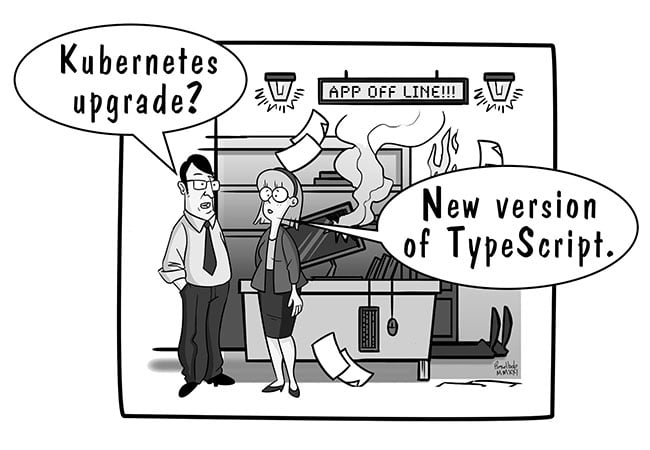
    And that brings us to today’s blog. The standard response to “But what if there is a bad update?” is “We’ll just roll out a new version!” That works in some instances. In a lot of instances—most that involve GitOps as part of DevOps—it doesn’t. Implosions can be huge and take out chunks of infrastructure. So you need a better plan than just assuming you can fix it with a forward update. Do you have rollback capability? Are you making use of it, assuring all is set to roll back if needed? Testing to make sure rollback works with the other changes made across the system in this update?

    That is part of the problem. Fixing with a new update is the best option, simply because in the age of massively distributed, microservices-based solutions, rolling back comes with a ton of baggage—enough that it may not be viable for you. Okay. So you can’t quickly roll forward. You can’t quickly roll back. Quick! What do you do?!

    And I don’t have the answer to that question, because I’m not in your organization working on your systems. At some point, all IT is personal. And this is one of those points. You need to know what your best options are if an update spirals everything, and you need to have a plan to implement it. But what your best options are is not going to be the same as the next org. This is that point.

    One option is to keep the ability to build the entire system. That’s a large setup, but every minute systems are down is hurting the company. And that’s what you need to plan for. Think of it as disaster planning for DevOps. A man-made disaster that destroys systems and infrastructure.

    So, like any other disaster planning scenario, walk through the chain that makes the system work, identify weaknesses and list ways to address them. Then test those to make certain they do what you hope they will. Then, set up an automated system to keep this whole plan up-to-date.

    In short, we’re in a new automated landscape, and we need a new automated tool to pull our rears out of the fire when the inevitable happens. Be it from dev error or malicious attacker, it is a safe bet that, sooner or later, you will have a massive systems outage that your DevOps toolchain can’t adequately address. Know what you are going to do. Or at least have thought about it, so you’re not just starting to think it through while coworkers and customers can’t access systems.

    And keep rocking it. This is just another layer of protection for all the hard work you’re doing. Take the extra step. Like insurance, if you ever need it, you will absolutely be glad you did.