Tag: devsecops

  • A Security Vulnerability Management Guide

    A Security Vulnerability Management Guide

    Living in a container-native world is not easy. Containers have a reputation for being a point of entry for security vulnerabilities for many organizations. In 2015, according to a research paper, over 40% of Docker images distributed through Docker Hub had high-risk vulnerabilities; at that time there were more than 95,000 container images hosted on Docker Hub. Today, there are over 3.5 million container images on Docker, and container security is of even greater concern. In a more recent 2020 study by a team of researchers at the Norwegian University of Science and Technology found container image vulnerabilities in certified and popular packages.

    This is just one example of one kind of security vulnerability. This article will share an introduction to security vulnerabilities and the role of vulnerability management for containers and other artifacts in a continuous integration and continuous delivery (CI/CD) pipeline.

    What is a Security Vulnerability?

    A vulnerability is a weakness or flaw present in software. Security vulnerabilities can be present in application dependencies or operating system (OS) packages. Common vulnerabilities include missing data encryption, buffer overflows, missing authentication for critical functions and insecure interactions between software components.

    There are different risks associated with different types of vulnerabilities. With critical or high-risk vulnerabilities, an attacker who exploits your software has the potential to seriously impact your organization. Risks associated with data breaches impact not only an organization, but also its end users and customers.

    Vulnerability Management Techniques

    Vulnerability assessment practices and tools exist to make detecting vulnerabilities simple, accurate and fast. Some of these practices include:

    • Penetration testing – Penetration testing, or pen testing, allows you to identify security vulnerabilities by attempting to break into your own systems to identify weaknesses.
    • Configuration management – Configuration management involves managing infrastructure configurations and identifying missing patches that leave your software service vulnerable to errors and risks. There are tools that provide infrastructure scanning as-a-service to help detect outdated or misconfigured instances.
    • Container and application Scanning – Allows you to detect vulnerabilities in deployable artifacts and running applications. Some available tools for container scanning include Twistlock, Clair and Trivy.

    These practices help build solid, repeatable vulnerability management techniques across your security and delivery teams. One way to scale these security practices is through security automation. Security automation is the use of technology that performs tasks with reduced manual assistance. It ultimately enables users to apply security decisions automatically and secure processes to deliver more robust applications and infrastructure.

    Security Practices in your CI/CD process

    Security automation is a core tenant of DevSecOps. DevSecOps is short for development security and operations, and it describes how organizations deliver and make security decisions and actions within the development life cycle of their valued deliverables.

    DevSecOps is a way of continuously integrating security in the software development life cycle. It’s a way of working and thinking so that security is at the forefront of how security teams deliver business value.

    One way to enable DevSecOps is through your CI/CD pipeline. Today’s enterprises can use CI/CD to accelerate better software delivery, but with that speed it becomes even more important to enable robust security. Vulnerability scanning improves software security while giving individuals across engineering and product teams accountability for each of the processes these teams own.

    Don’t let Security Vulnerabilities Ruin your DevSecOps

    This is a simple, basic introduction to security vulnerabilities and the risks they pose for your organization. There are practices and tools for detecting and reducing security vulnerabilities, and finding ways to incorporate those processes into a CI/CD pipeline is a great way to accelerate your DevSecOps.

  • Guide for Software Development & Software Security

    Guide for Software Development & Software Security

    In order to ensure an efficient, secure and successful software development project, there are many factors that you and your team must consider when starting a new project. The most common and pertinent considerations for many include defining the requirements of the project, selecting the correct processes for each stage of the software development project, selecting the right software development tools and ensuring the proper practices are implemented for software security.

    As meeting each of those considerations for an effective software development project can be a daunting and time-consuming challenge, we recommend you follow this step-by-step guide that will help walk you through how to organize a secure and successful project.

    Understand Your Software Development Project Requirements

    As you begin your software development project, there are several details that you must complete to help you better understand your software development project requirements.

    • Outline the project
    • Define the project vision
    • Identify compliance requirements
    • Select a flexible programming language
    • Develop a code design
    • Establish code architecture

    By completing the above tasks, you are able to create a reliable and secure framework for your software development project.

    How to Define Your Software Development Process

    As your development process will be unique to the needs and requirements of your software development project, we recommend that you consider including the following details into your process:

    • Identify what software security best practices will need to be enforced
    • Align on a development methodology
    • Organize your environment setup
    • Use repository tools
    • Enforce software security with secure coding practices
    • Incorporate checks into your development pipeline
    • Have a definition of “done” for your software development project tasks and features
    • Encourage feedback and communication

    Including the above details into your software development process helps to ensure software security as well as increase the success of your software development project.

    How to Choose the Right Software Security Tools for your Software Development Project

    One of the most important parts of your software development project is to choose the right tools. With the right tools, you are able to standardize your project and enable your entire team to work together more efficiently and effectively. Regardless of what the specifics of your software development may be, we recommend that your toolset includes:

    • Version control system
    • Static code analyzer
    • Application lifecycle management tool

    These tools help to ensure that your project is well-organized; your software reliable, compliant and high quality; and that software security is enforced.

    How to Set Up DevSecOps for Your Software Development Project

    DevSecOps is essential for efficient and secure software development, as it can help your team:

    To read more, please visit: https://www.perforce.com/blog/kw/software-development-and-software-security

  • Orchestration Emerges as Crucial DevSecOps Enabler in 2021

    Orchestration Emerges as Crucial DevSecOps Enabler in 2021

    As DevSecOps best practices continue to evolve and mature in 2021, security orchestration is emerging as a cornerstone of a solid defense-in-depth approach to application security.

    DevSecOps assumes organizations will shift responsibility for application security further left toward developers. If this assumption is correct, then developers clearly need access to a range of code analysis tools to achieve that goal. The challenge they face is incorporating tools from multiple vendors within a DevSecOps workflow. At different points in the development process, it may make sense to employ a static application security tool (SAST) versus a dynamic application security tool (DAST) that stress-tests the application just before it is deployed.

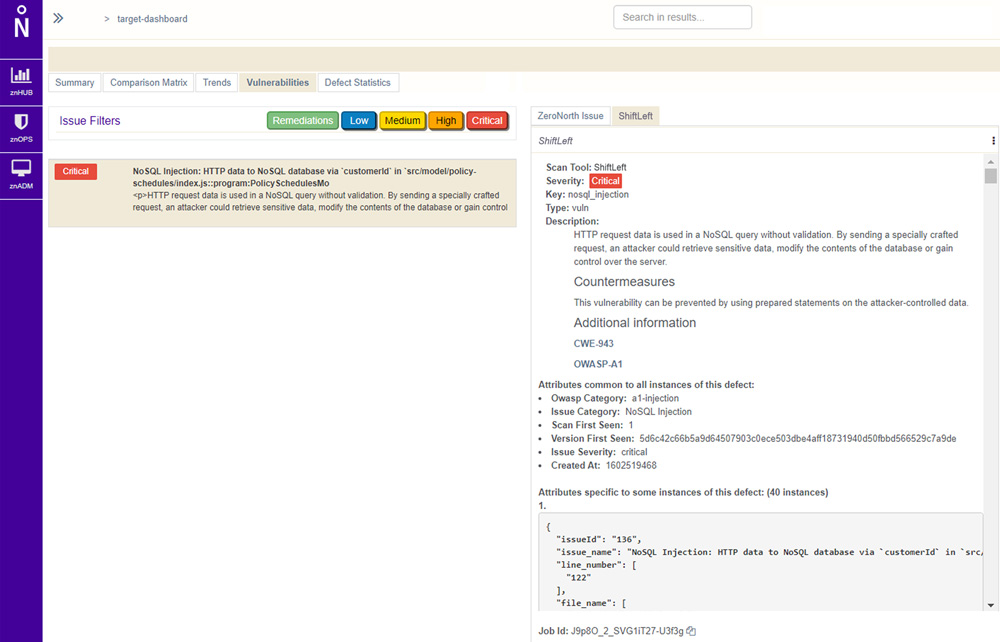
    Not surprisingly, providers of these tools are starting to align with security orchestration engine providers. ZeroNorth, for example, recently added ShiftLeft, a provider of a SAST tool, to the list of security tools that can be orchestrated via its software-as-a-service (SaaS) platform.

    Joanne Godfrey, director of product marketing for ZeroNorth, said organizations that have embraced DevSecOps are standardizing on two to three security tools. This mitigates the risk of becoming overly dependent on a single tool to discover vulnerabilities, Godfrey said. No single security tool can uncover every possible vulnerability in a timely manner, so DevOps teams must work to integrate multiple security tools into their workflows.

    Developers need tools capable of identifying vulnerabilities as they write code. They should also construct tests to proactively flag vulnerabilities before those are incorporated into a larger build. New vulnerabilities, however, are discovered all the time and it’s not uncommon for a container build deemed safe yesterday to suddenly need an update as quickly as possible. DevOps teams also need to secure the runtimes and hosts on which application builds are deployed, which typically requires more collaboration with the security teams usually responsible for managing platform security and DevSecOps.

    Despite this need to collaborate closely, the cultural divide between DevOps and cybersecurity teams is often wide. While there’s a lot of interest in DevSecOps best practices, developers don’t always prioritize application security when there are delivery deadlines to be met. This often results in security issues being addressed late in the application development process or, worse, addressed after the fact as part of an update delivered after an application has been deployed in a production environment.

    As application development accelerates, it’s imperative that the current divide between DevOps and security teams is bridged. Short-handed cybersecurity teams simply can’t keep pace with the rate at which applications are being built, deployed and updated. The need to shift more application security responsibility left toward developers increases daily.

    The challenge now is, rather than simply delivering an empty DevSecOps sermon, IT leaders need to practice what they preach and provide developers with the tools and processes required to secure their applications.

  • The Best IAM Practices for DevOps

    The Best IAM Practices for DevOps

    Through identity and access management (IAM), it is possible to assign policies that determine whether a user and the role can access particular services or not. An IAM system is also supposed to maintain the principle of least privilege (POLP), which grants the roles and users the permission to access certain resources. As a business focuses on ensuring the IAM is secure, some of the issues that come about include experimenting using new forms of technology, building fast and reducing friction across teams.

    As the scope and number of IAM objects grow, it may be hard to answer questions such as:

    • Are there inline policies?
    • Which policies are assigned to groups?
    • Can another person assume the role of other principles or users?

    As a developer, there are different approaches you can use to ensure the IAM configuration is auditable, tidy and right-sized. Automation plays a key role in this case.

    Below are the best IAM practices for DevOps:

    Use Strong Passwords

    The majority of the users will opt for an easy password. In such an instance, a hacker can easily gain access with minimal effort. Users should create passwords that are highly secure by adhering to the following measures:

    • The password should have 14 characters or more.
    • Include one uppercase alphabet, one special character and non-alphabet characters.
    • Avoid reusing the same password.
    • Don’t use dictionary words.
    • Utilize password-generation tolls.

    Use Third-party Tools to Enhance Security

    For better results, it is advisable to look beyond the service. For example, tools are available that can automate the creation of the IAM policies, making it possible to save a considerable amount of administration time. However, such tools help to eliminate risks while accelerating different management tasks. The administrators should monitor them since they lack flexibility. Update such tools regularly to ensure they are always useful.

    IAM Permissions Review Using Access Levels

    The IAM policies should be reviewed and monitored to ensure efficient security. Such policies grant access to permissions needed to execute certain actions as per particular requirements. Policy summary can help to review policies that issue details regarding access level for specific services. The access levels include read, list, permission management, tagging and write.

    Use Multifactor Authentication

    IAM users should have access to multifactor authentication, which ensures response generation on the user’s device, part of the authentication process. To sign in, the user requires the response generated on the device and the right credentials. If the password is compromised, the account’s resources will be secure because of multifactor authentication.

    The response can be developed in the following manner:

    • A code is generated using U2F keys after tapping on the device.
    • For hardware devices, the response code is generated on the device. You’ll key in the code during the sign-in process.

    Get Rid of Unnecessary Credentials

    A good security practice should audit the user credentials regularly and get rid of the users who are not active. Credential reports help keep track of the access keys and the password’s life cycle. The report includes the date of creation, user details and when a password was last used or changed. If you’re using a password-rotation policy, you’ll receive a reminder that you should change your password. The auditor can download the credential report and perform additional tasks as per the requirements.

    Rotate Credentials Regularly

    Change access keys and passwords regularly for all IAM users and place a password policy in place. Also, IAM users should be enlightened about how frequently they should change the passwords.

    Never Share Your Account Credentials

    Avoid sharing your credentials. If anyone needs to access certain resources, you can create IAM users for them. In such an instance, you can assign permissions to different users.

    Monitor User Activities

    Organizations should monitor the activities of all the users to get a better view of cloud activities. By doing so, it will be possible to find any threats. A cloud access security broker (CASB) can provide cross-cloud visibility meant to monitor user activity and offer threat protection.

    Create a Strategic Plan for IAM

    After compiling identities and mapping the access points, you should decide the permissions to keep and change. Every organization should determine its priorities and liaise with the stakeholders while formulating a strategic plan regarding IAM. Put in place a common decision-making framework.

    Most firms usually start with privileged accounts. Since such accounts belong to the administrators, they are considered high-value targets for hackers.

    An account that has unnecessary access privileges is termed as a security liability. The risks are high if such an account can gain access to sensitive pieces of information. It is always good to determine who has access to the database or different applications.

    Come up with an Agile System

    Companies are dynamic since they do merge and acquire other firms. Departments are also reorganized in some instances, and people are also assigned new roles. The issue arises when you fail to notify the IT department.

    The change is constant; however, security lags since the access updates are limited to a specific time frame. Hackers can take advantage of such loopholes, making companies suffer from a massive data breach, which costs the firm a significant amount of money.

    Consider Unstructured Data

    Although managing access to applications such as emails is important, it is good to consider the information these applications contain. Ensure you assess the information beforehand to determine who can access it. Failure for an organization to keep track of unstructured data makes it hard to decide whether it’s being stored or transmitted securely.

    Some of these apps require social security and credit card numbers. Sending such information through an unencrypted email poses a data breach at some point. It’s, therefore, advisable to keep track of unstructured data.

    Conclusion: IAM Best Practices

    IAM comprises different pieces of the cloud security issue. By adhering to each of the practices above, it is possible to ensure tight security in the DevOps toolchain.

  • XDR: The DevOps Transformation of Security Infrastructure

    XDR: The DevOps Transformation of Security Infrastructure

    eXtended detection and response (XDR) is a security technology that unites multiple security systems into one. Organizations are transitioning from traditional systems such as endpoint detection and response (EDR) and security and information event management (SIEM) to XDR, in a move that is analogous to the transition from agile to DevOps work processes.

    XDR can detect threats quickly by automatically collecting and combining information from across the IT environment—endpoints, servers, email and social media messages, cloud and application workloads—giving security analysts the context they need for fast investigation and response.

    In many cases, attacks occur in the borders between security silos. Each silo may be adequately protected by a security solution, but in between those silos, attacks remain evasive because security analysts have a limited view on the environment, determined by their security tooling. XDR connects silos with a unified threat identification and response strategy.

    Just like in the past development and operations teams were responsible for separate silos, with independent tooling and split responsibilities, security teams are split into silos, with limited communication between them. Security threats that cut across silos are difficult to mitigate. XDR enables new organizational structures in which security teams work together, with shared responsibility for mitigating threats, no matter where they occur in the IT environment.

    Benefits of XDR

    The purpose of XDR is to promote the visibility of threats and security incidents throughout an organization’s ecosystem. Its key benefits include:

    • Centralized monitoring and management – XDR solutions provide a single pane of glass for security incidents happening across the corporate network, endpoints and workloads. Consistent security rules can be implemented across diverse IT infrastructure, both in the cloud and on-premises.
    • Unified visibility – XDR integrates security visibility  across endpoints, cloud infrastructure, network traffic, etc. This allows security analysts to understand potential security incidents without having to learn and use other platforms.
    • Fast ramp up – XDR offers built-in integration with an organization’s IT infrastructure, and uses multiple threat discovery mechanisms from a variety of security technologies. Because analysts only need to learn one platform, time to value dramatically increases.
    • Increased productivity – XDR eliminates the need to manually switch between multiple dashboards or tools to collect security data. This allows analysts to more effectively detect and respond to security threats.
    • Low Total Cost of Ownership (TCO) – XDR provides a fully integrated network security platform. This can reduce the costs associated with purchasing, configuring and integrating multiple solutions.
    • Analyst empowerment – XDR provides a shared workflow for all tiers in the security organization. This reduces the need for training and allows Level 1 analysts to perform more in-depth analysis, reducing their need to escalate to higher analyst tiers.

    XDR is designed to give security teams full visibility into an organization’s endpoints and network infrastructure. Increased visibility has many security benefits:

    • Unified detection and remediation – XDR provides centralized and integrated incident response capabilities across all corporate environments. This allows security personnel to quickly identify threats, mitigate them and recover, all using the same platform, reducing the impact on the organization and overhead costs.
    • Better understanding of threats and attacks – Attack indicators are rare and far between, and each one on its own may not be enough for analysts to identify the threat. XDR collects these signals from multiple sources, across environments and over time, helping analysts identify threats that would otherwise remain invisible.
    • Threat hunting – With unified visibility and data analysis accessible to everyone in the security environment, all analysts can carry out proactive analysis to identify threats that have already compromised the corporate environment.

    How Does XDR Work?

    What is the real difference between an XDR system and the traditional toolchain of endpoint detection and response (EDR), security orchestration, network protection and data analysis tools?

    The answer is the language it uses. An effective XDR system should provide a unified, abstracted language to describe security signals, data and security controls. This language clearly specifies the potential security associations of each data point, by adding the concept of an “attack history.”

    The XDR security language removes certain non-essential information, but suppresses noise, revealing high-risk attacks. It does not require expert manipulation, so security analysts do not need to be interpreters anymore—they can spend their time actually mitigating attacks. It is easy to understand, rich with context and content, based on advanced technology, but generating straightforward outputs that make an analyst’s job easier.

    This unified security language is new, because the technology needed to enable it was not available until recently. Here are some of the advanced technologies that have recently matured and power the XDR information experience:

    • Threat intelligence feeds – Now delivered in real-time and with more data and context.
    • Next-generation machine learning – Multidimensional traffic algorithms that take into account signals from many independent data sources, unlike traditional systems such as user and event behavioral analytics (UEBA), which had a narrow set of inputs.
    • Natural language processing (NLP) – Algorithms that can be trained to draw conclusions from security rules, revealing information about threats, security alerts and how they interact with security controls.
    • Reasoning mechanisms – Algorithms that identify causal relationships, allowing the system to aggregate data points and automatically generate an attack story. This is a dynamic analysis, not based on predefined rules as with old-school security information and event management (SIEM) systems.

    Mistakes to Avoid With XDR Platforms

    While XDR is widely believed to be the future of EDR and network security, it is a new technology and there are several pitfalls you should try to avoid in your implementation:

    • High integration complexity – Check the cost and effort involved in integrating the XDR solution with your environment. Maintaining this integration is also costly. For example, if your organization already has a SIEM, integrating it with the XDR system is non-trivial.
    • Time to implement – The adoption time required for an XDR solution is crucial. Organizations are transitioning to remote work, and attackers are using remote workers, unsecured remote devices and networks, to gain access to sensitive data. A detection and response solution that takes weeks or months to successfully integrate into the stack is risky.
    • Limited automated analysis – Some XDR solutions do not leverage the full power of AI-driven analysis, limiting themselves to initial data processing and correlation, which may be better than existing systems, but still require manual work from analysts.
    • Operational complexity – The promise of XDR is to simplify workflows and improve productivity. If the XDR solution itself is too complex or requires analysts to learn new skills, adoption may be difficult and the total cost of the solution increases accordingly.

    An Enabler for DevSecOps

    XDR is not just a technology platform, it is a new organizational model that will help security teams work more closely together, focusing on threats rather than on specific tools or IT systems.

    This ties into a broader movement in security organizations to transition to DevSecOps models, in which developers, security and operations work together to shift security left and integrate security into all parts of the development life cycle.

    XDR technology will make it easier for security teams to act as a whole, and apply security tooling and practices consistently to a variety of environments, from a developer’s workstation to a full production environment. Thus, XDR may become a key enabler for the easier adoption of DevSecOps methodologies in highly secure environments.

  • Dynatrace Adds Security Module to Observability Platform

    Dynatrace Adds Security Module to Observability Platform

    Dynatrace announced today it is adding a module to provide continuous runtime application self-protection (RASP) capabilities to its observability platform.

    The Dynatrace Application Security Module leverages existing Dynatrace tracing and artificial intelligence (AI) technologies to detect threats in real-time and then apply appropriate policies to automatically secure applications.

    Andreas Lehofer, chief product officer for Dynatrace, said that with the rise of highly dynamic microservices-based applications, the time has arrived to extend the company’s platform into the realm of application security. In contrast, there aren’t typically as many changes to monolithic applications to justify adding a security module to an application performance management (APM) platform, he said.

    Lehofer said the Dynatrace Application Security Module has also been designed to reduce false positives by only surfacing alerts concerning code that is actually running. Rival RASP platforms will detect modules and start generating alerts about libraries that may be present in an application environment but are not actually employed, said Lehofer.

    The Dynatrace Application Security Module working with the Smartscape topology mapping and PurePath tools for analyzing code also make it possible for DevSecOps teams to better understand dependencies between microservices, he added.

    At the core of the Dynatrace approach to DevSecOps is its OneAgent software for application instrumentation, which collects data and feeds it back to an observability platform that includes an artificial intelligence (AI) engine dubbed Davis. As the Dynatrace Application Security Module continues to evolve, IT organizations should expect Dynatrace to apply AI capabilities to application security more broadly, Lehofer said.

    The ability of DevSecOps teams to automatically remediate applications that are discovered to have significant security issues depends on their ability to roll back applications after they have been deployed. Most IT organizations at the moment still have to manually roll back an application after it’s been deployed, he noted.

    Longer-term it’s not clear to what degree AI might advance DevSecOps; however, the more automated the process of identifying vulnerabilities becomes, the easier it should be to automate remediation.

    In the meantime, as the observability capabilities of platforms such as Dynatrace extend into application security, the easier it should become for organizations to embrace best DevSecOps practices by employing a module that is added on to an existing APM platform.

    Dynatrace, of course, is betting microservices-based applications will increase the adoption of its observability platform. Historically, IT teams tended to employ an APM only to instrument their most mission-critical applications because of the costs involved. However, as IT environments become more complex in the age of microservices, platforms that can observe all the dependencies that exist in a distributed computing environment are now critical. Extending that platform to include application security further extends the economic case for investing in an observability platform.

    It may be a while before most organizations reach a level of DevSecOps maturity that requires continuous observability, but as responsibility for application security continues to shift further left, it’s now only a matter of time before more automation is applied.

  • Integrating Security in the Development Process With DevSecOps

    Integrating Security in the Development Process With DevSecOps

    Occasionally, it’s worthwhile to reflect on how we develop and deliver software during times of rapid change and significant disruption. In those moments of reflection, we learn from the exciting trends and changes that are taking place. Recently I had the opportunity to commiserate with two technical thought leaders at Perforce: Stuart Foster, product manager, and Steve Howard, static code analysis evangelist.

    The disruption caused by COVID-19 goes much deeper than just the rapid shift to work-from-home. Development teams are being asked to keep up developer velocity, while the organization as a whole accelerates digital transformation projects, shifting priorities and emphasizing investments needed to successfully navigate difficult and uncertain economic and market conditions.

    In our conversation, we note how investments already made in shifting to the cloud, remote and cloud-based development, automated testing and pipeline automation and security tools are helping organizations today. We also explore how current conditions influence product roadmaps, causing software teams to take a holistic look at their development processes and tools, and organizations to rethink how to take their software delivery capability to the next level.

    Stuart and Steve share their software best practices on collaboration, automation, security, standardization and more.

    Explore our conversation in more depth by viewing the video and transcript below.

    Transcript

    Mitch Ashley: Well, I’m happy to be joined by Stuart Foster, who’s product manager with Perforce, and Steve Howard, static code analysis evangelist, and I think a lot of other things, too—does a lot with Perforce. So, welcome, gentlemen—good to be talking to you today.

    Stuart Foster: Thanks, Mitch.

    Steve Howard: Hello.

    Ashley: You know, we’re talking about—you know, Perforce does a lot of things, and I think we’re just kind of focusing on what maybe some of the current conditions, current best practices are. There’s a lot happening right now in everybody’s world—a lot of change, a lot of disruption.

    But before we get to that, could I have you both introduce yourselves? Maybe Stuart, would you start first?

    Foster: Yeah. Hi, everybody, I’m Stuart Foster, I’m Perforce’s product manager for our static code analysis products.

    Ashley: Great—Steve?

    Howard: Yeah, and I’m—well, I have, as you say, many jobs and roles within the organization, but primarily focusing on the evangelism around using static code analysis for both of our products, Klocwork and QAC, here at Perforce, yeah.

    Ashley: If you’re working with developers, you gotta be doing evangelism, right?

    Howard: Yeah. [Laughter] 

    Ashley: They expect you to give them support, and be talking to them, in a different kind of way. Tell us—would one of you tell us a little bit about Perforce and what all you all do?

    Howard: Yeah, sure—well, I’ll take that. So, Perforce is an organization, obviously as, you know, originally comes out of the version control software. But really, it’s about developer tools and how we can help make the developer’s life easier in the day to day tasks. So, whether that be trying to prove compliance to standards or just trying to get the stuff out the door in the first place—anything that we can do to help make that process smooth and reliable is kind of where we are. And, you know, these days, that has a bit of a—a buzzword, if you will, around the DevOps tooling ideas, but essentially, it’s developer tools and making their life more comfortable.

    Ashley: That’s great, because you all fit into a number of places in the sort of tool chain, pipeline, workflow process across the development life cycle.

    Howard: That’s right, yeah.

    Ashley: So, that’s awesome. Well, let’s get into this. I’m really curious about what you’re finding in market, and one of the things we like to do when I’m talking with experts like yourself is, let me just try to share some of the things that we’ve experienced within the past, but also kinda recently that it’s happening, because we’re all dealing with economic change, disruption, COVID, work from home, all of those kind of things, but you know, we’ve done some research at my company and there’s a lot—of course, a great, great emphasis on acceleration of digital strategies and, of course, that puts a lot of pressure and emphasis and people are betting money on software being the answer to helping them implement their strategies.

    Are you seeing the same kind of thing, that acceleration of digital transformation and software—elevation of software projects?

    Foster: Yeah. We’re seeing that across the board, even in our own company here. You know, a lot of us have transitioned to work from home, and then you have to start thinking about the considerations for that, right? 

    And what we’re finding ourselves and working with our customers is, a lot of people are shifting more technological tools, right, to be able to better produce workflows and code reviews, how to—working from home, security, right? How secure are your remote development work stations? How is security being built into your software and your workflow? So, tools are being used across the board for that. Just being able to rely on a piece of software versus in-office workflow has become more and more important. And amongst all that, then there’s the goal to, you know, keep development velocity up, which could be a challenge when working from home, right? So, we’re seeing a lot more DevOps automation of, you know , a lot of workflow process and things like that.

    Ashley: Yeah, there’s no more popping over the edge of the cube or to the table next to you, right? Somebody sitting there at the café, in the office, or down the street. It’s a fully digital world, right? You’re not sitting with people very often.

    Foster: Yeah, we’re relying on Slack, we’re relying on Slack calls, Zoom videos, everything to just stay in touch and work and collaborate with one another, yeah.

    Ashley: Steve—yeah.

    Howard: But I think that’s where—yeah, so, I was gonna say, I think that’s where those centralized processes that we’ve kind of all been working towards, luckily, for the last few years, are really gonna pay off. Because how do we not have that? If you imagine how things were maybe five years ago, it would’ve been a much bigger transition to get to where we are now, whereas it was almost like most of our organization was kind of ready to go. We were already there, just—you could call foresightful, but really, it was a little bit of chance, I think. Yeah, those processes have held things together remarkably well, and we’re very lucky for it.

    Ashley: You know, nobody would wish for something like COVID or a pandemic on any of us, but if you look back, you know, I think back when we were virtualizing things and developers were starting to be able to just create a fully self-contained environment to develop on their laptop—I saw people working on planes, right? First time I saw somebody writing code on a plane—that’s awesome.

    But so many things, and then of course, adding the cloud and all the services and software and tool chains and pipelines that we can create now, it—I mean, I think we’re lucky, if you were gonna have something like this happen, now is the time where we can actually continue to be productive, and put more emphasis or pressure on ourselves to deliver software. Do you agree?

    Howard: Yeah.

    Foster: Yeah, absolutely.

    Howard: Yeah—sorry, Stuart.

    Foster: [Laughter] We agreed at the same time, that was great.

    Ashley: [Laughter] 

    Foster: But you’re right, I think, like, some of it—you know, it’s a little bit accidental, but as you mentioned, setting up the development workflow to be able to do it on a laptop, people are shifting their hardware, they’re removing their hardware and going to the cloud, right? So, it’s kind of been like an expansion and a reduction, all—just naturally, but also, you know, you think about DevOps and there’s also, you know, cost savings to be had by not having to have this footprints, not having to worry about these things.

    So, this could be, in some ways, pretty revolutionary or changing for development costs for a lot of companies.

    Ashley: Steve, you were gonna jump in there—anything to add?

    Howard: Yeah, no, exactly the same. I think the fact is that we—you know, a lot of that infrastructure is being built up and the idea of being able to run our development pipelines kind of in a cloud environment or whatever and having that all ready to go just meant that we didn’t have to pick up ginormous work stations. I remember back in my days of developing in aviation software, we used to literally have, you know, Unix boxes stacked up on the side somewhere that we had to go and log in on each one and run our testing for each single one. It’s just unthinkable. It would never have been possible.

    Ashley: That would be insane today. You would never. I mean—

    Howard: Yeah.

    Ashley: – if you have a choice, you would never do that, right? [Laughter] 

    Howard: Well, exactly, and the very fact that, you know, 10 years ago, we still had to do that, how could we have transitioned? It wouldn’t have been possible. And so, it really is testament to how far we’ve really come in 10, 15 years to see where we are with our testing processes, the fact that we can do, you know, 99 percent of it, if not all of it can be done completely with no connection to the physical space.

    Ashley: Mm-hmm.

    Howard: It’s all—and that can even mean, you know, in the cloud completely, so it’s not even within our organization. It’s securely being done off site somewhere in the ether. [Laughter] 

    Ashley: Yeah.

    Howard: And that process is still completely manageable, it’s something we can all see as developers, everyone can get to see where we currently are with that process, you know, what the latest test run gave us across the whole—

    Ashley: I’m really curious—yeah, I’m really curious what your experience in market is. Do you see more people who are kinda doubling down and getting even more serious about their DevOps implementation and taking it to the next level, or do you see more people coming to you that maybe are relatively new to DevOps and are looking for tooling and looking for ways of helping them, you know, not just get started and learn all the problems themselves, experience them themselves, but looking from the experience of a software provider like yourself, or is it a little bit of both?

    Howard: I’d say a little bit of both. I mean, obviously initially, there was such a lot to do already and everyone kind of had no time to really think—understandably, but probably within, you know, since the end of the summer, maybe, things have started to come back and people are actually going, “Well, hang on a minute. We’ve got a process, but now, how can we actually make this a lot easier for ourselves?” and looking to improve that.

    And I think, you know, for a lot of the organizations where, perhaps, doing things off site would never have even been considered. And I think this was to Stuart’s point—that kind of, that’s been forced upon people and it’s almost gonna change the way we develop forever now as a result of that, because we have now, we’ve done it, we’ve experienced that it’s possible, and it’s safe and it’s secure. 

    How can we now make that better and make our lives easier by not having that massive footprint that Stuart was mentioning? We’ve actually got something that’s very, very lean, it’s in the cloud, we’ve got machines when we need them, but not when we don’t need them, and how can we really make that process as efficient as possible from the results side, you know, making sure we’re doing what we’re supposed to be doing as quickly as possible, but also actually trying to reduce our footprint on process and power, for example? You know, the development time that’s involved in that, how can we make that as efficient as possible?

    Foster: Yeah, and I also think what we’re seeing, too, is, you know, our existing customers, they’re doubling down on their tools, you know, because they need to rely on something, right? And that’s also, what it’s done is also, I think, is changing some of the roadmap items that all products are looking at, right? There’s a whole new—not a whole new paradigm, but you know, there’s a little bit more seriousness being taken in terms of some of these features and functionalities of being able to work remote, or the requirements for more cloud usage, right? We’re talking ease of use, we’re talking about things that are, you know, related to workflows to make working in these conditions—not just in these conditions. Assuming you get back to the office, just more efficient as well.

    Ashley: Mm-hmm.

    Foster: So, we’re seeing that at the same time, too. And then, you know, from the perspective of new customers coming in, they’re almost expecting these things to already be there, right? Because they’ve run up to these problems as COVID has created and they’re trying to find the solutions that are gonna be kinda turnkey out of the box.

    And also, I’ve done, I’ve been talking with various analysts related to our product, but it seems as though the analyst community itself is, they’re seeing the requirement for, you know, ease of use in DevOps becoming more important as well at the same time.

    Ashley: Mm-hmm. I think that may be also, in part, the expansion of DevOps into the organization. They may have had a core group of teams that were really taking the challenge of DevOps and implementing it and now, how does the rest of the organization do the same thing, but accelerate their adoption of it?

    Foster: Yeah, and I think also, a lot of development groups within a single company—you know, you may have a security team, you may have a development team, you may have a LiveOps team—they’re starting to recognize that there are choke points in the development processes.

    Ashley: Mm-hmm.

    Foster: And so, how do you unblock that? How do you make it more easy? How do you offload some of that choke point onto a broader group, right? A lot of the idea of DevOps, DevSecOps, whatever you wanna call it, right, is that developers are owning the code that they produce in more broad ways. That’s writing unit tests, that’s making sure they do the QA on it, right? That’s when they’re, you know, they have to implement the security requirements then and there, right? They need to ensure the traceability is done, right? They have to—they’re taking that into their hands. It’s becoming not so much that there’s a DevOps group that magically handles all this infrastructure, it’s becoming part of each developer’s responsibility as well, right?

    Ashley: Hmm. Interesting. You know, I know, as you scale things out and you adopt new tools, tools do a lot of things for you, but there’s oftentimes, there’s approaches that you need to adapt into your tools, things like what are our coding standards, what are our testing, what level of testing do we do? How do we break it into chunks? When do we do security testing of our code?

    And that’s part of that learning curve to is, how do you adapt a tool set to both what your requirements are, but also, you would like it to kinda take you to the next level. What are some of the things that really can help people kind of propel their expertise in the organization’s ability to deliver software more effectively?

    Howard: Yeah, that’s a really good point. So, one of the things, you mentioned coding standards there, but obviously, you know, those can come from multiple sources, they can be something that’s actually being required by a standard, for example, if it’s in a safety critical, security critical world. It could be something that’s actually demanded by the organization itself—they have their own rules or there’s certain things in any particular project that, if you do things in a certain way would make, you know, it would be dangerous or insecure or something. So, they have some controls, as well, of that.

    And what we do see is, the more that we can get that information out to our developers, for example, the more value that has as well. So, yes, we can help enforce coding standards, for example, with our Static Analysis tools. But that’s only half the story. Enforcement is one thing; actually getting the developers to understand what the problems are as they’re creating them and to have easy access to the help and the quick feedback of those problems makes it much more powerful, because it gives them, (a) you know, all the resources they need to deal with the problem quickly and to not perhaps find it a challenge to have to deal with, but also, they learn. 

    And so, the next piece of code they write doesn’t generally have the problem. So, there’s a developer learning element there as well, which we can control centrally, and then spread out to all of these remote workers working—you know, without that team collaboration that we used to have, we’re still able to do the same things. So, that’s become something that’s really focused people’s minds on the capability there in terms of what that means. And as I say, that applies to security standards that are well known or requirements for quality that we have to work to for a security or safety standard—

    Ashley: Mm-hmm.

    Howard: – but also the company’s own rules.

    Foster: Yeah, and I think, you know, outside of just simply the tools, development teams are, you know, taking a step back and re-evaluating or thinking more about what their software development process is, holistically, right? You know, Steve mentioned there some of the tools, best practices, but you know, you also have to think what kind of, you know, software development methodologies might you be using. You know, sometimes it doesn’t matter whether it’s agile, waterfall, whether you’re using Scrum or Kanban, you know, I think it’s giving people a moment to think about what’s the most important kind of Dev process that is gonna fit this team or how you have to work now, how it fits the businesses. 

    And then implementing processes to ensure the organization, communication, and what systems need to be put into place to help prevent any problems that arise during development and kinda identifying and understanding that. Then you’re picking the tools, you’re building your development workflow, whether it’s in environments, it’s setting up DevOps pipelines to ensure that everything’s followed correctly. It’s the tools, but it’s the process, and that’s changed, too.

    Ashley: That’s interesting. You know, we’ve done some research about the influence that developers have had on the organization, too. Even outside of development teams, you’re seeing DevOps and agile kind of principles, even though they aren’t calling it that—daily standup meetings, shorter intervals of deliverables, more kinda asynchronous communication tools and collaboration kind of tools, which really makes it easier, I think, for the development teams, the product teams—you’re a product manager yourself, Stuart.

    Foster: [Laughter] 

    Ashley: And beyond—operations, security—everyone is kind of forced to work a little bit differently, but also can benefit from what each other knows about how to do that more effectively. And we seem like we’re at this sort of serendipitous time of being able to leverage that, which fits right into the tooling approaches that we can take.

    Foster: Yeah, and you know, when you look at it, like, it always just ends up communication. Whatever the communication is, whether that’s the workflow, whether that’s in-person, whether that’s meeting, whether that’s documentation, it’s all about communication, and that’s true not for just development, but for business, right? Developers working, you know, with other groups—marketing, sales—everything, it’s all communication. It just keeps business running. And that’s kinda the funny kinda perspective that may not necessarily be outright visible by simply saying, “It’s communication.”

    Howard: What’s interesting is, that’s also kinda mirrored in the tooling, because a lot of the work we’ve been doing recently is about how to make sure the tools have all got open interfaces to communicate with the next thing in the pipeline or to feed that data back up to some dashboard that’s gonna be shared with the rest of the team.

    So, yeah, it’s kind of an interesting point, but that also applies with the tooling that we’re trying to build around that.

    Foster: Mm-hmm.

    Ashley: Mm-hmm. A really great point. So, to give you fair warning, I’m gonna ask you your three recommendations on best practices in the current climate, so be thinking about that.

    I was thinking about your comment, Steve, about being able to better integrate tools together and then taking the data from the tool sets, the pipeline of the process that we’re going through and the pipeline of work—there’s so much value in that data that sometimes ends up as exhausts or on the cutting room floor, right, to use two different metaphors. But that information could be extremely valuable, putting it into dashboards, feeding it into continuous improvement processes, shortening the window for getting feedback for, “Here’s a security vulnerability or a coding standard” or some kind of an error that you can fix in minutes instead of days and weeks and sometimes months, right? The security audit at the end of the release is much easier, because you’ve already gone through so much to it. Those can all be things that can help us.

    So, I gave you a little bit of time there to think about your three best practices. I did my best job of stalling that I could. So, who would like to go first? What would you recommend people consider today?

    Foster: Yeah, I’ll go. Just, I want to reinforce that message of,  you know, figuring out how you’re going to work as a development team, develop that communication, right? And that’s using your tools.

    I think in the world of remote work from home, having kind of a common language—again, back to communication—of how, you know, each developer’s system is set up. So, common environments, they should be using as close to the same setups as possible so that, you know, when one of you is running into an issue, it’s easier to get that information across, right? You’re not gonna have to install something obscure because somebody’s using something obscure. You should all be trying to talk and use the same tools so you’re all speaking the same language. That allows you to have that velocity that you could otherwise lose.

    And in this world, too, security hasn’t been more important than ever—security is more important than ever. So, think about securing your Dev processes, developing secure software, it’s gonna be very important. And those are kinda my three.

    Ashley: Okay, great. All good ones. Steve?

    Howard: Yeah, I’d answer—so, my three would be, first of all, to automate; take the process away from the day to day effort of the development teams and organizations around them. So, yeah, that’s the first one.

    Report—so, that’s the communication piece, I guess, but get the information to the right people at the right time and hopefully in the right sort of time window.

    And then shift left. So, then, we make it more efficient. Then we look to where we can try to remove the fat in the process and take away the time that was wasted and try and move it to the right position in that process. So, yeah, those three, in that order. [Laughter] 

    Ashley: Great. Excellent, excellent. I’m curious what you both think will be some of the things that will stay with us, the things that’ll last past a forced work at home, forced work remote. Maybe people are returning to the office, maybe they aren’t. What do you think are some of the things that will stick with us? Because it wasn’t like we were doing this for two weeks and then we’d just go back to the office—this is an extended period, we’re developing new habits, we’re changing how we’re working. Why go back, sometimes, right? What are your thoughts?

    Foster: I think you’re gonna see a lot of these workflows stay around. I think that the reliance on the numerous tools to keep velocity up and reduce and automate are just gonna stick around. You know, you don’t want to be wasting time on trying to get something to work. It’s easier to just simply automate it and get it out of your hands so that, you know, at least from a development perspective, you can just focus on what’s important, which is, you know, coding, the feature, getting the product out the door, right?

    Those are gonna stick around, and I think the tools, over the course of time, are just gonna keep reinforcing and strengthening that kind of automation pipeline.

    Ashley: Good.

    Howard: Yeah, no, and I think, from my perspective, just to add the one small piece there is, the cloudification, essentially, of the processes. So,  I think, you know, people will stop having the premises to host great, big server racks in, and that’s just all gonna move off site, off premise, outside of the organization, for sure, yeah.

    Ashley: Yeah. To kinda add what you both have said, which I think supports your thoughts on this is—you know, as we change to whatever we’re gonna go back to, I don’t think it’s gonna be back to what we were doing. But it’s gonna be a hybrid, right? I can’t imagine everyone shifting back to a different way. It’s—some people are still, maybe even more percentage of our teams are working remotely, never going back into an office, but we may have some that do.

    We’ve broadened the reach across the globe of people that we’re working with, the product and vendor, tool vendors that we’re working with. Those things aren’t gonna change, right? 

    Howard: No. No.

    Ashley: We’re gonna stay doing that. If we’ve found something that works better, you’re gonna stick with it, right? So, you’re gonna stick with—you’re gonna stay in the cloud, push more in the cloud, right? And leverage some of the automation, the processes that you talked about, Stuart.

    Well, this has been really fascinating. Would love to have you both back, have you guys back and we can talk some more about—I’m gonna delve into static code analysis evangelist, your role, Steve, get into some of that, which I know you all have some of your products do and to security and to some other areas within the software pipeline, but this has been really great. I’ve really enjoyed talking with you both.

    Howard: Yeah, it’s been a pleasure.

    Foster: Great. Thanks, Mitch.

    Howard: Bye bye.

    Ashley: You bet. We’ll see you soon.

  • How to Foster Collaboration Between DevOps and Security

    How to Foster Collaboration Between DevOps and Security

    DevOps is on the rise. Back in 2018, MarketsandMarkets wrote that it expected the DevOps market to grow to $10.31 billion by 2023. That’s up from $2.90 billion in 2017, with a compound annual growth rate (CAGR) at 24.7% projected for the forecast period. Demand for DevOps solutions and services in response to the need for fast application delivery capabilities would likely help to drive this increase.

    Even so, security issues are introducing some challenges for organizations. A study conducted by the Enterprise Strategy Group and commissioned by Synopsys Inc. found that 48% of respondents had knowingly pushed out vulnerable code into production due to time pressures. Patrick Carey, product marketing director for the Synopsys Software Integrity Group, noted that about half of those respondents had done so “because the vulnerabilities identified were discovered too late in the [development] cycle to resolve them in time.” Such weaknesses elevate the risk of a data breach, and they potentially carry reputational costs for organizations that don’t plug those gaps before they release their products into production.

    These findings beg the question: Why are organizations struggling with their security efforts for DevOps? What’s not working for them?

    This blog post will explore these questions in terms of a cultural divide that exists between DevOps and security teams. After exploring where each team is coming from, this blog post will provide recommendations on how organizations can work to foster cooperation between their security personnel and DevOps teams.

    The Great Divide: Understanding the Issue

    The cultural divide alluded to above boils down to a false understanding of security and its impact on the development process. DevOps personnel are required to work within short development cycles to meet their employers’ evolving business needs. Subsequently, some organizations might interpret security as an opponent to their developers’ speed and respond by sacrificing security for the sake of speed. This decision enables misconfigurations, vulnerabilities and other security weaknesses to make their way into production.

    However, this interpretation overlooks an important reality: Many DevOps teams view security as a nuisance that gets in their way and slows down their work. Retroactive fixes ultimately take time and effort. In response, organizations might hold back on investing in the security of their DevOps processes, thus creating “technical debt” in the event that the work doesn’t get done.

    With that said, organizations have an incentive to rethink how they conceptualize security so that they can avoid these costs and keep their development processes running smoothly. But this raises an important question: How can organizations go about doing that?

    How to Balance DevOps and Security

    First, organizations should work to foster a culture of communication through which security personnel and DevOps team members can learn from one another. One solution to start with is having leaders from both teams “walking in the other team leader’s shoes,” thereby allowing them to share information and discuss their perspectives.

    Such communication will be effective only if personnel understand where the other side is coming from, however. That’s why organizations have an obligation to make their security policies and development workflows as understandable and implementable as possible. With this transparency, security and DevOps can begin to craft a way forward.

    Organizations can help out by encouraging both security teams and DevOps personnel to expand their knowledge. With respect to the former, security personnel have an interest in learning how to frame their message in the right language. It’s important to acknowledge that security teams can speak of potential security issues burdening projects with unexpected work and/or threatening operations’ availability with longer mean response times.

    Of course, security teams need to have a basic understanding of where developers and operations personnel are coming from. They can do this if organizations support them in learning about programming languages and how applications are developed. Subsequently, security personnel can use this knowledge to hold more credible discussions with their Devs and Ops counterparts as well as to properly configure their organizations’ Kubernetes.

    StackRox emphasizes the importance of administrators using automation to review their environments for possible misconfigurations:

    That’s because in a sprawling Kubernetes environment with several clusters spanning tens, hundreds, or even thousands of nodes, created by hundreds of different developers, manually checking the configurations is not feasible. And like all humans, developers can make mistakes – especially given that Kubernetes configuration options are complicated, security features are not enabled by default, and most of the community is learning how to effectively use components including Pod Security Policies and Security Context, Network Policies, RBAC, the API server, kubelet, and other Kubernetes controls.

    As far as DevOps personnel are concerned, training is key. Organizations should specifically consider training their DevOps teams in secure coding practices and educating their employees about attackers’ tactics. These individuals can then incorporate that knowledge into their coding practices and development processes. Additionally, organizations can uphold this security mindset among DevOps personnel by assigning security responsibilities to an individual on the DevOps team or to someone in a new position. They can then overlook security protocols among the DevOps personnel.

    Positive Focus Goes a Long Way

    The key to making security and DevOps teams work together is not taking their collaboration for granted. Like any relationship, organizations need to foster this cooperation by using positive focus and work to bring these two groups together. In that way, they can enjoy both the speed of DevOps as well as the security to stay safe against evolving digital threats.

  • Why Secrets Management is Critical to DevOps Pipeline Security

    Why Secrets Management is Critical to DevOps Pipeline Security

    While valuable, secrets management also can be difficult for DevOps teams to employ. Here’s what you need to know

    Business is all about speed. Companies want to innovate and deliver functionality faster to remain competitive. This explains the increasing popularity of DevOps as a go-to model for rapid application delivery. A recent Gartner report indicated that DevOps adoption is a growing alternative to traditional waterfall and agile development methodologies, but also pointed to key challenges with security and compliance.

    For example, the report noted that DevOps practices encourage automation to achieve scale, but that security is traditionally manual, gate-driven and heavy on processes. In addition, the majority of developers have zero knowledge of secure coding, even many who are well-versed in agile and DevOps.

    But there is another critical component of data security for DevOps teams: secrets management. In DevOps, “secrets” are typically authentication credentials used in applications and services. This may include usernames and passwords, either system-to-system or database; API tokens; SSH keys; encryption keys; and so on. Secrets are the keys to your data and, when handled casually, can open the doors to a serious data breach or intellectual property theft.

    Secrets Management Presents Challenges

    Developers often inadvertently leave behind sensitive pieces of code embedded in applications, files and code repositories. One real-world example is the way in which some developers use GitHub, a hugely popular source-code management system and the largest source-code repository in the world. Most developers seem to use GitHub casually, leading to increased risk of insider threats and hacking incidents. In one such incident in 2016, hackers penetrated Uber’s source code repository via GitHub, accessing intellectual property, AWS credentials and the personal data of more than 7 million Uber drivers and 50 million customers.

    There are three main reasons why secrets management is challenging for DevOps teams:

    1. Secret sprawl. Increased adoption of the cloud-native development model and the emergence of multi-cloud infrastructures has led to a proliferation and decentralization of secrets. If left to their own devices, these secrets can sprawl over time, leading to data breaches and privacy concerns.

    2. A disparate set of tools. Many DevOps teams use different sets of tools for different phases of the development process and often struggle to have a centralized system that can integrate with all these tools and systems. Cloud-native secrets management tools are limited to the specific cloud provider and may not be effective in a multi-cloud scenario. An effective secrets management strategy should be able to integrate and work with every tool in the DevOps workflow and across cloud providers.

    3. DevOps blind spots. Most enterprises are unaware of where their secrets are located, who has access to them or whether the secrets have been changed. This lack of understanding of the functioning of the DevOps pipeline often increases the risk of an internal data breach.

    Today, most enterprises use containers to package and deploy applications. Gartner estimates that by 2022 nearly 75% of organizations will be running containerized applications in production. Oftentimes, in a container-driven environment, the groups responsible for developing applications are distinct from the groups in charge of deploying applications. Furthermore, database administrators by and large have (or should have) access to the keys, tokens and secrets.

    In this setting, a major challenge is how to enable application development and deployment in the presence of this segregation without compromising secrets. If a developer has a piece of code inside a container that requires access to a secret key, then this secret value can be hard-coded into the code itself or included as part of the container image. But both of these options have detrimental security implications because they expose secret values to all those who can view the source code or deployment parameters, thereby violating the principle of least privilege.

    Instead, secrets can be securely passed to the containerized code during actual runtime. Using a utility based on a container-orchestration system such as Kubernetes allows the secure transmission of secrets at runtime, meaning the secrets don’t need to be exposed while building or deploying the application. Rather, the utility can monitor the environment in real-time and inject secrets at runtime only when they are required.

    3 Things to Look for

    Regardless of the tools used in a development pipeline, protecting credentials and API keys from compromise is critical. Simply put, secrets must exist outside of the source code. When considering a secrets management solution, there are three things to look for:

    • A flexible deployment model, whether on-premises, natively in the cloud or any hybrid/multi-cloud combination.
    • A solution secured in a way that goes beyond a simple key-value store.
    • The ability to connect to other applications and services through open standards such as OAuth, OpenID (SAML), LDAP, Trustworthy JWT and PKI.

    A secrets management strategy that takes these factors into account maximizes an organization’s opportunities for success. And with the DevOps model as prevalent as it now is, it’s absolutely vital for teams to do so to significantly reduce the likelihood of breaches and ultimately improve business agility.

  • DevSecOps Implementation: Dynamic Scans

    DevSecOps Implementation: Dynamic Scans

    This is the third installment in this series on DevSecOps. Read the first installment, on static analysis, here and the second installment, on source composition analysis, here.

    One weakness of static analysis is its failure to account for environment and use. Running static analysis on a code base as the only check before production deployment is akin to looking at the engine of a VW Golf before assembly and pronouncing the vehicle fit to use. The way a vehicle runs after assembly, and the way it is—or, more precisely for dynamic scans, could be—used, matter to any product. That is where dynamic scans come in.

    Exercising the product as it runs is a big deal, and that is what dynamic scanning attempts to do. Automating the testing of applications by exercising inputs and watching the results, dynamic scans can detect a variety of issues that static analysis simply cannot. These tools are the source of a lot of the noise in DevSecOps because they’re testing a variety of scenarios with each run, and things that a dynamic scan sees as vulnerabilities might very well be known to not be a risk at all by the dev team. As with static analysis, this has been improving over time, and they’re well worth a look at this point.

    The best use for these tools is as gateways—before going to test, in test and before going to production, set a policy for promotion requirements and then run dynamic scans to determine if the application meets that policy, needs remediation or needs approval to go live with possible issues known.

    With all of that said, here is a starter list of things to look for when considering using dynamic scans:

    • Production Safe: These tools run tests that try a documented vulnerability to see how the application responds. The thing is, if you’re not very careful, this can cause serious problems in production. Since long-term the trend is to eliminate a pure test environment for all but the most stability-conscious organizations, knowing that the product you choose can run in prod without causing outages is an important step.
    • Vulnerabilities Tested: Most vendors offer a list of what they look for. Compare these lists to your organization’s needs and other vendor’s lists. Since choosing a product is unique to each org, I don’t have much in the way of buying advice, but here I will say if the product does not support at least the OWASP top 10, look elsewhere, simply because OWASP is both a recipe for you to prevent attacks and a handy list of easy vulnerabilities for attackers to look for. All of the vendors we looked at for our ASG work do support OWASP, so this might be non-advice.
    • Integration: Dynamic scans need to be run after the product is fully assembled. This is not to say complete, but the various pieces need to be together—the scans generally look at an application, not pieces thereof. This means they can be spawned at any point after build—or, more specifically, after post-build deployment to dev/test/prod. Make certain there is a place in the toolchain to call the scanner from and proper gateways to suit your organization’s needs. Part of that evaluation is how the application is kicked off: Can your build tool call it directly? Is it deeply integrated into your chosen environment, or will you have to do work?
    • Reporting and Gating: What level of reporting is available: Can dynamic reports and static reports be integrated to show that a potential problem reported by static scan is found to actually be a problem by the dynamic scan? Can an overall status report be found (à la C-level dashboards) to show the security posture of a given application? Can alerts be configured for apps that fail certain tests (so you can make informed decisions before going to production, for example)?
    • RBAC: This is applicable to all scanning, but I’ve chosen to include it here because for dynamic (and interactive), it’s a bit more important. Can you limit what an individual can see/do? In the end, dynamic scans are reporting on actual vulnerabilities in your codebase—only those who need to know to fix the issue should be able to see it; others should just see pass/fail overall for the app, not a list of known vulnerabilities in the app. The ability to run these scans should likewise be limited. Who/when is a corporate decision that is as much policy and process as it is the chosen tool, but if the scanner doesn’t support that policy, enforcement becomes more difficult.

    When you get to interactive scanning, it is time to consider how security issues traditionally have been handled versus how they should be moving forward. Most organizations hold security issues separate from other application development issues. It is time for that to end—and indeed, some organizations ended this process long ago, but too many are hanging on to the past. Security vulnerabilities that can result in a risk to the organization need to be run through the system as high-priority bugs. Because they are. We used to think that something making the UI look bad for 5% of customers was more important than a security issue impacting no one. A truly global internet and the rise of automation even among attackers make this a silly stance to take. No one is impacted by security issues at this second, but sometime in the next minute, everyone might be impacted. It’s like saying you don’t need scalability for Black Friday because the servers are handling traffic well right now (written in early November). The issues that dynamic scanners alert on are generally real (removal of false positives has come a long way in the dynamic space) and generally dangerous. If your scan tool can find it, assume attackers’ scan tools can, too.

    As with the other installments, I’ll thank you all for keeping the lights on in a really topsy-turvy IT environment—you are doing us all a service—and mention that all of your hard work is at risk if security at your organization isn’t taken seriously. We quickly identified the threat from the sudden opening of millions of RDP ports on the public internet, and most of you took steps to secure your own. Keep it going. Make certain the apps you are developing and deploying are as safe as you can make them. And keep kicking rear—you are the rock that’s keeping the suddenly dispersed company clipping along.