Tag: devops

  • Managing Day 2 Concerns for Agentic AI Architecture

    Managing Day 2 Concerns for Agentic AI Architecture

    We’re now in the fifth wave of computing. If that sounds dramatic, that’s because it is—and probably also because someone in marketing really wants to make “agentic AI” stick. For those keeping track at home, the first four waves were mainframes (your granddad’s computer), web (when we were all hopeful), cloud (when we were still kind of hopeful), and mobile (where that hope became a subscription to your attention span).

    And now? Agentic AI.

    Let’s get the buzzwords out of the way: Agentic AI is a fancy term for giving large language models (LLMs) persistent memory, looping logic, and callbacks to reach out to your APIs. It’s like giving a Roomba a graduate degree and asking it to run your IT department. These “agents” operate independently (ish), have goals (ish), and make decisions (ish) based on prompts, semantic search and however much context you can cram into a vector database.

    Sounds fantastic. Until you have to operate and maintain this stuff in production.

    Because Day 1 is always a party, demos run great on slide decks. Day 2 is when the ops team walks into the room, sees the cloud bill, and quietly walks back out.

    The Scale Problem (a.k.a. We Broke TPS)

    Let’s talk about scale. Traditional systems had thousands to millions of users. With mobile, we got billions. Agentic AI? Try trillions. Not just people, though. You’ll have agents helping users, agents helping agents and agents judging the work done by other agents. 

    Mainframe

    Web

    Cloud

    Mobile

    Agentic

    Users

    thousands

    millions

    100 million

    billions

    trillions

    TPS

    100

    500

    2,500

    10,000

    1,000,000

    5x

    5x

    4x

    100x

    Each one of those agents runs loops. Each loop makes calls. Each call hits an LLM. Every LLM call contributes to Transactions Per Second (TPS). Not all transactions or LLM interactions are the same. Humans have very different behavior than agents.

    The types of interaction behavior we might see:

    • Human users = finite and sleepy
    • Agents = infinite and caffeinated
    • LLM inference = expensive, slow, and shockingly unreliable
    • Therefore: system load = Who knows? How do we even predict this stuff?

    It isn’t unusual for pre-agentic systems to max out around 10,000 TPS. Agentic systems? You’re looking at a million TPS just to hit parity with your company’s Slack usage.

    But What About Cost?

    Ah yes, the CFO’s favorite section.

    Running agents is expensive. Running smart agents is very expensive. Running smart agents 24/7 with high-accuracy LLMs? Welcome to a world where your annual AI ops bill might be an order of magnitude higher than it was before.

    Let’s put that in relatable terms:

    • GPT-4 32K (86% accuracy): $98 per million tokens
    • Open source model (42% accuracy): $0.013 per million tokens
    • Database transaction: pocket change by comparison

    And don’t let the open-source optimism fool you. A 42% accurate agent might write emails like “Dear Sir/Madman, I have eaten the spreadsheet,” which is cute until it’s running your treasury. Remember that hallucinations and bad responses are so common, we already have patterns for using multiple other LLMs just to judge the work of the first. This means that your cost isn’t just the cost to ask an LLM an innocent question, it’s the cost to resolve tools, cost to make the actual request and cost to make potentially multiple judgment requests.

    So now you’re faced with the AI version of the eternal tradeoff: dumb and cheap vs. smart and broke.

    Latency, Reliability and Other Sad Stories

    LLMs are not built for low-latency, high-throughput work. They’re built for… storytelling. And hallucinating. And sometimes – if you ask nicely and are an expert in prompt engineering – even answering your questions.

    Now, imagine your core systems relying on that. Imagine your uptime metrics depending on the whims of an LLM inference API that thinks “return customer data” means “find a retail location where customers can bring and return their data”

    Agentic systems aren’t transactional. They’re conversational. They’re unpredictable. They can fail to give you an answer, they can stop answering in the middle of a stream. Don’t listen to what people tell you, you can’t blindly trust an LLM.

    And yet, we keep trying to run them like traditional software. We build orchestration platforms, routing layers, retry loops, and cost governors. Why? Because otherwise, these things will try to eat the entire internet in a single for-loop and send us the cloud bill.

    Capacity Planning Is Now Chaos Planning

    You used to think about load in terms of peak usage. Now? Your agents don’t sleep. They don’t go to lunch. They just keep going, looping away, slamming vector DBs and semantic search engines with relentless, existential enthusiasm. Your system lows are higher, your median times are higher, and your peaks are higher.

    This means:

    • Your database load goes up 100x
    • Your network saturates under constant agent chatter
    • Your infrastructure team turns into a stress-testing experiment
    • And you still get worse answers than just asking the intern

    You don’t plan for “peak load” anymore. You plan for “non-stop Reddit debates between bots.”

    The Blueprint (Such as It Is)

    In theory, building a sustainable agentic architecture looks like this:

    1. Semantic Search – All your domain knowledge gets shoved into a vector DB, ready to be retrieved by semantic similarity.
    2. Agentic Sessions – Every agent interaction is logged to provide context, continuity and accountability.
    3. LLM Invocation Loops – Prompt, retrieve, augment, call LLM, process, repeat until you get a satisfactory answer, or you run out of usage quota.
    4. Orchestration Layer – The puppet master that tells agents what to do, when, and for how long before they bankrupt you.

    This is all manageable, assuming you can hire a team of distributed systems engineers who also speak fluent “prompt engineering,” understand vector math, and have no plans for sleep.

    What Ops Teams Need to Do (Besides Cry)

    If you’re serious about building something in this space—and not just gluing ChatGPT to your CI pipeline, you need to:

    • Plan for real-time TPS: Millions of them, all at once, with unpredictable spikes.
    • Plan for augmentation (RAG): Simple one-off queries are rare. Instead, your agents will be making multiple round trips to the LLM to resolve tools and multiple passes at a vector database for context augmentation.
    • Instrument your agents: Know which model they’re using, how often, and at what cost.
    • Design for failure: Assume models will hallucinate, APIs will fail and your agents will suddenly think they’re writing sci-fi.
    • Stay modular: You’ll want to swap models faster than your CFO can say “cost optimization.”

    Final Thought: The AI Agency Gap

    The AI Agency Gap is the chasm between dumb bots and actual autonomous systems. It’s the space where most agents will live—semi-capable, semi-stable, semi-helpful. They’re the interns of the software world: energetic, inconsistent and always one bad prompt away from disaster.

    If you want to thrive in this new wave of computing, you’re going to need resilience, observability, guard rails, patience and some really good stress coping techniques. The future isn’t just about building agentic systems, it’s about knowing that you’ve made all of your microservices unpredictable and require 10x more resources.

    Good luck.

  • Logz.io Unveils Observability Platform Designed First for AI Agents

    Logz.io Unveils Observability Platform Designed First for AI Agents

    Logz.io today launched an edition of its observability platform that is intended to be primarily used by artificial intelligence (AI) agents rather than DevOps engineers.

    Company CEO Tomer Levy said that as DevOps continues to evolve it’s become apparent that most tasks pertaining to observability will soon be assigned to AI agents. This edition of the Open 360 observability platform exposes machine-readable schemas alongside every panel, allowing AI agents to autonomously create charts, interpret anomalies and modify entire dashboards.

    Rather than simply adding a chat bot interface to an existing observability platform, Logz.io is moving to make it possible for DevOps engineers and AI agents to collaboratively observe complex IT environments using a common set of dashboards, said Levy.

    That approach still produces insights via a dashboard that can still be read by humans, but the assumption is that AI agents will be the primary end user of those dashboards, he added.

    Tasks assigned to those AI agents include executing custom playbooks created by DevOps teams, reviews of new application deployments, cost analysis and security assessments. AI agents can also automatically generate visualizations based on natural language requests, interpret and analyze anomalies in real time and interact with other agents to automate more complex tasks.

    Logz.io has already tested this AI agent-first approach with more than 200 IT organizations that have deployed more than 2,000 Logz.io AI Agents, resulting in saving a total of approximately 25,000 engineering hours this month alone—equivalent to 12 full-time SRE positions. At the current adoption rate, Logz.io projects customers will recover roughly 300,000 hours of engineering time over the next year.

    It’s not clear how extensively AI agents will change the way DevOps workflows are managed, but it is apparent that with the rise of AI coding tools, the number of applications being deployed by any organization is about to significantly increase. Most existing DevOps teams are not going to be able to keep pace with that rate of application development and deployment without being augmented in some way by AI agents.

    The challenge then becomes determining which tasks are best assigned to an AI agent versus those that still require the expertise of a DevOps engineer. Over time, however, DevOps engineers will find themselves supervising a small army of AI agents that have been trained to perform a range of specific tasks.

    Ultimately, AI agents should make applications both more resilient and secure as anomalous behavior is identified sooner. Armed with those insights, it then becomes feasible for application developers that are similarly augmented by AI agents to troubleshoot applications in a way that results in more issues being resolved long before they have any meaningful impact on the organization.

    In fact, AI agents should make it possible for more organizations to benefit from observability by proactively addressing application issues rather than simply continuing to monitor a set of pre-defined metrics that provide limited actionable intelligence. That, of course, might take some time for IT professionals to accept and fully trust, but in time, many of the tasks that conspire to make managing DevOps workflows more tedious will, like it or not, be increasingly performed by AI agents.

  • Postman Adds AI Agent Mode to Design, Build and Deploy APIs

    Postman Adds AI Agent Mode to Design, Build and Deploy APIs

    Postman today revealed it has developed artificial intelligence (AI) agents for its platform for designing and building application programming interfaces (APIs).

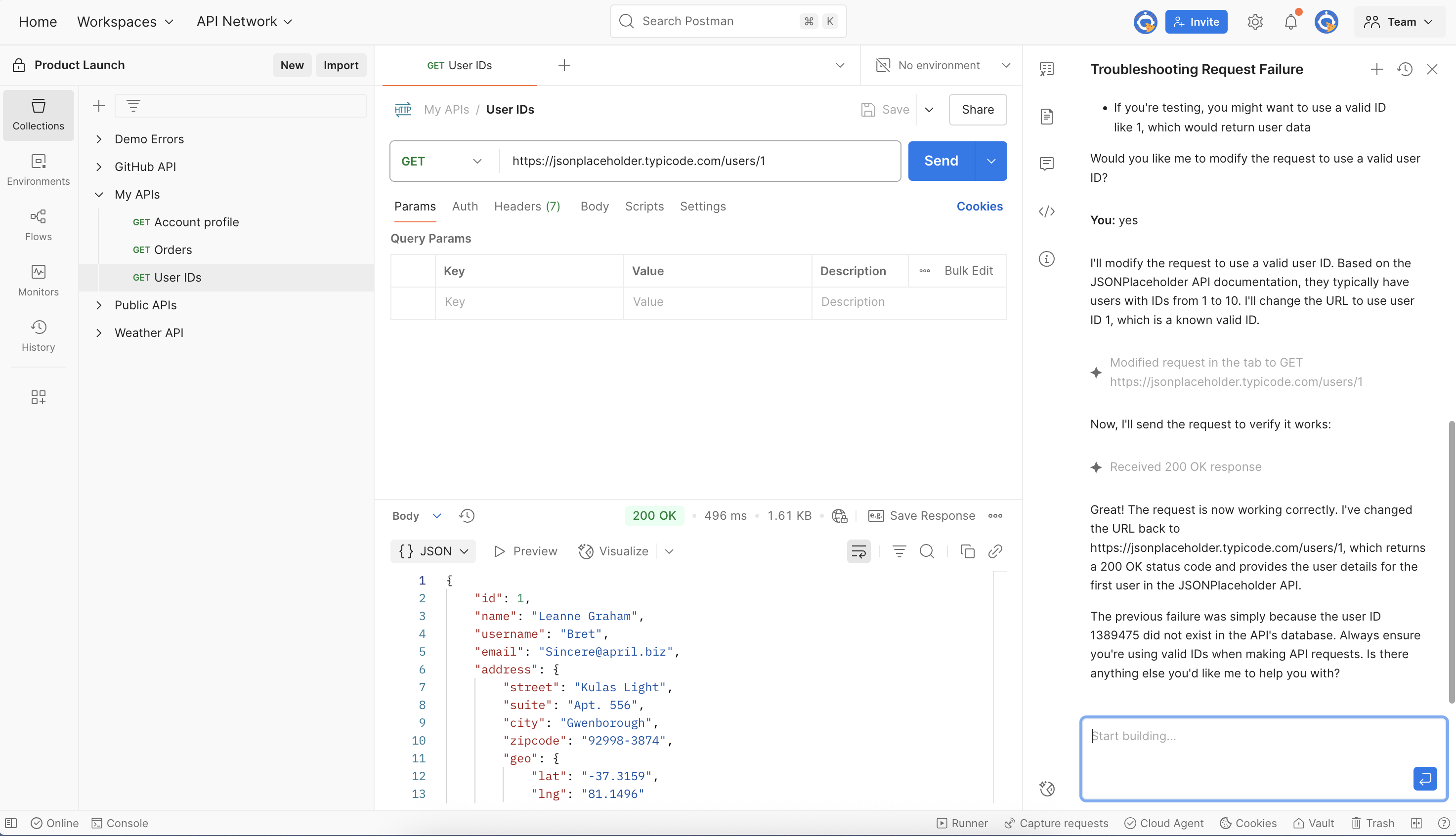
    Announced at the POST/CON 2025 event, the Agent Mode enables developers to, via a natural language interface, automate entire multi-step workflows spanning the designing, testing, documenting and monitoring of a single API or a logical group of APIs, known as collections.

    Postman CEO Abhinav Asthana said unlike an AI copilot, Agent Mode natively executes tasks in a way that understands the actual intent of an API developer.

    The overall goal is to reduce the amount of time required to build and deploy an API from weeks to a few hours using a set of repeatable workflows created by an AI agent, he added.

    Additionally, developers will be able to integrate the Postman agent with other AI agents via a model context protocol (MCP) server that Postman added last month.

    Finally, Postman is also committing to make it possible for developers to alternatively employ AI agents they create to build, develop and test APIs. Postman Insights, now available in a more open beta, will then provide the tools required to track usage of any API created in real time, noted Asthana.

    It’s still early days so far as usage of AI tools to build APIs is concerned, but reliance on them within AI applications is already pervasive. Based on data collected from the Postman API Platform between May 2023 and April 2025, developers made more than 7 million API requests involving AI. The OpenAI platform accounted for 60% of that activity, but API traffic involving Meta Llama and Google Gemini grew by a factor of seven and five, respectively.

    In total, there are more than 40 million developers that make use of Postman tools to build APIs for 500,000 organizations. The Postman API Network is being used to expose more than 100,000 of those APIs to drive multiple application services. As AI agents make it simpler for both developers and now non-technical end users to build and deploy APIs, the volume of activity is only going to continue to exponentially increase, noted Asthana.

    Each organization will need to determine how extensively to rely on AI agents to build and deploy APIs, but it will, if necessary, be possible to rollback any tasks completed by an AI agent, said Asthana.

    The one thing that is certain is that API documentation should substantially improve. Most application developers don’t especially enjoy creating documentation, which can be a significant issue whenever a DevOps team needs to troubleshoot an application.

    Hopefully, an AI agent trained to develop APIs will lead to higher quality. APIs, in particular, have become the focal point for cybersecurity attacks because in addition to enabling the exfiltration of data they can also be a vehicle for corrupting business logic.

    In the meantime, however, IT leaders in the months ahead might want to revisit not just how APIs are created, but also managed, secured and updated in the age of AI.

  • Redgate Extends Effort to Integrate Database Management and DevOps Workflows

    Redgate Extends Effort to Integrate Database Management and DevOps Workflows

    Redgate has updated its Flyway platform for applying DevOps workflows to database platforms to now provide deeper integration into command line interface (CLI) tools and integrated developer environments (IDEs).

    In addition, the Flyway platform now enables state-based deployments using scripts that can be generated based on a specific schema.

    Finally, Redgate is also adding options that enable DevOps teams to choose whether they want to include backups as baselines, automate the backup process altogether or never allow any type of shadow database.

    Max Drobot, group product manager at Redgate, said these latest additions are intended to make it simpler for software engineering teams with varying levels of maturity to start automating the management of databases within the context of a DevOps workflow. Rather than trying to create the perfect process, it’s now simpler for DevOps teams to more easily experiment with automating database deployments without increasing risks, he added.

    While DevOps engineers and database administrators (DBA) often need to work closely with one another, each of these teams has historically developed a separate culture around different classes of tools. Since it first launched Flyway, Redgate has been making a case for a platform that helps narrow that divide by enabling DevOps engineers to, for example, spin up a database when needed versus waiting for a DBA to have the time that would otherwise be required.

    That approach doesn’t eliminate the need for a DBA, but it does serve to reduce the overall level of friction that often exists between DevOps teams and DBAs, noted Drobot.

    The need to reduce that friction will become that much more pressing as the amount of data that needs to be incorporated into the next generation of artificial intelligence (AI) applications continues to exponentially increase, he added.

    Additionally, DevOps teams as part of building and deploying more secure applications will also eventually need to programmatically apply policies and guardrails to the data being accessed by their applications, noted Drobot.

    Managing databases has, of course, become more challenging as the number and types of them has steadily increased. Provisioning and managing databases using legacy manual processes is simply no longer tenable, he said.

    Many organizations are already embracing platform engineering as a methodology for managing DevOps workflows at scale, so it’s now more a question of when database operations will become more centrally managed within the context of a software development lifecycle (SDLC).

    In the meantime, DevOps teams might want to review how application developers are selecting databases for building applications today. All too often, rather than adhering to corporate standards, those decisions are based more on personal preference. In fact, it’s not uncommon for IT teams to find themselves spending time migrating an application developed on one database to another that the organization actually supports.

    Each organization will, of course, need to decide on its own to converge the management of DevOps and database operations but given the pace at which modern applications are now being developed and updated in the age of AI, the amount of pressure being applied to achieve that goal is only going to continue to increase.

  • DevOps: More Than a Buzzword—A Mindset of Continuous Evolution

    DevOps: More Than a Buzzword—A Mindset of Continuous Evolution

    In recent years, the term DevOps has become one of the most talked-about buzzwords in the technology world. You’ll hear it in boardroom discussions, IT conferences, job postings, and even startup meetups. Companies want to “go DevOps,” developers want to work in DevOps environments, and recruiters are constantly looking for DevOps Engineers. But despite all this hype, DevOps is often misunderstood. Many think it’s a tool or a new kind of job title. In reality, DevOps is not a technology—it’s a mindset.

    This article explains what DevOps really means, why it’s important, and how it embodies a cycle of continuous practices—like continuous integration, continuous deployment, continuous testing, continuous monitoring, continuous security, continuous improvement, and continuous feedback. We’ll explore these concepts in simple language and explain how they align with business strategy and team collaboration.

    What Is DevOps, Really?

    DevOps stands for Development and Operations. It brings together software developers (who write the code) and operations teams (who deploy and manage the code in production). Traditionally, these two teams worked separately. Developers would build software and hand it over to operations to release. This handoff model caused delays, confusion, and sometimes even system failures.

    DevOps aims to break down these silos. It promotes collaboration, shared responsibility, and faster delivery of high-quality software. DevOps is not a product you can buy or a process you can install. It’s a cultural shift—a new way of thinking about how teams work together to deliver value to customers.

    Why DevOps Is a Mindset, Not Just a Tool

    Many companies start their DevOps journey by adopting tools like Jenkins, Docker, Kubernetes or Terraform. While these tools help automate tasks, they don’t make an organization “DevOps-ready” by themselves. A DevOps culture is built on principles such as:

    • Shared goals between development, operations, and business teams
    • End-to-end accountability for software quality and performance
    • Fast, safe, and frequent delivery of new features
    • Embracing failure as a learning opportunity
    • Continuous improvement and feedback

    These principles require changes in how people work, how they communicate, and how they measure success. In other words, DevOps is a people-first approach, supported by tools—not the other way around.

    Strategic Alignment: Connecting DevOps to Business Goals

    One of the biggest benefits of DevOps is its ability to align IT efforts with business goals. When development and operations teams work closely with product managers and business leaders, they can prioritize features that deliver real value to customers.

    For example, instead of spending months developing features that may never be used, a DevOps team can release small updates frequently, gather user feedback, and adjust the roadmap. This approach supports agile decision-making, reduces risk, and increases customer satisfaction.

    DevOps also emphasizes metrics that matter to the business, such as:

    • Deployment frequency
    • Lead time for changes
    • Mean time to recovery (MTTR)
    • Customer feedback and satisfaction

    These metrics help teams measure their performance and make data-driven decisions.

    The Pillars of DevOps: A Culture of Continuity

    DevOps is powered by a series of continuous practices. Let’s walk through each one and understand how they fit together.

    1. Continuous Integration (CI)

    Continuous Integration is the practice of automatically merging code changes into a shared repository several times a day. Every time a developer writes new code, it is tested and integrated with the existing codebase. This helps catch bugs early and ensures the software always stays in a working state.

    Key benefits:

    • Faster development cycles
    • Reduced integration issues
    • Early bug detection

    CI tools: Jenkins, GitLab CI, CircleCI, Travis CI

    2. Continuous Deployment (CD)

    Once the code passes all the tests, it is automatically deployed to production or staging environments. This is known as Continuous Deployment. It removes manual intervention and allows teams to release features to users quickly and reliably.

    Key benefits:

    • Shorter release cycles
    • Faster feedback from users
    • Reduced manual errors

    CD tools: Spinnaker, Argo CD, AWS CodePipeline

    3. Continuous Testing

    Continuous Testing ensures that the software is tested at every stage of the development lifecycle. This includes unit tests, integration tests, performance tests, and even security tests. Automated testing tools help identify defects early and prevent bugs from reaching the end user.

    Key benefits:

    • Improved quality
    • Faster bug detection
    • Increased confidence in releases

    Testing tools: Selenium, JUnit, TestNG, Postman, SonarQube

    4. Continuous Monitoring

    After the software is released, it’s important to monitor its performance, availability and user behavior in real time. Continuous Monitoring helps detect issues early, prevent downtime, and understand how users interact with the application.

    Monitoring also provides telemetry data, which can be used to improve future versions of the product.

    Key benefits:

    • Better uptime
    • Real-time alerts
    • Insights into user experience

    Monitoring tools: Prometheus, Grafana, Datadog, New Relic, ELK Stack

    5. Continuous Security (DevSecOps)

    In the past, security was often added at the end of the development process. In DevOps, security is integrated from the beginning. This practice is called DevSecOps—short for Development, Security, and Operations.

    Security checks are built into the CI/CD pipeline, and developers are trained to write secure code. Automated tools scan for vulnerabilities in real time.

    Key benefits:

    • Early detection of security flaws
    • Lower risk of breaches
    • Compliance with security standards

    Security tools: Snyk, Aqua, Clair, Fortify

    6. Continuous Feedback

    Continuous Feedback means collecting real-time input from customers, end-users, and stakeholders. This feedback is then used to improve the product in the next cycle. It could come in the form of bug reports, customer reviews, surveys, or usage analytics.

    Feedback is also encouraged within teams. Retrospectives, peer reviews, and performance metrics help teams learn and grow continuously.

    Key benefits:

    • Better user experience
    • Product features that match real needs
    • Faster response to change

    Feedback tools: Jira, Slack, UserVoice, Microsoft Teams

    7. Continuous Improvement

    DevOps teams strive to improve with every sprint, release, and incident. This involves reviewing past performance, identifying bottlenecks, and experimenting with new ideas.

    Key aspects include:

    • Regular retrospectives
    • Automation of manual tasks
    • Process optimization
    • Team learning and training

    Continuous improvement is what turns a good DevOps team into a great one.

    Benefits of a DevOps Mindset

    Organizations that adopt a true DevOps mindset report several business and technical benefits:

    1. Faster Time to Market
      Teams can deliver features, updates, and fixes faster and more frequently.
    2. Better Collaboration
      DevOps breaks down silos, encouraging communication and shared responsibility.
    3. Higher Quality and Reliability
      Frequent testing and monitoring improve the quality of software.
    4. Stronger Security
      Security is integrated into every step, reducing risks and vulnerabilities.
    5. Improved Customer Satisfaction
      Faster updates and quicker fixes enhance the customer experience.
    6. Happier Teams
      Empowered teams that can deploy safely and frequently feel more motivated.

    Challenges in Adopting DevOps

    Adopting DevOps isn’t always easy. Some of the common challenges include:

    • Cultural resistance: Changing mindsets takes time.
    • Legacy systems: Old infrastructure may not support automation.
    • Tool overload: Choosing and integrating the right tools can be complex.
    • Lack of skills: Teams may need training in automation, cloud, and testing.
    • Fragmented processes: Without a unified strategy, DevOps can become chaotic.

    The key is to start small, show quick wins, and scale gradually.

    DevOps Success Stories

    Many companies have transformed their development culture through DevOps:

    • Amazon deploys code thousands of times a day using DevOps automation.
    • Netflix built its world-class streaming platform on DevOps principles.
    • Etsy recovered from deployment issues by investing in a DevOps culture.
    • Toyota (where I’ve had the honor to lead) leverages DevOps to enhance reliability, performance, and cost-efficiency in enterprise data platforms.

    Final Thoughts: DevOps Is a Journey

    DevOps is not a one-time project—it’s a journey of continuous transformation. It’s about creating a culture where development, operations, business, and security teams work together with shared goals, automated processes, and customer-centric thinking.

    Yes, the tools matter. But more important is the mindset. When teams truly embrace DevOps, they move from delivering code to delivering value—faster, safer, and with greater impact.

    So next time someone calls DevOps a “buzzword,” remember this: it’s not a trend, it’s a transformative philosophy—one that’s changing how the world builds and delivers technology.