Tag: developers

  • DevOps and Containers: A Network Divided

    DevOps and Containers: A Network Divided

    The growth of DevOps and containers has created some interesting split responsibility scenarios. Not that this is necessarily a bad thing, but it is something that bears watching and fixing when it becomes problematic.

    Today’s topic is networking. Plenty of bits have been spewed about the situation, but it persists and is even getting more complex as architectures diversify.

    Specifically, today’s topic is about the dual responsibility built into today’s networking. Generally speaking, network operations staff are still managing the complex hardware and software environments that deliver packets to your systems. What they do and how they do it is changing—but at a much slower pace than areas fully pulled into DevOps. There are many reasons for this, and I won’t delve into them here, but the truth is that managing a production network and dealing with hardware vendors bring unique responsibilities and constraints that aren’t there in a software world.

    That’s experience talking, from a developer who learned network administration. Software is easier and more adaptable, and that is directly reflected in the impact of DevOps.

    But we have drifted into a world in which that infrastructure is still mission-critical and still has those same constraints, while the software layer of networking—driven primarily by containers—has grown up in parallel with a different set of people often responsible for it. And that software network can be mighty complex. I shudder to think about what the iptables look like on some—maybe hundreds—of your machines.

    Cloud has much the same effect, but since cloud instances often are publicly exposed, they tend to have networking people involved to make sure routing is correct and verifiable, and to help InfoSec people determine that the instance is as locked down as possible (and we can all name companies that wish this were true).

    Still, the complexity of cloud spawned companies including CloudCoreo (now a part of VMware), which automate a bunch of network verification and security checks just because there are so many points that require touching. So cloud isn’t the nirvana of shared responsibility either. Yet.

    As DevOps and container adoption has grown, it is natural that responsibility for container/container management networking would have spilled over into the development or application administration side. After all, once a subnet is configured for a cluster and software is managing the subnet, which is integrated with the rest of container management, it feels right to have the Dev/deploy team manage it.

    And it might be. Like all things DevOps, this is a continual improvement exercise. Having someone who knows exactly what is going on between pods/clusters/networks is important, though. Breaks can cause outages that cost money. Knowledge is the key to fixing breaks and container networking is generally super-complex. Even if you are providing standard IP addresses on a corporate subnet to each container, container management networking is still complex and can still break.

    So if you haven’t already, get the networking team involved in inter-/intracontainer communications. Make certain you know what is going where and what should go where.

    You won’t regret it, when things inevitably break that cannot be repaired by dropping the instance and spawning a new one to replace it.

    — Don Macvittie

  • Integrating DevOps: Avoid These Common Mistakes

    Integrating DevOps: Avoid These Common Mistakes

    DevOps, as the name implies, is a combination of two professional teams—software development and the IT experts. Both the teams collaborate well with the aim of creating a bridge that accelerates and automates the process of software development and a more intensive testing before releasing it into the market with high confidence.

    DevOps has been identified as a software engineering culture that relies on philosophies and practices to bring more agility and improve the organization’s efficiency to cater continuous delivery and integration.

    Now, with the introduction of DevOps culture and transforming trends, the development and operations teams no longer work in isolation. In fact, the role of the DevOps team is also to keep an eye on the software development and manage the infrastructure.

    Many organizations have already begun using the DevOps, while various others are on their way to implement the new software development trend. According to a survey, the number of software developers adopting DevOps has increased to 17 percent in 2018 from 10 percent in 2017 worldwide.

    It is a good decision to implement DevOps and maximize its benefits to the fullest. However, choosing the right tool can be difficult, which could lead to mistakes and further lead to project delay or a complete failure. To avoid this situation, here are some of the common mistakes DevOps developers usually commit while undertaking the projects.

    Choosing the Wrong Team to do the Job

    One of the major mistakes organizations make while integrating DevOps is choosing the wrong team to do the job. It is the task of a proficient project manager to choose an appropriate team, but when inexperienced people come on the board, there can be issues.

    DevOps is a blend of both development and operations; thus, it’s a complicated job. DevOps is not limited to just bringing agility but also conducting the right deployment. Also, developers have to focus on both ends—development and administration—equally.

    Problems can occur when you start concentrating on one aspect of the cycle. So, it is better to hire an experienced team on both ends that can work in full coordination and collaboration with one other. Thes should have a sound technical knowledge and expertise in bringing the best.

    Starting a DevOps Project Without Planning

    Before commencing any project with DevOps, you first need a foolproof strategy and extensive planning. All of the members involved in the project need to understand their role comprehensibly.

    However, some organizations don’t think much about the planning and preparing a road map. They are just anxious to work on the project to complete it as soon as possible.

    This is a wrong mindset that will never be successful. Maintaining a good speed and delivering the project on time is perfect practice, but you cannot prefer speed over quality.

    Emphasizing More on the Agility

    Some of the DevOps developers have a misconceptions that Agile development alone will create a win-win situation for them and that they will deliver optimum applications. But the truth is the other way round.

    Yes, you cannot deny the significance of agility in DevOps development, as it has changed a lot from waterfall. However, merely depending on it to implement DevOps is not the right approach. When you use Agile, you primarily work on incremental, iterative work cadences. It is focused more on ensuring the customer satisfaction but you cannot deliver quality product, as Agile doesn’t have the proper infrastructure.

    Getting Rigid During the Implementation

    Don’t try to be too rigid while integrating the DevOps. This can hamper the entire project; it is difficult to act in accordance with the core tenets of DevOps. However, you can make adjustments using the DevOps model.

    You also should lay some guidelines about how to manage the stability of DevOps in the beginning and make sure it remains the same, even if problems occur.

    You won’t always get the desired result, so be prepared for any unexpected outcomes. You need to identify the root cause of the issue and so make adjustments accordingly within the DevOps ecosystem.

    Not Complete Buy-in

    Your DevOps implementation can also fail if both the development and the IT team are not fully on board. Therefore, it’s crucial that every professional involved in the project is synchronized.

    Remember, if you get stuck at even one point during the development or the testing, it would delay your project. Coordination should be well-knit and there should be one experienced person who can manage the entire team.

    Not Conducting Tests at Regular Intervals

    Another mistake during DevOps implementation is not running tests at regular intervals, which will provide improved outcome. You need to run the tests synchronously.

    Executing the tests at the same time will save lot of time and will allow you to complete your project within set deadlines. You need to employ the concept of continuous integration and continuous deployment (CI/CD) for the automatic process of test cases.

    Don’t Take Security for Granted

    While incorporating the DevOps, you are making a big mistake if you take security for granted. The two complement each other, and so security cannot be ignored. You have to plan a strategy for strengthening the security right from the beginning so that you don’t face any problems later on.

    For instance, if you expand the architecture using DevOps and afterwards find that security is not updated, you will have trouble. If you are developing a microservices architecture, security will come into play as apps interact with one another. And keep in mind that at no point of time can you compromise with security to provide ease of access.

    Not Giving Importance to Database

    Often developers avoid the importance of database during the integration of DevOps—while the implemention expands, the database falls short due to the automation process.

    The automation of database is also necessary as part of other issues such as managing the codes and continuous integration. You have to deal with the database carefully, as it plays vital role for the data-related apps.

    Implementing New Technologies Earlier

    It is good practice to choose the latest technologies for a project but when you are implementing DevOps, you need to be cautious. It is recommended not to jump on new techniques straightaway without proper knowledge and research—don’t go for the experiment.

    Don’t be a copycat and use any procedure just because others are using it. Plugins change frequently. You need to use tools smartly and intelligently according to the project requirements. Analyze the pros and cons of each of the use cases and then make a proper decision.

    Conclusion

    DevOps is a good software development and cultural practice that has gained enough attention round the world. It advocates automation and keeps a check on the entire cycle of software engineering, bringing both the development and the IT team in union.

    However, the developers commit mistakes while implementing the DevOps and so it’s important that they should be aware about these in advance.

    — Mehul Rajput

  • OutSystems Infuses DevOps Processes into Low-Code Platform

    OutSystems Infuses DevOps Processes into Low-Code Platform

    OutSystems has turned its low-code platform into a framework for generating microservices that can run on-premises or in a variety of public clouds.

    Mike Hughes, senior director of product marketing at OutSystems, said applications generated using OutSystems 11 now can be deployed on both platform-as-a-service (PaaS) environments and container-as-a-service (CaaS) environments, including Amazon Web Services public clouds and the Pivotal PaaS based on open source Cloud Foundry software and CaaS platforms such AWS ECS, Azure Container Service, or as a set of Docker containers running on-premises.

    In addition, OutSystems 11 includes a set of monitoring tools capable of identifying issues emanating from within the applications and external dependencies, as well as a set of impact analysis tools that identify issues before an application is deployed. Those tools are critical elements of a concerted effort to apply DevOps practices and principles to the development of applications created using low-code tools, said Hughes.

    OutSystems 11 also now includes an entitlement model for controlling who can create and manage services and who can consume them, using a full entitlement model that extends to all applications and services.

    Finally, OutSystems has added support for automated risk assessments, granular access controls and activity monitoring of supplemental manual processes along with a revamped user interface.

    IT organizations of all sizes are trying to cope with a growing application development backlog by embracing low-code tools that can be employed either by professional developers to accelerate development or so-called citizen developers to create applications on their own. Legacy approaches to application development have created a gridlock issue that organizations are not going to be able to break without embracing a more modern approach to application development that combines the best of low-code application development platforms and DevOps practices, said Hughes.

    Hughes noted that more organizations than ever are trying to accelerate application development at a time when digital process transformation has become a much high priority. The rate at which new applications can be built, tested and deployed has a direct impact on an organization’s ability to compete, he said. The challenge organizations face is that much of the subject matter expertise required to build these applications resides in business units that have limited application development expertise. The central IT organization, conversely, typically has a limited number of developers available to work on applications at any one time. Rather than simply providing citizen developers with low-code tools, OutSystems is making a case for an approach to rapid application development that provides guidelines for citizen developers in a way that doesn’t create the equivalent of a black box that professional developers can’t later drill down into to determine how an application is behaving.

    It may take a while for low-code application development and DevOps processes to meld within enterprise IT organizations. But the more DevOps tools that come included with the application development frameworks being provided, the greater the chances DevOps processes eventually will pervade the enterprise.

    — Mike Vizard

  • How to Find and Hire Android Developers in 2018

    How to Find and Hire Android Developers in 2018

    A brilliant app idea demands no less a brilliant mobile development team. That means you have to take the time to search and recruit skilled Android developers and, correspondingly, overcome lots of challenges for this. Here are some tips to help you overcome the difficulties and mitigate possible problems in finding qualified Android developers.

    Roles and Responsibilities of Android Developers

    It’s always a good idea to dive deeper into your employees’ responsibilities. So if you have no technical background, this section will be rather useful for you as it tells more about the skills of a proficient Android developer.

    It’s worth mentioning that the technical skills of Android and iOS developers differ due to the OS differences. A particular set of technologies is used for each OS and if you want to hire iOS developers, you should check the skills they need to have according to the latest market demands.

    Skill Level

    In the IT industry, developers are divided into levels specifying their proficiency. These levels are:

    • Entry level means a developer hasn’t had much experience in developing software products. Junior Android developers typically work on simple projects and they’re curated by more experienced colleagues.
    • Experienced developers work on complex projects and don’t have managerial responsibilities.
    • Senior developers typically have 5+ years of experience and often lead big projects as well as supervise the performance of technical tasks.

    Responsibilities

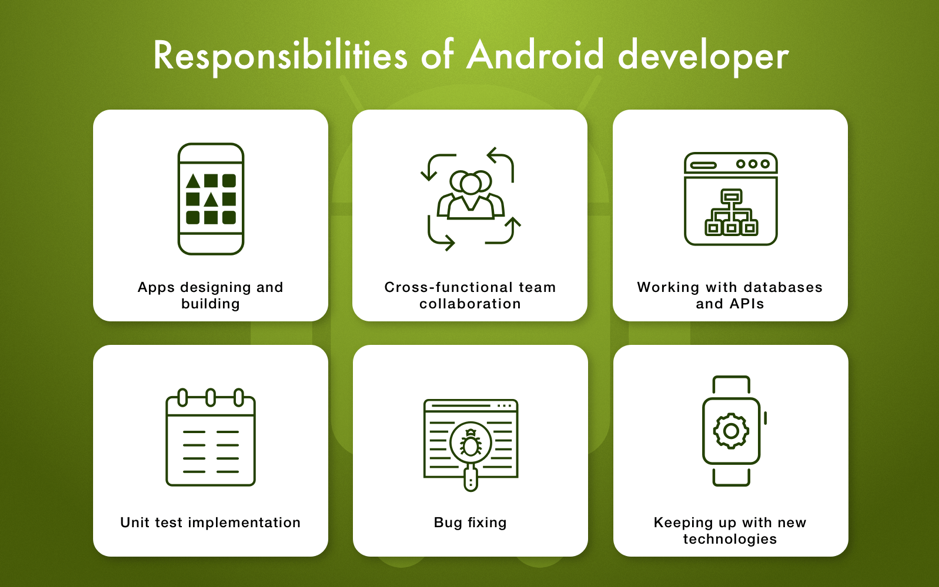
    Let’s consider Android developers responsibilities in more details.

    UI Engineering and Business Logic Development

    Developers have to re-create the app’s design as well as develop its functionality. Additionally, they should predict what bugs may occur and prevent their appearance.

    Collaborative Skills

    In most cases, developers don’t work on a project alone. They are surrounded by other specialists and need to effectively collaborate with them in order to achieve a common goal: a well-functioning end product.

    Databases and Third-Party APIs

    Android developers should be good enough at reading code written by other developers since they will have to work with external APIs and databases during their projects.

    Unit Testing

    Modular testing is a kind of industry standard. Android developers have to perform it to test a certain part of the app’s functionality and fix any bugs. Unit testing is a part of agile software development that’s designed to create high-quality apps fast.

    Bug Fixing

    Android developers should make everything possible to deliver a bug-free and stable-working product.

    Types of Android Developers

    There are several types of developers you can choose from. Which one to pick depends on your preferences and project.

    • Freelance developers. This type can be a good choice if you are on a limited budget and you want to save as much money as possible. However, bear in mind that, in fact, you have no control over freelancer’s work and all that remains is to rely on their responsibility.
    • In-house developers. These are the ones working on your project at your company’s office. It’s a good option in case you already have an office space and you want to manage the development on your own.
    • Outsourced team. The scheme is simple: You hire a software offshoring company, explain to them your requirements and they build a project for you from scratch.

    Technical Skills of Android Developers

    Android developers must have a set of technical skills that actually make the app development possible. Underneath, we’ve listed basic technologies every Android developer should be able to work with.

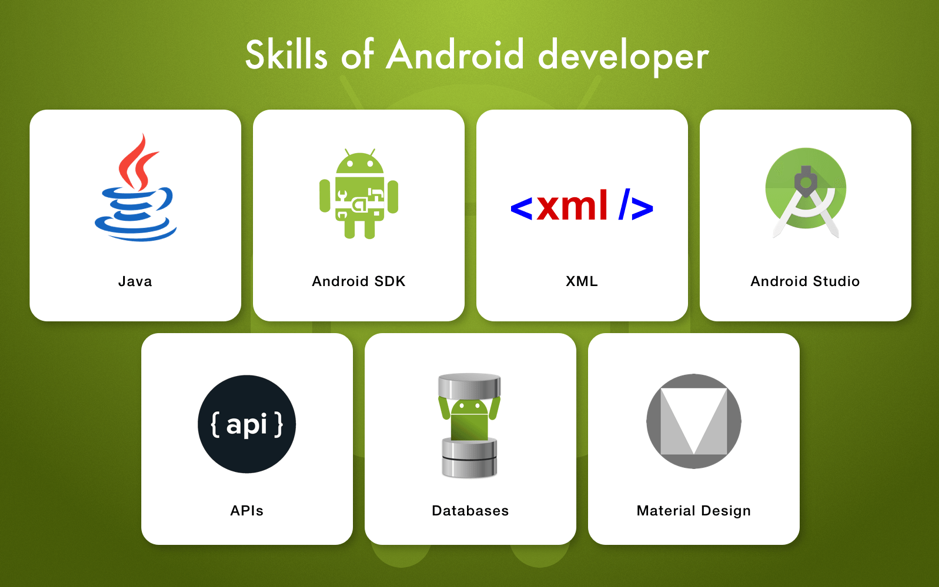
    • Java: This is the official language for developing Android apps. This object-oriented language was created in 1995 and currently it’s the world’s most popular programming language. Every Android developer must have a decent knowledge of this language to build software.
    • Kotlin: This is the second official language for Android development and many programmers are switching to it for various reasons.
    • XML: Extensive Markup Language is broadly used for web development, but it is a necessary technology for Android development as well. In simple terms, XML is designed to provide the information exchange via the internet. So, if your app needs to be connected with the internet, developers have to use XML.
    • Android SDK. Android software development kit is a set of programs for various purposes. For instance, it has the integrated tools for debugging, code testing, checking the compatibility with different OS versions, etc.
    • Android Studio. It is an integrated development environment (IDE) developers use to write source code conveniently. This is possible due to a variety of built-in instruments (e.g. preview app for different OS versions).
    • APIs: The ability to work with third-party APIs and integrate them into software is another requirement for Android developers. For example, if you need in-app payments, developers can use Stripe API and adapt a ready-made code to the app’s needs instead of architecting the payment system from scratch.
    • Databases: Android developers should have skills of integrating cloud databases such as Firebase or local ones such as SQL for storing your app’s data.
    • Material Design. It is the Android design language and developers should be acknowledged with its guidelines to build the app’s user interface in the right way.

    Android Developer Rates

    The price for IT services is typically indicated for one working hour. The prices also heavily depend on a region.

    • North America: $150-170/h
    • Australia: $110/h
    • Western Europe: $70/h
    • Eastern Europe: $35-50/h

    Now you know what it takes to find a qualified Android developer!

    — Nataliia Kharchenko

  • DevOps Chat: Open Source and DevSecOps with Azi Cohen, WhiteSource

    DevOps Chat: Open Source and DevSecOps with Azi Cohen, WhiteSource

    The security of open source code is one many organizations are grappling with. Add to that the number of times that applications using open source code are updated and the integration issues that come with those updates, and it’s no wonder open source security comes into question.

    WhiteSource thinks it has a solution to the open source code security problem. In this DevOps Chat, we speak with Azi Cohen, head of U.S. operations at WhiteSource, about the issues surrounding the security of open source code and how his company is helping to reduce the problem.

    As usual, the streaming audio is immediately below, followed by the transcript of our conversation.

    Alan Shimel: Hey, everyone, it’s Alan Shimel, devopsy.kinsta.cloud, Security Boulevard, and we’re here for another DevOps Chat. In today’s DevOps Chat, I’m happy to be joined by someone who I’ve had the pleasure of speaking with several times, but not on a podcast, I believe, and it’s Azi Cohen – “Cone” or “Cohen,” depending how you pronounce it. Azi is head of U.S. operations and a co-founder at WhiteSource Security. Azi, welcome to DevOps Chat.

    Azi Cohen: Hi there. Good morning. How are you doing, my friend?

    Shimel: Good. Happy to have you here with us. So, Azi –

    Cohen: Okay, and, by the way, the name of the company is WhiteSource Software.

    Shimel: Oh, okay.

    Cohen: Yeah.

    Shimel: I apologize. WhiteSource Software.

    Cohen: Yes.

    Shimel: You know, and that’s a good bridge, Azi. Before we jump into today’s topic, which is DevSecOps-related, for those who may not be familiar with the company, why don’t you give us a little background?

    Cohen: Sure. Perfect. So WhiteSource Software was initiated by three of us. We are three partners that were actually working in a different company that was acquired, going through an acquisition, by CA Technologies. And, through this process of due diligence, we found ourselves getting questioned about open-source that was included or not included, you know, in our technology. And that was a very cumbersome process. Took a lot of time and effort. So, not surprisingly, after the three of us been acquired and spent some time acquiring companies, we realized, “Hey, there must be better way to do all these things,” and, a few years later, we started WhiteSource.

    The idea was to allow companies that develop intellectual property using open source – and, remember, we’re talking about 2011, 2012; open source was well-known phenomena or the use of open source, but still not very well-adopted by the large enterprises – so the premise was to help software houses or companies that developed their own intellectual property, using open source, to have a better management and control of the inventory, the legal aspect or the compliance side, and, later on, in security.

    So we started the company in Israel. We got some grants from the Israeli government. We developed a solution and, obviously, we started to focus on companies – you know, at startups and technology companies. And we were doing very well for quite a long time. I think that the big change came somewhere like 18 months ago, maybe 24 months, where we started to feel a growing demand from large enterprises – banks and technology companies, consultants, large chains, health companies. So all those started to use open source and started to look also for a solution, and that’s when we realized, “Hey, there’s a big opportunity here.”

    We went out, raised a lot of money from VCs, including from Microsoft, etc. Started the U.S. operation. And, fast-forward today, we have a very large office here, more than 30 people, in North America. I run the U.S. operation. We’re growing 300 percent year over year. Almost more than 500 clients, from multibillion companies to small ones, and it looks, right now, that demand is not going to drop.

    Shimel: Fantastic. You know, as they say here in America, mazel tov.

    Cohen: [Laughs]

    Shimel: It’s an American –

    Cohen: Thank you for that.

    Shimel: – _____ success story, right? And congratulations to you and the team. But, Azi, you know, sometimes – and, like you, I’ve been in business 30 years – sometimes, it’s better to be lucky than smart. It’s good to be both. But you really – WhiteSource Software and your team has been a little bit of a benefactor of being in the right place at the right time. We live in an age where so much of our – well, everything is software and applications, but so much of our applications are built on open source component, primarily, right? A majority of –

    Cohen: Absolutely. That there is a Gartner report that states that something like 40 to 60 percent of the new web applications consist of – is consisted of open source and this is just going to grow. Right? So it’s not going to stop there. And we definitely see that by our biggest clients. We see them starting when they have something like 20 percent of their code being open source, very quickly reaching to 30, 40 and more, right?

    So this is not something that is going to happen, and I think there is a very good reason for that. If you look at large ITs today – banks, etc. – you know, the CIOs are being asked to create more and more innovation. Someone wrote an article about it. Something like that they’re required to generate something like 25 percent of new ideas and new application or, if you want new lines of code, you know, 25 line of code, year over year, but they don’t get 25 percent more people to do it. Right? They just get 2, 3 percent. So reuse instead of build is the most obvious solution, and that’s why we’re not going to see that percentage dropping, but going higher and higher.

    Shimel: Oh, and – but it makes good sense, right? So much – you know, when you look at the average application, so much of it is rinse and repeat, right? Sending an e-mail, firing off an e-mail or registration, opening a window. So many of – there’s no sense reinventing the wheel of these things _____ _____ –

    Cohen: Oh, absolutely.

    Shimel: You know, when you look, there’s so much Java script reused, there’s so many Java components reused. There’s so much of these open source reuse – like you say, it’s only gonna be more and more, as these libraries and repositories get bigger. But that begs the question, Azi, of it doesn’t make us more secure, necessarily. And, as a matter of fact, some may argue it makes us less secure. What’s your position?

    Cohen: Well, it’s a great question. You know, and, obviously, when you have one component being used by millions, it’s just an opportunity for attacker to find a way to hack it, crack it and now they have thousands of companies that may be vulnerable to this one, right? And then, for them, an open door to get into those accounts. So what we actually see is that, with the fact that more and more open source is being used, on one end, we have attacker trying to exploit those open source components and we have seen some cases in the past, right?

    In the same time, the community tries to find more vulnerabilities and fix them as fast as possible, but, if you look at the DevOps guys, this create a huge problem because, think about it, on one hand, they use more and more open source; on the other hand, the community, which is very active, is finding more and more vulnerabilities in those open source and provide fixes, right?

    So now the DevOps guys have more stuff to deal with, a larger inventory to track and check and validate, but, on the other hand, we know that the attacker, that know that these guys will patch those vulnerability very quickly, try to hit them faster and faster. So DevSecOps or DevOps guy have more stuff to do in less time. So the only solution is by automation, right? The only solution is by some control that will let them know what’s good, what’s bad, and provide alerts when something bad is happening or when new vulnerability that is – that they are exposing the inventory is _____ _____.

    Shimel: Yep. Absolutely. And you know what, Azi? This is – what you just described, yes, it’s 100-percent dead on for DevSecOps, but it also describes so much of what we are seeing in software development in general. If the machine, if the factory is gonna run, at the optimum speed, we must automate so much of this, right? Because, otherwise, it just can’t keep up and security is certainly no exception. No exception. _____ –

    Cohen: Absolutely. And another thing here is that you have to detect or try to stop bad things from coming in at the gate and not later, right? Because every step later – so it’s automation but also automation at the front of what’s called shift left, right? As early as possible in the development cycle. And then, at WhiteSource, we do exactly that.

    Shimel: Yep. So this begs the question, though, “Sounds wonderful. Let’s all do it. Why aren’t we more secure? Why aren’t more people doing it? Is it really that easy?”

    Cohen: I think it’s mostly a matter of awareness and perception as well. So, firstly, when I meet with CIO, CISOs, they don’t – in many cases, they don’t understand what level of adoption of open-source they have in their environment. Their perception is that, in many cases, that they use only 10 percent or 15 percent of the code, is open source. The reality is it’s higher.

    So perception of the problem is one thing, and top managers in many places don’t understand that the amount of open source being used right now is larger than what they have, but the other thing is that, you know, the perception is that standard tools, like application security testing tools from IBM or from Checkmarx and from other vendors, right, are solving the problem. You know, since they scan the proprietary code, then most likely scan the open source as well, but that’s not true. That’s not the case.

    And the last thing is that, once more awareness or, if you want, education – the assumption by most managers is that open source behaves like the proprietary code, right? You use a scanner. You test the open source. You find vulnerabilities. Somehow, you either fix them or not, and they’re fixed. It’s a one-off. What they miss is that open source is a living thing. You may have a clear open source component that are using now, which is fine, but then, month later, there could be a vulnerability in it, right? You have to be able to track it later on. It’s not a one-off test and gone.

    A good example is Apache’s Struts No. 2, right? A year ago, the whole world was astonished by this Equifax thing that was created by an attack to Apache Struts. Everyone mostly likely fixed it by today. And guess what? Three days ago, a week ago, a new vulnerability in Apache Struts No. 2, which was fixed, was discovered. And that’s not going to be the last one, right? So open source is a living thing, vulnerabilities are coming and going, and you have to keep track.

    So I believe the top managers – CIOs, sometimes CISOs – are not aware of all those effects that came out there, with more open source, right, that the current tools does not solve it. And, finally, that they need a tool that is designed to track changes in the security of their open source inventory along the time.

    Shimel: Exactly. I mean, you talk about Struts 2, which is sort of the poster child here because of all the press and notoriety that Equifax got. And I saw a presentation by – I forgot what company it was, but what really surprised me, Azi, is, even after we knew it was bad and you had to patch it, you had to upgrade it, the amount of people who were still downloading and using the old version – it dropped off from maybe 80,000 a month to 70,000 a month. Right?

    Cohen: Awareness, right? And, by the way, these numbers are changing, so you may not know, but we just released a tool called “Vulnerability Checker.” It can be downloaded from out website, whitesourcesoftware.com, and, basically, it will check – it will do an automatic check to check, for clients _____ – people that are interested whether their systems are affected by Apache Struts 2, right? So for those that are aware and would like to know whether they have some issues with that right now, they can download it free and check very quickly their system and find whether they are affected or not.

    Shimel: Yeah. But this is also the future of where companies need to be. They need to do this and then they need – you know, Azi, I remember I was selling vulnerability management and patching, oh, maybe 2005. I was talking to one of the CIOs. They had three CIOs at Citibank. This is before it was called “Citi”; it was “Citibank.” They had three global CIOs. I showed them a system that would scan for vulnerabilities and, if there was a known patch for the vulnerability, it’d integrate it with a patch manager that would automatically – that would patch these up.

    Cohen: Sure.

    Shimel: And he said, “This is great, but, Alan, we don’t just install a patch ’cause we found a vulnerability. Before we can install a patch, we have to do regression testing on all of the applications. We run about three months behind.” So, literally, there was a three-month cycle by the time they would patch a known vulnerability that they found. And, yeah, I’m not saying it’s that bad today, but that sort of mentality, that approach, just doesn’t work at the speed of business today.

    Cohen: You’re 100 percent right. And I bet that Citi today have hundred times more vulnerabilities per application than they used to have at those days, but this is an important point because we face that any of our large clients – and, actually, we just came up with a very, very smart solution for that. So we know, as you mentioned, that it takes them a long time to patch, right? And we know that they have thousands of vulnerabilities sometimes, and they need to know where to put their time, right? Especially if it takes longer time.

    So we came up with a tool called “Effective Usage Analysis,” and the idea is very simple. When a developer picks up a new open source component, this component usually come with 10 or 15 different functions. Each one of them may have some vulnerabilities, etc., so this entire package could come with, let’s say, 10 different vulnerabilities. But the developers will use only one or two functions, and, therefore, you’ll be exposed only to two or three out of those 10 vulnerabilities. So Effective Usage Analysis is a new module that we release. It runs over the code and identify how the developers use the open source and, therefore, clean out all the non-relevant code.

    So, for this kind of – for the Citis of the world, that have thousands of vulnerabilities, Effective Usage Analysis will drop the number of relevant vulnerabilities by 70 percent – seven-zero. These are the statistics. And now they’ll have only the most severe 30 percent where they can and should spend those three months in order to fix them, on the road to get a better security solution. It’s huge. This difference is huge. We get a lot of good feedback from clients that are testing that. It really helps them to make sure that every hour that they spend is much more effective.

    Shimel: Excellent. And this thing you can also get at WhiteSource Software?

    Cohen: Absolutely. Yeah. It’s a new model that we just released.

    Shimel: And what’s the name of it again?

    Cohen: Effective Usage Analysis.

    Shimel: Effective –

    Cohen: EUA.

    Shimel: – Usage Analysis. EUA.

    Cohen: Yep. Yeah.

    Shimel: Got it. Well, Azi, as I mentioned to you before we started recording, the 15 minutes here goes very fast.

    Cohen: [Laughs]

    Shimel: We’re already over 15 minutes. We could probably talk all day about this, but we’re gonna have to call an end to this episode of DevOps Chat. But maybe we’ll have you back on soon and we can continue the conversation.

    Cohen: Sure. Thank you. It’s always a pleasure talking with you, Alan, so I’m looking forward to it.

    Shimel: No, it’s my pleasure, Azi. I feel like we could sit and talk and go all day about this, but we’ll call it a wrap. Azi Cohen, a co-founder and chief of U.S. operations for WhiteSource Software, thanks for being our guest on this episode of DevOps Chat.

    Cohen: Thank you for the opportunity, Alan. Always a pleasure.

    Shimel: Pleasure. This is Alan Shimel for devopsy.kinsta.cloud, Security Boulevard. You’ve just listened to another DevOps Chat.

    — Alan Shimel

  • The Value of APM in Application Building and Management

    The Value of APM in Application Building and Management

    There are literally billions of smartphone users on the planet. Many of these users interact with apps on a daily basis. With all of the competition in the app market, developers have to stay on the cutting edge of technology to keep their programs both functional and popular.

    It is imperative that you adequately monitor your app after it has launched. Getting an idea of how well your app is performing can alert you to issues that may need to be addressed. Reading articles such as, “What is application performance management? 10 APM features” is an excellent way to wrap your mind around this concept.

    The following are just some of the things you need to know about app performance management and what it can do for your programs.

    Launch and Resume Times

    When trying to get a handle on how well your app is performing, be sure to focus on both the start and resume time users are experiencing. In most cases, startup will take much longer than resume time if the app is continuously running in the background.

    Both launch times affect the user experience in a significant way. If startup and resume times are getting increasingly slower, chances are your app needs a bit of retooling to keep up with your user’s needs.

    UI Response Times

    In the past, app developers would use network request times to gauge how fast users could submit and complete actions on their program. However, users only care about how fast their action completes, now how fast the network actually responds.

    When measuring UI response times, do so according to the device or OS the user is working with. This will allow you to:

    • Focus more on individual platforms and the problems they may have.
    • Respond to performance issues on a case-by-case basis.
    • Develop solutions for these problems in an easy and comprehensive way.

    When measuring UI responses times, be sure to rank the tasks by importance. By focusing on the issues that will affect user experience, you can keep your app running efficiently. Focusing first on tasks that don’t really matter will lead to the user experience suffering as a result.

    Monitoring App Crashes is Crucial

    Crashing apps are bad for both you and the user. Not only will they result in a lower user experience, app crashes also mean an increased amount and lost revenue for you. When your app crashes, you need to look at all angles to figure out why this happened and what can be done to fix it.

    Did this user’s actions cause the crash? What types of crashes are affecting UI? The answers to these questions will help you diagnose and prevent future issues. Having an adequate error logging system in place will allow you to get in-depth information when crashes occur. This information will help you fix issues in a hurry and avoid excessive app downtime.

    Helpful Tips and Tricks That Make Application Monitoring Easier

    Now that you know what types of things you need to be monitoring, you will have to figure out how to make application performance monitoring (APM) work for your company. Ideally, you want to provide users with apps that are both easy to use and reliable. If you are developing apps for your employees, you need to ensure they are able to boost productivity.

    By adequately monitoring your applications, you can find and address issues that exist with ease. Closely monitoring your apps will also give you a better understanding of how users are interfacing with them.

    Here are some of the things you should keep in mind when trying to put an app monitoring plan in place:

    Decide Which Apps Need to be Monitored First

    The first decision you have to make during this process is which apps you want to monitor. If you are monitoring the apps you provide to your employees, pick the most popular ones get metrics from. Are you unsure about what apps your employees use the most? If so, you need to get them to weigh in on this important decision.

    Often times, employees will be able to provide you with an outside perspective. With this perspective, you can clearly define the parameters of your application performance management plan. Neglecting to get this type of guidance may lead to you monitoring apps that are rarely used, which is a waste of time and money.

    What Critical Transactions Will You Monitor?

    To figure out what type of app transactions  you will monitor, you have to put yourself in the mindset of the end user. By doing this, you should be able to create a map of user functions. Once you have this map in place, you should be able to easily see what types of transactions you need to monitor.

    If you are monitoring an app you have given to employees, you need to map out workflows. Is the app in question making them more productive? If employees or users are having to go through too much hassle to access common functions, you have to work on streamlining your app. While this will take a bit of trial and error, it is definitely worth the effort.

    Polling Frequencies and Alerting Policies

    Adequately monitoring key transactions within your app allows you to identify performance problems earlier. When things such as threshold violations occur, you need to determine who should be alerted. Not only will you need to set alerting policies, you also need to figure out how many times a certain violation needs to happen before you send out an alert.

    Setting the violation count too low can lead to false alarms, setting it too high can put the functionality of your app in jeopardy. By taking control of your app’s monitoring, you can avoid user issues and crashes.

    Custom Reports are a Good Thing

    The performance reports you provide shareholders, employees or investors should be tailored to their needs. In most cases, investors and shareholders will only be concerned with how much productivity and capital an app is generating. This is why you will need to avoid giving them app performance reports with in-depth error reports on them.

    Generating detailed reports for employees with the various error messages an app is generating is crucial. Providing your team with this information can make it much easier for them to address ongoing app issues. Failing to get help with the monitoring and maintaining of your app can lead to a number of problems in the future.

    Create a Centralized IT Response to Deal with App Performance Issues

    While closely monitoring how your app is performing is important, you will need a system in place for dealing with the problems this monitoring can discover. Oftentimes, large businesses will have multiple apps in use at any given time. This is why having the right team and response plan in place is so important.

    Even the slightest misstep can lead to an app becoming unreliable and unusable. The information you get through monitoring the performance of an app can help you nip problems in the bud before they cause any real damage. The last thing you want to do is ignore signs of app trouble due to the serious issues it can cause.

    Keeping Everyone in the Loop is Vital

    Some business owners think that app performance monitoring is a solo sport. Usually, this attitude will cause a variety of missteps that will make an app less useful and more problematic. To use the data from APM properly, a business owner will need to involve their entire team. With all hands on deck, a business owner can delegate certain parts of the app monitoring process to various team members.

    Not only will this take a lot of stress off of a business owner, it will make this process more successful. In most cases, business owners who attempt to handle the app monitoring process alone will become overwhelmed and will make crucial mistakes as a result.

    Use App Performance Data to Optimize a Program

    One of the biggest misconceptions about app performance monitoring is that it can only be used to find functionality issues. The reality is that this data can help you see how to make your app more useful to employees or consumers. Failing to constantly improve and optimize the apps you have can lead to them becoming obsolete. In the world of technology, you either roll with the changes or the changes roll over you.

    Embrace the Power of Technology

    Creating a competitive edge should be one of the main concerns you have a business owner. Utilizing the power of technology is a great way to make your company unique. By providing both employees and consumers with useful apps, you can stay on an upward trajectory.

    The time and effort you put into adequately monitoring app performance will definitely pay off. If you are unsure about how to start the app monitoring process, reach out to an IT professional for help.

    — Wendy Dessler

  • Atomist Advances Developer Productivity

    Atomist Advances Developer Productivity

    Atomist is extending the reach of an automated approach to managing software delivery out to the local machines developers work on every day.

    Company founder and CEO Rod Johnson said with its Software Delivery Machine (SDM) project, Atomist seeks to eliminate much of the complexity developers currently must navigate as they build code, including making changes that require updates to dependencies across projects.

    That capability makes it easier to keep multiple development projects consistent and up to date automatically, Johnson said.

    Atomist is applying many of the concepts Johnson used to create the widely employed Spring framework as an alternative to Java Enterprise Edition (J2EE), which is now being developed under the auspices of Pivotal Software, a unit of Dell Technologies. Atomist created a domain model for software delivery based on an API server and GraphQL, an open source data query and manipulation language.

    This approach eliminates the need to work within the construct of more cumbersome framework based on, for example, YAML files, Johnson said. Rather, Atomist is making use of code to develop an alternative framework that is optimized around a more familiar API construct, which frees developers to extend the SDM in any direction that best reflects how they want to work.

    Atomist currently provides a service based on SDM to large enterprises that have aggressively embraced DevOps. Johnson said that service enables organizations to allow developers a maximum amount of flexibility within the context of policies that can be defined by an IT operations team. The local instance of SDM is intended as an open source tool for increasing individual developer productivity.

    Most organizations are becoming increasingly obsessesed with developer productivity at a time when companies recognize how dependent they are on software to differentiate themselves. The rate at which new and existing applications are being rolled out and updated has expanded considerably. For developers face to rise to that challenge, many of them embraced microservices that make it easier to add and replace new functionality using Docker containers. Those microservices, however, create a massive number of dependencies across different code bases that must be tracked. SDM can be employed to not only spin up containers images and Kubernetes clusters, but also update all the interdependent microservices spanning multiple clusters.

    Asking developers to keep track of and manually update all those dependencies involving multiple projects is not the best use of their time, Johnson said. Real DevOps progress will be achieved only when organizations provide tools that make it easier for developers to do the right thing in a way that doesn’t try to impose an inflexible framework.

    Most of the processes that organizations rely on to build code today are not nearly as automated as they should be. In fact, DevOps adoption arguably would be much further along than it is today if it didn’t require so much manual effort.

    — Mike Vizard

  • WhiteHat Security Looks to AI to Advance DevSecOps

    WhiteHat Security Looks to AI to Advance DevSecOps

    WhiteHat Security is now embedding artificial intelligence (AI) into the application security review services it provides, as part of an effort to advance adoption of DevSecOps processes.

    Joseph Feiman, chief strategy officer for WhiteHat Security, said the biggest resistance factor to DevSecOps has been the amount of time it takes to test applications for vulnerabilities. By injecting machine learning into that process via a suite of WhiteHat Sentinel Dynamic tools, which are being made accessible as a software-as-a-service (SaaS) application, developers will be more inclined to conduct security reviews as part of an integrated DevSecOps process, he said.

    The AI engine identifies vulnerability patterns in a code-based data lake of 95 million identified vulnerabilities that WhiteHat Security has identified via its dynamic application testing service (DAST). WhiteHat Sentinel Dynamic identifies known vulnerabilities in seconds, Feiman said, and any anomalies indicative of potential unknown vulnerabilities are then reviewed by human WhiteHat Security cybersecurity experts.

    Feiman said DevSecOps is going through a period of disillusionment because security reviews of code are taking too long. AI technologies represent an opportunity to reignite interest in DevSecOps by giving developers more control over an application security review process that no longer slows down development.

    In addition, WhiteHat Sentinel Dynamic enables developers to learn about their potential mistakes without necessarily requiring them to disclose them to the entire DevOps team. Any humiliation a developer might experience is avoided when the developer conducts the security review prior to committing code. IT security teams are still in charge of creating the policies that need to be implemented, but processes associated with implementing those policies make a decidedly shift left to the developer, he said.

    Feiman noted that the rise of AI within DevSecOps processes may help alleviate some of the current chronic shortage of cybersecurity expertise. There will always be a need for human cybersecurity researchers to train AI models what to look for as new vulnerabilities are discovered. But algorithms never take a day off or decide to abruptly quit because they suddenly got a better offer.

    It may take a while for IT organizations to completely trust AI engines to scan code for vulnerabilities. But currently many applications are not being reviewed at all because any time set aside to conduct that reviews is being eaten up by an application development process that has fallen behind schedule. Too many developers would still prefer to take a chance on a breach than be reprimanded for delivering code late, especially when there’s a chance to address vulnerabilities that might get discovered in the next scheduled release of a patch. WhiteHat Security is making the case for eliminating much of that risk by making it feasible for developers to quietly address vulnerabilities long before an application is deployed in a production environment.

    There’s no doubt that AI soon will be employed to automate large swaths of cybersecurity. But it may turn out that the most effective place to apply AI from a cybersecurity perspective early in the DevOps process as possible.

    — Mike Vizard

  • Do Your Engineers Need a Degree? If So, You’re Missing Out on Great Hires

    Do Your Engineers Need a Degree? If So, You’re Missing Out on Great Hires

    For more than a decade, tech team leads have lamented the fact that software engineers are among the toughest jobs to fill. But in some ways, their frustration is self-inflicted.

    It is almost a given that a lack of higher education represents a deal-breaker for hiring decision-makers. The same goes for job seekers—it can feel as though the lack of a degree drops your résumé to the bottom of the stack. But the mandate for software engineers to have a formal education beyond high school may be one of the biggest mistakes I have seen companies continually make in my 20-plus years in the technology space.

    By no means am I against pursuing a higher education. Colleges, universities and technical training programs can offer real value when it comes to learning the finer points of software development. But too many talented candidates get tossed out of consideration simply because they lacked college diplomas.

    In my experience, it’s possible to hire engineers fresh out of high school with five or even 10 years experience in coding and development under their belts. If that sounds absurd, consider that there are hundreds of apps designed to teach code to kids as young as 3 years old.  In fact, Mattel has a Robotics Engineer Barbie and Fisher-Price has introduced a “Code-a-Pillar” aimed at toddlers that instills the basics of coding. Soon, the generation graduating high school will have been building their developer chops since they were in diapers.

    It’s understandable why employers believe a stellar education and a prime résumé are the prerequisites for good candidates. However, great engineers and developers share some common qualities, whether they have a degree or not. Eliminating higher ed requirements can net talented individuals overlooked elsewhere and potentially allow you to offer lower starting pay. When making hiring decisions, I look beyond the “education” section of the résumé and focus on these qualities instead:

    1. Look for “closet coders.” A great engineer excels at scripting. I call these agile individuals “closet coders” for their ability to code their way around a brick wall. A tinkerer by nature, this type of candidate grew up taking apart the family computer and successfully putting it back together, or taught themselves Python for fun. In the workplace, especially in a DevOps environment, this person can fill gaps in the tools they are using and build ways for the rest of the team to automate processes. In the interview process, make sure you’re asking questions that require your candidates to think outside the box and demonstrate they can come up with solutions in really tough scenarios.
    2. Hire a true team player. The concept of the “brilliant jerk” in engineering is finally falling by the wayside, and for good reason. This tongue-in-cheek term refers to giving miserable and cocky developers a pass simply because they are so talented and sharp. But the best engineers are those willing to share their talents with everyone, making the entire team stronger in the process. This type of collaboration goes beyond simply teaching. A great engineer also shares scripts, tools and other tactical assets they use to do their job so well. When screening candidates without a degree, look for individuals who attend hack-a-thons or local code meetups. This is a good indicator they’re willing to work in a collaborative setting and will be an effective teacher.
    3. Get an engineer who can fail forward. The best developers and coders thrive in an agile environment. They run toward the problem when things break, eager to find a way to fix it. If it’s their fault the failure occurred, they take it in stride, learn from the mistake and make sure others do as well. This “fail forward” attitude leads to a more iterative process, where risk is embraced for the benefit of making breakthroughs. Candidates without degrees are more likely to have these qualities than those with a formal college education. Why? Because they’ve taught themselves the skills they possess, meaning they’ve broken plenty of things along the way and found the fixes on their own. A candidate who doesn’t give a “safe” answer when asked about past failures is someone who deserves further consideration.

    A college degree is usually a “nice to have,” but not a “must have” when it comes to hiring decisions. Some of the best engineers and developers I have worked with and managed haven’t taken the traditional education path to earn a degree and possess a unique skill set that can be a huge asset to the team dynamic.

    By not discounting these individuals, I’ve gained a competitive advantage over competitors who shell out top dollar just because of a résumé line—and I can definitively say they’ve missed out on what could have been some of the most talented people on their teams. In your next round of hiring, commit to talking to at least one candidate you wouldn’t traditionally give a chance. The result might surprise you.

    — Gordon McKenna

  • How ‘Mature’ is Your Data Integration Competency?

    How ‘Mature’ is Your Data Integration Competency?

    To succeed with their digital transformation initiatives, companies need to use data to the full extent of their capability. Having the right data and applying it to the right problems can help companies gain new insights, create new models and disrupt stagnant processes. No argument there.

    The problem is, not everyone is putting their data in a position to succeed. According to analyst reports, many IT departments are behind the curve in developing processes to integrate their data, leaving them at a disadvantage when it comes to supporting their organization’s digital transformation efforts.

    Why is this happening? How big is the issue? And what can companies do about it?

    An Explosion of Data

    The why is easy to answer. Data is running wild, and society hasn’t fully figured out how to rein it in. There have been shifts in the way data is being created and consumed, forcing companies to rethink the way they integrate it and manage it on a broad scale.

    On the creation side, business data volumes are exploding, doubling nearly every year, according to some estimates. Data integration has evolved from an environment where traditional endpoints remained static to one of modern endpoints that are dynamic and constantly changing. Plus, the technology landscape itself is undergoing continuous transformation, with the regular emergence of new applications and business models.

    Data consumption is changing, too. Companies are reacting by trying to adapt integrations quickly, make changes and fixes as fast as possible, keep data secure and stable, and give more users access to the technology to avoid IT bottlenecks.

    To manage these more complex, data-driven processes, many organizations are still trying to handle integration projects by writing custom code. This is typically done to meet development efforts triggered by an immediate business need. The benefits can seem enticing: The staff can get started right away, there are no new development tools to bring on, and deployment is simple.

    But there are hidden costs to doing custom data integration. The inability to reuse code forces developers to rewrite integrations over and over. Brittle code can create a maintenance overload. When developers leave, the organization’s knowledge base breaks down. And custom work tends to address one set of business parameters, creating a lack of standardization and further duplication of work and planning.

    The Benefits of Hybrid Integration

    Using a hybrid integration model, organizations can leverage an assortment of tools to support today’s level of pervasive integration, spanning deployment models, diverse endpoints, integration domains and constituent users of integration technology. These hybrid platforms tend to include more enterprise-focused competencies ranging from prebuilt workflow templates, connectors, and automated management and maintenance capabilities.

    How equipped are today’s organizations in data integration? According to a Gartner report released earlier this year, “IT organizations struggle to meet the challenge of pervasive integration for digital business transformation.”

    In its report, “Use the Integration Maturity Model to Assess and Improve Your Integration Competency,” Gartner outlined a “five-level integration maturity model based on more than 20 years of analysis of the integration technology market and organizations’ approaches to integration. Each level is characterized by the degree of mastery of integration challenges in terms of awareness, organizational settings, technology platform use, methodology, approach and sourcing policy.” The firm estimated that 55 percent of Gartner clients (including SMBs and large enterprises) are in the “Getting Started” phase at either level 1 (ad hoc) or level 2 (enlightened)  and less than 5 percent of Gartner clients (including SMBs and large enterprises) are in the “Staying-on-Top” phase, at level 5 (plug and play).

    How can your organization evaluate and improve its integration maturity? How can you help move the needle?

    Here are a few tips to position your company better to handle data-related challenges.

    • Traditional point-to-point integration solutions typically fail due to integration complexity, error handling, divergent practices and change management. Take the time to evaluate and understand the total cost of managing and maintaining custom coded data and application integrations before you commit your highly specialized resources to the projects.
    • Evaluate the benefits of implementing a unified approach for converged data and application integration using a truly hybrid data integration platform that provides reusable integration templates that can be configured and deployed for ad-hoc and enterprise data hub use cases alike.
    • Look to the future and choose a platform that supports a variety of integration management and deployment options, and avoid cloud lock-in with iPaaS-only providers.

    Conclusion

    Integrating data isn’t easy. Data is coming from more places and used in more ways by more people than ever before. Organizations that develop strong data integration capabilities will do a better job leveraging the data they need to drive transformation projects forward in a positive way.

    — Alan Dunkin