Tag: Confluence

  • Atlassian Delivers on Generative AI Promise for DevOps and ITSM

    Atlassian Delivers on Generative AI Promise for DevOps and ITSM

    During a virtual Unleash event, Atlassian today announced its generative artificial intelligence (AI) capabilities are now generally available across its Jira and Confluence suite of tools for managing IT and DevOps workflows.

    In addition, Atlassian also committed to adding generative AI capabilities to its Bitbucket continuous integration/continuous deployment (CI/CD) platform to enable DevOps teams to review pull requests and leave comments automatically with suggested changes around syntax and code conventions via a natural language interface. Developers will also be able to autogenerate pull request descriptions from commit messages.

    Matt Schvimmer, head of products for the Agile and DevOps division of Atlassian, said the capabilities provided by Atlassian Intelligence will reduce the level of toil and stress DevOps teams experience at a time when the velocity at which applications are being developed and deployed only continues to increase.

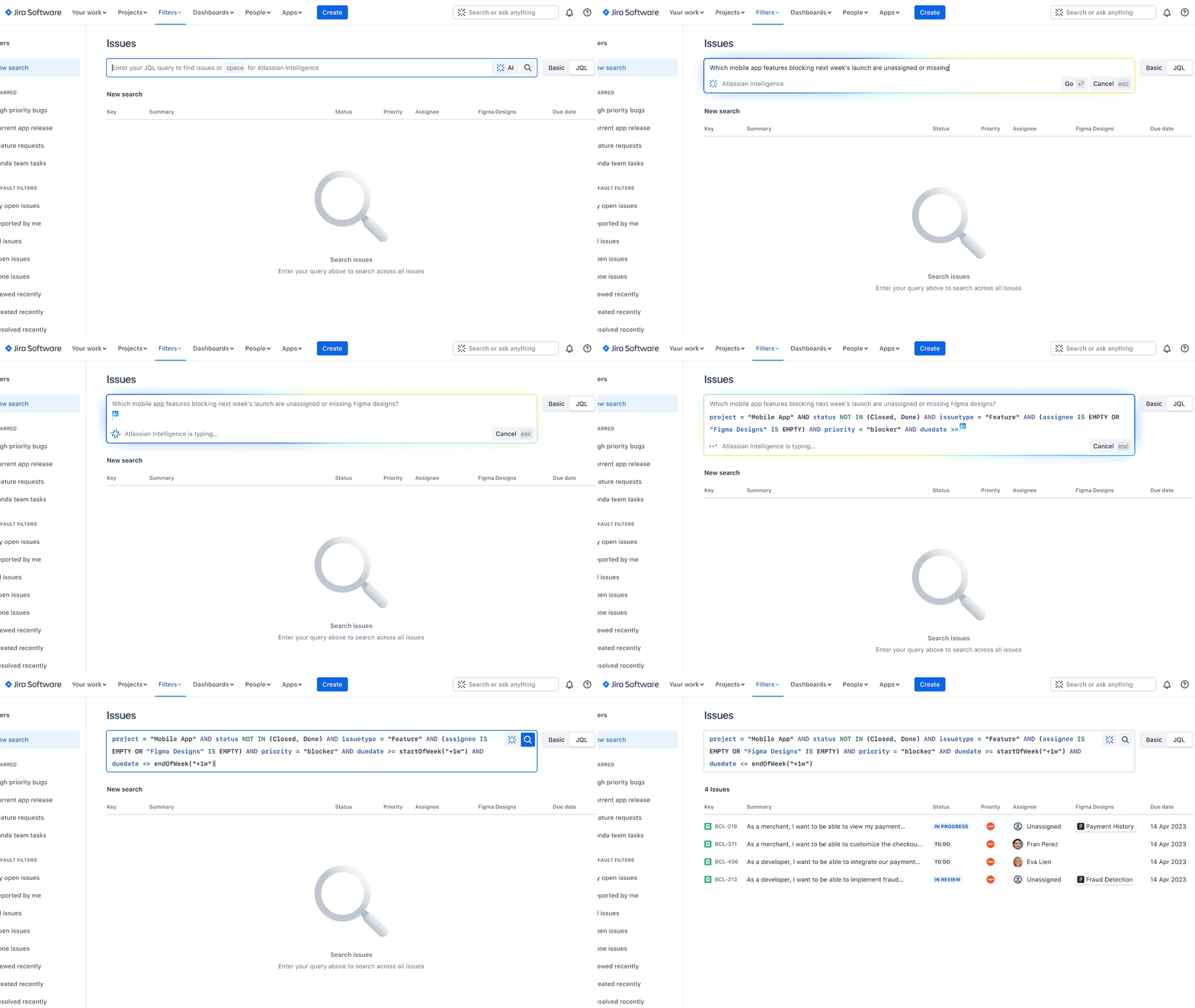
    Atlassian reported nearly 10% of its more than 265,000 customers have already leveraged Atlassian Intelligence since the launch of the beta program. Organizations, for example, can instantly create user stories within Jira Software tickets, change the tone of a customer response within Jira Service Management, create summaries, launch workflow requests via prompts and generate a starting point for a test plan in Confluence.

    Natural language capabilities, currently available for Confluence, will shortly be generally made available for Jira. An ability that promises to help demystify company-specific concepts, jargon or acronyms is also available now in beta, with support for Jira Software and Jira Service Management to shortly follow.
    There is little doubt at this juncture that AI will be pervasively applied across both ITSM and DevOps workflows. As those advances are made, it should also become feasible to reduce the level of toil these teams regularly encounter. At the same time, the level of scale at which ITSM and DevOps workflows can be effectively managed should also increase substantially.

    Each organization will need to decide how quickly to incorporate AI into those workflows, but hopefully, the level of burnout experienced by IT personnel will be sharply reduced as more tasks are automated. Less clear is the impact AI will have on the size of IT teams required to provide those services, but for the foreseeable future, there will always be a need for some level of human supervision.

    In the longer term, the war for IT and DevOps talent that has been waged now for multiple decades should diminish as managing these workflows becomes more accessible, noted Schvimmer. Organizations will not need to rely so much on the expertise of a handful of specialists, he added.

    Organizations, however, would be well-advised to make sure AI is embraced from both the bottom up and the top down to ensure optimal adoption, said Schvimmer.

    In the meantime, IT teams should take an inventory of the processes that are likely to be automated by AI today with an eye toward restructuring teams as more tasks are automated. Ultimately, the goal should be to let machines handle the tasks they do best to enable the IT staff to provide services that deliver more value to the business.

  • Atlassian Extends Automation Framework’s Reach

    Atlassian Extends Automation Framework’s Reach

    Atlassian this week extended its namesake automation framework to include its Confluence collaboration software. In addition, it’s now possible to automatically create bi-directional branches in Bitbucket, GitHub or GitLab platforms from within the company’s Jira project management application.

    At the same time, it’s now possible to automatically generate feature flags from within Jira through integration with the feature management platform created by LaunchDarkly and automate alert and incident responses stemming from the Amazon Web Services (AWS) cloud.

    Dilani Kahawala, head of product for the automation platform at Atlassian, said these extensions to the Atlassian Automation framework are part of a larger ongoing effort to remove the silos within software engineering teams and the rest of the business.

    DevOps teams, for example, will now be able to expand the number of those automated actions being taken because change requests can be automatically created. Atlassian estimated that IT teams will spend 25% less time managing change requests and save 115 hours per month.

    To save more time, templates that automatically create Wiki pages in Confluence can be spun up at the completion of every sprint.

    Since it first launched for Jira in 2020, Atlassian claims more than 10 billion automated actions have been executed across the Atlassian platform.

    Kahawala said as more organizations realize how dependent they are on software to drive revenue, the need to close the divide between software engineering teams becomes much more pressing. She noted that changes to the timetable for one project can have a cascading effect across the entire business. At a time when organizations are counting on digital business transformation initiatives to remain competitive, the speed at which organizations share updates across silos is critical, said Kahawala.

    At the same time, organizations are also striving to become more productive in an uncertain global economy. Automating rote tasks makes it possible for development teams to spend more time writing code, added Kahawala.

    Less clear right now is whether businesses can absorb the pace of change that is enabled by modern software development. Historically, business leaders complained that their dependency on IT was holding the business back because it took too long for IT teams to implement changes. Today, however, many organizations routinely deliver code updates to mission-critical applications daily. While not every delivery may involve a major new update, it’s apparent that the pace of innovation is now occurring at speeds many organizations find challenging to absorb.

    As organizations continue to adopt best DevOps practices, the pace of innovation is only going to accelerate further. The challenge—and the opportunity—is to ruthlessly eliminate as many manual tasks as possible to accelerate the pace of innovation. After all, software engineering pros have better ways to spend their time than manually creating yet another branch in a continuous integration/continuous delivery (CI/CD) platform or, worse yet, reenter data into a project management application.


    Join the makers of Jira for a brand-new (free) Agile & DevOps event. Atlassian Presents: Unleash is designed to help your team collaborate from discovery to delivery to running great software. Get first access and “cheat codes” to the newest Jira Software features and products from Atlassian; network with peers, industry experts, and Atlassian product leaders; and solve real-life challenges around your Jira and toolchain configuration and workflow. Live in Berlin or digitally on February 9. Register for free.

  • Atlassian’s Shift to the Cloud Gets Underway

    Atlassian’s Shift to the Cloud Gets Underway

    Atlassian today announced the general availability of Cloud Enterprise, a cloud-based service through which organizations can mix and match the company’s various offerings under a single subscription.

    The company has signaled its intention to shift toward cloud services for months; now, the initial Cloud Enterprise subscription will cover the company’s Jira Software, Confluence and Jira Service Management offerings.

    Bala Venkatrao, head of product for Enterprise Cloud at Atlassian, said the goal is to make it more cost efficient for organizations to consume the company’s software versus merely acquiring a license to deploy software in an on-premises IT environment.

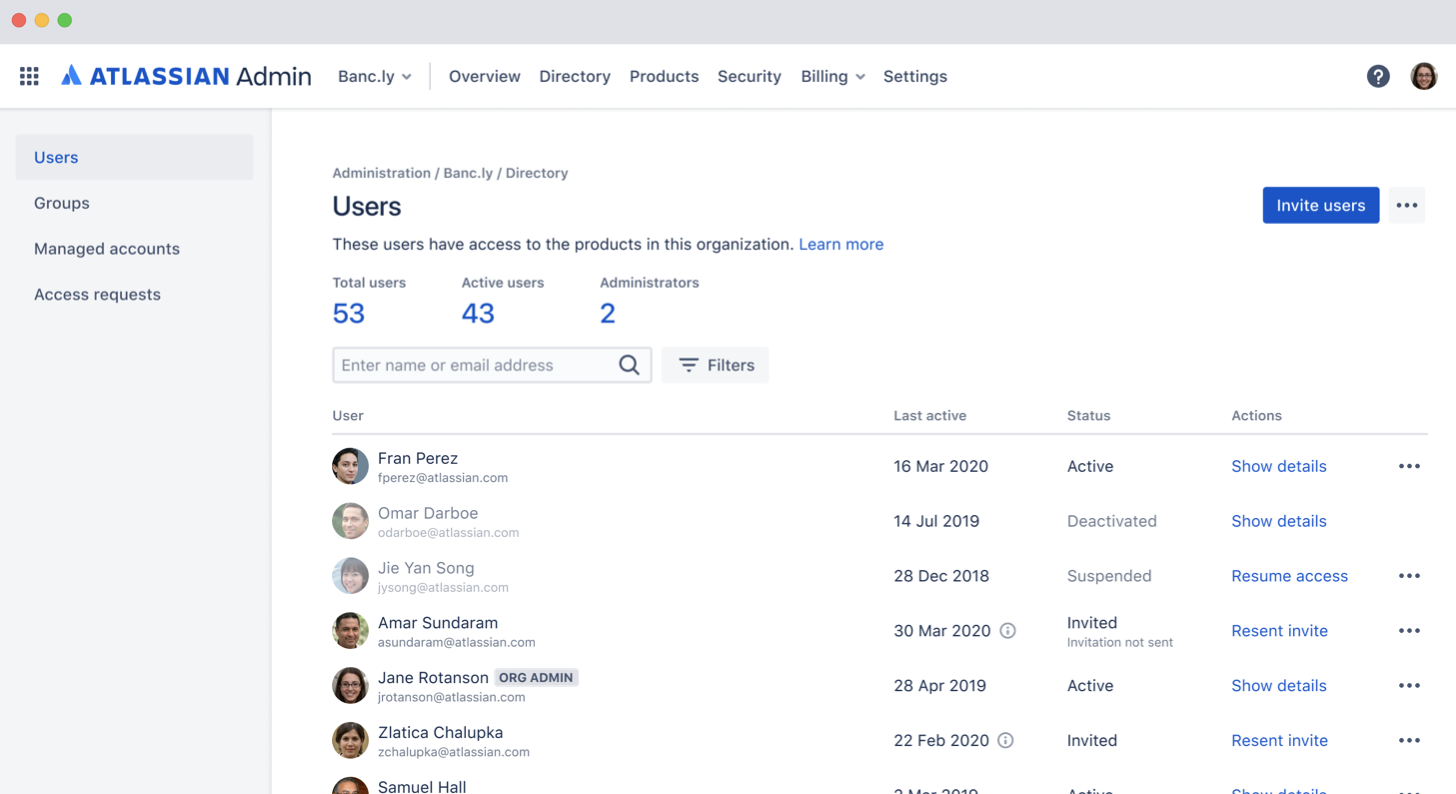
    The company is also making controls available that enable governance of user and change management via a centralized admin hub. Administrators can assign users to instances, configure security policies and monitor usage trends through the hub. There are also built-in integrations with third-party identity-as-a-service providers, to enable administrators to automate provisioning and de-provisioning.

    Administrators can also set up and customize multiple application instances; they can keep data pinned to different regions to customize those instances with specific marketplace applications or configurations for compliance purposes.

    Finally, a marketplace will allow IT organizations to expand the number of applications they consume from Atlassian and its partners. A smart links and app switcher capability for Jira and Confluence Cloud enable easy collaboration across different instances of Atlassian applications.

    Atlassian currently has more than 194,000 customers, so it may take some time to transition the existing installed base to this model. In the meantime, Atlassian is pushing as many new customers as possible toward a cloud platform that makes it easier for Atlassian to keep customers current on the latest release of its software. Atlassian plans to support up to 20,000 users per application instance by later this year.

    Venkatrao said while the Atlassian portfolio is frequently consumed by individual end users, the Cloud Enterprise offering is designed to appeal to CIOs, and other senior level executives, that want to centralize billing for application services now accessed via the cloud. That approach will make it easier for large organizations to take advantage of discounts they may qualify for as overall usage increases, Venkatrao said.

    While Atlassian may be a little late to the software-as-a-service (SaaS) application game, Venkatrao noted that the Cloud Enterprise platform will make it simpler for Atlassian to apply AI to the metadata it will collect. Atlassian has already leveraged AI to improve document search within Confluence and Jira, in addition to employing predictive analytics to surface recommendations for including personnel on a project.

    It may be a slow transition to the cloud for Atlassian, but that transition is clearly underway.

  • Enterprise Service Management with Jira Service Desk and Confluence

    Enterprise Service Management with Jira Service Desk and Confluence

    Companies are looking to reduce cost, create efficiency and improve productivity of all internal and external customer services. In many organizations, different departments are using individual tools to provide their customers with the services they need. They can work in silos, can provide inadequate quality of service and not to mention that the portfolio of different tools can be quite costly.

    Enterprise Services Management (ESM) is a popular approach to implementing services within the organization. Departments such as human resources (HR), operations and marketing are seeing the value of Information Technology Service Management (ITSM) processes, and companies are looking to repeat that same value across the business. ESM allows all departments in the organization the opportunity to standardize tools and processes across all of their services departments. This standardization of tools and processes can create transparency, can improve the customer experience and in the end can reduce overall cost.

    There are quite few tools that can be used to support the implementation of ESM. Two components of an effective ESM implementation include a shared service desk and a knowledge base. 

    The shared service desk encourages the standardization of tools, and even paves the way for the alignment of processes. Departments should find tools that can be scaled up from just ITSM to support requirements across different service departments. There are quite a few applications available to companies for a shared service desk.

    In order to promote adoption, organizations must consider the ease of usability for both customers and customer service providers. Atlassian has two applications, Jira Service Desk (JSD) and Confluence, that together provide companies their shared service desk and knowledge base components of their ESM solution.

    JSD can be used as the foundation of an organization’s ESM implementation. Having JSD as the standardized service desk provides customers with a single customizable portal for all requests across the business. Unlike Jira Software and Jira Core, JSD licensed users are called agents. Companies only pay for agent licenses and do not pay for their customers.

    Below are just some of the features that are available with JSD:

    • A portal that can organize request types for customers. This provides them one place to submit all of their requests across the business.
    • Customizable workflows that include features such as custom statuses, conditions and post-functions.
    • Queues that provide the ability for agents to monitor and manage requests.
    • Service Level Agreements (SLAs) that help set time frames for agents to complete a certain step such as responding to the customer and even resolving the request.
    • The ability to automate certain workflow steps.
    • A plethora of built-in reports, to include one that shows overall customer feedback satisfaction.

    The next component is a knowledge-base. Why is a knowledge base valuable to both customers and agents? Confluence is a wiki that helps teams organize and share information. A well configured knowledge base can empower the customer to answer the questions they have without submitting a request. This can reduce the time agents spend on common requests. 

    Confluence has the ability to create a knowledge base, and seamlessly integrate it with JSD. Confluence is organized by pages, which are structured in a series of parent-child relationships—in the end form it’s called a page tree. To add/edit articles in the knowledge base, the person will require a Confluence user license. However, any customer can read the articles in a knowledge base without a license.

    Below are just a few of the available features with a Confluence knowledge base:

    • Built-in templates for how-to and troubleshooting articles.
    • Page labels that help serve as keywords for customers and service desk agents when searching for knowledge base articles.

    Below is a process flow for customers submitting a request in a typical ESM implementation using JSD and Confluence:

    1. User launches portal in web browser.
    2. In the portal, if a knowledge base is configured, the user can start typing keywords to search for articles that answer their question.
    3. If the user does not find the answer to their question in the knowledge base, they can navigate within the portal to the request type they wish to submit. The request types can be grouped by department.
    4. User completes the request form. Fields can be custom or out of the box. They can also be required or optional.
    5. Form is submitted and it creates an issue in JSD. 
    6. The issue is added to one or more agent queues. Agents can also receive notifications in email, and third party applications such as Slack, Opsgenie or PagerDuty.
    7. Agent communicates with the customer via comments in the Jira issue, and the customer communicates with agents via the customer request interface.
    8. Agent works on request in until its resolution.

    In summary, ESM is continuing to improve value in organizations for many reasons. One part of a successful implementation of ESM is which tools are selected for customers and customer service providers.

    — Evan Golden

  • Atlassian Looks to the Cloud

    Atlassian Looks to the Cloud

    As part of an effort to accelerate migrations to the cloud, Atlassian is making instances of Jira Software, Confluence, Jira Service Desk and Jira Core running in the cloud available for free, as well as premium options that provide access to the same software with access to additional features and support.

    Harsh Jawharkar, head of go-to-market for Cloud Platform at Atlassian, said it’s apparent most organizations want to shift from on-premises to cloud versions of Atlassian platforms. However, they need control and more transparency into how much that shift will cost, said Jawharkar.

    At the same time, Atlassian views the cloud as an opportunity to expose more end users to its offerings by making them available for free. These editions of Jira Software, Confluence, Jira Service Desk and Jira Core will be available in the coming months alongside existing free editions of Trello, Bitbucket and Opsgenie.

    In addition, Atlassian is now extending its Cloud Premium service to now include Jira Software and Confluence, with a premium edition of the Jira Service Desk coming soon. Atlassian is also making 50% to 75% discounts available to eligible academic organizations and non-profit organizations.

    Atlassian is also moving to provide organizations with more control over where data gets stored. Customers now can choose where data in the Atlassian cloud will be stored to address regulatory compliance concerns. Atlassian also recently added a data encryption at rest and in-transit capability to ensure no data stored in its cloud is compromised by unauthorized access.

    In addition, Atlassian is updating Atlassian Access, a console for managing access to its various platforms, to include support for Google Cloud Identity and Microsoft Active Directory Federation Services (ADFS). Atlassian also committed to providing support for multiple cloud access brokers (CASBs) starting with an early access program involving McAfee and Bitglass before the end of this year.

    Atlassian is also promising enhancements to its audit log and early access to tools, which will help organizations better understand how Atlassian software is being consumed and their associated billing costs. The whole process of onboarding and offboarding users is becoming critical as organizations become more concerned about controlling their cloud application costs, noted Jawharkar.

    Finally, Atlassian is enabling customers to customize the URLs associated with Atlassian cloud service to reflect their own brands.

    Atlassian today has more than 150,000 customers consuming its software, including Costco, Delta Airlines, Office Depot and Visa. The most widely employed Atlassian application in DevOps environments is Jira, a project management application optimized for tracking software development projects. Atlassian is now trying to extend that base of customers to increase usage of OpsGenie, a set of tools for managing alerts.

    Obviously, each IT organization is going to transition to the cloud at its own pace. The issue most of them are wrestling with now is determining whether it makes more economic sense to move to the cloud or stick with the on-premises IT environment they already have in place.

    — Mike Vizard