Tag: Code Generation

  • Copado Expands Beta of Generative AI Tools for Salesforce DevOps Platform

    Copado Expands Beta of Generative AI Tools for Salesforce DevOps Platform

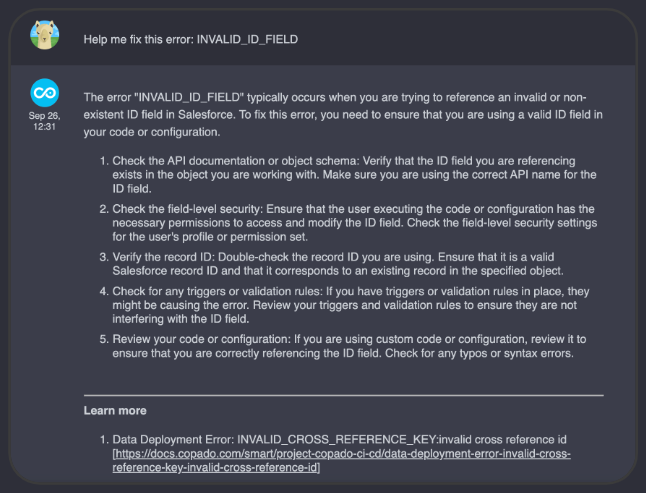
    Copado today announced it has expanded a beta program through which it provides application development teams building applications for the Salesforce software-as-a-service (SaaS) platform access to generative artificial intelligence (AI) capabilities enabled by ChatGPT.

    David Brooks, SVP of Evangelism for Copado, said the company, via the usage of vector databases, has exposed instances of ChatGPT to everything in its knowledge base that has been collected over the last 10 years. That approach enables Copado to extend the large language model (LLM) used to train ChatGPT without exposing any data that might be used to one day train the next version of the generative AI platform.

    The goal is to enable DevOps teams to generate code and tests faster while simultaneously reducing the time required to handle support calls, said Brooks.

    In addition, Copado is using ChatGPT to enable impact analysis and conflict detection to reduce the level of friction encountered when deploying applications in a production environment. That latter capability is critical because, in many instances today, DevOps teams don’t have a firm understanding of how code needs to be deployed, resulting in unnecessary rollbacks of application deployments, noted Brooks.

    Generative AI will also automate the creation of documentation, such as release notes for every application deployed, to reduce the overall level of toil DevOps teams experience, noted Brooks.

    Copado also plans to provide governance tools that will enable DevOps teams to ensure the code written by an LLM is not based on a hallucination that results when trying to reconcile conflicting data, added Brooks. There will, of course, always be a need for a human to review code before it is deployed in a production environment, he added.

    In the longer term, Copado will make it possible for organizations to invoke multiple LLMs to address various functions as they best see fit, said Brooks. In fact, DevOps teams should expect to soon be employing multiple copilots trained to address specific tasks such as writing code, deploying applications, assessing cybersecurity and addressing compliance mandates, he added.
    Ultimately, application development and deployment efforts that today require weeks to complete will soon be accomplished within the same day, said Brooks.

    At the same time, organizations will also be able to better manage application environments that today operate at levels of scale few IT teams can manually track. Generative AI capabilities, in effect, will make it simpler for DevOps teams to effectively manage application environments at much higher levels of scale, said Brooks.

    Each organization will naturally need to determine to what degree they are prepared to absorb that level of innovation, but it’s clear the pace at which applications are built and deployed is about to exponentially increase. The issue organizations will increasingly encounter is that business processes will not be able to absorb the rate at which software can be built and updated.

    It’s not clear just yet to what extent generative AI will transform DevOps, but as advances continue to be made, many of the manual tasks and bottlenecks that today conspire to slow down application development and deployment are about to be eliminated in ways that few would have thought possible a little more than a year ago.

  • Microsoft Previews Additional Copilot Tools for Azure

    Microsoft Previews Additional Copilot Tools for Azure

    At its Ignite 2023 conference, Microsoft this week previewed Copilot tools to simplify the management of the Azure cloud service along with a tool that streamlines the building and deploying of artificial intelligence (AI) applications on the Azure platform.

    In addition, Microsoft launched Microsoft Copilot Studio, a low-code tool that automates the process of creating data integration plugins and adding custom copilots within the Microsoft Copilot for Microsoft 365 tool that Microsoft previously launched.

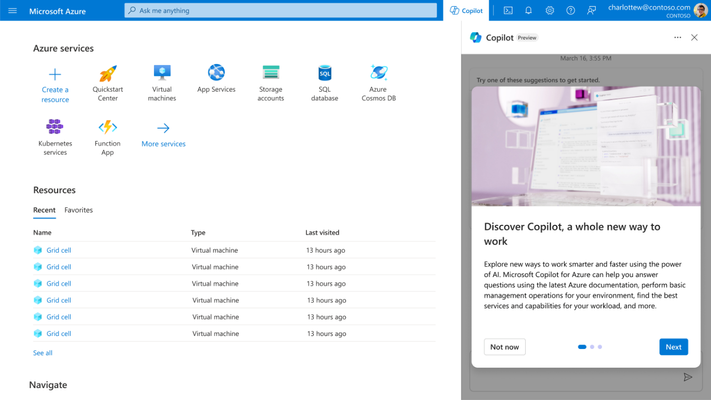
    Microsoft Copilot for Azure leverages large language models (LLMs) to enable IT teams to use natural language to create, configure, discover and troubleshoot Azure services. It also enables IT teams to create complex commands, ask questions and optimize costs.

    Erin Chapple, corporate vice president for Azure Core at Microsoft, told Ignite attendees that Microsoft, along with a handful of customers, is already using Microsoft Copilot Azure to manage Azure infrastructure.

    In the long term, it’s clear that Microsoft is moving toward streamlining the building and deployment of AI applications using Azure AI Studio, a framework for invoking the AI models that Microsoft makes available on the Azure platform. The goal is to make it possible for organizations to create their own copilots based on AI models they have trained.

    It’s still early days in terms of organizations leveraging AI models to build applications, but it’s already apparent that DevOps and machine learning operations (MLOps), along with data engineering and cybersecurity best practices, will need to converge. Microsoft is making a case for Azure AI Studio as the framework that will enable IT organizations to achieve that goal.

    Of course, Microsoft is not the only provider of IT infrastructure resources with similar ambitions, but thanks to its investments in OpenAI and the acquisition of GitHub, it is furthest along in terms of defining a framework for building AI applications at scale. Last week, GitHub previewed an extension of the Copilot tools it already provides to help developers write code that leverages generative AI to automatically propose an editable plan for building an application based on natural language descriptions typed into the GitHub Issues project management software. Copilot Workspace will generate editable documents via a single click that can be used to create code that developers can then visually inspect. Any errors discovered by application developers or the Copilot Workspace platform can also be automatically fixed.

    At the same time, GitHub has extended the scope and reach of Copilot Chat to make it simpler for developers to use natural language to discover issues in their code base.

    Generative AI is already having a massive impact on the rate at which applications are developed, but that code still needs to be reviewed. Chat GPT is based on a general-purpose large language model (LLM) that is trained by pulling in code of varying quality from all across the web. As a result, code generated by the platform might contain vulnerabilities or be inefficient. In many cases, professional developers still prefer to write their own code.

    Of course, not every programming task requires the same level of coding expertise. In many instances, ChatGPT will generate, for example, a script that can be reused with confidence across a DevOps workflow. There is no shortage of mediocre developers who are now writing better code thanks to tools such as GitHub Copilot, and soon, domain-specific LLMs will make it possible to consistently write better code based on validated examples of code.

    The next challenge is going to be finding a way to manage increased volumes of code. There is no doubt that AI will be applied to the management of DevOps pipelines, but for the moment, at least, the pace at which AI is being applied to writing code is already exceeding the ability of DevOps teams to manage it.

  • Tips for Increasing Developer Velocity in the AI Age

    Tips for Increasing Developer Velocity in the AI Age

    These days, everyone is trying to improve release frequencies. Under mounting pressure to deliver more, many software teams are considering new strategies to enhance their developer velocity, like AI-assisted code development and platform engineering. AI has been a boon for automatic code generation, but all the code in the world doesn’t matter if you can’t deploy it into production efficiently.

    Another point is that velocity isn’t always measured productively, said Dori Exterman, chief evangelist of Incredibuild and a self-proclaimed ‘productivity freak.’ Too often, managers place value on quantitative elements, such as points per sprint and unrealistic metrics, when they really should be considering the quality of these components and how easy they are to maintain in the long run.

    I recently chatted with Exterman and other experts about tactics organizations can use to enhance their development velocity. Below, we’ll consider some helpful methods, from optimizing testing automation to creating internal development platforms (IDPs) and evolving your CI/CD processes. Essentially, optimizing the plumbing will be necessary to match the productivity of instant code generation—otherwise, the vision of continual release will remain stunted.

    New AI, Same Plumbing…

    No tech article today can mention developer productivity enhancements without a nod to AI. Just take the interest in Copilot, for example. Among GitHub Copilot users, 40% of the code they’re checking in is now AI-generated and unmodified, according to a Microsoft executive. And GitHub reported that 88% of Copilot users feel more productive when using the tool.

    In contrast to past hype cycles, the latest AI wave is not just a passing fad—it will have long-lasting effects, said Exterman. However, most of our current DevOps processes were constructed for manual code writing, not for the era of AI-assisted development.

    If you quadruple the amount of water you use but use the same plumbing system, you can’t push more water through, said Exterman. Similarly, if you amplify the amount of code you’re producing but don’t evolve your build processes, staging and testing, then DevOps suddenly becomes the new blocker.

    Ways to Accelerate Developer Velocity

    So, how can we improve development efficiency and productivity in the age of AI? Here are some actionable strategies for overcoming these bottlenecks and improving developer velocity.

    Accelerating the Plumbing

    Exterman stresses the importance of leveraging AI to enhance the foundational processes of development. This involves using techniques such as distributed computing and smart test selection to streamline build and testing processes. By optimizing these foundational steps, development teams can ensure that their coding efforts translate into efficient and rapid progress.

    Optimizing Testing through AI

    AI’s potential not only lies in code generation—it extends to optimizing testing processes. Exterman suggests tools like Launchable that allow AI to prioritize tests that matter most. This strategic approach to testing enables teams to focus on high-impact areas while maintaining comprehensive test coverage.

    Embracing Test Automation

    Exterman underscores the importance of comprehensive test automation. Rapid iteration loops are essential for maintaining velocity, and automation facilitates fast feedback cycles. This approach ensures that each code change undergoes rigorous quality checks, preventing errors from propagating downstream.

    Keeping an Eye on Technical Debt

    One of the potential downsides of increasing programming velocity is the accumulation of more technical debt. As more development occurs, the temptation to compromise on documentation, unit testing and best practices grows. Exterman emphasizes that velocity must be pursued in tandem with managing technical debt to ensure the long-term health of projects.

    Investing in Platform Engineering

    Recently, we’ve witnessed a paradigm shift toward platform engineering. Just over half of IT organizations have already embraced platform engineering, according to the 2023 State of DevOps Report. Exterman emphasizes the need for a robust internal developer platform that supports the seamless transition of code from development to staging and production. For instance, tools like Terraform and Earthly play a pivotal role in establishing testable environments and reproducible builds.

    “Bring more data services closer to the developers,” said Venkat Ramakrishnan, VP, product management and engineering, Portworx by Pure Storage. “Choose platforms that provide easy-to-deploy services that developers can consume and provide visibility and control into the underlying costs.”

    Enabling Observability

    Observability, according to Exterman, is also important for gauging efficiency. The ability to continuously monitor and log processes enhances the overall development cycle. One report from Splunk even found that 64% report their investment into observability has exceeded their expectations. Tools from New Relic and Datadog, for example, offer insights that tie quality, delivery and productivity together, enabling teams to make informed decisions.

    Evolving CI/CD With Continuous Merge

    One method to progressing CI/CD is continuous merge, a new concept that can be implemented with tools like gitStream that aims to decrease the window between a pull request, review and merge.

    “CI/CD has done wonders to improve the quality and efficiency of the software development toolchain, but it mainly focuses on things that happen after code has been written and reviewed,” said Ori Keren, CEO and co-founder of LinearB. “Continuous merge is a mindset that extends CI/CD practices further upstream to improve the quality and efficiency of the code review process. We’ve reached a point where code review times frequently cause the most significant delays in the software delivery process; continuous merge is how we fix that.”

    Using Cloud-Agnostic Platforms

    Cloud-native development has become more popular as organizations seek to design software architectures bred for the natural scalability of the cloud. Simultaneously, both technology and business motivators are resulting in a multi-cloud condition. In this scenario, IT really needs agnostic, open platforms to retain flexibility and reduce bottlenecks.

    “Enable developers to build their apps in a cloud-agnostic way so they can scale their apps globally,” said Ramakrishnan. “Much of developer and app momentum is lost when scaling apps. Helping the application teams architect it right by providing cloud-agnostic application platforms like Kubernetes enables developers to move faster, scale faster and reach their customers everywhere.”

    Measuring Developer Velocity

    The above tips should help improve velocity, but how exactly should you measure success? Well, measuring developer velocity goes beyond simply tracking the number of points completed in a sprint, reiterated Exterman. He emphasizes the importance of focusing on the ability to deliver high-quality products to the market swiftly. He underscores the need for a fast feedback loop for addressing bugs and iterating quickly. AI plays a role here, too, aiding in test writing and enabling continuous delivery.

    End Benefits of Improved Developer Velocity

    Exterman concludes by highlighting the real-world benefits of increased developer velocity. Faster bug-fixing and release cycles, particularly crucial in industries like gaming, result in improved user experiences and customer satisfaction. He emphasized the significance of aligning key performance indicators (KPIs) and objectives and key results (OKRs) with the aspects that truly matter, promoting a culture of measured and sustainable progress.

  • The Right Tool for the Job: AI Edition

    The Right Tool for the Job: AI Edition

    (Actually, the right job for the tool.)

    We are currently in a really weird space with regard to AI capability. For my AI friends, I will make the disclaimer that what we call AI today is not actually AI, it is more akin to LiSP “AI” than actual intelligence (and, in reality, is firmly somewhere in between). In short, we have great language processing tools that we call AI but that have no cognitive ability—but, man, are they useful.

    And the suddenness with which the rest of the world realized they were useful was nothing short of astounding. One day we are using AI algorithms to process test results and filter security data; next thing you know, our business people are bringing up AI and how advanced it is in every meeting.

    They’re not wrong, but we need to differentiate the technologies. The promise and danger of chatbots is not the same as the promise and dangers of AI in security (where it can be used by attackers as easily as defenders, btw). We’re going to have to work out the concerns and benefits in real-time, but we need to start by pushing back and making clear that it is not a panacea, any more than the last 50 technologies that came along. It has great promise to change the world, but so did VMs and Java and containers and …

    This one seems bigger, but that’s largely because it came on so fast and with seemingly broad applicability. But in the end, it is good at processing large datasets and noticing both patterns and anomalies in the data. This is a great, hugely powerful tool, but for things with sparse data? Totally useless. This is critical to remember moving forward. AI that monitors a certain aspect of security in the organization can detect patterns and anomalies, but unless the dataset is massive, there will be a lot of false positives along the way, and a more traditional tool is preferred. If that same AI (same software, algorithm, etc.) is being trained on data from hundreds of companies? Sign the check, it’s probably going to be better and more forward-looking than your current solution.

    And that’s the key. It took the entirety of the World Wide Web—including, I might add, The Gutenberg Project—to train the language processors, so unless that security AI has a massive dataset, it’s not likely ready for prime time.

    In IT, look to AI today (and this will change relatively rapidly, so check back often) for large dataset processing and for advanced automation. Those are the two real use cases. More will come, but right now, the ability to find patterns in large datasets or to say, in real-time, “A+B+C = block that port!” are the biggest viable use cases.

    Over the years, I have grown ever more skeptical of claims about removing the need for developers. Those claims have been made so many times that my friends and I have a stable of jokes about them. Java, XML, 4GLs, RoR, UI generation tools—the list goes on and on. And each one created even more code. I expect AI will be the same, but there is no denying it can offer initial frameworks, much like mobile UI generation tools do. We’ll have to see how much change that bit introduces.

    And keep rocking it. While I hope my readers don’t need reminding not to upload their source code to any of these AI tools, I will point out that your (Dev and Ops) source is so proprietary and critical that employers freak out when it is uploaded to an AI chatbot. No one cares what is done with chatbot-generated source, but the DevOps team’s source is considered critical. Sleep well knowing that.

  • In DevOps, Chatbots are a People Problem

    In DevOps, Chatbots are a People Problem

    By now, you are undoubtedly aware that you can call up a chatbot or install an AI assistant into your IDE and generate entry-level code and deployment scripts.

    Indeed, if you just go to a site like ChatGPT and enter “generate Python code to do X” where X is something you need to be done–or an example like “read a file and print out the contents one line at a time,” it will do it. And if you keep it simple, it will do it well. If you say “again, in Java,” it will comply and do it well.

    Then say “new chat,” and tell it to “write a bash script to deploy an app named X written in Java and using Gradle to a cluster named Y,” it will do that also, informing you of the names of the deployment and service YAML files. Then you can say, “generate the deployment file mentioned,” and it will. And then you can say, “parameterize the Java version,” and it will do that, too. This iterative revision can continue until the deployment code, containers and deployment files are complete. If you have not yet, I urge you to spend the half hour going through these steps once required, so the potential is obvious.

    It is not yet to the point where I would (or you should) trust it with complex systems, but all of that busy work we’ve been trying to overcome with templates and preconfigured containers? We can actually get around the bulk of it now. The same is true for testing of all kinds. There are tools that will auto-generate test scripts for a given set of source code. They will also generate test execution code. That means that the only step left—and the one that has held testing back because of the volume of work—is reviewing results … But wait, there’s more! In security testing, AI can help eliminate false positives. In performance or QA testing, it can filter out all but the most egregious issues (as defined by the org or by a larger pool of apps).

    The problem we need to address today is the people issue. What we have traditionally used entry-level people for—and trained them in Dev/Ops/DevOps with—is no longer necessary. Because the AI can do it. That is stunning and really very cool, if you think about it.

    But it heralds a danger that every org needs to be aware of. What we do and how we do it is changing. For the better, but change always brings uncertainty, and the foreseeable bit we need to confront is, “Now that we don’t need entry-level people for these steps, how do we recruit and train them?” I do not yet have a definitive answer for this question, because I am a product of my time, so I see things in terms of learning the bits that make up the whole—advising people interested in DevOps to learn at least one Linux command shell, to understand how networking works in containers, to write the scripts to get containers (and/or public cloud instances) up and running, etc.

    I do think that every org should start using these tools at a pace that makes them comfortable because it allows us to continue our “more with less” growth without significant pain. But we need to make certain we are training the next generation of DevOps engineers in the process. For the foreseeable future, we’ll still be the ones bug fixing and troubleshooting, so we need to understand the environment and the applications. We are starting to get some sweet tools to help us at a higher level, though. Anyone who has inherited complex systems knows that the learning curve of tons of source files that make up many subsystems and all of the spaghetti code that these can be comprised of is painful. I don’t normally mention brand names here, so I’ll just say there is at least one tool out there that you can ask to “describe what this code does” and it will run with it and give you an answer in plain English. This might be the training tool of the future, with the ability to compare what you see in code with what the AI describes in English.

    But for now, even if you don’t hunt down app description AIs, having entry-level people review the files that the AI generates will serve two purposes: First, to validate what the growing AI space is capable of and second, to get entry-level engineers into the entry-level bits of the systems.

    And keep rocking it. Make sure you have a path for DevOps in the AI future, but remember that the creation of the calculator did not statistically change the number of mathematicians, just made the bulk of them more productive. That’s all we’re doing here, just a bit more flexibly … But in the end, like a calculator, the AI has an equation that it fills and reports back with.