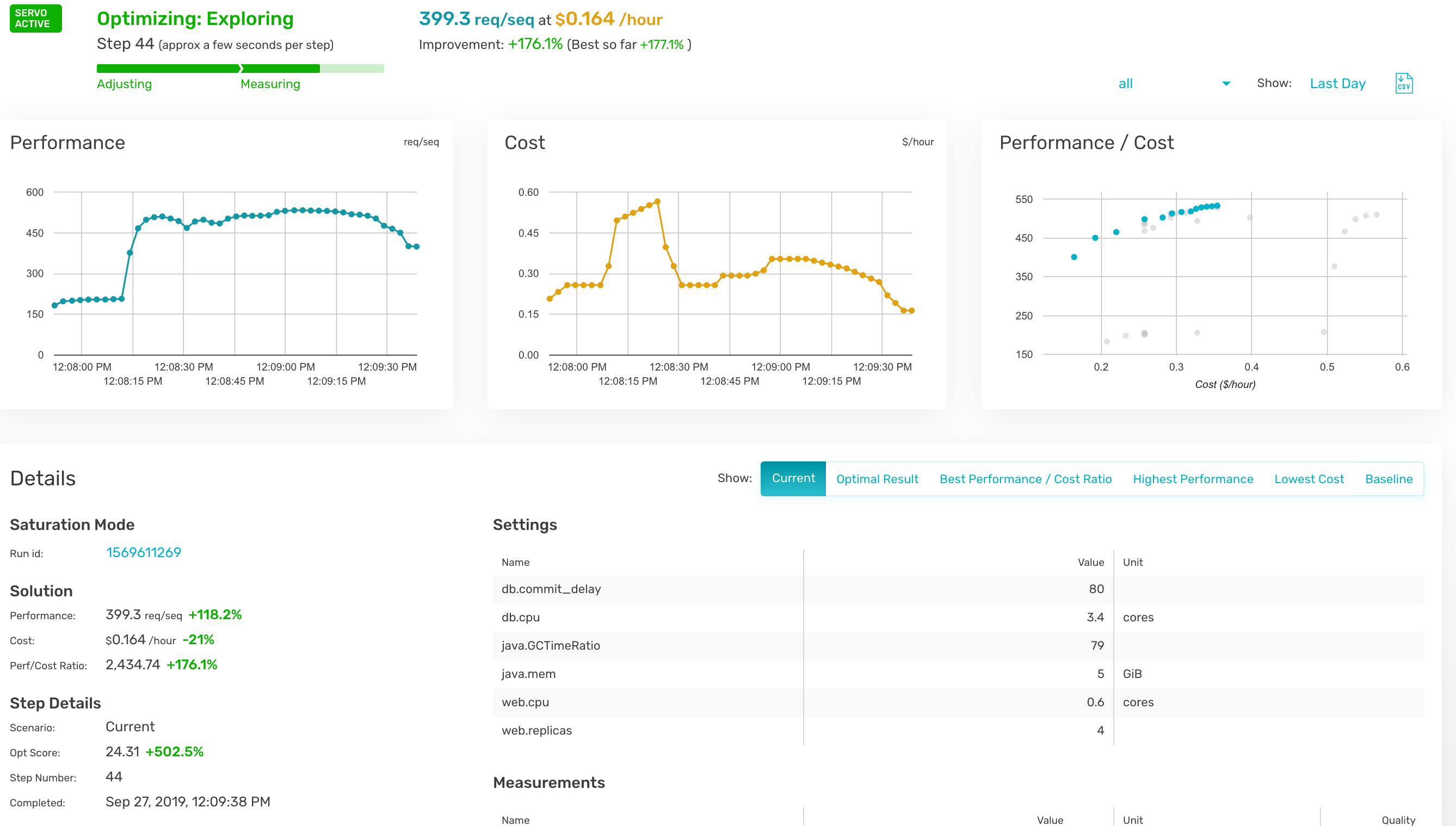
From an organizational perspective, an analytics workload is a way to gain a data-driven business advantage. Analytics workloads can serve a primary objective that translates to an actionable business impact (such as analyzing A/B testing results, understanding user retention or finding anomalies in a flow, for instance) or can serve in a supporting role for analysis (such as improving dataset quality, preparing a dataset for user consumption or adhering to a data-related regulation).
Ideally, a workload should have a measurable ROI and should be monitored on key performance metrics such as business impact, time to deliver, cost of execution and total spend versus allocated budget. Managing workloads this way is extremely challenging for data teams. In reality, the impact of big data analytics projects – and the effort and resources spent on them – tends to be unpredictable.
You can place workloads on a spectrum: on one end, you have workloads that are very close to their business consumers. On the other end, you have workloads that serve auxiliary and support purposes. The latter are the hardest to track, budget and measure their return on investment (ROI).
Query vs. Workload
When data platform teams are tasked with evaluating and implementing the infrastructure needed for an analytics workload, they tend to look at it from a technical requirements perspective. An analytics workload is a set of queries that read and write datasets; it consumes compute, storage and memory resources and has an expected level of availability, robustness and performance.
One traditional approach for improving cost and user experience in a workload is to focus on specific queries – identifying the slow, heavy and expensive ones and optimizing them one by one. While many single queries can be made better (faster, cheaper) by rewriting and optimizing, this approach often misses the big picture, leaving money on the table.
Knowing Which Queries to Focus On
Stripped of workload context, queries can only be evaluated on cost or response time. But business-critical queries may not be the most expensive, nor the slowest ones. Having the full view of the workload allows for prioritizing efforts much more effectively.
Behavior Fluctuations
The most important query on Mondays is probably very different from the most important query on Fridays, so the effectiveness of optimizing one or both queries may be small. The workload perspective enables you to identify patterns and leverage insights for effective optimization.
Cloud Elasticity
Unlike legacy data platforms, the cloud enables a brute-force approach to solving performance problems by adding elastic resources on demand. While this approach can work to improve a specific query, cost quickly gets out of control when applied to all queries. Understanding the workload is key to distinguishing when a brute force solution is right, and when you need to spend the time to build a different data flow.
Cloud Decoupling
In legacy IT environments, where queries were competing for a limited pool of resources, optimizing a single query had significant impact. But in cloud environments where resources scale elastically, queries compete with each other on a much smaller scale, if at all. Therefore, optimizing single queries has very little impact on the overall performance of workloads.
Measuring Performance by Looking at the Median
The heaviest or slowest queries are in the top percentile of queries. When trying to improve the overall user experience, the median performance can matter more, but it is indirectly affected when handling the extremes, so it tends to be less effective.
The Long Tail
In many workloads, a few highly visible queries can paint a misleading picture. It is common to have less than ten queries responsible for 20% of the load, and thousands of undistinguished “simple” queries responsible for 80%. Therefore, when data teams are trying to reduce cost, focusing on the most expensive queries may draw attention away from lower-hanging and easier optimization opportunities in “simple” queries.
“Big Picture” Optimization
Actions that improve a query (such as changing the layout of a dataset) may result in unintended consequences to other queries. Only a workload perspective can help evaluate the wider impact across other queries.
The Cluster Approach to Optimizing Big Data Analytics
Another traditional approach to optimizing data platforms is analyzing behavior from the cluster perspective. Most data platforms offer decent cluster monitoring of technical metrics, such as CPU load and RAM usage.
But, focusing on cluster-based KPIs will draw attention away from the elements that have the highest impact. Understanding the workload entails understanding the business logic of queries: repeating query patterns, hidden dependencies, failure modes.
Looking at this from a cluster perspective limits you to technical parameters, such as CPU usage. Without understanding the workload, data teams will miss issues such as a repeating calculation (to be made into an ETL flow) or an inconsistent calculation flow (like having different ways to compute the same business KPI).
In environments where clusters are shared between different workloads, data teams often encounter additional challenges:
Workloads Have a Business Context, Clusters Don’t
From a cluster perspective, there is no inherent prioritization between queries, and data teams find it difficult to focus only on business-critical workloads. The outcome is often reverting to focusing on specific queries, which doesn’t offer an effective solution.
Workloads Have Different Needs
Take, for example, an ETL workload which may require a large amount of RAM, run hours and which must be finished by 7 am. An interactive data product workload may be composed of thousands of queries that each must return in under 2 seconds. Analyzing the cluster as one unit can lead to suboptimal behaviour of both workloads. While this example can be considered simple to detect, many workloads that seem similar can have widely divergent needs.
As data lakes gain momentum as production-grade, big data analytics architecture, data teams need to shift attention from optimizing queries to measuring, analyzing and optimizing workloads. In the early days of big data, data warehouses were isolated data platforms tasked to deliver insights for a very specific set of business questions. But as the cloud rapidly evolved, the mere migration of data warehouses to the cloud is not enough. The next stage is moving production workloads to the data lake.
Storage is so much cheaper, and organizations want to run queries on any dataset, whenever they need it. It’s this heterogeneous collection of many different queries that requires workload-level visibility to ensure each workload can truly meet performance and budget requirements.

 The Accurics platform takes a different approach to cybersecurity—rather than focusing solely on application programming interfaces (APIs) exposed by cloud infrastructure providers, it analyzes everything from the Terraform code used to programmatically install workloads to the container and serverless computing frameworks employed. In the future, Aggarwal said Accurics plans to add integrations with other infrastructure commonly employed in cloud environments, including Jenkins, Bitbucket and GitLab continuous integration/continuous delivery (CI/CD) platforms.