Tag: application release management

  • Building a Platform for DevOps Evolution, Part Two

    Building a Platform for DevOps Evolution, Part Two

    In the introduction to this series, we discussed the concept of change and how it applies to DevOps environments and release managers. 

    In a world of constant changes in our surroundings and user demands, DevOps has to maintain hundreds of moving pieces across large organizations of people who, by nature, are adverse to change. This requires release managers to delegate power, transition from a centralized commander to an enabler, understand different value streams and constantly experiment. 

    In this section, we’ll cover some of the ways and types of experiments DevOps organizations can conduct to improve their release management procedures and meet their objectives using DevOps principles.

    Value Stream Mapping

    Value stream mapping is a series of steps used by organizations to provide products or services their customers want or need. In the traditional sense, the release and deployment process can seem tedious, especially if teams must communicate with a release management team to schedule release slots on a calendar.

    Despite its advantages, value stream mapping has a few drawbacks. It requires a lot of people and it can be difficult to coordinate and sparsely repeated.  

    Value stream management platforms can extract the four key DevOps metrics for teams to inspect and adjust in real-time. However, there are some shortcomings with using the four metrics:

    • Lead time is characterized as time from code commit to live; however, in value stream management, we also consider the time it takes for an idea or customer request to reach value realization.
    • Deployment frequency becomes interesting when teams deploy sporadically but are still improving, but when teams attain the ability to release on demand, other metrics become more helpful.

    As a result, teams must alter metrics over time to match team ability. This is why it’s critical to empower value stream teams to discover and measure their own metrics. Another factor is that people are more likely to change when doing it for themselves rather than having it done to them.

    Lessen Batch Size

    Reduced batch size lowers risk and reduces the time an activity waits in a queue. When changes are minimal, they may be implemented quickly and with less danger of causing disruption, thereby making the distinction between the phases less significant.

    While some key metrics may be accessed through specific tools such as backlog or release automation, without a value stream management platform, it’s more difficult to gain insights into overall queueing time.

    The value stream map is automated when all aspects of the DevOps toolchain are combined, resulting in a unified system from idea through the realization that allows teams to understand their cycle time and value flow efficiency and observe how changes improve work.

    Evolving Architecture From Monolith to Microservices

    Most organizations have monolithic, tightly coupled applications because that was the best software design approach available in the past. However, as the industry evolves, release managers become increasingly conscious of the limitations of this architectural approach:

    • Large batches of work are required to build, test and deploy.
    • Dependencies must be managed, including people and systems.
    • Dependencies cause fragility.
    • Fragility causes bureaucracy (e.g., CABs).
    • Bureaucracy and handoffs hinder flow.

    Rearchitecting applications to microservices, like changing human behaviors in a system, does not happen overnight, and there are frequent bottlenecks along the way. This is often a “change or die” conversation. If the application does not become more capable of change, market disruptors will provide new experiences to consumers, and customers will jump ship for these competitors.

    A value stream management platform can reveal where restrictions, delays, and dependencies occur and how they might be reduced. As a tenet of DevOps says, “Don’t manage dependencies; break them.”

    For many companies, however, the road to systemic autonomy, or loosely coupled systems, is lengthy with many incremental steps of improvement. This method is recommended by the strangler pattern: chipping away at the monolith one bit of functionality at a time.

    During the application architecture change, we need to support value stream teams, so they don’t waste time on unexpected work caused by unknown dependencies. We also need them to see and appreciate the improvements they’ve made with the support of a value stream management platform.

    Part of the release manager’s job is to identify value stream success stories and share them with the other value streams so that local improvements can become global ones.

    Transfer the Release Management Role to the Value Stream Team

    When teams work independently on small changes, they can release them as soon as they are ready. However, moving from one state to another takes time to transition to that stage of the journey.

    In a traditional method of working, the release process is likely to be coordinated by a release manager or a team of release managers. The release manager role can be transferred to the value stream team, with the team providing access to systems that provide visibility into current releases to the release manager.

    Transparency into operations across value streams provides traditional release managers with great comfort during this transition, relieving them of the administrative strain. It allows individuals to learn new skills and refine the meaning and purpose they derive from their work.

    By taking an end-to-end and cross-value stream approach to change and improvement and ensuring blame becomes accountability, release managers can be key to the success of these improvements. Platforms for value stream management give the data needed to support the conversations that will lead to this cultural and behavioral shift.

    In this series’s third and final part, we will cover more types of experiments and DevOps best practices for achieving change and driving results. 

  • Plutora Enhances VSM Platform with Release Insights

    Plutora Enhances VSM Platform with Release Insights

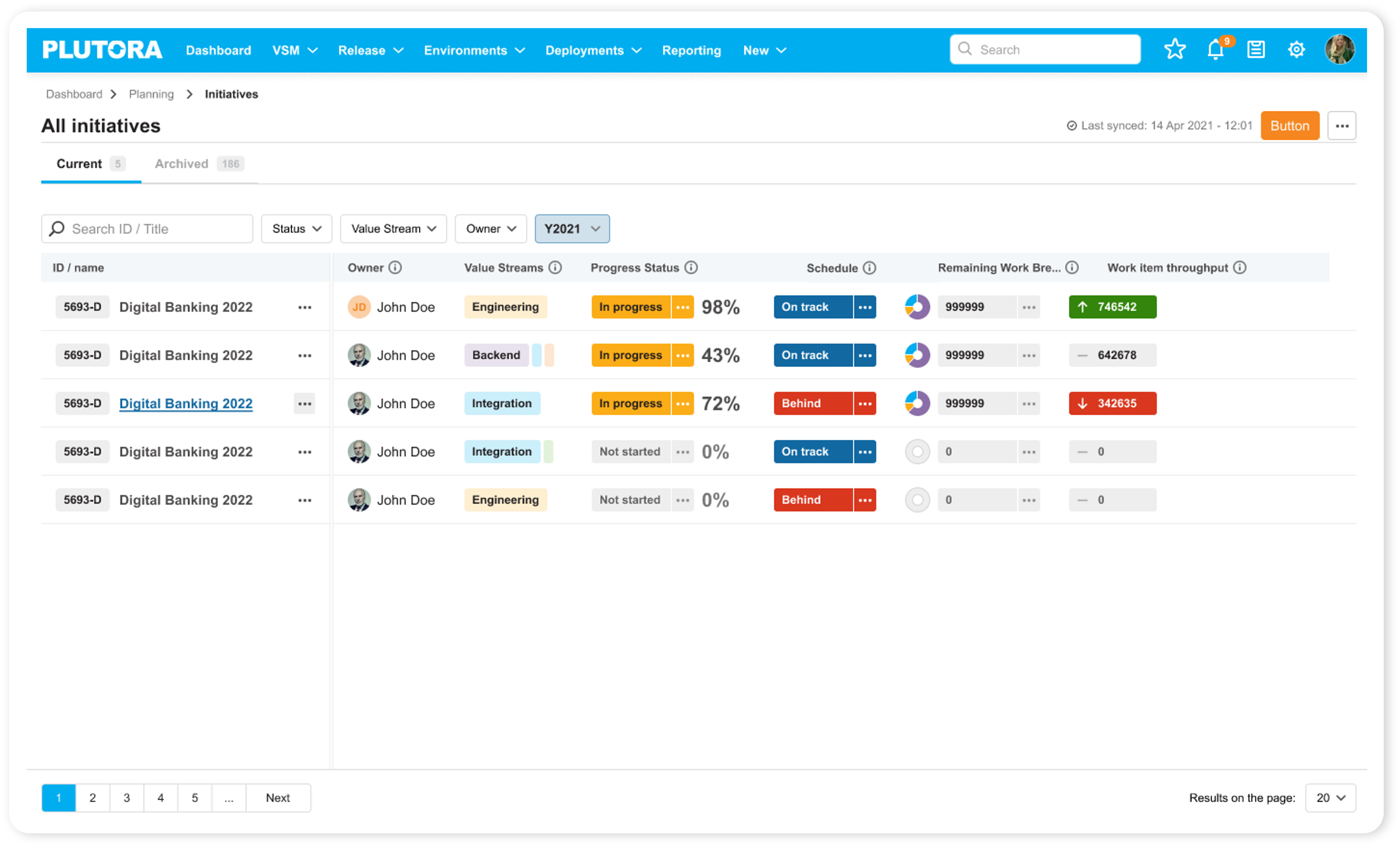
    Plutora has enhanced its value stream management (VSM) platform to provide dashboards that enable DevOps teams to better optimize application delivery.

    Jeff Keyes, vice president of product marketing and strategy for Plutora, said dashboards added to the platform will make it possible for application release managers to leverage predictive analytics to manage application delivery in a more progressive way rather than always having to react to an unexpected event.

    To enable that approach, Plutora has revamped its release insights dashboard that surfaces problem areas and hot spots in addition to adding analytics that track both software builds and larger project initiatives.

    That latter capability is especially critical for executives that currently find it challenging to keep track of multiple software development initiatives, especially those that may have fallen behind schedule without senior leaders being aware of the implications, said Keyes.

    While VSM platforms are typically used by senior IT and business leaders to keep track of how software deadlines are impacting key performance indicators (KPIs) for the business, Keyes said it’s become apparent that application release managers need access to more advanced analytics to optimize application deployment schedules. The Progressive Release Management capability surfaces insights via dashboards in the Plutora platform; that makes it simpler for application delivery managers to optimally orchestrate allocation of resources.

    Release managers, of course, already have access to a wide range of platforms for automating the application delivery process. However, Keyes said, those platforms don’t provide enough insights into how to optimize application delivery across a DevOps workflow made up of disparate tools and platforms. Plutora enables release managers to employ value stream flow metrics and more traditional DevOps metrics to reduce cycle times and improve overall DevOps throughput.

    Keyes said once organizations are provided with that insight, they should also be able to reduce the overall fatigue level many DevOps teams currently experience by removing friction within those workflows. In fact, that fatigue level is a major reason why there is so much turnover in many DevOps teams, he noted.

    It’s not clear how many organizations have a dedicated application release team, but optimizing the software delivery process is a major challenge for almost every DevOps team. While many organizations routinely make use of continuous integration (CI) tools to build applications faster, continuous delivery of applications has proven to be a more elusive goal. This is largely because each platform on which applications are deployed tends to be unique. As a result, many DevOps teams still rely on spreadsheets to manually manage application deployments.

    However, as the pace at which applications are being built continues to accelerate, it’s clear that application delivery is becoming a bottleneck. VSM platforms provide a means of applying analytics to optimize a process that can then be used to make better-informed decisions that might convince more organizations to automate application delivery. That assumes, of course, that the organization had the foresight to invest in a VSM platform capable of surfacing those insights in the first place.

  • Don’t Underestimate the Work

    Don’t Underestimate the Work

    It is relatively common in human endeavor to attempt to figure out how much work will be involved in a project, and be wrong. The more complex the work being done and the organizational system doing it, the further off estimates can be. This was one of the drivers for both Agile and DevOps: to take smaller steps with less dependencies and complexity.

    The complexity problem is true in the path to application release automation (ARA) as well. ARA merges continuous test/continuous delivery with deployment automation, but both of these toolsets are complex and continuing to evolve. When you think about it, it is somewhat amazing that ARA can handle the breadth of functionality it is covering, while both sides are shifting and growing as well as it does.

    Construction Crane
    Construction Crane, compliments of Pixabay

    When you approach ARA, you should make certain you have a handle on the amount of work that it will take to get the system up and running. It’s not simple, even if you’re already using a full CI/CD environment. But it’s worth the work, so here are some of the things to watch out for.

    Multiple Targets

    First on the hit list is on the deployment side. One of the strengths of ARA is the ability to deploy to any environment. The ARA system has to know about each environment in enough detail to enable deployment on it. It must know how to deploy servers, where to get OS, what needs to be added on to the OS, and how to get the application onto these systems. Increasingly, programmable network elements and security configuration fall into this category also. While tools such as Chef and Terraform can help in this regard, if you’re not already using them, they’ll have to be configured if not already, and then linked into your ARA tool. Understanding the path from here to there is critical to early success with ARA.

    Databases

    This is one of the more vexing problems. While most ARA tools offer the ability to configure databases and database connections, your datasets generally don’t hop around so easily. So if you’re testing and deploying on separate networks, you’ll need to make sure that the relevant tables are on those networks. This struggle impacts moves to the cloud, changes from a fully test network to production or any other change that requires the database server be accessible when it hasn’t been in the past. The work to solve these problems is pretty wide. In some cases, such as purely internal or purely cloud, merely routing from the relevant app instances to the database server will do it; but, in the case of across-the-internet changes, it will take a lot more work. Make certain you understand what challenges you will face before moving.

    Tooling Sets

    Much of the external needs of an application are baked into the app build process through tools such as NPM or Git. But those tools don’t cover everything necessary for the entire app ecosystem. Agents, per-tool databases, small tools used occasionally—make certain you have a list of what makes the app work, and make certain they’re configured to be built in by the ARA tool. This sounds obvious, but watching a team learn by trying to deploy and fix broken parts only to do it again is not only painful, it also leaves a “Did we get everything?” impression. I saw one app break on deploy because the team didn’t include curl. Yes, curl in the deployment. Test had it in the environment, production did not.

    Get an inventory of both application development dependencies (libraries, etc.) and deployment dependencies (databases, reporting tools, agents for monitoring, etc.), and save yourself some pain.

    Decrease Your Work by Asking Questions

    ARA gives you a repeatable build/deploy process that can be used to target the environments you need while reducing manual scripting and steps. But before you throw in, sit with your vendor’s tech people and ask them to walk you through stumbling points, they likely know far more gotchas than I do, because it’s their job, and unless you got the new guy for an SE, have probably seen more. And getting ARA up and fully functional quickly allows you to focus on other DevOps needs, such as improving automated testing.

    — Don Macvittie

  • appOrbit: End-to-End Hypercloud

    appOrbit: End-to-End Hypercloud

    As cloud and DevOps have heated up, enterprise need for cloud portability and deeper DevOps integration have become pretty clear. The need for portability to avoid cloud lock-in has been a desire of enterprise cloud users from day one. A variety of people are attempting to address this need, but the market is still very much evolving.

    In the area of DevOps integration, the two topics currently causing struggles are security and networking. Continuous deployment inevitably requires both to be part of the DevOps package, and those are the newest additions to the field, so it is still maturing.

    Enter appOrbit

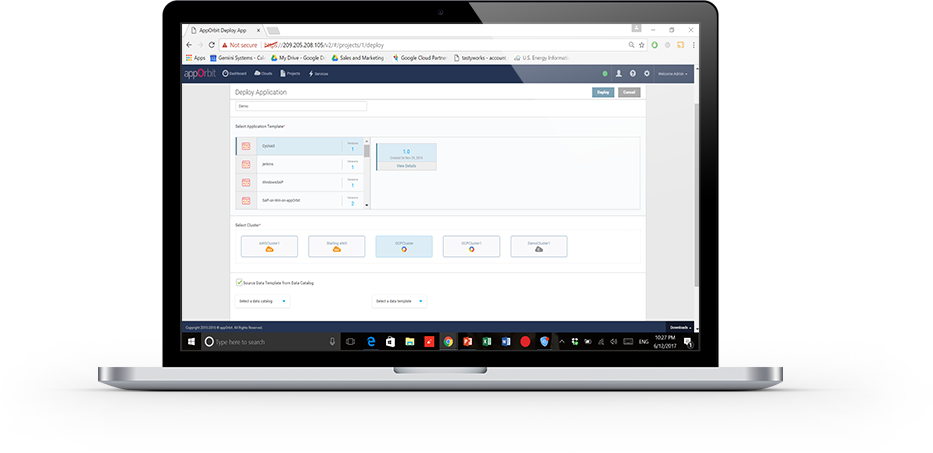
    appOrbit recently came out of stealth mode with an overarching architecture to enable hypercloud and extend the DevOps process across the entirety of the dev/test/deploy ecosystem. The idea is to offer a platform that doesn’t care what languages or deployment tools you use, or even what databases you’ve tossed data into, and covers the process from first line of code to management and monitoring post-deployment.

    That’s a big claim, so I got on the phone with appOrbit to poke around a bit. Better would be to take the time and use the toolset, but I’ll settle for our questions about the traditional weak spaces in the process, and about how they achieve some of the company’s claims. For now.

    My first impression was that this was application release automation/application release management (ARA/ARM), and Rahul Ravulur, CEO of appOrbit told me I wasn’t far off; I just wasn’t thinking big enough. A large part of the process is ARA, but additionally, appOrbit worries about networking, security policy and long-term monitoring and management, all while offering deployment portability.

    Finally, the End Game is in Sight

    From the beginnings of the Ops side of the DevOps movement (what I like to call devOPS), the end goal was pretty obvious: to improve the entirety of the process. It was clearly going to take time—good network engineers are wizards that can make a network do astounding things—and we had to figure out how to make that more repeatable. On the DEVops side, repeatable was relatively painless: We already did a predefined sequence of steps over and over; the point was to break them into smaller iterations and automate what was ripe for automation. Much of Ops was the same, but networking and security had many more variables to take into account, and less history of “here’s a prescribed sequence, do it.”

    If appOrbit can do as it claims—and its customer list includes some customers I’ve worked with that probably wouldn’t be there if the product was vaporware—then we’re seeing the culmination start. The culmination will include limitless portability, sort of a “we don’t care where you deploy, just tell us and we’ll do it”; it will include development tool agnosticism—“We don’t care what tools you used, we’ll deploy it”; and it will include complete solutions—“We’ll move your data, we’ll move your app, we’ll configure the target network, we’ll run the security checks relevant to the target platform.” It sounds like appOrbit has traveled quite far down that path already.

    What, Exactly, Did You Intend?

    One interesting bit appOrbit talked to me about and I’d like to take out for a spin is the idea of adding “intents” to security and networking. Tell it what you’re after, and through a combination of built-in functionality and plug-ins it will deploy your application as you intended. For things like opening a port, this seems pretty straightforward, but security and networking are complex topics. What is/isn’t covered by security policies/intents? What if my intent is for the system to create a VPN, lock down all the ports, then open just a few and connect the VPN back into the data center over an encrypted port? Who manages certs? Where does it get the credentials to get back into the data center? What happens if I take this whole VPN-based deployment and decide to put it inside the data center after all? Do I have to rework the networking intents to remove the VPN? The questions are endless.

    But assume this is the beginning of a road that truly can end up with “deploy anywhere, and deploy as you intended.” That’s what we’ve been waiting for, and it’s inevitable, so I for one am glad to see us set off meaningfully down the path.

    Improvement Makes Movement

    The mere act of someone talking about having pulled all this together will be good for customers. Ravulur’s stress that “a lot of what we do is ARA” will no doubt make ARA vendors step up their attempts to be as inclusive as appOrbit is, and the market will move forward. appOrbit’s use case of “legacy app migration” without changing the app alone offers an avenue for enterprises to begin to move to new platforms. That in and of itself will be a help to the huge number of enterprises that want to move to a more modern environment but aren’t ready or able to rewrite entire systems. And again, it will spur on competitors—in this case in the application provisioning space, most likely—to try and implement similar functionality in a relatively short time frame.

    Beyond Hope

    In a nutshell, I hope that appOrbit can do all that it claims, but even if it falls short in some areas (I honestly have only touched on a few of the areas it has pulled together; there’s a lot here), it is a step forward, and I think the company will drive the market more toward the end goal of application portability from both the Dev and deployment sides, while automating a more complete solution.

    To me, that’s all good. Not everyone is pure cloud, and a far fewer number want to be pure public cloud brand X. The automation tools I’ve been knee-deep in all have been massively complex under the covers, and no doubt this one is, too; simplifying automation so it is easy to adapt to a given environment is a huge part of the task these tools perform. Figuring out the weaknesses is what we customers have to do, but in the end, we’re moving forward.

    I, for one, will look for a chance to play with appOrbit’s toys, validate some of its claims, and see how well it suits enterprise needs. But I don’t have a timeline, so if you’re interested, you should check them out yourself.

    — Don Macvittie

  • Configuration Management vs. Application Release Automation

    Configuration Management vs. Application Release Automation

    There are many areas of Development and Operations toolchains that are clear to understand and compartmentalize. CI/bBuild, source control, artifact repositories, log management, APM and others each are relative easy to comprehend what they do and what tools are available within each area. There may be debates about whether Git is better than Subversion, AppDynamics or New Relic, or whether to choose Splunk vs Elastic Stack, etc., but what the tools are used for is in little doubt.

    I don’t think this is as clear for configuration management and application release automation areas. Both of these areas overlap in multiple areas—both are fundamentally providing automation capabilities, they share common taxonomy such as “desire state” and “declarative/imperative,” both are looking to achieve streamlining of system and application updates, and both are concerned with issues including reliability, audit and accelerating release cycles.

    So what is the difference between them? This is what I intend to try to highlight in this post.

    What Are Configuration Management Tools Best Used For?

    So the very short answer is configuration management tools—Puppet, Chef, Ansible and Salt, for example—are server configuration management tools. They are primarily used for the provisioning and ongoing configuration management of servers. They apply changes to infrastructure using an “infrastructure as code” approach where the “desired state” of infrastructure is stored in a repository—usually a source control system—and updates are applied to managed systems to ensure they are in compliance with the infrastructure’s “desired state.”

    Changes to these systems should be made using the config management tool interface/language, with the automation routines normally written in Ruby or Python and configurations exposed as properties in something like JSon or YAML. Any changes made directly on a target server, will likely be reverted to the “desired state” definition when the agents or systems next synchronize with the master.

    They can also be used to deploy and manage certain types of applications very effectively. This is I believe is the route of much of the confusion, as some organizations/applications use configuration management systems for provisioning, infrastructure configuration and application deployments. They normally do this by deploying system and application changes in exactly the same way.

    What is Application Release Automation, Then?

    So the predominant difference in my opinion is that application release automation does not see an “application” and a “server” as the same thing. The application, rather than the server, is the core construct. An application is often made up of many components, each of which may run on the same or different servers; they may have relationships with each other or they may be version-dependent on other components.

    Application release automation tools allow organizations to define the components and structure of an application within a deployment tool, often allowing components to be released together—in many cases, orchestrated in a specific order.

    Why Are Configuration Management Tools Used to Manage Applications?

    Configuration management tools can be used very effectively to manage certain types of application runtimes—predominantly those where the server and the application are synonymous. So, for example, if you have an Ubuntu server, which runs a stateless application or microservice and is not version-dependent or closely coupled with other applications components in your environment, it may be right to use a configuration management tool for the application as well. The server and the application in this sense are one—much in the same way a container and an application are often see as one and the same. Many cloud native applications are designed in this way.

    How is Enterprise Release Automation Different?

    The short answer is that today most enterprise organizations may have components of their infrastructure that are loosely coupled based on cloud native runtimes, but the majority of it has not been designed this way. Certain hubs within the organization may be architecting and designing much more contemporary cloud native architectures that require no orchestration, but much of services and core systems were implemented prior to this.

    In these organizations, the server and the application are different things. They are not synonymous. A server will have:

    • JBoss or WebSphere installed on it;
    • Some configuration that joins it to a cluster or cell or domain;
    • An application that is deployed to it via some external controller using a REST API, JMX or some proprietary API (not just by connecting to the underlying operating system and copying something onto it); and
    • Some relationships with other components that make it not loosely coupled (web servers, databases, etc.).

    These types of application deployments require a certain amount of coordination and orchestration, which server configuration management tools were not designed to do and are not usually best suited to achieve.

    ARA tools generally allow application release processes to be designed and orchestrated, building in dependencies and processes into the workflows, to support more sophisticated (or complex!) application deployments. It is not the automation they are better at doing for enterprise releases but the the coordination, orchestration and processes they provide.

    This comes to the heart of what I feel is often not a mature understanding of the tooling: One category of automation tooling is not applicable for all use cases. I am not saving any of the ARA tools are better than Ansible, Puppet or Chef; I am saying one is a truck and one is a car: They are good at different things. ARA tools won’t effectively provision a 25,000-node cluster like Facebook does using Chef, nor can Chef effectively be used to manage most enterprise release automation requirements that are not based on loosely coupled cloud-native applications.

    Are There Other Differences?

    The obvious answer is, of course, yes. There are many differences between the configuration management tools themselves, let alone between the server configuration management and application release automation tools. However, one noticeable difference I often point out is that in most ARA tools, users create their automation process in a graphical user interface, not using a scripting framework.

    Server configuration management tools generally have a scripting framework, configured using a text editor with formats in Python, Ruby, YAML, etc. They require the user to have a significant experience and skills do this if they are to be effectively implemented.

    Most ARA tools use a graphical editor to perform these activities. So, instead of writing scripts in shell with if, for and while loops, calling recipes in a Python script to install a product, users achieve much of this capability using a visual editor. Now in the DevOps world the mention of a UI often gets people running—a lot of DevOps or automation engineers like scripting, they are familiar with it and enjoy learning new languages. Much as they probably like using vi as a text editor. But having to know that “ESC, :, wq” is how you save and a close a document in vi is not for everybody. File, save or file, close works for other people.

    I started Ultra Trail Running recently, and there is a lot of machismo about routes not being marked and GPSes not used. Part of the attraction is that you use a map and a compass. Well, personally I’d rather have a GPS and focus on just running. Much the same as I would prefer to get something automated without having to script it if I didn’t need to. Power capabilities are usually provided in ARA tools for people to invoke scripts in Shell, Python, Ruby, PowerShell, etc., but they attempt to cover the most common tasks without the need to script.

    Let Your Requirements Determine Your Tooling

    If I were building a next-generation platform as a service (PaaS) using Docker and Kubernetes, I would recruit a small number of highly skilled and highly paid individuals to do this and let them take a lead on the tools they chose to deliver that—accepting Ansible, Stackstorm or something similar most likely fits the bill.

    However, if I worked in an enterprise organization with 20 or 200 different applications to manage and operations staff who are not programmers, then application release automation tools are probably more appropriate for the organization. It is these organizations that ARA tools are designed for.

    Scaling DevOps projects and resourcing them is also becoming increasingly problematic for organizations today—and one of the reason for this is that the most commonly used configuration management tooling was designed by an extremely smart open-source community trying to address issues for technology startups looking to scale modern relatively homogenous technology stacks to often massive scale.

    This, however, is not the problem for most enterprises. Citibank, Barclays, GlaxoSmithKline or other such companies are not deploying massive amounts of the same types of servers. They are deploying a large number of different applications, each with many different development and test instances, at a relatively small scale (perhaps in the hundreds for a particular type in production).

    Server configuration management tooling is likely appropriate to manage the operating system and basic configuration of hundreds or thousands of servers that exist in these organizations, but they are not designed—nor, in my experience, being implemented—to manage the application that sit on top of them.

    Summary

    Server configuration management tooling was designed and is most effective at managing large homogeneous infrastructures. If you were designing a new application infrastructure today, then it would absolutely make sense to standardize on a small number of common runtimes with loosely coupled applications that can be released, scaled and managed independently. If your environment looks like this and you have or are willing to recruit a new breed of DevOps engineer that is technically competent with config management tooling, then open-source config management tools may be appropriate for both your infrastructure and your applications.

     Application release automation tooling was designed to meet the release automation challenges that exist in most enterprise organizations—i.e. the ones that have a long established investment in technology services and are not able or willing to move to the most modern application and infrastructure design patterns. The problem statement here is not managing a small number of runtimes at scale, but instead they have a large number of disparate applications, each at relatively small scale. These heterogeneous environments often have relatively complex release processes that necessitate orchestration and coordination, which is what ARA tools are best suited for.

    However, even organizations with the largest variety of application runtime have normally standardized the provisioning, operating system, storage, security and other things so the underlying infrastructure is relatively homogeneous. In this case, server configuration management tools are mostly likely the best choice to manage the infrastructure, combined with an application release automation tool to manage the applications that sit on top of them.

    About the Author / Dave Sayers

    Dave Sayers is a co-founder and technical services director of MidVision, a provider of Release Automation and Continuous Delivery Software. He works closely with customers and partners on DevOps and Automation initiaitves throughout Europe and North America and is responsible for devising and managing the partner and channel strategy. Connect with him on LinkedIn.