Category: Blogs

  • DevOps Chat: Software Lifecycle Management with Michael Azoff, Ovum

    DevOps Chat: Software Lifecycle Management with Michael Azoff, Ovum

    I had a chance to sit down with Michael Azoff, principal analyst for Ovum. Ovum just released a set of matrices that Michael was the author of on ALM, DevOps release management and one on Agile project management. Taken together they provide some great insight into the entire software lifecycle management space.

    I had a chance to view the reports before speaking with Michael and you can too courtesy of IBM. Here are the links:

    1. Ovum Decision Matrix: Selecting a DevOps Release Management Solution, 2016-17
    2. Ovum Decision Matrix: Selecting an Application Lifecycle Management Solution, 2016-17
    3. Ovum Decision Matrix: Selecting an Agile Project Management Solution, 2016-17

    Here is my conversation with Michael. Below is a transcript so you can follow along if you like as well.

    Here is the transcript of our conversation:

    Alan Shimel:                Hi, this is Alan Shimel of DevOps.com.  Very happy to be joined today by Michael Azoff, principal analyst at Ovum.  Michael, welcome to DevOps Chats.

    Michael Azoff:             Thank you very much, Alan.  Pleased to be here.

    Alan Shimel:                Thank you.  Michael, you – well, Ovum, but you as the author, just published several Ovum decision matrices – I guess plural of “matrix” – in the last day or two, one of which was on DevOps, Agile, et cetera.  For our audience who may not be familiar with the Ovum decision matrix, can you explain kind of what they are, who the audience is, what they’re about?

    Michael Azoff:             Sure.  Yeah, absolutely.  So the Ovum decision matrix is Ovum’s product comparison methodology, where we compare products side by side, across three dimensions – one is the technology; the other is enterprise fit; and then we use the matrixes – the result is displayed as a bubble chart, so the size of the bubble is the marketing, so those are the three dimensions.  And I cover the software lifecycle management at Ovum, and we published three Ovum decision matrices covering the whole life cycle, so one was on application lifecycle management, one was on Agile project management, and the other, DevOps release management.

    Alan Shimel:                Fantastic –

    Michael Azoff:             The ALM – sorry, do you wanna ask a question?

    Alan Shimel:                No, no, I said that’s fantastic.

    Michael Azoff:             Yeah.  It’s not common for us to – for one analyst to do three at the same time – I think I’m the first to do that – but it made logical sense because I’m covering the lifecycle from end to end.  The ALM one we’ve been – we’ve had a cycle of these decision matrices for many years, but this is the first one that spans not just enterprise IT but also engineering manufacturing, where, because of the exponential rise of software content in advanced products, there is a very, very clear need for managing that complexity and a role for ALM.  So this covered, for the first time, the engineering side as well.

    The Agile project management was then a subset of the ALM one and focused purely on enterprise IT, so that’s the original scope for ALM.  Calling it “Agile project management” because it’s very much about the management at a high level, and then using – typically, organizations use a lot of open source tools for code development, so that made logical sense to name it in that fashion, with Agile being now so typical and common, but many of these solutions are generic and allow any kind of process to, from traditional stage-gates through to Agile, allow that coverage.

    And then DevOps release management, which has been around for some time – I think the first report where we looked at products was in 2010, but, this year, we’re seeing the topic has become really, really hot, and it was timely to do an Ovum decision matrix – in fact, the first proper decision matrix on solutions in that sphere.

    Alan Shimel:                Got it.  Let’s talk about some of the companies and what – well, before we do that, Michael, can you give our listeners a little insight into how this was conducted?

    Michael Azoff:             Sure.  So the original matrix terminology, I think, stemmed from the fact that we send the vendors – we invite vendors to participate.  We send them project criteria.  If they fit the criteria, then they’re in.  It’s, essentially, we’re looking at the top players in the market.  I also tend to invite some of the more interesting and innovative smaller companies to participate as well because I think that that’s of interest to the readers.  But, generally, it is the top market leaders who are participants.  So we send them a spreadsheet and that’s their sort of matrix.  It’s – has the 200 to 400, which we’re actually trying to reduce the number of questions, rows, that we have in the matrix, but the vendors fill these out.  We then have a briefing with the vendors.  We have a demo of their product, and we also delve into their marketing approach and we look at their financial numbers.  We look at their approach to customer service.  So it’s very in depth, it’s multi-dimensional, as I mentioned, and, on that basis, we then produce the decision matrix bubble chart.

    Alan Shimel:                Got it.  I don’t know if we wanna name names, Michael, but let’s take the DevOps matrix, to start with.  What were – who – according to the matrix, what were some of the let’s call it “top performers” – is that a good term to use?

    Michael Azoff:             Yeah, it certainly is.  And I think of all the – I’ve been an analyst since 2003 and conducted these type of vendor product comparisons, and I would say this has been the most contentious and the most difficult to, of all of these exercises, in drawing vendors apart.  So I ended up with quite a number of leaders who looked very sort of in that leading category.  Oh, I can – I’ll try and do this alphabetically, so, let’s see, so CA, CloudBees, Automic, Clarive, Microsoft Electric Cloud, IBM, Serena – did I mention CA? –  XebiaLabs, so, yeah.

    Alan Shimel:                Sounds pretty comprehensive.

    Michael Azoff:             [Chuckles] There’re a lot of vendors.  They all did extraordinarily well.  It was very difficult to draw them apart, but they all have rather different approaches to the market, and this is what is sort of delved into in the actual ODM report, so I do encourage people to actually look at the report and read carefully as what – so that’s a strength, weaknesses, opportunities, and threats analysis, which goes into quite a lot of detail and really gives the flavor of each of these solutions, in that leading category.  And then we have some challenger solutions as well, yeah.

    Alan Shimel:                Got it.  And, Michael, I mean, certainly DevOps is on top of everyone’s list of hot topics or near the top of everyone’s list of hot topics.  You know, separating the hype from the reality here, just where’s the ceiling for these things?  I mean, do you see – what do you see down the road in short term – 12 months, 18 months, 24 months?

    Michael Azoff:             Well, we had the first wave of the innovation in this market with support for managing continuous delivery, so, at an open source level, there was activity.  There were vendor startups that provided their own continuous delivery solutions and then, on top of that, management and orchestration.  So all of that was happening around 2011, and the larger vendors made acquisitions.  I mean, IBM acquired UrbanCode; CA acquired Nolio; BMC, StreamStep.  So very much a sort of rationalization and an anticipation of the market.  But we’re still seeing new players come onto the scene, like Clarive, for example, is an interesting one and CloudBees, the open source project – owners of Jenkins have sort of stepped into the enterprise side and expanded their offering with an enterprise-ready release management solution – so still a lot of activity.  And I would say the next step in this market would be ALM and release management tying a lot closer, and I think, from a customer point of view, it would be a useful benefit to have a single ALM solution that included these advanced release management technology in there as well.

    Alan Shimel:                Yeah.  Absolutely.  Michael, where do you see – now one of the questions I always get is, with all due respect, right, these analysts do great reports, but they’re behind firewalls, they’re behind reg-walls.  One of the nice things about these Ovum matrices is I see IBM and some of the other vendors are making the matrices themselves available if you’re willing to fill out their registration form, and what I like about that is it gets this intelligence into the hands of people, whether you wanna take it slanted or whatever because you had to fill out a registration form – that’s up to you – but for people, Michael, who are saying, “How independent – how much stock do we put in these things?”  You’ve already given us a little background into the methodology behind the research, the wide spectrum of companies you’re covering, but talk about independence of Ovum and of your research here, so – I want people to understand that.

    Michael Azoff:             Yeah, absolutely.  So, as analysts, our credibility is our independence, so we’re not aligned with any vendor.  As an analyst firm, we face both ways – we do work for vendors, we work also with end-user customers, and we also provider solutions for vendors and for enterprise customers.  So we face both ways – we work with all parties – but our independence is our credibility in the market, so we take a completely objective view of the responses from the vendor.  And, sometimes, the vendors don’t like what they see, but they actually find it very useful to get a completely unjaundiced and independent view because it helps them understand exactly where they are in the market.

    I think the ALM one, in particular, was a bit of a shock for a number of vendors because of our re-scoping of how we look at ALM.  Some vendors completely ignore the engineering market, and we see that as one of the growth areas in ALM, so I think that caught out a number of vendors by surprise, despite the fact that we’ve been telling them they ought to look at that part of the market, for ALM.

    Alan Shimel:                Absolutely.  Michael, can you give our readers what’s next?  What other matrices related to these subjects or other kind of research might you guys be working on next?

    Michael Azoff:             Sure, sure.  So, personally, so my brief is the software development lifecycle management, and I cycle through three areas – ALM, mobile development platforms, and application performance management – despite the fact that the ALM one was a triplet, but it is, logically, the lifecycle, if you like.  So the next one in the cycle will be Q4 this year, and that’ll be on application performance management.

    Alan Shimel:                Great.  All right.  Michael, we’re just about out of time, unfortunately.  I apologize; maybe we can talk again another time.  It was great chatting with you and I hope our readers have learned something here that can help them.  And thank you for all the research you do – can never have enough information on this stuff.  Micheal Azoff, principal analyst at Ovum, thank you very much.

    Michael Azoff:             Thanks, Alan, for inviting me.

    Alan Shimel:                Thank you, and this is Alan Shimel for DevOps.com.

  • Reasons Why Developers Should Test More

    Reasons Why Developers Should Test More

    When I got started as a professional software developer, I thought awesomeness in development was measured by the lines of code (LOC) per day and how quickly code got to QA for testing. Coding a few thousand lines overnight gave one instant bragging rights, regardless of how well the code worked (or didn’t) in the morning. The more senior guys always acted like they knew better, suggesting that it’s not about the quantity but the quality. But I was too young and arrogant to listen. And, of course, I had to learn it the hard way. My seemingly amazing overnight code would show cracks once under the microscope of the QA team.

    True today as it was then, most mistakes are tiny and easy to fix, but even small problems require a tedious set of steps from when a QA engineer finds the mistakes to when the developer fixes them and sends them back to QA for verification. Some bugs are the size of the Mariana trench and require weeks of work and thousands of additional LOC. And, even new code, once resubjected to QA, can generate bugs, therefore repeating the cycle without an end in sight. Of course, by this time projects are late and developers are tired, frustrated and burnt out.

    After this happened to me too many times, I realized that maybe I was wrong. Maybe the experienced guys were on to something with this quality thing. They never seemed too tired, and their projects were in much better shape. I decided that for my next feature, delivering quality instead of LOC would be my priority.

    I’m sure you think you know what’s coming next. I’m going tell you that I tested my stuff from that day on and it worked perfectly—no more boring bug-fixing. You think I’m going to tell you, you should do it too, right? Well, no. I actually spent a lot of time in my second attempt instrumenting my code better so that I could debug it faster as the need arose. I also spent a lot of time writing my own test tools because I didn’t have one. But I kept moving forward and learned the hard way. Here is what I took away from those moments:

    Develop More, Bug-Fix Less

    There are two common reasons for developers’ involvement in a project. Developing a new feature or enhancement is about creativity, as it gives one the opportunity to design and implement new things. And then there’s the challenge of bug-fixing, which is all about maintaining existing functionality within older, already-made things. As a developer needs to do both, often at the same time, minimizing bug-fixing time is important to have more time in which to actually be creative and develop new functionality. And the best way to minimize bug-fixing is to test code more, as it’s developed, to avoid the death spiral I describe above. Good initial quality will mean QA will find fewer bugs and it is very likely that the criticality of the bugs found will be greatly reduced. As such, fixes no longer would be a struggle on short notice; shortcuts that generate more bugs don’t have to be used; and developers can focus on new features as opposed to fixing bugs. In all, the reasons are to develop more, and bug-fix less to be more productive.

    Be More Reliable

    Bugs also are nasty in that they tend to appear really, really late in the game. The Murphy’s Law on bugs should be something like, “The hardest bug is found one hour before the release is pushed to production.” This typically happens because everyone is busy peeling the onion, finding and fixing bug after bug until they get the “system” stable enough for QA to crush it with those large-scale system test cases that expose that one nasty bug. It is an artifact of waterfall development but also happens in agile development, as no agile team can afford running long duration tests in a sprint. So what happens then? Who ends up in crunch mode? The developer. To avoid this, developers need to find and fix the easier bugs sooner, as they write the code. That way, the onion is half peeled once it reaches the QA team. The nasty bug will be found much sooner—if the developer did not find it and fix it already. In short, developers can be more reliable by avoiding last minute bug-fixing. And we all know, reliability in execution is fundamental for fostering trust with management. A trusted developer is the one that gets to work on important, meaningful projects.

    Be More Flexible

    While in an ideal world the design of a feature is not changed frequently, in real life the exact opposite is true. At some point, even regularly, developers will have to modify the code as the scope of the features keeps changing. Massive code changes such as refactoring, if not done right, can send developers right back to a long, teeth-grinding, bug-fixing period. Avoiding it by testing early, as they change the code, offers a significant advantage—flexibility. Developers would be able to accommodate required changes more quickly.

    Agile Development is Critical

    Let’s do a quick recap: By simply testing code as it is written, developers can spend less time fixing bugs and more time developing new features, to become more productive, more reliable and trustworthy and even more flexible in implementing changes. This takes us to our final reason for early testing: Agile development is no longer nice to have, but business-critical. All of the attributes described above are quintessential for succeeding in an agile team. Developers are expected to be flexible, reliable and build a lot in short time periods. The days of trial and error, of learning the hard way, are gone. Today, we need to go from design to development to testing to going live in days, not months. Quality is what differentiates products. Developers need to do all of this to be successful.

    About the Author/Gabriel Chiriacescu

    UntitledGabriel Chiriacescu is the director of Software Development at Ixia, with more than 13 years of experience in embedded software development. He is currently leading the product management effort for the new Ixia Developer solution, an agile test tool designed specifically for developers.

    At Ixia, Gabriel has led multiple engineering teams responsible for developing market-leading test solutions in a variety of technological areas, including wireless, broadband access, data center, triple play, authentication and security.

    A native of Bucharest, Romania, Gabriel holds a BS in computer science from the Polytechnic University of Bucharest. After living several years in Los Angeles, Gabriel is now based in North Carolina and enjoys discussing CICD, SOA design patterns and the evolution of software development.

  • Top 10 IT Management Tools

    Top 10 IT Management Tools

    Staying up with the latest IT management tools is akin to keeping up on the latest Starbucks drink options. We simplify it here through a look at the most useful tools, from monitoring to DevOps orchestration and APM.

    IT management tools have entered a new heyday, thanks to the advent of cloud, DevOps and mobile computing. With all of the new types of infrastructure, software and development methods, developers and IT managers need simple automation to get through the day. But with hundreds of IT management and DevOps tools on the marketplace today, both open source and commercial, it’s hard to know where to start.

    The global DevOps tools market alone is expected to be worth $3 billion by 2019, according to Technavio. While there are many applications to choose from, we have compiled a list of our favorites below. Some of these are tried and true, while others are newfangled and still in their early days of experimentation.

    Microsoft System Center Operations Manager (SCOM)

    IT Operations Management and IT Service Management

    Microsoft SCOM is a legacy enterprise infrastructure monitoring and management tool that delivers comprehensive coverage for the Microsoft ecosystem of assets and devices, whether they are installed on internal data centers or in the cloud. SCOM has evolved over the years to monitor network and storage along with Unix-based systems.

    Cautions: Since SCOM is a deep monitoring tool that collects data from many different systems, it generates a large volume of data and alerts that can overwhelm systems administrators and IT managers.

    Vistara

    IT Operations Management and IT Service Management

    Vistara is a comprehensive tool for monitoring heterogeneous multivendor assets and devices, whether installed on-premise or in the cloud. It covers a wide swath of Microsoft and Unix applications and systems, major enterprise vendors such as Oracle and Symantec, and top storage and networking technologies. Vistara also integrates well with other monitoring tools. A unique feature of Vistara is that it records all user sessions, which provides an audit trail for tracing system changes and other events.

    Cautions:  Vistara is a powerful, multifunctional tool and needs to be set up properly to derive the maximum benefits.

    SolarWinds

    Network Monitoring

    SolarWinds is a leading tool for managing and monitoring performance of a multivendor distributed network environment. The tool delivers a lot of useful metrics, including performance, capacity and downtime. It is particularly useful in companies with many locations, such as a retail brand, or a national or multinational company with a large number of branch offices and locations.

    Cautions: SolarWinds does not provide comprehensive monitoring for servers or storage systems.

    (Editor’s Note: SolarWinds reached out to DevOps.com to clarify that it does offer comprehensive monitoring for servers and storage systems through its Server & Application Monitor and Storage Resource Monitor tools.)

    Nimsoft (CA)

    Network Monitoring

    Nimsoft is another excellent network monitoring tool, but is best-suited for an on-premise (internal data center) environment that has standardized on a few types of equipment and has a low rate of change. A company that is adding new technologies and devices frequently won’t find the tool to be flexible enough to adapt to evolving needs.

    Cautions: This legacy tool is not ideal for diverse and fast-changing IT environments.

    ServiceNow

    IT Service Management

    ServiceNow is well-known in the industry for comprehensive service management, including service level management, financial management, incident management, availability management, change and release management and more. ServiceNow has the broadest coverage for all ITIL activities, making it the de facto standard for service management and suitable for use in small companies up to the enterprise.

    Cautions: Because this tool is so flexible, you can easily customize it to meet your organization’s specific needs. Beware that by doing so, you’ll need a full-time administrator to manage the customized system.

    Chef/Puppet

    DevOps Automation and Management

    When it comes to tools for managing cloud application development and deployment, Chef and Puppet have near-cult status among developers. Companies occasionally use them both, but there is overlap between the tools. Chef is ideal for DevOps provisioning, orchestration and configuration management and is a more flexible platform overall, featuring auto rollback to previous versions. Chef also provides real-time visibility into metrics and messages. Puppet is best for DevOps automation and administration and is a highly prescriptive, process-driven platform that does not allow shortcuts, which should make IT Operations people happy.

    Cautions: Chef and Puppet are used primarily by developers, not IT Ops, and therefore raise some level of caution if developers are spending too much time managing the tools vs. writing code.

    Docker

    DevOps/Containerization

    Docker is the industry-leading tool for DevOps automation of application deployment inside software containers. It can be used for nearly any software project and infrastructure environment, and is especially helpful for managing dependencies and version inconsistencies. The application is a game-changer for simplifying the complexities of deployment. Docker containers wrap up a piece of software in a single, portable unit that contains everything it needs to run: code, runtime, system tools, system libraries and so on.

    Cautions: Docker’s approach to security is still unproven, and some believe it is not up to enterprise security standards.

    Apache Mesos/Google Kubernetes

    DevOps/Clustering

    Apache Mesos is best for cluster management and utilization for distributed applications in a DevOps world, while Google Kubernetes is ideal for automating deployment, scaling, and operations of application containers across clusters of hosts. Clustering tools sit on top of hardware and increase utilization through effective workload management and resource-sharing. They work in both public and private cloud infrastructure environments, across many different platforms, and allow IT organizations to run more workloads on the same hardware. While both of these tools are fairly new, Mesos has been around longer and is more appropriate for large environments with heavy management and scale needs.

    Cautions: When looking at small clusters of say, fewer than a dozen nodes, Mesos may be an overly complex solution.

    New Relic

    Application Monitoring

    New Relic is well-known for its real-time capabilities in monitoring and managing web and mobile applications within cloud, hybrid and on-premise infrastructure. For an APM tool, New Relic is strong at identifying server-based performance issues. It also allows for real user page performance tracking so you can see if certain classes of users (for instance, by region) are having worse performance than others.

    Cautions: New Relic does not capture 100 percent of transactions, but does a sampling. This may or may not be important depending upon your business needs. It is also somewhat rigid, and may not be too flexible in an environment that has a lot of microservices.

    Graphite/Grafana

    Dashboards

    Graphite and Grafana are two leading graph and dashboard builder for visualizing time series metrics. The tools are particularly useful for analyzing metrics and other types of data from on-premise systems, public cloud, private cloud and IoT systems.

    Grafana is most commonly used for visualizing time series data for Internet infrastructure and application analytics but is also used in domains including industrial sensors, home automation, weather and process control.

    Graphite is excellent at visualizing data and metrics.

    Cautions: You will need a complex and elaborate configuration of databases to gather the data and a compute engine to generate the dashboard.

    About the Author/Ravikumar Raghavenderrao

    ravikumar-raghavenderraoRavi RRK, as he is known, is the Vice President – Service Delivery at NetEnrich. Ravi’s responsibilities include service delivery management, customer satisfaction, and new service introduction. Ravi’s team also has the responsibility to ensure and enforce quality and policy standards across the NetEnrich organization.

    Ravi has over two decades of experience in the IT industry in the areas of remote infrastructure management, delivery and large account management. Prior to joining NetEnrich, Ravi spent over 20 years at Wipro Technologies in various positions. Ravi holds a Bachelor of Engineering (Mechanical) degree from Osmania University and a Master of Engineering (Mechanical) degree from the Indian Institute of Science.

  • Container Usage and Adoption, Here is Your Chance to Tell Us What You Think

    Container Usage and Adoption, Here is Your Chance to Tell Us What You Think

    We are teaming up once again with ClusterHQ for an update on Container usage and adoption. Our new survey is available and shouldn’t take more than 5-7 minutes of your time. We are looking to see if the container adoption and usage has changed since our last survey last summer. Please take a moment to fill out the survey. If you fill out contact info at the end, you are eligible to win a $50 dollar Amazon gift card. One in 50 wins a card. If you don’t want to give any contact information, you don’t have to but we can’t contact you if you were to win a gift card. Either way we would love your input!

    While containers are capturing lots of buzz and attention, many still doubt their impact in real world procurements. However, we are hearing enough subjective feedback to think that this is not the case. We think containers are catching on quickly, perhaps even quicker than cloud adoption did at similar time frames. But that is subjective. We are looking for numbers that prove or disprove it. So even if you are not using containers now, we want to know that too.

    The standard line is that containers are being tested in dev and test environments, but are not ready for prime time. Yet Docker, CoreOS, Kubernetes and the entire container ecosystem point to more and more customer references. Can everyone be just playing with containers in their labs? We don’t think so.

    On the other hand, there are questions about security, scalability, networking. Should you lock in to one vendors complete stack? How open should the ecosystem be? What about data, databases, OS, etc. Lots of questions and we really don’t have a lot of objective data points. Help us change this by giving us your own thoughts, experiences and ideas.

    We will share the full report with analysis with our readers when complete. But don’t miss this chance to be heard and make a difference.

  • Should Your Apps be Cloud-Native?

    Should Your Apps be Cloud-Native?

    There’s plenty of life left in a great number of the applications companies have been relying on and profiting from for years. The future may belong to cloud-native apps that deliver the performance and efficiency benefits of microservices and containers, but in the here and now, organizations are looking for ways to combine the best of the old with the promise of the new.

    With continuous development, you could argue that the software industry has eliminated the concept of product life cycle altogether. Yet, IT managers know that some of the applications currently used by their organization likely will be running long after they have hung up their compilers.

    These legacy applications have proven their worth many times over. Some are one-offs that easily accommodate and are accommodated by new systems as they are implemented. Some are so good at what they do they epitomize, “If it ain’t broke, don’t fix it.” In the mass migration of apps and data to the cloud, it’s natural that such grand old apps would come under scrutiny as candidates for replacement by their cloud-native counterparts.

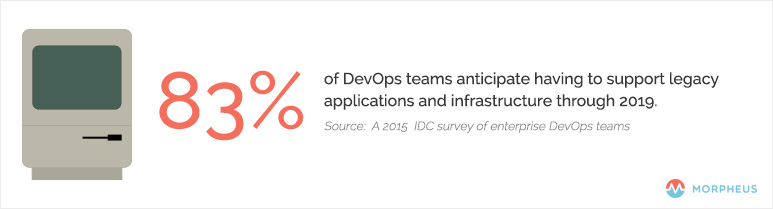
    In a Dec. 8, 2015, article on The Stack, Red Hat’s Gordon Haff examined the results of a recent IDC survey of enterprise DevOps teams, which found that 83 percent anticipate having to support legacy applications and infrastructure through 2019.

    DevOps_Cloud_Native

    It may seem counterintuitive, but the organizations that have gone furthest in adopting distributed, scale-out, microservices-based applications are twice as likely to delay converting existing apps to cloud architectures, he noted.


    What Characteristics Make an Application Cloud-Native?

    The simplest definition of a cloud-native application is one that is “decoupled from the physical infrastructure,” as TechTarget’s Sean M. Kerner wrote in a December 2015 article. In addition to being designed from the ground up to run in the cloud—whether private or public—the app also must scale on demand, both up and down, and across nodes.

    Cloud-native apps are fault-tolerant, built to scale and designed to process requests asynchronously, using queues to decouple functionality, according to Munish Kumar Gupta via Slideshare.

    Another feature that quickly is becoming standard on cloud-native apps is the use of Docker containers, which facilitates deployment on public Amazon Web Services (AWS) clouds and private OpenStack clouds, among other options. A more formal definition of “cloud native” likely will arrive soon from the Cloud Native Computing Foundation (CNCF), an effort sponsored by the Linux Foundation and others.

    Containers are a key component of the CNCF’s proposed standard for applications and services that run natively on public and private clouds, and that move seamlessly between the two environments. Rather than writing specs on paper first and then implementing the code based on the specs, CNCF will create the code for its reference implementations. Google, a CNCF member, has donated its Kubernetes container-orchestration system and stands to benefit via the foundation’s support for private and hybrid clouds, a technology the company currently lacks.

    The Continuing Evolution of Cloud-Native

    It’s tempting to limit the definition of a cloud-native app to those two primary characteristics: decoupled from the infrastructure and scalable up, down and across nodes. If this approach strikes you as too simplistic, you’re not alone. InformationWeek’s Charles Babcock explained in a July 30, 2015, article that the key to cloud-native is microservices—which he referred to as “discrete application services”—running in their own containers and connected via a network to create custom applications. The result is an environment for “user-driven systems” comprised of standardized parts and governed by “standardized deployment and operational procedures.”

    The combination of microservices and containers pushes down the app stack and simplifies deployment in computing environments of all types, according to Richard Harvey of Ngineered via SlideShare.

    The payoff for companies is still far off, according to Babcock, but ultimately cloud-native apps will keep firms focused on their customers as the software landscape shifts around them. This translates into a competitive advantage via continuous deployment and delivery of “fresh” software.

  • DevOpsDays London 2016: Making Happy

    DevOpsDaysLondon16logo

    We haven’t had a DevOpsDays event in London since 2013. The audience size was about the same at this year’s event, held April 19-20, as I remember from last time, but about 85 percent of the audience were attending a DevOpsDays event for the first time. It was great to see so many new faces, and I guess the high proportion of first-time visitors could be a sign of the maturing and proliferation of DevOps thinking.

    I’m delivering a webcast April 26 titled, “DevOps for Architects,” so on the way to the event I read this book in preparation. At Ranger4 we ask people a lot: “Are you having a good day?” or, “How do you know you are having a good day?” Something has always discomfited me slightly about this, in the same way that “What does good look like?” and, “Just good enough,” trouble me. Can’t we aim higher? What does “great” look like? In the book, the authors talk about “happy days,” and this makes me happy. And this was the theme I took away from the first day at DevOpsDays London 2016—DevOps makes happy.

    Here are a few reasons how:

    First up on the stage was Bridget Kromhout, a DevOpsDays organizer I last saw speak at the DevOpsDays five-year anniversary in Ghent in 2014. Her talk was titled, “Cloudy with a Chance of DevOps”—a succinct introduction to DevOps as it looks today with some key takeways:

    • “Automation is not everything.” Most people get this now, but we meet a lot of people who started with automation and realized they’d skipped to the end. Start with culture.
    • “DevOps is practiced, not purchased.” You might be surprised to find us supporting this, since we make a living out of selling DevOps. But we don’t. We believe that the best way to help organizations transform using DevOps principles is to partner with them—to coach, motivate, guide, challenge and help them move through their journey. This is what we do.
    • “It is not necessary to change. Survival is not mandatory.” This is a quote from the “Godfather of Lean,” Deming.

    Bridget was followed by Joanne Molesky, the co-author of “Lean Enterprise,” a frequently cited must-read for DevOps enthusiasts.

    Key messages from Joanne’s talk were her assertion that technology is no longer the bottleneck, particularly now that conventional business models are under attack. Joanne also cited quantum computing as the key disruptor she sees coming through in the near future. It was particularly interesting to think about what she said about Tesla disrupting not because the company has designed a better, more affordable electric car, but because it is changing the game in terms of how individuals will access the power grid.

    Following on from Bridget’s recognition that not all companies are any where near delivering on the velocity promise of DevOps and the subsequent happiness, key barriers Joanne identified include slow decision-making processes and conflicting goals embedded into many enterprises that have been around for a significant amount of time. She described “process madness” and how most enterprises “plan, do” and forget the “check, act” part of the PDCA cycle. She explained how many organizations have created walls of “no’s”—effectively, “Culture says no”; a sentiment shared by many individuals we spoke with after her session.

    A popular quote that was tweeted multiple times from Joanne was: “You only fail when you fail to learn.”

    Speaking with organizations that are moving to agile and DevOps, many of them talk about their difficulties moving from project-centric thinking to product-centric thinking, a point reiterated by Joanne. She recommended the three horizons framework as a useful tool to plan and enact change while managing the current state. She also had some very useful advice for organizations trying to tackle regulatory requirements: “Understand the intent.” Organizations have a habit of misconceiving and conflating what the regulations say.

    “The best code is that which you don’t write”—a bit like the advice to writers: “kill your darlings.” This is about being lean, planning properly and removing extraneous effort.

    Close to our own hearts, Joanne also emphasized the importance of measuring the things that matter. Similarly, she pointed out that organizations that have a classic “command and control” structure have no hope of being able to do DevOps. When organizations perform cultural change, they must amplify their feedback loops at all levels. By using principles like holacracy, organizations can understand who the sensors are in their business and learn to hear ideas, how to make the process madness sane and let ideas germinate and blossom.

    I frequently quote John Willis:

    “DevOps finally proves how IT can be a strategic advantage that allows a business to beat the pants off the competition. This is the moment we’ve all been waiting for.”

    For far too long IT has been seen as the guys in the dungeon, (ever seen the IT Crowd?) but as John said, these are exciting times for us in IT. As Joanne put it, we used to say IT supports the business, then we said IT is aligned to the business, now we say IT is integrated to the business or, even better IT is the business. This should make us all happy.

    Kris Saxton followed Joanne with a talk we were anticipating highly: “Bi-Modal IT and other snake oil.” We’ve been challenging this term recently, too, so I was happy to find more support that this is an oversimplification of the situation organizations are in and is counterproductive, undermining the type of culture we are trying to create by creating more silos, more “them and us-es.” Put succinctly, Kris said: “Bi-modal IT is poison.”

    As Jez Humble recently said:

    “Gartner’s model rests on a false assumption that is still pervasive in our industry: that we must trade off responsiveness against reliability… This assumption is wrong.”

    Kris said there is a “happy place” where we can have both responsiveness and reliability, velocity and quality, speed and stability. DevOps helps us do this by shifting left, having multi-disciplinary teams, a people-focused culture working to small, scalable scope—and more.

    The rest of day one was filled with slots from the many sponsors of the event, a demo from Pivotal, Ignites and Open Spaces. The last three thoughts I’ll leave you with though were:

    1. Sponsor ServerDensity used its pitch to highlight health and well-being in IT; #hugops. The company is setting up a MeetUp group in London for HumanOps, emphasizing that DevOps is not just automation and it’s here to make humans happy
    2. Microsoft’s Thiago Almeida shared stats on how DevOps initiatives at Microsoft have positively influenced employees’ work/life scores
    3. John Clapham spoke on how he set fire to his car and what this taught him about the currency of empathy and how this can be used to improve life at work

    Check back for coverage of Day 2 of DevOps London.

  • The Nirvana of Gated Progression

    The Nirvana of Gated Progression

    A highly functioning enterprise-class DevOps set of services has a fundamental goal of full automation. To be honest, having the right DevOps strategist (or visionary) leading this effort is as important to achieving this goal as the combination of all the challenges and topics that must be addressed. So for the sake of argument, will we assume you have one (if not, feel free to contact me—I am looking at the moment 🙂 ).

    With key leadership in place, the first target is always the automation of the build and deploy process. This could easily be considered the core of DevOps or its heart. But once this automation has been achieved, the trickier topic of release orchestration begins to emerge. Strategy is to release orchestration what taste is to food: Having the right one does make all the difference.

    To progress our code to production, the inherent assumption is that all testing has been completed successfully. Sounds like common sense. But then, how much of that testing occurs with human hands on it? The user acceptance testing (UAT) discipline inherently requires a human at the wheel. But the reality is, for every time a human must interact with the progression of code from the development-class environment through all the testing environments (integration, performance, user acceptance and QA) on its way to production, the momentum of innovation is slowed down—all the way down to human levels.

    The Complexity of Testing Types

    The first automated testing begins to occur in development or (DEV) class environments, where the programmer is under strict instructions to implement test-driven development. This requires new feature/functional testing as part of the build or deployment automation into DEV. Either the build or the deployment cannot be said to be successful “if” the accompanying tests are not “passed.” This also represents our first “gate.” Sophisticated release orchestration (RO) software can examine “flags” set during the build or deployment process to see if the testing has been completed successfully. If so, the code can progress to the next testing level environment within the software development life cycle (SDLC).

    Another useful type of testing completed early in the SDLC (most often in DEV) is the examination of code coverage. Development organizations can begin to examine how much of their code is put to the test, and set arbitrary percentages as a minimum standard before the target application is able to progress. The addition of alternate types of testing occurring in DEV class environments does add to the quality of the innovation effort. However, it brings with it an increased labor effort to automate both progression—and audit—of the version under test.

    For instance, feature/function testing may use a single repository to store the results for a given version of the code. I go to my testing repository and I can look up the results from version 1.4 of my application, or version 1.5 of my app, as many as I desire. Should a regulatory official or internal auditor ever ask me to prove the quality of version 1.5 of my app, I need only consult my testing repository and show them how many tests were executed, and how many passed or failed before this version of my app was ever deployed into production.

    When you add code coverage testing to the process, I now need to consult two different testing repositories, producing two separate reports to assess the quality of this same version of my app. There is nothing wrong with this, but it does create more work or effort to produce than it would if a single testing repository was used. The problem only increases as we keep increasing the types of tools we use to prove quality. Security testing, for example, (ensuring code does not have inherent security holes) tends to use different tools, or, worse, processes that require human peer observation, which again can add effort to create the automation and the traceability for audit. These are critical types of testing (and/or processes) so they must be done, but they also come with an inherent cost in automation effort.

    Small shops may not worry about these kinds of concerns, but large organizations will, particularly if they are still in the process of transitioning from legacy waterfall methods (where controls were high) to new agile methods (where it feels to auditors like the wild, wild west). Compiling a test log that matches the version of code under scrutiny such that it can be reproduced automatically will restore the faith of both internal auditors and regulatory officials who come asking. But the addition of each new type of testing tool will require more effort to maintain the ability to compile those test logs.

    The Complexity of Testing Responses

    Next, consider the impact of non-binary responses to automation efforts for gated code progression. Does my feature work (yes/no)? This is a binary evaluation, a true/false or yes/no that is easy to set my progression flag for testing response. It is another matter to evaluate the results of my code coverage and ensure this app is above 70 percent or between 70 percent and 90 percent. These kinds of questions are not binary (in other words, there is a real result to compare to, not just a pass/fail), and require further effort to set a binary flag for the gated pass/fail. When the evaluation question does not intend a binary answer at all, such as a grading of 1 to 5 where 1 equals horrible and 5 equals outstanding, I am now most often forcing a human to make an intelligent decision as to whether this code should progress.

    Multiple testing repositories require additional automation effort. Multiple kinds of responses require additional automation effort, and the standards by which the gates pass or fail also may change over time, requiring tracking of the goals at the time the tests were taken. Creating independent test automation that can be called from the build process or the deployment process is wise. Associating this test automation (whether scripts or simulations, etc.) with the version of the application code is wise. And working to reduce the number of repositories to examine is wise. Having de-coupled test automation strictly from a build allows it to be re-executed in more advanced testing environments when the need arises.

    Charting the Course to Nirvana

    RO benefits from as full a level of automation as possible. I will discuss the RO topic more fully in another article, but the foundation of automated change progression relies on a gated history of proving quality. As long as the code under review continues to pass testing, setting progression flags to green or yes or pass, the RO software can continue to progress it along its way to production. Failing code must be sent back to the DEV environments where development teams can address the issues before making its way back through the automated process once again from beginning to end.

    If the organization has made the intentional decision to keep humans substantially involved in the testing and evaluation cycle, it must realize a few impacts of that decision. Daily movement to production becomes less likely—most often it takes a week or two for changes to undergo significant human scrutiny (depending on the level of testing automation). The results of human intelligent decisions also must be chronicled in the testing repository to preserve the history for audit. This can lead to a “blame game” kind of thinking when something goes wrong, as it is immediately attached to “who” approved it, instead of to “why” they did so. And obviously the cost of labor is always the highest cost element in any innovation cycle, so buyer beware in this scenario.

    On the other hand, “Nirvana” is the state when all testing (except UAT) is fully automated and gated, and provides the foundation for RO software to move code into production as often as it can prove quality. This could mean fully automated releases instead of release weekends. This could mean multiple releases per day into production. This could mean that releases themselves are no longer considered “events,” but by default are now “non-events.” Nirvana does not endanger the lives of change and release managers—it actually gives them one. For a “change” (pardon the pun), they get to discover something they vaguely remember … a life outside of work.

    To continue the conversation, feel free to contact me.

  • SaaS-Powered FlightPartner Fueled by DevOps

    SaaS-Powered FlightPartner Fueled by DevOps

    Private jet charter company FlightPartner is reaping the benefits of DevOps to build a powerful software-as-a-service (SaaS) offering to keep its customers flying high with no delays.

    “FlightPartner does not own any aircraft but rather facilitates the travel needs of clients by offering air charter brokers (agents to the client) access to a global network of private jet charter availability,” says Douglas Schmohl, CEO and founder of FlightPartner. By acting as a global distribution network (GDN), FlightPartner enables access to real-time availability of private jets.

    What TravelPort is to airline seat availability, FlightPartner is to private jet availability, Schmohl says.

    FlightPartner’s cloud-based SaaS manages data exchanges and transactions through a web browser as a web-based service, requiring no client software installs for the brokers or operators. The service uses Angular.js, a “structural framework for dynamic Web apps” to pass data from the browser to a PHP back end. A database and integrated systems back end builds real-time pricing quotes for available private jets, while the payment mechanism supports search, booking and payment, completing the transaction, Schmohl says.

    FlightPartner uses a Laravel open-source PHP framework, which was created by Taylor Otwell and was originally targeted to developing Web applications following the model-view-controller (MVC) architectural pattern. “This framework allows for rapid development, testing and deployment of our SaaS solution,” Schmohl notes.

    SaaS Technical Challenges

    Schmohl and company endured some technical issues as they built FlightPartner software and worked to raise it to the skies where it would eventually soar. Schmohl was committed to following the lean startup practices of Eric Reis, author of “The Lean Startup,” which redefined the roadmap for a startup tech company, Schmohl says. According to the book, one of the first steps in approaching a new business as a lean startup is to try to float a “minimum viable product,” or just enough product or service to test the market demand for it. “This was nearly impossible for us due to the complexity of the air charter marketplace,” he says, so Schmohl had to invest in a more technically developed product rather than a simple solution.

    In the private jet charter industry, with so much change, so many variables, so many players needing access and so many systems that FlightPartner would need to access, a minimum viable product still necessitated numerous external integrations and APIs. “Developmental collaboration to achieve this was difficult at best and developers often pushed code to production only to create more issues with each deployment,” Schmohl says.

    A second technical misstep—and in the absence of formal development structure—Schmohl’s team wrote code to solve specific functional problems one by one. However, the team found that a method for developing one function would conflict with a different method that was used to create another function, and so on. “The constant patching of the front and back end consisted of whatever worked. This code became challenging to manage and scale,” he says.

    Because of these two technical challenges, FlightPartner’s attempts at a minimum viable product and at following a lean startup approach soon were tangled in a mess of spaghetti code and unmanageable methods, Schmohl says.

    FlightPartner Development Pipeline

    Today, development at FlightPartner is much improved. The SaaS and its components start with a local build that the system pushes to a development server in AWS. FlightPartner developers use SourceTree, a Git client and the Git versioning system to manage software versions. FlightPartner uses quality assurance to manage development and to test code, and developers fix errant code and deploy it to AWS using Elasticbeanstalk. “This enables rapid builds and continuous deployment,” Schmohl says.

    Using a DevOps approach to development brings structure to an otherwise-highly dynamic marketplace. “Offering a SaaS solution as a marketplace presents challenges unlike a typical marketplace. Our inventory (aircraft) is fluid in that it moves often and the price changes depending upon location. This operational challenge translates to numerous and constant development with changes in software functionality,” Schmohl notes.

    These are the operational needs that drive software requirements; the developers’ goals increasingly are to meet those requirements so the software seamlessly supports operations. Development uses a priority status to identify and escalate the builds that are most critical to continued, smooth operational activity.

    Results

    FlightPartner’s development process has created a workflow process that minimizes the resources necessary to achieve operational results. Thanks in large part to DevOps and the cloud-based SaaS system, FlightPartner’s GDN has aircraft available for charter in six of the seven continents, including 35 percent of available aircraft located outside the United States, says Schmohl.