Category: Blogs

  • Code Security: SAST, Shift-Left, DevSecOps and Beyond

    Code Security: SAST, Shift-Left, DevSecOps and Beyond

    Automation is the key to pushing code security beyond DevSecOps

    In virtually every industry, developers are dealing with ensuring the safety of their code. Regardless of whether it’s enterprise or applications for automotive, aviation or industrial controls, small systems or large systems, every organization struggles with security. In response, the industry continues to evolve to improve automation, speed of delivery and code reliability. Let’s consider the key building blocks of today’s application development ecosystem.

    Static analysis or static application security testing (SAST) helps enforce coding guidelines and detect undefined behavior, and is commonly used across the development ecosystem. One advantage of SAST is automation. Since it doesn’t require input, SAST is easy to introduce into an existing software development process where it will inspect source code builds and generate warnings. Coding guidelines such as MISRA, CERT C and others help avoid common programming mistakes. However, a second category, undefined behavior, is a bigger issue. That’s because undefined behavior introduces risk. For example, a null pointer dereference, buffer overrun or uninitialized variable are exploitable vulnerabilities. Depending on their severity, they typically will require issuing a patch for customers.

    Next, let’s consider DevSecOps, which spans development, security and operations. Although it is becoming widely adopted in enterprise markets such as financial services, markets such as automotive and industrial are lagging. Nevertheless, the emphasis on security is driving the DevSecOps push to make life easier for software developers and to bring them more in line with security and operations functions.

    For example, quick feedback cycles are extremely important in every industry. Consider a use case in which it can take up to an hour to deploy a newly developed feature or a fix once it is written. That’s unthinkable in today’s day and age when new source code must run almost instantaneously.

    One of the most important elements in DevSecOps revolves around a project’s branching strategy. In addition to the main branch, every developer uses their own separate branch. They develop their code and then merge it back into that main branch. A key requirement for the main branch is to maintain zero unresolved warnings so that it passes all functional testing.

    Therefore, before a developer on an individual branch can submit their work, it also needs to pass all functional tests. And all static analysis tests need to pass. When a pull request or merge request has unresolved warnings, it is rejected, must be fixed and resubmitted. These include functional test case failures and static analysis warnings.

    Functional test failures must be fixed. However, the root cause of the failure may be hard to find. A functional test error might say, “Input A should generate output B,” but C comes out instead, but there is no indication as to which piece of code to change. Static analysis, on the other hand, will reveal exactly where there is a memory leak and will provide detailed explanations for each warning. This is one way in which static analysis can help DevSecOps deliver the best and most secure code.

    Finally, let’s review Lean and shift-left, and see how they are connected.

    Lean development is focused on delivering value to the business. If we fix this defect, is the business going to get value? If we fix this warning, is the business going to get value? In other words, eliminate waste, make the right decisions, at the right point in time.

    Zero defects is actually one of the big underlying philosophies behind Lean. And of course, zero defects never means zero defects. It really means near-zero defects. For example, when there’s no value in fixing a particular defect, it can be classified as don’t fix. Meanwhile, if a defect exists such that an application will behave badly when a user inputs a negative value in the add function, there are two options: Fix it or don’t fix it, if the expectation is users will never input negative values.

    The objective is to achieve a zero-defect baseline and continuously improve. In this scenario, zero defects refers to source code problems as well as warnings from static analysis.

    Last is the concept of shift-left, which is a movement to bring certain processes closer to the developer—testing, in this case. By providing faster feedback cycles on new code, developers can avoid slowdowns. When working on source code projects, if regression tests run several days after a block is submitted and reveal defects, it can be difficult for developers to recall what they worked on at the time. Faster feedback that occurs in minutes, not days, improves quality and security. In this way, shift-left is a central component of DevSecOps and Lean. And static analysis is part of that shift-left.

    So what’s next? In a word, more automation. Making sure developers have as little cognitive overhead as possible will allow them to build code faster and more securely. This can be achieved by combining the concepts described above as well as analyzing code as soon as new functionality is developed using behavior-based testing or test-driven development. The ultimate goal is faster feedback cycles that accelerate development cycles.

  • ServiceNow Partners With IBM on AIOps

    ServiceNow Partners With IBM on AIOps

    ServiceNow and IBM this week announced that the Watson artificial intelligence for IT operations (AIOps) platform from IBM will be integrated with the IT service management (ITSM) platform from ServiceNow.

    Pablo Stern, senior vice president for IT workflow products for ServiceNow, said once that capability becomes available later this year on the Now platform, IT teams will become on average 20% more productive. This is good timing, as most teams currently are struggling to adapt to the increased demand for IT support from employees working from home and in the office in the wake of COVID-19 pandemic.

    Mike Gilfix, vice president of cloud and integration and chief product officer for Cloud Paks at IBM, said IT teams will also be able to proactively identify anomalies in IT environments 60% faster.

    IT teams interact with IBM Watson AIOps via a chatbox interface such as Slack. The platform will surface recommendations based on ServiceNow data and enable IT teams to query IBM Watson AIOps to provide a faster mean time to resolution for IT incidents, said Gilfix. That capability is provided via a configuration management database from ServiceNow that tracks the operational state of all business services in real-time.

    IBM Watson AIOps, which can be deployed in the cloud or on-premises, also can surface additional context the next time similar issues arise, in addition to being able to record actions and insights for auditing purposes. IT teams can also feed data from other systems into IBM Watson AIOps to automate a wider range of processes.

    AIOps platforms won’t be replacing IT professionals anytime soon. However, IT teams that are not able to access AIOps platforms will find themselves working harder than their peers. As IT environments become more complex, the number of potential issues that can adversely impact end user experience are moving beyond the capabilities of an IT team’s ability to track manually.

    AIOps platforms, meanwhile, continue to advance in sophistication. Given the structured nature of IT environments, IBM Watson AIOps is now able to have a significant impact on productivity with 24 hours of being deployed, Gilfix said. As part of this launch, IBM is expanding its global ServiceNow services offering to include additional capabilities that provide advisory, implementation and managed services on the Now Platform. IBM also has formed an AIOps Elite Team that will help prepare organizations to transition to AIOps free of charge.

    IT may take a while still for IT teams to adjust culturally to AI, but there are many rote tasks that many IT professionals would like to see eliminated. Over time those tasks conspire to increase the level of drudgery IT professionals experience as they perform the same repetitive tasks. In theory, at least, AI should reduce overall IT staff fatigue in a way that could reduce turnover while at the same time freeing up resources to tackle more complex IT challenges.

    It may take some time for IT teams to trust the recommendations surfaced by an AIOps platform, but the more those platforms learn about the IT environment, the more accurate those suggestions become.

  • 6 Advantages of Microservices

    6 Advantages of Microservices

    Microservices have recently gained in popularity, but you may be unsure whether this architecture is right for your environment. What’s great is microservices are not necessarily a new beast, as the concepts behind them have been a solid part of software development for decades. Topics such as modular programming, separation of concerns and service-oriented architecture (SOA) all align with the objectives of a microservices architecture. In fact, many development teams have adopted microservices without necessarily calling them that—event-driven architectures are one example.

    Before discussing the advantages of microservices, let’s make sure we’re aligned on a definition and the key principles:

    • Microservices are a set of software applications that work together, each designed with a limited functional scope.
    • They work with each other to form a larger solution.
    • Each microservice has minimal capabilities for the sake of creating a highly modularized overall architecture.

    Does this sound like an architecture your development team has been utilizing? If not, there are several advantages for use within the enterprise, especially as businesses build more complex solutions for customers.

    Easier to Build, Easier to Enhance

    Microservices are “micro,” requiring much less code than their monolithic application counterparts. The sum of code may compare to a monolithic application, but it’s the physical separation of code that draws cleaner, distinct lines between different functions for microservices. They also excel in experimentation and testing because the focus is on one small feature or capability, making incremental code updates simpler. As a result, companies increase agility, bringing higher-quality systems that have less complex code, require lower testing effort, support easier unit testing and reduce problem risk.

    Microservices also free users from concerns of how one task will affect the next. When coupled with a messaging system such as Apache Kafka, they can actually simplify the development process. Each microservice can write to the messaging system in a standardized format the next can understand—no strict messaging format required. By opening the architecture to a system of smaller applications you can also base each microservice on almost any programming language. This grants you freedom in a few ways because:

    • A variety of development teams can work together on a single microservice architecture without commonality on technologies.
    • Each team can use a software stack they choose for their specific skills.
    • You can incrementally incorporate or experiment with new technologies.

    Gone are the days of worrying about updates impacting your system or waiting to update all your microservices at once, too. As long as you adhere to the simple input and output messaging formats, you can update a single microservice at your leisure without having to shut down the entire system.

    Deploy With No Hesitation

    Microservices are easier to deploy than monolithic applications for the same reason they’re easier to build and enhance: they’re small and modular. Consider the various dependencies between development and production environments like OS or the amount of random-access memory (RAM) and you begin to understand how complex deployment within a tech stack can be.

    By reducing dependencies to a smaller scope, thus decreasing the potential for dependency conflicts, microservices become advantageous for deploying in a container with other virtualized technologies. Further, there are no limits to a single deployment option. Whether on-premises, in the cloud, in serverless environments or at the edge—which will continue to gain in significance and popularity—the possibilities are nearly endless.

    Maintain, Troubleshoot and Extend With Ease

    Maintenance is key to making our most valuable investments last. This is especially true for large-scale software environments where monolithic architectures can prove challenging. Microservices offer a way to seamlessly enable ongoing maintenance and fault tolerance, as well as troubleshooting, as individual outputs make isolating the source of problems easier.

    Moreover, single points of failure are not an issue because the distributed nature of microservices means any given one can be deployed redundantly, in parallel, and on a continuous basis. If any single microservice for a given task fails, the others associated will pick up the slack.

    Another benefit is they help extend your systems to provide more outputs. Making incremental updates is relatively low-risk because microservices are highly modular and can be plugged in easily with new or updated code. Should an unforeseen error occur, you needn’t fret about shutting down the entire system and stopping the flow of data. Instead, you can shut down a given task and temporarily stop data flow, with the messages queued in the messaging layer to be read once it is restored.

    Simplify Cross-Team Coordination

    Many companies overcomplicate large projects and software development is no different, with integration points serving as cumbersome, headache moments. In a microservice, internal workflows are as straightforward as:

    • Reading data from a source.
    • Performing an action on the data.
    • Sending output to a destination.

    Since microservices are designed to navigate small bits of data at a time from an otherwise large data set, managing and sharing output is straightforward. Teams simply coordinate what their respective microservices do and how the exchanged messages are formatted. Lightweight messaging systems are recommended for allowing communication, as they further support simplifying coordination across development teams by providing a fast and reliable means for exchanging data.

    Speed and Scalability

    It may seem with the many independent, moving parts in a microservices architecture that performance will take a severe hit, whereas a monolith runs as a single process. However, keep in mind there is a clearer opportunity for parallelism with microservices, so any task can be spread across multiple CPUs/cores and be run with much higher overall throughput. For example, machine learning models that require complex calculations in addition to lookups in external databases can be parallelized to process more data at once.

    The scalability of microservices is tied in with this capability. As the workload grows with more and faster data, additional microservices can be deployed to run in mirror to spread the load across further hardware resources. In contrast, refactoring a monolithic application to handle more load—which will require significant changes—potentially creates greater risk for introducing errors.

    Streamline Real-Time Processing

    Demands for immediacy are only continuing to grow. As a result, businesses must increase performance and function in real-time to stay ahead. Microservices provide that competitive advantage by enabling efficient, instantaneous processing and streaming architectures.

    Real-time processing is centered on fast data, often in the form of streaming. As data continues to flow in from a source such as an internet of things (IoT) device, applications must keep up with the input rate and operate reliably. A microservices architecture provides the parallelism and redundancy to maintain the load and respond quickly in a consistently reliable way. Additionally, as the flow increases, more microservices can be deployed to accommodate the growth. This structure also allows easy identification of bottlenecks that can be addressed to maintain immediate responsiveness.

    The swath of consumer data available to enterprise business today is at a scale never seen before. Thinking strategically about how to handle and process it for the benefit of the business—and the consumer—is an important priority today. Microservices are just one strategy to leverage on this journey and could serve as the advantageous choice for increasing performance, speed and ease on the workloads of many.

  • BizOps Coalition Publishes Manifesto

    BizOps Coalition Publishes Manifesto

    The BizOps Coalition, which advocates for fundamental change in the way IT teams and business users collaborate during software development, today published a BizOps Manifesto framework that identifies 12 principles that focus organizations on business outcomes versus merely attaining and maintaining service levels.

    The goal is to close the historic divide between IT and the rest of the business by encouraging IT teams to work more closely with business leaders, who need to make informed technology investment decisions based on real-time data analytics to drive business growth, improve customer experience and increase profitability.

    BizOps Manifesto authors include Dr. Mik Kersten, founder & CEO of Tasktop; Serge Lucio, vice president and general manager of the Enterprise Software Division of Broadcom; Patrick Tickle, chief product officer of Planview; Sally Elatta, CEO of AgilityHealth; Evan Leybourn, CEO of Business Agility Institute; Tom Davenport, distinguished author and professor; Dave West, CEO of Scrum.org; and Kevin Surace, chairman/CTO of Appvance.ai.

    Lucio said even after a decade of advancements in best DevOps practices, far too many IT teams behave as though they have no vested interest in the outcome of an IT project. In fact, there’s far too much focus on requirements at the beginning of a project because too many IT teams believe that as long as an application is available, their task is complete, he noted.

    The BizOps Manifesto encourages IT organizations to assume requirements can and should change frequently as business conditions evolve. IT teams that focus too much on requirements upfront are essentially applying a waterfall mentality to software development no matter how agile their software development processes are, Lucio said.

    In general, he noted, there’s a lot more focus these days on software development. The biggest immediate hurdle is the terminology being employed to address this issue. The IT vendor community is employing catchphrases such as “value stream management” and “software delivery management” to describe essentially the same issue, he said.

    More organizations than ever are finally coming to terms with these issues as they seek to accelerate the rate at which applications can be deployed in the wake of the economic downturn brought on by the COVID-19 pandemic, Lucio said, noting the BizOps Manifesto is intended to facilitate those conversations.

    It’s not clear to what degree a manifesto can change mindsets within IT teams. Too many IT professionals view themselves as being part of the IT industry rather than the industry its employer is in. As a result, there’s often not a deep appreciation for the unique business challenges an organization faces within the IT department. Arguably, that divide is not as wide as it was at the start of the last decade; nevertheless, the issue persists. A manifesto is as good a place as any to start a conversation that in many organizations is long overdue.

  • 3 Ways Atlassian Usage is Evolving in the New Normal

    3 Ways Atlassian Usage is Evolving in the New Normal

    Over the last half-year, the use of Atlassian’s tools is evolving and expanding

    COVID-19 has rapidly accelerated the digital transformation of businesses by several years. However, as companies shift to digital-only workflows, DevOps teams and the increasing number of departments they interact with face numerous challenges. Effective digital communication and collaboration are often vital to overcoming these challenges, and executives now pay a lot more attention to the tools enabling both.

    Millions of users globally rely on the Atlassian ecosystem every day. In particular, Atlassian tools such as Jira being used to improve software development, project management, team collaboration and code quality. As the world has shifted to more collaborative digital work over the last half-year, the use of Atlassian’s tools is evolving and expanding.

    We recently conducted research to understand more about how users globally are using their Atlassian tools. The “2020 State of the Atlassian Ecosystem Report” surveyed 700 professionals using these tools for their organization to find out how, where, when and with what other technology they are deploying Atlassian solutions. Many interesting findings emerged from the research, and here are three major takeaways.

    Atlassian Tool Usage Seeps Into the Enterprise

    A large proportion of Atlassian users are adopting its tools to achieve business goals from improving productivity and efficiency to change management as part of their digital transformation. This is driving the introduction of Atlassian tools beyond DevOps and into the hands of non-technical teams.

    For example, 80% of users said at least one business team in their organization uses Atlassian tools. These teams include customer support, design, sales and marketing and operations. Furthering this trend, Atlassian and Slack announced last month that they would be conducting joint app and integration development, allowing users to connect platform services. Our research found 46% of Atlassian users utilize both Atlassian and Slack solutions. These kinds of announcements will only increase the collaborative use of these tools between DevOps and the teams they collaborate with.

    Adopting Agile Development Methodologies & DevOps Strategies

    A key part of a company’s digital transformation is adopting agile methodologies and clear DevOps strategies. According to our research, 77% of Atlassian users believe their organization has implemented agile principles in some way. And 48% have a DevOps strategy in place, with an additional 29% planning to implement a clear DevOps strategy in the next three years. As workers are forced remote and developers are distributed virtually, iterative development between these teams is increasingly important. This can only happen when a clear DevOps strategy has been put in place and digital feedback can be gathered and implemented in a well-defined way.

    Taking a Hybrid Approach to Deployment

    There are several different deployment options available depending on the business needs of users of Atlassian tools. How companies choose to use, deploy and configure the tools that they use. In addition, parts of the same organization often have different business drivers for using Atlassian tools. For example, one function may need a public-facing help desk with access from anywhere in the world, while another may need a highly secure and internal-only solution.

    There isn’t a one-size-fits-all approach to address personalized organization needs. For instance, 9% of users are leveraging a hybrid model of Atlassian Cloud (SaaS) and a self-hosted solution (Server/data center), which means combining the advantages of cloud and self-hosting through multiple deployment models.

    These findings demonstrate how the Atlassian ecosystem is evolving and expanding in our new normal. As digital transformation takes hold across different organizations of every size, industry and level of technical sophistication, the need for flexibility is only going to increase to accommodate more digital-only workflows.

  • New Survey Highlights Codebase Size Problems

    New Survey Highlights Codebase Size Problems

    Sourcegraph and Dimensional Research have released a survey of developers at large organizations, which shows a massive growth in codebase size, number of repositories in use and complexity concerns.

    “The Emergence of Big Code – A 2020 Survey of Software Professionals” is definitely intriguing reading, and a few of the results are eye-opening—such as the difference between what development managers think developers are using to search code and what developers say they are actually using. But most of it simply validates what we all knew: Codebases are growing at an alarming rate, through a variety of growth vectors—support for new platforms, use of open source and internal development. Adding environment to code à la GitOps, systems reliability engineering and/or environment automation is adding a layer of completely new source and a layer of complexity not normally in the developer’s realm of immediate concern.

    I’ve been working with Accelerated Strategies Group over the last few months, and we’re looking at tools in this market. The ability to quickly get up to speed on large codebases and the ability to find a specific area in a codebase that is massive and/or spans repositories is a very real need that is not currently well-served. This piques my interest in what Sourcegraph brings to the table, but at the moment we’re focused on the survey, so perhaps in a future blog we’ll talk about Sourcegraph.

    While there is a lot packed into the survey, I think my favorite part is crammed in with other “What would you find useful?” results (the slide is below). Fifty-eight percent of respondents—all of whom are developers—chose, “Finding code by querying semantic relationships, not just matching a string.” As developers, these respondents no doubt are aware of the complexities of this type of feature, particularly in environments with a variety of programming languages and scripts (be they bash, SQL, whatever) all working together. This is huge, and first iterations would be shallow, but is a worthy goal. I’m intrigued to see how well SourceGraph et al solve it.

    Source: The Emergence of Big Code – A 2020 Survey of Software Professionals

    It is also intriguing to see more than half of respondents want the ability to explore ” … both known and unknown code with code intelligence that provides contextual understanding.” That, too, is a tall order. Code analysis has gotten better over time, but contextual analysis of large codebases is notoriously difficult. I’ll be intrigued in the near future to play with this concept and tools that offer it to see how reliable they are and how much human guidance is accepted and/or required to make it a reality.

    Code change velocity reporting and contextual information about code are both available and pretty solid from the majority of full-stack DevOps vendors. Perhaps that is why that particular response only netted 45% and 43% of responses, respectively—the other 50+% are already using them.

    We’re in an interesting time when consolidation appears to be on the upswing and the needs of developers and DevOps teams working in large codebases are becoming more clear and more complex at the same time. Over the next few years the needs reported in this survey will likely be replaced by more specific needs as these are fulfilled and find general use. The question of databases and database integration in large codebase migrations, for example, has these needs, but has other needs closer to the problem domain. As these general issues are resolved, expect your vendors to turn to those more specific, but every bit as complex, problems.

    And just keep rocking it. Find out what the tools and companies already in use at your org have added, and if those capabilities fit with your needs or can enhance your Dev/DevOps exercises. Keep the lights on, keep customers happy and watch for tools to help you make it even better.

  • Maintaining Progressive Delivery Quality With Feature Flags

    Maintaining Progressive Delivery Quality With Feature Flags

    How does Netflix know exactly what you want to watch? How do social networks ensure major software updates are smoothly deployed across millions of users? The answer, in part, lies in progressive delivery. Progressive delivery, the incremental introduction of new features, has become key to rolling out new features. By testing unproven features on a small subset of users, platforms can advance quickly while keeping rapport with the main userbase. But, where does QA fit into the progressive delivery cycle?

    As software development teams face the need to iterate rapidly, the role of QA engineers is evolving as well. QA teams are increasingly assigned to support new customer experience initiatives and meet developer consumer needs. They must do so while understanding which customer metrics to monitor as developers introduce new features.

    I recently chatted with Jeff Sing, lead software QA engineer at Optimizely, recently acquired by Episerver, to explore how feature flags could be used to maintain quality and respond to user feedback throughout a progressive delivery life cycle.

    Defining Progressive Delivery and Feature Flags

    Progressive delivery is is a software release style that emphasizes very early code pushes and rapid feedback. By testing features among small subsets of a greater user base, developers can quickly gauge what works and what doesn’t.

    Feature flags are a necessary component to make progressive delivery work. Also called feature toggles, feature flags are switches that enable developers to turn a feature off or on, helping engineering teams test unfinished features or alpha features while avoiding maintaining multiple branches. “Feature Flags are a powerful technique, allowing teams to modify system behavior without changing code,” wrote Pete Hodgson in a post on MartinFowler.com.

    Feature Flags Enable Experimentation

    Adopting feature flags for progressive delivery allows for a lot of experimentation, said Sing. For example, companies could test a new user interface adjustment on a small subset of users. If it works well, the team could further and optimize it for specific user tastes.

    “Why would you want to build something that no one wants to use? How do you know you’re building the right thing?” asked Sing.

    Iterative release strategies are nothing new—and they go by other names: canary release, A/B testing, targeted rollouts and feature gating. However, what seems unique about feature flags is the ability to optimize granularly.

    For example, if you compare a friend’s Amazon home page with your own, you will likely find the dashboard, product recommendations and overall UI vastly different. These companies are continually “running active experiments on a per-user basis,” said Sing. This enables them to personalize experiences to niche user tastes, in real-time.

    Many other companies are utilizing progressive delivery tactics. Blue Apron, for example, adopts experimentation to find and refine business value. Experimentation is core to how HelloFresh distills its customer experiences. Compass also uses progressive delivery tooling to enable feature flagging within a suite of apps serving various platforms.

    For QA teams, this means shifting right—from business testing to nano-testing at the pace of constant delivery. Thus, QA teams must have an active role—“continually test customer feedback and continually reiterate on that feature,” said Sing.

    Implementing Feature Flags: QA Shifts Right

    By adding customer feedback into the continuous delivery loop, feature flags aid incremental deployment strategies and become essential for DevOps. So how do we implement feature flags in our application development processes?

    If we’re testing a single function within a small product, an obvious idea would be to comment out or uncomment code. But, that doesn’t scale well. Developers could, instead, program a conditional variable. However, there is still more dynamic feature-toggling options. More advanced solutions may involve a toggle router and/or a UI-driven alternative.

    Sing described a system using switches written as YAML files and adopting a visual dashboard to toggle on/off features. This setup can enable a process whereby the developer checks in code and passes it to site reliability engineers (SREs) or QA managers. They can then initiate testing in production, view data from beta users in real-time and respond accordingly.

    Integrating with a CI/CD pipeline would be the next logical step. Each build could carry many potential features within each build. If a flag in the code is on, the system would execute all code and components can easily be turned off or on remotely. This way, engineers “can control how things are represented in real-time without a code deploy,” said Sing.

    Melding feature flags and progressive delivery returns extremely valuable data, Sing said. If teams can see metrics such as system behavior, bounce rate, customer NPS score and business conversions, they can better increase the quality of future deployments. “You can’t argue with hard data,” he noted.

    Benefits of Feature Flags

    Utilizing feature flags within continuous development appears to afford many benefits. In the process, QA plays a more present role in how engineering teams roll out (or roll back) new features. “QA must understand the business impact and customer story,” said Sing. “It’s not just about uptime; it’s the experience, too.”

    As you can see from the use cases above, progressive delivery with feature flags brings many benefits:

    • Quick validation: Bring new product features and proof of concepts faster to market faster by improving testing.
    • Experiment and iterate: Release incremental software versions. Experiment with new or unfinished features that consider fringe cases.
    • Development: Avoid constant merging of branches.
    • Reflect customer journey: Gather more heuristics on the customer journey to test and measure customer data.
    • Optimize per-user: Test and optimize for user tastes. “Why would you want to build something that no one wants to use?” For Sing, targeted rollouts can answer that user imperative immediately.
    • Limit blast radius: If new features introduce outages, easy togglable capabilities mean they can quickly be turned off and put back into development, thus increasing service reliability.

    Drawbacks of Feature Flags

    Feature flags introduce many efficient methods for testing new features, but they don’t come without side effects in other areas. One potential drawback of feature flags is supporting a vast number of intricately defined user scenarios.

    With each segmentation comes new optimization requirements and support must adapt to a quickly growing archive of various feature sets. Companies need advanced tooling to support the easy addition or removal of features. “You need the power to understand what’s going out and how you manage it,” Sing noted.

    A fractured ecosystem with thousands of microservices can become difficult to support continuously. Engineering teams must draw the line somewhere between endless optimization and retaining a cohesive product. Ideally, developers can reuse base components but represent them in different ways.

    Another negative side effect is public opinion. With the release of Social Dilemma and related tech industry critique, many user-facing tech networks are under harsh criticism due to the unethical use of user data to develop hyper-targeted ad campaigns. Optimization tactics that disrespect users should be frowned upon.

    This is not to mention regulations around user data and privacy. If users do not grant consent to share user data to “improve the user experience,” engineering teams won’t have the necessary metrics and tracking data required to decide which features to implement.

    While feature flags appear to help optimize business value, there are many potential “gotchas” to carefully consider before implementation, from technical logistics to service fragmentation, user ethics and legal ramifications.

    Final Thoughts

    “As with any new technology, if you don’t use it correctly, it’s almost better if you don’t use it,” said Sing. If progressive delivery isn’t managed correctly, with a QA mindset, it could come back to bite them.

    As we continually build new tech to ship faster and smarter, it’s also important to consider customer needs. “Automation is great, but a computer can’t understand what a customer really wants,” Sing noted. To avoid the technical hurdles and social dangers of hyper-personalization, QA should be customer champions that consider customer happiness.

  • Netlify Extends JAMstack Reach to Edge Computing

    Netlify Extends JAMstack Reach to Edge Computing

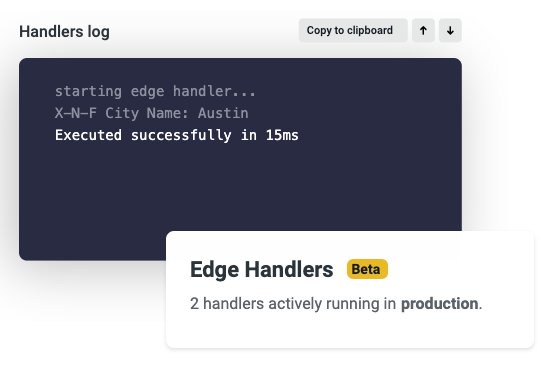
    Netlify, at its JAMSTACK CONF VIRTUAL event today, announced Netlify Edge Handlers, which make it possible to extend a Git-based workflow to edge computing applications.

    Company CEO Matt Biilmann said Netlify Edge Handlers, available in beta, puts the primitives in place for deploying serverless web applications based on a JAMstack software architecture that employs JavaScript, application programming interfaces (APIs) and markup languages, otherwise known as JAM, to isolate front- and back-end components of an application.

    A Git-based approach will also enable DevOps teams to extend workflows to edge computing applications that can be deployed on any number of platforms, he said. As an extension of a Netlify platform written in a modern Rust programming language, Netlify Edge Handlers makes it possible to build and launch web applications and websites based on a JAMstack architecture from within a continuous integration/continuous delivery (CI/CD) environment.

    Prior to the availability of Netlify Edge Handlers, building and deploying web applications on edge computing platforms required extensive coordination across teams, the creation of detailed edge logic with many dependencies and deviation from standard web development best practices, Biilmann said. Now, developers can write simple JavaScript that builds and deploys to the network edge in a way that enables simplified A/B testing, custom authentication and API aggregation, he noted.

    Developers also can build and manage edge logic from preview to production, including deploying those applications via the existing Netlify multi-cloud network.

    More application code is being pushed out to the edge because many organizations are now processing and analyzing data closer to where it is created and consumed, as part of their digital business transformation initiatives. Web applications that execute closest on a node to the user eliminate or reduce roundtrip request and response flows with the client.

    Biilmann also noted that because those applications are employing a platform developed using Rust, they are also inherently more secure.

    There may come a day when there are more application workloads collectively running at the edge than there are on cloud computing platforms. However, if that goal is ever to be achieved, it needs to become easier for developers to build those applications. Given the fact those applications are also likely to be targeted by cybercriminals, it’s critical to ensure those applications are as secure as possible.

    In the wake of the economic downturn brought on by the COVID-19 pandemic, many organizations have accelerated digital business transformation initiatives, many of which depend on edge computing platforms. The only way to achieve that goal, however, is to make it possible to build these applications using JavaScript tools that most developers of web applications have already mastered. Otherwise, organizations will need to invest in training developers to master another framework for deploying edge computing applications. That would require time they might not have.

    Regardless of the path forward, a massive wave of edge computing applications soon will stretch the boundaries and limitations of whatever DevOps processes organizations have in place today.

  • Oracle Launches Observability Platform

    Oracle Launches Observability Platform

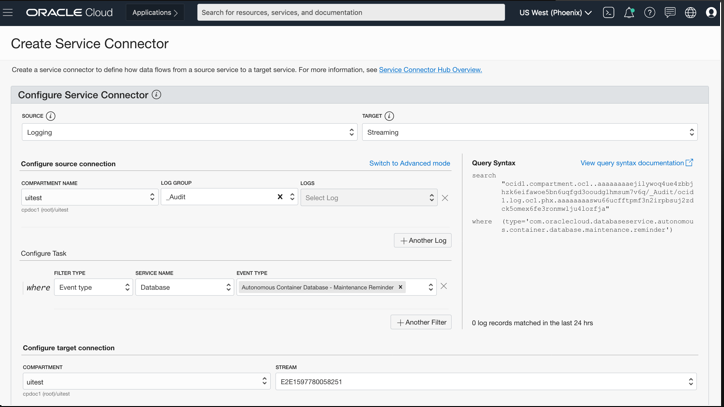
    Oracle, at its online Oracle Live event today, unveiled the Oracle Cloud Observability and Management Platform, which combines newly added logging, log analytics, database management, application performance monitoring, operations insights and service connector hub services with existing Oracle monitoring, notifications, events, functions, streaming and operating system management capabilities.

    Dan Koloski, vice president of product management for Oracle, said the Oracle Cloud Observability and Management Platform provides IT organizations with access to a unified observability platform running on the Oracle Cloud Infrastructure (OCI) service that, in keeping with best DevOps practices, offers more context than traditional monitoring tools.

    In addition to being able to observe applications deployed on Oracle infrastructure, on-premises or in the cloud, the Oracle Cloud Observability and Management Platform interoperates with Slack, Grafana, Twilio, PagerDuty and other platforms to enable organizations to craft end-to-end DevOps workflows, Koloski added. Oracle is also working toward making it possible to import and export data to open source Prometheus monitoring platforms, noted Koloski.

    Oracle Cloud Observability and Management Platform employs machine learning algorithms to automatically detect anomalies and enable remediation in near-real-time. The company has also automated the instrumentation process to the point of one-click agent deployment, he added.

    Koloski said IT organizations are moving to rationalize a raft of tools to monitor silos of applications and infrastructure that historically were employed with mixed success. An observability platform provides more context by unifying all those tools in a way that makes it easier to troubleshoot the overall IT environment, he noted.

    As IT environments become more complex, thanks mainly to the rise of microservices and containers across hybrid cloud computing environments, Koloski said a new approach to managing IT is required. Advances in observability in the form of distributed traces are also creating a need to shift IT monitoring platforms to the cloud, as the amount of data that needs to be analyzed steadily increases, noted Koloski.

    With the launch of Oracle Cloud Observability and Management Platform, Oracle is also signaling that database management is being incorporated into DevOps processes, Koloski said.

    IT teams today still spend a fair amount of time in “war rooms” trying to ascertain the root cause of an application performance issue. Observability platforms promise to reduce the amount of time IT teams need to spend trying to determine the root cause of those issues. Most of the time it only takes a few minutes to fix an issue that an IT team may have spent weeks trying to uncover.

    Of course, embracing an observability platform doesn’t necessarily mean an IT organization has embraced best DevOps practices. However, because observability is a core tenet of DevOps, it does mean a lot more IT teams will be further down that path.

  • How To Build Out a Successful Multi-Cloud Strategy

    How To Build Out a Successful Multi-Cloud Strategy

    Navigating even just a single cloud environment can be complicated enough for any startup. Between understanding the range of features on offer, planning for expenditure and ensuring you have the right expertise to leverage the tool to its full potential, the thought of managing multiple clouds can seem daunting.

    However, whether your company is just starting out or has been around for years, the rewards to be reaped from a multi-cloud approach make it a worthy investment. Adopting a multi-cloud strategy offers a whole host of benefits and can allow you to optimize costs when implemented correctly. In fact, a recent Gartner survey of public cloud users found that 81% of respondents are working with two or more providers. In addition, the amount of business applications, services and workloads is set to double over the next two years.

    Here’s what companies of all sizes can gain from going multi-cloud, and how they can do so.

    Why Opt for Multicloud?

    For startups, adopting a multi-cloud strategy can be rewarding from day one. If you’re building your proof-of-concept or are in the design stage of building your infrastructure, leveraging multiple environments at once can help you develop faster and with more advanced tools.

    With access to multiple clouds, you can play around with the strengths of each provider and combine them to get the “best of all worlds,” increasing agility and eliminating vendor lock-in. Having immediate access to more than one cloud also means being able to take advantage of these features as and when you need them, without having to fully migrate to another cloud, which can be a costly and lengthy process. In fact, Gartner analyst Michael Warrilow stated that “most organizations adopt a multi-cloud strategy out of a desire to avoid vendor lock-in or to take advantage of best-of-breed solutions.”

    Opting for a multi-cloud environment also boosts security and disaster recovery and ensures easier migration for some data and applications. Cybersecurity is heightened as spreading applications across different providers means an attack is less likely to bring your entire infrastructure down at once. Furthermore, sticking with one provider inevitably runs the risk of losing control of a mission-critical application during an outage. All of this adds to the overall resiliency of your system’s infrastructure.

    So, how exactly can you get started with your multi-cloud journey?

    Making the Right Cloud Choices

    While a multi-cloud approach can deliver serious value in terms of resiliency, flexibility and cost savings, making sure you’re choosing the right providers requires a comprehensive assessment.

    Luckily, all main cloud vendors offer free trial services so you can establish which ones best fit your needs and see how they work with each other. It will pay to conduct proofs-of-concept using the free trials and run your data and code on each provider. You also need to make sure that you’re able to move your data and code around easily during the trials.

    It’s also important to remember that each cloud provider has different strengths—one company’s best option is not necessarily the best choice for you. For example, if your startup is heavily reliant on running artificial intelligence (AI) and machine learning (ML) applications, you might opt for Google Cloud’s AI open source platform.

    Or perhaps you require an international network of data centers, minimal latency and data privacy compliance for certain geographies for your globally used app. Here’s where AWS could step in. On the other hand, you might need your cloud applications to seamlessly integrate with the various Microsoft tools that you already use. This would make the case for Microsoft Azure.

    There are multiple factors at play that you have to carefully consider to ensure ROI of your multi-cloud investment. According to a 2019 Spiceworks study, AWS comes out top for maximum uptime, Azure wins on compatibility and Google Cloud proves to be the best for manageability.

    However, it’s also crucial to remember that there are far more cloud providers than the “big three.” For example, Aliyun is Chinese conglomerate Alibaba’s cloud computing offering, while Oracle and IBM also have their own services. Many startups turn to more niche vendors that can better suit their individual needs, so it could pay to explore alternative options, too.

    Ultimately, you need to understand not only what your current needs are but also how your business goals align with the capabilities of your cloud strategy. Consider what you might need in the future that your current cloud provider doesn’t provide.

    Avoiding vendor lock-in—being able to dip into different features as and when you please—is one of the key benefits of multi-cloud adoption. However, it requires careful planning and assessment of your short- and long-term business goals and how these relate to your cloud infrastructure needs.

    Managing Multiple Cloud Environments Requires Expertise

    There’s no doubt that leveraging a single cloud environment requires team members with experience and know-how of that particular cloud vendor. So, moving to a multi-cloud approach means there’s an even higher demand with regards to the expertise you need at your disposal.

    If your team only has engineers who are experienced with working with Azure, it wouldn’t be a wise move to immediately adopt AWS without recruiting more talent. This is especially true as AWS is the most complex and mature of all of the main cloud providers and requires the relevant knowledge to be able to take full advantage of the tools and applications available. Hence, you need to consult your team at every step of the way on what kind of cloud environment is within their capabilities when crafting your multi-cloud strategy.

    Another vital aspect of multi-cloud adoption is managing the integration of the databases from each cloud provider. This means aligning your data management strategy across each cloud environment, otherwise you risk creating data silos and databases that don’t communicate with each other. Fortunately, many cloud providers include features that let you create clusters and manage and deploy databases. A team that understands the need for this is essential.

    Finally, a DevOps culture is crucial for any successful multicloud strategy. The purpose of multicloud adoption is not only to build out your infrastructure, but also to power continuous delivery and integration when it comes to product development. To ensure you select the best features and determine the right capacity according to your needs and expertise, you need to get the input of your entire DevOps team, including cloud experts, software developers and QA engineers, too. In fact, going one step further, many companies are even building out Cloud Centers of Excellence (CCoE), aa team of cloud experts who drive cloud-based digital transformation across an organization.

    The Balance of Controlling Multi-Cloud Costs

    Controlling and managing your expenditure while adopting a multi-cloud environment is no easy task, especially as your personalized use of the tool, which scales up and down, will result in fluctuating costs. In fact, controlling these expenses can be so difficult that cloud cost management vendor ParkMyCloud predicted that companies spent more than $14 billion on unnecessary cloud infrastructure costs in 2019.

    From a cost-saving perspective, Google Cloud is the best option as it offers more flexible contracts, lower starting costs and clearer visibility into expenditures compared to the other big providers. However, the decision should be taken against the potential ROI of the multicloud strategy you adopt, so calculating the financial optimization that will come from accessing multiple cloud environments can help guide you.

    If possible, it’s a good idea to consult with an expert partner on the ways in which you can best manage costs and maximize ROI. If this isn’t an option, you can use different tools that allow you to create estimates around expenditures.

    As the growing numbers around multi-cloud adoption suggest, it’s a trend that’s delivering value and is here to stay. With a multi-cloud environment, startups and enterprises alike can have flexibility around the features they need, optimize costs, increase security and protect themselves against outages. However, embarking on a multi-cloud strategy is no straightforward task: It requires research, planning and consultation with your technical team. By aligning your business goals with your cloud requirements and democratizing your decision process, you can ensure you get the most out of your multi-cloud investment.