Category: Blogs

  • Cycode Discloses GitHub Actions Vulnerability in Google Bazel Project

    Cycode Discloses GitHub Actions Vulnerability in Google Bazel Project

    Cycode today revealed it discovered a command injection vulnerability in the way the GitHub Actions continuous integration/continuous delivery (CI/CD) platform was used to update the open source Bazel project that many organizations employ to build and test software.

    The vulnerability, now remediated, could have been used to create a backdoor through which malicious code could have been inserted into a codebase that is managed by Google.

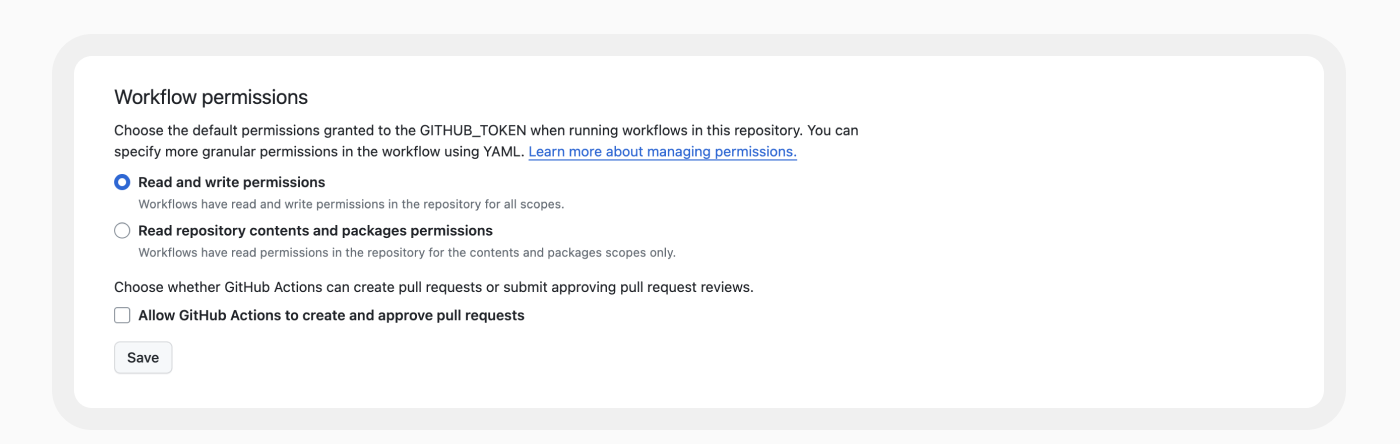
    Cycode researchers shared their discovery with Google, which has since updated the way it employs GitHub Actions to manage the Bazel codebase. Specifically, Google updated the base permissions to embrace least privilege principles to resolve the vulnerability discovered by Cycode.

    The vulnerability was discovered using RAVEN, an open source tool for scanning CI/CD platforms for vulnerabilities that Cycode makes available.

    Elad Pticha, senior security researcher for Cycode, said the vulnerability is the latest example of an instance of an open repository for building software that has been shown to be potentially vulnerable to an attack on a software supply chain that could theoretically impact any number of downstream applications and projects, including Kubernetes, Angular and platforms and services provided by Uber and LinkedIn.

    A Custom Actions capability that enables application development teams to create their own workflows presents any cybercriminal attempting to compromise of software supply chain with a tempting target, noted Pticha. A few changes to lines of code in a workflow can translate into thousands or even millions of lines of code, many of which an organization may never detect. Out of 3.4 million workflows examined by Cycode, nearly all (99%) make use of one or more Custom Action.

    Cycode has previously identified dozens of vulnerabilities in open source projects by mainly focusing on vulnerabilities within workflows. This latest research shows those vulnerabilities extend to indirect dependencies, such as Custom Actions, noted Pticha.

    Each DevOps team should review its own workflows for similar vulnerabilities at a time when more cybercriminals than ever are intent on compromising software supply chains. While many organizations have embraced DevSecOps workflows to improve application security, there is a natural tendency to overlook vulnerabilities that might exist in the workflows used to build and deploy software. The challenge is that DevSecOps workflows are still immature. A recent survey of 500 U.S. CISOs, AppSec directors and DevSecOps team members conducted by Cycode found 78% admitted application security attack surfaces are unmanageable, with 90% acknowledging relationships between their security and development teams need to improve.

    It’s not apparent if the vulnerability discovered by Cycode was actually ever exploited, but as most cybersecurity professionals know, if it can be imagined, someone has tried it. As such, any organization that uses Bazel might be well-advised to conduct a code review.

    In the meantime, it’s already apparent that regulations pertaining to securing software supply chains are only going to become more stringent in the months ahead. In the wake of the executive order from the Biden administration requiring federal agencies to lock down their software supply chains, it’s now only a matter of time before similar requirements are baked into legislation and various other regulations are implemented. The challenge and the opportunity now is to get ahead of this issue before a mandate with a hard deadline that can’t be ignored winds up disrupting the entire software development life cycle.

  • How to Manage Multi-Cloud Infrastructure and Reduce Costs

    How to Manage Multi-Cloud Infrastructure and Reduce Costs

    It’s no secret that the public cloud has been a game changer for businesses. In today’s world, every organization is looking for ways to store data more efficiently, support agile application development and reduce the burdens associated with on-premises data centers.

    The public cloud is essential for meeting those objectives and achieving the higher degree of innovation and digital transformation that many organizations seek. While the shift to the cloud has unlocked unprecedented innovation, it has also created a new layer of complexity and sometimes unexpected costs.

    The Nutanix Enterprise Cloud Index found that nearly every organization (99%) has moved one or more applications to a different IT infrastructure in the past year, and the vast majority (86%) agree that moving applications is both complex and costly. Accordingly, 56% plan to focus on gaining more visibility into their cloud consumption and costs this year, while 52% plan to leverage solutions that minimize cloud waste.

    As Scott Sinclair, senior analyst for TechTarget’s Enterprise Strategy Group explains, “The typical enterprise now has multiple data centers and public cloud providers, and many are also using lots of different colocation facilities and multiple edge locations.” As such, “It presents a new paradigm with companies having to look at different factors and considerations like cost, portability and security because their data is no longer all locked in one room.”

    Organizations must carefully plan their cloud strategy to avoid getting bogged down by complexity and sticker shock. But in most cases, this is easier said than done. The majority of companies are not using a single environment — their infrastructure includes some combination of on-premises and public cloud resources. One of the challenges this creates is additional expenses and complexity associated with data mobility and data protection: Moving data around so that it’s available where and when it’s needed while simultaneously keeping it safeguarded requires careful planning and budgeting. In other words, data has gravity, and unless data movement and orchestration are planned, one can end up stranded when the primary location for a dataset is unavailable.

    Even companies that were born in the cloud have their work cut out for them. Managing different cloud environments might be relatively straightforward for a cloud-native organization initially, but if at some point their data needs to be relocated on-premises to address compliance, data sovereignty issues or budget, it can result in soaring costs if not properly executed.

    With this being said, here are four considerations CIOs should take into account to keep cloud complexity and costs in check from the start.

    1. Have Your Head in the Cloud but Your Feet on the Ground

    To reap the benefits of the cloud, organizations need to adjust their expectations and plan realistically. There’s a false perception that companies can run an application on AWS in the morning, Azure in the afternoon, and Google Cloud Platform at night. In actuality, multi-cloud is a medium-to-long-term strategy that occurs over months or years. Building a cloud operating model with this in mind lets organizations benefit from the flexibility of leveraging multiple clouds while avoiding the cost and complexity associated with trying to do too much too fast with the cloud. When appropriate expectations are in place, hybrid multi-cloud is achievable, affordable, and undoubtedly beneficial.

    2. Learn on Others’ Dime as Much as Possible

    There are several best practices organizations should follow as they begin their hybrid multi-cloud journey. These include things like ensuring key application capabilities have API wrappers, containerizing modern applications as much as possible so they are portable, and automating application deployments through CI/CD pipelines to avoid manual errors and reduce costs. Public clouds have been around for almost 15 years, and designing for the public cloud is now quite well understood across the industry. Still, companies need to be mindful of how they leverage public cloud for certain applications or workloads. For example, modernizing a legacy application portfolio might sound like a good idea in theory, but in reality, it is cost-prohibitive and it will not provide ROI —lift and shift is a much better option for legacy applications.

    3. Standardize, Automate and be Paranoid

    Public cloud environments are fundamentally different from traditional on-premises infrastructure, so organizations need to think about them differently—especially where security is concerned. While a fortified exterior with unfettered internal freedom might be a workable model for on-premises, the same model could spell disaster in the cloud. Host-based security approaches have become more critical in the public cloud. Automation and standardization ensure that security measures are applied consistently across all cloud resources and services within an organization and shorten the window to detect unauthorized behaviors. Organizations must also consider the non-technology aspect of this: training and education for their teams. All teams and departments must be on the same page when it comes to security so they can collaborate effectively on security-related initiatives.

    4. Build in Optionality From Day One

    The public cloud is by far the best place to begin innovation. However, as companies experiment in the public cloud and a smaller portfolio of applications gain traction, enterprises need to adjust to the reality that — for the vast majority of applications — the public cloud will always be more expensive than running them on-premises (or perhaps even another cloud). To avoid lock-in, enterprises must build in optionality for migrating their compute when needed, as well as the mechanism to move their data out of public clouds when needed. Organizations that are flush with cloud engineering talent can do this on their own, but the vast majority will require an underlying platform that’s explicitly designed for data and computation mobility.

    The perks of one platform to run all workloads across clouds, on-premises, and the edge are undeniable: From increased flexibility to optimized performance, compliance, agility and more. By heeding the advice above, companies can keep multi-cloud challenges like complexity and unexpected costs at a minimum and fuel innovation.

  • Azure Cost Optimization: A Complete Guide

    Azure Cost Optimization: A Complete Guide

    Microsoft Azure is one of the “big three” cloud providers, and is a primary part of IT expenditure for many companies. Azure cost optimization is a strategy that involves managing and controlling Azure costs to ensure efficient usage and spending. It requires a thorough understanding of where and how your resources are being used, as well as insight into the various pricing options available.

    Azure cost optimization involves implementing best practices related to managing cloud costs, such as turning off resources when not in use, choosing the right-sized resources, taking advantage of Azure discounts and more. By optimizing these aspects, you can ensure that you are only paying for the resources you need and are using them efficiently.

    Azure cost optimization is an ongoing strategy that involves constant monitoring and adjustments as your usage and needs evolve. This means that you need to be proactive and vigilant in your cost management efforts, regularly reviewing your usage patterns and making adjustments as necessary.

    Why is Azure Cost Optimization Important?

    As organizations migrate more and more of their workloads to the cloud, the costs associated with Azure usage can quickly escalate if not properly managed. This can lead to budget overruns and decreased profitability.

    By leveraging Azure cost optimization strategies, businesses can gain greater control over their Azure spending. This not only helps in reducing costs but also enables businesses to more accurately predict their future cloud spending. This can be a major advantage when it comes to financial planning and budgeting.

    Moreover, Azure cost optimization can also lead to improved operational efficiency. By ensuring that resources are used efficiently, businesses can avoid wasted spend and focus their resources on the tasks that truly add value to their operations. This can lead to increased productivity and better overall performance.

    Azure Cost Optimization Tools

    Azure provides several free tools designed to help customers optimize their cloud spending. These tools provide insights into your usage patterns, help you identify potential cost savings, and guide you in implementing best practices for cost management.

    Azure Cost Management and Billing

    Azure Cost Management and Billing provides detailed insights into your Azure spending. It allows you to track your spending by resource, location, service, and more, enabling you to identify where your money is going.

    With Azure Cost Management and Billing, you can set up budgets to control your spending and set up alerts to notify you when you’re nearing your budget limits. You can also analyze your spending trends over time, which can be useful for forecasting future costs.

    Azure Advisor

    Azure Advisor provides personalized recommendations based on your usage and configurations, helping you optimize your resources for cost, performance, security and reliability.

    Azure Advisor can identify unused or underutilized resources you can shut down or resize to save money. It also provides recommendations for purchasing reserved instances or using Azure Hybrid Benefit, which can lead to significant cost savings.

    Azure Pricing Calculator

    The Azure Pricing Calculator is a tool for estimating the cost of Azure services before you use them. You can input your expected resource usage, and the calculator will provide an estimate of the costs.

    This tool can be especially useful when you’re planning a new workload or considering a migration to Azure. By understanding the potential costs upfront, you can make more informed decisions and avoid surprises.

    Azure Monitor

    Azure Monitor is a comprehensive service that provides insights into your application performance, infrastructure, and network. While primarily used for performance monitoring, it can also provide valuable insights for cost optimization.

    For example, Azure Monitor can help you identify overutilized or underutilized resources, enabling you to make adjustments to optimize your costs. It can also help you track your resource usage over time, providing insights into your spending patterns.

    Azure Resource Graph

    Lastly, Azure Resource Graph is a service that enables you to explore your Azure resources at scale. It provides a unified view of your resources across all your subscriptions, making it easier to manage and optimize your resources.

    With Azure Resource Graph, you can quickly identify resources that are not in use or are underutilized, allowing you to reduce unnecessary spending. It also enables you to visualize your resource usage, helping you understand your spending patterns better.

    6 Strategies for Azure Cost Optimization

    Now that we are familiar with the basics of cost optimization on Azure and the tools the platform provides, let’s review some strategies that can help you optimize and reduce costs in Azure.

    1. Right-Sizing Azure Resources

    One of the simplest yet most impactful strategies for Azure cost optimization is to right-size your Azure resources. This involves matching your business requirements with the appropriate Azure resources in terms of type, size and quantity.

    Too often, organizations over-provision their Azure resources, which leads to unnecessary expenditures. By right-sizing, you ensure that you’re only paying for what you need. This can be achieved by closely monitoring your Azure resources usage, identifying any underutilized resources, and scaling them back accordingly.

    Remember, Azure provides a range of resource types, each with its own set of capabilities and costs. Always cross-verify whether the selected resource is the most cost-effective one for your specific use case. For instance, if your application doesn’t require high compute power, choosing a lower-tier virtual machine could significantly reduce your costs.

    2. Utilizing Azure Budgets and Alerts

    Azure Budgets and Alerts are powerful tools for cost management. They provide you with the ability to set a budget for your Azure spending and receive alerts when your spending approaches or exceeds your budget.

    Setting up an Azure budget is a proactive approach to cost management. It allows you to allocate your finances effectively and avoid any unexpected charges. Furthermore, with Azure alerts, you can instantly get notified when your consumption is nearing your budget. This gives you ample time to adjust your usage or increase your budget, preventing any service disruptions due to overspending.

    Moreover, Azure Budgets and Alerts are highly customizable. You can create multiple budgets for different scopes (like management groups, subscriptions, or resource groups), set your alert conditions, and even automate actions based on these alerts using Azure Logic Apps.

    3. Tagging and Resource Organization

    Azure tagging and resource organization is another crucial strategy for Azure cost optimization. Tags are user-defined key-value pairs that you can assign to your Azure resources. They help you categorize and manage your resources based on your business needs.

    By effectively tagging your Azure resources, you can gain visibility into your resource consumption at a granular level. This can help you identify any high-cost resources, track your spending by project, department or environment, and make informed decisions about cost optimization.

    Organizing your resources into logical groups can also simplify management and governance. For instance, you can group your resources based on their life cycle or purpose and apply consistent policies and access controls across the group. This not only improves security and compliance but also helps in identifying any redundant resources that can be eliminated to save costs.

    4. Utilizing Storage Tiers Based on Usage Requirements

    Another effective strategy for Azure cost optimization is to utilize different storage tiers based on your usage requirements. Azure Storage provides three access tiers – hot, cool and archive, each designed for different types of data.

    The Hot tier is for data that is frequently accessed and requires low latency. It has higher storage costs but lower access costs. The Cool tier is for infrequently accessed data, offering lower storage costs but higher access costs. Finally, the Archive tier is the most cost-effective solution for long-term retention of rarely accessed data.

    By carefully analyzing your data usage patterns and selecting the right storage tier, you can significantly reduce your Azure storage costs. Moreover, Azure offers automatic tiering options like blob-level tiering and life cycle management policies, which can further optimize your storage costs based on your data lif ecycle.

    5. Leveraging Azure Hybrid Benefit

    If you’re an existing Microsoft customer, leveraging Azure Hybrid Benefit can be a game-changer for your Azure cost optimization. Azure Hybrid Benefit allows you to bring your on-premises Windows Server and SQL Server licenses with software assurance to Azure, offering significant cost savings.

    With Azure Hybrid Benefit, you can run Windows Server and SQL Server workloads on Azure at a reduced rate, providing substantial savings as compared to pay-as-you-go prices. Furthermore, Azure is the only cloud provider that offers such benefits, making it an ideal choice for businesses looking to optimize their cloud costs while leveraging their existing Microsoft investments. Azure Hybrid Benefit is starting to support software from other companies, including Oracle and Red Hat.

    6. Regularly Reviewing and Optimizing Subscriptions

    Lastly, regularly reviewing and optimizing your Azure subscriptions is a must for Azure cost optimization. This involves keeping track of your Azure usage and costs, identifying any inefficiencies and making necessary adjustments.

    Azure provides several tools like Azure Cost Management and Azure Advisor that can help you gain insights into your Azure spending and offer personalized recommendations for cost optimization. For instance, Azure Advisor can identify idle resources that can be shut down to save costs or suggest reserved instances for predictable workloads to avail discounts.

    Moreover, consider exploring Azure Cost Management Power BI App for advanced reporting and analysis of your Azure spend. It offers a rich set of visuals and filters that can help you uncover deep insights into your cost data and drive cost efficiency.

    In conclusion, while Azure offers a plethora of services and capabilities, managing costs effectively requires strategic planning and continuous monitoring. By implementing the above strategies, you can ensure that you’re making the most out of your Azure investments while keeping your costs under control.

  • Dynatrace Extends Data Reach and Scope of Observability Platform

    Dynatrace Extends Data Reach and Scope of Observability Platform

    At its Perform 2024 event today, Dynatrace unfurled a Dynatrace OpenPipeline that makes it possible to apply analytics to multiple types of data sources in real time.

    The company also unveiled a Data Observability offering that can be used to vet the quality and lineage of data being exposed to the Davis artificial intelligence (AI) engine at the core of the Dynatrace observability platform to reduce false positives that otherwise might generate an alert in addition to helping reduce the volume of data that might need to be stored.

    Finally, Dynatrace announced it is starting today extending the reach of its observability platform to the large language models (LLMs) that are used to create generative AI platforms. That capability will, for example, make it simpler to monitor the consumption of tokens that are used to provide access to these models.

    Steve Tack, senior vice president for product for Dynatrace, said Dynatrace OpenPipeline will enable organizations to streamline the collection of data in a way that will enable them to apply observability more broadly by applying stream processing algorithms to petabytes of data.

    Scheduled to be available in 90 days, the Dynatrace OpenPipeline capability enables IT teams to ingest and route observability, security, and business events data from any source and in any format at the point of ingestion, including unstructured data that is automatically converted into a usable format. That data can then be enriched to enable deeper analytics.

    It also provides IT teams with more control over which data they analyze, store or exclude from analytics, which in turn helps reduce the total cost of observability, noted Tack.

    Finally, it presents IT teams with the ability to apply more customizable security and privacy controls to how that data is employed, he added.

    Dynatrace is pursuing a multimodal approach to AI that spans predictive, causal and generative models. Collectively, that approach makes it simpler to identify the root cause of issues, identify anomalies that might disrupt services and streamline incident management by, for example, providing summarizations of events in a natural language format.

    It’s not clear how broadly observability will be applied beyond the data collected to manage DevOps workflows and other IT processes, but it’s clear there is a high correlation between IT events and business outcomes as organizations become more dependent on software. As AI becomes more pervasively employed, it should become simpler to apply analytics to a much wider range of types of data to surface the relationship between IT events and business processes. In effect, Dynatrace is making it simpler to apply best data engineering practices to collect, manage and analyze that data, noted Tack.

    In the meantime, DevOps teams should revisit how their pipelines are currently constructed to make it simpler to capture all relevant data. As critical as telemetry data collected from the DevOps platform is to ensure application development and delivery occurs as fast as possible, that data is only one factor in a larger equation. The challenge and the opportunity now is determining how best to apply AI to correlate it all.

  • How to Make the Most of In-House Software Development

    How to Make the Most of In-House Software Development

    Let’s be blunt: Maintaining an in-house software development team can be tough. You must hire skilled developers – which is no easy feat in today’s economy, where talented programmers remain in short supply – and then manage them on an ongoing basis. You must also ensure that your development team is nimble enough to respond to changing business needs and that it can adapt as your technology stack evolves. Given these challenges, it’s no surprise that most organizations now outsource application development instead of relying on in-house teams.

    But I’m here to tell you that just because in-house development can be hard doesn’t mean that outsourcing is always the best approach. On the contrary, IT organizations that choose to invest in in-house development for some or all the work can realize lower overall costs and a competitive advantage by creating domain-specific expertise. Keeping development in-house can help organizations address unique security requirements and maintain full control over the development lifecycle and roadmaps. For businesses with specialized technology, security and operational needs, in-house development is often the best strategy.

    Managing an in-house development team presents some steep challenges. At Komprise, we have refined several practices to keep our team efficient and productive, even in a business environment that is constantly changing.

    Scaling Up

    Scaling teams up is a key challenge for in-house development teams. Finding skilled developers to grow a team can be very difficult, especially when working with a bespoke technology stack.

    There is no simple solution to this challenge, but there are steps you can take to maximize your ability to find and hire development talent. For example, we invest significantly in engaging with college students, allowing us to identify promising developers while they are still in training.

    At the same time, we invest in upskilling our developers who are already on our team so they can take on additional responsibilities. We train our engineers in the latest cloud development and security skills and knowledge. The notion of embedding security into our designs and practices is fundamental to what we do. We also rotate engineers between different teams so they learn new technologies that are important to our business. This strategy allows us to align the work for every developer with their interests and to build reusable skills within our teams. We also hold a technical brown bag three times per month where we cover issues like development for cloud and how it differs from on-premises due to costs or how to design for performance and scalability.

    Focus on Customer Value

    Figuring out which features customers want most is a constant challenge. To address it, we quantitatively track how our customers use our product – which functionality they use most often, for example, and how usage patterns vary across different customer demographics. We evolve these metrics as we develop the product. Additionally, we identify customers who are “power users” and occasionally set up calls between them and our developers to gain additional insight into what customers want. Our marketing team also conducts customer advocacy interviews with our users to learn more about what they like and don’t like.

    Looking at third-party applications and interfaces helps us gain perspective on how best to meet user needs, too. For example, we might examine how Wayfair or Amazon are evolving their UI constructs to inform how we could change our product interface in ways that better meet customer needs. We want our B2B product to be as easy to use as consumer products.

    Invest in QA

    Quality Assurance (QA) operations are distinct from development operations, but if you want a successful in-house development team, you need a great QA team, too. Our QA engineers complement our in-house developers by helping them to deliver the highest-quality product, while also strategizing over how best to handle scale and efficiency challenges. In addition, we’ve invested heavily in QA automation, allowing us to test our applications thoroughly while keeping our team lean and efficient. This ensures that as our product feature set expands, our ability to test the entire product does not increase and we can maintain a monthly release cadence. We use test harnesses to simulate error and failure conditions, by injecting failures into the system or making our network experience a brownout or a blackout. You can’t automate every software test, but you can automate most of them, and QA automation is one of the key ingredients in effective development operations.

    Leverage AI Strategically

    AI is not the solution to every development challenge, but when used properly, AI can accelerate development and help in-house developers work more efficiently. Using AI tools to churn out code has become a hot use case for AI in development since the introduction of solutions like Copilot. AI can be a very useful solution, but the quality of the results it delivers hinges on the quality of the data it ingests. Inhouse development teams working on AI applications have much to consider from the data perspective. To leverage unstructured data, they need ways to find it across data silos, enrich it with new metadata as needed to support search and leverage AI tools like Amazon Macie and Rekognition to further refine the data.

    Optimizing In-House Development for the Long Term

    The importance of keeping in-house development teams happy and productive is likely only to increase as the tasks they work on grow more complex and as new paradigms, like those driven by AI, change the way developers work. The more IT organizations and enterprises can upskill their existing developers and empower them with the right tools and processes to succeed, the better they can leverage their teams to build products and features that bring value to the business.

  • Security Across the SDLC

    Security Across the SDLC

    We’ve seen some interesting movements in the security space over the last couple of years. My focus is on application security, but one of the movements we’ve seen is the blurring of what is application and what is infrastructure security, so I do a fair amount of that also. And then, with the advent of WAAP, we have network security playing a role in AppSec… It’s a growing snowball.

    I will start with the mandatory happy declaration that DevOps no longer treats security as an annoyance. While we’re well past that, I think the shock of the whole “security is a problem, not protection” mentality that DevOps started with is still hanging with us, and some still actively believe that. But at this point, we’re well on the “Security is part of the process” trail we should be on.

    If you look at the top-level changes, static application security testing (SAST) vendors have grown to be development security, covering SAST, DAST, IAST, RASP and even a bit of data security. Meanwhile, load balancers and WAF slowly evolved into full-on web applications and API security that covers the production side with active protections for things like DDoS and DLP.

    Likewise, we’ve seen this with the growth of cloud workload protection and how the entire digital architecture is being pulled into CSPM.

    I’ve said it before – we’re in a consolidation phase. It looks like it will go even further than I thought, though. Now, we are starting to see an interesting development: WAAP vendors are starting to include some or all of DAST, SAST and RASP. Arguably, they always did some IAST because their focus was on runtime protection, but their emphasis is more on protection than test, so it will be interesting to see that bit expand also.

    And all of this includes an inconvenient fact. We don’t have any more people to do security than we ever did; in fact, we have less. That’s part of the reason that we haven’t shoved security everywhere – there aren’t people to do it. In true DevOps fashion, we have distributed the work across other teams – Dev is right there where code security and API security start, so we’ve implemented SAST and DAST bits right into the IDE, for example. Or Ops has always done some amount of security, and we’ve just upped the amount. But they don’t magically have more time, either. I’m sure you are feeling it if you are a practitioner; almost all of us are. AI promises to help with that, and in security, it will likely deliver. Another thing I’ve pointed out before is that security is one space that really does stand to gain from generative AI – in helping make more secure code, in helping make all the permutations of tests, in making rules based upon observed data and more. The time-saving benefits will deliver, in my opinion. But it’s still a lot of work, and some of it is straight-up additional work because we weren’t doing things like container security a few years ago.

    In the short term, if full SDLC security is applied, there will be more work. In the long term, the mega platform for security may well reduce this work as it limits notifications across tools. Maybe we should name the coming mega platform SecArch. Also in the long term, AI will help alleviate some of the load. Until then, buckle in. You’re not likely to get staff to cover new work. But it will be worth it. Just keep plugging along, and know when to say you just can’t add one more thing to the pile.

  • Anima Adds Ability to Personalize Generative AI Code

    Anima Adds Ability to Personalize Generative AI Code

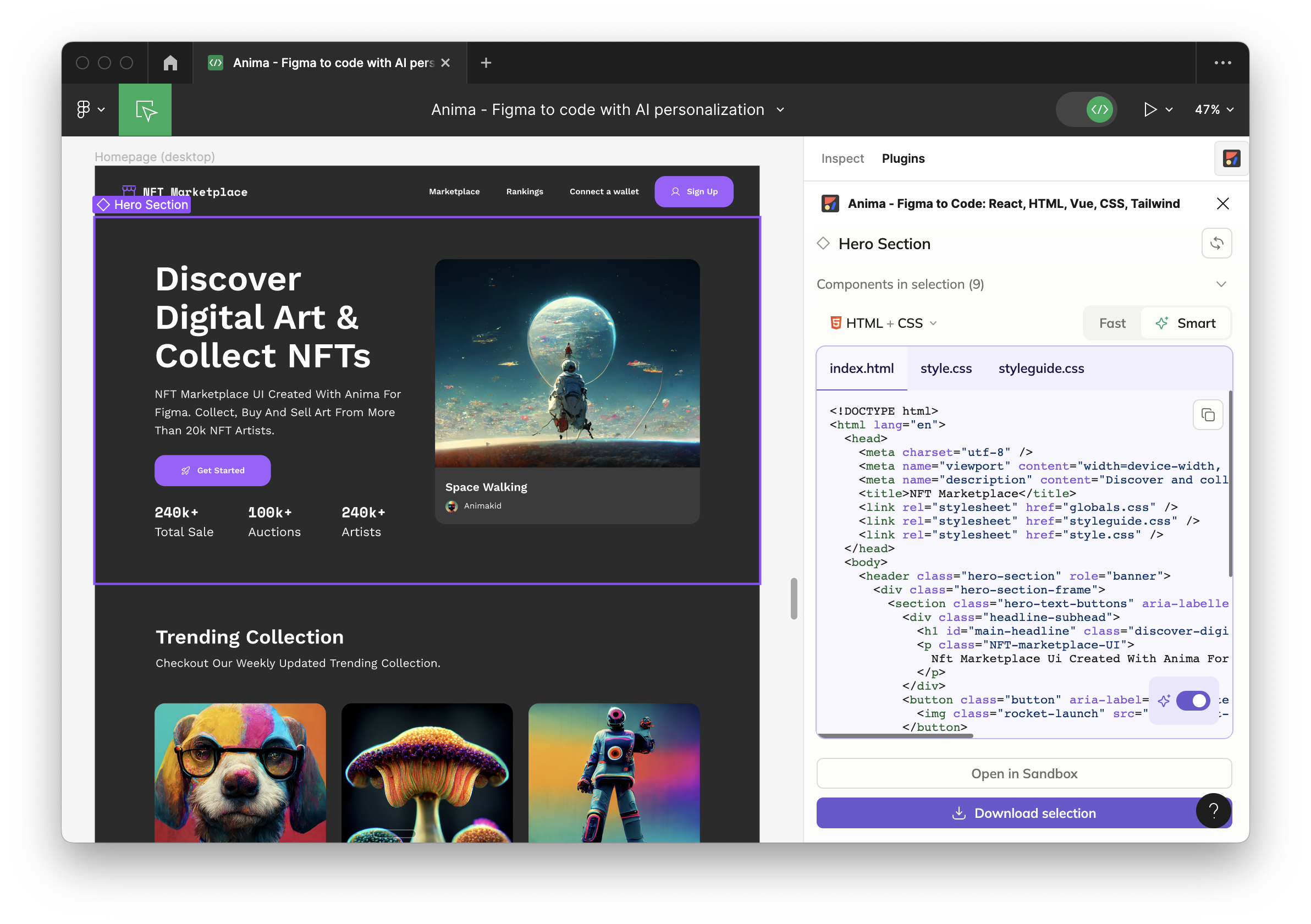
    Anima today revealed is has added an ability to personalize the code its generative artificial intelligence (AI) platform creates based on how an application is described using tools from Figma and Adobe.

    That capability makes it possible for the code being generated to resemble the coding style of an organization or specific developer more closely.

    Anima CEO Avishay Cohen said the company developed this capability to reduce the editing time that is otherwise required when trying to embed code generated by a large language model (LLM) within an application that has a well-defined coding methodology.

    The platform that Anima provides is based on a mix of LLMs and heuristics that the company developed to generate code. In this case, the code being generated is written in React or HTML to make it simpler to build an application’s front end. In contrast, a general-purpose LLM such as ChatGPT is not optimized for creating these types of graphical applications.

    Developers no longer need to worry about, for example, making sure each pixel is perfectly placed because the Anima platform automates that part of the application development process, including adding responsive behavior, animations and logic, noted Cohen. In addition, customized instructions may be applied to an entire project or even a specific component.

    In effect, the platform enables backend developers to automatically create a front-end for their application from a description in tools provided by Figma or Adobe. As a result, developers can allocate more time to writing business logic and optimizing application performance, said Cohen.

    Later this year, Anima will integrate its platform with GitHub and other continuous integration/continuous delivery (CI/CD) platforms as part of an effort to extend the reach of the platform across an entire codebase, he added.

    There is, of course, already no shortage of generative AI tools for writing code, but the degree to which they have been incorporated into DevOps workflows varies from one organization to the next. Much of the code created using platforms such as ChatGPT can vary widely in terms of quality. These platforms were trained using code collected from across the web so it’s not uncommon for the code generated to include known vulnerabilities that DevOps teams need to scan before incorporating into a build. In other cases, the code generated might simply break when installed.

    Regardless of these issues, however, the amount of code being generated by machines is only going to increase, especially as more LLMs that are specifically trained to create code based on examples that have been closely vetted become more widely available.
    In the meantime, developers who never especially enjoyed building the visual front ends of applications can now focus more of their time on tasks they prefer. Alternatively, developers who specialize in the front ends of applications will find that much of the toil involved will soon be automated in a way that should provide more time for them to create customized experiences.

    One way or another, the overall pace at which applications are built is about to exponentially increase. The challenge now will be finding ways to take advantage of AI to enable DevOps teams to keep pace.

  • CloudBolt Commits to Applying AI to FinOps

    CloudBolt Commits to Applying AI to FinOps

    CloudBolt Software today revealed it plans to infuse artificial intelligence (AI) into the financial operations (FinOps) capabilities it provides via its IT management platform over the coming year.

    Kyle Campos, chief product and technology officer for CloudBolt, said given the inherent complexity of modern IT environments, there is a need to apply machine learning algorithms and other forms of AI to enable IT organizations to apply policies in real-time to reduce costs. That capability is especially critical in cloud computing environments where services are often invoked by developers with little to no oversight, he noted.

    FinOps is a discipline that promotes a shared responsibility for an organization’s cloud computing infrastructure and costs. Rather than having disparate procurement teams working in silos to identify and approve costs, business, financial and IT leaders establish policies and best practices for usage that are programmatically enforced. The FinOps Foundation, an arm of the Linux Foundation, has been defining a set of FinOps best practices, but many organizations still lack the discipline required to implement them. One of the major reasons organizations lack this discipline is that many of them have been allowing application developers to provision cloud resources themselves. It’s not until the bill comes due at the end of the month that finance teams realize there is an issue when there is a sudden spike in costs.

    Rather than deploying a separate platform to manage FinOps, CloudBolt is making a case for integrating a framework for managing FinOps within the same platform IT teams use to manage those IT environments. That approach makes it possible to apply FinOps policies in a way that ensures best practices for controlling costs are implemented without creating yet another silo within an IT organization, said Campos.

    Running application workloads in the cloud is fundamentally different than running them in an on-premises IT environment where costs are largely fixed. Not many developers have much of an appreciation for the additional storage and cybersecurity expenses that are generated every time a new workload is added. As a result, many organizations lack visibility into the total cost of cloud computing until the monthly bill arrives. By then, it’s too late for IT teams to have any impact on the outcome.

    In the face of ongoing economic uncertainty, more organizations are clearly moving to reduce cloud computing costs more aggressively. In an ideal world, IT teams would be able to instantly see what impact any change to an IT environment will have on costs as part of any scenario planning exercise, said Campos.

    While most organizations would like to reduce their cloud costs, it’s just as important to ensure that the bills being incurred are predictable. Finance teams don’t appreciate surprises, no matter how important an application may be. IT leaders are now being held more accountable than ever to make sure cloud computing costs meet expectations from one month to the next. The challenge now is finding a way to inject controls in IT environments long after applications have already been deployed.

  • Jenkins and JenkinsX in 2024

    Jenkins and JenkinsX in 2024

    This article is a response to “The Future of Jenkins in 2024” article, published late last year.

    If you’re a software developer, it is practically impossiblee that you haven’t at least heard of Jenkins. 

    Developed initially by Sun Microsystems as Hudson, Jenkins is written in Java and has been the leader in software life cycle management for many years.

    When Jenkins was born, the world of software development was less complex and didn’t have concepts like CI/CD, DevOps and so on. Developers worked with less complex architectures: A monolithic application with a database and the infrastructure based on the VM.

    But after the introduction of containerized environments (or containerized applications), the world changed! The deployable assets changed. The software life cycle changed and Jenkins changed.

    The Legacy Approach

    The success of Jenkins is largely due to its plugin approach. It allows you to install many useful plugins to manage every stage of the software life cycle, including clogging your repository, configuring unit tests, configuring custom behavior and more.

    Jenkins has a lot of competitors. The new competitors (and Jenkins), new technologies and the contributions of the open source community have adopted a modern ‘as-code’ paradigm. Jenkins itself introduced the as-code (scripted and declarative) pipeline (using DSL in groovy a JVM language).

    The git server provider has implemented the webhook behavior.

    Has been introduced the CICD term useful to refer to continuous integration and delivery.

    The infrastructure has been “dematerialized” with Kubernetes.

    The infrastructure configuration and provisioning has become scriptable (CasC and IaC).

    Today, you can install Jenkins wherever you want; on a Windows server, Linux server, as a containerized application or on Kubernetes. Jenkins installation is very dynamic.

    Moreover, you can use a different Jenkins architecture: Single node (basically with one master node), master-slave (with persistent slave) approach, master-slave runtime approach (using containers) and master-slave runtime approach using pod containers in a Kubernetes cluster. The last example creates a very powerful “cloud native tool” – but we’ll see this architecture in the next sections).

    But what does Jenkins offer today? The Jenkins subsystem today supports both models: The legacy approach and the as-code approach using Jenkins pipeline (declarative or scripted). Though many might think, “But … we’re DevOps and we don’t care about the legacy model; we’re interested in the as-code model.”

    Wiith the as-code model working within the GitOps paradigm, we’re safer in disaster recovery and also we can implement a self-service approach useful to:

    • delivery where you want
    • delivery for what you want
    • delivery when you want    

    With Jenkins you can do this always and also using a high level approach since Jenkins uses a DSL based on groovy that is a JVM language.

    In my opinion, Jenkins has some advantages:

    • No vendor lock-in (Theoretically, I can provision a groovy sandbox, and inside it, I can run my pipeline and it works fine. This is not completely true because if you use a Jenkins plugin like withCredential(), you do not have it inside a sandbox and other mechanisms, but – theoretically – this is possible.)
    • Jenkins works with OO and scripted programming languages like groovy. We can use high-level data structures and objects to implement the pipelines.
    • “We do not learn the core concept” about a specific tool (I mean, the high-level program languages are familiar to software engineers). If you know Java, then you know groovy; if you are experienced with Python, then you can work with groovy. 
    • No declarative approach with serialization languages such as YAML
    • If you don’t know bash programming you can use a fully-groovy pipe.
    • Is open source
    • Is pluggable
    • The Jenkins infrastructure is completely under our control
    • Shared commons libraries on the system side and project side
    • You can completely separate the project source code from the pipeline project. Segregation of tasks (and when you work in a big company where the development department is isolated from the “delivery” department, this is very important)  

    Jenkins Common Architecture

    Suppose a business project is versioned into a GitLab instance. The Jenkins pipeline is useful to manage the life cycle of this project as follows:

    pipeline {
    agent {
    label ‘maven’
    }
    stages {
    stage(‘unmarshall payload’) {
    steps {
    script {
    // to do this you can enable “allowEnv: true” in BuildConfig
    payload = utils.unmarshall(env.GITLAB_WEBHOOK_PAYLOAD)
    }
    }
    }
    stage(‘check GitLab Event & Project Details’) {
    when {
    expression {
    script {
    gitlabUtils.isPushEvent(payload)
    }
    }
    }
    steps {
    script {
    gitlabUtils.projectRepositoryDetails(payload)
    }
    }
    }
    …

    Assume that:

    • The pipeline is triggered with webhook mechanism
    • The GitLab payload is stored into GITLAB_WEBHOOK_PAYLOAD env var.
    • The pipeline use the global Jenkins shared libraries (imported on top with: @Library(‘jenkins-shared-libraries’) _ )
    • The gitlabUtils is a groovy bunch function that contains the “action functions” as you can see from the code snippet
    • Jenkins works with a plugin called generic webhook plugin (which is a really powerful plugin useful to manage the webhook request) 

    Focus on isPushEvent(payload) function:

    def isPushEvent(payload) {

        /**

          * This function is used to check if the hook event is a push type event.

        **/

      return payload != null && payload.get(‘object_kind’) == ‘push’

    }


    As you can see, using this approach, you can do anything everywhere and when you want, using an OO language. For example:

    stage(“environment steps”) {

         steps {

           script {

    …

    ClosureParams params = FactoryClosureParams.factory(currentEnvironment, servicesWithLatestTag,

    servicesWithoutDockerImages,

    serviceWithPreviousSameTag,

    deployedServicesBySector,

    composeRepoBranch,

    hostsGroupToDeploy,

    latestCommitArray,

    sectorToDeploy)

    …

    }

          …

          }

    The above snippet is a piece of a generic stage in our pipeline, where:

    • ClosureParams is a class
    • FactoryClosureParams is a class

    These classes are stored into Jenkins shared libraries repo, into the path src/it/example/jenkins/*.

    Yes we do. Because with Jenkins we can also work with OO programming!

    Focus on  FactoryClosureParams class:

    package it.example.jenkins

    import it.example.jenkins.ClosureParams

    import it.example.jenkins.ProductionParams

    import it.example.jenkins.DevelopParams

    class FactoryClosureParams {

        private static final String developRegex = “(.*dev.*)|(.*DEV.*)”

        private static final String productionRegex = “(.*prod.*)|(.*PROD.*)”


        public static ClosureParams factory(String environment, List servicesWithLatestTag,

            List servicesWithoutDockerImages,

            Map serviceWithPreviousSameTag,

            Map deployedServicesBySector,

            String composeRepoBranch,

            List hostsGroupToDeploy,

            List latestCommitArray,

            List sectorToDeploy)

        {

            /**

            * Factory method.

            **/

            if (environment =~ developRegex) {

                List<Object> argsD = [environment, servicesWithLatestTag, servicesWithoutDockerImages,

                    serviceWithPreviousSameTag, deployedServicesBySector,

                    composeRepoBranch, hostsGroupToDeploy, latestCommitArray, sectorToDeploy]

                println(“INFO. Building Develop parameters “)

                return DevelopParams.newInstance(argsD)

            }

            if (environment =~ productionRegex) {

                println(“INFO. Building Production parameters “)

                List<Object> argsP = [hostsGroupToDeploy, latestCommitArray, sectorToDeploy]

                return ProductionParams.newInstance(argsP)

            }

            return null

        }

    }

    Assume that:

    • FactoryClosureParams is a class into Jenkins’ shared library src root path

    We have seen how Jenkins works with its pipeline using a classical jenkins architecture.

    But … if I need to build a project from different repos, with different technologies inside – for example – in a docker container, in a single pipeline? How can I design this scenario?


    Suppose you have an application composed by:

    • A go (golang) agent with some routines that manipulates some files
    • A Python backend that call some external service, read and write files, and anything else
    • A Java web application that expose the results to localhost:8080

    We have seen that the Jenkins pipeline uses a global agent defined on top of the pipeline, but Jenkins also offers a mechanism for defining a stage-side agent.

    This mechanism becomes really powerful when Jenkins is provisioned into Kubernetes” because we can use this mechanism using the Kubernetes pods and obviously its containers.

    Before seeing how we can use this Jenkins setup, I want to explain to you why I said: “provisioned into Kubernetes.”

    You do not have the constraints to provision the Jenkins master on the Kubernetes cluster; you can manage this setup using a Jenkins plugin called Kubernetes Jenkins Plugin.   

    Jenkins as a Native CI/CD Tool in a Kubernetes Cluster

    With the Kubernetes Jenkins plugin, you can use the Kubernetes cluster API to start up some agents (previously configured: UX, CasC) at runtime like Jenkins slaves. 


    Let me do a recap of some points:

    • With the Jenkins pipelines we can define – by design – a pipeline-side agent or the stage-side agents
    • Using the Kubernetes Jenkins Plugin, we have the ability to set up a master-slave Jenkins architecture at runtime
    • Using the Kubernetes Jenkins Plugin, we can define more than one “agent type” and more then one container inside every agent
    • With the Kubernetes Jenkins Plugin you have a special step called container() which is useful to run part of your pipeline inside a specific container (in a specific pod)

    And then your pipeline becomes something like this:

    stage(“Testing project”) {

                steps {

                    script {

                        container(‘dotnet5’) {

    …

    …

    …

    …

    }

    stage(“Containerization. Auth, build and push”) {

                steps {

                    script {

                        prjId = pipelineConfig.get(‘project’).get(‘id’)

                        container(“aws-cli”) {

          aws …

    …

    …

    …

         container(‘docker’) {

               docker login …

                                }

    }


    As you can see, you can use the container() step what and when you want – inside the pipeline.

    This mechanism permits you:

    • To use a runtime agent (based on k8s pod lifecycle)
    • To use indistinctly all containers inside a pod agent
    • To use a multi agent (with multiply containers inside it) strategy – stage side
    • To build a project (single repo) based on different technology “one shot” (thus into a single – job –  pipeline run)
    • To build multi projects (multi repos) based on different technology, different versions of the same technology and so on “one shot” (thus into a single job)
    • To enforce running the pipeline inside a specific agent
    • To start a pod with complex container useful to run a complex analysis inside the pipeline (for example, DataOps or MLOps)
    • To use the Kubernetes resource, because your pipeline agents are Kubernetes pods
    • To use jenkins as CI/CD tool

    JenkinsX

    The JenkinsX project was born before some of the other modern and consolidated technology and tools, and some modern technologies developed faster than JenkinsX.

    For this reason, the JenkinsX project has become an open source architecture project.

    But… what do I mean when I say “open source architecture project”?

    I mean that JenkinsX is a set of open source tools useful to create a CI/CD stack into a cloud-native environment (Kubernetes).

    And yes, of course, JenkinsX also has custom resources like Preview.

    In fact as you can see, the below image represents the architecture of JenkinsX.


    Image: From the JenkinsX official site.

    A modular architecture that use the extensibility of Kubernetes and powerful tools like Tekton (for pipeline), Lighthouse (for ChatOps – in our case, this is useful to trigger the pipeline), Kubernetes secrets (stored in an external vault and linked by external secrets operator), interfaces (JX CLI, dashboard, octan), etc.

    This architecture is really powerful because we have all we need:

    • Pipeline engine (Tekton)
    • Trigger mechanism (Lighthouse)
    • Command CLI (JX CLI)
    • UI (octant)
    • Kubernetes resources and JX custom resources

    But we don’t always need all this.

    The latest observation will be the springboard to Tekton.

    Tekton

    As I said, some other technology has become stable and soon became a cloud-native standard (in Kubernetes). One of these is Tekton.

    Tekton is a pipeline engine. And offers all you need! It is a really big Kubernetes-centric project and adds a lot of Kubernetes CR to work.

    In summary, Tekton is formed by:

    • Tekton pipeline
    • Tekton triggers
    • Tekton CLI (tkn)
    • Tekton dashboard
    • Tekton catalog
    • Tekton hub
    • Tekton operator
    • Tekton chain   

    Tekton also exposes its APIs (available only for Pipeline and Task).

    The main Tekton resources useful to implement a pipeline are: Pipeline and Task (with their executors PipelineRun and TaskRun).

    Ok, but this article isn’t a documentation guide about Tekton or Jenkins, but if you want, you can learn more about this pipeline engine at the Tekton official site.

    The real point is: What is the relationship between Tekton and Jenkins?

    As I said before, Tekton is the pipeline engine beside the JenkinsX project, but also has another relationship with Jenkins (without “X”).

    Before explaining this relationship, I want to tell you how Tekton works with the Task resource. Basically, a Task is a collection of Steps (that is a common concept in Jenkins), and it runs as a K8ss pod.

    Look at the following snippet:

    apiVersion: tekton.dev/v1 # or tekton.dev/v1beta1

    kind: Task

    metadata:

      name: example-task-name

    spec:

      params:

    – name: pathToDockerFile

       type: string

       description: The path to the dockerfile to build

       default: /workspace/workspace/Dockerfile

    – name: builtImageUrl

       type: string

       description: location to push the built image to

      steps:

    – name: ubuntu-example

       image: ubuntu

       args: [“ubuntu-build-example”, “SECRETS-example.md”]

    – image: gcr.io/example-builders/build-example

       command: [“echo”]

       args: [“$(params.pathToDockerFile)”]

    – name: dockerfile-pushexample

       – image: docker.io/library/golang:latest

          name: ignore-unit-test-failure

          onError: continue

          script: |

               go test .

       volumeMounts:

         – name: docker-socket-example

           mountPath: /var/run/docker.sock

      volumes:

    – name: example-volume

       emptyDir: {}


    As you can see, every step is a minimal container (inside a pod) with its features and its commands or script to run. This is the same scenario that you can do with a classical Jenkins instance using Kubernetes Jenkins Plugin (with the container() step). 

    What do I want to prove with this observation?

    Probably nothing… but we have seen the past, the present and the future of one of the most important CI/CD tools in the history.

    Or… I want to say that, if you work in a cloud-native context with Kubernetes clusters and you have marked Jenkins as “obsolete tool” (for your context), you probably don’t know the deep powerful truth about Jenkins, and probably don’t know the Tekton project and the relationship with its “grandpa” Jenkins.

    In other words, I think that Jenkins (in some ways) will be a main character for the future of the DevOps chains!           

     

  • Using LLMs to Automate Pipeline Conversions From Legacy to Tekton

    Using LLMs to Automate Pipeline Conversions From Legacy to Tekton

    There have been many technological advancements in the market today, but the main hindrance is the cumbersome process of switching from the existing technology/framework to the new one. This is where teams and organizations are left behind in the tech curve. In the DevOps landscape, CI/CD pipelines are the backbone of DevOps, and how you work with them largely dictates your DevOps efficiency.

    CI/CD pipelines, too, like other major technologies and frameworks in the past, have seen various evolutions; the latest among them is being made reusable in an attempt to standardize CI/CD. However, here too, there are several cons:

    1. The pipelines are not proprietary to end-user enterprises and belong to the DevOps platforms which are not open-source
    2. Migrating to these platforms and pipelines is a huge task
    3. They may not be as efficient as depicted

    Speaking of new advancements in technology, most might be familiar with Tekton for CI/CD pipelines: It is Google’s open source framework that is now a graduated CDF project. It redefines how pipelines are built (through reusable tasks) and these tasks are open source and community-vetted. They allow for pipeline authorship, and enterprises can re-use them across platforms that are compatible with Tekton, thus preventing vendor lock-in.

    While this mitigates the first challenge of pipeline ownership and migrations, however, the same problem plagues DevOps teams – transitioning from existing legacy technologies/frameworks to newer, much more capable frameworks like Tekton.

    However, what if there was a way to seamlessly automate your transition from legacy pipelines to cutting-edge, reusable Tekton pipelines without toil? This is precisely what the article aims to explore – automating the conversion of Yaml scripts of existing pipelines to Tekton Yaml scripts.

    Let us consider the three most popular CI/CD platforms for this use case – Jenkins, GitLab and Azure DevOps. Before we proceed to the proposed approach to achieve this (which is detailed in the second half of this article), let us first look at the limitations of Jenkins, GitLab and Azure Pipelines and why one should convert.

    Common Limitations of Jenkins, Azure and GitLab Pipelines

    Resource Intensive: Legacy pipelines can be resource-intensive, especially for larger organizations or projects. Managing server resources, optimizing configurations and ensuring sufficient hardware can be a challenge.
    Complex Setup: Setting up and configuring Jenkins, GitLab and Azure DevOps can be complex, particularly for self-hosted instances. This complexity may require experienced administrators and substantial time investment.
    Plugin and Integration Compatibility: All three platforms may face compatibility issues with certain plugins or integrations.
    Scaling Challenges: Scaling in organizations, especially when dealing with multiple microservices, necessitates a shift from individualized scaling to a template-based approach. Failing to do so leads to a chaotic increase of pipelines, undermining standards and organizational processes.
    Costs: While both Jenkins and GitLab offer free and open-source versions, some advanced features or capabilities may only be available in higher-tier paid plans. This can lead to cost considerations at scale.
    Customization Complexity: These platforms can be complex to customize workflows and integrate custom scripts as they require advanced scripting knowledge.
    User Interface Complexity: Though they have feature-rich interfaces, it can sometimes be overwhelming for new users to navigate the platforms and find specific settings or options.
    Limited Native Integration & Plugins: The native integrations of Jenkins, GitLab and Azure may not cover the full spectrum of tools and services a team may need. Additional integration efforts or third-party tools may be required to bridge gaps in the development workflow.

    As can be seen in the above limitations, many are common including scalability challenges, being resource intensive, limited integrations etc. All the challenges boil down to one common denominator: Complex pipeline management at scale.

    This is where a framework like Tekton can help tackle all the challenges at once, by just easing pipeline management: with its K8s-native pipelines that are reusable, open source and tasks that are community-vetted.

    Tekton Pipelines: Advancing CI/CD with Kubernetes-Native Automation

    Tekton, an open-source project, is rapidly gaining traction as a game-changer in the world of CI/CD pipelines. Its Kubernetes-native design is a standout feature, seamlessly integrating with Kubernetes clusters to harness its scalability and resource efficiency.

    Furthermore, Tekton’s cloud-native roots ensure it can execute tasks in lightweight, ephemeral containers, optimizing resource utilization. The ability to declare CI/CD pipelines as code, coupled with GitOps practices, enhances automation and reproducibility.

    How are Tekton Pipelines Different?

    Kubernetes-Native Automation: Tekton pipelines are deeply integrated with Kubernetes, utilizing Custom Resources and Operators to define and execute CI/CD workflows.

    Declarative and Modular: These pipelines are defined declaratively using YAML manifests, promoting version control, collaboration and code reviews. The modular design of tasks and pipelines enables teams to create reusable components for building, testing and deploying applications.

    Containerization and Isolation: Each task in a Tekton pipeline runs within a dedicated container, ensuring isolation and reproducibility of the build and deployment environment.

    Event-Driven Architecture: Tekton pipelines can be triggered by various events, such as code commits, pull requests, or external events, providing a responsive and event-driven CI/CD process.

    Scalability and Efficiency: Tekton pipelines leverage Kubernetes’ inherent scalability, enabling efficient execution of tasks across a dynamic pool of worker nodes.

    Visibility and Observability: They offer built-in monitoring and logging, allowing teams to gain insights into pipeline execution, track progress and diagnose issues.

    Integration and Extensibility: Tekton pipelines can be easily extended with custom tasks and integrations, enabling teams to connect with various tools, services and cloud platforms.

    Cloud-Native Best Practices: By embracing Tekton pipelines, organizations align with cloud-native best practices, promoting the use of Kubernetes and containerization for streamlined application delivery.

    Why Transition From Jenkins, GitLab, and Azure Pipelines to Tekton Pipelines?

    Migrating from Jenkins, GitLab, or Azure pipelines to Tekton pipelines can be a strategic choice, especially for organizations deeply entrenched in Kubernetes and cloud-native methodologies.

    Optimize Kubernetes-Centric Workflows: Projects tightly integrated with Kubernetes may find Tekton pipelines more aligned with their ecosystem.

    Accelerate Cloud-Native DevOps: Organizations aiming to embrace a cloud-native approach and leverage Kubernetes infrastructure.

    Performance and Scalability: Tekton pipelines run on clusters that can dynamically be created and destroyed according to demand, thus taking resource optimizations to the next level.

    Cloud-Native Best Practices: Best practices, such as containerization, declarative configuration and infrastructure-as-code are a natural fit due to their Kubernetes-native design.

    Proposed Workflow for Automating Pipeline Conversions at Scale

    The overarching objective of this workflow is to facilitate a seamless conversion process using large language models (LLM) without delving into the intricacies of fine-tuning but rather using the benefits of prompt engineering. Central to this approach is the use of the chat context and the strategic application of roles for LLM models to establish context. Along with this, sample pipelines are leveraged to train and fine-tune the model to define how the corresponding YAMLs of all these platforms look for any given pipeline.

    The use of prompts and instructions tailored to fit the use case of generating contextual pipeline YAML and conversion of Jenkins/Gitlab pipelines to Tekton pipelines makes this workflow possible. We maintain a context and a contextual mapping of real-world examples and the most appropriate prompt designs to produce the most accurate responses. The role of users in this context adds weight and further refines the response received.

    However, before proceeding into details and examples, let’s set the base for what exactly generative AI means and its context in our use case:

    Generative AI and LLM for Automating YAML Script Conversions

    Generative AI, such as LLMs, create content like text, benefiting from patterns in large datasets. Large language models (LLMs), with billions of parameters, excel in generating human-like text by understanding language structures. They have broad applications, including natural language understanding, summarization, translation and content generation, promising automation and human-like interactions with AI.

    Adapting the Model to Solve Real-world Use Cases

    Fine-tuning and prompt engineering are two common methods used to train large language models (LLMs) like GPT-3, BERT and others. These methods help adapt pre-trained models for specific tasks or generate contextually relevant responses. Both fine-tuning and prompt engineering play crucial roles. Fine-tuning helps the model comprehend complex use cases, while prompt engineering provides detailed requirements, extracting the best results from the model.

    Why Prompt Engineering?

    Prompt engineering stands out as a highly advantageous approach in specific use cases where precision, control and customization over AI model behavior are paramount. This method empowers developers and users to meticulously design input prompts, effectively guiding AI models to produce contextually relevant and desired responses.

    Prompt engineering is both an AI engineering technique for refining large language models (LLMs) with specific prompts and recommended outputs and the term for the process of refining input to various generative AI services to generate text or images.

    The process of prompt engineering to fit our use case includes :

    Defining the goal: The first step in the process of AI prompt engineering involves setting a clear objective.

    Crafting the initial prompt: With the goal in mind, it’s time to draft an initial prompt. This could take the form of a question, a command or even a scenario, depending on the goal.

    Testing the prompt: The initial prompt is then input into the language model, and the response is analyzed.

    Analyzing the response.

    Refining the prompt: With the insights gathered from testing and analysis, it’s time to revise the prompt. This could involve making it more specific, adding more context or changing the phrasing.

    Iterating the process: The testing, analyzing and refining steps are repeated until we are satisfied that the prompt consistently guides the model toward generating the desired response

    To conclude, here’s an example of typical YAMLs from Jenkins, GitLab and Azure DevOps, and how the same YAML looks when converted to a Tekton YAML. This goes a long way in facilitating teams to finally make a jump from their existing pipelines to cutting-edge reusable pipeline frameworks:

    Jenkins YAML

    GitLab YAML

    Azure YAML

    Converted Tekton YAML