Category: Features

  • DevOps and continuous innovation accelerate the evolution of technology

    DevOps and continuous innovation accelerate the evolution of technology

    DevOps tools and principles have dramatically increased the pace of innovation and enabled the organizations that have embraced them and used them most effectively to achieve a major strategic advantage over competitors. The more the world runs and relies on software, the more DevOps can be the engine to automate and facilitate change.

    There was a time it took almost half a day to build a single car. Henry Ford managed to bring that down to two hours and 30 minutes thanks to the assembly line, but for over a hundred years most of the changes year to year in automobiles have required retooling manufacturing plants so updates and modifications are developed at a relative snail’s pace. Then Tesla came along with a car that is more or less just a framework for the software that runs on it and that can have new features and capabilities the next day through over-the-air software updates.

    John Jeremiah, technology evangelist and team lead for HP Software, was quoted in a post earlier this year saying, “It was just a few years ago when nobody had heard of Uber. Now, every single taxi company or taxi service is under pressure to react to a company that owns no taxis. Why is that? It’s because they’ve used software.”

    Tesla has an advantage over other automobiles because it can change the way its vehicles work or improve them with new features at the push of a button. Uber has an advantage over the traditional taxi industry because it has streamlined its service through a mobile app available on hundreds of millions of mobile devices and it can modify and improve the way it works with a simple update. Software has increased the ability for organizations to adapt more quickly and DevOps accelerates that evolution even faster through continuous innovation and the automation of routine tasks.

    There will still be things that require physical change—an updated vehicle frame in the case of Tesla or a new feature that relies on cutting edge technology only available in the latest smartphone models in the case of Uber. Software alone can’t do it all.

    The areas where software makes a difference, though, DevOps has a major impact. A recent study conducted by Gene Kim and a team of researchers found that organizations that have embraced DevOps tools and principles effectively have 8,000 times faster lead times and 30 times more frequent deployments than their peers. They also have 12 times faster mean time to recovery when issues arise and are twice as likely to exceed profitability, market share and productivity goals. Those are all significant statistics that impact the bottom line and separate the companies that win from their struggling rivals.

    Companies that can harness the power of DevOps and continuous innovation to develop new apps and capabilities faster and that have the capacity to push those updates out to existing customers have a significant advantage over competitors still slogging through “innovating” the old-fashioned way. It’s hard to compete with companies that are deploying 30 times faster than you and have twice the profitability and market share.

  • The Jenkins JUC is coming to Santa Clara

    The Jenkins JUC is coming to Santa Clara

    sacha-laboureydevopsy.kinsta.cloud spoke with Sacha Labourey, CEO, CloudBees about the upcoming Jenkins User Conference, its value, purpose, and focus, and about CD. It’s fitting coming into the JUC to highlight Mr. Labourey’s recent accomplishments. “Last year, we announced the Jenkins workflow, so the ability to build pipelines to create Continuous Delivery environments,” says Labourey. Noting Jenkins’ focus heretofore on CI and the notion of single jobs, Labourey offered that CI was not sophisticated enough to build those pipelines. “So the workflow enabling CD is receiving a lot of attention from the community and customers,” concludes Labourey.

    Moving on to more recent news, Labourey agrees that Jenkins’ support now for Docker is leading the community to consider how it can better leverage Docker. “Or, if they are already using Docker, they want to see how they can streamline the process by which they are going to build those images, register those, test them and so on,” says Labourey. These developments are key to understanding what customers and the DevOps-minded community will likely bring to the JUC, and what they can hope to take away from it.

    Great Expectations

    Labourey has great expectations for the JUC. “First, it’s a nice party. A lot of those people discuss together at the forums or through other means and that’s a great way to connect,” says Labourey. The JUC will be one big multi-topic Jenkins / CD conversation between and among attendees and presenters. There’s something to be said for face-to-face meetings despite the many unified communications channels and presence technologies available today for remote exchanges, collaborations, and white boarding.

    Second, and if the Washington and London Jenkins UCs are any clue, the Santa Clara Conference will see more of what Labourey calls “traditional companies” sending teams to this event to learn new Jenkins features, how other companies applied best practices to solve problems, and what did and did not work for them.

    Addressing the Community: the State of CI &CD

    devopsy.kinsta.cloud specifically asked Mr. Labourey if as we come into the conference he would briefly address the state of CI & CD. Labourey details the changing Jenkins audience and what waits in store for them.

    “The historical users of Jenkins can have a pretty strong focus on Continuous Integration. That’s how the project was born. That’s how it became successful. I think we are seeing a new wave of users now, a fresh wave coming from a Continuous Delivery standpoint looking at the full lifecycle rather than just the development section of it. Sometimes I feel like Jenkins CI is the wrong name. It should be Jenkins CD now because Jenkins CI sends the wrong message. I hope a lot of people can spend quality time thinking about that and educating themselves about those new features because they’re not just new features. It’s Jenkins tomorrow. It’s really the problems that Jenkins will have to solve tomorrow. It’s like a new era for the Jenkins project. I really hope that people attending the conference can realize this.” – Sacha Labourey, CEO, CloudBees.

    The JUC keynote and events will mirror Labourey’s statement in that the content, especially the presentations will include real use cases with innovative deployments and CD as well as technical discussions of how to master new features. “We see that people attending for their second year have done some quality work with Jenkins within their companies. They come back to present their experience in the form of a company use case or some extensions they’ve created,” says Labourey.

    A Vision for Jenkins and CD

    “It’s very important for everybody to realize the success of their company and also the success of Jenkins itself will happen if everybody makes the transition to CD and understands it,” says Labourey. Labourey sees the JUC sessions as covering the new tools that make Jenkins the leader of CD. The JUC committee carefully selected presenters and topics in order to target that goal.

    And since not everyone can attend a JUC, says Labourey, CloudBees as a company will be hiring people that will be much more active in educating the Jenkins community about this new era of Jenkins.

  • Well-being in tech – Who really cares?

    Well-being in tech – Who really cares?

    As a freelance consultant for more than 15 years I skip from company to company of different sizes in different industries. For the last two years I have been very close to the IT-tech industry. I love to work with the “Nerds” and “Geeks” and I like the atmosphere on the devopsdays I have attended. But I am really confused about one important problem, which never ever occurred to me in this big mass before than it does in the tech industry: problems with health, psychosomatic disorders and mental illnesses.

    Whenever I talk with some of the tech folk, sooner or later hints of these problems appear and with asking the right questions, lots of people start talking about their problems in the past. They talk about back problems, a lot of headaches and neck tensions. At first glance this seem to be very clear because of bad body posture combined with a lack of physical activity and perhaps bad nutrition. But the roots for these problems can also be psychosomatically. These are by the way just the “light problems”.

    So many people told me about their burnouts, depression and other mental illnesses; they have also told me about being “out of job” for a year or more! And they have talked about the need for liters of coffee to get through the day, caffeine pills, energy-drinks and cigarettes! At devopsdays Amsterdam @botchagalupe talked about some talented and enthusiastic young techs and their Karo jisatsu – their suicide from overwork!

    My job in companies is to coach employees and leaders on topics like communication, team culture and leadership. And with these topics the question of well-being is always involved. So when I started with my first clients in the IT industry I did a lot of research and I found some studies about health problems in Germany. These studies said that tech people do not often stay at home because of common colds or something like that. But it told that there are above average problems in matters of nervousness, insomnia, stomach problems, mood swings, depressions and burnout. And there is an extremely outstanding usage of anti-depressants and other psychotropic drugs.

    There are other studies about pharmacological neuroenhancement and brain doping – the consumption of drugs to increase the “brain power” without medical necessity – which are frightening to me.

    What really puzzles me about this is, that all the people talk about colleagues with some kind of these problems or about their own experiences; that they know about it – and then they go on and “do business as usual” – nothing happens!

    Like a neon sign there is one big question in my head: Who really cares about well-being in tech?

    But why are there that many health problems in the IT-industry? On the one hand it is because of the nature of IT: faster and better is the credo of IT-projects. Continuous or daily delivery put a lot of pressure on the employees. Management systems like Scrum or Kanban and methodologies like Devops try to meet the requirements of the market. But are the single individuals really fit for it? What is done to enable the employees to meet these systems or methodologies on eye-level so that they feel well with it?

    Special management systems and methodologies need special skills – technical skills as well as soft skills. The companies´ focus is a lot on technical skill education, but mostly they don´t care about strengthening the soft skills! Employees are left alone with issues of bad communication, misunderstandings in the team, leadership full of pressure and – caused by this all: bad emotions and feelings!

    Now let´s have a look at the people working in the IT industry! One big skill, you really need to work successfully in IT is the ability to concentrate and focus on one special issue, to submerge into one task and fade out the rest around you. I experience this at home once a while, because my companion in life is a software architect and CEO. Being in a demanding project his head is working 24/7 and it seems as if nothing else could reach him. The ability to fade out everything which is not important for the project is on the one hand a gift but on the other hand it could be a really dangerous demon if even the physical and mental needs of oneself are faded out! This will perhaps be okay for a period of three months or so. But reality could be that project is followed by project and the period is no period any longer; it is the norm! People start with too much coffee every single day, caffeine pills or energy drinks or even worse with brain doping! Being tired or headaches often are signals, the body is sending us in case to stop us. But with ignoring the signals and working against them with some kind of drugs, situations will get worse! A downward spiral is started.

    What kind of life is it, if we do not care for our own well-being?

    The next point is, that the IT and tech-industry is still mostly a men´s world – sorry ladies, hope that will change some day! And even in modern times, in a men´s world you do not talk about emotions, excessive demands and mental illnesses, because lot of people believe that these are signs of weakness! So the risk is very real that people try to hide their problems until it is too late.

    So, who has to care for the well-being? WE ALL DO!

    At first everyone has to take care of their own individual well-being and pay attention to what our bodies are telling us! If we don´t care for ourselves, how will we be able to take care for others?

    Then there are colleagues, who should have a closer look at each other and talk about emotions and problems. Communication is a very important key for the well-being and the recognition of health and mental problems.

    Last but not least there are the leaders who play, to my opinion, a vital role in this issue. They are responsible for the success as well as for the employees. But what will happen to the success if the employees are insane or out of job for a long time?

    A paradigm shift is the only way! You all know about the problem! So please start to take care of yourself and of others! This will boost yourself personally and the team´s and company´s success!

  • Microsoft and Docker provide progress report on Docker for Windows Server

    Microsoft and Docker provide progress report on Docker for Windows Server

    In the fall of 2014 Microsoft and Docker unveiled a new partnership—a commitment to work together to bring native support for Docker containers to the next major release of Windows Server. Earlier this week the two talked about the progress made so far and gave some clues to what customers should expect once the next Windows Server hits the street sometime in 2016.

    Mark Russinovich, CTO of Microsoft Azure, was in San Francisco this week at Docker headquarters meeting with his counterpart, Docker founder and CTO Solomon Hykes. The two met to talk about how their collaboration is progressing to bring Docker containers to Windows Server. The two didn’t share many specifics, but did say that the effort so far is achieving established goals and is proceeding according to the schedule they’ve laid out.

    What is that schedule? We don’t really know. All Russinovich or Microsoft will commit to officially at this point is 2016. Whenever it arrives, though, it will represent a significant step forward in creating a platform-agnostic environment for developers. Windows developers will be able to integrate Docker containers natively with Windows Server, Visual Studio, and .NET applications.

    The CTOs clarified that Docker support in Windows Server won’t allow Linux applications to run on a Windows operating system. Likewise, Windows applications in Docker containers won’t run on Linux. The value of the partnership and the integration of Docker support in Windows server is that developers will be able to leverage the same tools and common platforms for deploying, running, and managing the Docker container environment.

    Microsoft Azure already added support for running Docker containers on Linux servers within the cloud platform. Once the new Windows Server hits, organizations will be able to run Docker containers on Linux or Windows and manage it all through Azure. It also enables developers to create application services running on opposing platforms and run it as part of a distributed application spanning both Windows and Linux.

    The advantage from a Windows developer point of view is the ability to use the tools they’re familiar with. Developers will be able to use Visual Studio and .NET along with the built-in collaboration and workflow tools, as well as debugging and source-code control. It allows organizations to employ existing development practices and tools for creating and deploying Docker containers.

    From a DevOps perspective the integration of Docker containers natively with Windows Server will enable better automation and continuity. DevOps and containers result in frequent changes to the app code and the underlying infrastructure, which is a bit of a culture shock for both traditional developers and traditional IT admins. Straddling the line between the two worlds by incorporating Docker containers and DevOps tools with the familiar Microsoft development platforms organizations are comfortable with takes some of the pain out of that cultural evolution.

    Ultimately, the partnership between Docker and Microsoft will lay the foundation for completely platform-agnostic development. The app containers themselves may still require a specific OS to run, but at an organizational level the environment and infrastructure can be viewed and maintained as a holistic whole.

  • Road to Modern Ops

    Road to Modern Ops

    This is the first lesson in HashiCorp’s Road to Modern Ops, an interactive curriculum dedicated to guiding organizations from manual processes to modern, automated operations. This essay sets the foundation for the curriculum by outlining manual operations tasks and the path towards automation. To put this knowledge to work, explore the interactive tutorial to learn how to manually manage an operations workflow.

    A letter to operators, sysadmins, and devops-ers: don’t lose sight of operation’s end goal. The goal of operations is to turn application code in development into a running application on a production server through a safe, error-free process. This is done in three general steps — server provisioning, server configuration, and application maintenance. Over the past few months and even weeks, there have been a mass of technology announcements relating to these three steps and the operations space overall — new container technologies, minimal VMs, configuration management tools, monitoring tools, automated provisioning tools, service discovery systems and more. As a result, the operations industry has gotten caught up in these details but lost sight of operation’s end goal.

    The technologies in the operations workflow are prone to change, as shown by the past few months. However, the operations workflow itself – moving an application from development to production – is unlikely to change in the near term. The main advancement in the general operations workflow is the rise of automation to replace manual tasks. This is often referred to as “DevOps” (one of DevOps’s many interpretations). Modern workflows embrace automation to reduce human error, scale deployments with the same number of operators, and increase transparency across the process.

    While most organizations have the same end goal of an automated, error-free, and quick operations workflow, it’s confusing how all the different operations tools fit together to accomplish this goal. How do Jenkins, Chef, Vagrant, Docker, Terraform, Datadog, etc relate to each other? How can they be used to build an automated deployment process? The transition from manual configuration, provisioning, and service discovery to fully automated, modern ops is an unclear path.

    The road to modern ops — automation and the modern datacenter

    “Road to Modern Ops” is an interactive curriculum by HashiCorp to guide organizations to modern, automated operations through a gradual and detailed educational process. Each lesson takes a manual process and demonstrates how to automate it through an interactive tutorial. By the end of the curriculum, participants will understand the components of operations, how to automate those components, and finally how to combine the components into a fully automated application delivery workflow.

    The first tutorial lays the foundation for the curriculum by walking through manual configuration, provisioning, and maintenance. Subsequent lessons automate one component at a time, and then unite them to form a cohesive, automated operations workflow. The goal of the curriculum is to not only provide hands-on experience with automation, but to understand how the tools fit into the larger operations ecosystem. Start on the road towards modern ops.


    atlas-hashicorp-com-road-to-modern-ops


    About The Author  ⁄ Kevin Fishner

    unnamedKevin Fishner is the Director of Customer Success at HashiCorp. He has extensive experience working with customers across HashiCorp open source and commercial products. Philosopher by education (Duke), engineer by trade. Connect with Kevin on twitter.

  • Mobile developer trends for CI and the cloud

    Mobile developer trends for CI and the cloud

    Mobile developers understand the rising importance of continuous integration (CI). The promise of CI is to speed up the overall velocity of the app team by building and testing every single code change. This environment of rapid change means that code integration issues are caught early, and testers and beta users can provide feedback on these changes as quickly as possible. As CI has become commonplace for app development teams, and many are moving their CI infrastructure to the cloud, the importance of build and regression test automation has grown.

    To that end, we thought it would be important to generate a research report by examining survey data from more than 500 mobile app developers and benchmarked usage data from more than 250,000 automated builds, tests and releases on the Ship.io platform. This Mobile Metrics Benchmark Report shares insights and trends around the Continuous Integration (CI) landscape in regards to mobile app development. Key areas of focus for the report include CI adoption across major mobile operating systems (iOS, Android), frequency of testing, releasing and checking code, app build times and frequency, and common build failure reasons across geographies around the world.

    v3-Ship_io-Infographic-FINAL-8_3_15-01-580x1024


    OVERALL CI ADOPTION
    Of app teams surveyed, the majority are leveraging CI. Those not leveraging CI are often building only on-demand when they want to test a build, or are building with a simple regularly scheduled nightly or weekly build scheduler. Of teams that are leveraging CI processes, the majority of them are running some form of test automation on each build. Here’s a breakout:

    • Less than 5 per week: 15%
    • Between 5 and 25 per week: 33%
    • Between 25-50 per week: 33%
    •  More than 50 per week: 19%
    • No, not doing CI right now: 37%
    • Yes, doing CI builds and tests: 35%
    • Yes, doing CI builds: 28%

    THE CLOUD CI ADOPTION LANDSCAPE: Cloud CI Adoption: iOS vs Android
    Many app teams have adopted Continuous Integration as part of their engineering processes. Some teams have set up CI as an on-premise service, but many are moving this to the cloud for reasons such as cost savings, focus, and reliability of the CI system. An oft-cited reason for moving to cloud CI systems managed by others is the complexity and cost of keeping up with all the changes in the iOS and Android build and test ecosystem.

    Of all developers surveyed with an interest in Cloud CI, but not necessarily using CI systems today, the majority (50%) are only focused on iOS—ignoring Android altogether. Other developers are focused on both platforms, with a small minority focusing only on Android.

    PUBLIC vs. PRIVATE APPS
    Developers with an interest in CI are overwhelmingly building apps for Google Play and the App Store. Only a small fraction of these developers are building apps for internal use, or with a limited number of customers. Many of these internal-facing app teams have smaller app teams and longer release cycles, presumably diminishing their need and interest in continuous integration systems.

    WHY BUILDS BREAK AND BUILD SPEED METRICS
    As many app teams have moved to a continuous integration (CI) model for development, they produce many more builds. This increase in build frequency means that the time spent building is far more significant, and broken builds can randomize and delay product progress. The data shows that the majority of build breaks are avoidable, and the time spent building apps is low, but iOS builds are about twice as fast on average versus Android.

    Analyzing the source of build breaks across both iOS and Android reveals that there is a very long tail of build breaks as many engineers would suspect. Builds often break due to of various developer code syntax issues, but several build breaks account for the vast majority (74%) of all breaks in cloud CI builds:

    • Missing File or Directory: Developers often forget to check dependencies and new files into the code repository.
    • Lint Errors: When ‘lint’ is enabled on a build, it often catches common programming errors.
    • Unit Tests: Many apps have regression test automation at the unit level. These tests fail during the build process, catching either changes in the app, or regressions.
    • Linking: Builds often fail at link time because a referenced 3rd party library wasn’t added to the dependencies list, or project dependencies were not updated.
    • Code Signing: The process of signing apps is still error prone. From missing signature files, or differences in debug versus release build configurations, code signing causes many CI headaches.

    The good news is that most all of these build breaks could be caught by developers having a separate ‘clean’ enlistment and building and running lint locally. Even more breaks would likely be prevented if developers simply executed unit tests before submitting new code. Barring that, cloud CI systems make it easy to catch all these issues, and mark the build as failed until developers resolve the break.

    BUILD TIMES: iOS vs. ANDROID
    When app builds break the team is often blocked and waiting for a new build. Build times are now a critical path for app teams. Analysis of iOS versus Android build times reveals that although iOS app build times are about twice as fast on average, the build times are still reasonably short at 2 minutes and 4 minutes on average, respectively. A deeper look into the build time data shows that very few app build times, regardless of platform, exceed 30 minutes. The majority of app build times are less than one minute. An interesting aspect of build times is the fact that more Android than iOS app builds complete in less than 2 minutes. But of all large/complex app builds (longer than 2 minutes), iOS app build times are generally faster by a factor of 2.

    COMMIT FREQUENCY OF IOS vs. ANDROID CLOUD CI TEAMS
    Of the top 40 apps with the most frequent commits in the study data, 67% of them were iOS Apps. It is worth noting that the study data had builds from app teams that built both Android and iOS versions of their apps. iOS developers seem to be committing code more frequently and adopting the CI model of small, continuous commits.

    COMMIT FREQUENCIES: IOS vs. ANDROID
    iOS developers make far more revisions than Android developers. Across the spectrum of commit frequency, iOS developers, on average, are making twice as many commits as Android developers. The majority of apps have one commit per week, or fewer. Of those that are very active, defined as committing code more than 3 times per week, about two thirds of those developers are working on iOS. The aberration seen where Android developers are building 6 times a week, is due to a single app vendor with many apps, all sharing a common code base with many Android apps (with commit frequencies at 6 times per week). In general, iOS developers are about twice as likely to make more than 3 commits per week versus their Android counterparts. In total, iOS developers, on average, are making twice as many commits as Android developers.

    TOP PRIORITIES INCLUDE FASTER RELEASES
    Of all the things app teams were looking to prioritize in the coming year, faster release and update frequencies (41%) was a close second only to improving overall app performance at 48%. Teams are quickly migrating to Cloud CI systems as a way to accelerate their overall velocity. Cloud CI enables teams to focus their time and money on other priorities such as performance and security.

    WHY NOT CI?
    The reasons why teams haven’t adopted CI vary widely. 49% are interested and plan to move to CI eventually but haven’t because of prioritization. Some teams believe they are too small to benefit from the value of CI as their team only has one or two people working on the builds, or they have so few code revisions that they prefer to deal with builds manually. A minority of app teams are concerned with the cost in money or time to move to a CI system.

    Why Deverlopers are Not Adopting CI

    CONCLUSION
    These Ship.io study results show that the world of CI for app teams is changing quickly and varies between iOS and Android app teams. Knowing the macro-level trends and learning from them, can greatly impact your app teams efficiency. As app teams accelerate due to CI adoption and agile practices, teams are often spending an inordinate amount of time focusing on their local and custom build and test infrastructure. Those app teams that have moved to the cloud are saving money and time and focusing more on their app design and implementation.

    • CI Adoption: Cloud CI adoption is on the rise, especially in the iOS community. iOS developers are more aggressively adopting cloud CI than Android developers. The number of teams adopting Cloud CI is doubling every 6 months.
    • Commit Frequency: There is a wide range of commit frequencies across iOS and Android. iOS app developers generally have twice as many commits as Android developers. The commit frequency and the number of builds range from a high of around 16 per day, to a low of once every other week.
    • Source Control Popularity: Two cloud source control repositories represent almost all cloud CI systems: GitHub and Bitbucket. The momentum is strong with Bitbucket which saw its share of usage double in just the past 4 months. Android users seem are more aggressively moving to Bitbucket, but iOS developers aren’t far behind.
    • Build Breaks: Several common issues account for the majority of build breaks, but there is a very long tail of build break reasons. The good news is that many of these are avoidable.
    • Build Time: Build times on iOS and Android are similar and range from mere seconds to a high of 40+ minutes for apps with larger code bases and dependencies.

    Download the full report here

    shipIO-report


    About the Author/Prathap Dendi

    leadership-prathap-dendiPrathap is GM for Ship.io, and VP Business Development for Electric Cloud. He drives strategic partnerships that help us deliver broader solutions to our customers. Electric Cloud has forged strategic partnerships with companies providing industry-leading tools and services in order to deliver software production automation to our customers.

  • A Slice of Groovy’s Hip Use of JFrog Artifactory & Bintray, and of Gradle and TeamCity

    A Slice of Groovy’s Hip Use of JFrog Artifactory & Bintray, and of Gradle and TeamCity

    Grrroooooovy, Baby!

    Groovy supporters describe the Groovy programming language as dynamic and statically typed, supporting functional programming and OOP as a superset that includes the Java programming language. “It’s a kind of Java on steroids if you will!” says Guillaume Laforge, an Apache Groovy project PPMC member. A few examples of common applications of Groovy will help to illustrate its position in the programming landscape.

    Developers use Groovy in the build and test phases of a variety of projects even though they did not code their applications in Groovy. Coders find Groovy an inviting language for writing and maintaining tests due to its reader-friendly concision. “Developers use Groovy with the Spock Framework for unit testing and behavior-driven development and with Geb for Web integration testing,” says Laforge.

    Programmers use Groovy scripts for application extensibility for integration, configuration, customizations, and plug-ins. “The Jenkins Build Flow plug-in is a prime example as it enables users to orchestrate jobs by using the Groovy language to extract those jobs’ flow logic,” says Laforge. Other uses for Groovy include domain-specific languages, administration, automation, and Web, desktop, and mobile application development.

    devopsy.kinsta.cloud explores elements of Groovy’s trip from manual to automated development.

    Manual Processes, Not So Groovy

    When the developers of the Groovy language released software from individual developer machines and using other manual processes, this created several issues. If a developer neglected to give birth to a dedicated release branch, this could equate to non-committed files and local changes transferring directly into the release prior to joining the mainline source tree, skirting prudent source control requirements.

    “Or we could simply forget to set tags for releases or we could commit errant version number data,” says Laforge; “although the release’s version is x.y.z., the version in the manifest would be x.y.w.”

    In some cases with individual developer machines, new developers would experience discrepancies. For example, a new developer performing a project build could see dependency-related challenges such as when one project depends on another that has corrupted “pom” (Project Object Model) files. “Local repositories would fill up with odd dependencies,” says Laforge. There were other issues, as well.

    Groovy Fully Automates Its Release Process

    One of the progressions that Groovy made toward automated bliss was in the realm of version control. Groovy eventually moved from CVS to Subversion to Git and from Codehause to Github as its repository. “More recently, we moved the sources to Apache’s Git, as Groovy entered the Apache Software Foundation incubation process,” says Laforge.

    Today, Groovy developers send snapshots to the JFrog open source Maven repository, Artifactory, to test their bug fixes and features. According to Laforge, Groovy applies the JetBrains TeamCity CI server to build artifacts and distributions; the Artifactory plug-in for TeamCity enables Groovy to stage releases using Artifactory. Artifactory and Bintray integration enables Groovy to push everything to Bintray. Dependency management occurs on Bintray’s JCenter Maven repository. Synchronization with Maven Central supports developers who are retrieving dependencies.

    The Gradle build automation tool supports a mature build setup for Groovy, allowing the language developer to bootstrap its own compiler, enabling it to build Groovy code. “This is part of our deliverable, i.e., Groovy basically compiling itself,” says Laforge; “this would be much more difficult using other build solutions.”

    Drilling down, there are more benefits to having Gradle and TeamCity working in tandem. For one, it affords Groovy the opportunity to test different flavors and functionalities of Groovy on different platforms and environments. “We can do this using different JDK versions from 6 up to the as yet unreleased ver. 9, testing against our own snapshots and using different flags for testing and building Groovy with or without the invoke dynamic support from JDK 7 onward, with different branches,” says Laforge.

    Reinstituting Manual Processes for Apache

    On entering the Apache Software Foundation, Groovy had to re-introduce manual steps in order meet Apache guidelines that state that Apache committers must build projects themselves and that they need to sign their deliverables with their own keys. “We are still using Gradle, JetBrains Team City, and JFrog Artifactory and Bintray, but not in as much an automated fashion as before,” says Laforge.

  • DevOps Chat: Rosalind Radcliffe, Mobile to Mainframe DevOps for Dummies

    DevOps Chat: Rosalind Radcliffe, Mobile to Mainframe DevOps for Dummies

    mtmdummies_large

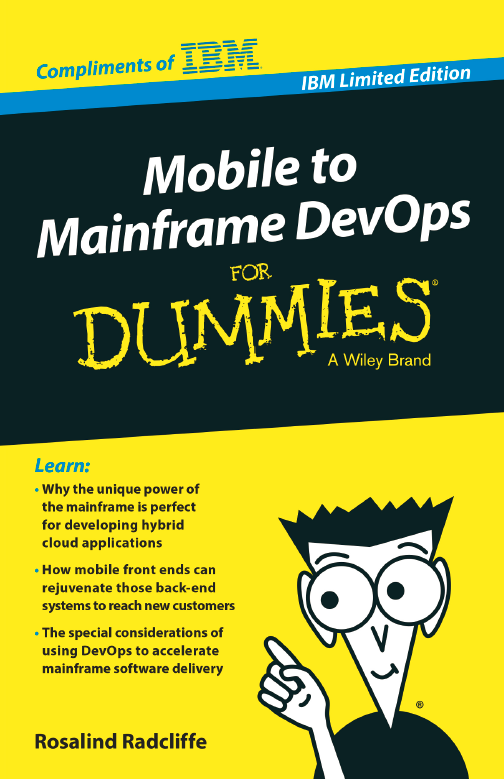
    I recently had a chance to sit down with IBM Distinguished Engineer Rosalind Radcliffe about her new book, Mobile to Mainframe DevOps for Dummies. The book is actually quite a bit deeper than your usual “for Dummies” book and an excellent read. Of course you would expect as much coming from Rosalind who has quite a list of well deserved accomplishments and accolades on her CV.

    Saleem Padani of IBM has a good post up on LinkedIn announcing the book as well that you may want to check out.

    FYI, we will be doing more DevOps Chats in the future. If you would like to be a guest on a future episode please contact editor@devops.com

    Above is an embedded audio player to listen to the interview of Rosalind. Below that is the transcript if you would like to follow along or just skip the audio and read the interview. You can download the free e-book copy now by visiting https://ibm.biz/m2mdevops


    Audio Transcript

    Alan: Hi, everyone, this is Alan Shimel, Editor in Chief of devopsy.kinsta.cloud, and we’re kicking off a new feature here at devopsy.kinsta.cloud—DevOps Chats. Each episode will feature me speaking with a thought leader around a particular topic of devops.

    Kicking off our series today with a very special guest, Rosalind Radcliffe of IBM, and we’re gonna be talking to Rosalind about a new book which she has just offered called Mobile to Mainframe: DevOps for Dummies. Rosalind, welcome to devopsy.kinsta.cloud.

    Rosalind: Thank you.

    Alan: Okay, let me briefly give our listeners a little background on Rosalind, and Rosalind, I don’t mean to embarrass you, but you have quite a résumé. Rosalind is a Distinguished Engineer in IBM. She’s Chief Architect for CLM and DevOps, and she is responsible now for driving devops for multi-platform architecture. This includes System z and Power Systems. In addition, she is responsible for the architecture for the Collaborative Management capability for Enterprise solutions, and this includes both UrbanCode Deploy and Rational Team Concert’s support for standard mainframe development activities.

    Beyond that, Rosalind is a member of the IBM Academy of Technology and a master inventor. Prior to her current development related responsibilities, she has been responsible for IBM’s SOA Management Strategy and Services, responsible for deploying Systems Management solutions, and she started with ISPF development.

    Rosalind, I hope I didn’t embarrass you too much, but once again, welcome to devopsy.kinsta.cloud, and congratulations on this great new addition to the DevOps for Dummies series, Mobile to Mainframe DevOps for Dummies.

    Let’s start today’s chat, if you can share with our audience a bit more about you and where you are in your career.

    Rosalind: Thank you, and I’m looking forward to this chat. So, a little history on why I wanted to write the DevOps for Dummies book. I started in IBM 28 years ago in ISPF development, as you mentioned, and I’ve been in different roles and different responsibilities along the way, including spending a good amount of time in the Systems Management organization, responsible for actually doing operations like tasks and deploying our Systems Management solutions for clients.

    I’ve also spent a number of years in the application development space, providing and building application development tools. And so, as this developed over the years, working in operations, I used to blame development, and then when I moved to development, it was, “Oh, I guess I can’t blame operations.” So it’s deemed appropriate that I would move into this devops space of trying to bring these teams together.

    In looking out at the industry today, I see that there are lots of questions, especially in the mainframe space, about, “How does this devops really apply to that environment, and with all the drive for mobile and mainframe together, how do we really make this play as an environment?” And so, that’s how I got here and why I wanted to write this wonderful book.

    Alan: So, let’s dig in quickly to the book. You know, I think everyone in our audience is familiar with the “For Dummies”, if you will, franchise, and some of them can be rather fluffy, some are better than others, obviously, depending on authors and so forth. My initial reaction when I read it, Mobile to Mainframe DevOps for Dummies was, “Wow, that’s a pretty heavy topic for a For Dummies book.” Why write this book in the first place and why now?

    Rosalind: Well, I think now is a perfect time, with the industry evolving, with the mobile frontier and everybody focusing on mobile, and with mainframes truly being our systems of record. So, everybody needs to connect mobile to mainframe, and if we look at the development environment, most mainframe development shops look remarkably like they did when I started 28 years ago, and that’s not necessarily a good thing.

    So what I wanted to do was help explain to executives, senior leaders, and anyone in the industry, how mobile and mainframe play together and, in using the devops transformation helping them work together, they can get more value out of the systems that they currently have.

    Alan: Absolutely. And just so we can mention, of course, Rosalind, the book is available for download, we’ll have links on it up on devopsy.kinsta.cloud. But, as I mentioned, it’s not a fluffy book—there’s a lot of great content here. I can tell how much time and effort you put into this thing.

    But, give our audience a sense—how much, how big an effort was it for you?

    Rosalind: It was a significant amount of time in writing. I spent a lot of time on plane flights back and forth to Europe, and that gives you a lot of time when you can’t do anything else, and so I spent a significant amount of that time writing. It’s a relatively short book, it’s only 70-something pages, so it’s not as long as a very long book, but it did give me the opportunity to hopefully give some background, explain more about the current environment, and give people an insight as to what I’ve been seeing with clients and help them move forward.

    After you write it, then you have to edit it, and I have to thank the many people that helped me work on this and help provide contributions and pieces of the document, because they helped me put this together, and helped me do a lot of editing as well to make sure that it was complete in the environment.

    Alan: Sure. I mean, I’ve been lucky enough to have a chance to see a pre-publication version of it, and I do think—you’re right, it is only 70-some odd pages, but it’s pretty in depth. But it really benefits from the sort of, the For Dummies kind of franchise—you know, the icons they use to help you focus in on what’s really important and giving you Cliffs’ Notes version if you wanted to not read every word. You used the format very well, and I think people will get a lot out of the book.

    Let’s dive in a little bit, though, into some of the key points that you’ve brought up in the book. You know, just picking some random ones that I thought were important—in chapter 3, for instance, you speak about why we need to understand why devops is so critical for mainframe environments. And we need to start with the dev side.

    But devops is about breaking down silos, it is about cross functions—and nowhere, in my mind anyway, nowhere are these silos more separated than between the mainframe teams, like you said, haven’t changed sometimes in 28 years when you started, and the distributor mobile development teams, who are today all about cloud and virtualization and instant up and instant down.

    Can you elaborate a little bit more on this point for our audience?

    Rosalind: Yeah, I’ll be happy to. This is one of the key points as to why devops matters more than ever now in the mainframe space—this transition to mobile, this transition to systems of engagement and their dynamic changes, their need for speed, and the need to access these back end systems of record. So now is the time for us to evolve the environment, the mainframe development environment, to modern technologies and modern tools to allow these teams to actually work together.

    There is absolutely no reason that mainframe environments need to do development the same old way. They don’t need to be done using waterfall development practices. There’s no reason not to apply the same agile and lean IT practices across the development organization from mobile to mainframe, and using the same tools and the same capabilities so these teams can work together, they can share information, they know what each other’s doing, and you can break down those silos.

    One other reason those silos are there is, you know, if your mainframe development team is using ISPF, I’m not sure those mobile guys using X code even want to look at a green screen. So this has to change. The perfect time—bring these teams together, use modern development practices, use modern tools, and this allows the silos to be broken down, allows the teams to work more efficiently together, and helps deal with this variable speed IT issue that we have. Mobile needs to move fast. Those systems of engagement need to be moving.

    But the back end systems of record need to be able to define standard APIs. They need to provide those services that the front end needs, and they need to do it fast enough—so they need to do it at the speed of business, and devops helps them do that.

    Alan: Excellent. And so, Rosalind, you actually touched on something here, and it’s this variable speed IT—variable speed devops, I’ve heard some analysts call it a bimodal  IT—and it, I mean, you nailed it right on the head. These mobile development teams that are running at the speed of today’s business, tearing it up, putting it up, tearing it down, putting it back up—changing, changing, changing thousands of hundreds of times a day, even, in some cases.

    We can’t expect the mainframe systems of record to perhaps move at that pace, but there’s no reason they can’t move faster, especially using modern tools, modern development environments, though I still find something comforting about a green screen. [Laughter]

    But, that being said, you know, this was the subject of a whole series of webinars we did here on devopsy.kinsta.cloud on variable speed IT and variable speed DevOps. Can you help our audience understand why it’s so critical for mainframe environments to embrace devops and why now, more than ever, now is the time?

    Rosalind: Yes, so with this variable speed IT, and as we talk about it, it’s not that the back end is slower because mainframe development is slower, it’s that, in variable speed IT, you need to move at the speed of business, and if you define services as your back end systems of record, those don’t need to move as fast.

    What we need is to define those as services so the front end system can use them, so these systems of engagement can call back into the function. So the need to define these services based on the existing legacy code means development teams need to be able to respond at the speed of business. They need to be able to move faster. And the old ways of doing things—you know, making a change and testing it for three months—just isn’t gonna work. We need to apply the principles of automation, automated testing, virtual services, and interface testing, and bring all of those concepts to allow you to build those services based on the existing business function into the environment so that they can then be called by the systems of engagement.

    Companies have significant assets sitting on the mainframe systems. Mainframes aren’t going away. They’re gonna be here forever. They provide the qualities of service needed for large scale transaction performance systems. And so, with mobile, large scale transaction performance systems—that’s perfect. Mobile backed with mainframe is a perfect environment. And companies with the assets that they’ve built up, if they can service-ify them fast enough, they can provide disruptive technology today.

    And that’s what the companies need to do. They need to take advantage of the assets they have, providing services using the new development practices, and then it all fits together and they get the business value at the speed they need to. And you know, I helped build ISPF, so I do like that green screen, too—but it’s not really the right development platform for developers today.

    Alan: Yeah. But what about—look, you know, people make fun of COBOL developers, but there’s still a lot of jobs out there for COBOL developers.

    What about the shortage of experienced mainframe IT skills in the marketplace, Rosalind?

    Rosalind: Yeah, so that’s one of the points I make in the book. Developers can write any language. You know, get a good developer, they can write COBOL—and there’s nothing wrong with COBOL. COBOL serves its purpose. PL/I serves its purpose. And some people will cringe as I say this—Assembler serves its purpose. But you know, I’m not gonna write it using ISPF.

    If I’m a kid coming out of college and you give me a modern IDE that has all of the language syntax in it, it has code rules, it has the ability to build unit tests for me—I can write COBOL. Not a problem. It’s the—give me an ISPF screen, and I don’t even know how to use it, much less how to do COBOL.

    Alan: Understood, understood. Let me—we’re running low on time, so let me turn to some other questions I had prepared, if it’s okay. In the book, you talked about some of the best practices—devops best practices on System z which, for our listeners who may not be IBM aware, System z is the IBM mainframe platform.

    Rosalind: Correct.

    Alan: And there are several good ones that you have highlighted in the book. Are there specific devops practices that you would recommend for System z to get started down the path of continuous delivery, which some people think is the ultimate aim of devops, or the ultimate goal?

    Rosalind: Yeah, so there are a number of different practices, but a few call out based on the way many mainframe organizations are working today, and it has to do with where they are today. How do they improve the process from where they are to get into more continuous delivery practices?

    And before someone says something, I’m gonna say—continuous delivery does not necessarily imply continuously delivering into production. It means continuous delivery into a pre-production, et cetera, environment. You may still need to stage those based on an outage window, especially for systems of record, because you can’t afford to have a transaction change mid-flight.

    So there are some—you know, continuous delivery within reason. But if we think about those things, one of the key practice is modern development tools to break down the silos. And one of the others that is absolutely critical is automated testing. There is no way to get to continuous delivery without automating testing, and since you’re building services out of your back end systems, services are a perfect thing to use automated testing against.

    So, building up automated testing based on the service interface, being able to test the function without having to have users go in and test the business function—just run a bunch of automated tasks and make sure you’re picking the right automated task based on the code that you’re changing, but automated testing is probably the biggest change that is needed for mainframe environments and, in many ways, the most valuable. We look at many shops and they’re spending months running lots and lots and lots of manual tests that they hope will find the problems.

    Alan: Got it, got it. Rosalind, we only have time for maybe another question or two, but I have one very IBM specific one, one a little bit more general.

    So recently, the new z13 launch really put the mainframe front and center as the core element for IT infrastructure.  Is this the rebirth of the mainframe? How do we see this new mainframe fitting into this seemingly ever changing IT landscape? More importantly, what do existing mainframe clients do to prepare for this new age of mobile to mainframe?

    Rosalind: So, the z13 has lots of additional capability and functions along with the updated compilers to increase the speed to allow you to provide more function faster, COBOL improvements using the new system hardware, Java improvements to be able to do more Java development on the mainframe, as well as significant memory availability changes.

    So, with the combination of the system, you can look at it as the best Linux environment that you can use for your cloud environment, so you can have—use Linux on System z to provide your Linux environment for your front end applications, and then, looking at z/OS, you can start to take advantage of this new memory that’s available to increase and improve your performance from a caching standpoint, numerous other things from a performance standpoint with the new compilers, and the mobile connectivity into the system. If we think about the fact that that could drive huge numbers of transactions—could drive huge numbers of transactions—we get the mainframe as the perfect platform to handle that variable load.

    So you never know—you know, I guess if you’re a retailer you know if it’s Thanksgiving or near Christmas it spikes, but many times, you don’t know where the spike’s gonna come, so it’s important to have that capacity on demand, to have that variability, and so the system plays very well.

    I think there are a lot of clients and a lot of organizations that are taking a new look at the mainframe of the latest z13 because of its capability, because of its enhancements from a memory standpoint, and because they think—you know, reality. People are realizing the mainframe is not going anywhere, and it really is the best platform for those high transaction systems and allows you to consolidate things together in a Linux platform. So it’s a great advantage that customers were already using we they have, and it’s something other customers are looking at to do, “You know, I can take advantage of that as well.”

    Alan: Okay. Rosalind, again—I’m sorry to keep saying this, but I’m trying to keep it short for our listeners, and relevant, but there’s just so much here. So you’re constantly out talking to clients that utilizing mainframes, and kind of living this devops and mobile to mainframe way of doing business—can you give me two or three quick examples of companies that are, that you think are doing it right?

    Rosalind: So, if we look at the industry and we look at the publicly available references, Nationwide is one of them that’s been out talking and describing their devops transformation and how they’re exploiting the fact that they’ve brought their teams together to provide value faster in the environment. We can look at Fidelity, who’s talked about their improved deployment capability and their improvements overall in their environment. Or, one of the examples I like that Walmart and their example of using services on the mainframe to actually provide infrastructure services to all their distributed applications from a caching service.

    And so there are numbers of good examples that talk externally, and then there are a whole bunch more examples who consider their transformation to devops a business advantage. They see that, by transforming to devops, they’re getting a leg up on their competition, and so they’re not as willing to let us use their names—but there are lots of wonderful examples of people who have transitioned and who are getting the value out of it, including IBM itself. We have numbers of examples that we provide to show our development process significantly improving and breaking down the silos within our own organizations and improving our ability to deliver.

    Alan: Excellent. Rosalind, I think this was very helpful, as is the book—a great guide for, as you mentioned earlier, both executive managers and practitioners.

    What about you, Rosalind? You’ve had such a successful and storied career—what’s next? What’s next for Rosalind?

    Rosalind: Yeah, so the next thing next week, actually, I’ll share. So, next week, we have one of the major user conferences or the major user conference happening in Orlando. And, as part of SHARE, obviously, we talk about mainframes and development activity as well as lots of different topics, and I’m looking forward to that in particular, because we’re doing a series on mainframe and mobile. More specifically, we’re doing a discussion about hooking Bluemix, our development app platform as a service along with IBM devops services to the back ends, and helping show the relevance of Bluemix to mainframe environment through a series of sessions as well as showing System z as the new cloud disruptor, and there are numerous sessions by other clients like Walmart who will be speaking.

    And so it’s a great opportunity for me to, first to hear stories from our clients as well as to provide some additional sessions for our clients and show what we’re doing, and it will be my first opportunity to have hard copies of this book and do a book signing for any of the client who are there.

    Alan: That’s what I was gonna say—there’ll be plenty of copies of the book there available and signed by yourself.

    Rosalind: Absolutely.

    Alan: Great. Okay, we’re gonna—I think we’re gonna call it a wrap here, Rosalind, and thank you so much for your time. I know you’re busy and I appreciate it. Rosalind Radcliffe, author of Mobile to Mainframe DevOps for Dummies, available now for download or if you’re attending SHARE in Orlando next week, you can get an autographed copy. Rosalind, thank you so much for your gracious time and spending some time with us today. We hope to—you know, best of luck with the great book, highly recommended, and we hope to have you back here soon.

    Rosalind: Thank you for having me, and I’m happy to come back and talk to your audience whenever is appropriate.

    Alan: Okay. Rosalind Radcliffe, IBM, and author of Mobile to Mainframe DevOps for Dummies. This is Alan Shimel for devopsy.kinsta.cloud, and thank you for listening into this DevOps Chat, and join us again soon for another one. Have a great day.

    That’s a wrap on this DevOps Chat. If you would like to be interviewed for a DevOps Chat please contact me at editor@devops.com

  • Q&A with Mark Carrizosa of Soha Systems on secure transition to DevOps and cloud computing

    Q&A with Mark Carrizosa of Soha Systems on secure transition to DevOps and cloud computing

    We recently spoke with Mark Carrizosa, vice president of security at secure application delivery service provider Soha Systems about the trends he sees with enterprises moving to cloud services. Prior to recently joining Soha Systems, Carrizosa held the position of principal security architect at Walmart where he developed and implemented the company’s global e-commerce security architecture framework. Prior to Walmart, Carrizosa held security positions at companies including Wells Fargo, where he analyzed the company’s infrastructure and application compliance to improve the security of both customer-facing and internal systems. Before that, Carrizosa held positions at Freeport-McMoran and PetSmart. This interview has been edited for brevity.

    devopsy.kinsta.cloud: With the rapid move to DevOps and cloud, are there opportunities to improve automation and for enterprises to do more with less? Or is DevOps moving so fast that there are additional challenges being created that outweigh some of the benefits?

    Carrizosa: In my opinion, and in my experience, particularly over the last few years in dealing with predominately DevOps shops, the challenges that we faced were not necessarily “can we automate something,” rather it’s “should we automate something.” There are absolutely some things that should not be left entirely out of the automation stream, but should have controls setup as a requirement at a staging gate. For example, you can automate the dynamic scanning your application for vulnerabilities, but what you also need is somebody to actually look at those applications and manually verify and make sense of the reports. These are key components in deploying and delivering secure applications.

    There are also ways to expedite processes by integrating certain security frameworks into your workflow, providing the right training, and also creating a shift in your culture. And DevOps, for the most part, is a good thing. It allows organizations to rapidly come to market.

    It’s also common in DevOps to have contentions between security and IT. The security group says “No, you can’t do this, it’s going to hurt us.” While the engineers say “We need this to push this out.” How well organizations manage these relationships is a mixed bag. But there is a formula for doing it successfully, and it is all about ingraining security into the culture, into the operations, so that you come out with a secure product and not have to remediate it once it’s done.

    devopsy.kinsta.cloud: When you’re constantly iterating and changing your infrastructure and deploying new apps and updates, how does that affect aspects of security that can’t be automated, such as threat modeling applications before they are built or changes are put in?

    Carrizosa: Threat modeling, while a new term, it’s not a new concept. If you think about risk management, typically audits are done at a point in time. But very good information assurance programs not only audit a point in time, but they implement a continuous model of checks and balances. So should threat modeling.

    Threat modeling needs to happen at inception to ensure that the concept is sound and the methodology is acceptable from a security perspective. But there should also be some levels of checks and balances to ensure that the baseline, or security posture, is maintained throughout the entire change management cycle from inception all the way to delivery.

    These are some of the things that can be embedded within DevOps and Agile. Microsoft has a very good, secure lifecycle management methodology that incorporates various elements of security checks throughout the entire development lifecycle. It’s something like this that needs to be included within these operations to ensure that every step you take has some level of checks and balances, whether it be automated or manual, to ensure that the process of an application or an environment is up to what organizations are requiring.

    devopsy.kinsta.cloud: There’s still considerable interest out there when it comes to how companies are meeting the challenges of moving to cloud services. Are there common threads you see out there when it comes to the challenges enterprises face when moving to cloud services?

    Carrizosa: Yes, absolutely, and one of the key factors is that organizations are looking for ways to securely move to the cloud, or move to a more shared compute environment while still maintaining the control and the reduction of risk that they are used to internally. I spent the majority of my career dealing with these topics from an enterprise level. Most recently at Walmart E-commerce, but I’ve also done the same for PetSmart, Wells Fargo, and some leading industrial companies throughout the industry.

    Some of the challenges that I faced have to do with public exposure. You have to deal with migrating from on-premises to cloud, and dealing with BYOD enterprise users. There are a number of potentially sensitive customer-facing applications or data sets that organizations are a little hesitant to move to, particularly at large organizations.

    Those large organizations are used to doing things a certain way. Time and time again I’ve heard the phrase, “but we’ve always done it this way.” That in essence could be some of the downfall, or some of the hesitance with these organizations in moving to the cloud, because they are not absolutely sure that they will maintain the control and the effectiveness for environments that they can’t manage.

    That’s what Soha is about. Soha allows these organizations to make that next step, to be able to take advantage of these cloud benefits, or even take advantage of some of the cost overhead and the security controls that they’re typically having to address at a high rate of cost and a great deal of effort.

    devopsy.kinsta.cloud: Broadly, considering a lot of the credit card and other significant breaches that have occurred in the past decade, do you think the sense of control enterprises have about how well their security and governance efforts are doing is illusionary?

    Carrizosa: Well, there’s that old adage of, “it’s never ‘if,’ it’s always ‘when.’ These recent breaches, for instance, are not necessarily based on the types of controls that organizations have, but a lot of times legacy controls or legacy approaches have always seemed to be good enough. And until there is some sort of catalyst to effect change, organizations aren’t necessarily going to stick their necks out. You have CIOs saying, “We do this, we do this, and we do this,” because that’s what they’ve always known. It’s time to now shift to a more open model. With that comes many risks, but in order to do so, there needs to be a fundamental change in the methodology of how organizations are tackling security.

  • Will DevOps Kill Outsourcing?: Part 3

    Will DevOps Kill Outsourcing?: Part 3

    Part 3: What’s the differentiator? Understanding how to balance build vs. buy

    (Check out Part 1 and Part 2 of the series Will DevOps Kill Outsourcing?)

    The DevOps movement has spurred a lot of organizations to reevaluate their IT outsourcing strategies. But the reality is that there will be no cataclysmic shift of insourcing. Sure, there will be plenty stand-out case studies and successes among rapid first adopters in the swing away from massive outsourcing. But like all of the biggest sea changes in IT, things will happen gradually when we look across the industry.

    “At the moment, it isn’t necessarily  that enterprises are bringing development back in-house – instead what  we’ve seen is that larger organizations attempt to adopt DevOps and stand  up new teams for new applications in-house, rather than contracting those functions out as they might have done in the past,” says Dan Cornell, CTO of Denim Group. “So, over time the center of gravity will be shifting back toward in-house development. But that will take time.”

    And that won’t even mean that over time DevOps will completely sound the death knell over outsourcing. Most experts believe it’ll always play a part in the IT ecosystem.

    As Alex Henthorn-Iwane of QualiSystems says, he’s observed among customers that even when they bring a lot of functions back in house in order to support DevOps, these companies are still keeping major development processes outsourced. They’re just finding a way to fold them into new processes.

    “So far, it would seem that the pieces of the puzzle that are insourced are the strategic glue pieces,” he says. “There is still a lot of dependence on outsourced, contracted or vendor-delivered services and technology in our customer base.”

    In order to better fit outsourcing engagements into a DevOps-enabled enterprise, organizations will have to get smarter about how they construct their relationships with outside support. It’ll need to be done with flexibility top of mind, says Jeff Gallimore, founding partner at Excella Consulting.

    “They’ll contemplate how that support will integrate with the rest of their staff and work with those who can and do collaborate with their staff. Contracts will be more flexible and accommodating of change,” he says. “That could mean smaller, lightweight, short-term contracts or contracts that provide simple, trust-based change mechanisms.”

    It’ll also require organizations to think carefully about the balance between building, buying and outsourcing the technology that they’re delivering.

    “A  rule of thumb in IT is to insource the most valuable core competencies of the company,” says Andrew Storms, vice president of services for New Context, who explains that’s easier said than done.

    The problem is that as the pendulum shifts to insourcing many people are “poorly assessing which software is the differentiator,” says Theo Schlossnagle, founder of Circonus. There’s a point at which it doesn’t make sense to build something, otherwise everyone would be building it all themselves instead of using off-the-shelf software.  In his mind, the majority of IT effort today is spent integrating, not innovating.

    “When you conflate integration with innovation you lose,” he says. “The goal should be to buy over build when possible, but innovate in-house precisely those things that are core to your business that can change how you compete in your market.”