Category: DevOps Practice

  • The Digital Transformation of Decision-Making

    The Digital Transformation of Decision-Making

    The ability to make effective business decisions has historically relied on factors such as experience, qualifications, talent and, in many cases, luck. Strategic and tactical choices are also informed by ‘borrowing’ the insight and knowledge of others. In many situations, ‘follow the leader’ can be an effective approach, and one need only study any sector of industry or commerce to see organizations everywhere mimicking each other, with competitive advantage based on relatively small acts of incremental innovation.

    Today’s ambitious businesses have many more options at their disposal to inform decision-making than previous generations. The extent, for instance, to which businesses can now collect, store and analyze data has been transformed by improvements in technology. The result is many businesses are now sitting on enough data for advanced analytics to inform smarter, more efficient decisions.

    The Role of Advanced Analytics

    Stepping back for a moment, advanced analytics is a set of tools and techniques that use existing data to develop insights to inform business decision-making – in particular, improving the accuracy of predicting future events based on certain actions. In practical terms, it is particularly useful when organizations are planning to implement a new business activity, where it is employed ahead of legacy processes that simply can’t deliver the same levels of insight.

    Online shopping is a prime example. When a consumer clicks on various items on a website, they will often be given other suggestions – sites often will present this information with the words ‘Frequently bought together,’ for example. This is based on what has already been viewed and uses advanced analytics to predict what else the shopper might be interested in. It’s just one of many ways retailers now rely on advanced analytics to intelligently cross-sell, and as many people will know, it’s very effective.

    In a wider sense, advanced analytics can be used in a huge variety of scenarios, irrespective of industry, market or type of customer. In doing so, businesses stand to reap a number of potential benefits, including:

    • Smarter decision making. By generating data based on strong logic and reliable information, advanced analytics can draw on both past and present data to make more reliable, more confident choices about what to do in the future.
    • Focused knowledge. By understanding the factors that improve business outcomes alongside those that are negligible, leaders can focus their attention and investment on what is more likely to deliver the desired impact.
    • Risk management. In an era of heightened risk, and the need for greater risk management, advanced analytics can identify risk based on available data, helping to inform business models that minimize risk, or help businesses make decisions based on insight rather than hope. This can also help improve governance and mitigate regulatory and compliance risk.
    • Strategy automation. Because advanced analytics takes care of analyzing data, teams have greater flexibility and time to focus on wider strategic considerations, which can help make the business better.

    Advanced Analytics in Action

    Advanced analytics employs various techniques across an ever-increasing range of use cases. For example, data mining is applied to ensure organizations make use of the most relevant data, extracting what is useful from the raw data. This data can then be subjected to further analysis for a multitude of objectives, such as understanding customers better or building more effective strategies.

    In addition, ‘big data’ analytics can be applied to both structured and unstructured data, and can be particularly helpful when the data generated isn’t in a proper format, or for organizations with massive data volumes to process.

    Then there’s predictive analysis, where machine learning algorithms are applied to current and past data to identify relationships and patterns. The algorithms then build a prediction model that can inform decision making. In general, the more data that is available, the more accurate predictions will be. It can’t, however, deliver 100% accuracy, and random, unpredictable factors such as a mass healthcare crisis illustrate the obvious limitations on predictive analysis.

    Taking this a step further, prescriptive analysis helps determine the best way to implement a business decision. Even when a decision is close to being made, there can be more than one possible implementation path to follow. Prescriptive analysis uses current and past data to suggest possible outcomes before actions are set in stone, recommending the best implementation options.

    Advanced analytics is a rapidly growing niche of the technology industry, regularly described by industry experts and commentators as among the most important, transformational IT trends. Given the pivotal role of decision-making across every organization, this perhaps shouldn’t come as a surprise, and for businesses everywhere, it’s now only a question of when they apply it to improve their fortunes, not if.

  • DevSecOps Implementation: Patch Management

    DevSecOps Implementation: Patch Management

    Patch management has been a thorn in IT’s side for decades. While it is undeniably necessary for security and stability purposes, the staggering array of patches that are available make managing them effectively nearly a full-time job – or a job better left to users. Few IT professionals want to be the “patch person,” and yet, nearly all IT professionals want their systems protected by the latest patches. No one wants to find out an intrusion was easily preventable via patching. It goes without saying that the SolarWinds attack has left quite a few IT departments scrambling for an alternate solution.

    The world of patch management has gone through several evolutions that we won’t cover in much detail here. Instead, we’ll focus on what’s available, what you should look for and where the market is headed. Suffice it to say that patch management as a practice has grown from an individual applying patches to servers and server apps while employees were encouraged to patch their equipment, to complex systems that manage the patching themselves, with IT oversight. Currently, patch management is often bundled with endpoint management, simply because many of the patches are going to end points (user machines and devices).

    Out of this growth have come several market differentiators that you should be aware of when looking into a way to manage the avalanche of updates the average organization is seeing.

    • Centralized or de-centralized? Increasingly, patch management is run on servers/cloud and pushes changes out to those machines/devices that need them, or agents on each machine manage updating themselves. Which is best for a given organization really varies. If a lot of machines are running at the edge of their capability, an agent running updates in the background might be too much to ask. In that scenario, a server-managed install environment is probably better. Conversely, if a centralized location to run updates from is considered an architectural weakness (because it requires access to the update pushing engine), agents might be the better plan.
    • OS support. We’re way past the days when single-OS solutions were considered useful. List the operating systems used in your environment, and choose a product accordingly. Most products on the market support Windows/Mac/Linux, but there are variances. First off, make certain your chosen product supports all three. Then ask, “Which flavors of Linux?” Make certain the flavors running in-house are supported by the software.
    • App support. There are a lot of applications out there. Which are supported by the tool? How much leeway does the customer have for adding applications by pointing the tool at update locations? Does it support FOSS updates? There are a lot of those too, and which ones matter. Make certain the tools the organization uses are supported or can be added.
    • Many tools will scan machines for update issues. Understand what your chosen tools scan for, and how the scans impact performance on the target machines.
    • Updates are not 100% perfect. There will inevitably be problems. Make certain the tool can roll back changes. Updating 50 core infrastructure machines, only to find, hours or days later, that the update breaks something demands roll-back capability.
    • Inter-relationships. Updating a piece of software can require that another piece of software or a driver be updated, which can demand that UEFI/BIOS be updated. Or the CMOS on a RAID controller. Understand how cascading updates are handled by the tool, and if the cascading updates can be packaged, so that a failure automatically rolls back the updates applied thus far.
    • Approvals. Speaking of driver and BIOS updates, what tools are available to allow a human to approve changes? No one wants willy-nilly updates to the drivers on core systems – or even to drivers on user systems.
    • Security of the tool itself. We’re in perilous times where IT security is concerned, and frankly, an update command-and-control server is an attacker’s dream machine – take it over, put your back-door update into the mix, and tell it to update every machine it manages. It cannot be understated: an update management tool must be as protected as possible – both by the customer locking down the installation and by the developer making sure the code is solid.

    Once the system is chosen and worked into your DevSecOps environment, updates will be more responsive, which leaves one more thing to consider – does it feed into your agile tools? If the update management tool notifies a project management tool like JIRA when it updates a server, then if code on the server breaks, the developers aren’t in the dark about changes, and will have breadcrumbs to help them track down the source of the problem.

    Imagine if manual updates became a rarity instead of the norm. There is a cost associated with this process, but most of the products on the market can be had for a reasonable price – if you waste a couple hours a month (or for some products, a year) on updating, they’re paying for themselves. Of course, your time is a sunk cost, and the cost of these is an operational cost, so there is an evaluation your organization will have to undertake. Given how busy everyone in DevOps and DevSecOps is, it is likely worth the investment for all but over-staffed organizations. What? There are a few!

    Find what suits your organization, and put it to use. Faster updates, less time investment. The idea is sound, you just need to figure out what suits your needs. And keep rocking it. You are managing updates already, this is just a way to make your life easier. And we could all use a bit of easier in a busy, complex IT environment.

  • Future-Proof Your Product Development Life Cycle

    Future-Proof Your Product Development Life Cycle

    In product development, change is vital. In fact, some might say that product development is the embodiment of change. Continuous improvement keeps products from becoming stagnant, which, in turn, keeps companies afloat.

    While change is important, it’s not always helpful, especially when it involves the management of employee attrition and retention. Over the last year, many organizations have witnessed how an uncertain business environment can leave their workforce in chaos. Every year, thousands of experienced developers and engineers in the product development ecosystem leave their jobs, taking valuable tactics, insights and tools with them to their next role. Though these workers often pass on their expertise to those who take their place, without formal systems or standardized processes for gathering that information, much of the knowledge will be lost. The ultimate result is an increase in development costs and deployment delays.

    We’ve all heard the phrase, “You don’t know what you’ve got until it’s gone.” When it comes to an employee, that individual’s informal knowledge isn’t always easily captured by existing internal company processes. To retain and protect this knowledge, companies need technology that makes it easy to gather, store and access for future use.

    Enter future-proofing, the process of using digital tools to capture knowledge and make accessibility seamless for future employees at various stages of product development. Employing future-proofing strategies will help IT company leaders and decision makers ensure a continuum throughout the product development life cycle.

    Future-proofing is especially vital in this age of digital transformation, as it helps address common concerns that crop up about collaborative environments, team efficiencies and product integrations. Let’s take a look at what this entails.

    Future-Proofing in the Age of Digital Transformation

    The best-case scenario for adept future-proofing in the age of digital transformation is to have product development adapt alongside any systemic changes. Under these terms, software solutions that holistically capture both formal and informal knowledge are the secret to future-proofing the product development process. An effective digital solution will help you do this in three ways:

    • Comprehensively enables collaboration: A comprehensive solution will give users a single source of truth to track decisions, questions and problems. Unlike a shared Excel spreadsheet or Word document that can get overwritten, forgotten, corrupted or contains incomplete, fragmented information, future-proofing tools can effectively gather, store and then pass along knowledge.
    • Increases team efficiency: By working from a single source, teams can capture knowledge – often without even realizing it – through feedback and team communication. Additionally, a single source of information reduces design inconsistencies and discrepancies.
    • Seamlessly integrates digital tools: Because product development does not rely on a single digital system, solutions need to be integrated across different digital tools and throughout the product development life cycle. By integrating with tools that track development and with other information gathering and tracking solutions, knowledge is captured at multiple levels, streamlining future projects.

    Overall, fostering an environment that encourages teamwork is the best way to ensure knowledge sharing and preservation. However, when that is not possible, companies need to have a backup plan. By merging talent with technology, you can capture both formal and informal knowledge before an employee walks away, and, therefore, future-proofing your product development life cycle.

  • DevSecOps Implementation: It’s About the Data

    DevSecOps Implementation: It’s About the Data

    It seems we are constantly barraged with, “So-and-so announced that their systems had been breached and 80,000 user records were stolen,” notices. In fact, https://haveibeenpwned.com/ lists ten billion hacked accounts.

    That is no surprise. Databases exist to pool related data together. Even NoSQL type databases, which some saw as an opportunity for wildly disparate data to be gathered and analyzed, almost exclusively contain related data sets. We generally don’t want or need to correlate, say, the number of pirates in the world with annual global temperatures, for example.

    One would think, with decades of experience under our belts, we would have a good solution for protecting that data. If it was a simple problem, we would. It is not.

    Databases are the primary target of most attackers. After all, getting access to your user database gives them account names through which they can try and gain elevated privileges. Getting a large amount of user/credit card information gives them a revenue stream by selling them off (though it is now so common that prices on the black market have become depressed, and this isn’t really profitable, given the risk versus the reward, anymore).

    And databases must, by definition, have broad access. A database does not exist in a vacuum; it exists to serve an app. For server-based databases, it almost always exists to serve multiple apps. It must be on the corporate network (even if that network is a virtual private cloud), and it must … offer up data. It has users that have greater privileges than your average customer, and is notoriously difficult to protect with strong protections like encryption.

    Encryption poses problems at multiple levels. It is still a bit slow, for starters. This is the nature of the beast – if it takes X microseconds to respond to a request, encrypted data will take at a minimum X+decrypt time (regardless of where decryption occurs). If encryption is done by column, index fields cannot be encrypted (because “nZ19?SDF” is unlikely to be in the same sort order as “ford explorer”, for example) Which means some data is immediately excepted from encryption. If encryption is handled by the database system, then the time overhead exists, and the database system must send the resulting data over your network … unencrypted. I was involved in a couple of projects that required encrypted databases – the one I can vaguely talk about was putting information about your corporate network onto Android and Apple devices. Needless to say, since phones and tablets are misplaced quite often, and most have weaker security than your average laptop, we needed information about critical infrastructure to be encrypted. It was … painful. We only managed it successfully because corporate networks are finite resources, so the amount of data we needed to store was limited, and we could prove performance wasn’t going to be the issue.

    So what can you do? Continue to follow attempts to adequately encrypt corporate databases. Eventually, someone will crack this problem in a way that is performant, can be debugged and reliably protects the data.

    Until then, protect your databases. Use the tools we’ve talked about in this series to monitor and protect the entire network, knowing that the database is a high-profile target if someone gets in. And use the other security tools available. The major database vendors offer DBMS security tools to evaluate your current status. Some will flag weak passwords, others will monitor for injection attacks (as will development tools discussed in the first few installments of this series). Lock down interfaces to databases – by user, by IP, whatever makes the most secure, but still usable, environment for you. Set up monitors for behavior outside the bounds of normal behavior – a query of 250K records should raise a flag, for example, since the vast majority of apps will only do a subset that can be paginated. Sure, it will probably be a false positive caused by someone hand querying, but the one time it isn’t, you’ll be glad the monitor was there.

    And protect your database backups – be they actual backups or a dump to test. Fewer organizations are using real, unfiltered data for testing, but it crops up in most orgs at one point or another, as testers are trying to look at issues that fake/masked data can’t replicate. For actual backups, those must be encrypted. To lose your customers to a hacker because you had an unencrypted database dump lying around, and the attacker didn’t even have to attack the DB, is downright shameful, and happens too often. Along these same lines, and this should go without saying, but it’s happened enough that I feel compelled,  do not copy large chunks of your database out to an unsecured cloud storage bucket. Some vendors have addressed this issue by not allowing public unsecured buckets, but you can still do this, depending on the cloud you are using. So, don’t.

    The database security market will be best served by being rolled into SIEM and/or XDR. And while I’m in full-on pundit mode, for this statement, I’ll predict that is where it is headed. Database security is as much about overall security as it is the database, so overarching systems are the best place to detect and defend from. So watch for moves in that direction. A holistic view will serve you better in the long run.

    Meanwhile? Keep rocking it. Treat your data like gold, because to hackers, it really is. And, keep running the world’s business. Celebrate your successes as much – or more – than you learn from your failures.

  • How Shift-Left Testing Improves DevOps Efficiency and Software Quality

    How Shift-Left Testing Improves DevOps Efficiency and Software Quality

    Shift-left testing is the key to deliver quality software at speed. Developers shift testing left to shorten long test cycles, prevent defects and mitigate risk earlier in the development cycle, rather than in later stages, to avoid rework and delays.

    In this interview, IBM Z DevOps Testing Lead Nathan Cassata talks about shift-left testing, the benefits of shifting mainframe application testing to the left and how IBM Z DevOps testing solutions help accelerate enterprise cloud-native development.

    Nathan is also one of the distinguished speakers presenting at Open Mainframe Virtual Summit. During his session, he will explain how to shift left testing for your traditional z/OS applications.

    To learn more about how testing is integrated into a developer pipeline and how to create real unit tests, attend Nathan’s session at Open Mainframe Virtual Summit on Feb. 11. To check out the full agenda or to register for free, visit the Open Mainframe website.

  • OpenAPI Specification: Perception vs. Reality

    OpenAPI Specification: Perception vs. Reality

    The OpenAPI Specification (OAS) (formerly known as the Swagger specification) provides a way to describe and document REST APIs and their components. It includes details on endpoints, their operations, parameters needed for the operations, expected responses for every operation, authentication methods and even annotations. OAS is an easy format to learn and read, and can be understood by both humans and machines. As you might imagine, this kind of “accessible” documentation is useful and beneficial in a number of different use cases for both development and security teams.

    Developer Relationships With OAS

    For developers, OAS can be used to generate documentation for APIs. Proper documentation can help other developers figure out how best to integrate and use these APIs with their own application.

    Even so, many developers have a love/hate relationship with OAS. Let’s face it, documenting is a far cry from developing. Although it is easy to learn, the actual act of documenting is tedious, manual and time consuming. Frankly, it’s probably one of the least glamorous parts of a developer’s job, and, therefore, many developers only do the absolute minimum. As a result, OAS can be incomplete or, in some cases, missing entirely. Not to mention, when the API is updated, how often is the OAS updated, too?

    In the case of incomplete or nonexistent documentation, developers will muddle through with trial and error, even though this can slow down the development process.

    If out-of-date OAS proves an annoyance for dev teams, what’s the impact on security?

    Security’s Relationship With OAS

    OAS can be consumed by both humans and machines, and both are critical for security’s use of OAS.

    OAS helps security teams (humans) become aware that the API exists, since its documentation is often part of the CI/CD process.

    By examining an OAS file, a security team can understand what the API is supposed to do and, from that, determine if it conforms to or violates the organization’s security policy. As an example, security teams might use the OAS to make sure that authentication and authorization are being implemented correctly, and that sensitive data, like PII, is not being exposed.

    Security teams might also deploy tools (machines) that use the OAS to enforce policy based on what’s in the documentation. As an example, the OAS may specify that, for a particular parameter, a string should be expected; it should be no more than four characters and it should contain only letters and numbers with no special characters. By validating input based on what is defined in the OAS, security tools can check that the API does what developers intend it to do.

    This plan sounds great on paper, but …

    Perception versus Reality

    Imagine a perfect world, in which every API is well-documented as part of the development process. As that API makes its way through the development pipeline, it does so hand-in-hand with an associated OAS. At the appropriate time, before production, security is made aware of the API and the OAS, the team evaluates the details, validates that the API matches policy, gives the thumbs up and the API goes into production. Security and development teams live in harmony and everyone is happy.

    We don’t live in a perfect world. Instead, we must deal with questions such as:

    • Does the OAS exist? In the most extreme cases, the OAS doesn’t even exist. It was never created as part of the development process, so it can’t be used for any sort of awareness. These misses happen more often than you think, giving rise to the problem known as shadow APIs. These APIs slip through the cracks, and make it into production with no documentation at all. While you might be saying to yourself, “Our company would never let this happen!” you should also consider that numerous APIs are stood up by development teams as a test, as part of a beta or as a quick-and-dirty way to get something done. There are more of them than you think, and these shadow APIs create unrealized risk.
    • Is the OAS complete? In slightly less-scary territory, let’s consider an incomplete OAS. You might be saying to yourself, “We have a top-notch development team, well-defined development processes and strict policies around documentation. No API makes it into production without an OAS!” Perhaps, but the devil is in the details, and those details are often missed. I’ve worked with countless customers who have happily and confidently produced an OAS in which critical details don’t match the reality of the API. Sometimes they’re not complete. Sometimes they’re missing all together. The industry calls these missing details shadow endpoints. Yes, someone did produce an OAS, and security was aware of the API, but a lot of critical detail is missing.
    • Is it being kept up-to-date? Development cycles seem to be moving faster and faster, and as documentation is one of the least glamorous parts of a developer’s job, updates can be missed, dismissed or, at the very least, lag behind. We commonly see multiple versions of an API, and the OAS does not reflect the new capabilities of the latest version.

    While a non-existent or outdated OAS presents a modest concern for API visibility, it creates a substantial concern when trying to serve as the foundation for API security.

    You take a huge risk if you depend solely on OAS for security. More often than not, an OAS is not accurate, lacks critical details and is only as useful as the data you feed into it. Gaps, including shadow APIs, leave out critical details, making enforcement impractical.

    The inaccuracy of OAS leaves customers with two choices. You can either enforce security policies based on strict adherence, and risk blocking legitimate traffic, or you can enforce based on loose adherence and risk letting attacks through. In either scenario, your organization is unduly vulnerable, and significantly less secure than your dev teams intended or your security teams would like.

    OAS is Only a Starting Point

    OAS provides a great starting point for documenting your APIs. Don’t make the mistake, however, of basing your API security strategy on what’s in your OAS. It’s simply not accurate enough. Taking that approach will leave your company’s vital data and services at the mercy of API attackers who will quickly know more about your APIs and what they expose than your OAS does.

  • Transforming Your Digital Transformation

    Transforming Your Digital Transformation

    Change is difficult, so most companies pull the bandage slowly, hoping to avoid the hard, painful part – especially with regard to digital transformation. But in the corporate world, cautious change inevitably leads to entropy. Progress gets made in one department at a time, at the expense of others. Leaders turn over, priorities shift, plans fall apart and the desired results never happen. The bandage never really comes off.

    I see this happen a lot in companies that say they want to transform their digital customer experience – across all industries we work with. The board or the shareholders might not embrace a truly digital-first strategy or understand what the end-state transformation goal actually is. Instead, they end up digitizing the past, refreshening a longstanding brand with a new storefront in a doomed effort to maintain business-as-usual.

    These companies start with a well-meaning internal innovation team. They preach agility, then spend months researching the problem and consulting internal stakeholders, all the while trying to stay close to their comfort zone of existing practices. They write reports, they create roadmaps, run design-thinking workshops and come up with a solution … and then throw it over the wall to IT and wash their hands of it. Nine months later, the team is busy executing the new plan, but, with no internal champion, it can’t innovate. Due to the chaos and complexity of the project, the company burns through its budget and the project becomes a sad statistic. In fact, 95% of corporate digital transformations fail outright or produce diluted results, according to one recent study.

    Shrink the Transformation Timeline

    If a company really does want to digitize for the future instead of the past, it needs to turn that approach on its head. It needs to drastically shrink the timeline for digital transformation, which means starting with a digital operating model and putting the end clearly in sight.

    The result is a digital operating model that continuously delivers and measures value. It’s not a project. It’s not a product. It’s an operating model that puts teams close to the market and customer, and makes them responsible for finding and delivering innovative, high-value customer experiences.

    Get the Team Right

    This approach requires a team that knows how to embrace ambiguity and takes responsibility for creating the solution, not just designing it or building it – both of which fail when done in a silo.

    It needs to be a small, multifunctional team with the authority to implement things quickly, with the fewest possible hoops to jump through along the way. And when the inevitable organizational friction arises, the team and its goal needs to be seen as a transformation opportunity, not a barrier to be avoided.

    Companies assume they can do this work in-house, but it’s next to impossible to form the right internal teams because, typically, they don’t have enough experience with this model.

    These internal teams don’t quite have the right training for the job, but more importantly, they don’t have the right permission and agency. Some are risk-averse or can’t break through organizational silos. Some simply aren’t given the agency to do the work. Organizations with a lot of experience evolving, that give their employees this agency as a matter of course, might have success in-house. But it’s a tough ask for older, established firms.

    Don’t Design – Execute

    To their credit, many companies see this and outsource their transformation leadership to a consultancy firm. But you can’t outsource a transformation. You can’t teach a transformation. You need to implement transformation.

    Both internally and externally led transformations fail to grasp what really makes transformation work: agency and delivery.

    Instead of researching, planning and announcing, the team needs to roll up their sleeves and start executing. They have to drive the evolution of the company’s software toward the identified goals, break down any organizational silos or challenges that get in the way and deliver – quickly. They have to work together with the IT team, and anyone else who needs to understand what they’re doing, but execution needs to be top of mind at all times.

    The solution isn’t insourcing or outsourcing. It’s a joint venture, where the transformation is within the company’s core business unit, working together with a consultancy or partner to complete the digital transformation faster by focusing on a smaller slice of the business. With this foundation, an organization can be pulled through a rapid transformation in nine to 18 months, rather than three to five years.

    In fact, in under six months, a tiny transformation team of five to seven people can scale up to a transformed organization of 120 people, quickly delivering the desired digital-first customer experience. All it takes is a team that has done it successfully, multiple times. And the best thing about this is that transformation is measurable by the ability of teams to continuously deliver and evolve experiences across multiple digital channels.

    Digital moves too fast, and is too complicated, to be managed by traditional processes and approvals. If it does, whatever change your company sets out to enact is at risk of being dead on arrival. Agency plus delivery is the formula for a successful digital transformation.

  • vFunction Automates Conversion of Java Apps to Microservices

    vFunction Automates Conversion of Java Apps to Microservices

    vFunction has developed an eponymous platform capable of automatically converting a monolithic application written in Java into a set of microservices. The startup is emerging from stealth mode today.

    Fresh from raising $12.2 million in seed funding, vFunction CEO Moti Rafalin said the company’s platform employs dynamic analysis, static analysis, data science and automation to enable IT teams to reengineer, in a repeatable fashion, the source code used to create monolithic Java applications.

    As part of that process, vFunction also detects and eliminates code that is no longer executed to reduce the footprint of an application, minimize security risks and overall maintenance tasks.

    The vFunction platform is deployed as a server that communicates with agent software injected into the legacy monolithic application. The server then creates a microservice that is scanned by additional tools to determine how best to optimize it to run on, for example, a Kubernetes cluster based on the Red Hat OpenShift platform, said Rafalin.

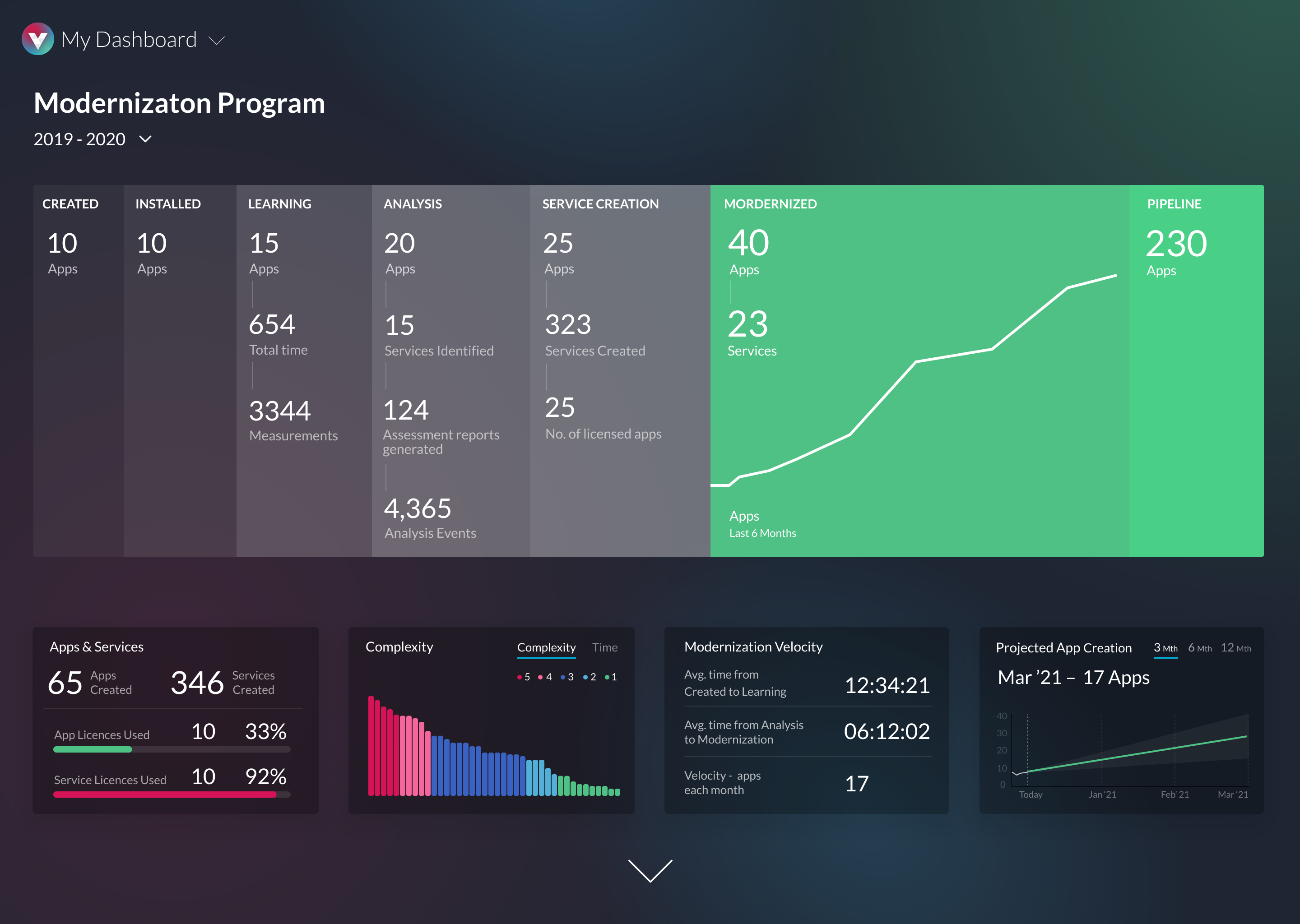
    IT teams can also employ vFunction to determine which monolithic applications are better suited to being converted into a set of microservices that can be automatically extracted into separate compilable projects. Each project comes with an estimated timetable for completion that can be accessed via a Modernization Factory Dashboard and Application Complexity Assessment tool provided by the platform.

    Rafalin said most monolithic applications are made up of large amounts of ‘spaghetti code’ that was added over multiple generations by different development teams. Manually analyzing that code as part of an effort to refactor a legacy application would require weeks of effort, Rafalin said. As such, the rate at which most organizations are re-engineering applications is extremely slow, he said.

    In fact, it’s not unheard of for IT organizations to to start, but quickly abandon such because the time and effort required proved too costly. vFunction claims its automated, domain-driven processes accelerate manual refactoring by a factor of ten, resulting in a savings of anywhere from $300,000 to $500,000 per application.

    Pricing for vFunction is based on a per-application model. The company has also established alliances with system integrators such as HCL Technologies, Tata Consulting Services and Wipro that are regularly contracted by IT organizations to refactor their applications.

    Of course, not every monolithic application needs to be converted into a set of microservices. However, most monolithic applications have components that would be easier to maintain and support as a distinct microservice. Organizations, in general, are embracing microservices to build applications that are more resilient. In the event a microservice becomes unavailable, requests for services are rerouted to another microservice to make sure the application degrades gracefully, rather than crashes altogether. The challenge is that, over time, the dependencies that can exist between hundreds of microservices can be more challenging to manage than those of the monolithic application being replaced.

  • The Chaos Mindset: Teaching Your Code to Cope

    The Chaos Mindset: Teaching Your Code to Cope

    Chaos engineering sounds alluring and exciting—it’s fun to experiment, right? But what some misunderstand about this approach is that it’s not about moving fast and breaking things. It’s about designing and introducing disruptions in the software production process that tests the resiliency of the code, much like crash testing in the automotive industry.

    If you think about it, this is the logical extension of the way developers like to think anyway: we’re designing software and systems for the real world. Shouldn’t they be able to handle real-world situations?

    To design effectively for the real world, developer teams don’t necessarily need to become chaos engineers. This isn’t about training for an entirely new set of skills. Rather, it’s about adopting a chaos mindset—a set of systems and perspectives that lets your team engage in controlled experiments to deliver products that can cope with whatever end-users throw at them.

    So, how do you know if your team is ready to adopt chaos engineering principles? And what should you do to help them?

    Chaos Engineering: The Basics

    This approach is all about using distributed systems as a “safe” experimentation environment, so that dev teams can ensure their products will withstand unexpected turbulence in production. Netflix engineers get the credit for coining the term, based on their experiences developing for Netflix on AWS.

    The fun part of chaos engineering is that it lets developers find loopholes in existing systems that allow them to develop for resiliency. By running experiments within existing platforms in a distributed environment, or within a sandbox development environment, teams can supervise and control the experiments without impacting end users.

    Some applications, such as transactional applications in finance or trading, should not be disrupted in production, and developers should test in a sandbox environment instead. Chaos engineering is very easy to put in place if your team uses containerization techniques already – which should be part of any modern DevOps CI/CD process anyway. It is common to setup a DevOps CI/CD pipeline to run a battery of tests on an application before it gets to the publish step. Within that testing step, you can easily add some disruptions; some may be harder to put in place and require a more elaborate environment.

    Dev teams can use existing environments and systems to show each other how unexpected issues could impact production of a software product, allowing them to collaborate and solve the coding mystery before it slows or stops production entirely.

    Applications designed by engineers are subject to common issues, whether the applications run on-premises or in the cloud. We can group these issues into the following categories: hardware limitations, sub system failures, external system failures and software bugs. While we could define more categories, these are the main ones, and the ones that are easy to test.

    Chaos Mindset: The Tao of Chaos

    Like Agile, chaos engineering is more than a set of activities and workflows—it’s also a state of mind. Your people and your culture must be ready and able to adopt chaos principles, as well as chaos processes.

    For the DevOps leader, adopting a new mindset might sound a little, well, vague. But this shift is based on concrete actions, not just philosophical musings.

    Consider an example from the world of cloud infrastructure: a mission-critical application that is hosted within a cloud service could be at risk for failure if, say, that cloud service is centralized in a single location, or within a limited number of microservices within the cloud infrastructure. But if the app is hosted in a distributed way, you can create greater opportunity for application-level availability and resilience, and you can test for that resilience within the existing production environment.

    This kind of distributed architecture isn’t brand-new for most enterprises, and, therefore, the process of developing applications in way that tests for availability in a variety of infrastructure scenarios also shouldn’t be a foreign concept. As a DevOps leader, you can build a culture of resilience-centric thinking by empowering your teams with the tools they need to adopt chaos-style testing, and then showing them how to build that thinking into every sprint and every standup.

    It takes work to train your teams, but you don’t have to do it alone. Netflix’s Simian Army has tons of tools and guidance; Facebook Storm and Amazon Gameday, both war room-type experiences to simulate failures in the cloud, also have helpful examples and ideas.

    Chaos Engineering in Real Life

    Deploying a chaos-inspired experiment strategy isn’t easy. Start with a simple set of operating principles as a guide for designing your chaos strategy:

    • Hypothesis: How we think the system should work, so we know when it doesn’t work.
    • Scenario planning: What are the possible failure events or crisis points that you know can happen in the real world?
    • Set up the experiments: Design and put in production the tests that measure the code’s strength.
    • Configure monitoring: Monitoring will help test the hypothesis and help you see, in real time, the impact and resolution of the disruption.
    • Make the experiment run itself: Automating the tests lets you continuously assess both performance and resilience.
    • Contain the experiment: You don’t want software that’s already out in the wild to get disrupted by your lab experiments, so make sure to design with guardrails in place.
    • Shut-off switch: Even when contained, have a shut-off switch to prevent the disruption from further impacting some users.

    The fundamental irony of chaos engineering is that it’s anything but chaotic. It’s a disciplined approach to breaking things that lets your team get smarter, faster, about how their products and applications will work in the real world. It’s a strategy that harmonizes beautifully with Agile practices. And even though it won’t make your apps bulletproof, it can definitely help you dodge the bullets of failure with greater grace and finesse.

    You must look at the software architecture as a whole to find the most appropriate chaos engineering testing tool for each portion of the architecture. There isn’t a single tool that can test all the components of your architecture; you will have to use different tools for different parts – and don’t forget monitoring! It’s only through proper monitoring that you can assess how the software is behaving in response to a disruption.

    Sometimes, the best approach, and the simplest one, is to build some chaos engineering steps into your software so that the software itself can be disrupted given specific inputs without exposing a security weakness in an obvious way. This is very much like how cloud applications create heartbeat and health check endpoints. We like to think about chaos engineering as a great complement to unit testing and integration testing, except we run it on production systems.

  • Pilot Testing DevOps in a Pandemic

    Pilot Testing DevOps in a Pandemic

    Savvy organizations are using the pandemic to drive innovation by pilot testing DevOps. As health experts brace for an exponential rise in COVID-19 cases across the nation and vaccine distribution ramps up, many states and cities are still implementing significant measures to reduce the virus’s spread. As shutdowns impact cities coast to coast, organizations are updating their business continuity processes and disaster recovery plans for COVID’s next wave.

    Software developers and testers are typically perceived as being able to adapt quickly to changes and the fast pace of IT. Since the beginning of the pandemic, SaaS adoption has become a go-to platform for businesses of all sizes looking to ensure business continuity and enable innovation during these uncertain times.

    To meet this demand, developers have worked at ever-increasing speed to configure, test and deploy advanced features and services to their clientele. This quickened pace, for some, has led to the abandonment of proper security guardrails.

    There are a few key ways to mitigate the pressure and risks involved in this accelerated environment, balancing continual innovation with ensuring developers and testers are applying robust security strategies.

    Fail Fast, Succeed Early

    At its core, DevOps is the process of using development technology to solve operational IT problems. Having a well-defined strategy helps; however, it’s nothing without proper implementation and calculated risks. Both of these factors help your organization achieve its goals in a shorter amount of time.

    Here’s an example. One of my colleagues worked on a software development project where, instead of testing one process at a time, they tested 30 different scenarios simultaneously to see which would be the better strategic fit for their organization. They could have planned and tested, one scenario at a time, for six months; however, in three weeks, they could determine their next step in a much shorter amount of time. Methods like this begin with a strong innovation culture where everyone aligns on the same goals.

    Additionally, access to funding also becomes essential, along with the ability to hyperscale. Cost does become a factor; however, this simultaneous testing and fail-fast methodology saves teams an extraordinary amount of time. The goal of failing fast in DevOps is not to increase the chances of failure, but to encourage experimentation, making it a surefire way to bring products to market quicker.

    Put the Cultural Shift into High Gear

    Whether or not a company finds itself in crisis due to the pandemic, leaders need to remember that tools are not the magic bullet of DevOps; culture is. DevOps is not only a philosophy, it’s a mindset that promotes collaboration, culture alignment and lends itself to innovation. Innovation is often a term that scares companies or teams, who may feel it is out of their reach. However, consider this: the very act of innovation involves trying. If you’re not putting yourself in the race, how can you win?

    From ideation to pilot testing, organizations need to understand that they can try something without being “all in.” Innovation is everywhere and within every process. What keeps the culture of innovation alive and well is building an ethos of collaboration; that leads to a team that not only thinks but believes that innovation can happen. Culture becomes everything when your organization starts to look for new and innovative ways to push your business and your clients further, successfully.

    There is an important caveat, though. Often, leaders introduce policies and procedures to their team without providing a long-term vision of the outcome(s). This often leads to long-term adverse effects, simply because the underlying organizational culture is not healthy. Even during a global pandemic, where budgets may be tighter, teams are leaner but innovation is still the goal, there must be vision, transparency and effective communication to allow for proper implementation and execution. All of these components start with culture.

    Scale DevOps Through Automation

    Working on a test automation strategy is the best way to set your organization up for success. Along with culture and collaboration, automation is a key pillar of DevOps. Research shows 60% of occupations have at least 30% of constituent work activities that will be automated by 2030, globally. Historically, teams have been skeptical about automating their work, and push forward with an “I can do it myself” way of thinking and working. COVID-19 created a massive uptick in demand for IT services, and teams’ pressure to perform has also increased.

    For DevOps teams to successfully “scale up” right now, the implementation of continuous automation into the testing process is critical. As with any type of new technology implementation, there are warning signs to consider.

    As wonderful as automation can be, the process often creates a skills gap; however, this does not mean leaders should shy away from the automation process. However, leaders must be aware of this and come up with a strategy to ensure training opportunities are available to close these gaps.

    The pandemic has reinforced how swiftly change happens, and that companies must be flexible and respond quickly just the same. While IT systems are built to extend and adapt, accelerating delivery cannot happen at the expense of business continuity. Pilot testing amid a global pandemic encourages a culture of transparency, collaboration and experimentation that will empower teams to track inefficiencies at an increased rate.