Category: DevOps and Open Technologies

Editorial Calendar for February 2016

  • Platform9 Brings Workflows to Serverless Computing

    Platform9 Brings Workflows to Serverless Computing

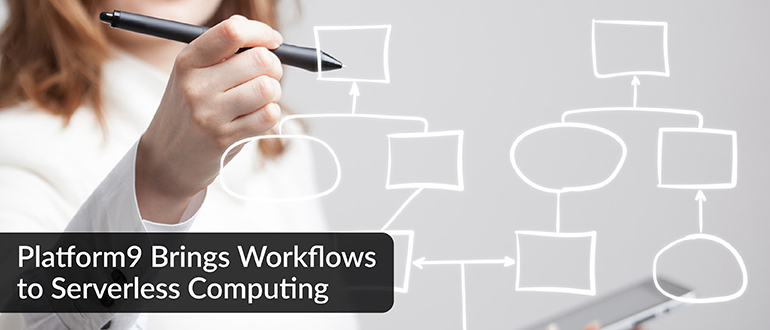
    Serverless computing frameworks are widely regarded as the next big thing in enterprise IT because they are based on an event-driven architecture that makes servers, storage and networking resources dynamically available as needed using a programming construct known as functions. But DevOps teams are challenged in finding a way to orchestrate all those functions in concert with one another.

    To enable the orchestration of those functions, Platform9 has added support for Fission Workflows to its instance of a serverless computing framework. Platform9 CEO Sirish Raghuram says Fission Wokflows will make it possible for IT organizations to craft complex applications made up of thousands of functions.

    On the one hand, serverless computing frameworks promise to make DevOps easier by eliminating the need to provision infrastructure every time a workload exceeds whatever amount of capacity that has been assigned to it. On the other hand, attempting to manage what could easily become thousands of functions in an IT environment is likely to make DevOps even more challenging than it is today. While not a new concept, Raghuram says Fission Workflows provides IT organizations with a familiar construct for managing functions.

    Benefits of Fission Workflows include an ability to reuse functions as well as being able to upgrade entire related sets of functions all at once. There are also fault-tolerant capabilities that make possible to recover and restart a workflow in the event of an infrastructure failure.

    Platform9 is specifically making the case for a serverless computing framework based on Kubernetes clusters that can be deployed on-premises or in the cloud. Platform9 also provides support for containers on an instance of Kubernetes, and Raguham says the company expects that IT organizations will mix and match containers and serverless computing frameworks as they see fit. For example, a container might invoke a function via an API call to run a stateless process while Docker containers are employed for all the stateful processes that require access to primary storage, he says.

    Raguham notes the trouble with serverless computing frameworks put forward by cloud service providers such as Amazon Web Services (AWS) is that they lock an IT organization into a specific platform instead of taking advantage of a portable cluster technology such as Kubernetes, which is backed by the Cloud Native Computing Foundation (CNCF). Kubernetes also provides the added benefit of a common platform for both containers and serverless computing, he says.

    It’s still early days for the use of serverless computing frameworks in the enterprise. Nevertheless, it’s clear they will need to be managed from a DevOps perspective alongside cloud-native applications running on containers and platform-as-a-service (PaaS) environments and legacy applications running on virtual machines and bare-metal servers. Given the fact that none of these architectures is likely to supersede any of the others anytime soon, IT organizations would be well-advised to start crafting a DevOps strategy now on the assumption that the overall IT environment is about to become even more complex.

    — Mike Vizard

  • 8 Advantages of Using MySQL

    8 Advantages of Using MySQL

    MySQL is a free-to-use, open-source database that facilitates effective management of databases by connecting them to the software. It is a stable, reliable and powerful solution with advanced features including:

    1. Data Security

    MySQL is globally renowned for being the most secure and reliable database management system used in popular web applications including WordPress, Drupal, Joomla, Facebook and Twitter. The data security and support for transactional processing that accompany the recent version of MySQL can greatly benefit any business, especially if it is an eCommerce business that involves frequent money transfers.

    1. On-Demand Scalability

    MySQL offers unmatched scalability to facilitate the management of deeply embedded apps using a smaller footprint, even in massive warehouses that stack terabytes of data. On-demand flexibility is the star feature of MySQL. This open-source solution allows complete customization to eCommerce businesses with unique database server requirements.

    1. High Performance

    MySQL features a distinct storage-engine framework that facilitates system administrators to configure the MySQL database server for a flawless performance. Whether it is an eCommerce website that receives a million queries every single day or a high-speed transactional processing system, MySQL is designed to meet even the most demanding applications while ensuring optimum speed, full-text indexes and unique memory caches for enhanced performance.

    1. Round-the-Clock Uptime

    MySQL comes with the assurance of 24×7 uptime and offers a wide range of high-availability solutions, including specialized cluster servers and master/slave replication configurations.

    1. Comprehensive Transactional Support

    MySQL tops the list of robust transactional database engines available on the market. With features such as complete atomic, consistent, isolated, durable transaction support; multi-version transaction support; and unrestricted row-level locking, it is the go-to solution for full data integrity. It guarantees instant deadlock identification through server-enforced referential integrity.

    1. Complete Workflow Control

    With an average download and installation time of less than 30 minutes, MySQL means usability from day one. Whether your platform is Linux, Microsoft, Macintosh or UNIX, MySQL is a comprehensive solution with self-management features that automate everything from space expansion and configuration to data design and database administration.

    1. Reduced Total Cost of Ownership

    By migrating current database apps to MySQL, enterprises enjoy significant cost savings on new projects. The dependability and ease of management can save troubleshooting time that is otherwise wasted in fixing downtime issues and performance problems.

    1. The Flexibility of Open Source

    All the fears and worries that arise in an open-source solution can be brought to an end with MySQL’s round-the-clock support and enterprise indemnification. The secure processing and trusted software of MySQL combine to provide effective transactions for large-volume projects. It makes maintenance, debugging and upgrades fast and easy while enhancing the end-user experience.

    About the Author / Michelle McLean

    Michelle McLean is VP of Marketing at ScaleArc, responsible for overseeing all of the company’s marketing strategy and initiatives. She has more than 20 years of networking and market positioning experience. Prior to ScaleArc, she held director of product marketing positions at Silver Spring Networks, ConSentry Networks, Peribit Networks and Trapeze Networks, and prior to that, she was director of strategic marketing at Pluris. She previously served as program director at the research firm META Group, providing technology and strategy direction to global 2000 enterprise clients. Before that, she tracked technical developments, networking trends and vendor strategies as a journalist for two leading networking publications, LAN Times and LAN Magazine. Michelle earned her BA in English from the University of California at Berkeley. Connect with her on Twitter.

  • DevOps in Legacy Systems: A Mission Impossible?

    DevOps in Legacy Systems: A Mission Impossible?

    The word “legacy” evokes mixed reactions from the IT and business crowds alike. For those who depend on legacy systems such as the zSeries and iSeries platforms, it is a way to deliver stable and reliable applications into production. Business stakeholders who may not know the intricacies of the technology often take a view of, “Why fix it when it ain’t broken?”

    mainframe

    On the other hand, for those who haven’t experienced the joys and pains of legacy systems , legacy world will continue to defy their logic and assumptions because their view of the world is shaped by the open system world which has completely different characteristics: being more malleable to change and easy to maintain etc. Hence there is this great divide between the legacy and new worlds. Add Agile and DevOps to the equation with the lofty goals of increased release frequency and reduced lead times, we end up with a divide that is too far to bridge.

    cobol code

    The likes of Gartner have come up with constructs such as two-speed delivery to help deal with this legacy challenge. In my view, there is a problem with the idea of dual-speed because it is based on a wrong analogy to start with — that of allowing vehicles to move at different speeds depending on whether you are on the motorway or a city road. That analogy works well for traffic management scenarios but not for complex IT architectures we see in the enterprise. The dependencies across the systems in the enterprise landscape are just too intricate and too tightly coupled to be defined using such a binary logic. In my experience, I find that many Agile and DevOps transformations hit the roadblock and never achieve the desired levels of productivity and effectiveness because of an oversimplified view of these complex dependencies across legacy and open systems.

    The three biggest challenges that prevent a legacy DevOps transformation are mindset problems, architectural constraints and tooling limitations.

    The Mindset Problem

    “There are no legacy systems, just legacy thinking.” That’s a great quote I heard recently from an engineer in a large organization trying to adopt DevOps at enterprise scale. The initial resistance from teams to move into DevOps ways is due to reluctance to change, emerging from an inertia of doing things a certain way for years if not decades. The mindset problem is as much a problem for those outside the legacy world as those inside. The “outsiders”—typically leadership, management team and consultants—tend to oversimplify the problem and, too often, rely on examples from the open systems world. This just alienates the incumbent legacy teams and makes them even more skeptical of DevOps driven change. The outsiders need to have a genuine appreciation of the challenges with legacy architecture and need to work in collaboration with the legacy teams if they really want to transform their organization.

    Architectural Constraints

    Legacy systems have certain characteristics such as being static, tightly coupled and monolithic blocks of procedural code. These systems were not built for the modern Agile workflows that focus on incremental and iterative deliveries. A significant majority of these systems are written to operate in batch mode.Testing the systems requires cycling through multiple business days, which simply limits the level of agility you want to introduce in the organization. I am currently working with a legacy engineering team in the financial services space where you have to cycle through a minimum of 20 business days to simulate even 70 percent of the test scenarios. However, there are a number of solution options to overcome the architectural challenges; they range from killing applications to migrating to modern platforms or re-engineering legacy code. Not surprisingly, the right approach depends very much on your context.

    Tooling

    Tooling in the legacy world to support a DevOps ways of delivery has always been a challenge. But it is fast changing now, thanks to a number of startups and even old-school IT product companies investing in this space. If you consider zSeries as an example, there are better IDEs (integrated development environments) such as RDz that can replace traditional code editors typically based on “green screens.” These IDEs provide great features such as better navigation, debugging, split views and searches on the legacy code. One of the CIOs I worked with made it clear to his team that he wanted to get rid of “green” screens from the IT floor. There are tools such as SmartBear Collaborator that support a great peer review experience and help bring one of the original XP practice of pair programming to the legacy world. There are tools such as endeavor from CA that promise automated build and deployments in the z-series world. Similarly, there are tools that support test automation of mainframe applications and tools for code coverage and code quality checks on legacy programming languages like COBOL. XATester looks like a promising tool for unit test automation from a Danish startup called Xact.

    While this write-up is not intended to be a compendium of all DevOps and engineering tools, the central message is that there are a number of DevOps tools emerging on the legacy landscape which can help your legacy delivery teams get on to the DevOps and Agile journey.

    What is more important is for organizations to realize that many of these legacy systems will remain part of their IT landscape for the next foreseeable future and it is time to invest in these core systems. They may not look as appealing as the digital platforms, but they are fundamental for businesses and you cannot ignore them on your DevOps journey. DevOps in the legacy world is not going to be smooth, but it is certainly not a mission impossible!

    — Aditya Vadaganadam

  • Will Blockchain Move Past Hype to Reality?

    Will Blockchain Move Past Hype to Reality?

    Blockchain has hit peak “hype,” according to Gartner’s recently published “Hype Cycle for Emerging Technologies.” The financial world has been very optimistic about blockchain or distributed ledger technology (DLT)—the underlying technology behind bitcoin—and the impending disruption it can bring to the way the financial system works.

    Although the initial buzz around bitcoin has gradually died down over the last couple of years, DLT has gained a lot of traction in the industry. As a concept, distributed ledger and open network with encrypted data brings vast opportunities for ideation. But will it only be hype? Or will blockchain graduate from the lab environment to the real world? Only time will tell, but the idea of distributed ledger is here to stay.

    From Idea to Adoption

    Any new technology will go through its hype cycle before settling down with the complex reality of business adoption. Blockchain is most likely going through the cycle at this point in time. It may not be panacea for all the challenges faced by the industry today, but it definitely shows some initial promise of being a game-changer.

    We have very rarely seen industry cooperation like this for a new technology.  Financial institutions are excited and rightly so. Global financial markets potentially can save as much as $80 billion in operating costs if blockchain becomes a mainstream technology.

    The application of blockchain will exceed hype only when it addresses the core issues financial institutions face today: simplification and security. While cost takeout is a great value proposition, I believe that adoption of blockchain as a technology fundamentally should revolve around rationalizing the process value chain and providing robust security. Some of the initial use cases for financial services firms show a lot of promise, from the process simplification and digitization perspective leveraging distributed ledger, but there is still significant ground to cover before it becomes real.

    Why Blockchain Isn’t There Yet

    There is exciting amount of exploratory traction around blockchain use cases, but the reality is that no financial institution has yet implemented blockchain in production, and I don’t think it’s going to happen anytime soon.

    The success of blockchain as a technology hinges on three factors:

    Security – Recent lapses in bitcoin exchange and virtual robberies of digital money pose a significant threat to the underlying technology (blockchain itself). In a world where each participant will have his or her own private key, there will be many hurdles to cross in the barriers of data security. How safe will it be? How quickly will it scale up to expose all the vulnerabilities?

    Dealing with legacy – Many technologies have matured over the years, yet banks still run on mainframes! How blockchain interoperates with the legacy infrastructure in banks will be the most important aspect to watch out for. Is the idea to build a greenfield environment and re-imagine the financial world more pragmatic?

    Trust – Data ownership traditionally has been a source of power. Digital currency and federated data over blockchain will change the very existence of political hierarchies. How will businesses deal with it?

    Still, it’s a good bet to have in your long-term portfolio.

    Bill Gates once said, “we always overestimate the change that will occur in the next two years and underestimate the change that will occur in the next 10. Don’t let yourself be lulled into inaction.”

    Although its foundational blocks are really solid, blockhain’s mainstream adoption in the near future is going to be tough. Hawk-eyed regulators will be picky about security threats and any negative news. But the collaboration on this technology is unprecedented and bodes well for the future, so I’m optimistic blockchain will become a reality at some point in time. Going by the wisdom of Bill Gates, I’m looking at five to seven years.

    About the Author / Mohit Sinha

    mohit-sinhaMohit Sinha is a client partner in the Finance Solutions group at Wipro Digital and currently manages the relationship with a top tier Investment Bank in London. He has over 14 years of experience spanning domain consulting and client relationship management in the Investment Banking and Wealth Management domain. He has been part of successful delivery of transformation initiatives across UK and Europe CIB and PWM, Derivatives Operations, SEPA transformation and CIB/PB Order and Trade Management areas. Connect with him on LinkedIn and Twitter.

  • Migrating to GitHub

    Migrating to GitHub

    In recent months, Newt Global Consulting migrated multiple source code repositories to GitHub. The repositories are anywhere from 10MB to few Gigabytes of source code. This blog is to share our experiences in migrating source code from SVN and AccuRev to GitHub. Most of the material below should be valid for any Git repositories.

    We used 100 percent open-source tools that are freely available, and we developed the process that fits our needs. Thank you very much for the authors of these tools; without them, we couldn’t have done it. Long live open-source community and may the day never come when machines code!

    This article is mainly focused on executing migration; best practices or branching strategies for GitHub are not in the scope.

    Before diving into migration, here are some of the motivators we observed that are steering organizations away from traditional source code repositories:

    • Managers and architects like the distributed and offline feature of GitHub.
    • Enforces discipline on developer’s part (less excuses of dependency—you have local copy of everything, intelligent merging of GitHub, etc.).
    • Technical-savvy groups already are using GitHub (Git Bridges).
    • Developers hate the change in the beginning but they are quick learners and like to adapt with rest of the industry.
    • Integration with other DevOps toolkits is a motivator (ex: Webhooks).
    • Naturally fits with open-source software development (easily extend and contribute).
    • Enterprise-level groups are pushing the change (playing catchup with individual development groups and the rest of the industry).
    • File size limitation of GitHub is forcing the use of binary repositories and security teams like it, as they can now monitor the large open-source libraries spread across the org.

    SVN to GitHub Migration

    There is plenty of material on the web about the difference between SVN and GitHub. I suggest that you go through them (if you have to). Here are few links that we found interesting:

    Prerequisites

    • Get read-only user access for SVN repository.
    • Make sure “gitsvn” utility is available in local environment.
    • Download svn-migration-scripts.jar from https://bitbucket.org/atlassian/svn-migrationscripts/
      downloads
    • Refer to the following URL for more documentation on the above script: https://www.atlassian.com/git/tutorials/migrating-prepare/
    • Decide on GitHub organization name, team name and members who will be part of the team.
    • Set up the organization.
    • Set up the team and assign team members.
    • Create a repository to push the code from your work area.

    Migration

    • Extract the users information from SVN java -jar svn-migration-scripts.jar authors <SVN Repo URL> > authors.txt
    • Clone the SVN Repository git svn clone –stdlayout –authors-file=authors.txt <SVN Repo URL> <GitHub Repo
      Name>
    • Create connectivity to remote repository git remote add origin <GitHub Repo URL>
    • Push the code from local to remote repo git push –u origin master
    • Converting remote braches to local repo java -Dfile.encoding=utf-8 -jar svn-migration-scripts.jar clean-git –force
    • Push all the changes to remote repo git push –all

    Noteworthy

    • We ran the scripts on Linux (case-sensitive file system); OS X has additional steps to follow (refer: https://www.atlassian.com/git/tutorials/migrating-prepare/)
    • If SVN instances have local user IDs defined (not SSO), the authors file created is not of use. But you need this file to successfully to run the scripts.
    • Incremental migration is possible, but we scheduled weekly jobs for full migration during the transition phase.
    • Full migration takes time; try to avoid network delays. For us, our 300MB repo took around four to six hours.
    • In some cases, we had to clone the SVN repo to our local file system due to access issues.

    AccuRev to GitHub Migration

    AccuRev is a centralized version control system developed by Borland (now Micro Focus). It uses client-server architecture and preparatory technology, and so it’s a bit tricky to extract code for full migration. We used the ac2git utility developed by Navico—the tool does the heavy lifting but took few iterations and bit of tweaking to fit our need. Most of the difficulty was in understanding how AccRev works and the relative mapping to GitHub.

    Prerequisites

    • Install python 3.4, Git-Bash version 2.7.4 and AccuRev
    • Make sure the paths to the AccuRev and git executables are correct for your machine, and git default configuration has been set
    • Clone the ac2git repo from the https://github.com/NavicoOS/ac2git
    • Run python ac2git.py –help to see all the options (strongly recommend you do this)
    • Run python ac2git.py –example-config to get an example configuration
    • Strictly follow the steps outlined in the “How to Use” section; otherwise, you will be forced after few failed attempts

    Migration

    • Make an example config file:
      • python ac2git.py –example-config
    • Modify the generated file ac2git.config.example.xml, (there are plenty of notes in the file and it is time to run –help option if you have not done it as advised in prerequisites)
    • Rename the ac2git.config.example.xml file as ac2git.config.xml
    • Modify the configuration file and add the following information:
      • Set accurev username & password
      • Name the depot. Map each depot to single Git repository. Run the script for each depot separately
      • Running the script for multiple depots to single folder overrides all depot streams into same folder. Scripts fail when given multiple folders, so always run the script for one depot at a time
      • Create an empty folder and provide the complete path in the config xml file. The folder must exist and preferably should be empty
      • There is no concept of having same folder name as stream name. There just needs to be an empty folder where all the contents of stream will store
      • Start & end transactions which correspond to what you would enter in the accurev hist command as the<time-spec> (the keyword highest or the keyword now)
      • If the start-transaction and the end-transaction are time-spec, the script will fetch the data and history only within this time period. For example start-transaction = “2013-02-07 13:41:17” and endtransaction=
        “2014-02-07 13:41:17”
      • Use “highest” keyword instead of using “now” in end-transaction
        • “now” will fetch data until the date and if there was some history deleted from workspace or not promoted from other streams than “now” keyword will not work
        • “highest” keyword always look for the latest and highest commit history (preferred option)
      • User mapping from Accurev to GitHub. Hint: Run accurev show -fi users to see a list of all the users
      • Choose the preferred method for converting the streams
        • Recommend ”deep-hist” method for sparse streams (transactions that have changed the stream contents are far apart)
        • Recommend “diff” method for regular streams (when in doubt, just use “deep-hist”.)
      • Run the script
        • python ac2git.py
      • If you encounter any trouble, run the script with the –help flag for more options.

    Noteworthy

    • The stream must always have some history. The script did not work for us when no history was available.
    • If there are any duplicate or missing usernames, make sure to use the corresponding parameter. We ended up changing the script to handle duplicate users (this is not needed if you use the right parameters).
    • In GetMissingUsers(config) method of ac2git.py code, comment last two lines
      • # if not found:
      • # missingList.append(user)
    • Migration takes time, try to avoid network delays. For us, a 300MB repo took around six to eight hours.
    • We have not tried incremental migration—we scheduled a weekly full migration and cut over all the users over a long weekend.

    Conclusion

    Overall, the experience was very rewarding, not only in assembling the right toolkit but process-wise as well. Every organization has its own methodology when comes to source code management and how it promotes code (branching strategy). We found small-to-medium-size enterprises have much more mature process than some of the large enterprises, though they are catching up fast.

    • Don’t expect large enterprises have centrally managed source code repos (SVN hosted in some sharable desktop under manager’s desk).
    • Difficult to get developers to think distributed mindset (why should I clone the entire repo?).
    • Working closely with Enterprise GitHub helped in reassuring clients.
    • Most of developers like to use IDE plugins than command line or web client.
    • Prepare to answer backup, HA and DR-related questions.
    • Enterprise GitHub comes as virtual appliance not application—prepare yourself to deal with infrastructure groups on deploying VMs into production.
    • Some application groups preferred lift and shift mode than migration; don’t get shocked when they say “don’t care about history” (typically these are small dev groups).
    • Integrated Slack with GitHub—this was hit not only with developers but also leadership.
    • Extended Hygeia dashboard to provide team level analytics for leadership view.

    About the Author / Sridhar Peddinti

    sridharpeddintiSridhar Peddinti is vice president, DevOps and Cloud practice at Newt Global Consulting. He is a 20-year technology and business leader with global experience in executing large scale projects across multiple industry verticals. He champions the consulting space helping customers with complex problems and providing them with DevOps and Cloud strategy. He has extensive hands on experience in process improvements using combination of tools kits and migrating number of legacy systems to Cloud and related technologies. Connect with him on LinkedIn and Twitter.

  • Government Asks: What’s in Your Software?

    Government Asks: What’s in Your Software?

    Multiple agencies across the U.S. government are paying closer attention to the software they are buying. More specifically, they want to know what open-source and third-party components were used to build the software applications. For example:

    Similar moves by the National Institute of Standards and Technology (NIST), Underwriters Laboratories (UL) and the U.S. General Services Administration’s (GSA) 18F Group have also been noted over the past year. The common thread among these initiatives is a need for a Software Bill of Materials.

    According to wikipedia, a “Software Bill of Materials (software BOM) is a list of components in a piece of software. Software vendors often create products by assembling open source and commercial software components. The software BOM describes the components in a product. It is analogous to a list of ingredients on food packaging.”

    What’s in Your Software?

    Nowadays, that question is not difficult to answer. Where software applications of the past were coded from scratch—each one being like a unique snowflake, today’s applications are assembled with reusable open-source and third-party components.  With 80 percent to 90 percent of an application now built from open-source and third-party components, it is easy for organizations to quickly produce a Software Bill of Materials.

    The Same Rules Apply to Software

    You don’t want to purchase spoiled food, buy a car with defective airbags or have a relative receive a defective pacemaker. Modern society would not accept products built this way. The same rules apply to software.

    Recent analysis of 25,000 applications that revealed 6.8 percent (about 1 in 16) of components used by development teams included a known security defect. The defects are known security vulnerabilities in open-source and third-party components used to build the applications. With known defect rates in software manufacturing so high compared to other manufacturing industries, it’s no wonder government agencies are paying more attention.

    The Same Guidelines Apply Outside of the Government

    Industry organizations including the American Bankers Association (ABA) and the Energy Sector Control Systems Working Group (ESCSWG), along with private sector organizations that include Exxon and The Mayo Clinic, are also mandating use of a Software Bill of Materials. Producing a Software Bill of Materials will soon be a common practice across development organizations, just as it is across other manufacturing industries.

    A bill of materials provides a useful ingredient list. For some organizations, that ingredient list serves to inform businesses and government organizations that they are not buying products with known defective parts. Other organizations will rely on the bill of materials as a point of record for what parts were used within a released software application—again, another common practice in manufacturing.

    Just yesterday, I received a recall notice from Toyota informing me that my car had a known defective Takata airbag. Toyota knows exactly what part was used in the car it sold me 10 years ago and tracked me down. The company informed me that it is working on a remedy to fix or replace that defective part in my car.

    Imagine if application developers, using a Software Bill of Materials, could do the same thing as Toyota. Imagine the next OpenSSL heartbleed-like vulnerability is announced tomorrow. How many software practices could immediately identify if they used the specific version of that flawed component in their application. How many of those organizations could track that component down in seconds? How many of them would offer to remediate that critical defect in a timely manner?

    It’s Not Just Rules—It’s Software Supply Chain Optimization

    One of my favorite quotes from “The Phoenix Project” (a must-read novel about DevOps) goes like this: “You win when you protect the organization without putting meaningless work into the IT system. And you win even more when you can take meaningless work out of the system.”

    An average application includes 106 open-source and third-party components. If you select the best components, you can build the best software. Use known defective components and you are introducing waste, rework and technical debt into the system—a.k.a., meaningless work.

    Producing a Software Bill of Materials can help organizations quickly identify what parts have been used in an application—good or bad. In a recent discussion with VMTurbo’s Chief Architect, Sylvia Isler, she noted: “Zero tolerance for risk is also why some customers require us to provide proof that our applications do not contain hidden security or licensing vulnerabilities.” Not only does their zero-tolerance policy improve customer satisfaction, it also helps them by removing meaningless work from their system. Customers are happy and so are their development teams.

    screen_shot_2016-07-29_at_4-53-51_pm

    A Free Software Bill of Materials in 15 Seconds

    There are companies that provide services to help users create a Software Bill of Materials. Sonatype, for example, offers the service for free service. Analyzing a typical application might take 20 seconds, and produces a list of all open-source components identified by their name, version and license type, and listing known security vulnerabilities, adoption rates, age and other attributes.

    If governments and customers are paying closer attention to what’s in the software they are buying, it might just be time to figure out what’s in the software you are building.

    — Derek E. Weeks

  • Native Docker for Windows Arrives: Are Containers Finally Serverless?

    Native Docker for Windows Arrives: Are Containers Finally Serverless?

    Is Docker finally ready for the age of serverless computing? That’s the message from the announcement this week of native Docker container support for Windows Server 2016.

    If you’ve been following Docker for a while, you know that Docker containers originally supported only Linux operating systems. Then, Docker made its platform available for Windows users, too—but with the major caveat that Docker Engine ran inside a Linux-based virtual machine image on top. So, you could run Docker from Windows, but Linux was still the middleman.

    Real Docker Containers

    This week, that all changed. On Sept. 26, Docker announced the general availability of native Docker container support on Windows Server 2016. By “native,” Docker means that the containers run using new primitives—the equivalent of namespaces in Linux—that are built into the Windows kernel itself. There’s no more virtualization.

    But that’s not all. The complete Docker tool set also now runs natively on Windows. The Docker CLI, Swarm orchestration, data volumes and all the other building blocks of a Dockerized infrastructure are officially compatible, as well as Docker containers themselves.

    The support is the result of more than two years of collaboration between Docker and Microsoft, which is now a Top Five contributor to the Docker open-source project.

    Caveats

    Native support for Docker is a big accomplishment. But there are still some limitations, including:

    • Docker containers can only run natively on Windows Server 2016 and Windows 10. Other versions won’t work with Docker because they lack the kernel enhancements necessary to support Docker containers, Scott Johnston, Docker COO, explained in an interview.
    • Some advanced networking configuration features for Docker are not yet supported because the “plumbing” required to make those features work is not complete inside the kernel, Johnston said, adding Microsoft is working to change that.
    • Most notably, Docker containers on Windows can only run Windows apps inside the containers. In other words, you can’t run an app compiled for Linux inside a Docker container running on Windows. You would need a Windows host to do that. (And the opposite holds true: You can’t run Windows apps inside Docker containers on a Linux host.) This is not something that will change, according to Johnston.

    Docker Becomes Serverless

    Docker the company is celebrating the support as an opportunity to expand the Docker ecosystem immensely. Support for Windows “doubles the potential market opportunity” for Docker partners, the company said in a presentation about the announcement. (By the way, Docker has good reason to want to keep its partners happy by giving them a larger ecosystem to work with. The integration of Swarm into Docker earlier this year undercut the value of some of Docker’s partners’ products. But I digress.)

    The most interesting aspect of this news from a DevOps perspective, however, is that it means Docker is now much more serverless. A large part of the value of Docker containers is their ability to simplify application delivery. As long as you can package your app as a Docker container, you can deploy it on any server that has Docker running.

    You don’t have to think about the underlying server hardware or configuration. In other words, Docker allows you to become serverless, because you no longer have to think very much about the server you are deploying to.

    Previously, however, this flexibility was limited by the fact that you did have to think about the server OS. Now, with native Docker support for Windows, that’s no longer the case. It doesn’t matter whether your infrastructure is composed of Windows servers, Linux servers or both. As long as you install Docker on them, you can deploy to any server.

    Of course, there is still the issue of having to make sure your app is compiled for the right operating system. But that is easy enough to manage in most cases during the build process.

    — Chris Tozzi

  • To Be Continuous Podcast: Category Creation featuring Martin Casado

    To Be Continuous Podcast: Category Creation featuring Martin Casado

    In this episode of “To Be Continuous,” Paul and Edith are joined by Martin Casado, General Partner at Andreessen Horowitz. He previously was co-founder and chief technology officer at Nicira, which was acquired by VMware in 2012. While at VMware, Martin served as senior vice president and general manager of the Networking and Security Business Unit.

    The group discusses the deeply complicated and difficult process of category creation, with a special focus on technology infrastructure products.

    This podcast is brought to you by Heavybit, a program that helps developer-focused companies take their product to market.

    [soundcloud url=”https://api.soundcloud.com/tracks/283115632?secret_token=s-zX7AW” params=”auto_play=false&hide_related=false&show_comments=true&show_user=true&show_reposts=false&visual=false” width=”100%” height=”166″ iframe=”true” /]


    Edith Harbaugh: What do you like about continuous delivery?

    Martin Casado: I think that there’s a broader movement around continuous delivery that is really interesting, which is, traditionally, infrastructure and operations came from an independent group. My first job out of undergraduate was working on simulations code in a national lab.

    I couldn’t control anything about infrastructure. I really didn’t have budget to buy a pencil. You get infrastructure, and you’d have some application to code, and you’d work on that application. We’d fiddle around with our MIG files or whatever, and that was pretty much it.

    The cool thing about the broad movement now, and I think CI/CD (continuous improvement/continuous delivery) is just part of this, is more and more applications, application developers, are actually getting responsibility for operations.

    This is provisioning, this is delivery, this is deployment. That’s a big huge change in not only what technologies get created but who’s consuming it and why they’re consuming it. I think it’s actually one of the more interesting trends right now.

    Edith: This would be a great time for you to introduce yourself.

    Martin: My name is Martin Casado, and I’m a general partner at Andreessen Horowitz.

    Edith: But you did stuff before you were at Andreessen.

    Martin: That’s right. The quick arc, as I mentioned, I used to be a research scientist at Lawrence Livermore National Labs. I spun out of that, did my PhD at Stanford. My research was in networking, so I was part of the team that started software-defined networking.

    I was there for four years, spun out of that, started a company called Nicira where we did software-defined networking. I did that for five years. That was acquired by VMware. I ran the networking security business unit at VMware for almost four years, and four months ago I decided to change and become a VC.

    Edith: So you basically created a category. What drove you to do that? What made you decide to start something knowing that it was so hard?

    Paul Biggar: You’re talking about software-defined networking? For the viewers at home, Martin roughly invented software-defined networking.

    Martin: There’s a whole bunch of people contributing, but I think a lot of the original momentum came from my thesis. You know, I’m going to be totally honest. If I had any idea how hard it was, I never would’ve done it.

    Edith: Really?

    Martin: I think so.

    Edith: I think you would’ve.

    Martin: Well, maybe. But it would’ve been a lot more daunting. I came out of Stanford pretty darn naive, like, “This is going to be easy!” Now, nine years and tons of gray hair later, I just realized that, man, it was a battle. I don’t think I had one-quarter that was easy. Everything was a battle.

    This is the way that I think about it. If you’re an entrepreneur, and you’re going to do category creation, you basically just have two jobs, in addition to product development. And job No. 1 is, there’s going to be some constituency out there you’re selling to, and that constituency, they wake up every morning and they think about all sorts of stuff, but they’re not thinking about your thing, because it hasn’t been created yet.

    That object in the mind space, that object doesn’t even exist in their brains yet. The first thing you have to do is create that object. It’s like Leonardo DiCaprio at “Inception.” You go in, you’re planting an idea in somebody’s head. It has to become a thing, something people think about, something people know and integrate.

    This is from nothing, and that’s hard. For us, it took five-plus years, and it touches every aspect of thought leadership such as analyst relations and technical conferences and broad marketing.

    Paul: So the activities that you’re doing in that category creation are largely marketing and getting people to hear about the activity and learn about it?

    Martin: I think so. I think maybe technologists will view marketing as this pretty shallow thing, but I think you’re exactly right. It’s marketing. But it is often very technical marketing, for example, in the guise of open source.

    In releasing open-source projects, you’re getting people to use it, you’re going to standards bodies, you’re going to conferences. It’s an incredibly technical thing, but in the end, it’s marketing in the sense that you’re actually creating awareness and a market.

    The first thing that you’ve got to do as an entrepreneur is, if you’re doing category creation, nobody’s thinking about your thing. You’ve got to get them to think about your thing, which is a lot of work. In my experience, five to seven years.

    Then the second thing that you have to do, which is just as much work, is then you have to attach a value to that thing. And I think we as technologists, there’s this kind of fallacy that we have where, “I’m going to create this new widget.” Let’s say I create the iPhone.

    Paul: Everyone will know how amazing it’s going to be.

    Martin: Exactly.

    Paul: Just build it and they will come.

    Martin: Yeah, there’s intrinsic value in my widgets. I take my widget, I put it on a sidewalk and someone picks it up. They’re like, “This is amazing. It’s worth millions of dollars!” And that’s totally not the reality.

    The reality is people only see value if they exchange money and they’ve used it.

    And if you’re doing category creation, how do people know what that value is? It’s a very difficult thing.

    Paul: And when you say attaching value, do you mean monetizing? Or is there more to it than that?

    Martin: I meant more the idea. Ultimately, this materializes monetization. Let’s say that you’re my constituency, and I’ve created this new widget. First I need to get you to think that this is actually a real thing. I’m going to call it a new phone. So, you need this new phone. First I need to convince you that you need the new phone.

    Then the second thing I need to convince you is it’s worth tens of thousands of dollars to you because you need to mentally actually attach that value to it. And it turns out introducing new concepts don’t necessarily have value if they’re new concepts.

    Normally, the value comes from, for example, an actual transaction. There’s a psychology around this. Or at least some experience with it, knowing that it’s going to, I don’t think you can just sit back to a couch experiment and be like, “Oh, I think this is going to save me money, therefore it’s worth something.” It really requires a lot of effort to make value.

    Paul: So the category that I see being created, or the one that’s closest to me at least, is this idea of containers and Docker, and more specifically Kubernetes, the idea that there’s this cloud infrastructure over there. The way that I became aware of it is exactly the way you’re talking about it. There’s open source coming out there that you can use and you can hack on yourself. There’s talks up there where people blow your mind.

    Martin: I think that actually this point, and certainly for all the listeners, I think this is one of the most salient points of this decade, actually, which is going to be a weird thing to say. At least an infrastructure’s the following.

    In the past, how did we create mindshare and customer bases? Well, there’s this whole pmm function and this whole sales function. And if you look at the big enterprise companies, if you look at Cisco and IBM and Oracle, really their power is this function. They own the sales channel.

    They have great relationships with the analysts, they’ve got great relationships with the customers, they’ve got certifications and the classes. So anytime they have a new concept, they take that concept and they cram it down the machine.

    As a startup, it doesn’t matter how cool your technology is, the hardest thing is to actually penetrate that channel.

    But when it comes to this new era of open source, now you actually have this hack that’s never existed before, where the buyer is shifting from an operator to a developer. Developers like open source, and you can actually create these concepts by getting open source out there and getting them to use it.

    Paul: We’ve been talking about this sort of thing, just the idea that it’s bottom-up now versus top-down.

    Martin: Not only that, it’s a totally different buyer that’s a totally different aesthetic. I don’t think developers care as much about analysts. I don’t think developers care as much about the 42-long sales dude with white teeth and the boat. I don’t think developers care as much.

    Paul: They won’t even answer his call.

    Martin: Exactly. About the channel, I think they don’t care about complex procurement processes.

    Edith: Having sold software for a little bit myself, if you get into a bigger corporation, you still don’t start to run into that.

    Paul: You get there, because the developers were first asking for it to exist.

    Edith: The longest part of our sale cycle is you get bounced to procurement and legal.

    Martin: Absolutely. I think this is the most important nuance of this argument, is exactly what you said. I’ve always maintained that open source and the developer is replacing marketing and pre-sales, not sales.

    You get credibility to the account, you can get things to technical close and technical validation, you can get account pull. So it’s almost like filling the pipeline, getting the transaction done, I still believe. For a long time, you need to have a professional, direct sales force that will be in there pushing things for procurement.

    Edith: It’s just a lot of work, because you pass the technical evaluation. They’re like, “Okay, go talk to procurement.” And to procurement, you’re a widget.

    Martin: Right, but the good news is, now it’s possible. Where in the past, to get that much legitimacy, to get things to technical close, was very difficult. You didn’t have the certification, you didn’t have access to the buyer, you didn’t have the account rep to make the introduction. You didn’t have any of that.

    Edith: That’s true.

    Martin: And now you do, and now it’s just about actually going through the logistics. And you’re absolutely right, it’s hard, it’s baroque. I’ve called it tribal bloodletting. It’s all of that, but you can do it as a startup.

    Paul: The thing that I think is really interesting is the converse of that. It’s that people who work in open source now are becoming actually incredible marketers. They don’t refer to themselves as such, but they have amazing social media presence.They build up tons of channels, whether it’s mailing lists or just Twitter followers.

    Edith: It’s like everybody recreates marketing. Everybody’s like, “Oh, we don’t need marketing.” Then you’re like, “Well, what is this thing over here where you have an email list?” Oh, that’s not marketing.

    Paul: It’s not marketing because I’m a developer.

    Martin: I really think that those that know how to do this are some of the most valuable people in the entire industry because this is the new entree for products into customer bases. I mean, there’s another kind of potential pitfall here, which is, let’s say you’re using open source for marketing.

    Now, there’s probably $7 billion have been invested in open-source companies and only about a $1 billion worth of returns. I’m not sure if those numbers are true, but I hear them quoted all of the time. But the reality is, a lot of money’s gone into it and not a lot of money has come back.

    The reason is because now, if you’re using open source to do marketing, you’re almost cannibalizing your sales motion. And so for a long time, the only open-source model we knew how to work was the Red Hat model, which is a services company. Only Red Hat’s ever pulled it off. It’s been very difficult.

    But another shift has happened in the last few years is people have figured out that actually you can use open source for marketing, but you don’t have to confuse that with your actual product offering.

    And with the rise of services, you can actually use open source for customer traction. You can monetize the service, and when it comes to services, no discussion of open source or closed source. So I think that we’re actually starting to unlock viable business models where you use open source for marketing.

    Edith: Who do you think does a good job of that?

    Martin: I think GitHub is a great example, right? Git isn’t even built by GitHub. It’s the standard in Linux. But if you look at GitHub, it’s a very fast-growing company that’s based on open source, and so everybody knows about it because of Git. So Git is doing the marketing. And this is just one example, I think there are many.

    Paul: It’s funny that you cite that as based in open source, because almost none of their stack is actually open source.

    Martin: Exactly, it’s a service offering. That’s what I’m saying.

    Paul: When you say service, you’re referring to software as a service, not service as in consulting?

    Martin: Absolutely. I should’ve been more clear. The long-standing question for us, certainly since 1995, is how do you build an open-source company that has the margins of a closed-source software company? Because you’re open source, basically you become a service and support company.

    What has happened in the last decade is exactly what you’re saying: people will realize that you can get account credibility and account traction, account knowledge, through open source.But then you can offer a back-end service offering as a service offering, and monetize that, and it’s often a closed-source stack on the back end of what you’re doing.

    But you don’t talk about open source/closed source as much with service offerings. It’s normally if you’re consuming something on-prem that you think about those things.

    Paul: How do you feel about this? People who are building, let’s say CircleCI as a good model, but there’s a ton of them. Building something that’s a SaaS product, a hosted SaaS product, but that then sells to people who use it in their own VPC and pseudo on-prem sort of thing.

    Edith: Oh gosh.

    Martin: I come from this somewhat traditional world of selling enterprise software. In there, there’s this whole discussion, and I was part of this discussion, of is it on-prem or is it off-prem in general? And I think that you framed this question perfectly. I’ve realized that that’s a false dichotomy. It’s actually not the right question to ask. I think as a service, is it actually an operational model and a delivery model? It doesn’t really matter if it’s on-prem or if it’s off-prem.

    I think that the days of selling closed-source software to companies is done.

    But you can sell them services and you actually can sell them appliances. But if you look at appliances, appliances almost look like services. They’re boxes that have services, and often the upgrade is happening remotely, management is happening remotely.

    I do think that the right model for these companies, I think CircleCI’s a great example of this, you have open source that customers use, you have a SaaS offering, but you also have an on-prem delivery offering as long as you don’t change the operating model, as long as it still looks like a SaaS model somehow, whether it’s a managed service or something like that.

    I think as soon as it becomes shippable software, where you have to manage a heterogeneous set of environments, you have to manage all the day-two ops. It becomes unwieldy.

    Edith: I had a really interesting discussion the other day with the VP of Sales from CircleCI and somebody from Microsoft. CircleCI was basically like, “We love that it’s selling on-prem. It’s helping you.” Microsoft is like, “We’re trying to get off-prem desperately.” So it was not the argument you thought was going to happen.

    Paul: I think it’s probably because of how sensitive the IP is. If you’re talking about something like, well, documents are pretty sensitive, but the source code is very sensitive. And so people are not as happy to ship that off-prem as we once thought was going to be the case.

    Edith: Microsoft’s reasoning was, and this might be the way Microsoft had done it, is they have 10-year maintenance agreements.

    Martin: We have, “If you have a problem, upgrade to the latest version and then we’ll deal with you.” I think that’s kind of what everyone has. There used to be this idea that you’d create a fork and then you’d backport things to that fork or the old version, or something like that.

    I don’t know anyone who’s doing this sort of services, the SaaS with a managed to on-prem version that does anything but “the latest version is the version.”

    This podcast is brought to you by Heavybit, a program that helps developer-focused companies take their product to market. Throughout the program, founders work on developer traction, product market fit and customer development. If you like what you hear, be sure to subscribe to Heavybit’s Podcast Network on iTunes.

    — Malia Powers
  • 5 DevOps Techniques to Improve Software Hygiene

    5 DevOps Techniques to Improve Software Hygiene

    Thinking about frequent food contamination outbreaks, perhaps the old adage, “You are what you eat,” should be modified to, “You are what you eat—as assembled across an unknown supply chain.” Even foods advertised as fresh and healthy can be quite the opposite. And it could be because of just a single unhygienic practice hidden within the food production life cycle.

    It’s not unlike the issues facing modern software development. Now with the advent of open-source, cloud computing and component-based designs, the succulent software morsels we deliver can be fouled by a range of contaminates. And while not as a physically debilitating as a case of gastric flu, the impact on business can be extremely severe, such as major security incidents and compliance breaches—the E. coli of digital software production.

    The good news is that IT organizations can take effective steps to mitigate the risks. Much like food processing, software contaminates can be introduced anywhere code and data is handled and stored—from requirements and coding to testing, release and operations. This means all stakeholders must take responsibility and be held accountable for software quality. To that end, here are five good practices DevOps practitioners can use to improve software hygiene:

    Thoroughly wash test data before handling – Creating, maintaining and provisioning accurate test data is one of the most time-consuming and resource-intensive challenges in continuous delivery. It’s also fraught with business health hazards if teams fail to protect personally identifiable information or continually rely on data that’s well past its use-by date. With public cloud services providing convenient platforms for testing, ignoring these issues will only increase the risk of major compliance breaches. It’s important, therefore, to supplement data migration with fully automated methods to mask and subset sensitive data. Additionally, by continually enriching virtualized or emulated services with realistic test data, teams have a repeatable method for improving the quality and efficiency of testing.

    Pay special attention to open source freshness – Open-source software has become a large contributor to the portfolios of many organizations. But just because something is “free” doesn’t negate an organization’s responsibility for due diligence, including understanding total cost of ownership and mitigating security risks. Even though open-source projects have active communities, that hasn’t stopped code pathogens lying dormant for years (for example, Heartbleed went unnoticed for 2.5 years).  With open source, the onus is on development to retain code “freshness”—something that might be difficult if teams are constantly being pulled onto different projects, or if thorough risk control management isn’t a core competency.

    Don’t leave software lying around for too long – Just as many foods spoil quickly, software release bottlenecks can quickly leave a sour taste for business. Like a truffle imbues a marvelous aroma, modern digital business must be flavored with a continuous stream of application updates. And, since windows of business opportunity close quickly and application lifespans are as short as days, it’s critical any deployment delays are removed. Letting software linger in the release queue also introduces other hygiene issues—for example, teams putting off documentation or code-refactoring because they know they can always get back to it later. Inevitably they never do, and when the code finally gets deployed it’s unclean or laden with defects and bugs.

    Set up a “health inspection” SWAT team – In the traditional “software factory,” application performance management, security auditing and compliance checking often comes late in the software development cycle—leading to delays and conflict. DevOps, with its focus on team collaboration and continuous feedback, aims to rectify this by embedding these practices much earlier. But when resources are limited, it’s not practical to assign a security or operations professional to every agile team; it just won’t scale. What’s key, therefore, is to take a more pragmatic approach; developing teams of specialists and repeatable automated practices others can leverage to remove “bad smells” from code. This could involve:

    • Regular education on web application cross-contamination issues and modern API security techniques
    • Moving application performance management into pre-production to improve quality
    • Auditing services to regularly check composite applications assembled from third parties and open-source software
    • Automatically invoking application security testing before and after release and deployment
    • Methods to automate testing as requirements are modeled and changed—immediately linked to correct data and expected results
    • Scoring mechanisms to highlight security and risk problem areas—all bubbling up to a team and divisional level

    Work with your suppliers – In the rush to embrace modern cloud architectures for application scale and resilience, teams often forget that even the most robust platforms can succumb to problems. Savvy teams understand this, working with their cloud partners using modern monitoring and analytical methods to quickly detect and respond to many complex issues well beyond the scope of traditional rules-based methods and slioed tools. By using a design-for-failure approach, DevOps teams understand that no platform is infallible, preferring instead techniques that quickly anticipate and contain inevitable failures to keep the digital business running.

    Even the tastiest of food can be toxic, and it’s the same with software. However functionally rich our software creations appear to be, contaminates lurk everywhere within the software pipeline. Use DevOps techniques to pinpoint and eradicate “digital spoilage” quickly, and avoid making the business and customers ill.

  • Don’t Make Me Code: Environment Protection

    Don’t Make Me Code: Environment Protection

    Thanks for listening to “Don’t Make Me Code,” a Heavybit podcast that discusses developer experience design and the unique challenges of building developer-facing products. “Don’t Make Me Code” is hosted by Steve Boak, co-founder and CPO at Opsee, and David Dollar, co-founder and CEO at Convox.

    In this episode, Steve and David are joined by Sean Li, lead product designer at Docker. Sean, Steve and David discuss Docker’s acquisition of Kitematic, the friction of attempting to replace a developer’s existing tool, and the increasingly prominent role of design in developer tools.

    This podcast is brought to you by Heavybit, a program that helps developer-focused companies take their product to market.

    [soundcloud url=”https://api.soundcloud.com/tracks/274576622?secret_token=s-QHiyf” params=”auto_play=false&hide_related=false&show_comments=true&show_user=true&show_reposts=false&visual=false” width=”100%” height=”166″ iframe=”true” /]

    Steve: We’re calling this episode of “Don’t Make Me Code” “Environment Protection,” and we’re here with Sean Li, lead product designer at Docker and one of the founders of Kitematic.

    Sean: Thank you.

    Steve: Thanks for being here with us. This is a really exciting conversation for me because we get to talk to a product designer for a company like Docker.

    Sean: It’s good to be here.

    Steve: Kitematic is a real interesting project for a bunch of reasons. I mean, it caught the interest of Docker. It’s also proven to be a really novel bit of development environment technology. And so we’re curious how it all got started.

    Sean: It got started in a university dorm room. I was a student from University of Waterloo in Canada, and the school actually offers a pitch competition. So we had this idea around making development environments easier, and so we pitched the idea and won. That’s how we got enough money to get started.

    Steve: Wow, and was it at all tied to Docker at that point?

    Sean: Docker was actually what we used for the back end. At the time, Docker was version 0.3. And then we’re on Hacker News, and we’re like, “Oh, this is interesting. It could be super useful technology to do what it wanted to do.” Our idea was essentially like Dropbox for your code.

    You get a Dropbox-like icon on your task menu, and then you can put code in it. For example, Django, it would just run it for you. And you can see it on the browser.

    Steve: Oh, nice. And so you have your production environment there, compiling for you and ready to go.

    Sean: Yeah. Then, when you added the code, it will sync to the cloud environment and then update right away.

    Steve: Nice. That’s awesome. It’s like a step beyond GitHub. It’s not just committing the code; all the CI and everything is built into this one workflow.

    Sean: That’s like the future plan right at the time, but at first, our MVP was super simple—just syncing code to a remote server and then seeing the changes.

    Steve: From the beginning it was implemented as a desktop application, you said like a Dropbox tray application.

    Sean: Yeah, because Dropbox was obviously the inspiration.

    Steve: And so why a desktop application?

    Sean: At the time, we actually didn’t realize the power of desktop application yet. At one point we used to pivot a lot, as startups usually do. And then we’re talking to customers, and they start realizing what we’re using underneath.

    We talk to Canadian Tire, the biggest retailer in Canada. They were looking for something like this, and they’re like, “Are you using Docker underneath? We want to use that.”

    At the time, the product we have is in the cloud, like an on-prem web browser setup. And then we started thinking of, instead of abstracting away Docker, why don’t we embrace it and then make it easier for the customers? Then we start brainstorming ideas, and it came across that having a desktop application is actually super beneficial.

    It’s like the best platform for developers, because they can import their code super easily. They can open a directory instead of having to upload files in a browser. You can also get a lot of access to their desktop, so once your tool gets more powerful, there’s more things that you can do.

    It’s also super cool because we use Chrome in an electron shell. And we wrote the UI in React, so that means we only have to worry about how the UI runs in that one browser, instead of having to worry about browser compatibilities across the board.

    Steve: So it’s not something React needed, it’s just running in a web view in the electron browser.

    Sean: And we make it feel as native as possible.

    Steve: All right, nice. So it’s a true desktop app in many ways, but specifically the UI, it’s a web UI.

    Sean: A lot of inspiration comes from the Atom Editor by GitHub. They’re using the same technology.

    Steve: And so this whole bit was open-sourced from the beginning?

    Sean: We were working on it, and then we open-sourced it.

    David: I’m curious what made you decide as you’re releasing this tool. Was open-source service a strategic decision, or you figured you could get more users by doing that? Or is it just wanting contributions from the community? Could you talk through a little bit of your inspiration behind that?

    Sean: I think the biggest part is if it’s something that touches their code, it’s really important that the developer trust it by seeing what the code is like.

    We’re really open about what we do, and also the part on gathering the feedback from the community is super, super helpful. I feel like, in general, open-source projects get more feedback from the community.

    Steve: With developer tools it seems like a great way to encourage participation. If you’ve got an open-source project, you’re inviting people to contribute. Obviously, our Opsee product for example, it’s closed, a SaaS application. So we don’t have the level of community support from developers that we would really like in some ways.

    Sean: We hired an engineer from Docker because he was a maintainer and he was super passionate about the project. It really helps on that front as well.

    Steve: Following from that, you launched this to an open-source community, did you have an idea of the kinds of users you were targeting at that point?

    Sean: We sort of did from the original product that we had, the Dropbox-for-code product. We had a signup list. A lot of these users are more leaning towards willing to use UIs and prefer something simpler. The super active ones are actually consultants that work on multiple projects.

    Steve: That’s an interesting segment. People there, maintaining a lot of projects, and they’re looking for an easy way to keep track of all that stuff. And Kitematic fit that mold.

    Sean: Yeah, and Docker being isolated also provides that value.

    Steve: That too. Now, if I’m maintaining multiple projects, I can have a Docker environment for each one. The app makes it very easy to move between those. And so specifically the React UI and the GUI, what was it like having that be part of the open-source project? Did you get contributions for that as well, or was that entirely internal?

    Sean: The React UI helped us in a way, because React is, according to a Google trend, almost on the same trajectory as Docker. So there are a lot of people willing to work on something that’s built in React. It was in a way accidental, because when we started, it was a really good technology to use.

    Steve: Did you have any designers contributing to the project?

    Sean: We do have design-minded people but not professional designers.

    Steve: For example, you’re a lead product designer at Docker and you, I assume, identify mostly as an engineer, or your background in coding. But there’s definitely this hybrid world in the developer tool space.

    Sean: Definitely. In the beginning we had hackthons. A lot of participants were trying to add features to Kitematic, then make a huge effort on figuring out the right UI right experience to build there. By default, I think what I wanted is sort of like designing an OS.

    A UI is very extensible, and you want to figure out the right points where you can extend on it. You actually focus on per component and really set an example of how you extend the current UI. When people contribute, it can follow that pattern. And you only had to make slight adjustments to it.

    Steve: That seems true of open-source projects, generally, too. You want build a broad base that people can build on top of and customize.

    Sean: Yeah, but the initial effort has to be really strong. Because otherwise you will get swayed by different opinions. And design by committee isn’t always a nice thing.

    David: That’s pretty interesting because you oftentimes see open-source projects that are sort of notorious, especially visually, for bad design or design by committee that ends up being a little too weird. I can think of some Linux desktop managers that I won’t name, but Kitematic is actually a beautiful application.

    Sean: Thank you.

    David: I’m curious how you managed to maintain that, even when you’re doing community-driven design.

    Sean: I think a big part of it is keeping focus and actually be willing to cut things. In the beginning, Kitematic actually had build, you can actually build an image and then push it. But to keep focus and make things simple before we figure out the next steps is actually making it run content only.

    Essentially the focus of Kitematic was helping users install Docker on their computer. You know, in a visual way, it feels very reliable. We solve a lot of underlying issues with VirtualBox in the beginning. And then after that choose a beautiful catalog where you can click one button and run a container. And then that’s the experience we were aiming for and focused on. So it’s super obvious what to do.

    Steve: Did you ever get push-back on those decisions from the community where you had to assert your position strongly there?

    Sean: No, I think the community is mainly supportive. What I had to manage was people trying to add too many things that are not focusing on that road map currently.

    Steve: I think I remember you saying, on the Software Engineering Daily podcast, that you did end up cutting quite a few things from the product after a bit of time. Can you talk more about that? You were trying to clean it up?

    Sean: The one thing that was cut was building images from it. Even though it’s a super important thing, we decided to delay it because we want to do it right. Instead of releasing something super early, and then get sidetracked into different things, we want to keep focus until we figure out this is it.

    And then release that as a whole. Talking about cutting more, the next version of Kitematic is sort of Docker for Mac. It really solved the core issues that Kitematic was trying to solve in the beginning, to install Docker reliably on people’s desktops in a way that it almost feels like it’s seamless.

    You don’t feel like it is running inside a VM at all, and that’s the goal in the beginning. You install Docker for Mac. When you open the terminal you can type “Docker run,” and it just works.

    Steve: Had the Docker for Mac project begun before the Kitematic acquisition?

    Sean: It was after the acquisition.

    Steve: So you were involved with that from the beginning.

    Sean: Yeah, I was the founding member of Docker for Mac.

    David: So it’s interesting to think about this this sort of internal debate. I guess with most design questions it’s customizability and configuration versus limited options, and this curated a beautiful experience. I feel like that happens even more with developer tools.

    It seems like Kitematic and Docker for Mac, some of these tools, are definitely trending towards the latter there, where you’re removing some of the optionality of Docker to make a better user experience. I think that’s really interesting.

    Sean: I think the two tools are, in a way, more complimentary. People usually use Kitematic by having the Kitematic UI side by side with the terminal. So they like the transparency that they’re getting from the Kitematic side, and the sense of it feeling reliable.

    “I see things are running. I can check the logs super easy.” On the other end, the terminal is how they’re used to working before, and that was sort of expected in the beginning. And then you go from there. You never want to displace a tool that they’re already using, one they’re so familiar with.

    So instead we embraced that but made Kitematic more of a complimentary to the Docker CLI.

    Steve: That’s really interesting. I’ve seen similar comparisons made with GitHub and some of their tooling. GitHub has their Mac app and their web UI and stuff like that. And I found myself going to them for things like diffs and comparison, merge states, something where I want to get a lot of text or get some status update.

    But for actions, if I want to do merges, everything I’m actually doing with it I’m still doing through the command line. But that’s a really interesting comparison, because it sounds like you’ve made the same distinction. To view things, maybe you go to the UI. But to actually take action?

    Sean: GitHub desktop is like a huge inspiration for all these decisions as well.

    Steve: I never really heard that distinction made this clearly, that there are certain things that developers are going to continue to want to do through the command line and through terminal. But that we can make the experience better in some ways, like just figuring out whether a container is running or not. That’s really nice to have a UI to see that all the time.

    This podcast is brought to you by Heavybit, a program that helps developer-focused companies take their product to market. Throughout the program, founders work on developer traction, product market fit and customer development. If you like what you hear, be sure to subscribe to Heavybit’s Podcast Network on iTunes.