Category: Doin’ DevOps

  • DevOpsDays London 2016: Making Happy

    DevOpsDaysLondon16logo

    We haven’t had a DevOpsDays event in London since 2013. The audience size was about the same at this year’s event, held April 19-20, as I remember from last time, but about 85 percent of the audience were attending a DevOpsDays event for the first time. It was great to see so many new faces, and I guess the high proportion of first-time visitors could be a sign of the maturing and proliferation of DevOps thinking.

    I’m delivering a webcast April 26 titled, “DevOps for Architects,” so on the way to the event I read this book in preparation. At Ranger4 we ask people a lot: “Are you having a good day?” or, “How do you know you are having a good day?” Something has always discomfited me slightly about this, in the same way that “What does good look like?” and, “Just good enough,” trouble me. Can’t we aim higher? What does “great” look like? In the book, the authors talk about “happy days,” and this makes me happy. And this was the theme I took away from the first day at DevOpsDays London 2016—DevOps makes happy.

    Here are a few reasons how:

    First up on the stage was Bridget Kromhout, a DevOpsDays organizer I last saw speak at the DevOpsDays five-year anniversary in Ghent in 2014. Her talk was titled, “Cloudy with a Chance of DevOps”—a succinct introduction to DevOps as it looks today with some key takeways:

    • “Automation is not everything.” Most people get this now, but we meet a lot of people who started with automation and realized they’d skipped to the end. Start with culture.
    • “DevOps is practiced, not purchased.” You might be surprised to find us supporting this, since we make a living out of selling DevOps. But we don’t. We believe that the best way to help organizations transform using DevOps principles is to partner with them—to coach, motivate, guide, challenge and help them move through their journey. This is what we do.
    • “It is not necessary to change. Survival is not mandatory.” This is a quote from the “Godfather of Lean,” Deming.

    Bridget was followed by Joanne Molesky, the co-author of “Lean Enterprise,” a frequently cited must-read for DevOps enthusiasts.

    Key messages from Joanne’s talk were her assertion that technology is no longer the bottleneck, particularly now that conventional business models are under attack. Joanne also cited quantum computing as the key disruptor she sees coming through in the near future. It was particularly interesting to think about what she said about Tesla disrupting not because the company has designed a better, more affordable electric car, but because it is changing the game in terms of how individuals will access the power grid.

    Following on from Bridget’s recognition that not all companies are any where near delivering on the velocity promise of DevOps and the subsequent happiness, key barriers Joanne identified include slow decision-making processes and conflicting goals embedded into many enterprises that have been around for a significant amount of time. She described “process madness” and how most enterprises “plan, do” and forget the “check, act” part of the PDCA cycle. She explained how many organizations have created walls of “no’s”—effectively, “Culture says no”; a sentiment shared by many individuals we spoke with after her session.

    A popular quote that was tweeted multiple times from Joanne was: “You only fail when you fail to learn.”

    Speaking with organizations that are moving to agile and DevOps, many of them talk about their difficulties moving from project-centric thinking to product-centric thinking, a point reiterated by Joanne. She recommended the three horizons framework as a useful tool to plan and enact change while managing the current state. She also had some very useful advice for organizations trying to tackle regulatory requirements: “Understand the intent.” Organizations have a habit of misconceiving and conflating what the regulations say.

    “The best code is that which you don’t write”—a bit like the advice to writers: “kill your darlings.” This is about being lean, planning properly and removing extraneous effort.

    Close to our own hearts, Joanne also emphasized the importance of measuring the things that matter. Similarly, she pointed out that organizations that have a classic “command and control” structure have no hope of being able to do DevOps. When organizations perform cultural change, they must amplify their feedback loops at all levels. By using principles like holacracy, organizations can understand who the sensors are in their business and learn to hear ideas, how to make the process madness sane and let ideas germinate and blossom.

    I frequently quote John Willis:

    “DevOps finally proves how IT can be a strategic advantage that allows a business to beat the pants off the competition. This is the moment we’ve all been waiting for.”

    For far too long IT has been seen as the guys in the dungeon, (ever seen the IT Crowd?) but as John said, these are exciting times for us in IT. As Joanne put it, we used to say IT supports the business, then we said IT is aligned to the business, now we say IT is integrated to the business or, even better IT is the business. This should make us all happy.

    Kris Saxton followed Joanne with a talk we were anticipating highly: “Bi-Modal IT and other snake oil.” We’ve been challenging this term recently, too, so I was happy to find more support that this is an oversimplification of the situation organizations are in and is counterproductive, undermining the type of culture we are trying to create by creating more silos, more “them and us-es.” Put succinctly, Kris said: “Bi-modal IT is poison.”

    As Jez Humble recently said:

    “Gartner’s model rests on a false assumption that is still pervasive in our industry: that we must trade off responsiveness against reliability… This assumption is wrong.”

    Kris said there is a “happy place” where we can have both responsiveness and reliability, velocity and quality, speed and stability. DevOps helps us do this by shifting left, having multi-disciplinary teams, a people-focused culture working to small, scalable scope—and more.

    The rest of day one was filled with slots from the many sponsors of the event, a demo from Pivotal, Ignites and Open Spaces. The last three thoughts I’ll leave you with though were:

    1. Sponsor ServerDensity used its pitch to highlight health and well-being in IT; #hugops. The company is setting up a MeetUp group in London for HumanOps, emphasizing that DevOps is not just automation and it’s here to make humans happy
    2. Microsoft’s Thiago Almeida shared stats on how DevOps initiatives at Microsoft have positively influenced employees’ work/life scores
    3. John Clapham spoke on how he set fire to his car and what this taught him about the currency of empathy and how this can be used to improve life at work

    Check back for coverage of Day 2 of DevOps London.

  • How Mobile Testing Converts to Greater Earnings

    How Mobile Testing Converts to Greater Earnings

    From a business’ sales strategy to the type of coffee it decides to stock in the company lounge, every decision boils down to this: How will it impact this year’s earnings? That’s what makes testing critical for any business with a mobile app: Having a poor-performing app is just like throwing money away.

    There are three primary ways mobile testing translates into more cash for the company: corporate image, performance and speed to market. Read on for the details.

    Testing and Corporate Image

    Treat your mobile application like the face of your brand.

    The majority of time people spend on anything digital is over a mobile application. Users spend more time on their smartphones than they do on their desktop and even television. From a business perspective that means any customer, both real and potential, will experience your brand over a mobile app more than on your TV commercials, physical billboards and even website.

    They will see you over their phone more than in your store.

    devops1

    Mobile testing makes sure that the lights are on in your business, and that the air conditioner is working. We take for granted that when we enter a place of business everything is working properly. If something is off, we immediately recognize it. The same holds for a mobile application. If a function is not working right or is performing slowly, it will impact the user’s decision whether or not to become a customer.

    If it is working perfectly, the larger audience that mobility commands will generate a larger customer interest in your brand.

    Testing and Application Performance

    The faster the app, the happier the customers.

    The instinct for testing applications is to make sure the code itself is working. This is the basis of functional testing. In the age of desktop apps that work directly over the computer’s operating system, or even web apps that work over a local connection, the speed at which your application moved was usually assured.

    Mobility has changed the rules. A mobile app working on a portable device can operate over any of the 400 mobile networks worldwide. It can have to brave poor network conditions, being confined to an elevator, or even riding through a tunnel. All of these different environments affect the speed at which your functions execute, which is no longer static.

    devops2

    If a function moves to slowly, the app will be considered broken. In fact, 90 percent of the mobile applications on a phone right now won’t be there in a year’s time. This is the need for performance, namely network virtualization testing: It makes sure your application provides potential customers with a smooth experience.

    A smooth experience is the best way to guarantee return business, and retaining a customer is 5 times more cost-effective than acquiring a new one.

    Testing and Speed to Market

    Time is more important than money—with the right tools.

    There are 20,000 mobile devices out there, running on four different type of mobile operating systems, all with their own set of versions both new and old. Every day there are devices and operating systems enhancing their capabilities with expanded capacity and new features. This demands that your mobile application adapt by including new features and capacities that capitalize on what the platforms are now offering.

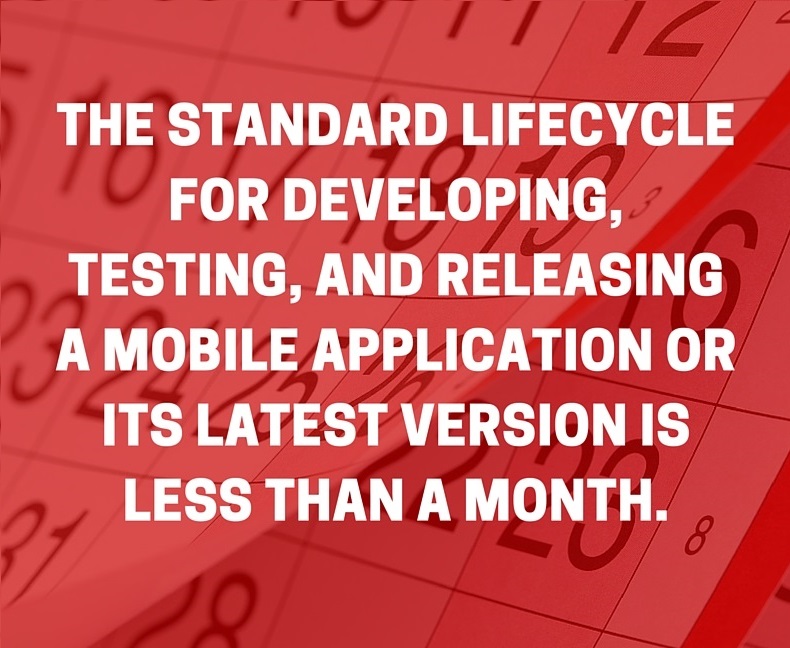
    The key to DevOps is to develop, test, and release the most cutting-edge version of your mobile application as quickly as possible without sacrificing quality in speed or execution.

    devops3

    Even if it is for only a short time, offering features your competitors are not ready to release is like having monopoly on a part of your market: You stand alone. Those customers looking for the best app will have only you to go to.

    Mobile testing is the most arduous step in the DevOps process. A quality test automation tool that includes both performance and functional testing, connecting to a mobile lab enabled by a mobile cloud-testing tool, will accelerate your mobile testing while shortening the release time for your latest app incarnation.

    Conclusion

    In the age of mobile, everything that impacts your mobile application impacts your bottom line. Mobile testing reduces expenses, retains customers and enables your development team to design and release an application that can add solid growth to your company’s coffers.

  • ‘Admins’: The Movie

    ‘Admins’: The Movie

    In the IT industry, where we are exposed to various levels of incompetence, it is quite tempting to become a little cynical. A few years ago we hit rock bottom. Our patience—not to mention our sanity—lay in the balance. Like many of you, we sought refuge in laughter. We found comfort and comic relief through Kevin Smith’s vulgar yet oddly accurate low-budget movie “Clerks.”

    Now, it’s time to pay it forward. As longtime fans of Kevin Smith, we wanted to honor his work by creating an IT spin of a very similar story. That is the genesis of “Admins.” It’s a day in the life of a disenchanted government contractor surrounded by incompetence, idiots and debauchery.

    The story centers around Dan, a system admin working for a government contractor, who is forced to come into the office on his day off. His day gets progressively tougher as he discovers mounting technical issues and the reality that his position may be in jeopardy due to cutbacks. Fearing unemployment, Dan sidesteps additional contract work and pursues the holy grail of guaranteed lifetime employment (a.k.a. “a government job”). The allure of job security leads Dan to the crossroads of an ethical dilemma where he and his co-worker, Randy, engage in morally questionable and professionally reprehensible activities.

    About the Authors

    AaronGoodmillerAARON GOODMILLER – Director | Producer

    With a lifelong passion for movies, Aaron got into film making in 2001 when digital video had just started to take off and it became something he could afford to do. Having written and directed three shorts and been a producer on 11, he worked with Eric Espejo on producing their first full length feature together “Ghosts Don’t Exist.” Their current film, “Admins,” is something they have talked about doing for several years. After this they have several other projects is various stages of production.


    EricEspejo (1)ERIC ESPEJO – Writer | Producer

    Eric has been involved in film since 2002. After writing and directing eight short films, he wrote and directed his first full-length feature, “Ghosts Don’t Exist,” in 2009. He continues to oversee a number of creative projects all while writing screenplays and serving on the George Mason University advisory board for its Film and Video Studies. Eric started delving into indie film by attending the Hollywood Film Institute, where under the tutelage of Dov Simens, he acquired the valuable knowledge of the artistic and business sides of filmmaking. An avid and talented screenwriter, he is currently writing his next movie.


  • Cohesion Critical in a Successful DevOps Team

    Cohesion Critical in a Successful DevOps Team

    In the push to adopt DevOps among enterprise IT organizations, cohesion has been one of the biggest challenges in collaborating effectively. Historically, departments within a business existed in disparate locations, or silos. Marketing, IT and operations all had their own teams and their own communication channels, which made it difficult for members of separate teams to work successfully with one another despite the fact that they were working toward a common goal.

    However, with the continuing adoption of DevOps, IT admins are finding that projects are easier and more well-executed when all the parts of the development cycle—creation, coding, testing and deployment—are working in tandem. Therefore, it’s becoming ever more critical that agile product teams are on the same page when it comes to their DevOps projects.

    Cohesion Matters

    Why is it so important to have a development team that coheres as one entity and communicates effectively among all its members? Let’s take a look:

    Quicker feedback cycles

    When team members are working as one unit instead of disparate entities, testing and development cycles don’t have to be long, drawn-out affairs. One of the biggest benefits of DevOps itself is the ability to shorten time to market and deploy code more quickly, with fewer errors—so enabling teams to communicate can only enhance that benefit.

    According to devopsy.kinsta.cloud contributor John Balena, facilitated collaboration allows teams to achieve continuous testing goals and streamline processes. This can lead to a continuous delivery cycle, which is the goal of DevOps in the first place.

    “DevOps can best be realized when IT operates in a social, collaborative environment that ensures all groups are working with a visual model in their context with the necessary information from downstream and upstream teams, as well as in collaborating with relevant experts at the moment when clarifications are needed or issues arise,” Balena wrote.

    Shared responsibility

    With a collaborative DevOps culture, no one person or group of people is responsible for the entire project. It is a team effort that doesn’t rest on anyone’s shoulders unnecessarily. This makes the project more of a shared endeavor, which everyone is invested in and cares about. With silos, when something goes wrong, members of different teams may try to lay blame on one another, which lowers morale and may defeat the entire purpose of DevOps. But when teams are communicating effectively, they can share blame—but they also share success.

    This mindset enhances the teamwork aspect of software development and can help get rid of the culture of fear, according to devopsy.kinsta.cloud contributor Claire Agutter. When teams work together within a blameless culture, they can more quickly see and learn from their mistakes.

    Common goal

    Throughout all of the steps of the software development life cycle, another important advantage of teams working together is that they share a common vision of how the company should progress. Business needs and customer satisfaction are both critical factors in the DevOps cycle, and team members should all be on the same page when it comes to these goals.

    In all, it’s critical for IT managers to support a culture of collaboration and communication if their DevOps endeavors are going to succeed. You need the right tools for the job, but you also need to have the right attitude.

    “Culture is like quality,” DZone contributor Jim Bird wrote. “You don’t build culture, or quality by talking about it. You build it by doing things, by acting, by making things happen and making things change, and reinforcing these actions patiently and continually over time.”

    A collaborative DevOps culture can improve project success.

    About the Author/Sanjay Zalavadia

    SanjayHeadShot (1)As the VP of Client Service for Zephyr, Sanjay brings more than 15 years of leadership experience in IT and Technical Support Services. Throughout his career, Sanjay has successfully established and grown premier IT and Support Services teams across multiple geographies for both large and small companies. Most recently, he was Associate Vice President at Patni Computers (NYSE: PTI) responsible for the Telecoms IT Managed Services Practice where he established IT Operations teams supporting Virgin Mobile, ESPN Mobile, Disney Mobile and Carphone Warehouse. Prior to this Sanjay was responsible for Global Technical Support at Bay Networks, a leading routing and switching vendor, which was acquired by Nortel. Sanjay has also held management positions in Support Service organizations at start-up Silicon Valley Networks, a vendor of Test Management software, and SynOptics.

    Connect with Sanjay:

    Facebook: https://www.facebook.com/getzephyr?_rdr=p

    LinkedIn: https://www.linkedin.com/in/sanjayzalavadia

    Twitter: https://twitter.com/yourzephyr

    Google+: https://plus.google.com/+Getzephyr/about

  • Test Better, Test Faster, Test Smarter

    Test Better, Test Faster, Test Smarter

    How do you balance the need to “go fast” with the need to test everything and deliver high-quality software?

    With applications the driving force in today’s economy, the quality and release cadence of your software are critical to your business and your bottom line. You want to get software updated in the hands of your end users as quickly as possible. However, even the fastest release cycle wouldn’t make a difference if your product ends up being buggy or malfunctioning, resulting in a bad user experience or service interruption.

    I want to take a look at one of the most important (if not the most important) aspects of the software delivery process: testing! As software teams become more mature in their implementation of DevOps and continuous delivery to streamline their software delivery, testing takes a central role as a prerequisite to these practices.

    You need to have testing on your mind from the very beginning, and plan your testing as part of the initial stages of designing your software—mapping your test procedures, infrastructure configuration and acceptance criteria. As you design and develop your app, you also need to think about how you’re going to test it. The more testing is on your mind, the more you’ll have a solid understanding of what you need to test, what’s the definition of “done,” and the faster, more streamlined, your overall process will be.

    Let us review four questions every development or QA team should consider when planning their testing, as they try to balance quality with speed—managing and accelerating their testing, while ensuring a reasonable time-to-market.

    How Much Testing is Enough?

    The age-old question: How much testing do I really need to do? Unfortunately, there is no concrete answer. But with a bit of initial legwork, you can get a good feel for how much testing is necessary.

    The amount of testing that is necessary is influenced largely by the industry you’re in. If you are testing mission-critical aircraft software, let’s hope it’s very thoroughly tested! On the other hand, if you’re building a game app, the amount of necessary testing may be lower. The truth is when you run tests, the success rate is usually not 100 percent. Therefore, the key is to define what, for your specific piece of software, can reasonably be considered “done.” Instead of arbitrarily deciding at some point that your release is ready to ship, make the decision before the fact: What are we going to accept? What level of pass/fail are we willing to roll out with? What are we comfortable with based on what we have done in the past?

    The amount of testing required can sometimes be a fluid thing. A good way to measure your comfort level with your testing procedures and the amount of testing you’ve done, is to ask yourself, “If it was now 11 o’clock at night, and I needed to ship this code to my end users, am I sufficiently comfortable rolling this out, or am I not sure how it’s going to behave in the wild?” If you’re leaning toward the latter, than it’s probably an indication that you should have done some more testing. That’s a gut feeling and depending on the industry, the point at which you’ll fire off a release and not have any worries can vary greatly. And, obviously, for some regulated industries, you’ll need to prove compliance and ensure you’ve recorded that all tests were successful before you can even start thinking about releasing anything.

    What Kind of Testing Should You Invest in?

    Decide what kinds of things you really care about and what you need to verify and test for. What are the requirements that we expect from the application, and from the different stakeholders in this project?

    Every piece of software needs to be tested differently. Because of this, you have to plan what the testing will be. You can’t just say, “I’m going to unit test the heck out of my code, each and every time, no matter what.” Sometimes, unit testing isn’t the most important test you need to be running.

    The investment has to be in automation. No matter what type of tests you decide are most functional and relevant to your project—whether you’re doing a ton of unit testing or a bunch of functional stress tests—it needs to be automated.

    Particularly, as you open up your services to the world, you need to put into place the relevant performance and reliability tests so that if suddenly your load increases by 200 percent, you have a plan for how to handle that. Are you going to autoscale? Can you autoscale? And finally, do you even need to auto-scale?

    All of those questions need to be answered as part of your development cycle. Automating your tests will let you not only create tests for these scenarios, but it will let you run those tests over and over. By automating your tests, you can establish a baseline and see where you deviate.

    It can also be helpful to think of testing in a different way. Don’t look at testing as a tool to validate technical requirements, but as a way to make your customers happy. You want to make sure your tests are directly contributing to your customer’s overall experience. So start with the highest-level tests that look at things such as overall business functionality—and make sure the software works at the business level.

    How Can You Make Testing Faster?

    Automate, automate, automate! That might seem obvious, but try to think outside the box. Find things you thought couldn’t be automated and wrangle them into shape. Remember that every minute that one of your developers is sitting there running a test that could be automated, it is costing you time (and money) that he or she could have spent on more productive things. In the long run, not automating can cost much more than making the commitment to doing it right.

    Other simple things you can look at to increase the speed of your testing is to make sure your development environments are mirror images of your production environments, and that you have fidelity of configuration throughout the lower and higher environment.

    It is also helpful to make sure you’re defining user requirements that are thin vertical slices, instead of trying to test huge cumbersome pieces of functionality. The ideal situation is if you can run only tests against components that have changed. Componentization of both your application and your testing procedures is critical because you do not want to have to rebuild and re-test everything all the time. Remember, also, that if you make incremental changes to your code and frequently release them to your users (Agile, anyone?), you will get just enough feedback to improve quickly and reliably. Be cognizant of not biting off more than you can chew.

    Segregating the tests to several phases is a good way to accelerate your CI and test cycle—but make sure that both your application, build and test batteries are designed for that. With this approach, you are essentially running multiple phases of CI, starting with the fastest cycles that require the smallest build(s), with minimal dependencies, and move on to the outer/cascading cycles of tests. Following a submit, run a minimal build, so that you do not need to wait—sometimes many hours—to run an extensive set of all your tests with every single commit to see if it passes. Start with unit tests to minimize the build and provide fast feedback, then in various junctions incorporate additional tests, such as integration tests, installers and usability and performance tests.

    Another way to streamline your testing process is to take a look at the entire scope of your build and test cycle and go after the most inefficient stage. After automating your manual processes, look at the bottlenecks and what takes the most time and figure out how you can optimize that specific process. Often the answer is parallelization, but other times it is hardware. Iterate on your process and figure out where you can gain the most ground!

    Lastly, parallelization and distribution of the build and tests provide a huge time saver, so consider running tests across a cluster of CPUs to cut down the run time.

    Where Do You Start if You Want to Make Sure All Your Builds Are Green?

    Ask yourself, What are you trying to achieve? Is it a process where you can release code more quickly? Or where you can address bugs more readily? Then make sure you’re intimately aware of what you have in place. You need to know every step, task, process and tiny bit of your testing procedures and supporting infrastructure. Draw your entire end-to-end workflow on a whiteboard and find the bottlenecks that are slowing it down.

    Once you’ve defined your objectives and are aware of your current state, you can put the relevant tools in place—from development environment to your testing frameworks all the way to post-dev tools such as your analytics tools—design the right testing pipelines and hire the relevant people with the relevant skills. Don’t insist on making all the mistakes yourself (tongue firmly in cheek), but find folks who have already made the mistakes and learned from them—and hire them!

    Also, give your team a great system that gives feedback fast. Do frequent code reviews so there is accountability and a constant learning process.

    Consider the following best practices for improving your testing processes:

    1. Be sure to plan what your testing approach will be ahead of time if possible. When you’re designing your software, designing how you’re going to test it is important.
    2. The amount of testing you need to do is dependent on what industry you’re in and your specific use case.
    3. Consider what level of test pass/fail you’re comfortable with, based on what you’ve done in the past.
    4. Consider pre-commit or pre-flight builds to ensure your tests are more likely to pass once checked to Mainline
    5. Define your requirements for each test cycle
    6. Segregate your tests to “fast” and “slow” and decide which battery of tests you need to run every time, and which processes you only need to run at certain junctions.
    7. If you hire well and bring new skills to your team, your process will get better and faster.
    8. Consider what problems your customers are facing and perform an analysis. Use whatever tools are best to test your software like a customer would to achieve the highest end user satisfaction.
    9. Automate manual steps that you take for granted to accelerate cycle times and improve productivity. Speed comes second.
    10. Iterate on the testing process, and not just on the code itself. You should always be looking for new ways to test.
    11. Test your test processes. Hold regular meetings with your team to reassess if your testing strategy is working for you.
    12. Enact code reviews so that there is accountability with the rest of the team.

    As you map, design and optimize your tests, remember that your testing policies don’t need to be set in stone, and that you can—and should—adjust and tweak as you go.

    Happy testing!

    About the Author/Anders Wallgren

    Anders HeadshotAnders Wallgren is chief technology officer at Electric Cloud. Anders has more than 25 years’ experience designing and building commercial software. Prior to joining Electric Cloud, he held executive positions at Aceva, Archistra, and Impresse and management positions at Macromedia (MACR), Common Ground Software, and Verity (VRTY), where he played critical technical leadership roles in delivering awardwinning technologies such as Macromedia’s Director 7. Anders holds a B.SC from MIT. He invites you to download the community edition of ElectricFlow to build your pipelines and deploy any application, to any environment for free.

  • DevOps Without Scale, Part 2

    DevOps Without Scale, Part 2

    In Part 1 of this series, I covered why it’s important to be aware of your product’s health and how you can do so. I covered the user experience and technical types of metrics and how to get started with collecting them. In this part of the series I will walk you through how to use all these metrics to maximize the user experience and product uptime.

    Metrics, Metrics Everywhere

    There are no silver bullets here and you have to be aware continuously of your product’s health and how it fares against user expectations. It surely takes time and effort, but it’s an essential part of building a good product. Imagine if chair designers didn’t care for how people use their creations; those chairs would not be comfortable to sit in. Similarly, understanding user needs is a paramount part for any software engineer.

    Once you’ve established the basic understanding of your application patterns, you are not done. Every release is an opportunity to introduce more latency or failures and the baseline is ever-shifting. It is easy to significantly affect the latency and as easy to break an edge case and drive user failures up by a few percent with any release. The only way to ensure high-quality user experience is to be aware of your product’s health and your users’ expectations at all times.

    This is the case where less is more and users prefer fewer features that work and are responsive. Try it out and see what your users say!

    User Experience Monitoring

    The first part of a good user experience is low error rates. For web products, these include all http error responses as well as all application errors returned to the user. For APIs and GUIs, this includes application failures (and http errors for REST APIs). One recurring comment I hear is that users submit invalid input, which invariably causes error responses and so it should not count. It is certainly useful to be able to differentiate hard failures from bad user input, but the line is more blurred than you think. For example, a new release might change input expectations and previously valid requests can start erroring out. Is that bad user input or did you just break your product?

    In either case, if the failure numbers are high, users won’t be happy and you need to deal with this problem. The solution here can be non-technical: Maybe you need better documentation or user training, or maybe the API or UX design is cumbersome and drives misunderstanding and misuse. Whatever the case is, it must be addressed. Users are as likely to walk away from a cumbersome product as from a product that doesn’t work.

    As with everything else, I suggest that you identify a few high-level and most important parts of the product and keep track of those metrics. If you do notice an issue, then you have the more detailed metrics on hand for a deep dive.

    The other part of good user experience is performance, and the approach here is no different. Typically you need to track the latency of the same user actions as you’re tracking for failures. Performance tracking is where you really need to understand what’s acceptable and what’s not for your users and that depends on the domain and your users’ expectations. Two seconds to open a reservation on a public travel site seems like a long time, but two seconds to pull up a loan record for an internal user at a financial company is not bad.

    An important fact to remember is that you will always have some failures in the system and that’s normal. No matter how great your product is, how clear its documentation, and how in tune you are with your users, there always will be some failures caused by bad user interactions. At some point, once you feel good about your product overall, you will have to assume that the given error rate is your baseline. Then you need to pay attention to variation over time and revisit critically every once in a while.

    Predictive Monitoring

    In addition to user experience metrics, there are key technical metrics that are good to watch, as they can point to upcoming problems. Some of the common ones are CPU and memory utilization, thread and database pool sizes, VM heap size and garbage collection times. Just like with user metrics, you need to know the operational signature of your application. But in addition, you need to understand how changes in these metrics impact your users, if at all.

    A growing thread pool might mean that response times are slowing down or it could simply mean that more users are accessing your service. A growing email queue size means that emails aren’t going out as fast, but is it bad? Only knowing your domain and users will give you the answer. If the CPU is hovering at 80 percent everything is fine—for now, but you need to scale up quickly before a tiny addition of traffic kicks your whole app over.

    When tracking hardware metrics everyone pays close attention to overutilization because that’s what causes outages. But what about underutilization? Performance fluctuates up and down and at times you can find yourself underutilizing resources. Paying attention to this is a good way to stay frugal and keep costs in check.

    Alerting

    How do you actually know when something breaks? You can’t stare at the graphs all day long. Once you get a feel for the normal characteristics of your system, you’re ready to create automated monitors and alerts. One of the most important things about automated alerting is that it always must be trustworthy. The moment you and your team start getting false alerts, everyone will learn to disregard some of them and the the value of the system will plummet. Thus I recommend you start with auto-alerting only on several most critical metrics. Run the whole system for a few weeks and slowly add more metrics over time.

    Another aspect to be aware of when setting up automated alerting is metric variations over time, the most common one being day vs. night. Nobody wants to get paged because traffic is too low at 3 a.m. At the same time, if your metrics skyrocket or drop suddenly, it can be a cause for concern. Are you being DDoSed or scraped? Is there a network failure that’s preventing your service from being reached?

    Tooling to the rescue, DataDog has built-in capability to create alarms, called Monitors. They provide a few different ways to ensure no false positives. For example, instead of setting absolute thresholds, you can create a change alert that fires only on deltas. And adding a new monitor only takes a few minutes.

    Finally, someone needs to get paged out when an alert goes off. DataDog can do email notifications but nobody checks that at night and even during core hours it takes time to notice a new email. For critical issues like yours, someone needs to get notified immediately.

    Services like PagerDuty and VictorOps have made it trivial to do this. As expected, DataDog integrates with both of them natively. Both services support on-call rotation scheduling with an escalation policy, calling out to phones, text messaging, emails, and more.

    Production Troubleshooting

    So you’ve been alarmed and need to quickly figure out what’s going on and what to do. Your next stop is typically logs, but looking through log files one server at a time is a sure way to waste quite a bit of time.

    Log management tools and services have matured over time and there are good alternatives to Splunk. Loggly and LogEntries cover more than just the basics and provide indexing and search capabilities, graphing of log occurrence, understanding of JSON, and out-of-the-box integration with just about all logging frameworks out there. At their core they provide a quick way to look through all logs without having to go to individual servers. Moreover, you can monitor various aspects of logging à la DataDog and alarm (via VictorOps or PagerDuty) when metrics are off.

    The above approach already solves most needs, but I’d like to touch on a more advanced problem, especially for a microservice architecture. When multiple services are involved, finding the failure at the entry point is easy but figuring out which back-end service failed in the call chain while processing the user request can be quite difficult.

    An architectural pattern that I call log stitching solves this issue. With log stitching you can pull up all logs across your entire architecture for a given user request. This allows you to reconstruct the complete call chain and quickly find the root cause of failures. Conceptually this technique is straightforward: You generate a unique request ID at the entry point, pass it down the chain for every call, and log it. Now you can pull up all logs with that request ID by searching for it. In practice it can get complicated because you need to: a) ensure consistency across all calls, b) account for all entry points including batch jobs, and c) preserve the request ID internally in multithreaded services.

    Log stitching is not something I recommend from the get-go; however, it’s definitely something to consider as your system matures. If you are going down the microservices path, this really becomes a must since tracing call chains get progressively more difficult as the number of services grows.

    Putting it All Together

    There is not much development work in putting it all together, but nevertheless you will need to put in some time. I’d like to emphasize how important it is to work in iterations. Set up one to three alarms, connect your DataDog to VictorOps or PageDuty, study them for a couple weeks and then move on. Keep in mind that you will not get it right at first; your thresholds will be off and you will misinterpret or misunderstand system behavior.

    Operational pattern analysis is not trivial, but don’t spend too much time analyzing the hell out of everything up front. Configure some alarms, get them out there, learn and adjust as you go. When you find an alarm that went off erroneously, take some time to understand why. Specifically, you need to focus on why you thought it was the correct alarm setup vs. why you now know it is not. You will learn by leaps and bounds if you take this systematic approach.

    As I mentioned above, configuring Loggly or LogEntries is super easy and you should do that right away. Log stitching, however, is an involved endeavor that requires planning. Due to its nature it only becomes useful when adopted by all, or most, of your systems. Thus, you should only start it when you feel the need and when you have the buy-in from the rest of your development organization.

    What’s Next?

    Part 3 will cover the topics of continuous integration and continuous delivery, breaking them down into multiple stages of complexity so you can pick and choose what makes the most sense for you from the cost/benefit point of view.

  • 14 Tools That Raise Web and App Performance

    14 Tools That Raise Web and App Performance

    In the DevOps Era, teams increasingly are turning to a variety of tools to integrate, accelerate and automate. Speed and efficiency are critical. This is especially amplified in continuous delivery (CD), which enables IT teams to achieve fast and reliable releases. If successful, CD allows for a faster time to market, increased operational effectiveness and getting the right product and features to production as quickly as possible and at a high-performing level.

    So, what are some of the tools that can help to raise software performance? Here is a list of 14 that we at log management platform Logz.io love, some of which will be entirely new to you.

    Continuous Integration Tools

    Jenkins

    An extensible continuous integration (CI) engine, Jenkins is a top tool for DevOps engineers who want to monitor the executions of repeated jobs. With Jenkins, DevOps engineers have an easier time with integrating changes to projects as well as access to outputs to notice easily when something goes wrong. It’s not the fastest or the fanciest tool, but it’s really easy to use, and it has a great ecosystem of plugins and add-ons. It is also optimized for easy customization.

    TeamCity

    TeamCity is a major all-in-one and extensible, continuous integration server. Written in Java, the platform helps developers build and test software continuously as well as monitor externally run jobs such as cron jobs and procmail jobs. It increases the scale of automation and is gaining popularity quickly in DevOps circles. The platform is supported in other frameworks and languages by 100 ready-to-use plugins. TeamCity installation is really simple and has different installation packages for different operating systems.

    Bamboo

    Developed by Atlassian, Bamboo does more than just run builds and tests. It connects issues, commits, test results and deployments so the whole picture is available to your entire product team, from project managers to developers and testers to system administrators. Bamboo supports builds in any programming language using any build tool such as Ant, Maven and make, as well as any command-line tool. Build notifications can be customized based on the type of event and received over e-mail, instant message, RSS or pop-up windows in Eclipse-based IDEs and IntelliJ IDEA.

    (For more, a colleague of mine has published a guide to continuous integration tools.)

    Load and Performance Testing Tools

    JMeter

    Apache’s open-source, Java-based JMeter has a user-friendly GUI, making test development and debugging much easier. JMeter has been widely used for 15 years and is now a popular open-source alternative to proprietary solutions such as Silk Performer and HP LoadRunner. One of key benefits of JMeter is that it is scalable. When you need a higher load than a single machine can create, JMeter can execute in a distributed mode—meaning that one master JMeter machine controls a number of remote hosts. JMeter also has multi-protocol support and out-of-the-box support for HTTP, SMTP, POP3, LDAP, JDBC, FTP, JMS, SOAP and TCP.

    BlazeMeter

    For all of the benefits that it brings, JMeter is limited in its capabilities when used as a standalone tool. For an alternative, check out BlazeMeter, a good tool that allows you to run JMeter in the cloud, increasing scalability even further and providing comprehensive test results in easy-to-read graphs. With BlazeMeter, software delivery and DevOps teams can boost their productivity by seamlessly sharing test scripts with their peers for faster feedback, deeper learning and higher performance. BlazeMeter also has easy integrations with leading CI tools including Jenkins and TeamCity.

    Taurus

    Continuing on the previous point, JMeter is a great tool, but it’s not perfect. Automation and integration with other systems is difficult at times, and it’s another tool to learn and master. This where a tool like Taurus comes in. Beyond JMeter, the list of popular free and open-source tools include alternatives such as The Grinder, Gatling or Locust (also a great tool for load testing, Python-based), each having its own advantages and disadvantages. Taurus is an automation-friendly testing tool that extends and abstracts the above tools (as well as Selenium), and helps to overcome various challenges. Taurus provides a simple way to create, run and analyze performance tests. The idea of Taurus is to provide language creation/configuration scripts (in JSON or YAML) in a more user-friendly way. Not only can you create scripts with Taurus, one of its many additional benefits is that you can also use pre-existing scripts.

    Application Performance Monitoring Tools

    New Relic APM

    Application performance monitoring (APM) tools allow you to target bottlenecks with your application’s framework. New Relic is the reigning market leader—and for good reason. It lets you pinpoint precisely where and when bottlenecks are occurring. DevOps engineers can use the tool to spend less time monitoring applications and more time building and deploying. New Relic offers web request monitoring for .NET, Java and more. It automatically shows a component-based breakdown of the most important requests. A popular, reliable tool, New Relic APM is a great choice for DevOps engineers.

    AppDynamics

    AppDynamics is also a great tool that enables you to monitor Java, .NET, PHP and Node.js applications. AppDynamics offers performance management solutions that let developers diagnose and fix application performance problems in real time. AppDynamics’ monitoring capabilities also help to simplify the management of complex, business-critical apps.

    Dynatrace

    Dynatrace helps users to monitor application servers, database servers and web services. Its feature set in terms of .NET offers code-level monitoring (including CPU and wait times), end-to-end tracing and user experience monitoring. It supports the entire application life cycle, from development environments to load testing to production.

    Infrastructure Tools

    AWS CloudWatch

    Amazon offers AWS CloudWatch, which enables operations to see usage and performance information through their APIs. AWS CloudWatch offers metrics on data transfer, disk usage and CPU utilization that can also be configured to trigger notifications and alerts whenever thresholds are exceeded. AWS users can also inject their own metrics through CloudWatch APIs to generate a comprehensive cross-analysis.

    Google Cloud Monitoring (StackDriver)

    Google Cloud Monitoring provides dashboards and alerts for your cloud-powered applications. Teams can review performance metrics for cloud services, virtual machines and common open-source servers such as MongoDB, Apache, Nginx and Elasticsearch. You can also use the Cloud Monitoring API to retrieve monitoring data and create custom metrics.

    Virtualization and Containers

    Docker

    An open platform for distributed applications, Docker is an application for DevOps engineers who want to “build, ship and run any app, anywhere.” Docker makes it easier for developers and SysAdmins to push code from development to production without the inevitable hiccups that come from using different, clashing environments during the entire application life cycle. Docker is driving the trend toward microservices, in which applications are broken into smaller, self-contained components that are packaged and deployed independently as containers.

    (For those who like the platform, we have a guide to Docker monitoring with the ELK Stack.)

    Configuration Management Tools

    Ansible

    Ansible, recently acquired by RedHat, is a the Python-powered IT automation and configuration framework that allows users to manage their systems without configuration or setup. DevOps engineers can leverage Ansible to save time in application deployment, configuration management and continuous delivery, as well as when managing systems. It recently released its latest version.

    Chef

    Chef is a systems and cloud infrastructure framework that automates the building, deployment and management of infrastructure via short, repeatable scripts called “recipes.” But the real power of Chef is in its use of pluggable configuration modules (a.k.a., cookbooks), nearly 2,000 of which are available within the Chef community. Chef can integrate with cloud-based platforms such as Rackspace, Internap, Amazon EC2, Google Cloud Platform, OpenStack, SoftLayer and Microsoft Azure to provision and configure new machines automatically.

    So, that’s it! What do you think of these tools? Are there any others that you prefer as alternatives? I’d love to hear your thoughts in the comments below.

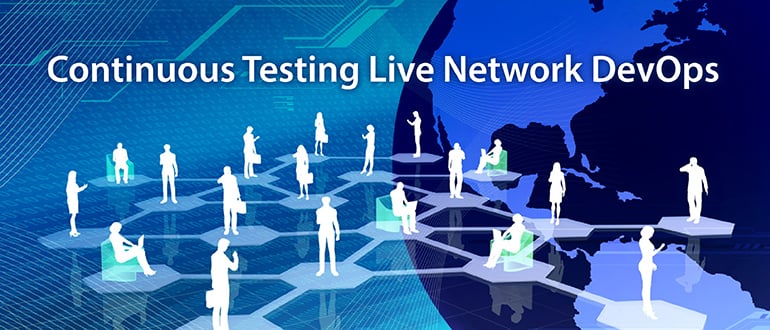
  • Continuous Testing Live Network DevOps

    Continuous Testing Live Network DevOps

    My earlier blog, “From Laboratories to DevOps: Factories for Continuous Testing,” discussed the importance of and suggested practices for a fully automated, orchestrated software DevOps laboratory infrastructure, akin to a modern factory staffed by robots churning out products at a dizzy pace. The blog applies to development of software for networks, and the practices increasingly are important as the network becomes more software-based thanks to software-defined networking (SDN),  network functions virtualization infrastructure (NFVI) and cloud-based networking. The edges of mobile networks, even the radio access networks, are becoming more software-dependent due to the need to position computing resources closer to mobile customers to resolve latency, bandwidth and spectrum concerns.

    However, the need for highly automated software processes does not stop within the development lab.

    At a recent DevOps Networking event in Santa Clara, California, Google Network Operations Manager Anees Shaikh indicated that Google’s live network has many thousands of nodes and management elements, supported by millions of lines of software-based configuration files that are updated tens of thousands of times per month. The sheer volume and speed of software updates for large networks is not feasible using manual methods. Automation tools for live network software updates are vital.

    Typical live network DevOps environments use DevOps continuous tool chains such as Git for software version management, YAML for defining abstract configuration definitions, Jinja2 to translate the configurations into concrete templates that can be consumed by real devices and Ansible for automating the distribution and activation of config files to the network nodes. But what about testing? How can a network operator be confident that the many updates will perform as expected once deployed across the live network? This requires much more than simple syntax and semantics checking of the config file entries.

    Recommended Practices for Continuous Testing of Live Network DevOps Environments

    For continuous testing of live network DevOps environments to work, here are some best practices to consider:

    1. Lab-to-live transition: Prior to deployment of any updates to the live network software updates should be tested in a lab environment using production-equivalent equipment and topologies.
    2. What to test? The actual tests to be executed depend on the risk of changes that are being deployed. If a small, low-risk configuration change is all that is being deployed, then a simple configuration check may be sufficient. On the other hand, if a change has the potential to disrupt the network performance significantly, then a much more comprehensive performance test is needed.
    3. Test orchestration tools: The test environment prior to deployment will vary depending on the tests that are selected. Test environment orchestration tools are needed to set up network test topologies that match the tests rapidly—and release them just as rapidly so the test resources can be used for the next tests.
    4. Elastic on-demand topologies: The ability to scale test resources horizontally and vertically, on-demand, is essential to be able to match the speed of testing required for short duration deployment cycles.
    5. Automate live network tests during deployment: To verify software updates do not interrupt or degrade network performance, functional and performance tests between pairs of nodes across the network mesh are required as the updates are deployed in stages across the live network nodes, clusters, centers and regions.
    6. Automate live network testing after deployment: After verifying that the deployments are successful, network tests need to be scheduled periodically to ensure latent problems with the new software do not impact the network.

    This is just a partial list of suggestions for continuous testing essentials for live network DevOps.

  • Rookie Mistake: Not Managing Mobile Customer Feedback

    Rookie Mistake: Not Managing Mobile Customer Feedback

    Managing mobile customer feedback effectively could be the single-most important success factor for your company and customers. Call it addiction or habit, but every passing day we encounter new data confirming the growth of mobile app usage and total hours spent interacting with them. In the “2015 U.S. Mobile App Report,” the CoreMetrics team has shared some useful data metrics regarding digital media consumption growth and app usage. A couple of notable themes or trends are:

    1. Americans across all age groups spend increasing time on Mobile Apps: By mid-2015, Americans on average had spent approximately 68 hours per month on their mobile devices. That number rises even further to more than 90 hours per month among millenials.
    2. A whopping 50 percent of time is spent within a single app and about 90 percent on the top five apps: Not only is the average time spent on mobile app usage increasing, it is concentrated in a few limited apps. A staggering 50 percent of their time is spent working within a single app, and that number tapers off rapidly as popularity, utility and quality decreases.
      Share_of_App_Time_Spent_by_Rank_Chart_reference

    It is evident from this data that you want customers to include your app on their home screen. That means not only having a compelling utility, but also ensuring that the app is of the highest quality. In this article I will illustrate how you can accomplish that by incorporating mobile customer feedback loops in every stage of the development cycle and involving and engaging customers through your path to production. Along the way, we will look at various open source and commercial tools that enhance the ability to collect feedback at various stages of the continuous delivery pipeline.

    Typical Continuous Delivery Pipeline

    Most agile or lean software organizations have an automated continuous integration and delivery pipeline that helps manage the flow of release artifacts to production. While there might be nuanced variations across teams and enterprises, the typical path to production for apps or services is represented through the steps shown:

    newstar devops ci_cd_pipeline

    It will be useful to review this pipeline as we explore options to incorporate feedback throughout the path to production.

    Continuous Delivery and Mobile Customer Feedback

    Not too long ago, most negative user feedback consisted solely of poor ratings, comments and rants on social media platforms. Without having context, metrics and data, most development teams were left guessing on how best to reproduce and determine extent of the issue. This usually resulted in issues and features getting prioritized in an ad hoc manner.

    Today, numerous open source and commercial tools are available that help solve the feedback problem. Most of them can be categorized in the following broad areas:

    • Instrumentation
      Despite recent reports that Facebook made its Android App crash to test user loyalty, most app crashes are not of the deliberate nature. There are a plethora of crash testing and reporting solutions, the most popular being Crashlytics (part of Twitter Fabric), Apteligent (formerly Crittercism), TestFlight (Apple) and HockeyApp (Microsoft). They each provide a client-side SDK to capture and report crash reports and a server-side service to to manage and analyze those reports.
    • Phased Releases – Alpha, Beta, Staged Rollout
      Android application developers can take advantage of the alpha, beta and staged rollout capabilities available as part of Google Play. For alpha and beta tests, production APK is not required. Developers have a number of options to target specific groups for their alpha and beta tests. They also can utilize feedback channels available within the app to obtain feedback. Staged rollout allows a developer to progress from alpha and beta testing to production in a phased manner, constantly collecting feedback and metrics, comparing against baseline (if available) and progressing to 100 percent in production based on satisfactory results. Developers on the iOS platform can avail of beta testing capabilities provided by TestFlight and can invite up to 2,000 beta testers via email to test the App pre-production.
    • Direct In-App Feedback
      Gone are the days when email, messenger or app store comments provided the only semblance of feedback. Customers increasingly expect to communicate via the app, and provide feedback without leaving it. Meanwhile, mobile app developers have better to tools to scale that feedback and manage it effectively to address bugs, prioritize features and get context—screen shots, system information, etc.—for specific feedback. HelpStack is an open source framework that makes in-app customer feedback relatively easy, so they can report issues, attach screen shots, embed device information and more. Customer feedback can be reported via email, or help desk integrations are available.
      Apptentive, Crittercism, HelpShift, UserVoice and Parature are some of the notable commercial solutions that enable in-app feedback.
    • Metrics & Performance
      When business analytics do not provide provide adequate answers, diving deeper into technical data might provide insights into what is going wrong. Two key mobile customer feedback metrics worth tracking is app uptime and performance. App uptime helps identify customers facing crashes while performance issues could be impacting engagement rates. Some of the tools mentioned in this article do provide an APM solution that enables monitoring of these key metrics.
    • Experimentation & Analytics
      A/B testing or multivariate testing is a data-driven experimentation approach to promoting app feature changes. While some of the above tools enabled you as a developer to better listen to your app community, A/B split testing allows you to validate your hypothesis and invest further in features and capabilities that demonstrate lift.
      Apptimize, Optimizely and MixPanel are few of the available commercial products that offer multivariate testing capabilities that can be incorporated in some situations without code modification or app updates. They also provide abilities to compare test campaigns against baseline and promote features that demonstrate positive feedback.

    Incorporating Mobile Customer Feedback In Continuous Delivery

    Leveraging data-driven tools throughout the continuous delivery pipeline increases the odds of a quality and high-utility mobile app. Even in situations where it is not possible to expose apps prematurely, it is possible to “dog food” your app—a term referencing a team or company that actively utilizes its own product with the intent of testing it. For example, frequent builds tied to developer commits enable alpha build testers and other team members to download and test the app. Meanwhile, beta builds can be downloaded by other members of the company. As release candidates emerge the beta community can be expanded to include members of the app community.

    mobile customer feedback

    So take steps to incorporate mobile customer feedback loops at every step of the development cycle and garner a majority of the app user’s engagement time. Would love to hear how you and your teams are leveraging tools and techniques to build better apps and continuously listen to customer feedback.

  • Mobile Testing’s Role in Staying Alive

    Mobile Testing’s Role in Staying Alive

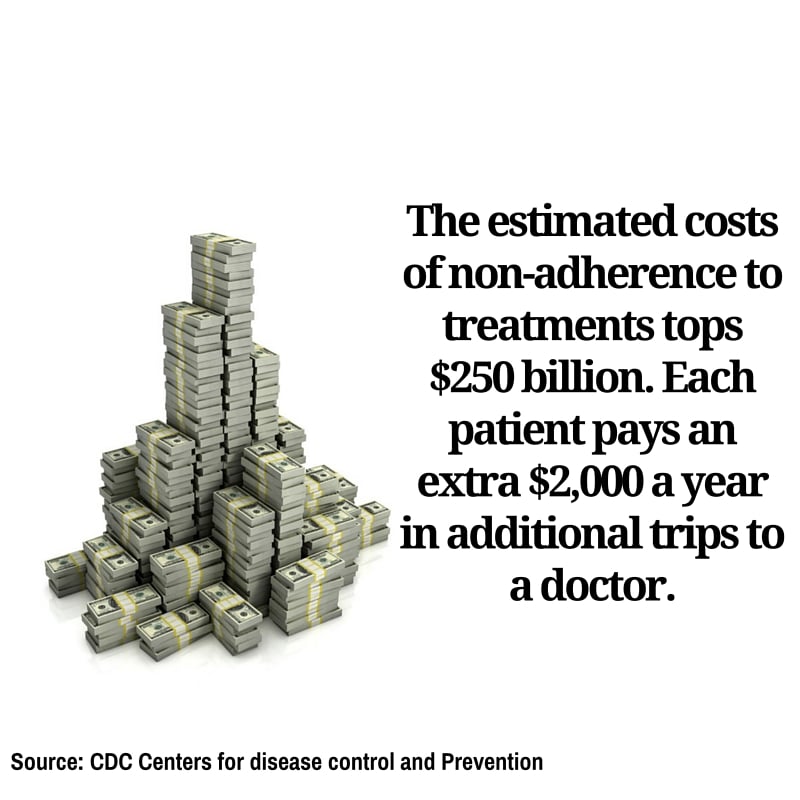
    Have you ever forgotten to take your pills? You’re not the only one. According to the Centers for Disease Control and Prevention, half of the people prescribed medication eventually stop following their doctors orders.

    It’s a dangerous game of Russian roulette. Most of us simply forget. For the elderly, who take more medications with different sets of instructions, it becomes easy to get confused. In cases where their cognitive abilities are diminished due to illness, they can forget on a regular basis. The consequences can be critical.

    adherence3

    Almost half of all failed treatments for any illness were a result of failing to adhere to the treatment prescribed. It is estimated that 125,000 Americans die each year simply because they did not take their recommended dose on time.

    Mobile technology is changing that.

    The newest “thing” to be connected to the web are pillboxes. Smart pillboxes can track if you take your pills, when you took them and the pills you need to take, and even alert you when the box is empty and it’s time to refill your prescription.

    If you fail to take your meds, the box itself will send an alert to a caregiver, physician or family member who can call you. For anyone prone to forgetting, this is a life-saver.

    adherence2

    The advantages of such a technology are clear. So are the risks. Handing over a life sustaining chore to computers demands that we guaranteeing the technology is working perfectly, all of the time. If the mobile apps fail on us, the consequences are devastating.

    Enter mobile testing.

    “Mobile application testing makes sure that every function of a mobile app is working all the time, and in any location. It underwrites all the benefits of mobility,” says Tal Barmeir, CEO of Experitest.

    Making Mobile Testing Work

    A successful mobile application testing strategy can double the chances your treatment will work. To accomplish this, the following areas must be covered:

    Functional Testing: From setting the times, to alerting the user, to notifying the doctor or caretaker if a dosage wasn’t taken, every operation of the application must be working correctly. Not only must it work, it has to work on every different type of mobile operating system, over each type of device and in all versions of both.

    adherence4

    Automated testing: As the technology advances, new features will be made available quite often. For every new feature added to the mobile application, the entire app must be retested to make sure nothing has been affected—even areas of the app never touched by the upgrade. That takes time. The only way to perform this amount of mobile testing in a reasonable amount of time is automating the process.

    Network Virtualization: A doctor can be vacationing on another continent when he or she is alerted a patient has forgotten to take his or her meds. Or, family members can live on the other side of a country and using mobile service from another carrier. Whatever the situation, it is vital that a mobile application will work as effectively in one local network as it will in any of the world’s other 400 to ensure that messages are communicated in a timely manner.

    Mobile technology is poised to extend the life expectancy of everybody using top-of-the-line smart tools communicating with mobile health apps. We will all enjoy healthier and longer lives while paying less in the process. The role of mobile testing makes sure this is a safe progression by giving your apps a clean bill of health.