Category: DevOps in the Cloud

  • Cloudflare Outage Outrage | Yet More FAA 5G Stupidity

    Cloudflare Outage Outrage | Yet More FAA 5G Stupidity

    Welcome to The Long View—where we peruse the news of the week and strip it to the essentials. Let’s work out what really matters.

    This week: Cloudflare suffers another huge outage while the FAA and FCC still disagree over 5G/NR near airports. (more…)

  • Survey Sees Alternative Cloud Service Providers Gaining Ground

    Survey Sees Alternative Cloud Service Providers Gaining Ground

    A survey of 458 development professionals, managers and senior leaders conducted by Techstrong Research, a sister entity of DevOps.com, found 43% are considering adding additional cloud service providers in the next 12 months. In total, nearly two-thirds said they are at least considering, evaluating or are ready to buy from a trusted alternative cloud vendor, with 20% reporting they have already contracted one.

    The survey, conducted on behalf of Linode, an arm of Akamai Technologies that provides cloud services, found a full 93% of survey respondents are already using either Amazon Web Services (AWS), Microsoft Azure or Google Cloud Compute Platform (GCP). Nearly two-thirds (65%) reported they already used more than one cloud service provider. More than a quarter (28%) said they are using alternative providers to augment services they consume from either AWS, Microsoft, Google, Oracle, IBM Rackspace or Alibaba. And 19% said they are using a hyperscaler and an alternative cloud service provider.

    The biggest drivers respondents cited for using alternative providers are reducing reliance on a single provider (55%), improved price/performance (38%) and recent cloud outages (31%).

    Respondents also said they are concerned that large providers might one day compete with them as they expand their reach into other industry segments (24%) or may engage in business practices that would create a moral conflict (19%). A quarter (25%) said they already viewed their cloud service provider as a competitor.

    Dan Kirsch, principal analyst for Techstrong Research, said as cloud computing continues to mature, it is becoming apparent that more organizations are considering their options when it comes to consuming commodity compute, storage and networking services. Many organizations simply don’t need to access complex cloud services, he noted. A total of 42% of respondents said a cloud service provider offering core infrastructure primatives could handle 90% of their typical workloads. In many cases, alternative cloud service providers are being used to augment rather than replace a hyperscale cloud service provider, noted Kirsch.

    Overall, nearly three-quarters of respondents (74%) said they expect their infrastructure will be cloud-based by the end of this year. Nearly three-quarters of respondents buy cloud services directly from an infrastructure provider, with the rest employing a managed services provider or some other type of third-party cloud services reseller.

    More than one-third of respondents also reported using a payment mechanism other than a contract or request for proposal (RFP), according to the study. Among customers of alternative cloud providers, more than two-thirds (67%) are using some other payment mechanism, with one-quarter using cryptocurrencies to pay. That option is becoming increasingly important because more organizations are looking for ways to reduce costs by employing alternative payments, said Kirsch.

    In other cases, IT professionals are looking for an end-run around cumbersome purchasing processes or simply opt to use alternative payment methods as a matter of personal preference, he added. Alternative providers, as a general rule, are more open to processing these types of payments, noted Kirsch.

    The shift to the cloud has clearly been accelerating since the start of the COVID-19 pandemic. But as the landscape continues to evolve, there are now more options than ever for IT organizations to consider as the cloud becomes the preferred platform on which to deploy applications.

  • Four Steps to Avoiding a Cloud Cost Incident

    Four Steps to Avoiding a Cloud Cost Incident

    The recent Flexera 2022 State of the Cloud Report found that organizations waste 32% of their cloud spend, up from 3o% last year. This can be due to cloud cost incidents triggered by unused resources, malicious activity or overambitious projects and which have a massive financial impact if not found and corrected promptly.

    As an organization’s cloud infrastructure footprint matures, mapping cloud resource use and costs accurately to product lines, teams and business units becomes progressively more complicated and problematic. However, accurate cloud cost attribution is vital to understanding team resource use and determining accurate cost of goods sold (COGS) margins and is imperative to budgeting and forecasting. Organizations need reliable, granular views of the cloud environment to attribute costs back to departments and optimize a meaningful budget.

    Cloud cost spikes can blow up an organization’s budget fast and can be hard to track down, but enterprises can help protect themselves from a cloud cost incident with just a few simple steps.

    Have a Strong Tagging Strategy That Attributes Cost Granularly

    The cloud operations team needs to identify what is important to business reporting, which will help define and create a strategy for tagging. For instance, when an organization has two teams managing a particular service, the teams should safeguard the services tagged with a team identifier. Also, the teams should add another tag for the environment in which they’re running so they can allocate cloud costs across teams and environments.

    When an application uses numerous resources, like a database and storage, teams should consider adding a specific application tag and break down costs by each application. It should be noted that there is no one-size-fits-all tagging solution, so enterprises will need to determine what works and try out different strategies by adding and removing tags later.

    Understand Cloud Cost Ownership to Avoid Chaos

    Ask yourself how well your organization has attributed cloud costs to teams, applications or COGS. If the answer is “Not well,” then you are missing vital information about how your cloud costs relate to your business.

    The lack of this context or visibility into resource allocation makes it unmanageable and impossible for cloud operations owners and senior leaders to agree on who is responsible for varied expenses and resources. Manual cost attribution doesn’t scale accurately or account for shared cluster resource use across teams and applications. This creates confusion that can escalate when users arbitrarily slice data and claim ownership without accountability or clear visibility.

    What happens is that costs can sometimes be double-counted with two owners—or even missed completely with no owner whatsoever. The resulting data emerges as an inferior quality that is untrustworthy and not actionable. The inability to visualize resource use in context can dilute, hinder and even defeat cost improvement initiatives and optimization.

    Cloud costs should have an owner who can ensure that cloud spending is tied to business value. Understanding who owns which pieces will help pinpoint the cause.

    Establish and Monitor Cloud Budgets

    Historical data on cloud spending is gold—it can help forecast and budget for what should be happening with the cloud’s cost footprint. If that’s not happening, then it should be flagged and investigated.

    Once you get cost data under control, organizations can get an accurate picture of where cloud spending is taking place. However, does this match the expectations of spending? By establishing and monitoring budgets at every stage of a project, organizations can have guardrails to cloud spending and prevent costs from soaring out of control when engineers overallocate on performance “just in case.” Once budgets are in place, organizations can monitor spending and right-size resources to balance actual usage, rather than estimated usage at the start of execution.

    Over time, right-sizing resources will allow for optimal spend, as well as identify unused resources that can be shut down. Organizations should identify development and test instances left running when no longer needed and shut them off.

    Implement Cost Anomaly Detection

    Organizations can shield themselves from cost anomalies by continually monitoring and optimizing cloud costs. Cost anomaly detection can help act as a barrier to early recognition before they become problematic. This is especially effective when prompt, actionable alerts can be delivered directly to resource owners via Slack or email when their forecast exceeds the set budget. The best option would be adopting a cloud cost monitoring and optimization (CCMO) tool that gives alerts in real-time when a cost anomaly occurs. These tools must be able to detect anomalies and analyze their root cause, while also allowing visibility into what went wrong to avert similar future errors.

    Executing continuous cost monitoring and anomaly detection tools for dynamic cloud environments is essential in identifying any activity that doesn’t align with expected expenditure or diverges from an established pattern. With proper monitoring, organizations can take corrective measures before the fact.

    Unwanted and unexpected cost incidents can clean out an enterprise’s budget quickly, especially as its cloud infrastructure grows. Organizations need to practice these steps to gain a full picture view of their cloud environment.

  • How FinOps Can Optimize Cloud Costs and Drive Innovation

    How FinOps Can Optimize Cloud Costs and Drive Innovation

    Two mainstays drive most application migration and modernization initiatives. First, organizations are moving workloads to the cloud as an innovation catalyst. Achieving their strategic goals requires the speed, agility, reliability and advanced technical capabilities available to them in a hyperscale cloud.

    Second, they’re intent on ensuring the return on investment (ROI) through cost optimization, which is different from the abstract “cost savings” that was part of many early cloud pitches. It’s a recognition that attaining ambitious strategic goals depends on ruthless attention to the bottom line. Cloud enables the capabilities described above not just by making them available at the click of a button but via a finance and business model far more palatable to CFOs and boards than if the company were to build everything in their own data centers – including the data centers themselves.

    Cloud Usage Costs

    Therein lies a fundamental problem—and one of the major application modernization trends we’re seeing in 2022: Cost optimization in the cloud is far more challenging than many organizations first expect. And as cloud use bills balloon, the costs begin to undermine the benefits of migrating there in the first place.

    Identifying cost savings in the cloud isn’t really the problem. Doing so isn’t easy, per se, but there are various ways to go about it—such as changing a storage type, instance type, or retention policy, among many possibilities.

    Implementing those cost savings is the real issue. Companies know where and how to optimize utilization and spending but struggle for various reasons to make the changes needed to realize these gains. This challenge is why we’re seeing the growth of FinOps in 2022. FinOps is the culture and practice of creating visibility and accountability to manage cloud spend throughout an organization.

    FinOps responds to two significant problems that hinder cloud cost optimization measures.

    The first is conflicting incentives. The IT team or a consultant or managed services provider may identify opportunities for saving money in a company’s cloud bill, but that same IT team—the ones typically responsible for the “keyboard work” needed to implement the changes—may not truly own the application in question. Moreover, the business unit or team that does own the application may not, in fact, have any financial accountability for the infrastructure that powers that app. They don’t have any skin in the game and are often reluctant to approve changes especially if the app is meeting their performance goals.

    Second, many organizations migrate to the cloud only to realize they lack dependable visibility into how they are allocating costs in their new environment. A CFO or even CIO with a multi-million-dollar cloud spend may have very little visibility into who in their organization is spending that money—much less why they’re spending that money.

    These are significant issues that can spiral into runaway cloud bills—and ultimately suffocate the business value that the cloud was supposed to unlock in the first place.

    FinOps is to Dollars What DevOps is to Code

    Enter FinOps: FinOps is to dollars what DevOps is to code. It is essentially about driving awareness of cloud spending throughout a business, from C suite to a junior developer. In doing so, FinOps makes possible the kinds of cost optimizations required to attain the cloud’s transformative potential.

    Just as DevOps fosters values like shared responsibility and visibility (without playing the blame game) to sustainably increase development velocity, systems reliability, and other priorities, the FinOps framework brings a similar approach to cloud resource utilization. DevOps is ultimately concerned with that first mainstay cloud goal I described above: Achieving speed, agility, reliability, etc. FinOps focuses on the second mainstay: Cost optimization.

    In this way, FinOps is becoming a vital trend in application modernization because you cannot have innovation without cost optimization. (If you think otherwise, invite your CFO to lunch and see how they feel about it.)

    FinOps engenders cost optimization in various ways, but there are two key facets I’ll highlight here. The first is that FinOps culture and practices typically entail implementing “showbacks,” a system that clarifies who is using (read: spending) what in the cloud.

    Showbacks take some time to set up—they involve things like resource labeling and tagging and creating a reporting structure, for example—but are well worth it. They form the foundation of shared visibility into resource utilization and spending. With showbacks in place, you can see who is spending what and optimize accordingly. For example, you might discover a business unit that uses a high percentage of overall spend for a relatively low percentage of revenue. There might be a good reason for that, but you may have uncovered an opportunity to reduce spending if not.

    Chargebacks are the second phase, in which application owners, teams and business units – virtually any org structure can work here – become directly responsible (via their budget) for their cloud spending. With showbacks and chargebacks, you have visibility. You can also reduce or eliminate misaligned incentives since there is more granular control and responsibility for spending down to the engineering level if desired.

    It can even create healthy competition among cross-functional teams or the broader organization—who can decrease their spending the most, who has the best spend-to-income ratio, etc. At 2nd Watch, we use an “innovation score” model to assess cloud spending in a client’s organization, for example, that factors costs into the overall score.

    FinOps enables everyone to speak the same language, not just about cloud but about cloud spending.

    It’s worth noting that the showbacks and chargebacks aren’t new concepts at all. Yet we’re seeing growing interest in them in the industry—and a corresponding increase of tangible goals attached to implementing them, such as “implementation of showbacks and chargebacks by Q1 2023.”

    This is a reflection of the FinOps movement—and the fundamental necessity of optimizing cloud costs.

    You don’t have to call it FinOps, but you do have to address how you allocate and use your resources in the cloud. All of the cloud’s good stuff—the outsized benefits and business value it creates—depend on it.

  • Cloud Giants Shun Wind Power? | LaMDA not Sentient? | MS IE RIP?

    Cloud Giants Shun Wind Power? | LaMDA not Sentient? | MS IE RIP?

    Welcome to The Long View—where we peruse the news of the week and strip it to the essentials. Let’s work out what really matters.

    This week: Warren Buffett asks too much for wind energy, it’s “completely ridiculous” to say Google’s chatbot LaMDA is sentient, and Microsoft finally kills Internet Explorer. (more…)

  • Splunk Adds Data Management Tools to Observability Platform

    Splunk Adds Data Management Tools to Observability Platform

    At its .conf22 event, Splunk today announced it is making it easier to both onboard data and then manage it across hybrid IT environments via the Splunk Cloud Platform.

    In addition, Splunk Enterprise is being extended to add support for Microsoft Azure with SmartStore for Azure to store cold data alongside existing support for Amazon Web Services (AWS) and Google Cloud Platform (GCP). There is also a developer edition of Splunk Cloud that enables developers to create and test their own applications, which is currently in preview.

    Garth Fort, senior vice president and chief product officer for Splunk, said the overall goal is to make it easier to automatically tune the parameters used to store data in the Splunk observability platform. As more organizations embrace observability as a DevOps best practice, many of them are encountering challenges managing the large volumes of data they are now collecting in the form of logs, metrics and traces.

    The Data Manager for Splunk Cloud Platform will initially be made available on AWS and Azure, with support for GCP to come later this summer. In effect, it provides IT teams with a control plane for data management that spans multiple clouds.

    Ingest Actions, meanwhile, makes it possible to apply granular controls that enable IT teams to filter, mask and route data in motion within the Splunk Platform or to external AWS S3 cloud storage services.

    Other capabilities Splunk unveiled at the conference include an expansion of Federated Search tools to enable a single pane of view across their entire Splunk ecosystem and a fully managed Splunk Assist service for Splunk Enterprise 9.0 that provides customers with deep insights into their security environment.

    Finally, the company has enhanced Splunkbase, a framework for accessing curated collections of more than 2,500 applications and integrations provided by Splunk and its third-party partners.

    As the pioneer of IT operations analytics, Splunk has a large footprint within enterprise IT environments. It is now looking to expand that base to become an observability platform provider. It’s still early days as far as the transition to observability is concerned, but the goal is to make it simpler for IT teams to query platforms and surface issues that could lead to an IT disruption before it happens.

    It’s not clear how many organizations have the skills and expertise required to formulate those queries, but over time it should become more feasible to augment an IT staff with machine learning algorithms capable of discovering those issues.

    In the meantime, IT organizations are collecting more data than ever about their IT environments. In theory, that data will provide the context needed to optimize application environments that get more complex with each passing day. The challenge, of course, then becomes finding a way to efficiently store and manage all that data both before and after it has been analyzed.

    Regardless of the approach to observability, the need to go beyond simple monitoring of IT environments has never been more apparent.

  • Grafana Labs Adds Visual Tools to Simplify Prometheus Queries

    Grafana Labs Adds Visual Tools to Simplify Prometheus Queries

    At its GrafanaCONline event, Grafana Labs today announced an update to the open source Grafana dashboard. The update adds visual query tools to make it easier for IT professionals of any skill level to launch queries against the Prometheus monitoring platform or the company’s Grafana Loki log aggregations framework.

    In addition, Grafana said the open source edition of Grafana OnCall, a scheduling and paging application, is now also available as open source software that can be used in on-premises IT environments. Previously, Grafana OnCall was only available as part of the managed Grafana Cloud service.

    Archana Kesavan, director of product marketing for Grafana Labs, said version 9.0 of the core Grafana platform makes Prometheus monitoring more accessible. Prometheus is being advanced under the auspices of the Cloud Native Computing Foundation (CNCF). It is most widely used in Kubernetes environments, but can also be used with monolithic applications. The latest version of Grafana adds support for an exemplars overlay for traces and Prometheus sparse histograms.

    Other capabilities added with this release include a dashboard preview and title search capability, support for envelope encryption by default, an expanded navigation bar and a revamped heatmap panel that renders more quickly than its predecessor.
    ‘

    Finally, the alert system that Grafana Labs first introduced as an option is now a default setting.

    Kesavan said in addition to making it easier to launch queries, the Grafana Labs approach also limits the ability of a poorly constructed query to impact clusters running Prometheus.

    In general, the adoption of Prometheus has risen alongside Kubernetes. At least initially, DevOps teams that adopt Kubernetes often employ Prometheus to monitor the platform. Less clear is the degree to which IT teams will continue to rely on Prometheus once cloud-native applications are deployed in a production environment. Many IT teams already have a monitoring platform they employ that they choose to extend to Kubernetes environments. Conversely, however, some organizations are opting to replace legacy tools with the Prometheus monitoring platform to monitor both Kubernetes environments and legacy monolithic applications.

    At the very least, Prometheus has established a de facto standard for collecting monitoring data from Kubernetes environments that can be queried by a wide variety of tools.

    One way or another there will soon be fleets of Kubernetes clusters deployed across the extended enterprise that will need to be monitored. DevOps teams will naturally need to decide for themselves how best to monitor those clusters and, ultimately, observe them in a way that enables queries to be launched and issues surfaced before they become a major problem.

    In the meantime, DevOps teams might want to consider consolidating many of the monitoring tools they use today as part of an effort to streamline operations. Rather than having to correlate events across a dozen tools to determine the root cause of an issue, the goal should be to have enough tools to ensure verification without spending hours sorting through conflicting reports.

  • Saving on AWS Costs with Data Classification

    Saving on AWS Costs with Data Classification

    The cloud is becoming a large cost center for many organizations. Though often touted as a cost-saver—and while many cloud migrations are driven by the desire to conserve IT costs—the cloud does create operating expenses at the same time it cuts down on capital expenses. Moreover, unlike traditional IT investments, cloud costs can be unpredictable and quickly spiral out of control.

    However, while the cloud creates problems, it also gives you the tools to address them. For example, on AWS, a primary component of costs is object storage delivered via the venerable Simple Storage Service (S3). S3 is the basis for modern data lakes, huge-scale media libraries, website content, unstructured content repositories and more.

    Fortunately, S3 provides a storage tiering mechanism that can significantly reduce costs for content that is infrequently used. To make effective use of storage tiering, you’ll need to adopt the concepts of data classification—automatically discovering your infrequently accessed data and moving it dynamically to the most appropriate storage tier.

    What is Data Classification?

    The term ‘data classification refers to the practice of organizing unstructured and structured data into categories representing different data types.

    Data classification is an organizational practice that can help you achieve two key goals:

    • Learn what data types you have stored
    • Determine where each data type is located

    Here are several data classification use cases defined by Gartner:

    • Control intellectual property (IP)—Data classification helps you control access to data and define suitable locations.
    • Diminish the attack surface—You can use data classification to reduce the attack surface in locations storing sensitive data.
    • Identify data governed by regulations—Data classification enables you to categorize data into specific compliance categories, ensuring you meet requirements set by relevant regulations like GDPR, HIPAA and PCI DSS.
    • Provide access to content—Use data classification to configure access according to data type, usage and more.
    • Remove data redundancies—Use data classification to identify and remove redundant or stale data.
    • Optimize business activities—Data classification can help you set up metadata tagging to optimize your different business activities.
    • Learn your data patterns—Discover information on data usage and location.

    What is Amazon S3 Intelligent-Tiering?

    S3 Intelligent-Tiering is a cloud storage class that monitors access patterns to determine the optimal storage tier for each object. It automatically transfers less frequently accessed objects to access tiers with lower costs.

    Storage tiering is a key strategy for conserving cloud costs. Intelligent-Tiering is an automated storage tiering mechanism, which can save storage costs when data access patterns evolve without influencing performance or creating operational overheads.

    Key use cases for Amazon S3 Intelligent-Tiering are:

    • Data with changing access patterns—Unpredictable, changing or unknown access patterns, independent of the retention period or object size.
    • Infrequently modified data—You can use this storage class as the default for almost any workload that is not frequently modified, particularly data analytics, data lakes and user-generated content (UGC).

    Note that S3 Intelligent-Tiering comes at an extra cost-per-GB/month in addition to the regular S3 GB/month storage costs and the data transfer fees related to each storage tier.

    How S3 Intelligent-Tiering Works

    S3 Intelligent-Tiering monitors and predicts user behavior based on machine learning algorithms, allocating stored data to the appropriate access tier. These algorithms are trained on data traffic patterns across trillions of objects stored in S3. Intelligent-Tiering allows management on a granular object level, moving each object into a different storage tier when its access pattern changes.

    If an object remains unaccessed for 30 days, S3 Intelligent-Tiering automatically relocates it to an infrequent access tier. If you have not accessed certain objects for 90 days, AWS moves them to the archive instant access tier. To achieve even lower storage costs, you can decide to use the archiving tiers which can be accessed in minutes or hours.

    Here are S3 Intelligent-Tiering access tiers explained:

    • Frequent access tier (automatic)—This is the default access tier. Here, any object starts its life cycle once created or moved to S3 Intelligent-Tiering. An object stays in this tier as long as it is accessed continuously. The frequent access tier offers high throughput performance and low latency.
    • Infrequent access tier (automatic)—If an organization does not access an object for 30 (consecutive) days, AWS moves the object to an infrequent access tier. This tier offers high throughput performance and low latency.
    • Archive instant access tier (automatic)—If an organization does not access an object for 90 consecutive days, AWS moves the object to the archive instant access tier. The archive instant access tier offers high throughput performance and low latency.
    • Archive access tier (optional)—You may activate the archive access tier for asynchronously-accessed data. After you select to activate this tier, the archive access tier automatically archives any objects an organization has not accessed for 90 days. You can adjust the last access time before archiving, specifying up to 730 days.
    • Deep archive access tier (optional)—For data that you access even less frequently, you can enable the deep archive access tier. Once you activate this tier, Intelligent-Tiering moves any objects the organization has not accessed for at least 180 consecutive days to a deep archive. You can specify the last access time before archiving as up to 730 days.

    How to use Intelligent-Tiering to Cut Costs

    The S3 Intelligent-Tiering storage system uses automatic storage class optimization to minimize storage costs. The Amazon S3 API, AWS CLI and AWS Management Console allow you to set S3 Intelligent-Tiering to automatically archive asynchronously accessed data.

    How to Move Data to S3 Intelligent-Tiering

    You can move data to S3 Intelligent-Tiering using a PUT request to transfer the data directly. Alternatively, you can set up S3 life cycle policies that move objects from a standard S3 storage class to S3 Intelligent-Tiering.

    To upload data directly to S3 Intelligent-Tiering with a PUT operation, specify Intelligent-Tiering in the x-amz-storage-class header. For example, the following PUT request stores an image in an S3 bucket using Intelligent-Tiering:

    PUT /image-for-classification.jpg HTTP/1.1

    Host: myBucket.s3.<Region>.amazonaws.com (http://amazonaws.com/)

    Date: Fri, 7 Jan 2021 18:15:00 GMT

    Authorization: <your-authorization-string>

    Content-Type: image/png

    Content-Length: 15342

    Expect: 100-continue

    x-amz-storage-class: INTELLIGENT_TIERING

    How to Enable S3 Intelligent-Tiering Archive Tiers

    Archival tiers (i.e., Archive Access, Deep Archive Access) allow you to store data cheaply and access it within minutes or hours. You can use the management console CLI or S3 API to create a bucket, object tag-level configuration or prefix to activate an archive access tier (or both). You may activate either archive access tier (or both) by creating buckets, prefixes or object tag level configurations via the AWS Management Console, Amazon S3 API, or AWS CLI.

    To enable automatic archiving with S3 Intelligent-Tiering via S3 Console:

    1. Open the Amazon S3 console via the AWS Management Console.

    2. Select a bucket in the Buckets list and select Properties.

    3. Go to S3 Intelligent-Tiering Archive configurations and select Create configuration.

    4. Enter a descriptive name for your configuration in the Archive configuration settings.

    5. Select the configuration scope you want to use in the Choose a configuration scope section. You can also choose to restrict the configuration scope to specific objects in the bucket—use a shared prefix or object tag (or both):

    Limit the configuration scope by selecting Limit the scope of this configuration with one or multiple filters.

    Under Prefix, specify a single prefix to define the configuration scope.

    To use object tags to define the configuration scope, select Add tag and specify the value under Key.

    6. Select Enable under Status.

    7. Go to Archive settings and select the Archive Access tier you want to enable. You can select both.

    8. Select Create to set the configuration.

    AWS Intelligent-Tiering

    Image Source: AWS

    Conclusion

    In this article, I showed how data classification concepts, specifically applied through the Amazon S3 Intelligent-Tiering mechanism, can help you dramatically reduce storage costs on AWS. This is only one example of cloud savings driven by data classification and machine learning, and you can extend it to other parts of your cloud deployment:

    Leverage AI analysis services like Amazon Macie to identify sensitive data like personally identifiable information (PII) and move it to the most appropriate storage medium or storage tier.

    Use tools like Amazon Trusted Advisor to automatically identify unused or underutilized cloud resources—such as block storage volumes and snapshots. 

    Extend your analysis to include on-premise environments and other clouds—to determine which environment is the most appropriate for your data.

    I hope this will be useful as you improve your visibility and control over storage costs in the cloud.

  • Solving the Speed Paradox With Open Source PaaS

    Solving the Speed Paradox With Open Source PaaS

    The number of DevOps tools keeps growing, as does the number of cloud resources and options to manage those resources. On EC2 alone, AWS offers nearly 400 instance types across storage, networking and operating systems. Complicating this further is that users can choose from machines located in 24 regions and 77 availability zones.

    This proliferation is driving a ‘speed paradox’ wherein the faster you grow the more fragmented and complex your ecosystem becomes which, in turn, slows everything down. Most DevOps teams struggle to keep up with the demand for more environments from developers.

    The Speed Paradox

    The Rise of the Internal Developer Platform (IDP)

    One intriguing solution to the speed paradox is the internal developer platform (IDP). As its name suggests, an IDP provides a single place where developers can find all the resources needed to run their environments. An IDP allows developers to speed development processes by offering improvements in:

    • Efficiency – Simplifying access to development and testing infrastructure through a self-service experience;
    • Consistency – Providing a consistent way to consume infrastructure resources across teams; and
    • Visibility – Providing a single place to see all the pipelines, workflows and states associated with each environment.

    Gartner sums it nicely: “Product teams often struggle due to disparate tools and disjointed workflows as they accelerate digital transformation. Software engineering leaders leading platform teams must establish internal, self-service developer portals to enable consistency and scale cloud, agile and DevOps initiatives.”

    Lessons From the ‘PaaS-t’

    The idea of a developer platform isn’t new. Previous-generation PaaS—Google App Engine, Heroku Cloud Foundry, for instance—provided a simple interface to write applications by abstracting cloud resources. But early PaaS failed, perhaps mostly due to the long tail of developer needs. Back in 2013, I observed: 

    “Every Access project will eventually fail because, while 80% of what the user wants is fast and easy to create and the next 10% is possible with difficulty, ultimately the last 10% is impossible because you can’t get far enough underneath the built-in abstractions and users always want 100% of what they want.”

    You can sum up the failures of early PaaS in three points:

    • Too opinionated: It is hard (impossible?) to control the way the platforms run their infrastructure resources. You’re dependent on the platform vendor for customization.
    • Limited to simple web applications and language choices: Modern SaaS applications are complex and include backend services that don’t fit that architecture.
    • Maturity: Early PaaS attempted to abstract cloud when it was a young, moving target.

    What’s Changed?

    With early PaaS, we traded simplicity for flexibility. Finding the right balance between the two is the heart of the challenge. Kubernetes and Docker, as well as IaC tools like Terraform, Cloud Formation and Azure ARM are a great substrate: They provide a consistent framework to manage applications across a wide range of infrastructure resources among clouds. Maturity and adoption of these tools reduces barriers to build a developer platform. This opens the opportunity to create a custom platform for each organization, allowing teams to control how their platform fits into their organization’s environments. It also offers balance between simplicity and flexibility, because each organization can choose where to draw the line—and even redraw that line without being dependent on an external vendor.

    The next-generation platform 

    Enter Backstage

    Backstage is an open source IDP project led by Spotify. Its three main parts are:

    • Service Definition—Based on the Kubernetes template format, it provides a service descriptor that fits into a range of services: monitoring, CI/CD and Git repositories
    • Backstage service catalog—Basically a web application with a database backend providing a single point of access to manage resources
    • Integrated tooling via plugins —A marketplace of integrated resources

    Here’s how an IDP based on Backstage can look:

    An example of an internal development platform based on backstage

    We can use Backstage to organize all development services and resources such as our squad KPI, the development pipeline, API and Git repositories, all in one place.

    Turning Backstage Into a Full-Blown PaaS

    One of the missing pieces in Backstage is infrastructure provisioning. Adding it turns Backstage into something closer to a full-blown PaaS. Cloudify provides a remote execution engine that integrates with a variety of infrastructure resources and allows users to organize them into a self-service development or production environment. The integration of Cloudify into Backstage includes synchronizing the development environments into the Backstage service catalog and allowing self-provisioning of those services through the Backstage portal or through GitOps.

    Integrating Cloudify as a remote execution engine to Backstage 

    You can watch a demo or get more information on the integration from the Cloudify Backstage Git repo.

    The End of ‘Growth At Any Cost’

    Last year, Sarah Wang and Marti Cassado analyzed the impact of cloud spending on hypergrowth companies. As tech companies trade away efficiency in pursuit of velocity, they face a non-sustainable growth model where cloud costs surpass 50% of total revenue. Wang and Cassado’s analysis illustrates how this condition directly impacts a company’s profitability—and valuation.

    In today’s market upheaval, it’s even easier to see how a “growth at any cost” policy is unsustainable. Today, DevOps teams have to find ways to support growth while controlling costs. This forces organizations to better control how development teams use cloud infrastructure. 

    IDPs can become a major tool in this effort. Unsurprisingly they’re becoming the next hot DevOps trend. Backstage provides a great framework and ecosystem to shorten the time a team needs to build its own internal platform and Cloudify provides the open, remote execution engine with a single place to organize infrastructure resources into a self-service environment. The integration turns Backstage into a full-blown PaaS.

    The current Cloudify-Backstage integration is only an MVP release. Next, we’ll deepen the integration, providing more monitoring within the Backstage portal. Here, you can find more information on our open source contribution to Backstage and offer feedback.

    An Open Source Solution to the Speed Paradox 

    The “speed paradox”—where the faster you grow the more fragmented and complex your ecosystem becomes, which in turn slows everything down—need not grind our DevOps agility goals into the ground. By using open source Cloudify integrated into the Backstage project, DevOps teams can avoid becoming the new bottleneck in software development agility goals. 


  • Orca Security Adds CLI to Improve Cloud Security

    Orca Security Adds CLI to Improve Cloud Security

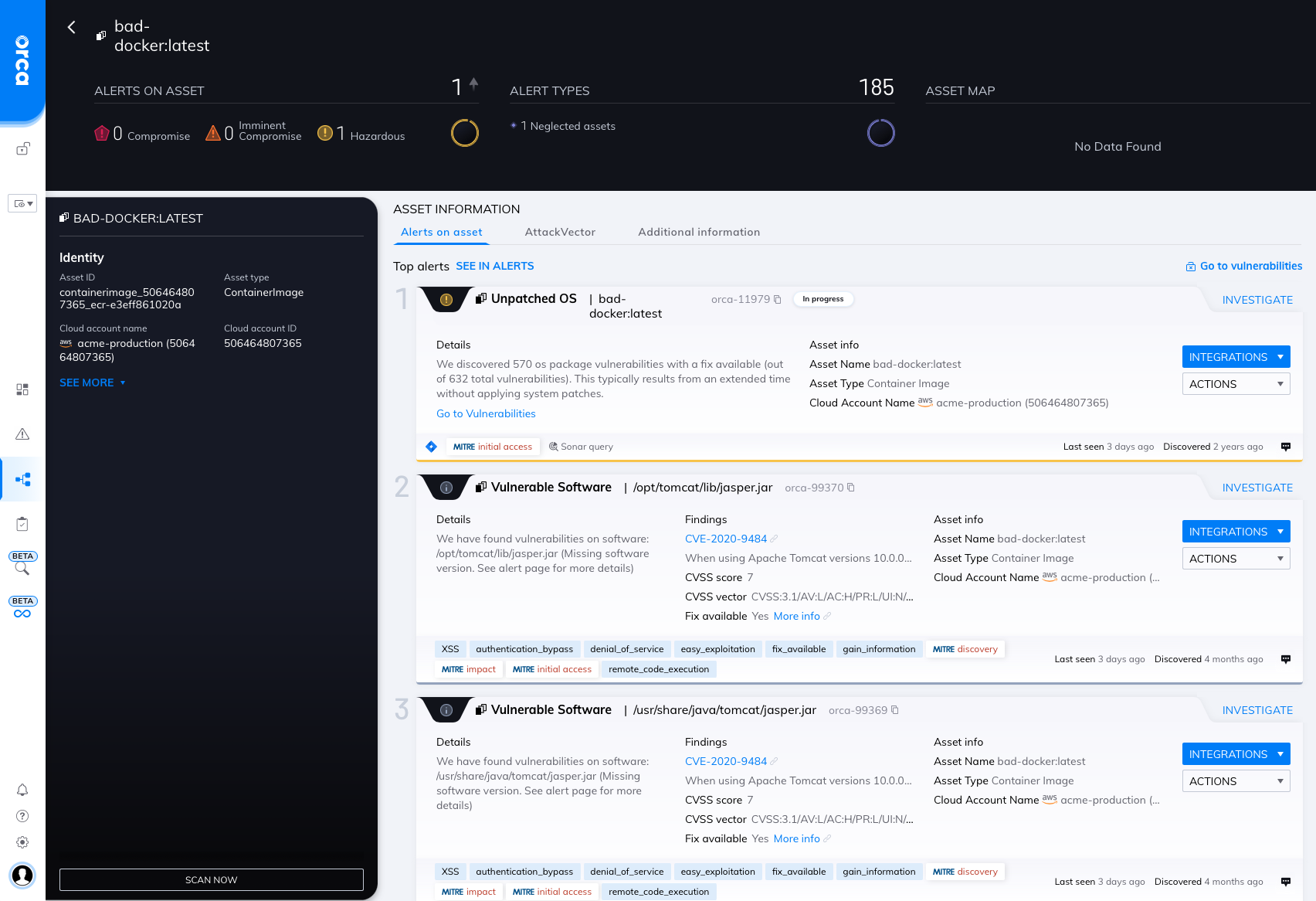
    Orca Security has extended its cloud security platform via a command-line interface (CLI) that makes it simpler to integrate with a wide range of DevOps tools.

    Rather than relying on agents, the Orca Security platform creates a risk profile using read-only access to block storage accessed via a runtime hosted on Amazon Web Services (AWS), Microsoft Azure or Google Cloud Platform. That approach, dubbed SideScanning, eliminates the need for DevOps teams to deploy and maintain agent software to ensure cloud security.

    The platform then scans both workloads and cloud configuration metadata to build a map of risks that better enables DevOps teams to prioritize cloud security efforts.

    Orca Security CEO Avi Shua said the CLI will now make it easier to shift responsibility for cloud security further left toward developers and the DevOps teams that support them by making it easier to scan for vulnerabilities with the context of a larger set of DevSecOps best practices.

    Cloud security remains a major challenge because infrastructure is often provisioned by developers that have little to no security expertise. It’s almost inevitable that mistakes will be made. Orca Security is making a case for a tool that enables organizations to identify those security issues without deploying additional agent software across a wide area network.

    The challenge, of course, is determining how far left to shift responsibility for application security. Even when alerted to a security issue, many developers may not fully appreciate the severity of that issue, noted Shua. Many developers also assume their cloud service provider is providing a level of security that they actually don’t. It’s the responsibility of the entity deploying the application to secure it and the associated configurations used to deploy it. Integrating a cloud security tool within a DevOps workflow becomes critical because it enables more members of a DevOps team to evaluate potential risk to the business as the application is being built rather than after it’s running in a production environment, he added.

    Many existing DevSecOps tools don’t provide enough context; all they do is provide static analysis of the code that’s been deployed, Shua noted. Developers need to have a deeper understanding of which issues represent a level of risk that requires their immediate attention, he said.

    There is, of course, more focus than ever on cloud security as more organizations review how their software supply chains are constructed in the wake of a series of high-profile cybersecurity breaches. Many are discovering that the level of security visibility they have into cloud computing environments is limited, at best.

    It’s not likely security concerns will slow down the rate at which applications are now being deployed in the cloud. Instead, the challenge is better understanding how to secure those applications using substantially different tools and processes than those used to secure applications within an on-premises IT environment.