Author: Tony Bradley

  • Native support for Docker apps coming soon to Parallels

    Native support for Docker apps coming soon to Parallels

    When I think of Parallels, the first thing that comes to mind is virtual machines. I have used Parallels for years as a means of running a virtualized instance of a Windows operating system from within Mac OS X. In addition to virtual machines, though, Parallels was also doing containers before containers were cool, and announced last week that it will soon include native support for Docker applications as well.

    Parallels was working with container technologies years ago with Virtuozzo and the open source OpenVZ platform. The company claims to be the most widely-deployed containers platform in the world, with over one million instances. With the launch of native Docker support, service providers will be able to provide container-based virtual private servers on the Parallels Cloud Server platform to customers that want to build with Docker applications. Parallels

    “A challenge customers face today is running Docker images in a virtualized environment based on a hypervisor,” explained James Bottomley, chief technology officer of virtualization for Parallels. “This takes a core benefit of Docker—that the applications run in containers at higher density and performance—and reduces that benefit considerably.”

    Bottomley added, “With Parallels solution, the service provider can offer the customer an environment where Docker is running on top of Parallels Cloud Server containers-based virtualization for optimal performance and at high-density.”

    Why does this matter? I spoke with Bottomley myself to get more information. He told me that the primary advantage of containers—particularly in the cloud—is they have different elasticity and density capabilities than a hypervisor. It is faster and easier to scale containers than entire virtual machines.

    There is a disadvantage as well. Bottomley stressed that container technology requires that all of the containers share the same kernel. So, it’s not possible, for example, to launch a Windows-based container on a Linux kernel, or a Linux-based container on a Mac OS X kernel.

    The inclusion of native Docker support in Parallels Cloud Server will be significant for smaller companies. Large enterprises like Microsoft or Amazon have virtually unlimited resources to invest in scalability. They can simply run container apps in separate hypervisor instances, and just continue to add more hypervisor instances to meet demand, but that is a costly and inefficient way to address scalability.

    With Docker apps running on Parallels Cloud Server, smaller cloud service providers will have a secure, high-density virtual server environment with the elasticity and scalability to compete with much larger public cloud providers. Bottomley told me that the Parallels solution with Docker containers reduces the physical server overhead by a factor of one-third.

    Philbert Shih, managing director, Structure Research agrees there is significant market opportunity for cloud service providers to deliver a cost-effective platform for developing and deploying Docker applications. “The answer lies in building an optimized infrastructure environment that is dense and scales, while being able to maintain high levels of performance and facilitate portability of workloads.”

    The Parallels announcement is just the latest in a string of victories for Docker. Microsoft added support for Docker containers on Linux virtual servers in Azure earlier this year, and recently announced a partnership with Docker to bring native container support to the next iteration of Windows Server.

    As the container concept gathers mainstream steam, though, Docker also faces increasing competition from rivals like Rocket. Expanding Docker’s sphere of influence with native support on popular, and widely-used platforms will help to cement it as the de facto leader of container apps.

    The update to Parallels Cloud Server to introduce native Docker support is expected in the first quarter of 2015.


  • Q&A with Ken Cheney: Chef and HP partner to bring DevOps to the enterprise

    Q&A with Ken Cheney: Chef and HP partner to bring DevOps to the enterprise

    HP and Chef issued a joint press release last week revealing their new partnership. HP Technology Services now offers Chef’s IT automation platform as part of its Datacenter Care service. The move is big news for both HP and Chef, and is yet another illustration of how DevOps is transforming enterprise IT.

    The partnership makes sense. It’s hard to talk about DevOps without mentioning Chef, and virtually impossible to talk about enterprise IT without bringing HP into the conversation. The press release explains, “Enterprises in every industry are under significant pressure to deliver on-demand digital products and services to remain competitive. In doing so, they are adopting web-scale practices, including DevOps, to create more agile and resilient infrastructure.”

    How does bringing Chef into the mix enable HP to help its customers achieve those goals? With capabilities for high availability, replication, and analytics, as well as comprehensive integration with all major operating systems and cloud providers, Chef gives enterprises a comprehensive platform for automating IT infrastructure and application delivery across Windows, Linux, and Unix, whether in a local datacenter, or a cloud environment.

    This isn’t the first big news of the year for Chef. Earlier this year Microsoft jumped on the DevOps bandwagon by integrating Chef and Puppet Labs into the Azure cloud platform. Teaming up with HP is another significant rung on the ladder to making DevOps a mainstream enterprise concept.

    I conducted a little Q&A with Ken Cheney, vice president of business development for Chef, about the new relationship with HP:

    DevOps: What does this new relationship with HP mean for Chef?

    Cheney: This is a multimillion dollar deal with HP—it’s the largest partner deal we’ve ever done. HP Technology Services is packaging Chef’s IT automation platform into its Datacenter Care offering, serving more than 2000 customers globally.

    This represents significant validation for both Chef’s commercial automation platform and our market leadership. With HP’s channel, we can enter and help transform very traditional datacenters to adopt DevOps patterns, increase efficiency and reduce costs.

    DevOps: In your opinion, what does it mean for HP?

    Cheney: HP Technology Services will now offer Chef’s IT automation platform as part of its Datacenter Care—Infrastructure Automation offering. By turning infrastructure into code, HP will now enable even more IT agility and reliability for businesses.

    DevOps: There are benefits for both Chef and HP, but the customers are what really matter. How does this partnership benefit Chef or HP customers, or IT admins in general?

    Cheney: This new offering will enable HP’s enterprise customers to unify development and operations on a single codebase, accelerating software and application delivery, as well as ensuring maximum security and eliminating costs related to human error or system breaches.

    DevOps: What impact does Chef’s partnership with HP have on DevOps in the enterprise?

    Cheney: Today, every business must transform into a software company to compete in the always-on digital economy. This shift toward what is called “web-scale IT,” requires companies to embrace web-oriented architectures and open source software, automate operations and move services to the cloud, and take on new cultural practices based on the DevOps movement.

    Our new partnership with HP is further validation that the DevOps movement is hitting the bow of the enterprise – we are working together to help deliver the web-scale architecture enterprise customers are looking for.

    Only time will tell the true impact of this partnership, or how DevOps culture evolves in the enterprise. It’s safe to say, though, that the combination of Chef and HP is a powerful force, and that the partnership will make DevOps available to many large enterprise customers.

  • Collaborate more effectively with AppDynamics DevOps Virtual War Room

    Collaborate more effectively with AppDynamics DevOps Virtual War Room

    DevOps enables companies to move faster—but moving faster is not a worthy goal in and of itself. Organizations have to be able to develop and deploy solutions that are effective as well as expedient. It’s important to be able to monitor and respond to events in real time to ensure everything is running optimally, and to be able to create and implement fixes as quickly as possible when it’s not.

    At its AppSphere 2014 conference held in Las Vegas earlier this month, AppDynamics announced the latest release of the AppDynamics Application Intelligence platform—which is designed to help make application intelligence available so businesses can run faster, leaner, and more efficient. One unique element of the latest release is a new DevOps Virtual War Room.

    An AppDynamics press release describes the DevOps Virtual War Room. “It enables IT operations, development teams and business users to see and resolve problems together in a shared virtual space. The new release also enables scheduled, auto-delivered reports, and adds a new iOS app that sends push notifications to team members when system alerts are triggered.”

    Unless you can get all parties in one room, reviewing the same information, and discussing the issues and potential solutions, troubleshooting can easily devolve into chaos. Mixing various forms of communication—phone calls, emails, instant messaging, face-to-face, etc.—results in a modern day business form of the children’s game “telephone”. Statements get twisted, and bits and pieces of information get lost in translation as various parties attempt to work together.

    The DevOps Virtual War Room strives to change that dynamic by giving teams—even geographically separated teams—a single virtual space where all parties can come together to collaborate. Everyone sees the same data, and the individuals can discuss options and make changes to application settings and configurations together in real-time.

    Another benefit of the DevOps Virtual War Room is that it maintains a log of the communications and the changes that have been made. Valuable information about the root cause of the issue, the troubleshooting process, and the changes made to implement an effective solution are captured so that there is an audit trail to refer to if additional problems arise, as well as a historical archive that can server as a reference for future issues. The data collected from the DevOps Virtual War Room can be captured and indexed in knowledge management systems in order to streamline access in the future.

    “We’ve all seen the tremendously positive impact the DevOps phenomenon has had. With our new Virtual War Room and the other tools introduced today, we are catalyzing DevOps collaboration for troubleshooting, as well as application development, in ways that no other APM platform can do,” explained AppDynamics CEO Jyoti Bansal. “Performance isn’t just about technology, as critical as that is—it’s also very much about people working together closely to get things done faster and more effectively.”

    To be fair, there are a variety of other ways to accomplish a similar goal. Any number of Web conferencing or virtual whiteboard tools—including things like Skype for Business or Google Hangouts—could serve as a virtual meeting places where developers, operations, business stakeholders, and others could “meet” virtually to get things done. One aspect that makes the AppDynamics DevOps Virtual War Room different—if not better—is that it also brings the relevant data and information to the table, and presents it in a way that enables the individuals to analyze the problem and devise a solution.

  • Microsoft determined not to get left behind by DevOps

    Microsoft determined not to get left behind by DevOps

    Microsoft is a massive company—a behemoth with a lot of inertia, and a lot of bureaucracy in place that make it difficult to adapt quickly. Under Satya Nadella, however, Microsoft is striving to re-invent itself, and—to the extent that it is possible—become more agile. For evidence of Microsoft’s new philosophy, look at how Microsoft is aggressively embracing concepts like open source and DevOps that used to be viewed as pariahs.

    I wrote recently about the partnership between Microsoft and Docker. Microsoft added support for Docker containers in the Azure cloud platform within Linux virtual machines earlier this year, but then it upped the ante by announcing that it will support Docker natively in the next version of Windows Server, and that it is working closely with Docker on an open source project to drive development of the Windows engine for Docker.

    “An important aspect of this announcement is the noticeable speed we are observing Microsoft move to implement open source technologies,” explained Al Gillen, an analyst with IDC, in a report about the relationship between Microsoft and Docker. “The company appears to be determined not to be left behind as the velocity of open source developer technologies accelerates. The company appears to be willing to integrate competing technologies, or technologies from competing ecosystems at a faster pace and with less hesitation.”

    Docker isn’t the only piece of the puzzle, either. Earlier this year Microsoft joined forces with Chef and Puppet Labs, and integrated both of those popular DevOps platforms into Azure as well. Incorporating Chef and Puppet Labs gives IT admins more flexibility to deploy, configure, automate, and manage VMs in Azure.

    What the new philosophy really represents is a realization. Nadella’s Microsoft sees the writing on the wall, and understands that it’s a new world. Technologies have changed, and the way companies and individuals use technology has changed, and the days of dominating the tech universe as a virtual monopoly are gone. The two choices facing Microsoft were to either stubbornly cling to its former glory and die a slow, painful death, or adapt and embrace change in order to remain relevant, and continue to play a vital role. Thankfully, it seems Microsoft has chosen the latter path.

    What does embracing change look like? Microsoft appears to be taking a two-pronged approach. On the one hand, Microsoft is changing internally to shed some of its entrenched bureaucracy and enable it to function with more agility. It is also striving to keep up with new technologies itself—buying Nokia to bring smartphone manufacturing in house, developing the Surface tablets, rolling out the Microsoft Band wearable health tech, and other initiatives demonstrate that Microsoft is working hard to break free from the shackles of its own past, and find ways to keep up with the changing tech landscape.

    The second—and arguably more important—prong is how Microsoft is addressing the new multi-vendor, cross-platform world we live in. Microsoft recognizes that it is not the only game in town, but it has a vested interest in ensuring that customers continue to rely on Microsoft tools no matter what platform they choose. To that end, Microsoft is doing a much better job of offering its own products and services across a wider range of devices and platforms.

    The new Microsoft represents a win-win-win scenario. It’s a win for Microsoft because it enables the company to shift and evolve to stay relevant with a rapidly-changing tech landscape. It’s a win for open source and DevOps because companies of all sizes are built around Microsoft operating systems and applications, so incorporating support for open source and DevOps tools exponentially increases the potential customer base. Finally, it’s a win for the customers themselves because they get to maintain their existing investments in a Microsoft infrastructure, while also gaining access to new tools that enable greater automation and efficiency.

  • Microsoft partners with Docker to bring containers to Windows Server

    Microsoft partners with Docker to bring containers to Windows Server

    Docker has taken the DevOps world by storm, and that has caught the attention of Microsoft. Now, Microsoft and Docker are teaming up to bring native support for the container technology to the next generation(s) of Windows Server.

    Docker is an open platform that enables organizations to run any application as a Docker container. The Docker containers can be implemented across virtually any infrastructure—delivering tremendous agility and flexibility for managing virtual applications. The container concept accelerates software development timeframes, and allows organizations to reduce costs and improve efficiency at the same time. It’s easy to understand why Docker is so popular.

    There have been more than 21 million downloads of the Docker platform, and there are over 45,000 “Dockerized” applications available on the Docker Hub Registry, and 13,000-plus Docker-related projects on GitHub. Just last month Docker took in $40 million in another round of investment.

    Major names in tech, like Rackspace, Google, and IBM have already pledged their support for Docker. Now Microsoft wants to bring the hot technology to Windows.

    Docker Engine for Windows Server will allow customers to create Docker container applications that can run locally on Windows Server, or on virtual Windows Server instances in the cloud on Azure. In a blog post announcing the Docker partnership, Ross Gardler of Microsoft Open Technologies explains, “As part of this announcement, MS Open Tech is contributing code to the Docker client that supports the provisioning of multi-container Docker applications on Azure. This code removes the need for our cross-platform CLI to bootstrap the Docker host. In other words, we have taken a simple process and made it even simpler.

    “This development is interesting because Docker has been a really fast moving technology having come out of almost nowhere a year ago to where now it is an incredibly widely supported technology,” stated Al Hilwa, an IDC analyst. “It is a bit of engineering but Microsoft wisely decided that they did not want to leave Windows developers out of the Docker party. This is good for Microsoft because those 45K ‘Dockerized’ applications will be able to run on Windows.”

    To be fair, Microsoft isn’t completely new to Docker. Earlier this year it added support for Docker in Azure, but only on Linux. This new partnership launches an open source project to develop a Docker Engine runtime for building, running, and managing Docker containers natively within Windows Server. Docker Engine for Windows Server will be managed as a Docker open source project, but Microsoft will be a major contributor to the community.

    The Microsoft blog post describes why Docker’s container technology is so important for the fast-paved development of a DevOps environment. “Containers do not include a full operating system, consequently rapid development and scaling of container-based applications is possible through very quick boot and restart operations. Furthermore, highly efficient creation of modified container images, by virtue of only capturing the differences between the original and new containers, enables improved management and distribution of containerized applications; the resulting images are both small and highly portable across almost any platform.”

    Hilwa summed up with some thoughts about the new strategic vision of Microsoft. “What is even more interesting is that the work on the Docker engine in Windows is being done in open source—really showcasing the new Microsoft attitude towards open source (e.g. the open sourcing of Roslyn a few months ago). I really think we are seeing a faster and more open Microsoft, one that is more willing to integrate and collaborate with competing technologies without a lot of hesitation.”

  • Monitor mobile apps behavior with freemium tool from AppDynamics

    Monitor mobile apps behavior with freemium tool from AppDynamics

    One of the core elements of DevOps is rapid development. Organizations remove obstacles, and function more efficiently to compress timeframes and evolve in real time. In order to be more effective, though, you also need to have real-time feedback on the existing app experience so you can adapt on the fly. AppDynamics wants to provide that with a new self-service freemium version of its Mobile Real-User Monitoring (RUM) platform.

    Free mobile crash analytics puts powerful data into the hands of mobile app developers who want to understand the critical failures that drive users away from their app and damage credibility, whether it’s the latest game or a business enterprise app. AppDynamics Mobile RUM enables mobile developers to quickly identify unique and recurring crashes for specific devices, operating systems, or carrier types, and fix them before they become pervasive.

    “If you don’t know what your mobile users are doing or know at what point and why your mobile app is crashing, you’re essentially flying blind in the brave new mobile world. With millions of apps available on the Apple and Android app stores, customers have little patience for a poor mobile experience. Not only does the poor mobile app hurt revenues, but it also hurts brand perception” said Jyoti Bansal, founder and CEO of AppDynamics in a press release statement. “With such rich mobile app performance management capabilities available in the market today, there is no reason businesses should leave their brand experience to chance. With free mobile crash analytics, you can quickly pinpoint the causes of mobile crashes and get them fixed before your users defect in droves.”

    AppDynamics launched a free, self-service, 15-day trial of the full-featured version of the enhanced mobile RUM product today. After the 15 days expires the full-featured professional version converts to a limited functionality lite version and continues to provide users with valuable mobile crash analytics data entirely free, forever. The freemium offering provides the crash analytics capabilities for free, with data retention for a 365-day period. Mobile developers can flashback up to a year to learn from historical trends and patterns.

    The full-featured professional version includes a variety of additional features and capabilities, like mobile business transaction correlation, enhanced mobile end-user experience management, and mobile behavior analytics. AppDynamics Mobile RUM can be deployed locally on-premise, or as a SaaS (Software-as-a-Service) offering.

    Bansal added, “Mobile is an essential component for software-defined businesses. That’s why it’s an essential component of the AppDynamics Application Intelligence platform as well. AppDynamics enables customers to move seamlessly from mobile data to server data, from smartphone to PC, so they have command of performance and reap actionable intelligence at every level.”

    You can use the lite version, and leverage the benefits of free mobile app crash analytics forever. If you want the features and capabilities of the more comprehensive professional version, AppDynamics Mobile Real User Monitoring costs $3,000 per year for every 5,000 monthly active users.

    Whether or not the feature in the professional version are worth the cost for your organization, it’s hard to argue with free. If you develop mobile apps, you should at least take a look at the data that AppDynamics Mobile RUM can provide, and determine whether or not it can be an asset that helps you adapt and evolve your mobile app experience to maintain your brand reputation and retain loyal customers.

  • JumpCloud launches new Directory-as-a-Service offering

    JumpCloud launches new Directory-as-a-Service offering

    The cloud is a great equalizer that enables startups and smaller companies to scale quickly, and play on a more or less even playing field with larger organizations. Managed cloud services free businesses up from implementing, configuring, and maintaining the underlying infrastructure, and allow individuals to focus on the business. With all of the freedom cloud services provide, though, there is still a need for a directory service that defines who the users are, and controls which individuals have access to which resources. JumpCloud wants to move that to the cloud as well.

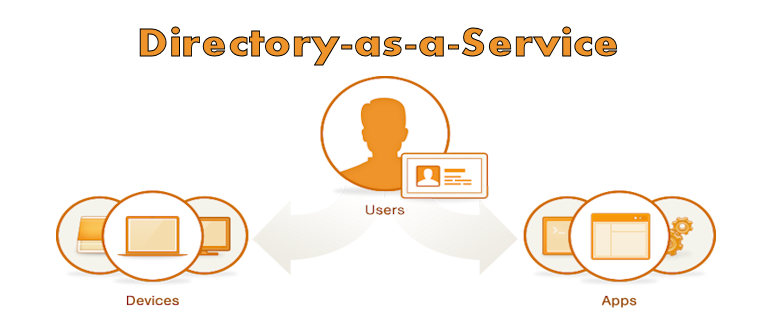
    JumpCloud has established itself as a leading solution for managing security across a vast, rapidly-changing, virtual ecosystem in the cloud. Today, JumpCloud is announcing a new offering that takes builds on that foundation, and applies its experience to deliver Directory-as-a-Service (DaaS). JumpCloud claims its new service will allow organizations to stop managing directory services locally, and enable them to move to a fully-managed, cloud-based alternative to LDAP (Lightweight Directory Access Protocol) or Microsoft AD (Active Directory).

    “As we have seen with the transitions from Siebel to SalesForce, Exchange to Gmail, and file servers to DropBox, JumpCloud is enabling the transition of one of the last on-premise technologies to a fully managed service: the user directory,” says Rajat Bhargava, JumpCloud’s President and CEO in a press release statement. “Directory-as-a-Service brings IT teams the simplicity, ubiquity, and security of user and device management, all from the cloud.”

    The JumpCloud DaaS services can act as the sole user store for an organization, or it can extend existing AD or LDAP user stores to the cloud. JumpCloud DaaS also integrates with single sign-on (SSO) providers so that IT admins are not forced to manage multiple directories.

    “JumpCloud understands the need for directory services in the cloud,” said Salvatore D’Agostino, CEO of IDmachines. “Building on their secure shell configuration management tools, this offer puts in place cloud-to-machine, user authentication and other directory services. At IDmachines, we see this as a big need in current XaaS.”

    JumpCloud DaaS promises to help organizations be more agile and more effective whether they’re just implementing a directory service, extending an on-premise directory service to the cloud, or migrating locally-managed directory services to the cloud.

    A cloud-based DaaS offering makes sense. No matter what size an organization is, managing the user directory through local, manual processes is an obstacle to realizing the full benefits of other cloud services. It creates complexity, and introduces reliability and security issues. Cloud-based services need a cloud-based directory service—a directory service that can keep up in terms of availability, scalability, and flexibility.

    JumpCloud DaaS—like other managed cloud offerings—takes the burden off of local IT to manage the backend of the directory services infrastructure, and places it on JumpCloud. Customers can focus on building things, and authenticate and authorize cloud infrastructure, servers, applications, users, and devices.

    JumpCloud’s Directory-as-a-Service is available immediately. Pricing plans start at $10 per user per month, and the first ten users are free forever. JumpCloud supports the LDAP protocol and works with Windows, Mac, and Linux devices.

  • Conjur up some agile, automated authorization management

    Conjur up some agile, automated authorization management

    One issue that has plagued IT since its inception is adding and removing authorized users. Most network and application security rely on somehow validating credentials to confirm that an individual is authorized to access the resources, but in a rapidly changing environment it is a serious challenge to keep authorization and authentication systems up to date. Conjur hopes to solve that problem.

    What is Conjur? In a nutshell, Conjur is an API-backed virtual appliance that makes cloud infrastructure projects possible by giving DevOps teams the ability to manage permissions and authorizations in a secure, automated, and well-audited way. In other words, Conjur allows for automated authorization management.

    Kevin O’Brien, part of the founding team at Conjur, shared some thoughts on Conjur, the issues the company seeks to address, and how Conjur can make life easier for DevOps teams. “As we’ve grown into the market, we’ve seen a lot of DevOps teams struggling with the same kind of authorizations problems, either slowing or killing cloud initiatives outright. For the ones that make it off the ground, they have to build a tangled web of handwritten scripts or hacked together key/certificate/user/access management inside of toolchains that are designed for other purposes (things like Puppet, Ansible, Docker, Chef, Salt, GitHub, etc.).”

    Conjur provides a dedicated platform for conducting authorizations without relying on insecure alternatives. Rather than trying to force old authorization technologies and ideas—like Active Directory—into a radically new environment—like an agile DevOps infrastructure, organizations can leverage Conjur.

    Conjur helps simplify and automate tasks like moving SSH keys out of insecure locations such as on-disk storage, or in Docker images, or GitHub repositories, and consolidating them on the secure, encrypted Conjur server. Conjur can manage secrets, including SSL certificates, across their entire lifecycle—from provisioning to replacement—with minimal downtime. And, Conjur maintains a comprehensive audit log of its activities.

    O’Brien relayed the story of one Conjur customer. This customer provides data analytics products for healthcare organizations, and solves complex computational problems with a focus on reducing health costs. The customer wanted to integrate DevOps concepts and culture into its business model, but ran into some stumbling blocks.

    “They were running into an issue where they wanted to begin using an AWS-based clustered genomics product, which would have allowed them to automate a large portion of their analytics, but were being told by their insurance payers that moving client data into that environment would be an impediment to doing business, because they couldn’t provide sufficiently granular access rights (the product used passwordless SSH keys),” explained O’Brien. “The insurance companies saw that as an ePHI issue, and absent a more sophisticated control and auditing, it was a no-go.”

    This company used Conjur to replace the default authorization mechanism in the project with a “Conjurized” access check, which allowed it to store the relevant keys in ephemeral storage and manage permissions through Conjur rather than by embedding them in code throughout their product set. Along with the audit capabilities, this meant that it had effectively taken a show-stopping design and circumvented it in a matter of weeks, without relying on key distribution or having to spend any time building an in-house solution.

    Conjur even has a solution dedicated to “DevOps and User Enablement.” O’Brien described it, “At a macro level, we’re solving a problem that is unique to DevOps and cloud: unlike the on-premise infrastructure of 20 years ago, protected by an Active Directory/LDAP system that handled authorization, role-based access control, and so on, there’s no way to translate that to the rapidly changing infrastructure that teams deal with today.”

    User enablement, in the end, is about driving innovation and speed. Conjur claims to make that possible (and more automated), without sacrificing security or auditability, or requiring a lot of custom work to use.

  • Four open source tools to help keep you cooking with Chef

    Four open source tools to help keep you cooking with Chef

    If you’re even a little familiar with DevOps concepts, you’ve probably heard of Chef. If you’ve started experimenting with or implementing DevOps, there’s a pretty good chance you’re using Chef. Chef is an awesome platform for managing a DevOps environment, but it isn’t perfect.

    Thankfully, missing features or gaps in the capabilities of a platform like Chef are just opportunities for other developers to step in and save the day. For some organizations, that may be a double-edged sword. It can be overwhelming to investigate the myriad options out there, and to choose tools that add value, without also adding more complexity and headaches than they’re worth.

    Let’s take a closer look at four of the most popular open source tools you can use in conjunction with Chef to make your life easier.

    1. Foodcritic

    One of the coolest things about Chef—at least from a geek humor perspective—is how the various tools and features all seem to have food-related names that play off of Chef. For example, Foodcritic.

    The goal of Foodcritic is to make it automate checks for common problems in your Chef cookbooks. The idea is to be able to analyze code quality, and identify issues that will cause Chef to have heart failure if you try to deploy them. Foodcritic ensures that your cookbook code is clean, and flags issues before you deploy them and cause Chef to blow up.

    Foodcritic can be configured to work with continuous integration tools like Travis and Jenkins as well. Doing so enables you to combine the automated checking of Foodcritic with the automated deployment pipeline of Travis or Jenkins to keep everything running smoothly.

    2. Test Kitchen

    Continuing with the Chef / food-related naming conventions, next we have Test Kitchen. Just as restaurants and food companies have test kitchens where chefs can experiment with new flavors and recipes without disrupting food production or affecting the menu, Test Kitchen offers DevOps developers a means of executing a Chef cookbook without actually running code on the Chef Server.

    Test Kitchen has drivers and plugins that allow it work with most cloud platforms and virtualization technologies, including Amazon EC2, Blue Box, CloudStack, Digital Ocean, Rackspace, OpenStack, Vagrant, Docker, LXC Containers, and more. It is also designed to support testing frameworks like Bats, shUnit2, RSpec, and Serverspec right out of the box.

    3. Berkshelf

    The food / Chef connection is a bit more of a stretch on this one, but once you understand what it does it makes more sense. A chef typically has cookbooks, and those cookbooks are stored on a bookshelf. A Chef deployment also uses cookbooks, and those cookbooks can be managed using Berkshelf. Do you see what they did there?

    Berkshelf ensures that the right versions of Chef cookbooks are being run by managing how the cookbooks are fetched and deployed to the Chef Server. While there are some unique elements to each Chef cookbook (It wouldn’t make sense to have a completely identical cookbook), there are still common elements as well. It is tedious to manually copy those common elements every time you want to use them so Berkshelf simplifies the process.

    4. Nagios

    You might be wondering if Nagios is some exotic food, or perhaps a tool used by gourmet chefs that you’ve just never heard of. It’s not. Sadly, Nagios breaks the trend of cooking or food related naming. The name Nagios is actually a recursive acronym that stands for “Nagios Ain’t Gonna Insist On Sainthood”—a reference to its original name, NetSaint, which was changed following a legal / trademark dispute.

    Nagios is also less Chef-centric than the other tools listed here. It is an IT infrastructure monitoring tool—a pioneer of sorts in the field of continuous monitoring that is gaining in popularity now. Nagios monitors your IT infrastructure for changes in order to spot problems before they occur, and alert the appropriate personnel.

    Continuous monitoring has a variety of potential benefits. The data gathered from Nagios can help reduce downtime and business losses, or help organizations plan and budget for IT upgrades. It is also an effective tool for detecting security incidents because the continuous monitoring can identify anomalous activity or unauthorized changes and issue alerts in real-time.

    If you are using Chef in your DevOps environment, check out these four tools. As great as Chef is, you might find these tools valuable in helping to streamline and maintain a stable infrastructure.

    Find out how Rally Software uses Chef to achieve business agility at a special devopsy.kinsta.cloud webinar on September 4th!

  • DevOps cuts out the unnecessary middle-man

    DevOps cuts out the unnecessary middle-man

    How many IT people does it take to produce an application? Actually, let me rephrase that. How many IT people does it take to produce an application effectively and efficiently? For many organizations, the answer to the second question is less than the answer to the first because the traditional IT hierarchy includes layers of middle-manager decision makers that weigh everything down.

    One of the things that DevOps helps companies accomplish is to eliminate unnecessary bureaucratic obstacles so the people trying to get things done can just do what they know how to do. The traditional IT model reminds me a little of putting a police officer in the middle of an intersection to direct traffic when there are already stoplights or stop signs present. Every licensed driver already knows the proper protocols and procedures for driving collaboratively and sharing the road so that everyone gets safely through the intersection. The police officer just disrupts an otherwise smooth process, and wastes resources that could be put to better use elsewhere—like maybe pulling over that car going 75mph in a 45mph zone, but I digress.

    For some reason, it is a fairly normal, natural evolution for a business to add layers of middle-management decision makers as it grows. Sometimes those roles are a function of wanting to promote people when there is really nowhere to promote them to, and the role makes sense at the time. In fact, the initial creation of many such roles is actually intended to help the business operate more efficiently. An upper manager starts to get too much on his plate, and delegates power to intermediaries so that decisions can be made at a lower level, and the upper manager’s lack of availability doesn’t become a roadblock to progress.

    Over time, though, middle managers become a cancer on the organization. The need for the role typically fades away, and you’re left with people in unnecessary roles going out of their way to justify their own existence by asserting themselves and making sure everything goes through them. When big companies like Microsoft or General Motors decide to pare down the company, middle managers are generally first on the chopping block because nobody can even explain why they’re there in the first place.

    That’s where DevOps comes in. By its very nature, DevOps enables teams to function more autonomously and take responsibility for their own work. It accomplishes the same goal that originally justified creating middle-manager roles—it moves decision-making power to a lower level so that scarce upper managers don’t become obstacles for productivity. DevOps does it by bringing decision-making power down to the trenches where those involved understand what they’re doing and why they’re doing it, though, rather than adding an extra layer of red tape that ultimately ends up adding, rather than removing obstacles.

    Like drivers approaching an intersection, the people doing the actual work have a firm grasp on what’s supposed to happen. They understand how things work, and what needs to happen to get things done. The traditional middle-manager hierarchy is like the unnecessary police officer “directing” traffic, while a DevOps approach treats the drivers like sentient adults, and assumes they all know what a stop sign or a green light mean without being told.

    In the end, it may add to our employment challenges. The US is already experiencing a shift away from manufacturing jobs as a result of technology and automation making workers obsolete. If we also decide collectively that middle managers are obsolete, we end up with more people without a job. That is unfortunate, and it is a problem that will need to be solved, but businesses can’t solve it by creating unnecessary roles just to give people something to do.

    For younger organizations that have embraced DevOps concepts since inception, DevOps should help prevent the cancer of middle managers. If teams and individuals are given responsibility for themselves, there is no need to create an additional babysitter role to police them. For established organizations that already have middle managers, eliminating those roles creates a natural vacuum where DevOps concepts can flourish if allowed.

    Regardless of how organizations get there, the result of embracing DevOps is that the middle-man is removed from the equation so development occurs more effectively, and more efficiently with fewer people.